Best CPU for RTX 5080: Maximize Your Blackwell GPU Performance (2026)

Quick Answer+
Quick Answer: The AMD Ryzen 7 9800X3D (~$444) is the best CPU for RTX 5080, delivering maximum gaming performance with zero bottleneck. For value builds, the Intel i5-14600K (~$312) offers excellent performance at a lower price. Budget builders can use the Ryzen 5 7600X (~$178) with minimal bottleneck at 4K.
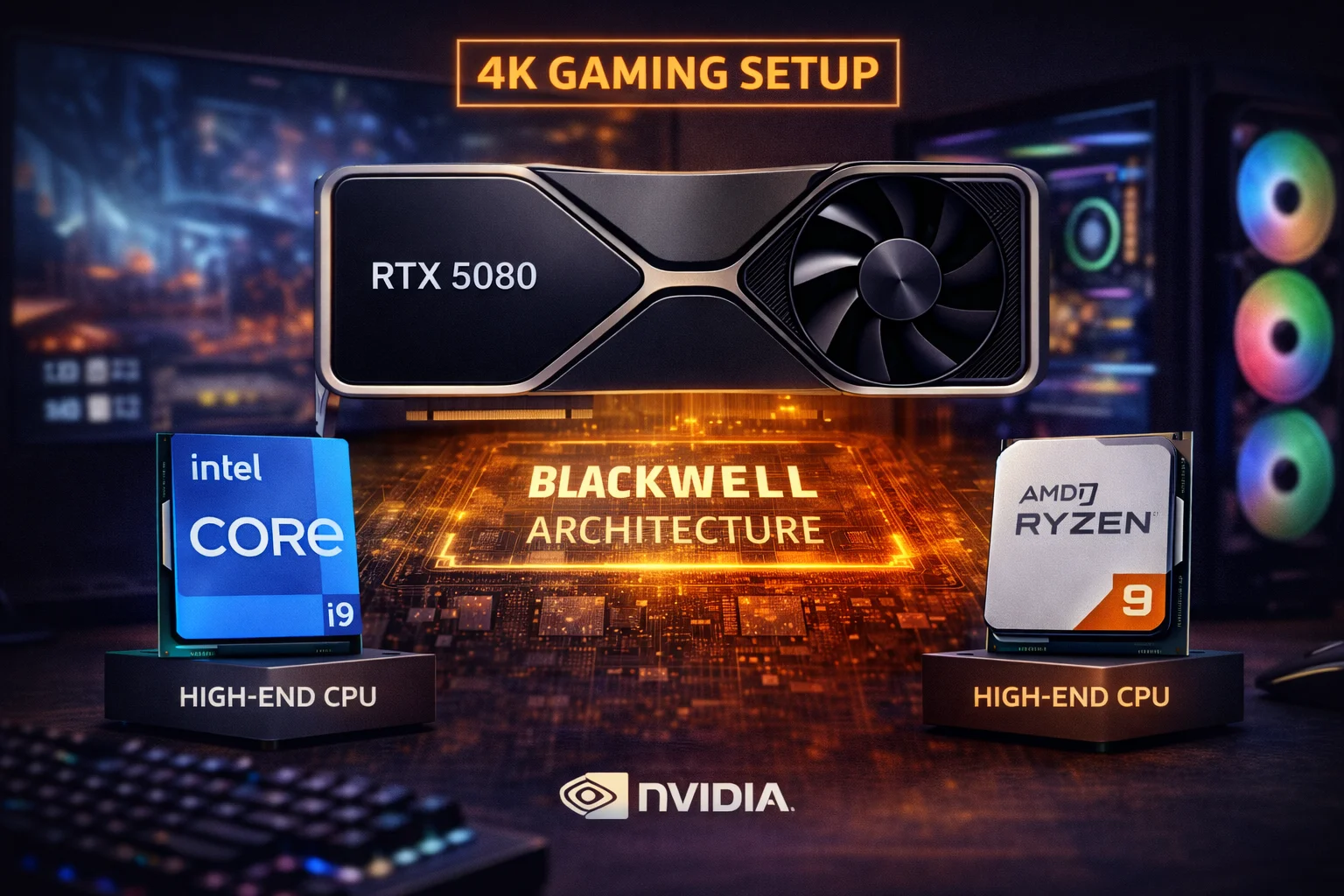
The NVIDIA RTX 5080 is the new flagship for serious gamers who want exceptional 4K performance without the extreme price of the RTX 5090. Built on the new Blackwell architecture with 16GB of ultra-fast GDDR7 memory and DLSS 4 Multi Frame Generation, it’s a powerhouse that demands a capable CPU to reach its full potential.
But here’s the good news: at 4K resolution where the RTX 5080 excels, even mid-range CPUs can keep up. The question isn’t whether your CPU will bottleneck—it’s how much you should spend to get the best value. Use our Bottleneck Calculator to check your specific pairing, or estimate frame rates with our FPS Calculator before buying.
This guide analyzes the best CPU options for your RTX 5080 across different budgets and use cases, with real-world bottleneck data to help you build the perfect high-end gaming PC.
RTX 5080: Understanding What You’re Pairing With
Before choosing a CPU, it’s important to understand the RTX 5080’s capabilities and typical use cases. This helps determine how much CPU power you actually need.
RTX 5080 Specifications
- Architecture: NVIDIA Blackwell
- VRAM: 16GB GDDR7
- Memory Bus: 256-bit
- Memory Bandwidth: ~960 GB/s
- TDP: 300W
- DLSS: Version 4 with Multi Frame Generation
- Ray Tracing: 4th Generation RT Cores
- PCIe: 5.0 x16
- MSRP: $999 (Founders Edition ~$1,359 street)
Target Use Cases
4K 60-120Hz Gaming: The RTX 5080’s sweet spot. At 4K, the GPU is almost always the bottleneck, meaning mid-range CPUs work excellently. Expect 80-120 FPS in demanding titles at max settings.
1440p 144-240Hz Gaming: Here the CPU matters more. For competitive 1440p high-refresh gaming, faster CPUs provide noticeable benefits. The 5080 can push 150-200+ FPS in optimized titles.
4K with DLSS 4: DLSS 4 Multi Frame Generation can effectively quadruple frame rates by generating additional frames. This shifts more work to the CPU, making faster processors more beneficial for DLSS-heavy gaming.
Ray Tracing: Heavy RT is GPU-bound. Even mid-range CPUs handle RT workloads without bottlenecking the 5080 at 4K.
CPU Requirements by Resolution
| Resolution | Refresh Rate | CPU Requirement | Recommended Spend |
|---|---|---|---|
| 4K | 60Hz | Any modern 6-core | $150-250 |
| 4K | 120Hz+ | Mid-range or better | $250-400 |
| 1440p | 144Hz | Mid-range | $250-350 |
| 1440p | 240Hz+ | High-end gaming CPU | $350-450 |
| 1080p | 360Hz+ | Best gaming CPU available | $400-500 |
Best CPU for RTX 5080: Quick Recommendations
| Priority | Best CPU | Price | 4K Bottleneck |
|---|---|---|---|
| Maximum Gaming | Ryzen 9 9800X3D | $444 | 0% |
| Previous Gen King | Ryzen 7 7800X3D | $386 | 0% |
| Best Intel Gaming | i7-14700K | $367 | 0% |
| Best Value | i5-14600K | $312 | 0-2% |
| Budget AM5 | Ryzen 5 7600X | $178 | 0-3% |
| Budget Intel | i5-14600KF | $243 | 0-2% |
Best Overall: AMD Ryzen 9 9800X3D
AMD Ryzen 9 9800X3D
8 Cores | 16 Threads | 5.2 GHz Boost | 104MB Cache | AM5
The fastest gaming CPU available. 3D V-Cache technology delivers unmatched gaming performance. Zero bottleneck with RTX 5080 at any resolution.
The AMD Ryzen 9 9800X3D is the undisputed king of gaming CPUs. With 96MB of 3D V-Cache stacked on top of Zen 5 cores, it delivers 5-15% better gaming performance than any competing processor. For an RTX 5080 build where gaming is the priority, this is the ultimate pairing.
At 4K, the 9800X3D provides zero bottleneck—the RTX 5080 runs at 100% of its potential. At 1440p high-refresh, you’ll see the X3D’s cache advantage shine with higher average and 1% low frame rates. At 1080p competitive gaming, it’s 10-20% faster than non-X3D alternatives.
The 9800X3D is also more efficient than previous X3D chips, with better thermals that allow for easier cooling. The AM5 platform provides a clear upgrade path to future Ryzen generations, protecting your investment.
9800X3D + RTX 5080 Performance
| Game | 4K Ultra | 1440p Ultra | 1080p Ultra |
|---|---|---|---|
| Cyberpunk 2077 | 95 FPS | 145 FPS | 180 FPS |
| Alan Wake 2 | 85 FPS | 130 FPS | 165 FPS |
| Spider-Man 2 | 105 FPS | 165 FPS | 200+ FPS |
| Call of Duty MW3 | 140 FPS | 220 FPS | 300+ FPS |
| Fortnite (Competitive) | 180 FPS | 350+ FPS | 500+ FPS |
When to Choose 9800X3D
Choose the 9800X3D if you want absolute maximum gaming performance, play competitive games where every frame matters, plan to keep your system for 4+ years, or simply want the best without compromise. The $444 price is justified for serious gamers.
Previous Gen Gaming King: Ryzen 7 7800X3D
AMD Ryzen 7 7800X3D
8 Cores | 16 Threads | 5.0 GHz Boost | 96MB Cache | AM5
Still exceptional gaming performance at a lower price. The 96MB 3D V-Cache delivers outstanding frame rates. Excellent choice if 9800X3D is unavailable or over budget.
The Ryzen 7 7800X3D remains an excellent choice, typically 5-10% slower than the 9800X3D while costing ~$60 less. With 96MB of 3D V-Cache on Zen 4 cores, it still outperforms every non-X3D processor in gaming workloads.
With the RTX 5080, the 7800X3D provides zero bottleneck at 4K. At 1440p and 1080p, performance is nearly identical to the 9800X3D in GPU-limited scenarios. The difference only shows in CPU-limited competitive gaming at very high frame rates.
The 7800X3D is often easier to find in stock and occasionally goes on sale, making it excellent value for RTX 5080 builds. Both X3D processors share the AM5 platform, so you could start with the 7800X3D and upgrade later if desired.
7800X3D vs 9800X3D for RTX 5080
| Aspect | 7800X3D | 9800X3D |
|---|---|---|
| Price | $386 | $444 |
| Gaming (4K) | 100% | 100% |
| Gaming (1440p) | ~95% | 100% |
| Gaming (1080p) | ~90% | 100% |
| Multi-threaded | ~85% | 100% |
| Efficiency | Good | Better |
Best Intel Gaming: i7-14700K
Intel Core i7-14700K
20 Cores (8P+12E) | 28 Threads | 5.6 GHz Boost | 33MB Cache | LGA 1700
Intel’s best value gaming CPU with excellent multi-threaded performance. Zero bottleneck with RTX 5080 at 4K. Great for gaming + productivity builds.
The Intel i7-14700K is the best Intel option for RTX 5080 builds that need both gaming and productivity performance. With 20 cores (8 Performance + 12 Efficiency) and boost clocks up to 5.6 GHz, it delivers gaming performance within 5-10% of X3D processors while offering substantially better multi-threaded workloads.
For RTX 5080 at 4K, the i7-14700K provides zero bottleneck. At 1440p, it’s within 3-5% of the 7800X3D in most games. Where the 14700K excels is streaming, video editing, rendering, and other productivity tasks—it’s roughly 40% faster than the 7800X3D in multi-threaded workloads.
The LGA 1700 platform supports both DDR4 and DDR5, offering flexibility in build cost. DDR5-6000+ provides optimal gaming performance, while DDR4-3600 saves money with minimal gaming impact.
i7-14700K + RTX 5080 Performance
| Game | 4K Ultra | 1440p Ultra | vs 9800X3D |
|---|---|---|---|
| Cyberpunk 2077 | 95 FPS | 140 FPS | -3% |
| Alan Wake 2 | 85 FPS | 125 FPS | -4% |
| Spider-Man 2 | 105 FPS | 160 FPS | -3% |
| Call of Duty MW3 | 140 FPS | 210 FPS | -5% |
| Cinebench R23 (Multi) | ~35,000 pts | +40% | |
When to Choose i7-14700K
Choose the i7-14700K if you stream while gaming, do video editing or 3D rendering, prefer Intel’s platform, or need the best balance of gaming and productivity. It’s also a great choice if X3D processors are out of stock or you find a good deal on Intel.
Best Value: Intel i5-14600K
Intel Core i5-14600K
14 Cores (6P+8E) | 20 Threads | 5.3 GHz Boost | 24MB Cache | LGA 1700
Excellent gaming performance at a mid-range price. Only 0-2% bottleneck with RTX 5080 at 4K. Outstanding value for high-end GPU builds.
The i5-14600K represents the sweet spot for RTX 5080 builds that prioritize value. At $312, it’s $130+ cheaper than gaming-focused alternatives while delivering performance within 5-8% at 4K—where the RTX 5080 shines.
With 14 cores (6P + 8E) and boost clocks up to 5.3 GHz, the i5-14600K handles demanding games without breaking a sweat. The bottleneck with RTX 5080 is 0-2% at 4K—essentially imperceptible. At 1440p, you might see 3-5% limitation in the most CPU-demanding titles.
The savings from choosing the i5-14600K over pricier CPUs can go toward a better monitor, more storage, or simply staying under budget. For most gamers, this is the smartest choice.
Alternative: i5-14600KF
Intel Core i5-14600KF
14 Cores (6P+8E) | 20 Threads | 5.3 GHz Boost | No iGPU
Same performance as i5-14600K without integrated graphics. Save $70 if you’re definitely using a dedicated GPU (you are with the RTX 5080).
The i5-14600KF lacks integrated graphics but costs ~$70 less. Since you’re pairing with an RTX 5080, you don’t need the iGPU. The only downside is losing video output for troubleshooting if your GPU fails. For most builders, the KF is the smarter buy.
Budget Option: AMD Ryzen 5 7600X
AMD Ryzen 5 7600X
6 Cores | 12 Threads | 5.3 GHz Boost | 32MB Cache | AM5
Incredible value for RTX 5080 builds. Only 0-3% bottleneck at 4K. Modern AM5 platform with upgrade path to future Ryzen generations.
Yes, you can pair a $178 CPU with a $1,300+ GPU and get excellent results. The Ryzen 5 7600X provides zero to 3% bottleneck with the RTX 5080 at 4K—the GPU is still the limiting factor. At 1440p, expect 5-8% bottleneck in CPU-demanding titles.
The 7600X makes sense if you’re primarily gaming at 4K where the GPU matters most, want to allocate more budget to the GPU or other components, plan to upgrade the CPU later (AM5 will support future Zen generations), or simply want maximum value without sacrificing much real-world performance.
At 4K, the difference between a $178 CPU and a $444 CPU is often just 2-5 FPS—not worth the extra $266 for many gamers.
7600X + RTX 5080: Real-World Performance
| Game (4K Ultra) | 7600X | 9800X3D | Difference |
|---|---|---|---|
| Cyberpunk 2077 | 93 FPS | 95 FPS | -2% |
| Alan Wake 2 | 83 FPS | 85 FPS | -2% |
| Spider-Man 2 | 102 FPS | 105 FPS | -3% |
| Starfield | 78 FPS | 80 FPS | -3% |
Productivity Hybrid: Ryzen 7 9700X
AMD Ryzen 7 9700X
8 Cores | 16 Threads | 5.5 GHz Boost | 32MB Cache | AM5
Excellent gaming and productivity balance without X3D premium. Zen 5 architecture with improved efficiency. Great for mixed-use builds.
The Ryzen 7 9700X offers an interesting middle ground—8 Zen 5 cores without the 3D V-Cache. It’s slower than X3D chips in gaming (~10%) but faster in productivity workloads and runs cooler. At $304, it’s between the budget 7600X and premium X3D processors.
For RTX 5080 at 4K, the 9700X has effectively zero bottleneck. It’s a sensible choice if you want more cores than the 7600X for productivity, don’t need the absolute fastest gaming performance, value efficiency and lower thermals, or find the X3D premium hard to justify.
Bottleneck Analysis: RTX 5080
Understanding bottleneck percentages helps you make informed decisions. Here’s how various CPUs perform with the RTX 5080 across resolutions.
| CPU | 4K | 1440p | 1080p | Recommendation |
|---|---|---|---|---|
| Ryzen 9 9800X3D | 0% | 0% | 0% | Maximum gaming |
| Ryzen 7 7800X3D | 0% | 0-2% | 2-5% | Value gaming king |
| i9-14900K | 0% | 0-2% | 3-5% | Productivity + gaming |
| i7-14700K | 0% | 0-3% | 3-6% | Balanced choice |
| Ryzen 7 9700X | 0% | 2-4% | 5-8% | Efficient mid-range |
| i5-14600K | 0-2% | 3-5% | 5-10% | Best value |
| Ryzen 5 7600X | 0-3% | 5-8% | 8-12% | Budget builds |
| i5-12400F | 3-5% | 8-12% | 15-20% | Not recommended |
Interpreting Bottleneck Percentages
0%: Perfect pairing. GPU runs at full potential.
0-3%: Excellent pairing. Difference is imperceptible in actual gameplay.
3-5%: Good pairing. Might notice in benchmarks, rarely in games.
5-10%: Acceptable pairing. Worth considering CPU upgrade if budget allows.
10%+: Noticeable limitation. CPU upgrade recommended for this GPU tier.
CPUs to Avoid with RTX 5080
Some CPUs create significant bottlenecks or represent poor value for RTX 5080 builds:
i5-12400F / Ryzen 5 5600: These budget CPUs create 10-20% bottleneck at 1440p with the RTX 5080. They’re excellent for mid-range GPUs, but waste potential on a $1,300+ graphics card. The GPU investment deserves a capable CPU partner.
i9-14900K/KS (~$449-550): Costs $100+ more than the i7-14700K with minimal gaming benefit. The extra E-cores don’t help gaming and add heat/power consumption. Only justified for heavy productivity workloads where every core counts.
Any 4-core CPU: Older quad-cores like the i3-12100F will create severe bottlenecks (20%+) with the RTX 5080. Modern games require at least 6 cores for smooth gameplay—avoid entirely for this GPU tier.
Previous-gen non-X3D AMD: CPUs like the Ryzen 7 5800X or 7700X are worse gaming value than the 7600X while costing more. Either go budget (7600X) or go X3D (7800X3D/9800X3D) for optimal value.
Ryzen 9 7900X / 7950X: These are productivity powerhouses but offer worse gaming performance than the cheaper 7800X3D. If gaming is the priority with your RTX 5080, X3D is the smarter choice.
Special Consideration: Ryzen 5 7600X
The Ryzen 5 7600X deserves special mention. At $178, it’s tempting for RTX 5080 builds on a tight budget. At 4K, it works surprisingly well—0-3% bottleneck means you’re getting nearly full GPU performance. However, at 1440p (5-8% bottleneck) and especially with DLSS enabled (8-12%), the limitation becomes more noticeable.
If you’re targeting 4K 60-120 FPS, the 7600X is a legitimate option. For 1440p high-refresh gaming, consider stepping up to the i5-14600K for a meaningful improvement.
Complete Build Recommendations
Ultimate 4K Gaming Build (~$3,200)
- CPU: AMD Ryzen 9 9800X3D (~$444)
- GPU: RTX 5080 (~$1,359)
- Motherboard: X670E DDR5 (~$280)
- RAM: 32GB DDR5-6000 (~$130)
- Storage: 2TB NVMe Gen4 (~$130)
- PSU: 850W Gold (~$120)
- Cooler: 360mm AIO (~$150)
- Case: Premium mid-tower (~$150)
- Total: ~$2,763
No compromises. Maximum 4K gaming performance with upgrade path to future Ryzen processors.
High-Performance Value Build (~$2,500)
- CPU: Intel i5-14600KF (~$243)
- GPU: RTX 5080 (~$1,359)
- Motherboard: Z790 DDR5 (~$220)
- RAM: 32GB DDR5-6000 (~$120)
- Storage: 1TB NVMe Gen4 (~$80)
- PSU: 850W Gold (~$110)
- Cooler: Tower air cooler (~$50)
- Case: Mid-tower (~$100)
- Total: ~$2,282
Excellent 4K performance at a more reasonable price. Only 0-2% bottleneck at 4K—effectively running the 5080 at full potential.
Budget-Conscious 4K Build (~$2,200)
- CPU: AMD Ryzen 5 7600X (~$178)
- GPU: RTX 5080 (~$1,359)
- Motherboard: B650 DDR5 (~$150)
- RAM: 32GB DDR5-5600 (~$100)
- Storage: 1TB NVMe Gen4 (~$70)
- PSU: 850W Bronze (~$90)
- Cooler: Included Wraith (~$0)
- Case: Budget mid-tower (~$70)
- Total: ~$2,017
Maximum GPU focus with upgrade path. The AM5 platform allows CPU upgrade to X3D later if desired.
Frequently Asked Questions
The AMD Ryzen 9 9800X3D (~$444) is the best CPU for RTX 5080, delivering maximum gaming performance with zero bottleneck at any resolution. For value builds, the Intel i5-14600K (~$312) offers excellent performance with only 0-2% bottleneck at 4K.
Minimally. At 4K, the Ryzen 5 7600X creates only 0-3% bottleneck with the RTX 5080—essentially running the GPU at full potential. At 1440p, expect 5-8% bottleneck. For 4K gaming, the 7600X is an excellent budget pairing.
Excellent choice. The i7-14700K provides zero bottleneck with RTX 5080 at 4K and only 0-3% at 1440p. It’s the best Intel option, offering great gaming plus superior productivity performance compared to X3D processors.
The 9800X3D is 5-10% faster in gaming and runs cooler, but costs ~$60 more. At 4K with the RTX 5080, both provide zero bottleneck. Choose 9800X3D for maximum performance or 7800X3D for better value.
An 850W quality power supply is recommended. The RTX 5080 draws up to 300W, and high-end CPUs can draw 125-250W. An 850W unit provides comfortable headroom. Consider 1000W for overclocked builds.
Recommended but not required. DDR5-6000 provides 5-10% better gaming performance than DDR4 on Intel platforms. AMD AM5 only supports DDR5. For maximum 5080 performance, DDR5-6000 is ideal.
Absolutely. The i5-14600K provides 0-2% bottleneck with RTX 5080 at 4K—you’re getting essentially full GPU performance. It’s the best value CPU for RTX 5080 builds and saves $100-200 vs premium options.
The RTX 5090 is more likely to be CPU-limited due to its higher performance ceiling. If choosing between 5080 and 5090, the 5080 pairs well with mid-range CPUs while the 5090 benefits more from premium gaming CPUs like the 9800X3D.
Conclusion
The RTX 5080 is a powerhouse GPU that pairs well with a wide range of CPUs—especially at 4K where it’s designed to excel. For maximum gaming performance, the AMD Ryzen 9 9800X3D (~$444) is unmatched, delivering the highest frame rates with zero CPU limitation at any resolution.
For excellent value, the Intel i5-14600K (~$312) delivers 98% of the GPU’s potential while saving $130+. It’s the smart choice for gamers who want outstanding performance without overspending on the CPU. The KF variant at $243 offers identical gaming performance for even greater savings.
Budget builders can confidently choose the Ryzen 5 7600X (~$178)—the 0-3% bottleneck at 4K is imperceptible in actual gameplay. The AM5 platform also offers a clear upgrade path to X3D processors if you want faster CPU performance later.
The key insight: at 4K resolution, CPU choice matters less than you might think. Focus your budget on the GPU and other components rather than overspending on CPU for marginal gains. The RTX 5080 will deliver excellent performance with any of our recommended CPUs, and even the budget 7600X lets this GPU stretch its legs at 4K.
For 1440p high-refresh gaming (165Hz+), invest more in the CPU—the i5-14600K or higher ensures smoother frame delivery. For 4K 60-120Hz, save on the CPU and enjoy your RTX 5080’s full potential.
Related Resources
- PC Bottleneck Calculator
- FPS Calculator
- Best GPU for i7-14700K
- Best GPU for Ryzen 7 7800X3D
- Best CPU for RTX 4070 Ti Super
- RTX 5080 Review
Last Updated: February 2026