Quick Answer+
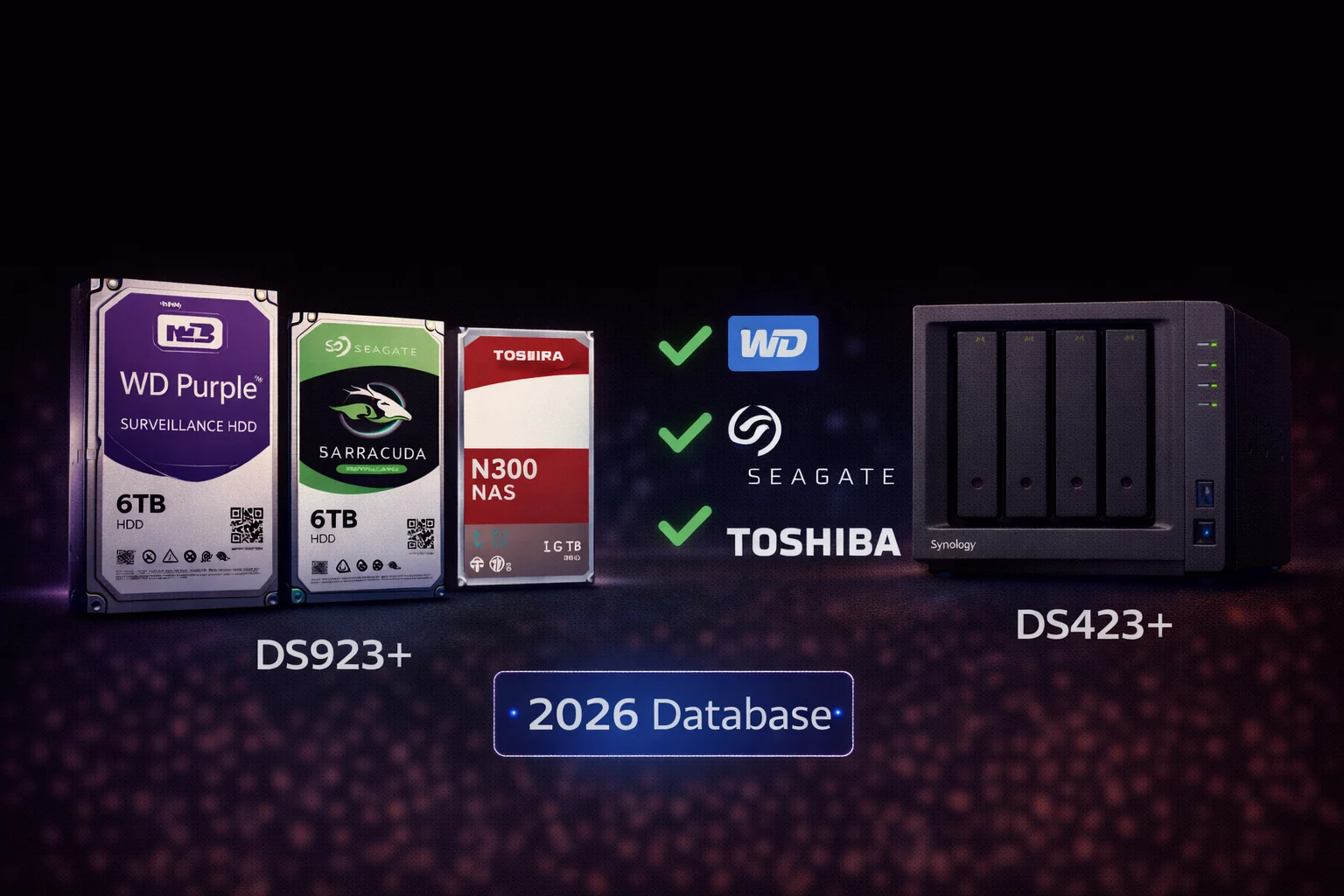
Quick Answer: The best compatible hard drives for Synology NAS in 2026 are WD Red Plus ($149/8TB) and Seagate IronWolf ($159/8TB) for general NAS use, or WD Purple ($145/8TB) and Seagate SkyHawk ($139/8TB) for Surveillance Station. After DSM 7.3, all third-party drives work on every Synology model. Avoid desktop drives (WD Blue, Barracuda) - they're not designed for 24/7 NAS operation.
This is your complete reference guide for every hard drive compatible with Synology NAS systems. We've compiled specifications, current pricing, and recommendations for NAS drives, surveillance drives, and enterprise options - all verified compatible after the DSM 7.3 update.
Table of Contents
- 2026 Compatibility Status
- NAS Drives Database
- Surveillance Drives Database
- Enterprise Drives Database
- Synology-Branded Drives
- Drives to Avoid
- Recommendations by Synology Model
- Recommendations by Capacity
- Frequently Asked Questions
2026 Compatibility Status
Good news: After the DSM 7.3 update (October 2025), virtually all quality hard drives work with Synology NAS systems, including the 2025 Plus series that previously had restrictions.
Compatibility Quick Reference
| Drive Category | Synology Compatible | Recommended Use |
|---|---|---|
| NAS Drives (WD Red, IronWolf, N300) | ✓ Fully Compatible | General NAS, file storage, Plex |
| Surveillance Drives (Purple, SkyHawk) | ✓ Fully Compatible | Surveillance Station |
| Enterprise Drives (Gold, Exos, Ultrastar) | ✓ Fully Compatible | High-workload, business |
| Synology HAT Drives | ✓ Official Support | Premium support needs |
| Desktop Drives (Blue, Barracuda) | ⚠ Works but Not Recommended | Not for 24/7 NAS use |
Related: Synology HDD Compatibility 2026: The DSM 7.3 Story
NAS Drives Database
These drives are specifically designed for Network Attached Storage and work perfectly with all Synology models.
WD Red Plus Series
The most popular NAS drive line. CMR technology ensures consistent performance.
| Model | Capacity | RPM | Cache | Workload | Price | $/TB |
|---|---|---|---|---|---|---|
| WD40EFPX | 4TB | 5400 | 256MB | 180TB/yr | $99 | $24.75 |
| WD60EFPX | 6TB | 5400 | 256MB | 180TB/yr | $119 | $19.83 |
| WD80EFPX | 8TB | 5640 | 256MB | 180TB/yr | $149 | $18.75 |
| WD101EFPX | 10TB | 7200 | 256MB | 180TB/yr | $189 | $18.90 |
| WD120EFPX | 12TB | 7200 | 256MB | 180TB/yr | $209 | $17.42 |
| WD140EFPX | 14TB | 7200 | 512MB | 180TB/yr | $249 | $17.79 |
WD Red Pro Series
Enterprise-class NAS drives with higher workload ratings and longer warranties.
| Model | Capacity | RPM | Cache | Workload | Price | $/TB |
|---|---|---|---|---|---|---|
| WD4005FFBX | 4TB | 7200 | 256MB | 300TB/yr | $139 | $34.75 |
| WD8005FFBX | 8TB | 7200 | 256MB | 300TB/yr | $209 | $26.13 |
| WD121KFBX | 12TB | 7200 | 256MB | 300TB/yr | $269 | $22.42 |
| WD161KFGX | 16TB | 7200 | 512MB | 300TB/yr | $339 | $21.19 |
| WD201KFGX | 20TB | 7200 | 512MB | 300TB/yr | $399 | $19.95 |
| WD221KFGX | 22TB | 7200 | 512MB | 300TB/yr | $449 | $20.41 |
Seagate IronWolf Series
Excellent NAS drives with included Rescue Data Recovery service.
| Model | Capacity | RPM | Cache | Workload | Price | $/TB |
|---|---|---|---|---|---|---|
| ST4000VN006 | 4TB | 5400 | 256MB | 180TB/yr | $99 | $24.75 |
| ST6000VN006 | 6TB | 5400 | 256MB | 180TB/yr | $129 | $21.50 |
| ST8000VN004 | 8TB | 7200 | 256MB | 180TB/yr | $159 | $19.88 |
| ST10000VN000 | 10TB | 7200 | 256MB | 180TB/yr | $199 | $19.90 |
| ST12000VN0008 | 12TB | 7200 | 256MB | 180TB/yr | $219 | $18.25 |
| ST16000VN001 | 16TB | 7200 | 256MB | 180TB/yr | $299 | $18.69 |
| ST18000VN000 | 18TB | 7200 | 256MB | 180TB/yr | $329 | $18.28 |
Seagate IronWolf Pro Series
Enterprise NAS drives with higher workload ratings and 5-year warranty.
| Model | Capacity | RPM | Cache | Workload | Price | $/TB |
|---|---|---|---|---|---|---|
| ST8000NT001 | 8TB | 7200 | 256MB | 300TB/yr | $219 | $27.38 |
| ST12000NT001 | 12TB | 7200 | 256MB | 300TB/yr | $269 | $22.42 |
| ST16000NT001 | 16TB | 7200 | 256MB | 300TB/yr | $349 | $21.81 |
| ST20000NT001 | 20TB | 7200 | 256MB | 300TB/yr | $399 | $19.95 |
| ST24000NT002 | 24TB | 7200 | 512MB | 300TB/yr | $499 | $20.79 |
Toshiba N300 Series
Reliable budget NAS option with competitive pricing.
| Model | Capacity | RPM | Cache | Workload | Price | $/TB |
|---|---|---|---|---|---|---|
| HDWG440 | 4TB | 7200 | 256MB | 180TB/yr | $109 | $27.25 |
| HDWG460 | 6TB | 7200 | 256MB | 180TB/yr | $139 | $23.17 |
| HDWG480 | 8TB | 7200 | 256MB | 180TB/yr | $175 | $21.88 |
| HDWG51C | 12TB | 7200 | 256MB | 180TB/yr | $229 | $19.08 |
| HDWG51E | 14TB | 7200 | 512MB | 180TB/yr | $259 | $18.50 |
| HDWG51G | 16TB | 7200 | 512MB | 180TB/yr | $289 | $18.06 |
Surveillance Drives Database
For Synology Surveillance Station, surveillance-optimized drives provide better performance and reliability than NAS drives.
WD Purple Series
Industry-leading surveillance drives with AllFrame technology.
| Model | Capacity | RPM | Cache | Workload | Price | $/TB |
|---|---|---|---|---|---|---|
| WD42PURZ | 4TB | 5400 | 256MB | 180TB/yr | $89 | $22.25 |
| WD63PURZ | 6TB | 5400 | 256MB | 180TB/yr | $115 | $19.17 |
| WD85PURZ | 8TB | 5640 | 256MB | 360TB/yr | $145 | $18.12 |
| WD102PURZ | 10TB | 7200 | 256MB | 360TB/yr | $185 | $18.50 |
| WD121PURZ | 12TB | 7200 | 256MB | 360TB/yr | $220 | $18.33 |
| WD140PURZ | 14TB | 7200 | 512MB | 360TB/yr | $259 | $18.50 |
| WD180PURZ | 18TB | 7200 | 512MB | 360TB/yr | $319 | $17.72 |
| WD221PURP | 22TB | 7200 | 512MB | 550TB/yr | $399 | $18.14 |
Related: WD Purple Complete Guide | WD Purple Synology Compatibility
WD Purple Pro Series
Enterprise surveillance with AI workload support.
| Model | Capacity | RPM | Cache | Workload | Price | $/TB |
|---|---|---|---|---|---|---|
| WD8002PURP | 8TB | 7200 | 256MB | 550TB/yr | $270 | $33.75 |
| WD101PURP | 10TB | 7200 | 256MB | 550TB/yr | $299 | $29.90 |
| WD121PURP | 12TB | 7200 | 256MB | 550TB/yr | $329 | $27.42 |
| WD142PURP | 14TB | 7200 | 512MB | 550TB/yr | $369 | $26.36 |
| WD181PURP | 18TB | 7200 | 512MB | 550TB/yr | $429 | $23.83 |
| WD221PURP | 22TB | 7200 | 512MB | 550TB/yr | $499 | $22.68 |
Related: WD Purple Pro Complete Guide
Seagate SkyHawk Series
Surveillance drives with ImagePerfect technology and Rescue service.
| Model | Capacity | RPM | Cache | Workload | Price | $/TB |
|---|---|---|---|---|---|---|
| ST4000VX016 | 4TB | 5400 | 256MB | 180TB/yr | $85 | $21.25 |
| ST6000VX009 | 6TB | 5400 | 256MB | 180TB/yr | $109 | $18.17 |
| ST8000VX010 | 8TB | 7200 | 256MB | 180TB/yr | $139 | $17.38 |
| ST10000VX0004 | 10TB | 7200 | 256MB | 180TB/yr | $179 | $17.90 |
| ST12000VX0008 | 12TB | 7200 | 256MB | 180TB/yr | $209 | $17.42 |
Related: Seagate SkyHawk Complete Guide | SkyHawk Synology Guide
Seagate SkyHawk AI Series
Enterprise surveillance with AI analytics support.
| Model | Capacity | RPM | Cache | Workload | Price | $/TB |
|---|---|---|---|---|---|---|
| ST8000VE001 | 8TB | 7200 | 256MB | 550TB/yr | $285 | $35.63 |
| ST12000VE001 | 12TB | 7200 | 256MB | 550TB/yr | $339 | $28.25 |
| ST16000VE002 | 16TB | 7200 | 256MB | 550TB/yr | $399 | $24.94 |
| ST20000VE002 | 20TB | 7200 | 256MB | 550TB/yr | $469 | $23.45 |
| ST24000VE002 | 24TB | 7200 | 512MB | 550TB/yr | $549 | $22.88 |
Related: Seagate SkyHawk AI Complete Guide
Toshiba S300 Series
Budget surveillance option.
| Model | Capacity | RPM | Cache | Workload | Price | $/TB |
|---|---|---|---|---|---|---|
| HDWT140 | 4TB | 5400 | 128MB | 180TB/yr | $89 | $22.25 |
| HDWT360 | 6TB | 5400 | 256MB | 180TB/yr | $119 | $19.83 |
| HDWT380 | 8TB | 7200 | 256MB | 180TB/yr | $159 | $19.88 |
| HDWT31A | 10TB | 7200 | 256MB | 180TB/yr | $199 | $19.90 |
Related: Toshiba S300 Complete Guide
Enterprise Drives Database
For demanding workloads, data centers, and 24/7 enterprise environments.
WD Gold Series
| Model | Capacity | RPM | Workload | MTBF | Price |
|---|---|---|---|---|---|
| WD8005FRYZ | 8TB | 7200 | 550TB/yr | 2.5M hrs | $229 |
| WD121KRYZ | 12TB | 7200 | 550TB/yr | 2.5M hrs | $289 |
| WD161KRYZ | 16TB | 7200 | 550TB/yr | 2.5M hrs | $369 |
| WD201KRYZ | 20TB | 7200 | 550TB/yr | 2.5M hrs | $429 |
| WD241KRYZ | 24TB | 7200 | 550TB/yr | 2.5M hrs | $499 |
Seagate Exos Series
| Model | Capacity | RPM | Workload | MTBF | Price |
|---|---|---|---|---|---|
| ST8000NM000A | 8TB | 7200 | 550TB/yr | 2.5M hrs | $219 |
| ST12000NM001G | 12TB | 7200 | 550TB/yr | 2.5M hrs | $269 |
| ST16000NM001G | 16TB | 7200 | 550TB/yr | 2.5M hrs | $349 |
| ST20000NM007D | 20TB | 7200 | 550TB/yr | 2.5M hrs | $399 |
| ST24000NM002H | 24TB | 7200 | 550TB/yr | 2.5M hrs | $479 |
Synology-Branded Drives (HAT Series)
Synology's own drives (rebranded Toshiba) with guaranteed compatibility and support.
| Model | Type | Capacity | RPM | Price | vs Third-Party |
|---|---|---|---|---|---|
| HAT3310-8T | Plus (NAS) | 8TB | 7200 | $200 | +33% vs WD Red Plus |
| HAT3310-12T | Plus (NAS) | 12TB | 7200 | $280 | +33% vs WD Red Plus |
| HAT3310-16T | Plus (NAS) | 16TB | 7200 | $380 | +31% vs WD Red Plus |
| HAT5300-8T | Enterprise | 8TB | 7200 | $320 | +114% vs WD Red Plus |
| HAT5300-12T | Enterprise | 12TB | 7200 | $400 | +90% vs WD Red Plus |
| HAT5300-16T | Enterprise | 16TB | 7200 | $520 | +79% vs WD Red Plus |
When to buy Synology HAT drives:
- Enterprise compliance requiring single-vendor support
- Mission-critical systems where guaranteed support matters
- Package deals from Synology resellers
When to buy third-party:
- Home and SMB use (99% of users)
- Budget-conscious builds
- Better price-to-performance
Drives to Avoid in Synology NAS
Desktop Drives - Not Recommended
| Drive | Why Avoid | Use Instead |
|---|---|---|
| WD Blue (2TB+) | SMR technology, not 24/7 rated | WD Red Plus |
| Seagate Barracuda (2-8TB) | SMR technology, not 24/7 rated | Seagate IronWolf |
| Toshiba P300 (3TB+) | SMR technology, desktop workload | Toshiba N300 |
| WD Green | Power-saving interferes with NAS | WD Red Plus |
| Any external drive (shucked) | Unknown internals, no warranty | Retail NAS drives |
Related: CMR vs SMR: Why It Matters for NAS
Recommendations by Synology Model
| Model | Best NAS Drive | Best Surveillance Drive | Total Usable (SHR) |
|---|---|---|---|
| DS224+ | 2x WD Red Plus 8TB | 2x WD Purple 8TB | 8TB |
| DS423+ | 4x Seagate IronWolf 8TB | 4x SkyHawk 8TB | 24TB |
| DS923+ | 4x WD Red Plus 8TB | 4x WD Purple 8TB | 24TB |
| DS925+ | 4x Seagate IronWolf 12TB | 4x WD Purple 12TB | 36TB |
| DS1522+ | 5x WD Red Pro 12TB | 5x WD Purple Pro 12TB | 48TB |
| DS1621+ | 6x WD Red Pro 16TB | 6x WD Purple Pro 14TB | 80TB |
Best Drives by Capacity
| Capacity | Best NAS Value | Best Surveillance Value |
|---|---|---|
| 4TB | WD Red Plus ($99) | Seagate SkyHawk ($85) |
| 6TB | WD Red Plus ($119) | Seagate SkyHawk ($109) |
| 8TB | WD Red Plus ($149) | Seagate SkyHawk ($139) |
| 10TB | WD Red Plus ($189) | WD Purple ($185) |
| 12TB | Seagate IronWolf ($219) | WD Purple ($220) |
| 14TB | WD Red Plus ($249) | WD Purple ($259) |
| 16TB | Toshiba N300 ($289) | WD Purple Pro ($369) |
| 18TB | Seagate IronWolf ($329) | WD Purple ($319) |
Frequently Asked Questions
What is the best hard drive for Synology NAS?
For general NAS use, WD Red Plus 8TB ($149) offers the best balance of price, performance, and reliability. For surveillance, WD Purple 8TB ($145) or Seagate SkyHawk 8TB ($139) are optimal. All third-party NAS drives work perfectly with Synology after DSM 7.3.
Are all hard drives compatible with Synology?
After DSM 7.3 (October 2025), all major NAS and surveillance drives are compatible with Synology. However, desktop drives (WD Blue, Barracuda) are not recommended because they use SMR technology and aren't designed for 24/7 operation.
Should I use NAS drives or surveillance drives in my Synology?
Use NAS drives (WD Red, IronWolf) for general file storage, Plex, and backups. Use surveillance drives (WD Purple, SkyHawk) for Surveillance Station - they're optimized for continuous recording and often cost less per TB.
Do I need Synology HAT drives?
No. Synology HAT drives are rebranded Toshiba drives with a 25-100% markup. Third-party drives like WD Red Plus and Seagate IronWolf provide identical performance at lower cost. HAT drives only make sense for enterprise compliance requirements.
What capacity should I buy for my Synology?
For home use: 4-8TB drives. For media servers: 8-12TB drives. For business: 12-16TB drives. Buy the largest capacity you can afford - storage needs always grow faster than expected.
Drive Testing and Burn-In
When you receive new drives, testing before deployment can save headaches later.
Initial Testing Checklist
- Visual inspection: Check for shipping damage
- SMART test: Run extended SMART test in PC or NAS
- Bad block scan: Use manufacturer tools or badblocks utility
- Burn-in period: Run drives under load for 24-48 hours
- Temperature check: Verify cooling is adequate
Testing in Synology DSM
- Install drives and boot NAS
- Go to Storage Manager > HDD/SSD
- Select each drive and run "Extended S.M.A.R.T. Test"
- Check results after completion (several hours)
- Verify no reallocated sectors or pending sectors
Return Window Strategy
- Test drives immediately upon receipt
- Most retailers offer 30-day return windows
- Drives with any SMART warnings should be returned
- Don't wait until the return window closes to test
Long-Term Drive Management
Monitoring Drive Health
Set up alerts in DSM:
- Control Panel > Notification > Email
- Configure email notifications
- Enable alerts for: Drive warnings, S.M.A.R.T. errors, Volume degraded
- Check Storage Manager monthly for any warnings
Proactive Replacement Schedule
| Drive Age | Action |
|---|---|
| 0-3 years | Monitor normally, address any SMART warnings immediately |
| 3-4 years | Increase monitoring frequency, plan for replacement budget |
| 4-5 years | Proactively replace before failure, especially for critical data |
| 5+ years | Replace immediately - operating on borrowed time |
Replacement Process
- Purchase replacement drive (same or larger capacity)
- Back up critical data (RAID is not backup!)
- Power down NAS, swap drive in degraded bay
- Power on - DSM will automatically start rebuild
- Wait for rebuild to complete (hours to days depending on size)
- Verify array health in Storage Manager
Related Guides
How to Choose the Right Drive for Your Synology
Selecting the right hard drive involves balancing capacity, performance, reliability, and cost. Here's our decision framework.
Step 1: Determine Your Primary Use Case
General NAS (files, backup, Plex):
- Choose NAS drives (WD Red Plus, Seagate IronWolf, Toshiba N300)
- Optimized for mixed read/write workloads
- 24/7 operation with vibration tolerance
- TLER/ERC enabled for RAID compatibility
Surveillance Station:
- Choose surveillance drives (WD Purple, Seagate SkyHawk)
- Optimized for sequential write-heavy workloads
- AllFrame/ImagePerfect prevents dropped frames
- Often lower cost per TB than NAS drives
Business/Enterprise:
- Choose Pro/Enterprise drives (WD Red Pro, IronWolf Pro, Gold, Exos)
- Higher workload ratings (300-550TB/year)
- Longer warranties (5 years)
- Better MTBF ratings
Step 2: Calculate Required Capacity
Capacity formula: Calculate current needs × 2 for growth, then add 25% buffer.
Example capacity planning:
- Home photos/documents: 500GB current → 2TB needed → 4TB drives recommended
- Media server: 5TB current → 15TB needed → 8TB drives in 4-bay (24TB usable)
- Surveillance (8 cams, 1080p, 30 days): ~4TB needed → 8TB drives for headroom
- Small business: 10TB current → 30TB needed → 12TB drives in 5-bay
Step 3: Consider Total Cost
Price-per-TB sweet spots (February 2026):
- Best value: 8TB drives (~$17-19/TB)
- High capacity value: 12-14TB drives (~$17-18/TB)
- Premium: 16TB+ drives (~$18-21/TB)
Total system cost examples:
| Configuration | Drives | Drive Cost | Usable Storage | Cost per Usable TB |
|---|---|---|---|---|
| 4x 8TB WD Red Plus | $600 | $600 | 24TB (SHR) | $25/TB |
| 4x 12TB Seagate IronWolf | $876 | $876 | 36TB (SHR) | $24.33/TB |
| 4x 16TB Toshiba N300 | $1,156 | $1,156 | 48TB (SHR) | $24.08/TB |
Step 4: Match to Your Synology Model
2-bay models (DS224+, DS725+):
- Maximum 2 drives, limited total capacity
- Buy larger drives (8-14TB) to maximize space
- SHR provides single-drive redundancy (50% usable)
4-bay models (DS423+, DS923+, DS925+):
- Sweet spot for home/SMB
- 8TB drives provide good balance
- SHR gives 75% usable capacity
5+ bay models (DS1522+, DS1621+):
- Consider SHR-2 for two-drive redundancy
- Larger capacity drives (12-16TB) cost-effective
- Enterprise drives (Red Pro, IronWolf Pro) recommended
Understanding Drive Specifications
CMR vs SMR: Why It Matters
CMR (Conventional Magnetic Recording):
- Tracks don't overlap - consistent write performance
- No slowdowns during RAID rebuilds
- Required for NAS use - all recommended drives use CMR
SMR (Shingled Magnetic Recording):
- Tracks overlap like roof shingles - higher density
- Severe write slowdowns under sustained loads
- RAID rebuilds can take days instead of hours
- Found in desktop drives (WD Blue 2TB+, Barracuda)
- Avoid for Synology NAS
Workload Rating Explained
The workload rating (TB/year) indicates how much data the drive is rated to handle annually.
| Rating | Daily Equivalent | Best For |
|---|---|---|
| 55TB/year | ~150GB/day | Desktop drives (not for NAS) |
| 180TB/year | ~500GB/day | Home NAS, light surveillance |
| 300TB/year | ~820GB/day | Business NAS, medium surveillance |
| 550TB/year | ~1.5TB/day | Enterprise, heavy AI surveillance |
Recommendation: 180TB/year is sufficient for most home users. Business and heavy surveillance should use 300TB/year+ drives.
MTBF and Reliability
MTBF (Mean Time Between Failures) indicates expected reliability:
- 1 million hours: Standard for consumer NAS drives
- 1.2 million hours: Pro/enhanced NAS drives
- 2.5 million hours: Enterprise drives
Real-world note: MTBF doesn't predict individual drive lifespan. Plan to replace drives proactively at 4-5 years regardless of MTBF rating.
Cache Size
- 64-128MB: Budget drives, adequate for basic use
- 256MB: Standard for modern NAS drives
- 512MB: High-capacity drives (14TB+)
Larger cache improves burst performance but has minimal impact on sustained NAS workloads.
RPM (Rotations Per Minute)
- 5400-5640 RPM: Lower power, quieter, slightly slower
- 7200 RPM: Faster, more heat, higher power
Recommendation: Both work well for Synology. Choose based on noise/power preferences. Performance difference is minimal in typical NAS use.
Drive Warranty and Support Comparison
| Brand/Line | Warranty | Data Recovery | Health Monitoring |
|---|---|---|---|
| WD Red Plus | 3 years | Not included | Standard SMART |
| WD Red Pro | 5 years | Not included | Standard SMART |
| Seagate IronWolf | 3 years | 3-year Rescue included | IronWolf Health (DSM) |
| Seagate IronWolf Pro | 5 years | 3-year Rescue included | IronWolf Health (DSM) |
| WD Purple | 3 years | Not included | Standard SMART |
| Seagate SkyHawk | 3 years | 3-year Rescue included | SkyHawk Health (DSM) |
| Toshiba N300 | 3 years | Not included | Standard SMART |
| Synology HAT | 5 years | Not included | Full DSM integration |
Key advantage of Seagate: Included Rescue Data Recovery service ($500+ value) covers physical damage, accidental deletion, and corruption. This can be the deciding factor for important data.
Synology Guides
- Synology NAS Storage Guide (Main Hub)
- Synology HDD Compatibility 2026
- Best Synology NAS 2026
- Synology RAID Guide
Drive Guides
- WD Purple Complete Guide
- WD Purple Synology Compatibility
- Seagate SkyHawk Complete Guide
- SkyHawk Synology Guide
- Complete Surveillance Drives Guide
Last updated: February 2026. Prices verified against current Amazon and retailer listings.
Mixing Drives: Brands, Capacities, and Types
Mixing Different Brands
Can you mix WD and Seagate in the same Synology?
Yes, mixing brands works fine. All major NAS drives use standard SATA interfaces and work identically in SHR or RAID configurations.
Considerations:
- Slight performance variations between brands (negligible in practice)
- Different health monitoring features (IronWolf Health vs standard SMART)
- Warranty claims handled by respective manufacturers
Recommendation: For initial setup, buy matching drives for simplicity. When expanding or replacing, any quality NAS drive works.
Mixing Different Capacities
Can you use 4TB, 8TB, and 12TB drives together?
Yes, if using SHR (Synology Hybrid RAID).
SHR advantages with mixed capacities:
- Maximizes all available space automatically
- Example: 4TB + 8TB + 8TB + 12TB = 24TB usable in SHR vs 12TB in RAID 5
- Easy expansion - add any size drive later
RAID 5/6 with mixed capacities:
- All drives treated as smallest capacity
- Example: 4TB + 8TB + 8TB + 12TB = only 12TB usable
- Wastes capacity on larger drives
Recommendation: Use SHR unless you need RAID portability to non-Synology systems.
Mixing NAS and Surveillance Drives
Can you use WD Red Plus and WD Purple in the same array?
Technically possible, but not recommended.
Why not:
- Different firmware optimizations may cause minor timing issues
- Surveillance drives optimized for writes, NAS drives for mixed I/O
- Health monitoring may not work optimally
Recommendation: Choose one drive type based on primary use case. Use NAS drives for general storage; use surveillance drives for Surveillance Station.
Where to Buy Synology-Compatible Drives
Recommended Retailers
Amazon:
- Wide selection, competitive pricing
- Easy returns if DOA
- Watch for third-party sellers (buy "Sold by Amazon" when possible)
B&H Photo:
- Often competitive with Amazon
- No sales tax in most states
- Good for bulk orders
Newegg:
- Frequent combo deals and sales
- Good selection of all capacities
- Subscribe to deal alerts
Micro Center (in-store):
- Often has the best in-store prices
- Easy to exchange DOA drives
- Limited to physical locations
Best Times to Buy
- Black Friday / Cyber Monday: Best overall deals (November)
- Amazon Prime Day: Good WD and Seagate deals (July)
- Back to School: Some storage deals (August)
- End of Quarter: Manufacturers sometimes discount to hit targets
What to Avoid
- Suspiciously cheap drives: May be refurbished or counterfeit
- Third-party "renewed" or "refurbished": Unknown history, limited warranty
- Shucked external drives: Voided warranty, unknown drive inside
- Gray market imports: May not have valid US warranty
Synology Guides
- Synology NAS Storage Guide (Main Hub)
- Synology HDD Compatibility 2026
- Best Synology NAS 2026
- Synology RAID Guide
Drive Guides
- WD Purple Complete Guide
- WD Purple Synology Compatibility
- Seagate SkyHawk Complete Guide
- SkyHawk Synology Guide
- Complete Surveillance Drives Guide