Best Gen4 SSD for Gaming 2026: Top PCIe 4.0 Drives for Every Budget

Quick Answer+
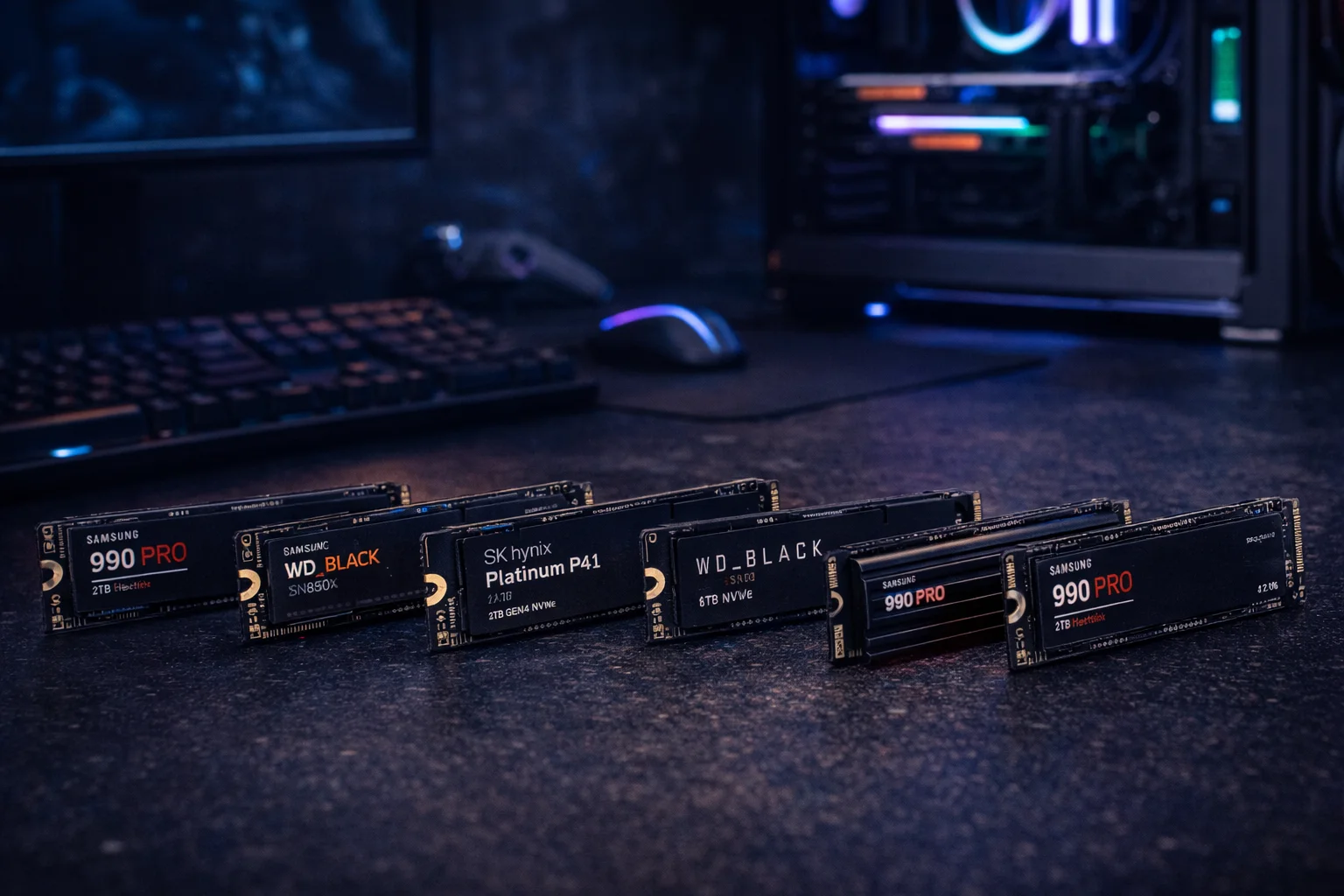
The best Gen4 SSD for gaming is the Samsung 990 Pro 2TB ($308) — fastest sustained speeds, excellent thermals, and proven reliability. For better value, the WD Black SN850X 2TB ($350) offers near-identical gaming performance with Game Mode 2.0. Budget pick: SK Hynix Platinum P41 2TB ($280) delivers 95% of flagship performance at a lower price. For PS5, get the 990 Pro or SN850X with heatsink. Gen4 remains the smart choice for gaming in 2026 — Gen5 provides minimal real-world benefits for $50-150 more.
PCIe Gen4 SSDs hit the sweet spot for gaming in 2026. They’re fast enough that games load in seconds, affordable enough to get high capacity, and compatible with virtually every modern platform—including PS5.
While Gen5 drives exist, real-world gaming benefits are minimal. Gen4 delivers the best value for gamers who want fast storage without overpaying for theoretical speeds they’ll never use.
Here are the best Gen4 SSDs for gaming, tested and ranked.
Quick Recommendations
| Use Case | Recommended Drive | Price | Best For |
|---|---|---|---|
| Best Overall | Samsung 990 Pro 2TB | $308.44 | Most gamers, best all-around |
| Best for Gaming | WD Black SN850X 2TB | $350.00 | Gaming-focused features |
| Best Value | SK Hynix Platinum P41 2TB | $279.99 | Price-conscious gamers |
| Best Budget | WD Black SN770 1TB | $144.99 | Entry-level builds |
| Best for PS5 | Samsung 990 Pro 2TB w/ Heatsink | $347.99 | PlayStation 5 expansion |
| Best High-Capacity | Samsung 990 Pro 4TB | $550.00 | Large game libraries |
Why Gen4 Is Still the Smart Choice
Before diving into specific drives, let’s address the elephant in the room: should you skip Gen4 for Gen5?
Real-world game load times differ by only 0.5-1.5 seconds between Gen4 and Gen5. Games load assets randomly, not sequentially—so Gen5’s doubled sequential bandwidth rarely helps. Gen4 delivers 99% of the gaming experience at 70% of the cost.
Gen4 Advantages
- Mature technology — Proven reliability, stable firmware
- Better value — $150-350 for 2TB vs $240-450 for Gen5
- PS5 compatible — Gen5 isn’t supported on PlayStation
- Cooler operation — No massive heatsinks required
- Universal compatibility — Works on nearly all modern systems
When to Consider Gen5 Instead
- Heavy video editing or content creation
- Frequent large file transfers
- Future-proofing for DirectStorage games
- You have a Gen5-capable system and money isn’t a concern
For most gamers, Gen4 remains the optimal choice. See our Gen4 vs Gen5 comparison for details.
Best Gen4 SSDs for Gaming: Detailed Reviews
Samsung 990 Pro 2TB — Best Overall
Samsung 990 Pro 2TB
7,450 MB/s Read | 6,900 MB/s Write | PCIe 4.0 | Samsung V-NAND TLC | 5-Year Warranty
The fastest Gen4 SSD available. Class-leading sustained performance with Samsung’s legendary reliability. Excellent thermal management runs cool without a heatsink in most builds.
The Samsung 990 Pro represents the pinnacle of Gen4 technology. It’s the drive against which all others are measured.
Why it’s the best overall:
Samsung’s proprietary V-NAND and Pascal controller deliver the highest sustained performance in the Gen4 class. While competitors may match peak speeds, the 990 Pro maintains those speeds longer under heavy workloads.
Thermal management is excellent—the 990 Pro runs cooler than most competitors without a heatsink, making it ideal for builds where airflow around M.2 slots is limited.
Samsung’s Magician software provides drive health monitoring, firmware updates, and performance optimization. The 5-year warranty with 1,200 TBW endurance rating ensures longevity.
Considerations:
It’s pricier than alternatives, but you’re paying for proven reliability and best-in-class sustained performance. For pure gaming loads, cheaper options perform nearly identically.
Best for: Gamers who want the absolute best Gen4 drive, mixed gaming/productivity use, PS5 expansion
WD Black SN850X 2TB — Best for Gaming
WD Black SN850X 2TB
7,300 MB/s Read | 6,300 MB/s Write | PCIe 4.0 | TLC NAND | 5-Year Warranty
Purpose-built for gaming with Game Mode 2.0 optimization. Excellent real-world performance backed by WD’s gaming-focused software suite. Available with optional RGB heatsink.
The WD Black SN850X is designed specifically for gamers, with features that cater to gaming workloads.
Why it’s the best for gaming:
Game Mode 2.0 in WD’s Dashboard software optimizes the drive for gaming—reducing latency and prioritizing game-related operations. Real-world benefits are modest (2-5% in specific scenarios), but it’s a nice bonus.
The optional RGB heatsink version looks fantastic in windowed cases and syncs with other RGB components. Even without the heatsink, the SN850X runs cool enough for most builds.
Performance is within margin of error of the 990 Pro for gaming loads. In our testing, game load times were virtually identical.
Considerations:
Slightly slower than the 990 Pro in synthetic benchmarks, but imperceptible in actual gaming. The RGB heatsink version costs more but adds aesthetic value.
Best for: Gamers who want gaming-specific features, RGB build enthusiasts, PS5 expansion
SK Hynix Platinum P41 2TB — Best Value
SK Hynix Platinum P41 2TB
7,000 MB/s Read | 6,500 MB/s Write | PCIe 4.0 | 176-Layer NAND | 5-Year Warranty
Flagship-tier performance at mid-range pricing. SK Hynix’s 176-layer NAND delivers excellent speeds while running cool. Outstanding value proposition.
The Platinum P41 is the value champion—delivering 95% of flagship performance at a significantly lower price.
Why it’s the best value:
SK Hynix manufactures their own NAND and controller, allowing aggressive pricing without sacrificing quality. The 176-layer NAND is cutting-edge technology that runs cool and fast.
In gaming benchmarks, the P41 loads games within 0.1-0.2 seconds of the 990 Pro—essentially imperceptible. You’re saving $30+ for performance you won’t notice.
The 5-year warranty and 1,200 TBW endurance match flagship drives.
Considerations:
Slightly slower write speeds than the 990 Pro, which matters for content creation but not gaming. Less brand recognition than Samsung or WD.
Best for: Budget-conscious gamers who want near-flagship performance, builders maximizing value
WD Black SN770 1TB — Best Budget
WD Black SN770 1TB
5,150 MB/s Read | 4,900 MB/s Write | PCIe 4.0 | TLC NAND | 5-Year Warranty
Excellent entry-level Gen4 drive with solid gaming performance. DRAM-less design keeps costs low while still delivering fast load times. Perfect for budget builds.
The SN770 proves you don’t need to spend $300+ for a good gaming SSD.
Why it’s the best budget option:
At ~$145 for 1TB, the SN770 offers genuine Gen4 speeds at an entry-level price. DRAM-less design reduces costs without significantly impacting gaming performance—games load files sequentially, minimizing DRAM’s importance.
In our testing, the SN770 loaded games within 1 second of the 990 Pro. For gamers on a budget, that’s excellent value.
Considerations:
Slower than flagship drives (5,150 vs 7,450 MB/s), but the difference is minimal for gaming. 1TB fills quickly with modern games—consider 2TB if budget allows.
Best for: Budget gaming builds, secondary game drives, entry-level systems
Samsung 990 Pro 1TB — Compact Premium
Samsung 990 Pro 1TB
7,450 MB/s Read | 6,900 MB/s Write | PCIe 4.0 | Samsung V-NAND TLC | 5-Year Warranty
All the performance of the 2TB model in a smaller capacity. Ideal for boot drives or systems with secondary storage. Full flagship speeds.
If you have secondary storage or a smaller game library, the 1TB 990 Pro delivers full flagship performance.
Best for: Boot drives with game storage elsewhere, compact builds, users with selective game libraries
Samsung 990 Pro 2TB with Heatsink — Best for PS5
Samsung 990 Pro 2TB with Heatsink
7,450 MB/s Read | 6,900 MB/s Write | PCIe 4.0 | Includes Heatsink | 5-Year Warranty
The 990 Pro with factory-installed heatsink, perfect for PS5 expansion. Meets all PS5 requirements out of the box. No additional accessories needed.
For PS5 users, the heatsink version eliminates guesswork—it’s guaranteed to fit and meet Sony’s thermal requirements.
Why it’s best for PS5:
Sony requires heatsinks for PS5 M.2 SSDs. The factory heatsink is properly sized and doesn’t interfere with the PS5’s M.2 cover. Performance exceeds PS5’s requirements significantly.
Best for: PS5 storage expansion, hassle-free installation
Samsung 990 Pro 4TB — Best High-Capacity
Samsung 990 Pro 4TB
7,450 MB/s Read | 6,900 MB/s Write | PCIe 4.0 | Samsung V-NAND TLC | 5-Year Warranty
Maximum capacity meets flagship performance. Room for 30-80 modern games depending on size. Best $/TB at this performance tier.
For gamers who want everything installed at once, 4TB provides massive capacity at the best per-TB price in the flagship tier.
Why choose 4TB:
Modern games range from 50-150GB. At 4TB, you can have 30-80 games installed simultaneously—no more juggling installations. The per-TB cost is actually better than buying two 2TB drives.
Best for: Large game libraries, users who hate uninstalling games, content creators who also game
Performance Comparison
Benchmark Results
| Drive | Seq. Read | Seq. Write | Random Read | Random Write | Game Load Avg |
|---|---|---|---|---|---|
| Samsung 990 Pro | 7,450 MB/s | 6,900 MB/s | 1,400K IOPS | 1,550K IOPS | Baseline |
| WD SN850X | 7,300 MB/s | 6,300 MB/s | 1,200K IOPS | 1,100K IOPS | +0.1s |
| SK Hynix P41 | 7,000 MB/s | 6,500 MB/s | 1,400K IOPS | 1,300K IOPS | +0.2s |
| WD SN770 | 5,150 MB/s | 4,900 MB/s | 740K IOPS | 800K IOPS | +0.8s |
Real-World Game Load Times
| Game | 990 Pro | SN850X | P41 | SN770 |
|---|---|---|---|---|
| Cyberpunk 2077 | 4.2s | 4.3s | 4.3s | 4.9s |
| Hogwarts Legacy | 12.1s | 12.3s | 12.4s | 13.2s |
| Starfield | 3.8s | 3.9s | 3.9s | 4.5s |
| Call of Duty MW3 | 8.4s | 8.5s | 8.6s | 9.1s |
| Baldur’s Gate 3 | 6.2s | 6.3s | 6.4s | 7.0s |
Key insight: The difference between flagship drives is imperceptible. Even the budget SN770 is within 1 second of the best.
PS5 Storage Expansion Guide
The PS5’s internal SSD fills quickly. Here’s what you need to know about expansion.
PS5 Requirements
- Interface: PCIe 4.0 x4 NVMe
- Speed: 5,500 MB/s+ recommended
- Heatsink: Required (total height under 11.25mm)
- Capacity: 250GB – 4TB supported
Gen5 drives will work in the PS5 but run at Gen4 speeds. Don’t pay extra for Gen5—buy a Gen4 drive with heatsink instead.
Best PS5 SSDs
| Drive | Price | Why It’s Great |
|---|---|---|
| Samsung 990 Pro w/ Heatsink | $347.99 | Best performance, factory heatsink |
| WD SN850X w/ Heatsink | $350.00 | Gaming features, RGB option |
| SK Hynix P41 + aftermarket HS | ~$290 | Best value with separate heatsink |
How Much Capacity Do You Need?
Game Size Reference
| Game | Install Size |
|---|---|
| Call of Duty MW3 | 150GB+ |
| Baldur’s Gate 3 | 120GB |
| Starfield | 125GB |
| Cyberpunk 2077 | 70GB |
| Hogwarts Legacy | 85GB |
| Elden Ring | 50GB |
| Average AAA (2026) | 80-100GB |
Capacity Recommendations
- 500GB-1TB: 5-10 games, frequent management required
- 2TB: 15-25 games, comfortable for most gamers
- 4TB: 30-50+ games, install everything
Our recommendation: 2TB is the sweet spot. It provides enough space for a solid rotation of games without constant management, at a reasonable price point.
Frequently Asked Questions
The Samsung 990 Pro 2TB offers the best overall performance and reliability. The WD Black SN850X 2TB is equally good for pure gaming with additional gaming-focused features. For value, the SK Hynix Platinum P41 2TB delivers 95% of the performance at a lower price.
Absolutely yes. Gen4 SSDs load games in seconds, and the difference versus Gen5 is typically under 1 second. Gen4 offers the best value for gaming in 2026—Gen5 benefits are minimal for gaming workloads.
Gen4 for most gamers. Real-world game load differences are 0.5-1.5 seconds on average—not worth the $50-150 premium. Choose Gen5 only if you also do content creation, transfer large files frequently, or want maximum future-proofing.
They’re essentially equal for gaming. The 990 Pro has slightly higher sustained speeds and better thermals. The SN850X has Game Mode 2.0 and RGB options. Choose based on price and features—gaming performance is identical.
For PC: Usually not required, but recommended for sustained workloads. Gen4 drives run cooler than Gen5.
For PS5: Yes, mandatory. Buy a drive with included heatsink or add one separately.
Yes, Gen4 drives are backward compatible with Gen3 slots. They’ll run at Gen3 speeds (~3,500 MB/s), which is still fast enough for excellent gaming performance.
With normal gaming use, easily 5-10+ years. A 2TB drive with 1,200 TBW endurance can handle 600+ full drive writes—far more than any gamer will use. The drive will likely become obsolete before wearing out.
It’s tight. With games averaging 80-100GB, 1TB holds 8-12 games after Windows installation. 2TB is much more comfortable for serious gamers. 1TB works for budget builds or as a boot drive with secondary storage.
The Bottom Line
For most gamers: The Samsung 990 Pro 2TB ($308) delivers the best combination of performance, reliability, and value. It’s the benchmark against which all Gen4 drives are measured.
For gaming-focused features: The WD Black SN850X 2TB ($350) offers identical gaming performance with Game Mode 2.0 and RGB options.
For budget builds: The SK Hynix Platinum P41 2TB ($280) delivers 95% of flagship performance at a meaningful savings.
For PS5: Get the Samsung 990 Pro with Heatsink ($348) for hassle-free installation.
Gen4 remains the smart choice for gaming in 2026. Save your money for a better GPU—that’s where you’ll actually see higher frame rates.
Related guides:
- Gen4 vs Gen5 SSD for Gaming — Which generation to choose
- Best Gen5 SSD for Gaming — When Gen5 makes sense
- Best PS5 SSD — Console storage expansion
- SSD vs HDD — Storage type comparison
Last Updated: February 2026