Best GPU for 1440p 144Hz 2026: Top Graphics Card Guide

Quick Answer+
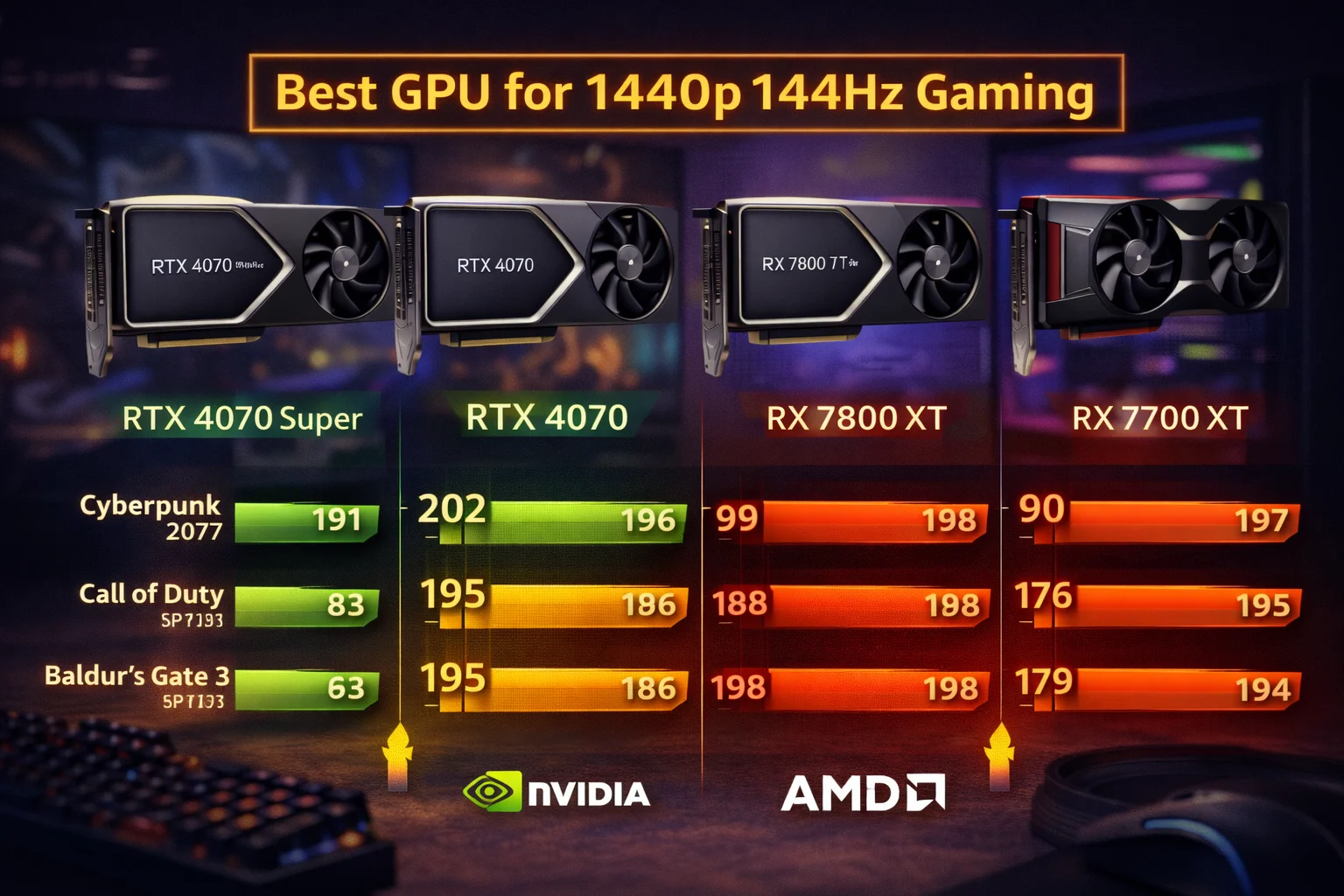
Quick Answer: The RTX 5070 ($549) is the best value for 1440p 144Hz, delivering 90-145 FPS in demanding games with DLSS 4 support. The RX 7800 XT ($500) offers 16GB VRAM at a lower price. For guaranteed 144+ FPS in all titles at max settings, the RTX 5070 Ti ($930) or RTX 5080 ($1,359) are the go-to choices.
1440p at 144Hz represents the sweet spot for PC gaming in 2026. It offers a substantial visual upgrade over 1080p—sharper textures, more detailed environments, and cleaner edges—while remaining achievable for mid-range hardware. Unlike 4K, which demands flagship GPUs, 1440p 144Hz is attainable across a wide range of budgets.
But hitting a consistent 144 FPS at 1440p in modern games requires the right GPU. Too weak and you’ll experience stutters and frame drops during intense moments. Too powerful and you’re wasting money that could go toward other components or your game library. This guide identifies the perfect GPU for every budget and use case.
Use our FPS Calculator to estimate performance in specific games, or check our Bottleneck Calculator to ensure your CPU won’t hold back your new graphics card.
Top GPU Picks for 1440p 144Hz
Here are our recommended GPUs for hitting 144 FPS at 1440p across different budgets:
ASUS TUF Gaming RTX 5070 OC
12GB GDDR7, DLSS 4, PCIe 5.0
The RTX 5070 delivers 90-145 FPS in demanding AAA games at 1440p with DLSS 4 Multi Frame Generation. The best value for guaranteed 144Hz gaming with ray tracing capability. DLSS 4 transforms demanding games to smooth 144+ FPS.
ASUS Dual RTX 4070 Super EVO OC
12GB GDDR6X, DLSS 3, 220W TDP
The proven RTX 4070 Super handles 1440p 144Hz admirably with DLSS 3 Frame Generation. Excellent driver maturity, efficient power consumption, and great ray tracing performance at a more accessible price point.
XFX Speedster QICK319 RX 7800 XT
16GB GDDR6, FSR 3, SAM Support
The RX 7800 XT offers 16GB VRAM at the lowest price in this tier—perfect for texture-heavy games and future-proofing. Pairs excellently with AMD CPUs for SAM benefits. FSR 3 enables 144 FPS in demanding titles.
Intel Arc B580 Challenger OC
12GB GDDR6, XeSS, Great Value
For budget builds, the Arc B580 delivers 60-100 FPS at 1440p in most titles with XeSS upscaling. Incredible value for esports and optimized AAA games where it easily hits 144+ FPS.
Understanding 1440p 144Hz Requirements
Before diving into specific recommendations, it’s crucial to understand what different games actually demand. Not all titles are created equal—some are highly optimized and run beautifully on mid-range hardware, while others bring even flagship GPUs to their knees.
Game Categories by Demand Level
Esports and Competitive Titles (Easy to Run): Games like Valorant, Counter-Strike 2, Fortnite, League of Legends, and Rocket League are designed to run on modest hardware. Even budget GPUs can achieve 200+ FPS at 1440p in these titles. If competitive gaming is your primary focus, you don’t need a high-end GPU—you need a high-end monitor and a solid mid-range card.
Optimized AAA Games (Moderate Demand): Well-optimized single-player games like Spider-Man 2, Forza Horizon 5, Resident Evil 4 Remake, and Call of Duty deliver 80-130 FPS at 1440p on mid-range GPUs. These games look fantastic and run smoothly without requiring top-tier hardware.
Demanding AAA Games (High Demand): Titles like Cyberpunk 2077, Alan Wake 2, Starfield, Avatar: Frontiers of Pandora, and Black Myth: Wukong push hardware hard. Achieving 100+ FPS at 1440p Ultra requires high-end GPUs, or mid-range cards with DLSS/FSR enabled.
Ray Tracing Enabled (Very High Demand): Enabling ray tracing dramatically increases GPU load. RT Medium is playable on mid-range cards with upscaling; RT Ultra requires high-end hardware; RT Overdrive (path tracing) demands flagship GPUs with DLSS Frame Generation.
The Role of Upscaling Technology
Modern upscaling technologies—NVIDIA DLSS, AMD FSR, and Intel XeSS—have fundamentally changed GPU requirements. These technologies render games at lower internal resolutions and intelligently upscale to your target resolution, providing 40-100% more FPS with minimal visual quality loss.
This means a GPU that delivers 70 FPS native can hit 100-120 FPS with DLSS Quality mode. Frame Generation technologies (DLSS 3/4, FSR 3) can further boost perceived frame rates by generating interpolated frames. For 1440p 144Hz gaming, leveraging these technologies is often the difference between smooth gameplay and frustrating stutters.
GPU Performance Overview at 1440p
Here’s what each GPU tier delivers at 1440p across different game categories:
| GPU | Esports | Optimized AAA | Demanding AAA | With Upscaling |
|---|---|---|---|---|
| RTX 5090 | 600+ FPS | 180+ FPS | 130+ FPS | 200+ FPS |
| RTX 5080 | 500+ FPS | 150+ FPS | 100+ FPS | 160+ FPS |
| RTX 5070 Ti | 450+ FPS | 130+ FPS | 85+ FPS | 140+ FPS |
| RTX 5070 | 400+ FPS | 110+ FPS | 75+ FPS | 120+ FPS |
| RTX 4070 Super | 350+ FPS | 100+ FPS | 65+ FPS | 105+ FPS |
| RX 7800 XT | 320+ FPS | 95+ FPS | 60+ FPS | 95+ FPS |
| RTX 4060 Ti | 280+ FPS | 75+ FPS | 50+ FPS | 85+ FPS |
| RX 7700 XT | 260+ FPS | 70+ FPS | 48+ FPS | 78+ FPS |
| Arc B580 | 220+ FPS | 60+ FPS | 40+ FPS | 65+ FPS |
For consistent 144 FPS across all game types without upscaling, you need an RTX 5070 Ti or higher. For 144 FPS with DLSS/FSR Quality mode, the RTX 5070 or RTX 4070 Super hits the mark. Budget cards like the RTX 4060 Ti can reach 144 FPS in esports and optimized titles but require aggressive upscaling or lowered settings in demanding games.
Best Overall: NVIDIA RTX 5070 ($549)
The RTX 5070 represents a generational leap in price-to-performance for 1440p gaming. At $549 MSRP, it matches or exceeds the previous generation’s $800 RTX 4070 Ti Super while introducing DLSS 4 with Multi Frame Generation.
Specifications
| Specification | RTX 5070 |
|---|---|
| Architecture | Blackwell |
| VRAM | 12GB GDDR7 |
| Memory Bandwidth | 672 GB/s |
| TDP | 220W |
| RT Cores | 4th Generation |
| DLSS | DLSS 4 (Multi Frame Gen) |
| Recommended PSU | 650W |
1440p Gaming Performance
| Game | Native Ultra | DLSS Quality | DLSS + Frame Gen |
|---|---|---|---|
| Cyberpunk 2077 | 88 FPS | 125 FPS | 185 FPS |
| Alan Wake 2 | 72 FPS | 105 FPS | 155 FPS |
| Hogwarts Legacy | 92 FPS | 130 FPS | 190 FPS |
| Spider-Man 2 | 95 FPS | 135 FPS | 195 FPS |
| Starfield | 78 FPS | 115 FPS | 170 FPS |
| Call of Duty MW3 | 145 FPS | 200 FPS | 290+ FPS |
| Black Myth: Wukong | 65 FPS | 98 FPS | 145 FPS |
| Fortnite (Competitive) | 180 FPS | 280 FPS | 400+ FPS |
| Valorant | 450+ FPS | N/A | N/A |
| Counter-Strike 2 | 380 FPS | N/A | N/A |
Why RTX 5070 Wins for 1440p 144Hz
DLSS 4 Multi Frame Generation: The RTX 5070 is the most affordable GPU with DLSS 4, which can generate up to 3 additional frames per rendered frame. This transforms demanding games from 70-80 FPS to 150+ FPS, making 144Hz gaming achievable in virtually every title.
4th Generation RT Cores: Ray tracing performance is significantly improved over RTX 40-series. RT Medium is playable at 60+ FPS in demanding titles, with DLSS pushing it to 90+ FPS. Previous-gen cards struggled with RT at 1440p—the RTX 5070 handles it competently.
GDDR7 Memory: The 12GB of GDDR7 provides 672 GB/s bandwidth—33% more than RTX 4070’s GDDR6X. This helps with high-resolution texture streaming and reduces stuttering in open-world games.
Efficiency: At 220W TDP, the RTX 5070 is remarkably efficient for its performance level. It runs cooler and quieter than higher-TDP alternatives while delivering flagship-adjacent frame rates.
RTX 5070 Considerations
12GB VRAM Limitation: While 12GB is sufficient for 1440p gaming today, some heavily modded games and future titles with higher texture requirements may push these limits. If you frequently use 4K texture packs or expect to keep this GPU for 4+ years, consider the 16GB RTX 5070 Ti.
Availability: As a new launch product, street prices may exceed MSRP. If the RTX 5070 is significantly marked up in your region, the RTX 4070 Super at $600 MSRP becomes more attractive.
Ideal RTX 5070 Build
| Component | Recommendation | Price |
|---|---|---|
| CPU | Ryzen 5 7600X | $178 |
| GPU | RTX 5070 | $549 |
| Motherboard | B650 DDR5 | $150 |
| RAM | 32GB DDR5-5600 | $100 |
| Storage | 1TB NVMe Gen4 | $70 |
| PSU | 650W 80+ Gold | $75 |
| Case | Mid-tower with airflow | $80 |
| Total | $1,202 |
Best AMD Option: RX 7800 XT ($500)
The RX 7800 XT offers compelling value for 1440p gaming, particularly for those who prioritize VRAM capacity or are building an all-AMD system for Smart Access Memory benefits.
Specifications
| Specification | RX 7800 XT |
|---|---|
| Architecture | RDNA 3 |
| VRAM | 16GB GDDR6 |
| Memory Bandwidth | 624 GB/s |
| TDP | 263W |
| Ray Accelerators | 2nd Generation |
| Upscaling | FSR 3 + Frame Gen |
| Recommended PSU | 700W |
1440p Gaming Performance
| Game | Native Ultra | FSR Quality | FSR + Frame Gen |
|---|---|---|---|
| Cyberpunk 2077 | 75 FPS | 105 FPS | 155 FPS |
| Alan Wake 2 | 58 FPS | 85 FPS | 125 FPS |
| Hogwarts Legacy | 82 FPS | 115 FPS | 165 FPS |
| Spider-Man 2 | 85 FPS | 118 FPS | 170 FPS |
| Starfield | 68 FPS | 95 FPS | 140 FPS |
| Call of Duty MW3 | 130 FPS | 175 FPS | 250 FPS |
| Black Myth: Wukong | 55 FPS | 82 FPS | 120 FPS |
| Fortnite (Competitive) | 155 FPS | 230 FPS | 340 FPS |
| Valorant | 400+ FPS | N/A | N/A |
| Counter-Strike 2 | 340 FPS | N/A | N/A |
Why Choose RX 7800 XT
16GB VRAM: The RX 7800 XT’s biggest advantage is its 16GB frame buffer—4GB more than any NVIDIA card under $900. This provides headroom for high-resolution texture packs, heavily modded games, and future titles that may exceed 12GB requirements. Games like The Last of Us Part I and Hogwarts Legacy already use 12-14GB at 1440p Ultra.
Price Advantage: At $500, the RX 7800 XT costs $50 less than the RTX 5070 and $100 less than the RTX 4070 Super. For pure rasterization performance, it trades blows with these cards while offering more VRAM.
Smart Access Memory: When paired with a Ryzen CPU, SAM provides 3-8% additional performance in supported games—essentially free FPS for AMD system builders.
FSR 3 Frame Generation: While FSR doesn’t match DLSS quality, FSR 3 with Frame Generation can push the 7800 XT to 144+ FPS in demanding titles. FSR works on all GPUs, so you’re not locked into AMD’s ecosystem.
RX 7800 XT Considerations
Ray Tracing Performance: AMD’s RT implementation is 30-40% slower than NVIDIA’s equivalent tier. If ray tracing is important to you, the RTX 5070 offers significantly better RT performance.
Upscaling Quality: FSR produces slightly softer images than DLSS, with more visible artifacts on fine details like hair and foliage. For most players this is acceptable, but DLSS is objectively superior in image quality.
Power Consumption: At 263W TDP, the RX 7800 XT draws more power than the RTX 5070 (220W) while delivering less performance. This translates to higher electricity costs and more heat output.
Driver Maturity: AMD’s drivers have improved significantly, but NVIDIA still has an edge in day-one game optimization and stability.
Ideal RX 7800 XT Build (All-AMD)
| Component | Recommendation | Price |
|---|---|---|
| CPU | Ryzen 7 7800X3D | $386 |
| GPU | RX 7800 XT | $500 |
| Motherboard | B650 DDR5 | $150 |
| RAM | 32GB DDR5-6000 | $110 |
| Storage | 1TB NVMe Gen4 | $70 |
| PSU | 750W 80+ Gold | $85 |
| Case | Mid-tower with airflow | $80 |
| Total | $1,381 |
This all-AMD build maximizes SAM benefits with the gaming-focused 7800X3D CPU. The combination delivers exceptional 1440p performance with 16GB VRAM headroom.
Best Previous-Gen Value: RTX 4070 Super ($600)
The RTX 4070 Super remains an excellent choice for 1440p 144Hz gaming, particularly if RTX 5070 availability is limited or you prefer the maturity of a proven product.
Specifications
| Specification | RTX 4070 Super |
|---|---|
| Architecture | Ada Lovelace |
| VRAM | 12GB GDDR6X |
| Memory Bandwidth | 504 GB/s |
| TDP | 220W |
| RT Cores | 3rd Generation |
| DLSS | DLSS 3 (Frame Gen) |
| Recommended PSU | 650W |
1440p Gaming Performance
| Game | Native Ultra | DLSS Quality | DLSS + Frame Gen |
|---|---|---|---|
| Cyberpunk 2077 | 72 FPS | 105 FPS | 145 FPS |
| Alan Wake 2 | 58 FPS | 88 FPS | 125 FPS |
| Hogwarts Legacy | 78 FPS | 112 FPS | 155 FPS |
| Spider-Man 2 | 82 FPS | 118 FPS | 165 FPS |
| Starfield | 65 FPS | 95 FPS | 135 FPS |
| Call of Duty MW3 | 125 FPS | 175 FPS | 245 FPS |
| Black Myth: Wukong | 52 FPS | 78 FPS | 115 FPS |
| Fortnite (Competitive) | 160 FPS | 245 FPS | 350 FPS |
Why Choose RTX 4070 Super
Proven Reliability: The RTX 4070 Super has been on the market for over a year with excellent driver support and known performance characteristics. There are no surprises—it works well across virtually all games.
DLSS 3 Frame Generation: While DLSS 4 offers multi-frame generation, DLSS 3’s single-frame interpolation is still excellent. It pushes demanding games to 144+ FPS with minimal latency penalty when combined with NVIDIA Reflex.
Widespread Availability: Unlike new launches, the RTX 4070 Super is readily available at MSRP from multiple retailers. No hunting for stock or paying scalper premiums.
Strong Resale Value: NVIDIA cards historically hold value well. If you upgrade in 2-3 years, you’ll likely recover a meaningful portion of your investment.
RTX 4070 Super vs RTX 5070
The RTX 5070 is approximately 20-25% faster than the RTX 4070 Super at a $50 lower MSRP. If both are available at their respective MSRPs, the RTX 5070 is the obvious choice. However, if the 5070 is marked up significantly or unavailable, the 4070 Super at $600 remains excellent value.
Best Guaranteed 144 FPS: RTX 5070 Ti ($930)
If you want to hit 144 FPS in virtually every game at max settings without relying heavily on upscaling, the RTX 5070 Ti is the sweet spot.
Specifications
| Specification | RTX 5070 Ti |
|---|---|
| Architecture | Blackwell |
| VRAM | 16GB GDDR7 |
| Memory Bandwidth | 896 GB/s |
| TDP | 285W |
| RT Cores | 4th Generation |
| DLSS | DLSS 4 (Multi Frame Gen) |
| Recommended PSU | 750W |
1440p Gaming Performance
| Game | Native Ultra | DLSS Quality | DLSS + Frame Gen |
|---|---|---|---|
| Cyberpunk 2077 | 108 FPS | 155 FPS | 230 FPS |
| Alan Wake 2 | 88 FPS | 128 FPS | 190 FPS |
| Hogwarts Legacy | 118 FPS | 168 FPS | 245 FPS |
| Spider-Man 2 | 122 FPS | 175 FPS | 255 FPS |
| Starfield | 95 FPS | 140 FPS | 205 FPS |
| Call of Duty MW3 | 178 FPS | 255 FPS | 370 FPS |
| Cyberpunk RT Ultra | 65 FPS | 95 FPS | 145 FPS |
Why Choose RTX 5070 Ti
Native 144 FPS Capable: Unlike the RTX 5070, the 5070 Ti can hit 100+ FPS natively in most demanding games. With DLSS Quality, 144+ FPS is achievable in virtually everything. You’re never forced to use aggressive upscaling settings.
16GB GDDR7: The additional 4GB VRAM eliminates concerns about texture capacity for years to come. Combined with higher bandwidth (896 GB/s vs 672 GB/s), the 5070 Ti handles 4K texture packs and heavily modded games without stuttering.
Excellent Ray Tracing: RT Medium and even RT Ultra become viable at 1440p. The 5070 Ti delivers 60-95 FPS with RT Ultra in demanding titles—playable without upscaling, excellent with DLSS.
4K Capable: The 5070 Ti handles 4K 60+ FPS in most games, providing flexibility if you upgrade monitors later.
RTX 5070 Ti vs RTX 5070
The RTX 5070 Ti costs $381 more than the RTX 5070 (69% premium) for approximately 20-25% more performance. This isn’t the best price-to-performance ratio, but the 16GB VRAM and consistently higher frame rates may justify the premium for enthusiasts who want guaranteed performance without compromises.
Best No-Compromise: RTX 5080 ($1,359)
For enthusiasts who want maximum settings, ray tracing, and 144+ FPS without any compromises, the RTX 5080 delivers.
1440p Gaming Performance
| Game | Native Ultra | Native + RT Ultra | DLSS + RT + FG |
|---|---|---|---|
| Cyberpunk 2077 | 135 FPS | 85 FPS | 175 FPS |
| Alan Wake 2 | 112 FPS | 68 FPS | 145 FPS |
| Cyberpunk RT Overdrive | N/A | 55 FPS | 115 FPS |
| Spider-Man 2 | 152 FPS | 95 FPS | 195 FPS |
| Call of Duty MW3 | 210 FPS | 145 FPS | 290 FPS |
The RTX 5080 is the only GPU that can deliver 144+ FPS with RT Ultra in demanding games (with DLSS). It’s also capable of path tracing at playable frame rates—something no other GPU under $2,000 can claim.
Budget Options for 1440p 144Hz
RTX 4060 Ti 8GB ($400)
The RTX 4060 Ti is the minimum for 1440p 144Hz gaming with DLSS. It hits 144 FPS in esports and optimized titles but requires DLSS Balanced or Performance in demanding games.
| Game Category | Native FPS | With DLSS |
|---|---|---|
| Esports (Valorant, CS2) | 280-350 FPS | N/A |
| Optimized AAA | 70-95 FPS | 100-140 FPS |
| Demanding AAA | 45-65 FPS | 75-100 FPS |
Best for: Esports-focused gamers who occasionally play AAA titles at reduced settings, or those on strict budgets who are comfortable with DLSS Balanced/Performance modes.
Limitation: 8GB VRAM is increasingly tight for 1440p. Some games already exceed 8GB at 1440p Ultra, causing stuttering. Consider the 16GB version ($450) for longevity.
RX 7700 XT ($400)
AMD’s mid-range option offers 12GB VRAM and competitive rasterization performance. It’s a solid choice for gamers who don’t prioritize ray tracing.
| Game Category | Native FPS | With FSR |
|---|---|---|
| Esports | 260-320 FPS | N/A |
| Optimized AAA | 65-90 FPS | 90-125 FPS |
| Demanding AAA | 42-60 FPS | 65-90 FPS |
Best for: AMD system builders who want 12GB VRAM and don’t care about ray tracing. Pairs well with Ryzen CPUs for SAM benefits.
Intel Arc B580 ($250)
Intel’s budget champion offers surprising 1440p capability at an incredible price. It’s 12GB VRAM and XeSS support make it viable for 1440p gaming on a tight budget.
| Game Category | Native FPS | With XeSS |
|---|---|---|
| Esports | 180-250 FPS | N/A |
| Optimized AAA | 50-70 FPS | 70-100 FPS |
| Demanding AAA | 32-48 FPS | 50-75 FPS |
Best for: Extreme budget builds, esports-focused gaming at 1440p, or secondary systems. Remarkable value at $250.
Limitation: Driver maturity is improving but still behind NVIDIA/AMD. Some games may have compatibility issues or suboptimal performance.
GPU Comparison Summary
| GPU | Price | VRAM | Avg 1440p FPS | Ray Tracing | Best For |
|---|---|---|---|---|---|
| RTX 5090 | $1,999+ | 32GB | 160+ | Exceptional | No-limits enthusiasts |
| RTX 5080 | $1,359 | 16GB | 130+ | Excellent | RT + 144Hz |
| RTX 5070 Ti | $930 | 16GB | 110+ | Excellent | Guaranteed 144 FPS |
| RTX 5070 | $549 | 12GB | 90+ | Very Good | Best overall value |
| RTX 4070 Super | $600 | 12GB | 80+ | Very Good | Proven performance |
| RX 7800 XT | $500 | 16GB | 75+ | Moderate | VRAM + value |
| RTX 4060 Ti | $400 | 8/16GB | 60+ | Good | Budget DLSS |
| RX 7700 XT | $400 | 12GB | 55+ | Basic | Budget AMD |
| Arc B580 | $250 | 12GB | 45+ | Basic | Extreme budget |
CPU Pairing Recommendations
At 1440p, GPU is the primary performance determinant. However, CPU bottlenecks can occur in esports titles or when pushing for very high frame rates. Here are optimal CPU pairings:
| GPU | Minimum CPU | Recommended CPU | Best Gaming CPU |
|---|---|---|---|
| RTX 5080/5090 | Ryzen 5 7600X | Ryzen 7 7800X3D | Ryzen 9 9800X3D |
| RTX 5070 Ti | Ryzen 5 7600X | Ryzen 7 7800X3D | Ryzen 7 7800X3D |
| RTX 5070/4070 Super | i5-12400F | Ryzen 5 7600X | Ryzen 7 7800X3D |
| RX 7800 XT | Ryzen 5 5600 | Ryzen 5 7600X | Ryzen 7 7800X3D |
| RTX 4060 Ti/RX 7700 XT | i5-12400F | Ryzen 5 7600X | Ryzen 5 7600X |
| Arc B580 | i5-12400F | Ryzen 5 5600 | Ryzen 5 7600X |
For most 1440p gaming, a Ryzen 5 7600X ($178) or i5-12400F ($134) provides excellent performance without bottlenecking. Only step up to the Ryzen 7 7800X3D if you play esports competitively or want maximum frame rates.
Which GPU Should You Buy?
Buy the RTX 5070 ($549) if:
- You want the best performance per dollar for 1440p gaming
- You’re comfortable using DLSS Quality in demanding games
- You want DLSS 4 Multi Frame Generation
- 12GB VRAM is sufficient for your gaming habits
- You play a mix of esports and AAA titles
Buy the RX 7800 XT ($500) if:
- 16GB VRAM is a priority for modding or future-proofing
- You’re building an all-AMD system for SAM benefits
- Ray tracing isn’t important to you
- You want to save $50 versus the RTX 5070
- FSR quality is acceptable for your preferences
Buy the RTX 4070 Super ($600) if:
- RTX 5070 is unavailable or significantly overpriced
- You prefer proven, mature products
- DLSS 3 Frame Generation meets your needs
- You value widespread availability and known performance
Buy the RTX 5070 Ti ($930) if:
- You want guaranteed 144+ FPS without aggressive upscaling
- 16GB VRAM is important for longevity
- You frequently use ray tracing
- You might upgrade to 4K later
- Budget allows for the premium over RTX 5070
Buy the RTX 5080 ($1,359) if:
- Ray tracing at 144+ FPS is your goal
- You want path tracing (RT Overdrive) capability
- Budget isn’t the primary concern
- You want a GPU that handles anything at 1440p
- Future 4K 144Hz gaming is planned
Frequently Asked Questions
For 144 FPS in most games, the RTX 5070 ($549) or RTX 4070 Super ($600) is ideal. The RX 7800 XT ($500) works with FSR upscaling. For guaranteed 144 FPS at max settings, consider RTX 5070 Ti ($930) or higher.
For esports and optimized games, yes. For demanding AAA titles, you’ll need DLSS Balanced or Performance mode to approach 144 FPS. The 8GB VRAM can also be limiting at 1440p in some titles.
RTX 5070 is 15-20% faster with superior ray tracing and DLSS 4. RX 7800 XT is $50 cheaper with 16GB VRAM and SAM support. Choose RTX 5070 for features and performance; RX 7800 XT for VRAM and value.
For most 1440p gaming in 2026, 12GB is sufficient. 16GB provides headroom for texture mods, demanding future titles, and some 4K capability. If keeping the GPU 4+ years, 16GB is the safer choice.
For demanding games, yes. Native 144 FPS at 1440p Ultra requires RTX 5070 Ti or higher. Mid-range cards like RTX 5070 and RX 7800 XT benefit significantly from DLSS Quality/FSR Quality to hit 144 FPS consistently.
RT Medium at 100+ FPS is achievable on RTX 5070/5070 Ti with DLSS. RT Ultra at 144 FPS requires RTX 5080 with DLSS. Path tracing (RT Overdrive) at 144 FPS isn’t achievable on current hardware.
Ryzen 5 7600X ($178) is the value king—no bottleneck with any GPU up to RTX 5080 in most games. Ryzen 7 7800X3D ($386) provides maximum gaming performance for esports and CPU-intensive titles.
If RTX 5070 is available at MSRP ($549), buy it—20-25% faster at $50 less than the 4070 Super. If 5070 is overpriced or unavailable, the 4070 Super at $600 remains an excellent, proven choice.
Conclusion
For 1440p 144Hz gaming in 2026, the RTX 5070 at $549 offers the best combination of performance, features, and value. It delivers 90-145 FPS in demanding games natively, with DLSS 4 pushing well beyond 144 FPS when needed. The 4th generation RT cores and Multi Frame Generation make it a compelling all-around choice.
The RX 7800 XT at $500 is the best AMD alternative, offering 16GB VRAM and strong rasterization performance at a slightly lower price. For guaranteed 144+ FPS without touching settings, step up to the RTX 5070 Ti at $930. Enthusiasts wanting ray tracing at high frame rates should consider the RTX 5080 at $1,359.
Use our FPS Calculator to estimate performance in your favorite games before making a decision, and check our Bottleneck Calculator to ensure your CPU won’t hold back your new GPU.
Related Resources
- FPS Calculator
- Bottleneck Calculator
- Best GPU for 1080p 240Hz
- Best GPU for 4K 60Hz
- RTX 5070 vs RTX 4070
- RTX 4070 Super vs RX 7800 XT
- NVIDIA Control Panel Best Settings
Last Updated: February 2026