Best GPU for i5-13400F 2026: GPU Pairing Guide

Quick Answer+
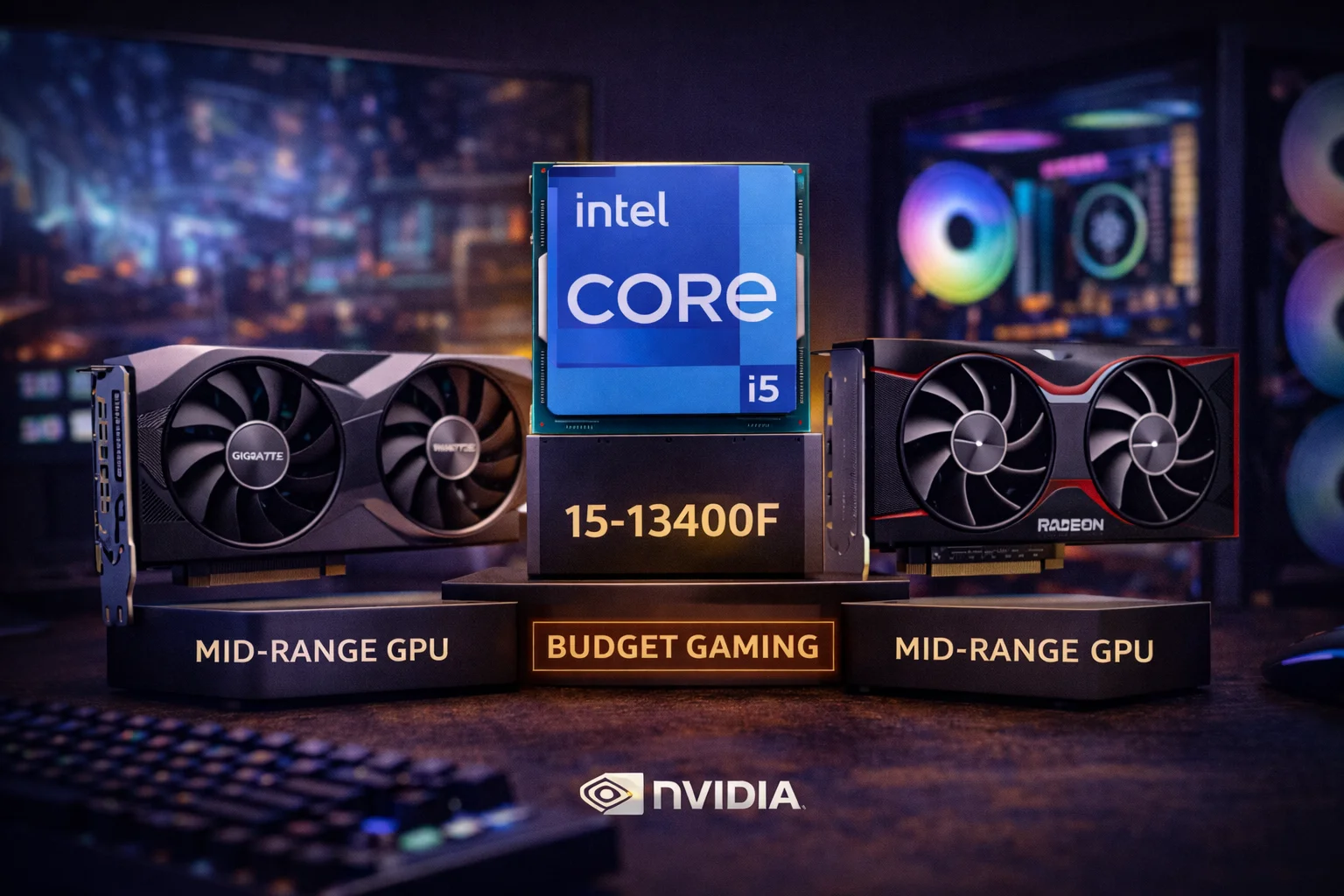
Quick Answer: The RX 7700 XT (~$400) is the best GPU for i5-13400F, offering excellent 1440p performance with zero bottleneck. For NVIDIA fans, the RTX 4060 Ti (~$400) delivers great DLSS 3 performance. Budget builders should consider the Intel Arc B580 (~$290) for outstanding value at 1080p.
The Intel Core i5-13400F is one of the most popular budget gaming CPUs on the market. With 10 cores (6P + 4E), solid single-threaded performance, and excellent value, it’s the foundation of countless gaming builds. The question many builders ask: what GPU should I pair with it?
The great news: the i5-13400F handles mid-range GPUs beautifully without bottlenecking. Its performance ceiling sits comfortably in the $300-500 GPU range, making it ideal for budget-conscious gamers who want excellent 1080p or 1440p performance. Use our Bottleneck Calculator to verify your specific pairing, or check expected frame rates with our FPS Calculator before purchasing.
This guide analyzes the best GPU options for your i5-13400F across different budgets, with real-world bottleneck data to help you build the perfect value gaming PC.
Intel i5-13400F: The Budget King
The i5-13400F represents Intel’s value sweet spot—enough cores for modern games, sufficient single-threaded performance for smooth gameplay, and a price that leaves room for GPU investment.
i5-13400F Specifications
- Architecture: Intel Raptor Lake
- Cores/Threads: 10 cores (6P + 4E), 16 threads
- Base/Boost Clock: 2.5 GHz / 4.6 GHz
- L3 Cache: 20MB
- TDP: 65W (148W PL2)
- Platform: LGA 1700 (DDR4 or DDR5, PCIe 5.0)
- Price: ~$190
Why the i5-13400F Excels for Gaming
Hybrid architecture: The 6 P-cores handle gaming workloads while 4 E-cores manage background tasks like Discord, browsers, and system processes. This keeps frame delivery smooth during multitasking.
Strong single-threaded performance: The P-cores boost to 4.6 GHz, providing competitive IPC for gaming. While not as fast as unlocked K-series chips, it’s more than adequate for mid-range GPUs.
DDR4 support: Unlike AMD AM5, the LGA 1700 platform supports DDR4, dramatically reducing platform cost. DDR4-3600 provides 95%+ of DDR5 gaming performance at half the price.
Cool and efficient: At 65W base TDP, the 13400F runs cool with the stock cooler, saving additional budget for GPU or other components.
GPU Pairing Sweet Spot
The i5-13400F pairs optimally with GPUs in the $250-450 range. This includes the RX 7700 XT, RTX 4060 Ti, RX 7600, Arc B580, and similar mid-range cards. You can push to RTX 4070 Super tier, but expect 3-8% CPU limitation at 1080p high-refresh rates.
Best GPU for i5-13400F: Quick Recommendations
| Priority | Best GPU | Price | 1080p Bottleneck |
|---|---|---|---|
| Best Overall | RX 7700 XT | $400 | 0% |
| Best NVIDIA | RTX 4060 Ti 16GB | $500 | 0% |
| Best Value | Arc B580 | $290 | 0% |
| 1440p Focus | RX 7800 XT | $500 | 0-3% |
| Budget 1080p | RX 7600 | $275 | 0% |
| Maximum (with bottleneck) | RTX 4070 Super | $600 | 3-8% |
Best Overall: AMD RX 7700 XT
ASRock RX 7700 XT Challenger
12GB GDDR6 | 192-bit | FSR 3 | PCIe 4.0 | 245W TDP
The ideal pairing for i5-13400F. Excellent 1440p performance with zero bottleneck. 12GB VRAM provides comfortable headroom for future games.
The AMD RX 7700 XT is our top recommendation for i5-13400F builds. At $400, it delivers excellent 1440p gaming performance with zero CPU bottleneck—every dollar spent on this GPU translates to actual gaming performance.
With 12GB GDDR6 VRAM, the 7700 XT handles 1440p textures comfortably and provides headroom for future games. Performance sits between the RTX 4060 Ti and RTX 4070 Super, making it the value sweet spot for this CPU tier.
AMD’s FSR 3 with Frame Generation continues growing in support, providing DLSS-like benefits in compatible titles. While FSR adoption lags behind DLSS, major releases increasingly support both technologies.
The 7700 XT’s 245W TDP is reasonable for its performance tier. A quality 650W PSU handles the combo comfortably, keeping build costs manageable.
RX 7700 XT + i5-13400F Performance
| Game | 1080p Ultra | 1440p Ultra |
|---|---|---|
| Cyberpunk 2077 | 90 FPS | 60 FPS |
| Hogwarts Legacy | 95 FPS | 65 FPS |
| Spider-Man Remastered | 110 FPS | 80 FPS |
| Call of Duty MW3 | 155 FPS | 115 FPS |
| Fortnite (Competitive) | 200+ FPS | 150 FPS |
| Starfield | 75 FPS | 50 FPS |
Alternative: XFX RX 7700 XT
XFX Speedster RX 7700 XT
12GB GDDR6 | 192-bit | FSR 3 | Better Thermals
Premium cooling solution for quieter operation. Worth the extra $50 if noise and thermals are priorities.
Best NVIDIA: RTX 4060 Ti 16GB
MSI RTX 4060 Ti Ventus 16GB
16GB GDDR6 | 128-bit | DLSS 3 | PCIe 4.0 | 165W TDP
DLSS 3 support with generous 16GB VRAM. Zero bottleneck with i5-13400F. Excellent efficiency at only 165W.
For NVIDIA enthusiasts, the RTX 4060 Ti 16GB offers excellent features with the i5-13400F. DLSS 3 Frame Generation provides significant frame rate boosts in supported titles, and the 16GB VRAM ensures longevity for future games.
The 4060 Ti creates zero bottleneck with the 13400F at both 1080p and 1440p. The GPU is always the limiting factor, meaning you’re getting 100% of its performance. The 165W TDP is remarkably efficient, keeping power costs low and thermals manageable.
The main trade-off versus the RX 7700 XT: slightly lower raw performance (5-10%) at the same $400-500 price point. However, DLSS 3 support, superior ray tracing, and NVIDIA’s encoder for streaming may justify the difference for many users.
Why 16GB Over 8GB
The RTX 4060 Ti comes in 8GB and 16GB variants. For the modest price difference (~$50), the 16GB version is strongly recommended. While current games often fit in 8GB at 1080p, 1440p with max textures increasingly approaches 10-12GB in demanding titles. The 16GB variant provides meaningful future-proofing.
Best Value: Intel Arc B580
ASRock Intel Arc B580 Challenger
12GB GDDR6 | 192-bit | XeSS | PCIe 4.0 | 190W TDP
Incredible value with 12GB VRAM at under $300. Perfect pairing with i5-13400F—zero bottleneck with outstanding 1080p performance.
The Intel Arc B580 is a revelation for budget builders. At $290, you get 12GB of VRAM—matching cards costing $100-150 more—along with capable 1080p and entry-level 1440p performance.
With the i5-13400F, the Arc B580 has zero CPU bottleneck. The GPU is always the limiting factor, meaning you’re getting 100% of its performance. For gamers targeting 1080p 144Hz or 1440p 60Hz, this pairing delivers exceptional value.
Intel’s drivers have matured significantly since Arc’s rocky launch. Compatibility issues are largely resolved, and the B580 delivers competitive performance in most games. XeSS upscaling provides DLSS-like benefits in supported titles.
The 12GB VRAM at this price point is the key advantage. When competing cards offer 8GB, the B580’s extra memory provides meaningful future-proofing for texture-heavy games.
Arc B580 + i5-13400F Performance
| Game | 1080p Ultra | 1440p High |
|---|---|---|
| Cyberpunk 2077 | 65 FPS | 45 FPS |
| Hogwarts Legacy | 75 FPS | 50 FPS |
| Call of Duty MW3 | 120 FPS | 85 FPS |
| Fortnite | 150 FPS | 100 FPS |
| Valorant | 300+ FPS | 220+ FPS |
1440p Focus: RX 7800 XT
XFX Speedster RX 7800 XT
16GB GDDR6 | 256-bit | FSR 3 | PCIe 4.0 | 263W TDP
The upper limit for i5-13400F pairing. Excellent 1440p performance with 16GB VRAM. Only 0-3% bottleneck at 1080p.
The RX 7800 XT represents the upper limit of sensible pairing with the i5-13400F. At this tier, you’ll see 0-3% CPU bottleneck at 1080p—minimal but present. At 1440p, the bottleneck drops to near-zero as the GPU becomes the limiting factor.
This pairing makes sense if you primarily game at 1440p where CPU bottleneck is minimal, want maximum GPU performance without CPU upgrade, or plan to upgrade the CPU later while keeping the GPU.
The 16GB VRAM ensures no texture issues at 1440p, and the 7800 XT delivers 80-100+ FPS in demanding titles at this resolution. For 1440p-focused gamers on a budget, this is the strongest GPU option.
When to Choose 7800 XT Over 7700 XT
The 7800 XT is 15-20% faster than the 7700 XT and costs $100 more. Choose the 7800 XT if you game primarily at 1440p, want higher frame rates for 144Hz+ monitors, plan to keep the GPU for 4+ years, or the extra $100 fits your budget comfortably.
Budget 1080p: RX 7600
ASUS Dual RX 7600 EVO
8GB GDDR6 | 128-bit | FSR 3 | PCIe 4.0 | 165W TDP
Solid 1080p gaming at an accessible price. Zero bottleneck with i5-13400F. Good for budget builds targeting high refresh 1080p.
The RX 7600 at $275 handles 1080p gaming at high-to-ultra settings in most games. With the 13400F, there’s zero bottleneck—every bit of GPU performance is utilized.
The 8GB VRAM is the main limitation. It’s adequate for 1080p but potentially restrictive at 1440p in VRAM-heavy titles. For pure 1080p gaming, the RX 7600 delivers good value. For 1440p aspirations, the Arc B580’s 12GB at similar pricing makes it more attractive.
RX 7600 vs Arc B580
Both cost around $275-290 and target 1080p gaming. The Arc B580 offers 12GB VRAM (vs 8GB) for better longevity. The RX 7600 has more mature drivers and wider game compatibility. For new builds, the Arc B580’s extra VRAM tips the scale in its favor.
Previous Gen Value: RX 6600
ASRock RX 6600 Challenger
8GB GDDR6 | 128-bit | FSR 2 | PCIe 4.0 | 132W TDP
Excellent entry-level option under $200. Zero bottleneck with i5-13400F. Great for 1080p 60-100Hz gaming.
The RX 6600 at $190 offers entry-level 1080p gaming at an extremely accessible price. For gamers with limited budgets, it delivers playable frame rates in modern titles at medium-high settings.
With the i5-13400F, the RX 6600 has zero bottleneck. It’s a legitimate choice for builds prioritizing minimum cost while maintaining decent 1080p performance.
Maximum Option: RTX 4070 Super
ASUS Dual RTX 4070 Super
12GB GDDR6X | 192-bit | DLSS 3 | PCIe 4.0 | 220W TDP
Maximum GPU performance with noticeable CPU bottleneck at 1080p. Consider only if primarily gaming at 1440p or planning CPU upgrade.
The RTX 4070 Super is the upper limit for i5-13400F pairing. At this tier, expect 3-8% CPU bottleneck at 1080p—noticeable in benchmarks but acceptable for many gamers. At 1440p, the bottleneck drops to 0-3%.
This pairing makes sense if you plan to upgrade the CPU within a year (to i5-14600K or Ryzen), primarily game at 1440p where CPU matters less, or want maximum GPU headroom for future CPU upgrades.
For most i5-13400F builds, the RX 7700 XT or RTX 4060 Ti offer better value—you’re not paying for performance the CPU can’t fully utilize.
Bottleneck Analysis: i5-13400F
Understanding how different GPUs perform with the i5-13400F helps you make informed decisions. The 13400F handles mid-range GPUs excellently but shows limitation with high-end cards.
| GPU | 1080p | 1440p | Recommendation |
|---|---|---|---|
| RTX 4070 Super | 3-8% | 0-3% | Only with upgrade plans |
| RX 7800 XT | 0-3% | 0% | 1440p sweet spot |
| RX 7700 XT | 0% | 0% | Best overall pairing |
| RTX 4060 Ti | 0% | 0% | Best NVIDIA |
| Arc B580 | 0% | 0% | Best value |
| RX 7600 | 0% | 0% | Budget 1080p |
| RX 6600 | 0% | 0% | Entry level |
Why Resolution Matters
At higher resolutions, the GPU works harder while CPU load remains similar. This is why the same pairing shows less bottleneck at 1440p than 1080p. For i5-13400F owners, targeting 1440p actually helps balance the system—the GPU becomes the limiting factor rather than the CPU.
GPU Comparison Table
| GPU | Price | VRAM | 13400F Bottleneck (1080p) | Rating |
|---|---|---|---|---|
| RX 7700 XT | $400 | 12GB | 0% | ★★★★★ |
| RTX 4060 Ti 16GB | $500 | 16GB | 0% | ★★★★★ |
| Arc B580 | $290 | 12GB | 0% | ★★★★★ |
| RX 7800 XT | $500 | 16GB | 0-3% | ★★★★☆ |
| RX 7600 | $275 | 8GB | 0% | ★★★★☆ |
| RX 6600 | $190 | 8GB | 0% | ★★★★☆ |
Complete Build Recommendations
Balanced 1440p Build (~$1,200)
- CPU: Intel i5-13400F (~$190)
- GPU: RX 7700 XT (~$400)
- Motherboard: B760 DDR4 (~$100)
- RAM: 32GB DDR4-3600 (~$55)
- Storage: 1TB NVMe (~$60)
- PSU: 650W Bronze (~$60)
- Cooler: Stock (~$0)
- Case: Budget mid-tower (~$60)
- Total: ~$925
Excellent 1440p gaming with DDR4 value platform. Zero bottleneck with room for comfortable 1440p 100+ FPS.
Value 1080p Build (~$900)
- CPU: Intel i5-13400F (~$190)
- GPU: Arc B580 (~$290)
- Motherboard: B660 DDR4 (~$80)
- RAM: 16GB DDR4-3200 (~$40)
- Storage: 500GB NVMe (~$40)
- PSU: 550W Bronze (~$50)
- Cooler: Stock (~$0)
- Case: Budget case (~$50)
- Total: ~$740
Outstanding 1080p value with 12GB VRAM. Zero bottleneck with excellent price-to-performance.
Budget 1080p Build (~$700)
- CPU: Intel i5-13400F (~$190)
- GPU: RX 6600 (~$190)
- Motherboard: B660 DDR4 (~$75)
- RAM: 16GB DDR4-3200 (~$35)
- Storage: 500GB NVMe (~$35)
- PSU: 500W Bronze (~$45)
- Cooler: Stock (~$0)
- Case: Budget case (~$45)
- Total: ~$615
Minimum viable gaming PC with capable 1080p performance. Entry point for PC gaming.
NVIDIA DLSS Build (~$1,100)
- CPU: Intel i5-13400F (~$190)
- GPU: RTX 4060 Ti 16GB (~$500)
- Motherboard: B760 DDR4 (~$100)
- RAM: 32GB DDR4-3600 (~$55)
- Storage: 1TB NVMe (~$60)
- PSU: 650W Bronze (~$60)
- Cooler: Stock (~$0)
- Case: Budget mid-tower (~$60)
- Total: ~$1,025
DLSS 3 enabled gaming with 16GB VRAM future-proofing. Excellent for ray tracing enthusiasts.
Frequently Asked Questions
The AMD RX 7700 XT (~$400) is the best GPU for i5-13400F, delivering excellent 1440p performance with zero bottleneck. For budget builds, the Intel Arc B580 (~$290) offers outstanding value with 12GB VRAM.
Slightly. At 1080p, expect 3-8% CPU bottleneck. At 1440p, 0-3%. The pairing is acceptable but consider an i5-14600K for better utilization of high-end GPUs.
The RX 7700 XT offers 5-10% better raw performance at similar pricing. The RTX 4060 Ti has DLSS 3, better ray tracing, and NVIDIA’s encoder. Choose based on whether raw performance or NVIDIA features matter more.
Excellent pairing. The Arc B580 has zero CPU bottleneck with the 13400F, and its 12GB VRAM at $290 offers outstanding value. Intel’s drivers have matured significantly, making it a great budget choice.
A 650W quality power supply is recommended. The 13400F draws ~65-100W and the RX 7700 XT draws ~245W. A 650W unit provides comfortable headroom for this combination.
DDR4 for most builds. DDR4-3600 provides 95%+ of DDR5 gaming performance at significantly lower cost. DDR5 adds $100+ to platform cost with minimal gaming benefit at this GPU tier.
Very similar gaming performance. The 13400F ($190) offers DDR4 compatibility for cheaper builds. The 7600X ($178) has better upgrade path (AM5) but requires DDR5. Choose based on platform preference and budget.
Yes. The i5-13400F handles mid-range GPUs without bottlenecking and remains excellent value at ~$190. For budget gaming builds, it’s one of the best CPU choices available.
Conclusion
The i5-13400F is the budget gamer’s best friend, handling mid-range GPUs without bottlenecking while keeping platform costs low with DDR4 support. For best overall performance, the AMD RX 7700 XT (~$400) delivers excellent 1440p gaming with zero CPU limitation.
For value-focused builds, the Intel Arc B580 (~$290) offers outstanding performance per dollar with 12GB VRAM—exceptional value for 1080p gaming. NVIDIA fans should consider the RTX 4060 Ti 16GB (~$500) for DLSS 3 and future-proof VRAM.
Budget builders can confidently choose the RX 6600 (~$190) for entry-level 1080p gaming at minimal cost.
The key insight: the i5-13400F’s sweet spot is the $250-450 GPU range. Don’t overspend on GPU when you can redirect funds to monitor, storage, or simply stay under budget. A well-balanced i5-13400F build delivers excellent gaming value without breaking the bank.
Related Resources
- PC Bottleneck Calculator
- FPS Calculator
- Best GPU for i5-12400F
- Best GPU for i5-14600K
- Best CPU for RTX 4060 Ti
- Best GPU for Ryzen 5 7600X
Last Updated: February 2026