Best GPU for i7-14700K: High-End Builds Without Bottlenecks (2026)

Quick Answer+
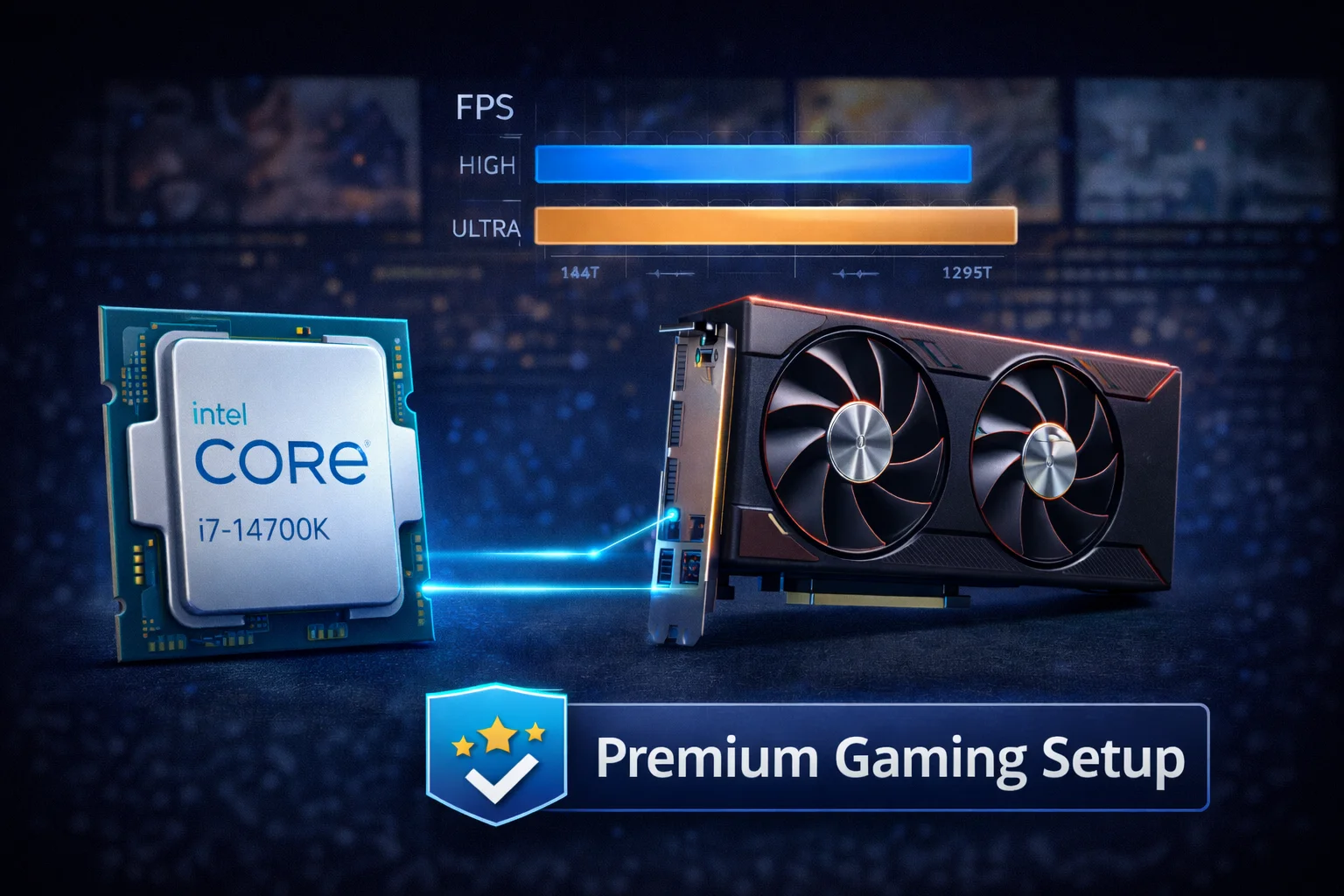
Quick Answer: The RTX 5080 (~$1,360) is the best GPU for i7-14700K, delivering exceptional 4K performance with zero bottleneck. For 1440p gaming, the RTX 4070 Ti Super (~$800) offers excellent value. Budget high-end builders should consider the RX 7900 XTX (~$900) for its massive 24GB VRAM. The i7-14700K handles any GPU on the market without meaningful bottlenecks at 1440p and above.
The Intel Core i7-14700K is a powerhouse CPU that sits at the perfect intersection of gaming performance and productivity capability. With 20 cores (8 P-cores + 12 E-cores), 28 threads, and boost clocks reaching 5.6 GHz, it handles everything from competitive esports to content creation without breaking a sweat.
For high-end builds, choosing the right GPU is critical. You’ve invested in a premium processor—now you need a graphics card that matches its capabilities. Use our Bottleneck Calculator to verify your specific pairing, or check expected frame rates with our FPS Calculator before making your purchase.
This comprehensive guide analyzes the best GPU options for the i7-14700K across different budgets and resolutions, with real-world performance data and bottleneck analysis to help you build the ultimate gaming machine.
Why the i7-14700K is Perfect for High-End Builds
The i7-14700K represents Intel’s sweet spot for enthusiast gamers. It delivers 95-98% of the i9-14900K’s gaming performance while costing significantly less and generating less heat. The hybrid architecture with Performance and Efficiency cores provides excellent multi-threaded capability for streaming, recording, and background tasks without impacting gaming frame rates.
i7-14700K Key Specifications
- Cores/Threads: 20 cores (8P + 12E), 28 threads
- P-Core Boost: Up to 5.6 GHz
- E-Core Boost: Up to 4.3 GHz
- L3 Cache: 33MB
- TDP: 125W (253W max turbo)
- Platform: LGA 1700 (DDR4/DDR5, PCIe 5.0)
- Price: ~$380-420
Gaming Performance Strengths
Exceptional single-threaded performance: The 5.6 GHz P-core boost delivers outstanding frame rates in games that rely on single-threaded performance. Clock-for-clock, Intel’s Raptor Lake Refresh architecture is among the fastest available.
Hybrid architecture benefits: E-cores handle background tasks like Discord, streaming software, and system processes, leaving P-cores free for gaming. This results in more consistent frame times compared to CPUs without efficiency cores.
DDR5 support: The LGA 1700 platform supports high-speed DDR5 memory up to DDR5-5600+ officially, with faster speeds achievable through XMP profiles. Fast memory benefits gaming performance, particularly at higher frame rates.
PCIe 5.0: Full PCIe 5.0 support for both GPU and storage means future-proofing for next-gen hardware. While current GPUs don’t saturate PCIe 4.0, the headroom is there when needed.
Overclocking potential: The “K” suffix indicates an unlocked multiplier. With proper cooling, the 14700K can achieve 5.8 GHz+ all-core on P-cores, squeezing out additional performance for competitive gaming.
Considerations
Power consumption: At full load, the 14700K can draw 250W+. This requires a robust cooling solution and a quality power supply. Budget for a 360mm AIO or high-end air cooler.
Motherboard requirements: To fully utilize the 14700K, you’ll want a Z790 motherboard with solid VRM design. B760 boards work but may limit overclocking potential and power delivery.
No integrated graphics (14700KF): The “F” variant lacks integrated graphics and costs slightly less. If you’re pairing with a dedicated GPU anyway, the 14700KF is a smart way to save $20-30.
Best GPU for i7-14700K: Quick Recommendations
| Resolution / Use Case | Best GPU | Price | Bottleneck |
|---|---|---|---|
| 4K Ultra + Ray Tracing | RTX 5080 | $1,359 | 0% |
| 4K High-Ultra | RTX 4080 Super | $1,100 | 0% |
| 4K Value | RX 7900 XTX | $900 | 0% |
| 1440p Ultra | RTX 5070 Ti | $929 | 0% |
| 1440p High-Value | RTX 4070 Ti Super | $800 | 0% |
| 1440p Budget | RTX 4070 Super | $600 | 0% |
| 1080p High-Refresh | RTX 5070 | $650 | 0-3% |
The i7-14700K is powerful enough that GPU choice is purely about graphics performance and budget—CPU bottlenecking is essentially non-existent at 1440p and above.
Best Overall: NVIDIA RTX 5080
NVIDIA RTX 5080 Founders Edition
16GB GDDR7 | 256-bit | DLSS 4 | PCIe 5.0 | 300W TDP
The ultimate pairing for the i7-14700K. NVIDIA’s Blackwell architecture delivers exceptional 4K performance with DLSS 4 Multi Frame Generation. Zero bottleneck at any resolution—pure GPU-limited gaming.
The RTX 5080 is the natural partner for the i7-14700K in high-end builds. It delivers approximately 90% of the RTX 5090’s gaming performance at less than half the price, making it the smart choice for enthusiasts who want flagship-tier experiences without the extreme premium.
DLSS 4 is transformative. Multi Frame Generation can generate up to three additional frames for every rendered frame, effectively quadrupling perceived frame rates in supported titles. Combined with the i7-14700K’s excellent frame pacing, you get buttery-smooth gameplay even in the most demanding games at 4K.
The 16GB GDDR7 memory operates at significantly higher bandwidth than GDDR6X, ensuring no texture streaming issues even at 4K ultra with high-resolution texture packs. Ray tracing performance is excellent, with dedicated RT cores handling complex lighting calculations efficiently.
RTX 5080 + i7-14700K Performance Expectations
| Game | 1440p Ultra | 4K Ultra | 4K + RT + DLSS |
|---|---|---|---|
| Cyberpunk 2077 | 150+ FPS | 90+ FPS | 120+ FPS |
| Alan Wake 2 | 125+ FPS | 75+ FPS | 100+ FPS |
| Spider-Man 2 | 145+ FPS | 95+ FPS | 130+ FPS |
| Call of Duty MW3 | 220+ FPS | 150+ FPS | 180+ FPS |
| Fortnite | 280+ FPS | 180+ FPS | N/A |
| Hogwarts Legacy | 140+ FPS | 85+ FPS | 110+ FPS |
Alternative: GIGABYTE RTX 5080 Gaming OC
GIGABYTE RTX 5080 Gaming OC
16GB GDDR7 | 256-bit | DLSS 4 | WINDFORCE Cooling
Factory overclocked with GIGABYTE’s proven WINDFORCE cooling. Higher out-of-box performance with excellent thermals and acoustics.
Best Previous-Gen Flagship: RTX 4080 Super
ASUS TUF Gaming RTX 4080 Super
16GB GDDR6X | 256-bit | DLSS 3 | PCIe 4.0 | 320W TDP
Excellent 4K performance at a lower price point. DLSS 3 frame generation provides smooth gameplay. Military-grade components with superior cooling.
With the RTX 50-series launch, the RTX 4080 Super has become an exceptional value. It delivers genuine 4K gaming performance with DLSS 3 frame generation support, and prices have dropped as retailers clear inventory. For i7-14700K owners who want 4K capability without the flagship premium, it’s an outstanding choice.
The 4080 Super’s 16GB GDDR6X provides ample VRAM for 4K gaming with high-resolution textures. DLSS 3 frame generation, while not as advanced as DLSS 4, still delivers significant performance boosts in the growing library of supported titles. Ray tracing performance is excellent, handling 4K RT in most games at playable frame rates.
Power consumption is reasonable at 320W TDP—your i7-14700K system will want an 850W power supply for this pairing, which provides comfortable headroom for both components under full load.
Best AMD High-End: RX 7900 XTX
PowerColor Hellhound RX 7900 XTX
24GB GDDR6 | 384-bit | FSR 3 | PCIe 4.0 | 355W TDP
Massive 24GB VRAM at an incredible price. Excellent 4K rasterization performance. The best choice for high-resolution gaming without ray tracing priority.
The RX 7900 XTX offers compelling value for i7-14700K builds. At $900, you get 4K performance that rivals the RTX 4080 in rasterization, plus a massive 24GB VRAM buffer that future-proofs for years of gaming. No matter how texture-heavy games become, 24GB ensures smooth performance.
AMD’s FSR 3 provides frame generation in supported titles, though the game library is smaller than NVIDIA’s DLSS. The trade-off versus NVIDIA is primarily ray tracing—the 7900 XTX handles RT, but not as efficiently. If you prioritize pure rasterization performance and VRAM capacity over ray tracing, the 7900 XTX is the smart choice.
The i7-14700K pairs beautifully with AMD GPUs. There’s no performance penalty for mixing Intel CPU with AMD GPU—both components run at full potential. Smart Access Memory (Resizable BAR) works on Intel platforms, providing the same benefits as AMD CPU pairings.
Alternative: RX 7900 XT
XFX RX 7900 XT
20GB GDDR6 | 320-bit | FSR 3 | PCIe 4.0 | 315W TDP
Strong 1440p/4K performance with 20GB VRAM. Excellent value if you don’t need the XTX’s full performance.
Best 1440p Performance: RTX 5070 Ti
MSI Gaming RTX 5070 Ti Ventus 3X OC
16GB GDDR7 | 256-bit | DLSS 4 | PCIe 5.0 | 285W TDP
The new 1440p king. Blackwell efficiency with 16GB GDDR7 and full DLSS 4 support. Handles 1440p ultra with ease and provides solid 4K performance.
The RTX 5070 Ti represents the sweet spot for 1440p enthusiasts with i7-14700K builds. It delivers exceptional performance at 1440p ultra settings—typically 120-180 FPS in demanding titles—while providing capable 4K gaming when needed. The 16GB GDDR7 ensures no VRAM limitations in any current game.
DLSS 4 Multi Frame Generation makes the 5070 Ti punch significantly above its weight class. In supported titles, effective frame rates can reach levels previously reserved for flagship GPUs. Combined with the i7-14700K’s excellent frame pacing, you get a premium gaming experience at a more accessible price point.
Alternative: RTX 4070 Ti Super
ASUS TUF RTX 4070 Ti Super
16GB GDDR6X | 256-bit | DLSS 3 | PCIe 4.0 | 285W TDP
Excellent 1440p/4K performance with 16GB VRAM. DLSS 3 support and proven reliability. Great choice if RTX 50-series availability is limited.
Best 1440p Value: RTX 4070 Super
ASUS Dual RTX 4070 Super EVO OC
12GB GDDR6X | 192-bit | DLSS 3 | PCIe 4.0 | 220W TDP
Outstanding 1440p performance at a reasonable price. DLSS 3 frame generation support. The i7-14700K ensures this GPU runs at full potential.
The RTX 4070 Super delivers excellent 1440p gaming at $600—a reasonable price point even for high-end builds. It handles 1440p ultra settings at 80-120 FPS in demanding titles, with DLSS 3 frame generation providing significant boosts in supported games.
Some might question pairing a ~$400 CPU with a $600 GPU, but this makes perfect sense for gamers who primarily play at 1440p. The i7-14700K provides headroom for future GPU upgrades, streaming capability, and multi-tasking that cheaper CPUs can’t match. You’re not “wasting” CPU power—you’re investing in platform longevity and versatility.
The 12GB VRAM is adequate for 1440p gaming in current titles, though the most VRAM-hungry games at maximum texture settings may approach this limit. If VRAM longevity concerns you, step up to the 16GB RTX 4070 Ti Super.
Alternative: ASUS TUF RTX 4070 Super
ASUS TUF Gaming RTX 4070 Super
12GB GDDR6X | 192-bit | DLSS 3 | Military-Grade
TUF-series durability with superior cooling. Worth the premium for lower temperatures and quieter operation in high-end builds.
Best New-Gen Mid-Range: RTX 5070
ASUS TUF RTX 5070
12GB GDDR7 | 192-bit | DLSS 4 | PCIe 5.0 | 220W TDP
Entry-level Blackwell with flagship features. Full DLSS 4 Multi Frame Generation support in a more accessible package. Excellent 1440p performance.
The RTX 5070 brings Blackwell architecture and DLSS 4 to a more accessible price point. For i7-14700K owners who want the latest technology without breaking the bank, it’s an excellent choice. The 12GB GDDR7 provides adequate VRAM for 1440p gaming, and DLSS 4 Multi Frame Generation helps push frame rates higher in supported titles.
At 1080p high-refresh rates (240Hz+), you might see minor CPU limitation (0-3%) in specific scenarios, but this is imperceptible during actual gameplay. At 1440p and above, the GPU is always the limiting factor.
Alternative: GIGABYTE RTX 5070 WINDFORCE
GIGABYTE RTX 5070 WINDFORCE OC
12GB GDDR7 | 192-bit | DLSS 4 | WINDFORCE Cooling
More affordable RTX 5070 option with proven WINDFORCE cooling. Same great features at a lower price point.
AMD RDNA 4 Options
GIGABYTE RX 9070 XT Gaming OC
16GB GDDR6 | 256-bit | FSR 4 | PCIe 5.0 | 280W TDP
AMD’s new RDNA 4 flagship brings improved ray tracing and FSR 4. Competitive 1440p/4K performance with 16GB VRAM at an excellent price.
XFX RX 9070 Swift
16GB GDDR6 | 256-bit | FSR 4 | PCIe 5.0 | 260W TDP
More affordable RX 9070 with 16GB VRAM. Strong 1440p performance with next-gen AMD features.
AMD’s RDNA 4 architecture brings significant improvements to ray tracing performance and introduces FSR 4 with enhanced AI upscaling. The RX 9070 XT competes directly with the RTX 5070 Ti while typically costing less. For i7-14700K owners who prefer AMD graphics or don’t prioritize NVIDIA’s DLSS ecosystem, these are excellent options.
Bottleneck Analysis: i7-14700K Capabilities
The i7-14700K is powerful enough that CPU bottlenecks are essentially non-existent in modern gaming scenarios. Its high clock speeds and efficient hybrid architecture keep even the fastest GPUs fed with data.
Bottleneck by GPU Tier and Resolution
| GPU | 1080p | 1440p | 4K | Notes |
|---|---|---|---|---|
| RTX 5090 | 3-8% | 0-3% | 0% | Minimal limitation even at 1080p |
| RTX 5080 | 0-5% | 0% | 0% | Perfect pairing |
| RTX 4080 Super | 0-3% | 0% | 0% | Perfect pairing |
| RX 7900 XTX | 0-5% | 0% | 0% | Perfect pairing |
| RTX 5070 Ti | 0-3% | 0% | 0% | Perfect pairing |
| RTX 4070 Ti Super | 0% | 0% | 0% | Perfect pairing |
| RTX 4070 Super | 0% | 0% | 0% | Perfect pairing |
| RTX 5070 | 0% | 0% | 0% | Perfect pairing |
| RX 7700 XT | 0% | 0% | 0% | CPU has significant headroom |
Why the i7-14700K Rarely Bottlenecks
Several factors contribute to the i7-14700K’s exceptional gaming performance:
High P-core clocks: The 5.6 GHz boost clock is among the highest in consumer CPUs. Games that rely on single-threaded performance benefit directly from this speed.
Large L3 cache: 33MB of L3 cache keeps frequently accessed game data on-chip, reducing memory latency. While not as large as AMD’s X3D processors, it’s more than adequate for gaming.
E-core offloading: Background tasks run on E-cores, leaving P-cores dedicated to the game. This results in more consistent frame delivery compared to CPUs where background tasks compete for the same cores.
DDR5 bandwidth: High-speed DDR5 memory feeds data to the CPU quickly, preventing memory from becoming a bottleneck in bandwidth-intensive scenarios.
Complete Build Recommendations
Ultimate 4K Gaming Build (~$3,500)
- CPU: Intel i7-14700K (~$400)
- GPU: RTX 5080 FE (~$1,359)
- Motherboard: Z790 DDR5 (~$280)
- RAM: 32GB DDR5-6000 (~$140)
- Storage: 2TB NVMe Gen4 (~$150)
- PSU: 850W Gold (~$140)
- Cooler: 360mm AIO (~$180)
- Case: Premium mid-tower (~$150)
This build delivers exceptional 4K gaming with ray tracing enabled. The 360mm AIO keeps the 14700K cool under load, while the 850W PSU provides comfortable headroom for both CPU and GPU power spikes.
High-End 1440p Build (~$2,200)
- CPU: Intel i7-14700K (~$400)
- GPU: RTX 4070 Ti Super (~$800)
- Motherboard: Z790 DDR5 (~$250)
- RAM: 32GB DDR5-6000 (~$130)
- Storage: 2TB NVMe Gen4 (~$140)
- PSU: 850W Gold (~$130)
- Cooler: 280mm AIO (~$140)
- Case: Quality mid-tower (~$120)
This build dominates 1440p gaming while providing capable 4K performance when needed. The 16GB VRAM future-proofs for increasingly demanding titles.
Value High-End Build (~$1,700)
- CPU: Intel i7-14700KF (~$370)
- GPU: RTX 4070 Super (~$600)
- Motherboard: B760 DDR5 (~$180)
- RAM: 32GB DDR5-5600 (~$110)
- Storage: 1TB NVMe Gen4 (~$80)
- PSU: 750W Gold (~$100)
- Cooler: Tower air cooler (~$60)
- Case: Mid-tower (~$90)
This build prioritizes value while maintaining high-end performance. The 14700KF saves money without integrated graphics, and the B760 motherboard provides all essential features at a lower cost.
i7-14700K vs Alternatives for High-End Builds
vs i9-14900K
The i9-14900K offers 2 additional P-cores and slightly higher clocks, translating to 3-8% better gaming performance in ideal scenarios. However, it costs $200+ more, runs significantly hotter, and requires more robust cooling. For pure gaming, the 14700K is the smarter investment—put that $200 toward a better GPU instead.
vs Ryzen 7 7800X3D
The 7800X3D trades blows with the 14700K in gaming benchmarks—sometimes winning by 5-10%, sometimes losing by similar margins. The 7800X3D excels in cache-sensitive games, while the 14700K is better in clock-speed-sensitive titles. The 14700K’s advantage is multi-threaded productivity: 20 cores vs 8 cores makes a significant difference for streaming, content creation, and multi-tasking.
vs Ryzen 9 7950X3D
The 7950X3D offers similar gaming performance to the 7800X3D (same 3D V-Cache CCD for gaming) with additional cores for productivity. It costs significantly more than the 14700K. Choose the 7950X3D if you need maximum multi-threaded performance alongside top-tier gaming. Choose the 14700K for better value with still-excellent productivity capability.
Frequently Asked Questions
The RTX 5080 (~$1,359) is the best overall GPU for the i7-14700K, offering exceptional 4K performance with zero bottleneck. For 1440p gaming, the RTX 4070 Ti Super (~$800) provides excellent value. Budget-conscious high-end builders should consider the RX 7900 XTX (~$900) for its massive 24GB VRAM and strong 4K rasterization.
Barely. At 4K, there’s zero bottleneck. At 1440p, expect 0-3% CPU limitation. At 1080p with 240Hz+ targets, you might see 3-8% bottleneck in specific scenarios. The i7-14700K is one of the most capable gaming CPUs available—it handles any GPU without significant limitation.
Not for high-end builds. The 14700K provides CPU headroom for streaming, recording, and multi-tasking without impacting game performance. Its hybrid architecture handles background tasks on E-cores while P-cores focus on gaming. For pure gaming-only builds on a budget, the 7800X3D might be more cost-effective.
DDR5 is recommended for high-end builds. DDR5-6000 provides meaningful performance benefits in gaming (5-10%) compared to DDR4-3600, and prices have dropped significantly. The 14700K’s platform supports DDR5 speeds that DDR4 simply cannot match. DDR4 is only worth considering for strict budget builds.
An 850W quality power supply is recommended. The 14700K can draw up to 253W at full load, and the RTX 5080 draws approximately 300W. An 850W unit provides comfortable headroom for transient power spikes from both components. For the RTX 4070 Super, 750W is sufficient.
A 280mm or 360mm AIO is recommended for best performance and acoustics. The 14700K generates significant heat under load (250W+). High-end tower coolers like the Noctua NH-D15 also work well. Avoid basic coolers—inadequate cooling will cause thermal throttling and reduced boost clocks.
The 14700KF lacks integrated graphics and costs $20-30 less. If you’re using a dedicated GPU (which you are for gaming), the KF is the smarter choice. The only reason to choose the standard K is if you want integrated graphics as a backup for troubleshooting or while waiting for a GPU.
Not required, but recommended for high-end builds. Z790 provides better VRM design for sustained performance, full overclocking support, and more features. B760 boards work fine at stock settings and cost less, but may limit power delivery under sustained loads. For a $400+ CPU, investing in a quality Z790 board makes sense.
Conclusion
The Intel i7-14700K is the ideal foundation for high-end gaming builds in 2026. Its combination of exceptional single-threaded performance, multi-core capability, and platform features makes it the smart choice for enthusiasts who want both gaming excellence and productivity versatility.
For 4K gaming enthusiasts, the RTX 5080 (~$1,360) is the perfect partner—delivering exceptional performance with DLSS 4 and zero CPU bottleneck. Those targeting 1440p will find excellent value in the RTX 4070 Ti Super (~$800) or RTX 5070 Ti (~$929). AMD fans should consider the RX 7900 XTX (~$900) for its unmatched 24GB VRAM and strong 4K rasterization.
The beauty of the i7-14700K is its versatility. Whether you pair it with a $600 GPU or a $1,400 GPU, you’re getting full GPU performance without CPU limitation. Invest in the graphics card tier that matches your resolution and budget—the 14700K will handle anything you throw at it.
Related Resources
- PC Bottleneck Calculator
- FPS Calculator
- Best GPU for Ryzen 7 7800X3D
- Best CPU for RTX 4070 Super
- Best CPU for Gaming 2026
- i7-14700K vs Ryzen 7 7800X3D
Last Updated: February 2026