Best GPU for Ryzen 5 5600X 2026: GPU Pairing Guide

Quick Answer+
Quick Answer: The RX 7800 XT (~$500) is the best GPU for Ryzen 5 5600X, offering excellent 1440p performance with minimal bottleneck. For NVIDIA fans, the RTX 4070 Super (~$600) delivers great performance with DLSS 3. Budget builders should consider the Intel Arc B580 (~$290) for outstanding value.
The AMD Ryzen 5 5600X remains one of the most popular gaming CPUs ever made. With millions of units sold and a massive install base, it’s the foundation of countless gaming PCs. Now, as GPU prices normalize and new options emerge, many 5600X owners are looking to upgrade their graphics cards.
The great news: the Ryzen 5 5600X is still a capable gaming processor that pairs well with modern mid-range GPUs. While it won’t fully utilize flagship cards, it handles everything up to the RTX 4070 Super / RX 7800 XT tier with minimal bottleneck. Use our Bottleneck Calculator to verify your specific pairing, or check expected frame rates with our FPS Calculator before purchasing.
This guide analyzes the best GPU options for your Ryzen 5 5600X across different budgets, with real-world bottleneck data to help you make the smartest upgrade decision.
Ryzen 5 5600X: Still Going Strong
The Ryzen 5 5600X launched in late 2020 as AMD’s mainstream gaming champion. Built on Zen 3 architecture with excellent single-threaded performance, it quickly became the go-to recommendation for gaming builds. In 2026, it remains surprisingly capable.
Ryzen 5 5600X Specifications
- Architecture: AMD Zen 3
- Cores/Threads: 6 cores, 12 threads
- Base/Boost Clock: 3.7 GHz / 4.6 GHz
- L3 Cache: 32MB
- TDP: 65W
- Platform: AM4 (DDR4, PCIe 4.0)
- Original MSRP: $299 (now ~$150-180 used)
Gaming Performance in 2026
Strong single-threaded performance: The Zen 3 architecture still delivers competitive IPC (instructions per clock). While newer Zen 4 and Zen 5 chips are faster, the 5600X handles modern games without issues.
6 cores remain sufficient: Modern games are optimized for 6-8 cores. The 5600X’s 6 cores and 12 threads handle current titles without thread-count limitations.
32MB L3 cache: AMD’s generous cache design helps reduce memory latency, keeping the 5600X competitive against similarly-clocked alternatives.
Mature AM4 platform: The AM4 ecosystem is complete and affordable. B550 motherboards are cheap, DDR4 RAM is inexpensive, and compatibility is bulletproof.
GPU Pairing Sweet Spot
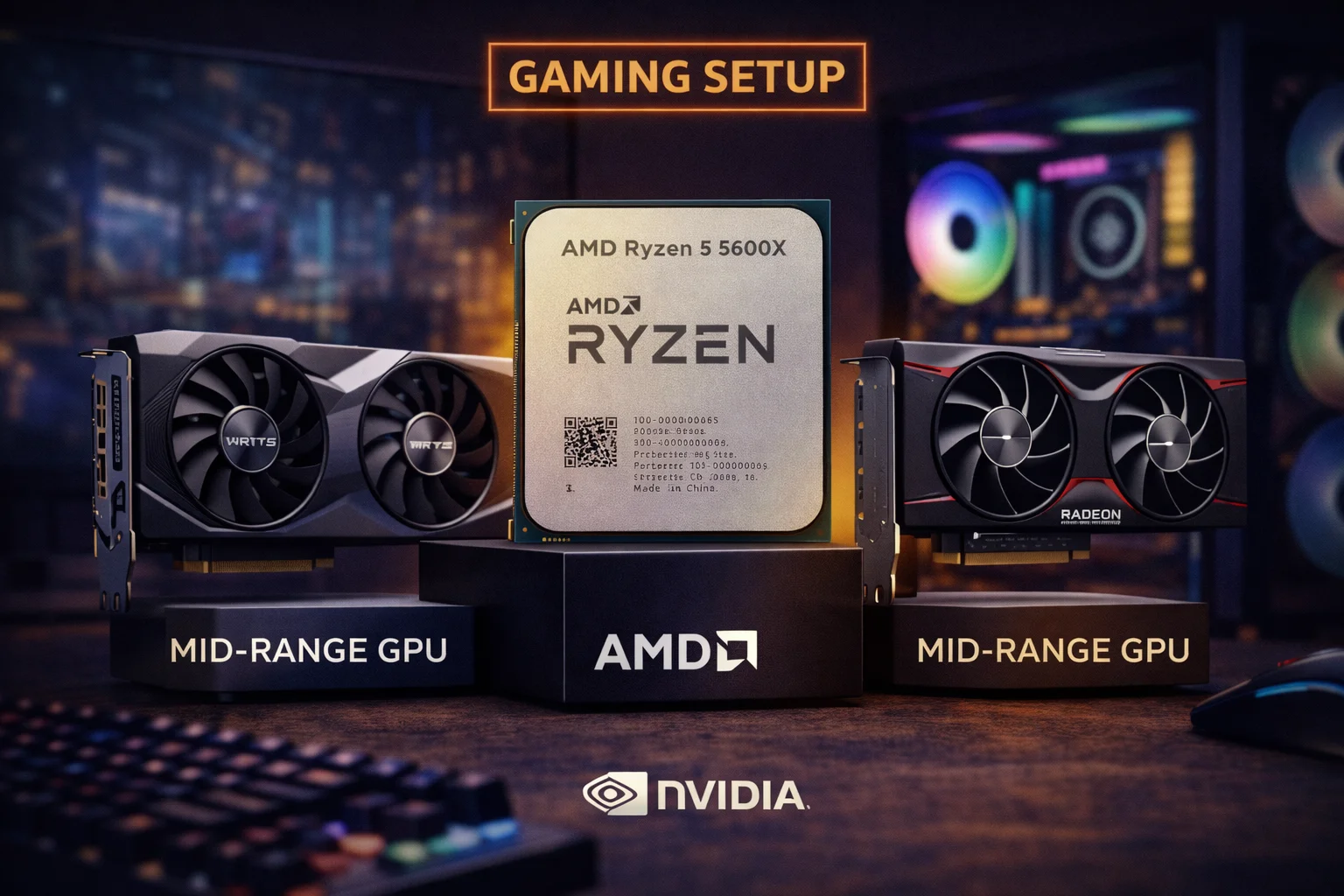
The Ryzen 5 5600X pairs optimally with GPUs in the $250-600 range. This includes cards like the RX 7800 XT, RTX 4070 Super, RTX 4060 Ti, RX 7700 XT, and Arc B580. You can push to RTX 4070 Ti Super tier, but expect 5-10% CPU limitation at 1440p.
Best GPU for Ryzen 5 5600X: Quick Recommendations
| Priority | Best GPU | Price | 1440p Bottleneck |
|---|---|---|---|
| Best Overall | RX 7800 XT | $500 | 2-5% |
| Best NVIDIA | RTX 4070 Super | $600 | 5-8% |
| Best Value | RX 7700 XT | $400 | 0-3% |
| Budget Champion | Arc B580 | $290 | 0% |
| NVIDIA Budget | RTX 4060 Ti | $400 | 0-2% |
| Maximum (with bottleneck) | RTX 4070 Ti Super | $800 | 8-12% |
Best Overall: AMD RX 7800 XT
XFX Speedster RX 7800 XT
16GB GDDR6 | 256-bit | FSR 3 | PCIe 4.0 | 263W TDP
The ideal pairing for Ryzen 5 5600X. Excellent 1440p performance with 16GB VRAM for future-proofing. Minimal CPU bottleneck at this tier.
The AMD RX 7800 XT is our top recommendation for Ryzen 5 5600X owners. At around $500, it delivers excellent 1440p gaming performance with a massive 16GB VRAM buffer that ensures longevity for years to come.
With the 5600X, expect 2-5% CPU bottleneck at 1440p—barely noticeable in actual gameplay. At 1080p, the bottleneck increases to 5-10%, but that’s where the GPU would be overkill anyway. The 7800 XT is designed for 1440p, and the 5600X handles it beautifully.
The 16GB VRAM is the key advantage here. As games become more demanding, 8GB and even 12GB cards may struggle with maximum textures at 1440p. The 7800 XT’s generous memory buffer provides insurance against future VRAM requirements.
AMD’s FSR 3 with Frame Generation continues to grow in support, providing DLSS-like benefits in compatible titles. While FSR adoption lags behind DLSS, major releases increasingly support both technologies.
RX 7800 XT + Ryzen 5 5600X Performance
| Game | 1080p Ultra | 1440p Ultra |
|---|---|---|
| Cyberpunk 2077 | 95 FPS | 70 FPS |
| Hogwarts Legacy | 100 FPS | 75 FPS |
| Spider-Man Remastered | 115 FPS | 85 FPS |
| Call of Duty MW3 | 165 FPS | 130 FPS |
| Fortnite (Competitive) | 200+ FPS | 160 FPS |
| Starfield | 80 FPS | 60 FPS |
Why RX 7800 XT for 5600X
The RX 7800 XT hits the sweet spot for the 5600X—powerful enough to deliver excellent 1440p performance, but not so powerful that the CPU becomes a significant bottleneck. It’s the natural upgrade for 5600X owners who want maximum gaming performance without platform changes.
Best NVIDIA: RTX 4070 Super
ASUS Dual RTX 4070 Super EVO OC
12GB GDDR6X | 192-bit | DLSS 3 | PCIe 4.0 | 220W TDP
Excellent NVIDIA option with DLSS 3 Frame Generation. Strong 1440p performance with 5-8% bottleneck on 5600X—acceptable for most gamers.
For NVIDIA enthusiasts, the RTX 4070 Super offers excellent performance with the Ryzen 5 5600X. At $600, it’s $100 more than the RX 7800 XT with slightly lower raw performance but superior ray tracing and DLSS 3 support.
The 5600X creates 5-8% bottleneck at 1440p with the 4070 Super—more noticeable than the 7800 XT pairing, but still acceptable for most gamers. DLSS 3 Frame Generation helps compensate by generating additional frames, effectively reducing the CPU’s burden on frame pacing.
The main trade-off: 12GB VRAM versus the 7800 XT’s 16GB. For current games at 1440p, 12GB is adequate. For maximum futureproofing, the 7800 XT’s extra VRAM provides more headroom.
When to Choose RTX 4070 Super
Choose the RTX 4070 Super if you prioritize DLSS 3 Frame Generation, play ray tracing-heavy titles, prefer NVIDIA’s encoder for streaming, or use CUDA applications for productivity. The DLSS ecosystem remains more mature than FSR.
Best Value: RX 7700 XT
ASRock RX 7700 XT Challenger
12GB GDDR6 | 192-bit | FSR 3 | PCIe 4.0 | 245W TDP
Outstanding value for Ryzen 5 5600X builds. Zero to minimal bottleneck at 1440p with 12GB VRAM for comfortable longevity.
The RX 7700 XT at $400 represents the value sweet spot for Ryzen 5 5600X owners. With only 0-3% bottleneck at 1440p, you’re getting essentially full GPU performance while saving $100+ compared to higher-tier options.
The 12GB VRAM is adequate for 1440p gaming in current and upcoming titles. Performance falls between the RTX 4060 Ti and RTX 4070 Super, making it excellent value for 1440p 60-100Hz gaming.
For 5600X owners who want to maximize value without upgrading their CPU, the RX 7700 XT is arguably the smartest choice—powerful enough for great 1440p gaming, but not so powerful that you’re paying for performance the CPU can’t fully utilize.
Alternative: XFX RX 7700 XT
XFX Speedster RX 7700 XT
12GB GDDR6 | 192-bit | FSR 3 | Better Cooling
Premium cooling solution for quieter operation. Worth the extra $50 if noise is a priority.
Budget Champion: Intel Arc B580
ASRock Intel Arc B580 Challenger
12GB GDDR6 | 192-bit | XeSS | PCIe 4.0 | 190W TDP
Incredible value with 12GB VRAM at under $300. Perfect pairing with Ryzen 5 5600X—zero bottleneck with outstanding 1080p/1440p performance.
The Intel Arc B580 is a revelation for budget-conscious 5600X owners. At $290, you get 12GB of VRAM—matching cards costing $100-200 more—along with capable 1080p and entry-level 1440p performance.
With the Ryzen 5 5600X, the Arc B580 has zero CPU bottleneck. The GPU is always the limiting factor, meaning you’re getting 100% of its performance. For gamers targeting 1080p 144Hz or 1440p 60Hz, this pairing delivers exceptional value.
Intel’s drivers have matured significantly since Arc’s rocky launch. Compatibility issues are largely resolved, and the B580 delivers competitive performance in most games. The 12GB VRAM provides meaningful future-proofing at this price point.
Arc B580 + Ryzen 5 5600X Performance
| Game | 1080p Ultra | 1440p High |
|---|---|---|
| Cyberpunk 2077 | 65 FPS | 45 FPS |
| Hogwarts Legacy | 75 FPS | 50 FPS |
| Call of Duty MW3 | 120 FPS | 90 FPS |
| Fortnite | 150 FPS | 110 FPS |
| Valorant | 300+ FPS | 250+ FPS |
NVIDIA Budget: RTX 4060 Ti
MSI RTX 4060 Ti Ventus 2X 16GB
16GB GDDR6 | 128-bit | DLSS 3 | PCIe 4.0 | 160W TDP
DLSS 3 support with 16GB VRAM for future-proofing. Zero bottleneck with Ryzen 5 5600X. Good for 1080p/1440p gaming.
The RTX 4060 Ti 16GB offers NVIDIA features (DLSS 3, superior ray tracing) at a mid-range price point. With the Ryzen 5 5600X, expect 0-2% bottleneck—essentially running at full GPU potential.
The 16GB VRAM version is recommended over the 8GB variant for future-proofing, though the narrow 128-bit bus limits memory bandwidth. For 1080p and 1440p medium-high settings, the 4060 Ti performs well.
The main competition is the RX 7700 XT, which offers better raw performance at similar pricing but lacks DLSS. Choose based on whether NVIDIA features matter more than raw rasterization.
High-End Option: RTX 4070 Ti Super
ASUS Prime RTX 4070 Ti Super
16GB GDDR6X | 256-bit | DLSS 3 | PCIe 4.0 | 285W TDP
Maximum GPU performance with noticeable CPU bottleneck. Consider only if planning CPU upgrade or primarily gaming at 4K.
The RTX 4070 Ti Super is the upper limit for Ryzen 5 5600X pairing. At this tier, expect 8-12% CPU bottleneck at 1440p—noticeable but not crippling. At 4K, the bottleneck drops to 3-5% as the GPU becomes the limiting factor.
This pairing makes sense if you plan to upgrade your CPU within a year (to 5800X3D or new platform), primarily game at 4K where CPU matters less, or want maximum GPU headroom for future CPU upgrades.
For most 5600X owners, the RX 7800 XT or RTX 4070 Super offer better value with less wasted potential.
Entry Level: RX 7600
ASUS Dual RX 7600 EVO OC
8GB GDDR6 | 128-bit | FSR 3 | PCIe 4.0 | 165W TDP
Solid 1080p gaming at an accessible price. Zero bottleneck with Ryzen 5 5600X. Good for budget builds.
The RX 7600 at $275 handles 1080p gaming at high-to-ultra settings in most games. With the 5600X, there’s zero bottleneck—every bit of GPU performance is utilized.
The 8GB VRAM is the main limitation, adequate for 1080p but potentially restrictive at 1440p in VRAM-heavy titles. For pure 1080p gaming, it’s excellent value. For 1440p aspirations, the Arc B580’s 12GB at similar pricing makes it more attractive.
Bottleneck Analysis: Ryzen 5 5600X
Understanding bottleneck percentages helps you make informed upgrade decisions. The Ryzen 5 5600X handles mid-range GPUs excellently but shows limitation with high-end cards.
| GPU | 1080p | 1440p | 4K | Recommendation |
|---|---|---|---|---|
| RTX 4070 Ti Super | 15-20% | 8-12% | 3-5% | Only if upgrading CPU |
| RTX 4070 Super | 10-15% | 5-8% | 2-4% | Acceptable pairing |
| RX 7800 XT | 8-12% | 2-5% | 0-2% | Excellent pairing |
| RX 7700 XT | 5-8% | 0-3% | 0% | Sweet spot |
| RTX 4060 Ti | 3-5% | 0-2% | 0% | Great pairing |
| Arc B580 | 0-2% | 0% | 0% | Perfect pairing |
| RX 7600 | 0% | 0% | 0% | Perfect pairing |
Why Resolution Matters
At higher resolutions, the GPU works harder while CPU load remains similar. This is why the same pairing shows less bottleneck at 1440p than 1080p. For 5600X owners, targeting 1440p actually helps balance the system—the GPU becomes the limiting factor rather than the CPU.
Upgrade Path Considerations
Before upgrading your GPU, consider whether a CPU upgrade might be more beneficial:
Stay on AM4: Ryzen 7 5800X3D
If you have a capable GPU already (RTX 3070/RX 6800 or better), upgrading to the Ryzen 7 5800X3D provides 15-25% better gaming performance. The 5800X3D turns AM4 into a high-end gaming platform that rivals modern AM5 builds in many games.
Platform Upgrade: AM5 or Intel 14th Gen
If you want both CPU and GPU upgrades, consider whether AM4’s limitations justify a platform change. AM5 (Ryzen 7000/9000) and Intel 14th Gen offer DDR5 support and better gaming performance, but at significant cost. For most gamers, maximizing AM4 with a GPU upgrade provides better immediate value.
Complete Build Recommendations
Optimized 1440p Build (GPU Upgrade)
- CPU: Existing Ryzen 5 5600X
- GPU: RX 7800 XT (~$500)
- PSU Upgrade (if needed): 650W (~$70)
- Total Upgrade Cost: ~$500-570
This delivers excellent 1440p gaming with minimal bottleneck. The 5600X handles the 7800 XT beautifully.
Value 1440p Build (GPU Upgrade)
- CPU: Existing Ryzen 5 5600X
- GPU: RX 7700 XT (~$400)
- Total Upgrade Cost: ~$400
Maximum value with zero bottleneck. The 7700 XT is perfectly matched to the 5600X’s capabilities.
Budget 1080p Build (GPU Upgrade)
- CPU: Existing Ryzen 5 5600X
- GPU: Intel Arc B580 (~$290)
- Total Upgrade Cost: ~$290
Excellent 1080p performance and entry-level 1440p at minimal cost. Zero bottleneck ensures full value.
New Build with 5600X (Budget Gaming)
- CPU: Ryzen 5 5600X (~$150 used / $180 new)
- GPU: RX 7700 XT (~$400)
- Motherboard: B550 (~$100)
- RAM: 32GB DDR4-3600 (~$60)
- Storage: 1TB NVMe (~$60)
- PSU: 650W Bronze (~$60)
- Case: Budget mid-tower (~$60)
- Total: ~$890-920
A complete 1440p gaming system under $1,000. The mature AM4 platform delivers exceptional value for new builders on a budget.
GPU Comparison Table
| GPU | Price | VRAM | 5600X Bottleneck (1440p) | Rating |
|---|---|---|---|---|
| RX 7800 XT | $500 | 16GB | 2-5% | ★★★★★ |
| RTX 4070 Super | $600 | 12GB | 5-8% | ★★★★☆ |
| RX 7700 XT | $400 | 12GB | 0-3% | ★★★★★ |
| RTX 4060 Ti 16GB | $500 | 16GB | 0-2% | ★★★★☆ |
| Arc B580 | $290 | 12GB | 0% | ★★★★★ |
| RX 7600 | $275 | 8GB | 0% | ★★★★☆ |
Frequently Asked Questions
The AMD RX 7800 XT (~$500) is the best GPU for Ryzen 5 5600X, delivering excellent 1440p performance with only 2-5% bottleneck. For budget builds, the Intel Arc B580 (~$290) offers outstanding value with zero bottleneck.
Slightly. At 1440p, expect 5-8% CPU bottleneck. At 1080p, 10-15% bottleneck. This is acceptable for most gamers, especially if you play at 1440p where the bottleneck is less noticeable.
Yes. The Ryzen 5 5600X handles modern games well and pairs effectively with GPUs up to the RX 7800 XT / RTX 4070 Super tier. For 1440p gaming, it remains a capable processor with years of life remaining.
Depends on your current GPU. If you have an RTX 3070/RX 6800 or better, the 5800X3D upgrade provides 15-25% better gaming performance. If you have an older GPU (GTX 1660, RX 5600), upgrade the GPU first for bigger gains.
The RX 7800 XT offers slightly better value: $100 cheaper, 16GB VRAM, and lower CPU bottleneck (2-5% vs 5-8%). Choose RTX 4070 Super if you prioritize DLSS 3, ray tracing, or NVIDIA’s streaming features.
A 650W quality power supply is recommended. The 5600X draws ~65W and the RX 7800 XT draws ~263W. A 650W unit provides comfortable headroom. For higher-end GPUs like RTX 4070 Ti Super, consider 750W.
Excellent pairing. The Arc B580 has zero CPU bottleneck with the 5600X, and its 12GB VRAM at $290 offers outstanding value. Intel’s drivers have matured significantly, making it a great budget choice.
The 5600X is 5-8% faster due to higher boost clocks (4.6 GHz vs 4.4 GHz). If prices are similar, choose the 5600X. If the 5600 is significantly cheaper, the performance difference is minimal in GPU-limited scenarios.
Conclusion
The Ryzen 5 5600X remains a capable gaming CPU in 2026, pairing excellently with GPUs from $275 to $600. For optimal value, the RX 7800 XT (~$500) delivers excellent 1440p performance with minimal bottleneck and 16GB VRAM for future-proofing.
Value-focused builders should consider the RX 7700 XT (~$400) for the sweet spot of price and performance with zero bottleneck. Budget builders can’t go wrong with the Intel Arc B580 (~$290)—12GB VRAM at this price is exceptional.
The key insight: the 5600X’s sweet spot is mid-range GPUs where bottlenecks are minimal. Don’t overspend on graphics—the RX 7800 XT is about as high as you should go without considering a CPU upgrade. Your AM4 investment can keep delivering excellent gaming for years to come.
Related Resources
- PC Bottleneck Calculator
- FPS Calculator
- Best GPU for Ryzen 5 5600
- Best GPU for Ryzen 7 5800X3D
- Best CPU for RTX 4070 Super
- Best GPU for Ryzen 5 7600X
Last Updated: February 2026