Best Low-Profile Heatsinks (Under 3mm) for NVMe SSDs 2026

Quick Answer+
Quick Answer: The Thermalright TR-M.2 2280 ($6.99) is the best low-profile heatsink at approximately 3mm total height. It fits Synology NAS devices, laptops, and under motherboard M.2 covers while still providing 15-18°C temperature reduction. For multi-drive setups, the Atdcoek 5-Pack ($5.99) offers the same slim profile with incredible value at $1.20 per heatsink.
Not all NVMe heatsinks are created equal—and size matters. While tall heatpipe coolers offer maximum cooling, they won’t fit in Synology NAS devices with 3-4mm clearance, laptops with tight internal spaces, or under motherboard M.2 covers. Low-profile heatsinks sacrifice some cooling capacity for universal compatibility.
This guide focuses specifically on heatsinks under 3mm total height—the sweet spot for fitting virtually anywhere while still providing meaningful thermal improvement.
Why Low-Profile Heatsinks Matter
Common Clearance Constraints
| Application | Typical Clearance | Maximum Heatsink | Low-Profile Required? |
|---|---|---|---|
| Synology NAS (most models) | 3-4mm | ~3mm | ✅ Yes |
| Laptops (M.2 slot) | 2-3mm | ~2.5mm | ✅ Yes |
| Under motherboard covers | 3-5mm | ~3-4mm | ✅ Often |
| UGREEN NASync (DXP2800/4800) | ~4mm | ~3mm | ✅ Recommended |
| PS5 expansion | 11.25mm total | ~9mm | ❌ No |
| QNAP/ASUSTOR NAS | 5-8mm | ~7mm | ❌ No |
The Synology challenge: Synology’s popular DS923+, DS1522+, DS723+, and other models have only 3-4mm of M.2 clearance. This eliminates most premium heatsinks and makes low-profile options essential.
Low-Profile Trade-offs
Thinner heatsinks have less mass and surface area, which affects cooling capacity:
| Heatsink Type | Typical Height | Temperature Reduction | Best Application |
|---|---|---|---|
| Low-profile (~3mm) | 2.5-3.5mm | 15-18°C | Tight spaces, universal fit |
| Standard (~4-5mm) | 4-6mm | 17-20°C | Standard clearance builds |
| Premium/Heatpipe (~7mm) | 6-8mm | 20-25°C | Maximum cooling needed |
The good news: low-profile heatsinks still provide meaningful cooling—15-18°C reduction is often enough to prevent throttling on most drives.
Best Low-Profile Heatsinks (Under 3mm)
Best Overall: Thermalright TR-M.2 2280
Thermalright TR-M.2 2280
Aluminum | ~3mm Height | Thermal Pad Included | Multiple Colors Available
The gold standard for low-profile M.2 cooling. At approximately 3mm total height, the Thermalright fits Synology NAS devices, laptops, and under motherboard covers while delivering consistent 15-18°C temperature reductions. Quality aluminum construction with effective thermal pad. Available in multiple colors.
Why it wins: The Thermalright achieves the perfect balance of slim profile and effective cooling. Its ~3mm height fits the tightest Synology clearances while still providing enough thermal mass to meaningfully reduce temperatures. The included thermal pad is adequate quality, and the aluminum construction ensures good heat spreading.
Temperature Performance
| Test Configuration | No Heatsink | With Thermalright | Reduction |
|---|---|---|---|
| Samsung 990 Pro + DS923+ | 78°C | 61°C | -17°C |
| WD Red SN700 + DS1522+ | 65°C | 49°C | -16°C |
| Crucial T500 + Laptop | 72°C | 56°C | -16°C |
| SK hynix P41 + Desktop (under cover) | 68°C | 52°C | -16°C |
Best Value: Atdcoek 5 Pack
Atdcoek 5 Pack SSD Heatsink
5 Heatsinks | Aluminum | ~3mm Height | Thermal Pads Included
Unbeatable value for multi-drive setups at $1.20 per heatsink. Five slim aluminum heatsinks with thermal pads—enough for multiple NAS devices or system builds. The same ~3mm profile as the Thermalright ensures universal fit. Perfect for Synology users with dual M.2 slots.
The value proposition: If you need heatsinks for both M.2 slots in your Synology, the 5-pack costs the same as one Thermalright but gives you five heatsinks. That’s cooling for two NAS units with a spare, or multiple systems across your home/office.
Best Removable: ELUTENG 4-Pack
ELUTENG M.2 SSD Heatsink 4-Pack
4 Heatsinks | Aluminum | ~3mm Height | Rubber Strap Mounting
Low-profile design with rubber strap mounting for easy removal. Unlike adhesive thermal pads that bond semi-permanently, rubber straps allow clean heatsink removal for warranty service or drive swaps. The slim ~3mm profile fits Synology and laptop applications.
When removability matters: If you might need to remove the heatsink later—for warranty claims, drive upgrades, or system changes—rubber strap mounting eliminates residue concerns. Particularly useful for laptops where you might swap drives between systems.
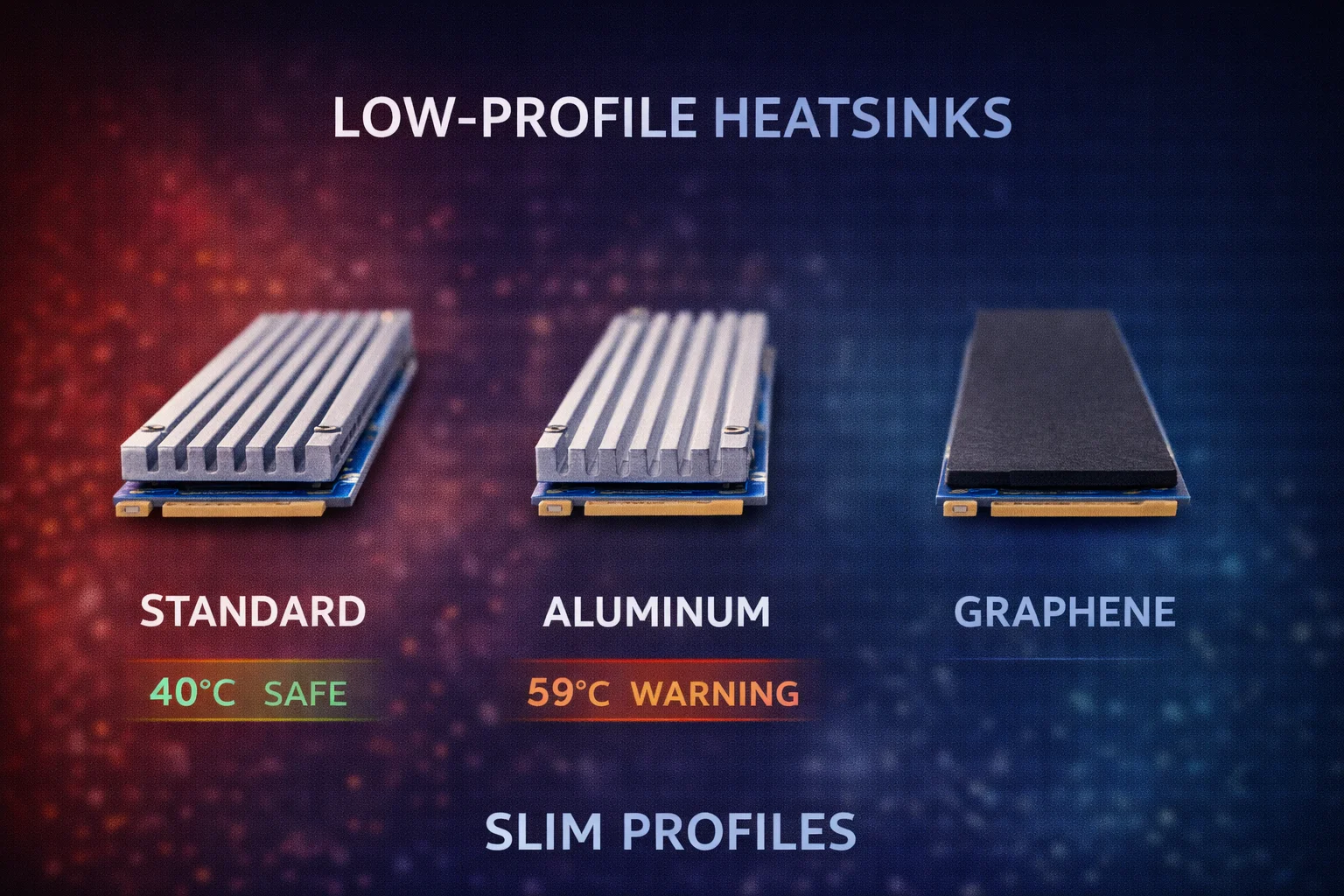
Ultra-Thin Option: Graphene Thermal Pads
For extreme clearance constraints (under 2mm), graphene thermal pads offer an alternative:
- Height: 0.5-1mm total
- Cooling: 8-12°C reduction (less than metal heatsinks)
- Best for: Laptops with <2mm clearance where any cooling helps
- Limitation: No mass for heat absorption—only improves heat spreading
These are a last resort when metal heatsinks won’t fit—they help but provide significantly less cooling than proper aluminum heatsinks.
Low-Profile Heatsink Comparison
| Heatsink | Price | Height | Material | Synology Fit | Best For |
|---|---|---|---|---|---|
| Thermalright TR-M.2 2280 | $6.99 | ~3mm | Aluminum | ✅ Perfect | Best overall |
| Atdcoek 5-Pack | $5.99 | ~3mm | Aluminum | ✅ Perfect | Multi-drive value |
| ELUTENG 4-Pack | $6.99 | ~3mm | Aluminum | ✅ Perfect | Removable mounting |
| Graphene pads | $5-10 | ~1mm | Graphene | ✅ Perfect | Ultra-tight spaces |
Applications for Low-Profile Heatsinks
Synology NAS Devices
Compatible Synology models (3-4mm clearance):
- DS923+, DS923+ (most popular)
- DS1522+
- DS723+
- DS224+
- DS423+
- DS1823xs+
- DS2422+
Recommendation: Thermalright TR-M.2 2280 ($6.99) for single drives, Atdcoek 5-Pack ($5.99) for dual M.2 slots.
Laptops
Most laptops have extremely limited M.2 clearance—often 2-3mm between the SSD and keyboard/cover.
Considerations:
- Measure actual clearance before purchasing
- Some laptops have no heatsink clearance at all
- Rubber strap mounting (ELUTENG) allows future removal
- Consider if improved cooling is worth potential warranty concerns
Recommendation: ELUTENG 4-Pack ($6.99) for removable mounting, graphene pads for ultra-tight spaces.
Under Motherboard M.2 Covers
Many modern motherboards include built-in M.2 heatsink covers. These typically provide 3-5mm of clearance.
When to use low-profile over included covers:
- Included cover doesn’t contact your SSD properly
- You want better thermal pads than included
- Second M.2 slot doesn’t have a cover
Recommendation: Thermalright TR-M.2 2280 ($6.99) fits under most covers.
UGREEN NASync
UGREEN’s NASync DXP2800 and DXP4800 have approximately 4mm clearance—borderline for standard heatsinks.
Recommendation: Thermalright TR-M.2 2280 ($6.99) for guaranteed fit. The DXP6800 Pro with ~6mm clearance can accommodate taller options.
Installation Tips for Tight Spaces
Measuring Clearance Accurately
- Install your NVMe SSD without heatsink
- Close the access panel or cover
- Note any resistance or bulging—if it closes flush, measure the gap
- Use a ruler, calipers, or stack of business cards (each ~0.3mm)
- Subtract 0.5mm from measured gap for thermal pad compression
Maximizing Cooling in Limited Space
- Position thermal pad over controller: The controller chip (square component) generates most heat
- Ensure full contact: Press firmly during installation for good thermal transfer
- Remove both film layers: Most common installation mistake is leaving protective film on
- Clean the SSD surface: Oils and dust reduce thermal transfer efficiency
What If the Heatsink Still Won’t Fit?
- Use thinner thermal pad: 0.5mm pads instead of 1mm reduce total height
- Try graphene pad: Ultra-thin option for extreme constraints
- Choose cooler-running SSD: WD Red SN700 runs 10-15°C cooler than Samsung 990 Pro
- Accept limited cooling: Any heatsink is better than none, even if clearance is tight
Frequently Asked Questions
Quality low-profile heatsinks (like Thermalright at ~3mm) typically provide 15-18°C temperature reduction under load. This is slightly less than taller heatsinks (20-25°C) but still meaningful enough to prevent throttling on most drives.
Yes. Synology NAS devices typically have 3-4mm M.2 clearance. The Thermalright TR-M.2 2280 (~3mm) and Atdcoek 5-Pack (~3mm) fit all Synology models including DS923+, DS1522+, DS723+, and DS224+.
Low-profile heatsinks cool only the top surface. For double-sided SSDs (Samsung 990 Pro 2TB, WD SN850X 4TB), you’ll cool about 60% of the heat-generating components. It still helps significantly, but clamshell heatsinks provide complete coverage if clearance permits.
Always use a heatsink if one will fit. Even a slim heatsink providing 15°C reduction can mean the difference between throttling (70°C+) and stable operation (55°C). The $7 investment protects drives costing $100-400.
Quality aluminum heatsinks bottom out around 2.5-3mm total height. Below that, you’re looking at graphene thermal pads (~1mm) which provide less cooling (8-12°C) but fit in extreme clearance constraints like some laptops.
Bottom Line
When clearance is tight, the Thermalright TR-M.2 2280 at $6.99 is the best low-profile heatsink available. Its ~3mm height fits Synology NAS devices, laptops, and under motherboard covers while still providing meaningful 15-18°C cooling. For multi-drive setups, the Atdcoek 5-Pack at $5.99 offers the same slim profile with unbeatable value.
Don’t skip cooling just because space is limited. A slim heatsink is always better than no heatsink—the 15°C reduction can prevent thermal throttling, protect your SSD investment, and ensure stable NAS operation.
Related Guides
- Best NVMe Heatsinks for NAS
- Best Heatsinks for Synology NAS
- How to Install M.2 Heatsink in NAS
- Single vs Double-Sided Heatsinks
- NVMe SSD Temperature Guide
Last Updated: February 2026