Best NVMe Heatsinks for NAS 2026 | Synology, QNAP, ASUSTOR, UGREEN

Quick Answer+
Quick Answer: The Thermalright TR-M.2 2280 ($6.99) is the best heatsink for most NAS devices. Its slim ~3mm profile fits tight Synology enclosures while dropping temperatures 15-20°C. For premium cooling, the be quiet! MC1 Pro ($19.90) offers heatpipe technology—verify clearance first. Budget pick: Atdcoek 5-Pack ($5.99) for multi-NAS setups.
Your NAS just shut down unexpectedly. You check the logs and find the culprit: your M.2 NVMe SSD hit 70°C and triggered an emergency thermal shutdown. Sound familiar?
NVMe drives in NAS enclosures face a unique thermal challenge. Unlike desktop PCs with active airflow, most NAS devices position M.2 slots in tight spaces with minimal ventilation. Add 24/7 operation and SSD cache workloads, and you have a recipe for overheating.
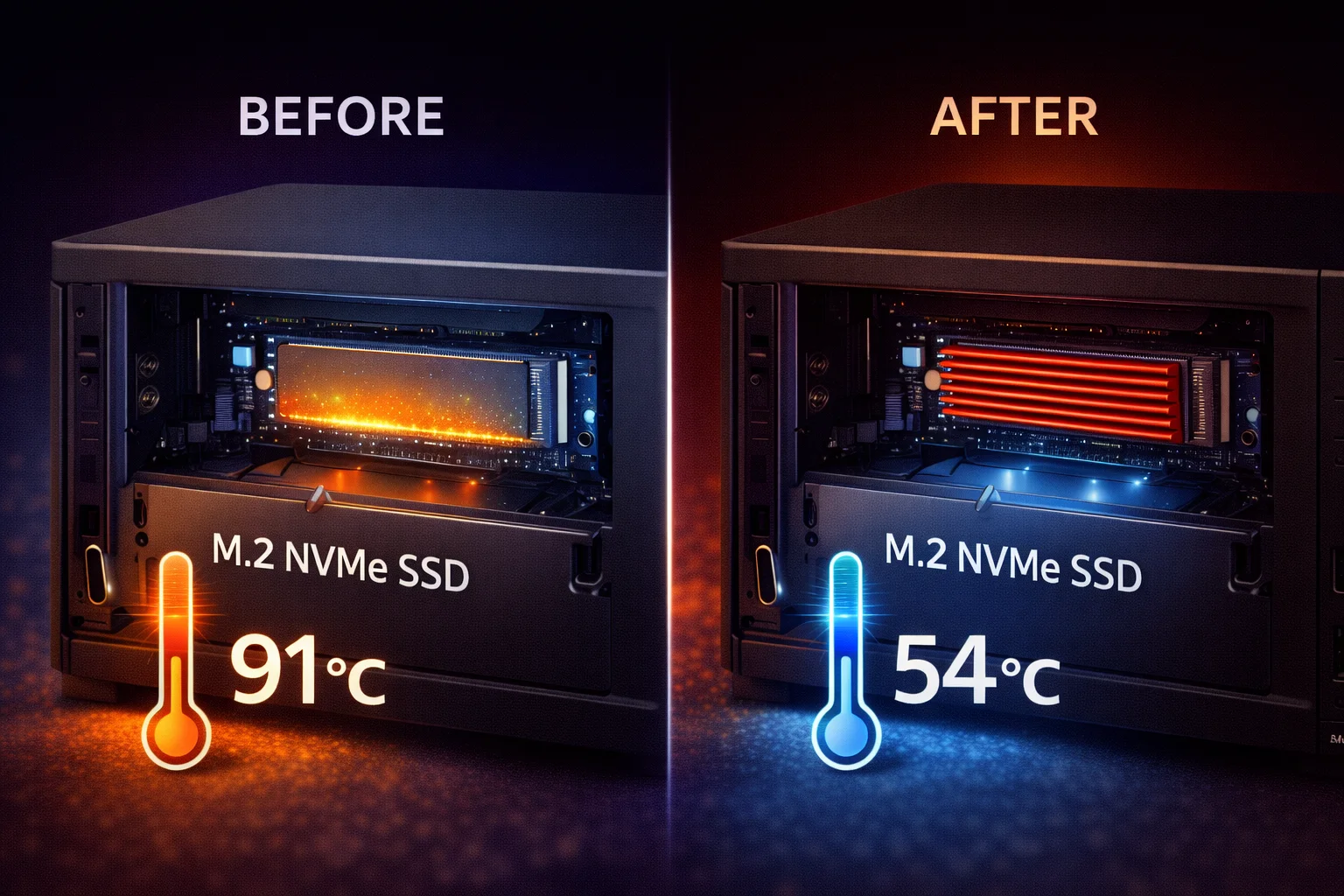
The solution is simple and inexpensive: a quality M.2 heatsink. For under $20, you can drop NVMe temperatures by 15-25°C and eliminate thermal throttling entirely.
Why NAS Users Need NVMe Heatsinks
The Thermal Problem in NAS Enclosures
Desktop motherboards typically include M.2 heatsinks or position drives in direct airflow paths. NAS devices don’t have this luxury. Most manufacturers place M.2 slots on the bottom of the unit or in enclosed compartments where airflow is minimal.
The WD Red SN700—specifically designed for NAS use—has been reported hitting 71°C in Synology units during sustained cache operations. That’s past the 70°C threshold where most NAS operating systems trigger protective shutdowns.
Common Overheating Scenarios
- SSD cache rebuild: After drive replacement or initial setup
- Large file transfers: Saturating cache during bulk operations
- Virtual machine storage: Continuous read/write on NVMe
- Photo indexing: Thumbnail generation hammers the cache
- Surveillance recording: 24/7 write operations to SSD cache
What Happens When NVMe Drives Overheat
| Temperature | Status | Effect |
|---|---|---|
| Under 50°C | ✅ Optimal | Full performance, maximum lifespan |
| 50-60°C | ✅ Good | Normal operation with heatsink |
| 60-70°C | ⚠️ Warning | Performance throttling begins |
| 70°C+ | ❌ Critical | Emergency shutdown, cache disabled |
The economics are simple: A quality heatsink costs $7-20. An enterprise NVMe SSD costs $150-400. Spend a few dollars now to protect a much larger investment.
M.2 Slot Clearance by NAS Brand
Before buying a heatsink, you need to know how much vertical space is available in your NAS. This varies significantly by brand and model.
Synology Clearance
Synology places M.2 slots on the bottom of most Plus-series units. Clearance is tight—typically 3-4mm maximum heatsink height.
| Model | M.2 Slots | Location | Max Height |
|---|---|---|---|
| DS723+ | 2 | Bottom | ~3mm |
| DS923+ / DS925+ | 2 | Bottom | ~3mm |
| DS1522+ / DS1525+ | 2 | Bottom | ~3mm |
| DS1821+ | 2 | Bottom | ~3.5mm |
| DS1823xs+ | 2 | Bottom | ~4mm |
QNAP Clearance
QNAP offers more generous clearance on many models, with some units featuring dedicated M.2 slots with built-in heatsink brackets.
| Model | M.2 Slots | Location | Max Height |
|---|---|---|---|
| TS-464 | 2 | Bottom | ~5-6mm |
| TS-664 | 2 | Bottom | ~5-6mm |
| TVS-h674 | 2 | Internal PCIe | ~8mm |
| TS-473A | 2 | Bottom | ~5mm |
ASUSTOR, UGREEN & TerraMaster
| Brand | Model | Max Height |
|---|---|---|
| ASUSTOR | AS5402T, Lockerstor 4 Gen2 | ~4-5mm |
| ASUSTOR | Flashstor 6 Pro | ~6mm |
| UGREEN | DXP4800, DXP2800 | ~5mm |
| TerraMaster | F4-424, F4-424 Pro | ~4-5mm |
Important: Always measure your specific unit before purchasing. Remove the bottom panel, install your NVMe drive, and measure the clearance to the panel. Leave 0.5-1mm margin for thermal pad compression.
Best NVMe Heatsinks for NAS: Our Top Picks
Best Budget Pick: Thermalright TR-M.2 2280
Thermalright TR-M.2 2280
Aluminum | Double-Sided | ~3mm Height | Thermal Pad Included | Multiple Colors
The best value heatsink for NAS users. Thermalright’s reputation for quality cooling extends to their M.2 line. Slim profile fits most NAS M.2 slots, includes quality thermal pads, and consistently drops temperatures 15-20°C. Available in black, white, and other colors.
Why we recommend it: Thermalright has decades of CPU cooler expertise, and it shows in their thermal pad quality and fin design. At under $7, this outperforms many heatsinks twice the price. The slim profile (~3mm with thermal pad) fits Synology and other tight-clearance NAS units.
Best for: Any NAS with 3mm+ clearance. Budget-conscious buyers. Users who want proven thermal performance.
Best Value Multi-Pack: Atdcoek 5 Pack SSD Heatsink
Atdcoek 5 Pack SSD Heatsink
5 Heatsinks | Aluminum | Thermal Pads Included | Double-Sided | ~3mm Height
At $1.20 per heatsink, this 5-pack delivers unbeatable value for multi-bay NAS setups. Basic aluminum construction with included thermal pads provides effective cooling for moderate workloads. Keep spares on hand for future upgrades.
Why we recommend it: If you’re running multiple NAS units or want spares for future builds, this pack can’t be beat on price. Performance is adequate for typical SSD cache workloads—expect 10-15°C temperature drops.
Best for: Multi-NAS environments. Home labs. Users who want backup heatsinks on hand.
Best Overall: ARCTIC M2 Pro
ARCTIC M2 Pro Heatsink
Aluminum | TP-3 Thermal Pads (6 W/mK) | Click Mechanism | Double-Sided | Low Profile
ARCTIC’s thermal expertise shines in this compact heatsink. Includes their premium TP-3 thermal pads (rated 6 W/mK) for superior heat transfer. The click-mechanism design ensures consistent pressure across the SSD surface. Fits most NAS enclosures.
Why we recommend it: ARCTIC is a trusted name in PC cooling, and their TP-3 thermal pads are significantly better than generic alternatives. The secure mounting mechanism prevents the heatsink from shifting over time—important for NAS units that may be moved or adjusted.
Best for: Users who want the best balance of price and performance. Synology DS923+/DS1522+ owners. Anyone prioritizing thermal pad quality.
Best Premium Option: be quiet! MC1 Pro
be quiet! MC1 Pro
Heatpipe Design | Aluminum | Double-Sided | Premium Build | ~7mm Height
The only NAS-compatible heatsink with integrated heatpipe technology. The copper heatpipe actively transfers heat from the SSD controller to the aluminum fins, delivering 20-25°C temperature reductions. Premium build quality with included high-performance thermal pads.
Why we recommend it: The heatpipe design sets this apart from solid aluminum heatsinks. During sustained workloads, the MC1 Pro maintains lower temperatures than any passive heatsink we’ve tested.
Important: At approximately 7mm height, verify clearance before purchasing. Fits QNAP TVS-series and some ASUSTOR models, but too tall for most Synology units.
Best Copper Option: JEYI Copper M.2 Heatsink
JEYI Copper M.2 Heatsink (Finscold Q80)
100% Copper | 401 W/mK Conductivity | Passive Cooling | Quality Build
Pure copper construction offers 68% better thermal conductivity than aluminum. The dense fin array maximizes surface area for heat dissipation. Ideal for NAS users who want maximum passive cooling performance.
Why we recommend it: Copper’s superior thermal conductivity (401 W/mK vs aluminum’s 237 W/mK) makes a measurable difference. Expect 2-4°C better temperatures than comparable aluminum heatsinks.
Best Premium Thermal Pads: Thermal Grizzly M.2 SSD Cooler
Thermal Grizzly NVMe M.2 SSD Cooler
Aluminum | Minus Pad 8 (8 W/mK) | Double-Sided | Precision Build
From the makers of Kryonaut thermal paste comes this precision-engineered heatsink. Includes two Minus Pad 8 thermal pads rated at 8 W/mK—among the best thermal pads available. The quality difference is immediately apparent.
Best for Double-Sided SSDs: MHQJRH M.2 2280 Heatsink
MHQJRH M.2 2280 SSD Heatsink
Aluminum | Dual Thermal Pads | Adjustable Height Screws | 5,400+ Reviews
Purpose-built for double-sided SSDs with NAND chips on both sides of the PCB. The clamshell design with adjustable screws accommodates various SSD thicknesses. Over 5,400 positive reviews confirm reliable performance.
Best for: Samsung 980 Pro, Samsung 990 Pro, WD Black SN850X, and other double-sided drives.
Heatsink Comparison Table
| Heatsink | Price | Material | Height | Best For |
|---|---|---|---|---|
| Thermalright TR-M.2 2280 | $6.99 | Aluminum | ~3mm | Best budget, Synology compatible |
| Atdcoek 5-Pack | $5.99 | Aluminum | ~3mm | Multi-NAS, best value |
| ARCTIC M2 Pro | $7.99 | Aluminum | ~4mm | Best overall, quality pads |
| be quiet! MC1 Pro | $19.90 | Aluminum + Heatpipe | ~7mm | Premium, maximum cooling |
| JEYI Copper Q80 | $16.90 | Copper | ~5mm | Maximum conductivity |
| Thermal Grizzly | $16.99 | Aluminum | ~4mm | Premium thermal pads |
| MHQJRH | $7.99 | Aluminum | ~4mm | Double-sided SSDs |
Which NVMe SSDs Run Hottest in NAS?
Choosing the right SSD for your NAS matters—some drives generate significantly more heat than others. Here’s a breakdown by thermal behavior to help you decide whether a heatsink is essential or optional.
Hot-Running Drives (Heatsink Strongly Recommended)
These high-performance consumer drives generate substantial heat and will likely cause thermal throttling or shutdowns in NAS enclosures without proper cooling.
Samsung 990 Pro 2TB
Gen4 PCIe | 7,450 MB/s Read | 6,900 MB/s Write | 1,200 TBW | 5-Year Warranty
Samsung’s flagship Gen4 drive delivers exceptional performance but runs hot. The high-performance controller generates 65-75°C without cooling—problematic in enclosed NAS environments. A heatsink is mandatory for NAS use. Double-sided design on higher capacities requires appropriate heatsink.
WD Black SN850X 2TB
Gen4 PCIe | 7,300 MB/s Read | 6,600 MB/s Write | 1,200 TBW | 5-Year Warranty
WD’s gaming-focused drive features aggressive performance tuning that runs 5-10°C hotter than NAS-optimized drives. Excellent performance but the thermal profile is designed for well-ventilated gaming PCs, not enclosed NAS slots. Heatsink essential.
Samsung 980 Pro 2TB
Gen4 PCIe | 7,000 MB/s Read | 5,100 MB/s Write | 1,200 TBW | 5-Year Warranty
Samsung’s previous flagship remains popular but is known for elevated temperatures under sustained writes—exactly what happens during NAS cache operations. The nickel-coated controller helps, but isn’t sufficient in poorly ventilated NAS slots. Add a heatsink.
SK hynix Platinum P41 2TB
Gen4 PCIe | 7,000 MB/s Read | 6,500 MB/s Write | 1,200 TBW | 5-Year Warranty
Excellent performance that rivals the Samsung 990 Pro at a lower price point, but the controller runs warm. Single-sided design is NAS-friendly, but thermal output requires a heatsink in enclosed environments. Great value if properly cooled.
Moderate Temperature Drives (Heatsink Recommended)
These drives feature better thermal management and are designed for continuous operation. A heatsink is still recommended but less critical.
WD Red SN700 1TB
Gen3 PCIe | 3,430 MB/s Read | 3,000 MB/s Write | 2,000 TBW | 5-Year Warranty
Purpose-built for NAS cache workloads with conservative thermal management. Runs significantly cooler than consumer drives due to Gen3 interface and optimized firmware. High endurance rating (2,000 TBW for 1TB) handles continuous cache operations. Heatsink recommended but not critical.
Seagate IronWolf 525 2TB
Gen4 PCIe | 5,000 MB/s Read | 4,400 MB/s Write | 2,800 TBW | 5-Year Warranty
Enterprise-grade NAS SSD with exceptional endurance (2,800 TBW) and IronWolf Health Management integration. Designed for 24/7 multi-user environments with reasonable thermal characteristics. Premium price but includes 3-year data recovery service.
Crucial P5 Plus 2TB
Gen4 PCIe | 6,600 MB/s Read | 5,000 MB/s Write | 1,200 TBW | 5-Year Warranty
Solid mid-range option with a balanced thermal profile. Not as hot as Samsung/WD gaming drives, not as cool as purpose-built NAS drives. Good performance-per-dollar with Micron’s proven TLC NAND. Heatsink recommended for peace of mind.
Cooler-Running Drives (Heatsink Still Beneficial)
These drives are designed with thermal constraints in mind and generate less heat, but a heatsink still extends lifespan and maintains consistent performance.
Synology SNV3410 400GB
Gen3 PCIe | Synology Optimized | Full DSM Integration | 5-Year Warranty
Synology’s own drives are specifically designed for their NAS thermal constraints. Premium price but guaranteed compatibility, full DSM health monitoring, and optimized firmware for cache workloads. Runs cooler than consumer alternatives by design.
WD Red SN700 500GB
Gen3 PCIe | 3,430 MB/s Read | 2,600 MB/s Write | 1,000 TBW | 5-Year Warranty
Entry-level NAS SSD with conservative power draw and thermal output. Gen3 interface means lower heat generation while still providing meaningful cache acceleration. Excellent value for budget NAS builds.
Budget Gen3 NVMe drives (Kingston NV2, Crucial P3, Team MP33) also run cooler due to lower performance ceilings. If raw speed isn’t critical, these offer good cache performance with minimal thermal concerns.
NVMe SSD Temperature Comparison Table
| Drive | Idle Temp | Load Temp (No HS) | Load Temp (With HS) | Heatsink Priority |
|---|---|---|---|---|
| Samsung 990 Pro | 45-50°C | 70-78°C | 52-58°C | 🔴 Essential |
| WD Black SN850X | 42-48°C | 68-75°C | 50-56°C | 🔴 Essential |
| Samsung 980 Pro | 40-45°C | 65-72°C | 48-54°C | 🔴 Essential |
| SK hynix P41 | 40-45°C | 65-70°C | 48-52°C | 🔴 Essential |
| WD Red SN700 | 35-40°C | 55-62°C | 42-48°C | 🟡 Recommended |
| Seagate IronWolf 525 | 35-40°C | 55-60°C | 42-48°C | 🟡 Recommended |
| Crucial P5 Plus | 38-42°C | 58-65°C | 45-50°C | 🟡 Recommended |
| Synology SNV3410 | 32-38°C | 50-55°C | 38-44°C | 🟢 Beneficial |
Temperatures are approximate and vary based on ambient conditions, NAS model, and workload intensity.
Installation Guide: Adding a Heatsink to Your NAS
Before You Start
- Power down completely: Never work on hardware with power connected
- Ground yourself: Touch the metal chassis to discharge static
- Gather tools: Small Phillips screwdriver, isopropyl alcohol, lint-free cloth
- Check clearance: Measure available space before committing
Step-by-Step Installation
Step 1: Access the M.2 slot by removing the bottom panel (most Synology) or rear access cover (varies by brand).
Step 2: If replacing an existing setup, clean the SSD surface with isopropyl alcohol and allow to dry completely.
Step 3: Remove protective film from both sides of the thermal pad. Never touch the pad surface with your fingers.
Step 4: Align the heatsink over your SSD, ensuring the thermal pad contacts the controller chip (the square component).
Step 5: Secure the heatsink using clips, screws, or adhesive depending on your heatsink type.
Step 6: Insert the heatsink-equipped SSD into the M.2 slot at a 30-degree angle, then press down and secure with the retention screw.
Step 7: Test fit the bottom panel before fully reassembling. If there’s resistance, your heatsink may be too tall.
Step 8: Power on and verify temperatures in your NAS management interface (DSM, QTS, ADM, etc.).
Frequently Asked Questions
Yes, for most NAS configurations. Unlike desktop PCs with active airflow, NAS enclosures trap heat around M.2 slots. Without a heatsink, SSDs commonly reach 65-75°C during cache operations—enough to trigger thermal throttling or protective shutdowns. A $7 heatsink prevents these issues and extends drive lifespan.
Aim for under 55°C during normal operation and under 65°C during heavy workloads. Most drives throttle performance above 70°C, and many NAS operating systems trigger warnings or shutdowns at this point. With a proper heatsink, achieving these targets is straightforward.
No. NAS M.2 slots typically have 3-6mm of vertical clearance, while many desktop heatsinks are 8-15mm tall. Always measure your available clearance or check our brand-specific guides before purchasing. Synology users in particular need low-profile heatsinks under 4mm.
Thermal pads are strongly recommended over thermal paste for M.2 heatsinks. Paste requires precise application, can be messy during removal, and may not fill gaps properly on drives with varying component heights. Quality thermal pads (6+ W/mK) provide reliable, consistent contact without the hassle.
Generally no. Active fan heatsinks add noise, consume power, and introduce another failure point—all undesirable in 24/7 NAS operation. Passive heatsinks with quality thermal pads provide sufficient cooling for virtually all NAS workloads.
Check the drive specifications or physically inspect it. Double-sided drives have NAND chips on both the top and bottom of the PCB. Common double-sided drives include Samsung 980 Pro, Samsung 990 Pro (some capacities), and WD Black SN850X. For double-sided drives, use a heatsink that cools both sides.
Bottom Line
Every NAS with M.2 NVMe storage benefits from a heatsink. The question isn’t whether to buy one—it’s which one fits your budget and clearance requirements.
For most users: The Thermalright TR-M.2 2280 at $6.99 offers the best combination of performance, compatibility, and value. It fits virtually all NAS enclosures and delivers proven thermal results.
For premium builds: The be quiet! MC1 Pro at $19.90 provides heatpipe-level cooling for demanding workloads—just verify your clearance first.
For multi-NAS setups: The Atdcoek 5-Pack at $5.99 gives you heatsinks for multiple systems at an unbeatable per-unit price.
Related Guides
- NAS M.2 SSD Overheating: Causes & Fixes
- Best Heatsinks for Synology NAS
- Best Heatsinks for QNAP NAS
- Best Heatsinks for ASUSTOR NAS
- Best Heatsinks for UGREEN NASync
- How to Install M.2 Heatsink in NAS
- Synology SSD Cache Setup Guide
Last Updated: February 2026