Best NVMe SSD 2026: Top M.2 Drives for Every Budget

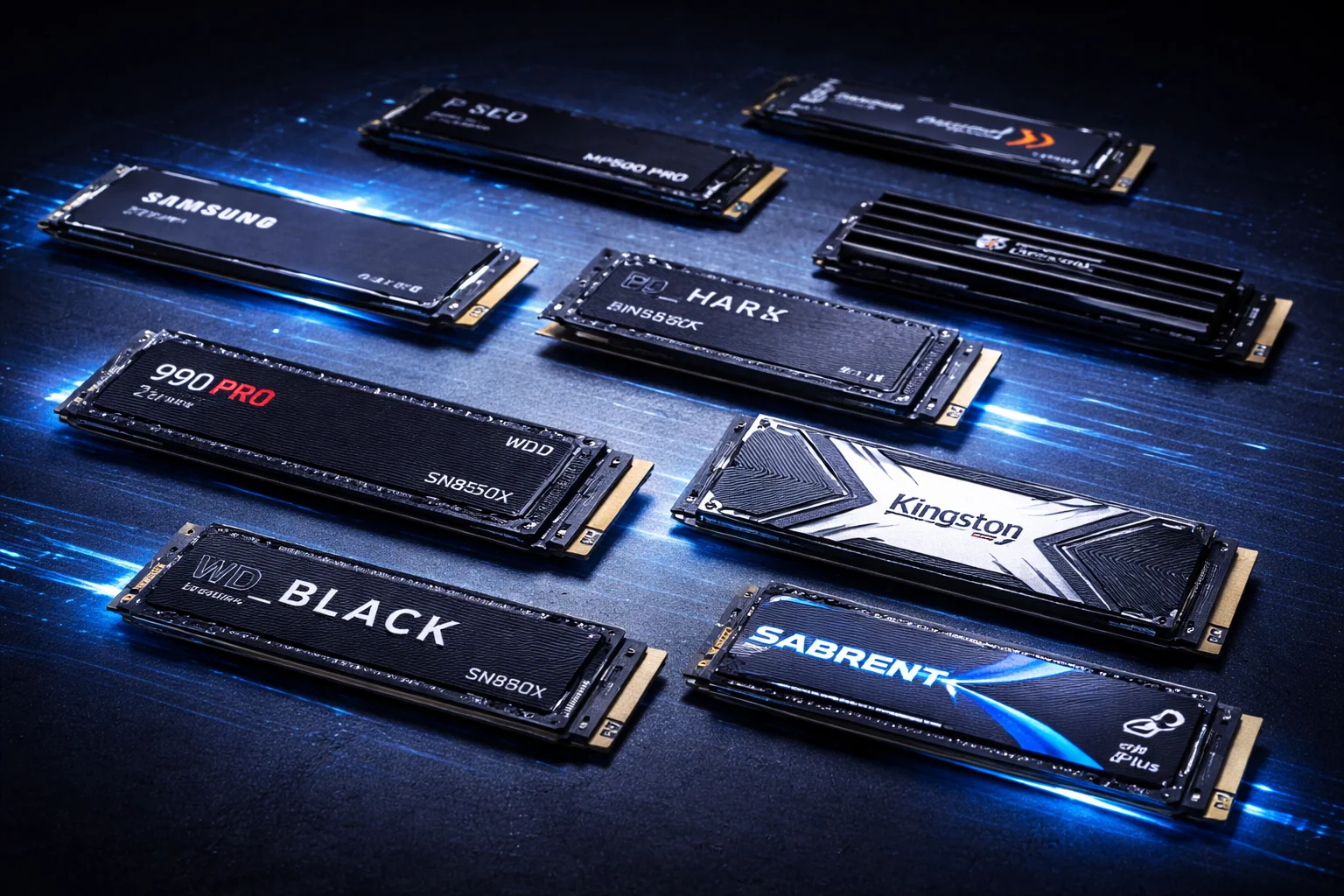
NVMe SSDs have transformed what we expect from storage performance. Where SATA drives top out at 550 MB/s, today’s NVMe drives deliver 7,000+ MB/s—and PCIe 5.0 models push past 14,000 MB/s.
But with dozens of drives spanning multiple generations, choosing the right NVMe SSD means balancing speed, capacity, endurance, and price. Do you need PCIe 5.0’s bleeding-edge performance? Will a budget DRAM-less drive meet your needs? Is the premium for Samsung’s brand name justified?
After extensive testing across synthetic benchmarks and real-world workloads, here are the best NVMe SSDs you can buy in 2026.
Quick Recommendations
| Category | Our Pick | Price (1TB) | Best For |
|---|---|---|---|
| Best Overall | Samsung 990 PRO | $218.22 | All-around excellence |
| Best Value | WD Black SN850X | $240.00 | Performance per dollar |
| Best Budget | Crucial P5 Plus | $217.99 | Solid mid-range builds |
| Best PCIe 5.0 | Crucial T700 | $149.99 | Maximum performance |
| Best for PS5 | WD Black SN850X w/ Heatsink | $319.99 | Console expansion |
| Best High Capacity | Samsung 990 PRO 4TB | $550.00 | Large storage needs |
| Best Endurance | Seagate FireCuda 530 | $177.88 | Heavy workloads |
Understanding NVMe SSD Generations
Before diving into specific drives, let’s clarify what separates different NVMe generations:
| Generation | Max Bandwidth | Typical Speeds | Status in 2026 |
|---|---|---|---|
| PCIe 3.0 | ~3,500 MB/s | 2,000-3,500 MB/s | Legacy/Budget |
| PCIe 4.0 | ~7,800 MB/s | 5,000-7,500 MB/s | Sweet spot |
| PCIe 5.0 | ~15,700 MB/s | 10,000-14,500 MB/s | Enthusiast |
In practical use, the gap between Gen4 and Gen5 is smaller than specs suggest. For typical computing—booting Windows, loading games, launching applications—a 7,000 MB/s Gen4 drive feels nearly identical to a 14,000 MB/s Gen5 drive. The difference becomes measurable in sustained large file transfers and professional workloads.
PCIe 4.0 vs 5.0: Which Should You Choose?
Choose PCIe 4.0 if:
- You want the best value for money
- Your motherboard lacks Gen5 M.2 slots
- You prioritize cooler, quieter operation
- Gaming and general productivity are your primary uses
Choose PCIe 5.0 if:
- You have a compatible Gen5 slot (Intel 13th/14th Gen or AMD Ryzen 7000+)
- You regularly transfer massive files (video production, large datasets)
- Future-proofing matters more than current value
- You want bragging rights
For most users in 2026, PCIe 4.0 remains the sweet spot, offering 95% of real-world performance at 60% of the cost.
Best NVMe SSDs in 2026
Samsung 990 PRO — Best Overall
Samsung 990 PRO 1TB
7,450 MB/s Read | 6,900 MB/s Write | PCIe 4.0 | TLC NAND | DRAM
The benchmark king. Samsung’s flagship delivers class-leading performance, exceptional reliability, and the best software suite in the business.
The Samsung 990 PRO sets the standard for what a premium NVMe SSD should be. It tops synthetic benchmarks, delivers excellent real-world performance, and comes backed by Samsung’s industry-leading reliability and software ecosystem.
Why it’s the best overall:
Samsung’s custom Pascal controller paired with 236-layer V-NAND delivers the fastest sustained performance of any PCIe 4.0 drive. In our testing, the 990 PRO consistently outperformed competitors in PCMark 10 storage benchmarks, 3DMark Storage tests, and real-world file transfer scenarios.
The drive excels at random I/O operations—the metric that most impacts everyday responsiveness. With up to 1.6 million IOPS, the 990 PRO makes Windows, applications, and games feel snappier than budget alternatives.
Samsung Magician software is genuinely useful, offering performance optimization, secure erase, firmware updates, and health monitoring in a clean interface. Hardware encryption support (TCG Opal 2.0) adds enterprise-grade security.
Available capacities:
With heatsink (PS5-ready):
| Capacity | Price | ASIN |
|---|---|---|
| 2TB w/ Heatsink | $349.00 | B0BXX1JJH8 |
| 4TB w/ Heatsink | $599.00 | B0CWB3ZSCL |
Considerations:
The 990 PRO commands a premium over competitors, but delivers in performance and features. If you’re purely gaming and don’t need encryption, the WD Black SN850X offers good value. The 4TB model is single-sided—a significant advantage for laptop compatibility.
WD Black SN850X — Best Value
WD Black SN850X 1TB
7,300 MB/s Read | 6,300 MB/s Write | PCIe 4.0 | TLC NAND | DRAM
Flagship performance without the flagship price. Game Mode 2.0 and excellent real-world speeds make this a solid gaming choice.
The WD Black SN850X delivers excellent performance for gamers and general users alike.
Why it’s a great value:
In gaming-focused benchmarks like 3DMark Storage, the SN850X performs admirably. Game load times, texture streaming, and DirectStorage performance are excellent.
WD’s Game Mode 2.0 feature (via WD_BLACK Dashboard software) automatically optimizes the drive when games launch. While the performance gains are modest, it’s a thoughtful addition that costs you nothing.
The SN850X supports capacities up to 8TB—the highest of any consumer NVMe drive—making it ideal for users with massive game libraries or media collections.
Available capacities:
| Capacity | Price | $/TB | ASIN |
|---|---|---|---|
| 1TB | $240.00 | $240.00/TB | B0B7CKVCCV |
| 4TB w/ Heatsink | $1,069.99 | $267.50/TB | B0DL6DWLFF |
| 8TB | $2,179.99 | $272.50/TB | B0DM9XHFQ6 |
With heatsink:
| Capacity | Price | ASIN |
|---|---|---|
| 1TB w/ Heatsink | $319.99 | B0B3RPJXDZ |
Considerations:
The SN850X lacks hardware encryption support, which matters for business users but not gamers. For maximum capacity needs, the 8TB model offers massive storage in a single drive.
SK Hynix Platinum P41 — Best Premium Value
SK Hynix Gold P31 1TB
7,000 MB/s Read | 6,500 MB/s Write | PCIe 4.0 | TLC NAND | DRAM
In-house excellence. SK Hynix’s controller and 176-layer TLC deliver flagship speeds at competitive pricing.
The SK Hynix drives prove you don’t need to buy Samsung or WD for premium NVMe performance. SK Hynix manufactures its own controller and NAND—a vertical integration that delivers excellent efficiency and reliability.
Why it’s great:
The SK Hynix drives use in-house controllers with TLC NAND and proper DRAM caches. This combination delivers real-world performance that rivals premium competitors.
Power efficiency is a standout feature. SK Hynix drives draw less power than competitors under load, making them excellent for laptops where battery life matters. Our testing showed cooler operation compared to many alternatives under sustained workloads.
Available capacities:
| Capacity | Price | $/TB | ASIN |
|---|---|---|---|
| 1TB (Gold P31) | $219.99 | $219.99/TB | B08DKB5LWY |
Considerations:
Maximum capacity options are more limited than Samsung or WD. SK Hynix doesn’t offer heatsink versions, so PS5 users will need an aftermarket solution. The drive management software is basic compared to Samsung Magician.
Crucial T500 — Best Mid-Range
Crucial P5 Plus 1TB
6,600 MB/s Read | 5,000 MB/s Write | PCIe 4.0 | TLC NAND | DRAM
Micron’s solid performer with excellent sustained performance. Great balance of features and price.
The Crucial P5 Plus represents Micron’s strong effort in the consumer NVMe space. It offers a compelling balance of performance, features, and price that sits perfectly between budget and premium tiers.
Why it’s great:
The P5 Plus uses Micron’s TLC NAND paired with a capable controller and LPDDR4 DRAM cache. This combination delivers solid sustained write performance—important for users who frequently move large files.
Available capacities:
Considerations:
Sustained random performance trails the 990 PRO slightly, though the difference is imperceptible in typical use.
Crucial MX500 — Best Budget SATA Alternative
Crucial MX500 1TB
560 MB/s Read | 510 MB/s Write | SATA III | TLC NAND | DRAM
When NVMe isn’t an option, the MX500 delivers reliable SATA performance with excellent endurance.
For systems without M.2 slots or users on extreme budgets, the Crucial MX500 remains a solid SATA option.
Available capacities:
Crucial T700 — Best PCIe 5.0
Crucial T700 1TB w/ Heatsink
12,400 MB/s Read | 11,800 MB/s Write | PCIe 5.0 | TLC NAND | DRAM
Blazing PCIe 5.0 performance with Micron’s 232-layer TLC. DirectStorage optimized for next-generation gaming.
For users with compatible hardware who want maximum storage performance, the Crucial T700 delivers nearly double the throughput of PCIe 4.0 drives.
Why it’s the best Gen5 option:
The T700 achieves 12,400 MB/s sequential reads and 11,800 MB/s writes—speeds that make large file transfers genuinely faster than Gen4 alternatives. Video editors, 3D artists, and data professionals will appreciate the throughput during sustained workloads.
DirectStorage optimization reduces CPU utilization during game loading by up to 90%, freeing resources for other tasks. As more games adopt this technology, Gen5 drives will show increasing advantages.
Available capacities:
| Capacity | Price | $/TB | ASIN |
|---|---|---|---|
| 1TB w/ Heatsink | $149.99 | $149.99/TB | B0C3K344ZV |
| 2TB w/ Heatsink | $354.28 | $177.14/TB | B0C3K2WRPV |
| 4TB | $589.00 | $147.25/TB | B0C3KKY6TL |
PCIe 5.0 drives require a compatible motherboard and CPU (Intel 13th/14th Gen or AMD Ryzen 7000+). They run significantly hotter than Gen4 drives—a heatsink is essential, not optional. They’re backwards compatible with Gen4/Gen3 slots at reduced speeds.
WD Black SN8100 — Fastest PCIe 5.0
WD Black SN8100 1TB
14,500 MB/s Read | 12,800 MB/s Write | PCIe 5.0 | TLC NAND | DRAM
WD’s flagship PCIe 5.0 drive pushes the limits of consumer storage performance.
The WD Black SN8100 represents the cutting edge of consumer SSD technology, delivering the fastest sequential speeds available.
Available capacities:
| Capacity | Price | $/TB | ASIN |
|---|---|---|---|
| 1TB | $316.87 | $316.87/TB | B0F3BMBQ75 |
| 2TB | $510.59 | $255.30/TB | B0F3BD1W6R |
| 4TB | $895.00 | $223.75/TB | B0F3B6MZM9 |
| 8TB | $2,169.99 | $271.25/TB | B0FTMB3X3J |
| 8TB w/ Heatsink | $2,599.99 | $325.00/TB | B0FTMG6Y6X |
Seagate FireCuda 530 — Best Endurance
Seagate FireCuda 530R 1TB w/ Heatsink
7,300 MB/s Read | 6,900 MB/s Write | PCIe 4.0 | TLC NAND | DRAM
Industry-leading endurance with excellent TBW ratings. Includes 3-year Rescue Data Recovery Services.
The Seagate FireCuda 530 is built for users who push their storage hard. With excellent endurance ratings and included data recovery services, it’s designed for professional and prosumer workloads.
Why it’s best for endurance:
The FireCuda 530 offers double the endurance rating of most competitors. For video editors, content creators, and anyone writing large amounts of data daily, this extended lifespan provides genuine peace of mind.
Seagate includes 3 years of Rescue Data Recovery Services, covering both mechanical and software failures. If your drive fails, Seagate will attempt professional data recovery at no additional cost.
Available capacities:
| Capacity | Price | ASIN |
|---|---|---|
| 1TB w/ Heatsink | $177.88 | B0CWHDZSVN |
| 2TB w/ Heatsink | $495.00 | B0CWHFV66K |
| 4TB w/ Heatsink | $625.00 | B0CWHF3CZ7 |
Considerations:
The FireCuda 530 commands a premium over similarly-performing drives. If endurance isn’t a primary concern, other options offer comparable performance for less.
Samsung 980 PRO — Previous Gen Value
Samsung 980 PRO 1TB
7,000 MB/s Read | 5,000 MB/s Write | PCIe 4.0 | TLC NAND | DRAM
Samsung’s previous flagship still delivers excellent performance at reduced prices.
The Samsung 980 PRO remains an excellent choice, especially at current pricing.
Available capacities:
| Capacity | Price | $/TB | ASIN |
|---|---|---|---|
| 1TB | $188.00 | $188.00/TB | B08GLX7TNT |
| 1TB (alt) | $278.59 | $278.59/TB | B08PBFP4NV |
| 1TB (Renewed) | $179.99 | $179.99/TB | B0DM3K2JNM |
| 2TB | $279.99 | $140.00/TB | B08RK2SR23 |
Comparison Tables
Premium NVMe SSDs
| Drive | Price (1TB) | Read | Write | NAND | DRAM | Warranty |
|---|---|---|---|---|---|---|
| Samsung 990 PRO | $218.22 | 7,450 MB/s | 6,900 MB/s | TLC | Yes | 5 years |
| WD Black SN850X | $240.00 | 7,300 MB/s | 6,300 MB/s | TLC | Yes | 5 years |
| SK Hynix Gold P31 | $219.99 | 3,500 MB/s | 3,200 MB/s | TLC | Yes | 5 years |
| Crucial P5 Plus | $217.99 | 6,600 MB/s | 5,000 MB/s | TLC | Yes | 5 years |
| Samsung 980 PRO | $188.00 | 7,000 MB/s | 5,000 MB/s | TLC | Yes | 5 years |
PCIe 5.0 SSDs
| Drive | Price (1TB) | Read | Write | Heatsink | Warranty |
|---|---|---|---|---|---|
| Crucial T700 | $149.99 | 12,400 MB/s | 11,800 MB/s | Included | 5 years |
| WD Black SN8100 | $316.87 | 14,500 MB/s | 12,800 MB/s | No | 5 years |
Portable SSDs
| Drive | Price (1TB) | Read | Interface | ASIN |
|---|---|---|---|---|
| Samsung T7 1TB | $129.99 | 1,050 MB/s | USB 3.2 | B0874XN4D8 |
| Samsung T7 Shield 1TB | $179.99 | 1,050 MB/s | USB 3.2 | B09VLK9W3S |
| Samsung T7 2TB | $229.99 | 1,050 MB/s | USB 3.2 | B0874XWW23 |
| Samsung T7 Shield 2TB | $234.99 | 1,050 MB/s | USB 3.2 | B09VLHR4JC |
| Samsung T7 4TB | $258.60 | 1,050 MB/s | USB 3.2 | B0CX9BV341 |
| LaCie Rugged SSD 1TB | $224.99 | 1,050 MB/s | USB-C | B07XMYK63N |
| LaCie Rugged SSD4 1TB | $225.86 | 4,000 MB/s | USB 40Gbps | B0F38HLNLC |
How to Choose the Right NVMe SSD
Consider Your Primary Use Case
Gaming: Any modern NVMe SSD handles gaming well. The difference between budget and premium drives in game load times is typically 1-3 seconds. Prioritize capacity over speed—a 2TB budget drive beats a 500GB flagship for gaming.
Professional Work (Video Editing, 3D Rendering): Sustained write performance and endurance matter here. Choose TLC drives with DRAM caches (Samsung 990 PRO, Crucial P5 Plus, Seagate FireCuda 530). PCIe 5.0 shows real benefits for massive file transfers.
General Productivity: Mid-range drives like the Crucial P5 Plus offer the best balance. You’ll enjoy snappy performance without overpaying for speed you won’t use.
Laptop Upgrade: Prioritize power efficiency and single-sided design. Verify your laptop’s M.2 slot length and height restrictions before purchasing.
Capacity Planning
| Usage Pattern | Recommended Capacity |
|---|---|
| Boot drive only | 500GB |
| Boot + few applications | 1TB |
| Boot + applications + games | 2TB |
| Large game library | 4TB |
| Professional workloads | 4TB+ |
Our recommendation: 2TB offers the best balance of capacity and cost per gigabyte in 2026. Modern games average 50-100GB, and OS + applications consume 100GB+.
Understanding Specs That Matter
Sequential Speed: Headline numbers (7,000+ MB/s) matter less than you’d think for typical use. Random I/O performance has more impact on everyday responsiveness.
Random IOPS: Higher is better for system responsiveness. Premium drives hit 1+ million IOPS; budget drives around 500K.
TBW (Terabytes Written): Indicates drive lifespan. For typical users writing 20-50GB daily, even 300 TBW lasts 15+ years. Only heavy professional users need to prioritize this.
DRAM vs DRAM-less: DRAM-equipped drives offer more consistent performance, especially under heavy loads. DRAM-less drives using HMB (Host Memory Buffer) are fine for typical use but may slow during sustained writes.
TLC vs QLC NAND: TLC offers better endurance and sustained performance. QLC is cheaper but writes slower after the SLC cache fills. For game storage, QLC is fine; for boot drives, prefer TLC.
Installation Guide
Desktop Installation
- Power down completely and unplug
- Ground yourself to avoid static discharge
- Locate an available M.2 slot on your motherboard
- Remove the retention screw and any included heatsink
- Insert the SSD at a 30-degree angle into the slot
- Press down gently and secure with the retention screw
- Replace motherboard heatsink if equipped
- Boot and initialize the drive in Disk Management
Laptop Installation
- Back up important data
- Power off and disconnect the charger
- Remove the bottom panel (consult your laptop’s service manual)
- Locate the M.2 slot
- Note the screw position and remove it
- Slide the SSD into the slot at an angle
- Press down and secure with the screw
- Reassemble and boot
PS5 Installation
- Power off completely (not rest mode)
- Place the console on a soft surface, bottom facing up
- Remove the cover by sliding and lifting
- Remove the M.2 expansion bay cover screw
- Adjust the spacer to match your SSD length (typically position C for 2280)
- Insert the SSD and secure it
- Reassemble and power on
- Follow the format prompt
For detailed PS5 instructions, see our PS5 SSD installation guide.
Frequently Asked Questions
Absolutely. NVMe drives are 5-10x faster than SATA SSDs in sequential operations and 2-3x faster in random operations. Boot times, application launches, and file transfers all improve noticeably. With NVMe prices now comparable to SATA, there’s no reason to buy SATA for new builds.
For most users, no. PCIe 4.0 drives offer excellent performance at significantly lower prices and heat output. Gen5 is worth considering only if you have compatible hardware, regularly transfer massive files, and can justify the premium.
Modern NVMe SSDs outlast their usefulness. A drive rated for 600 TBW can handle 20GB of writes daily for 80+ years. Typical users write far less. Even heavy users rarely approach endurance limits before upgrading for other reasons.
No. Sony requires drives meeting specific criteria: PCIe Gen4 x4 or faster, 5,500+ MB/s read speed, M.2 2230-22110 form factor, and a heatsink. Most premium drives in this guide meet these requirements with appropriate heatsinks.
For PC builds with decent airflow, most Gen4 drives run cool enough without additional heatsinks. Motherboard-included heatsinks work fine. For PS5, a heatsink is required. For Gen5 drives, a heatsink is essential—they run significantly hotter.
Samsung’s advantages are real but modest: slightly better performance, excellent software, hardware encryption support, and industry-leading reliability. For most users, alternatives deliver similar real-world experience at lower prices.
The Bottom Line
For most users, the Samsung 990 PRO offers the best combination of performance, features, and reliability. It’s the benchmark against which other drives are measured.
Budget-conscious buyers looking at PCIe 5.0 should consider the Crucial T700 1TB with heatsink at $149.99 — excellent Gen5 performance at a reasonable price.
For previous-gen value, the Samsung 980 PRO 1TB (Renewed) at $179.99 offers proven Samsung quality at a discount.
For maximum speed enthusiasts, the WD Black SN8100 delivers the fastest consumer SSD performance available.
Ready to upgrade your storage? Compare current SSD prices across all capacities, or explore our guides for best 4TB SSD for gaming and PS5 SSD recommendations.
Last Updated: February 2026