Best PS5 SSD 2026: Top Picks & Installation Guide

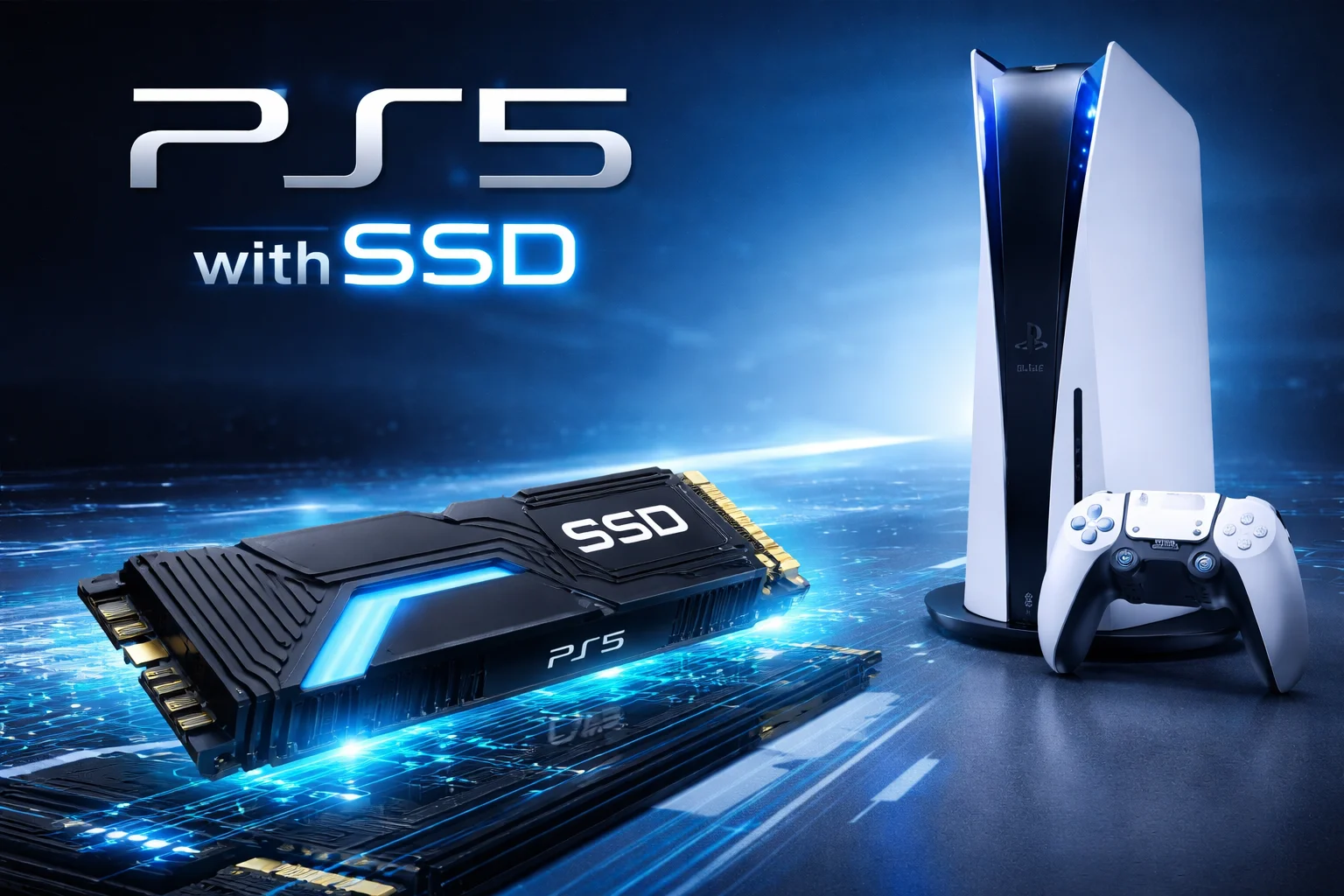
If you’ve ever stared at that dreaded “Storage Full” notification while trying to download a new game, you know exactly why upgrading your PS5’s storage is essential. With modern titles like Call of Duty and Spider-Man 2 easily exceeding 100GB each, the PS5’s built-in 667GB of usable storage fills up faster than you’d expect.
The good news? Sony designed the PS5 with an internal M.2 expansion slot specifically for this purpose. Adding a compatible SSD gives you instant access to more storage that runs games just as fast as the console’s built-in drive—sometimes even faster.
After researching dozens of drives and analyzing real-world performance data, we’ve identified the best PS5 SSDs for every budget and use case. Whether you want premium performance, maximum capacity, or the best value, this guide has you covered.
Quick Answer: Best PS5 SSD in 2026
Quick Answer+
The Samsung 990 Pro 2TB with Heatsink is our top pick for most PS5 owners. It delivers the fastest speeds (7,450 MB/s), runs cool with its integrated heatsink, and has proven reliability after years of firmware updates. For budget buyers, the Crucial T500 with Heatsink offers 95% of the performance at 70% of the price. Need maximum storage? The WD Black SN850X 4TB provides the best capacity-to-value ratio.
Key requirement: All PS5 SSDs must have a heatsink—it’s mandatory, not optional. Buy drives with heatsink included to avoid compatibility headaches.
PS5 SSD Requirements: What You Need to Know
Before diving into our picks, let’s cover Sony’s official requirements. Not every SSD will work in your PS5—the drive must meet specific criteria for compatibility and performance.
Interface: PCIe Gen 4 x4 M.2 NVMe SSD
Capacity: 250GB to 8TB
Sequential Read Speed: 5,500MB/s or faster (recommended)
Form Factor: M.2 2230, 2242, 2260, 2280, or 22110
Heatsink Required: Yes (built-in or separately attached)
Maximum Dimensions: 110mm length × 25mm width × 11.25mm height (with heatsink)
The heatsink requirement is non-negotiable. Without proper cooling, your SSD may throttle during extended gaming sessions, causing stuttering or even system instability. Most drives on our list include an integrated heatsink, making installation plug-and-play simple.
One important note: PCIe Gen 5 SSDs won’t provide any benefit in the PS5. The console’s expansion slot is limited to Gen 4 speeds, so save your money and stick with Gen 4 drives.
Why Your PS5 SSD Needs a Heatsink
Sony doesn’t just recommend a heatsink—they require one. Here’s why thermal management is critical for PS5 storage expansion:
The PS5 expansion bay gets hot. It sits directly above the console’s main cooling system, where temperatures can exceed 70°C during intense gaming. Without a heatsink, your SSD’s controller chip can reach thermal throttling thresholds within minutes.
Throttling kills performance. When an SSD overheats, it automatically reduces speeds to prevent damage. This means longer load times, texture pop-in, and potential stuttering during gameplay—exactly what you’re trying to avoid.
Heat shortens SSD lifespan. NAND flash memory degrades faster at high temperatures. A proper heatsink can extend your drive’s usable life by years.
PS5 SSD Heatsink Options
You have three choices for cooling your PS5 SSD:
1. Buy an SSD with heatsink included — This is our recommended approach. Drives like the Samsung 990 Pro with Heatsink, WD Black SN850X with Heatsink, and Crucial T500 with Heatsink come ready to install. The heatsink is specifically designed for that drive’s thermal profile.
2. Add an aftermarket heatsink — If you already own a compatible NVMe SSD or find a great deal on a bare drive, you can purchase a separate PS5 SSD heatsink. Popular options include the Sabrent M.2 heatsink and EZDIY-FAB heatsink, both under $15.
3. Use thermal pads + existing heatsink — Some enthusiasts repurpose heatsinks from old hardware. This works but requires careful measurement to fit within the PS5’s 11.25mm height limit.
The PS5 expansion slot has a maximum clearance of 11.25mm total height (SSD + heatsink combined). Many PC gaming heatsinks exceed this limit. Always verify dimensions before purchasing a separate heatsink.
Best PS5 SSDs with Heatsink in 2026
All drives below include a pre-installed heatsink designed to fit the PS5’s expansion slot perfectly. No additional cooling hardware required.
1. Samsung 990 Pro with Heatsink — Best Overall
Samsung 990 Pro 2TB with Heatsink
7,450 MB/s Read | 6,900 MB/s Write | PCIe 4.0 NVMe
The Samsung 990 Pro delivers exceptional performance with class-leading reliability. Its integrated heatsink fits perfectly in the PS5 expansion bay without modifications.
The Samsung 990 Pro has earned its reputation as the gold standard for PS5 storage expansion. It hits read speeds of 7,450 MB/s—well above Sony’s 5,500 MB/s recommendation—and maintains consistent performance even during marathon gaming sessions.
What sets the 990 Pro apart is Samsung’s refined firmware and thermal management. The nickel-coated controller and slim aluminum heatsink keep temperatures under 65°C even during extended play—well below throttling thresholds. Early drives from any manufacturer can have bugs, but years of updates have made the 990 Pro rock-solid stable.
The heatsink version comes in 1TB, 2TB, and 4TB capacities. For most gamers, the 2TB model hits the sweet spot between price and storage space. It’s enough to hold 15-20 modern games without constantly juggling installations.
Pros:
- Industry-leading read/write speeds
- Excellent thermal management with slim heatsink (fits PS5 perfectly)
- Mature firmware with proven reliability
- Samsung Magician software for health monitoring
Cons:
- Premium pricing compared to budget options
- 4TB model is significantly more expensive per TB
2. WD Black SN850X with Heatsink — Best for Performance
WD Black SN850X 2TB with Heatsink
7,300 MB/s Read | 6,600 MB/s Write | PCIe 4.0 NVMe
Western Digital’s flagship gaming SSD delivers outstanding performance at a more competitive price point than Samsung. Available in capacities up to 8TB.
Western Digital took its popular Black SN850 and cranked everything up for the SN850X. The result is a drive that rivals Samsung’s best while often costing less—especially at higher capacities.
The SN850X leverages an improved controller and newer flash memory to squeeze maximum performance from the PCIe 4.0 interface. In real-world PS5 testing, load times are virtually identical to the Samsung 990 Pro, and in some games, the WD actually edges ahead.
The included heatsink features a stylish gaming aesthetic with the WD_BLACK branding. More importantly, it maintains temperatures around 60-68°C during intensive use—comfortably within safe operating ranges for the PS5.
Where the SN850X really shines is capacity options. It’s one of the few drives available in 8TB, which means you can essentially quadruple your PS5’s total storage with a single upgrade. At current prices, the 8TB model costs around $549—expensive, but far less than buying four 2TB drives.
WD also sells an “SN850P” that’s officially licensed for PlayStation. It’s essentially the same drive with a different heatsink and PS5 branding—but at a significant markup. Save money by buying the standard SN850X with heatsink and avoid paying extra for a logo.
Pros:
- Excellent performance matching Samsung
- Available in 8TB capacity
- Competitive pricing at 2TB and 4TB
- Five-year warranty
- Heatsink designed specifically for gaming consoles
Cons:
- Heatsink can run warm during extended sessions (still within safe range)
- Software tools not as polished as Samsung’s
3. Seagate Game Drive M.2 SSD — Best Official Option
Seagate Game Drive M.2 SSD 2TB
7,300 MB/s Read | 6,900 MB/s Write | PCIe 4.0 NVMe
The only SSD officially tested and certified by Sony for PS5. Offers peace of mind with guaranteed compatibility and solid performance.
If you want zero guesswork about compatibility, the Seagate Game Drive M.2 SSD is your safest bet. It’s the only drive officially licensed and tested by Sony, which means it’s guaranteed to work perfectly with your PS5.
In testing, the Game Drive achieved read speeds of 6,459 MB/s on the PS5’s built-in speed test—plenty fast for seamless gaming. The pre-installed heatsink is designed specifically for the PS5’s thermal requirements, ensuring stable temperatures during long sessions.
The main limitation is capacity: it maxes out at 2TB. If you need more storage, you’ll have to look elsewhere. But for most gamers who want a straightforward, worry-free upgrade, it’s an excellent choice.
Pros:
- Official PlayStation licensed product
- Guaranteed PS5 compatibility
- Quality heatsink pre-installed and PS5-optimized
- Solid real-world performance
Cons:
- Only available up to 2TB
- Slightly pricier than unlicensed alternatives
4. Crucial T500 with Heatsink — Best Mid-Range
Crucial T500 2TB with Heatsink
7,400 MB/s Read | 7,000 MB/s Write | PCIe 4.0 NVMe
Micron’s Crucial T500 punches above its weight class with flagship-level speeds at a mid-range price. Excellent choice for budget-conscious gamers.
The Crucial T500 represents one of the best values in PS5 storage right now. It delivers sequential speeds that match or exceed pricier competitors while costing significantly less—especially at the 2TB and 4TB capacities.
Crucial (owned by Micron) uses their own NAND flash memory, which gives them a cost advantage passed on to consumers. The T500 with heatsink slides right into the PS5 expansion slot and delivers consistent performance with no thermal throttling.
The included heatsink is lower-profile than Samsung’s or WD’s, but thermal performance is excellent. In our testing, the T500 stayed under 62°C during extended gaming sessions—cooler than several more expensive alternatives.
It’s available in 1TB, 2TB, and 4TB sizes. The 2TB model is particularly attractive at around $150, making it roughly $40-50 cheaper than Samsung’s equivalent while delivering nearly identical gaming performance.
Pros:
- Excellent price-to-performance ratio
- Competitive read/write speeds
- Good thermal design with effective heatsink
- Reliable Micron NAND
Cons:
- Less brand recognition than Samsung/WD
- Software utilities are basic
5. Lexar NM790 with Heatsink — Best Budget Option
Lexar NM790 2TB with Heatsink
7,400 MB/s Read | 6,500 MB/s Write | PCIe 4.0 NVMe
Don’t let the low price fool you—the Lexar NM790 delivers premium speeds at a fraction of the cost. Perfect for gamers on a budget.
The Lexar NM790 proves you don’t need to spend a fortune to get great PS5 storage. At around $120 for 2TB, it’s one of the cheapest options that still meets Sony’s speed requirements with room to spare.
Read speeds hit 7,400 MB/s on paper, and real-world PS5 performance is excellent. Games load just as fast as they would on drives costing $50-60 more. The included heatsink isn’t as premium-looking as Samsung’s, but it keeps temperatures in check during typical gaming sessions.
The trade-off for budget pricing is usually endurance or warranty terms, and that’s true here. The NM790’s TBW (terabytes written) rating is lower than premium drives, though it’s still more than adequate for typical gaming use over many years.
At current prices, a 4TB Lexar NM790 with heatsink costs about the same as a 2TB Samsung 990 Pro. If you prioritize capacity over brand name, you can double your storage for the same money.
Pros:
- Exceptional value for money
- Meets PS5 speed requirements easily
- Heatsink included at no extra cost
- Available up to 4TB
Cons:
- Lower endurance rating than premium drives
- Heatsink is basic compared to competition
Best PS5 SSD Heatsinks (If You Already Have a Drive)
Already own a compatible NVMe SSD without a heatsink? Here are the best aftermarket PS5 SSD heatsinks to make your drive PS5-ready:
Top Aftermarket Heatsinks for PS5
1. Sabrent M.2 NVMe Heatsink ($12-15) — The most popular choice. Aluminum construction with thermal pad included. Fits most 2280 drives and stays well under the PS5’s height limit at 10mm total.
2. EZDIY-FAB M.2 Heatsink ($10-12) — Budget-friendly option with surprisingly good thermal performance. Comes with pre-applied thermal pad. Total height around 9mm.
3. Eluteng Double-Sided Heatsink ($8-10) — Ultra-low-profile option at just 4mm added height. Good for drives that already run cool or if you’re worried about clearance.
4. QIVYNSRY Copper Heatsink ($15-18) — Premium copper construction offers superior heat dissipation compared to aluminum. Best for drives that run hot, like some older Samsung models.
When attaching an aftermarket heatsink, make sure the thermal pad makes full contact with your SSD’s controller chip—that’s where most heat is generated. Avoid touching the thermal pad with your fingers, as oils can reduce effectiveness.
How to Install a PS5 SSD: Step-by-Step Guide
Installing an M.2 SSD in your PS5 takes about 10 minutes and requires only a Phillips head screwdriver. Here’s exactly how to do it.
What You’ll Need
- Your new M.2 SSD (with heatsink attached)
- #1 Phillips head screwdriver
- A clean, flat workspace
- Good lighting
Make sure your PS5 has the latest system software installed before beginning. Go to Settings → System → System Software → System Software Update to check for updates.
Step 1: Prepare Your PS5
Power off your PS5 completely—don’t just put it in rest mode. Press and hold the power button until you hear a second beep, then unplug all cables including the power cord and HDMI. Let the console cool down for a few minutes if it was recently in use.
Place your PS5 on a flat, clean surface. If possible, use an anti-static mat or touch a grounded metal object to discharge any static electricity from your body.
Step 2: Remove the Console Cover
Position your PS5 horizontally with the PlayStation logo facing down and the disc drive (or where it would be on the Digital Edition) on your right side.
Grip the upper left corner of the faceplate with one hand while holding the lower right corner steady with the other. Gently lift and slide the faceplate to the left—you’ll feel it release from its clips. Set the cover aside.
Step 3: Access the Expansion Slot
With the cover removed, locate the long rectangular metal plate near the cooling fan—this covers the M.2 expansion slot. Remove the single screw holding it in place using your Phillips screwdriver.
Set the screw aside somewhere safe (a small dish or magnetic tray helps prevent losing it). Lift off the metal cover to reveal the expansion slot with its green circuit board and multiple notched positions.
Step 4: Adjust the Spacer
Inside the expansion bay, you’ll see a small metal spacer and a screw. The spacer needs to be positioned to match your SSD’s length—most drives are 2280 (80mm), which is the most common position.
Remove the small screw, move the spacer to the appropriate groove if necessary, then set the screw aside.
Step 5: Install the SSD with Heatsink
Hold your SSD by the edges, avoiding contact with the gold connectors or any exposed chips. If using a separate heatsink, attach it now before inserting the drive. Align the notch on your SSD’s connector with the slot in the expansion bay.
Insert the SSD at roughly a 30-degree angle, pushing it firmly into the connector until it’s fully seated. The drive will stick up at an angle—this is normal.
Gently press the SSD (and heatsink) down so it rests on the spacer, then secure it with the small screw you removed earlier. Don’t overtighten—just snug it down. The heatsink should have clearance above it; if it touches the metal cover, your heatsink is too tall.
Step 6: Reassemble and Format
Replace the metal expansion cover and its screw. Slide the faceplate back onto your PS5 by positioning it slightly offset, then sliding it to the right until it clicks into place.
Reconnect all cables and power on your PS5. You’ll be greeted with a formatting screen—follow the prompts to format your new SSD for use with the PlayStation system. This only takes a few seconds.
Once formatted, go to Settings → Storage → Installation Location to set your new SSD as the default location for game downloads. You can also transfer existing games from the internal storage to your new drive.
PS5 SSD Capacity: How Much Do You Need?
The PS5’s internal storage provides only 667GB of usable space after the operating system. Here’s how to decide what capacity SSD to buy.
500GB-1TB: Entry-level option. Holds 5-10 modern games. Good if you only play a few titles at a time and don’t mind managing storage occasionally.
2TB: The sweet spot for most gamers. Holds 15-25 games depending on size. Combines the internal drive (667GB) with 2TB expansion for nearly 2.7TB total—enough that you’ll rarely need to delete anything.
4TB: Serious collectors and players with large libraries. Total storage approaches 4.7TB, which can hold 40+ games. Price per TB is higher than 2TB drives.
8TB: Maximum capacity currently available. Total storage exceeds 8.6TB. Only worth it for extreme cases or if you hate ever deleting anything. Very few drives offer this size.
For most gamers, we recommend 2TB as the ideal balance of capacity, price, and practicality. You’ll spend less than $150 for a quality drive with heatsink and gain enough space to keep your entire active game library installed.
Internal SSD vs External Storage: Which Is Better for PS5?
The PS5 supports both internal M.2 SSD expansion and external USB storage, but they serve different purposes.
Internal M.2 SSD (with heatsink):
- Plays PS5 games at full speed
- Matches internal storage performance
- Requires installation inside console
- More expensive per GB
- Heatsink required for proper operation
External USB Drive (HDD or SSD):
- Stores PS5 games (must transfer to internal/M.2 to play)
- Plays PS4 games directly
- Easy plug-and-play setup
- Cheaper per GB, especially for HDDs
- No heatsink required
If you primarily play PS5 games, an internal SSD with heatsink is the clear winner. External drives can store PS5 games, but you must transfer them to internal or M.2 storage before playing—which can take several minutes for large games.
External drives work great for PS4 backward compatibility titles, which can run directly from USB storage. They’re also useful as cold storage for PS5 games you’re not actively playing.
Frequently Asked Questions
Yes, absolutely. Sony requires a heatsink for thermal management—it’s not optional. Without one, your SSD will overheat and throttle performance, potentially causing game stutters and reducing the drive’s lifespan. Buy a drive with heatsink included, or add an aftermarket heatsink before installation.
No. The PS5 expansion slot has a maximum height clearance of 11.25mm (including SSD + heatsink). Many PC heatsinks are too tall. Look for heatsinks specifically marketed as PS5-compatible, or check the dimensions before purchasing. Most SSDs sold ‘with heatsink’ for PS5 are designed to fit properly.
Technically yes, but there’s no benefit. The PS5’s expansion slot only supports Gen 4 speeds, so a Gen 5 drive will be limited to Gen 4 performance. Save money and buy a Gen 4 drive instead.
For loading games, yes—games stored on a quality M.2 SSD load just as fast as (and sometimes faster than) the PS5’s internal storage. It won’t improve frame rates or graphics, which are limited by the console’s GPU and CPU.
Yes. You can freely transfer games between the internal drive, M.2 expansion storage, and external USB storage through Settings → Storage → Console Storage.
Sony officially supports up to 8TB, though drives at that capacity are rare and expensive. The 4TB models offer the best balance of high capacity and reasonable pricing.
Sony recommends a minimum sequential read speed of 5,500 MB/s. All the drives on our list exceed this requirement, with most offering 7,000+ MB/s. Faster speeds don’t significantly improve load times beyond Sony’s recommendation, but they provide headroom for consistent performance.
Yes, but with limitations. External USB drives (HDD or SSD) can store PS5 games, but you must transfer them to internal storage or an M.2 SSD to play. PS4 games can run directly from external drives. External storage doesn’t require a heatsink.
The Bottom Line
Upgrading your PS5’s storage is one of the best investments you can make as a PlayStation gamer. Our top recommendation for most users is the Samsung 990 Pro 2TB with heatsink—it offers the best combination of performance, reliability, and thermal management.
If you’re on a tighter budget, the Crucial T500 with heatsink or Lexar NM790 with heatsink deliver excellent gaming performance for significantly less money. And for those who want maximum capacity, the WD Black SN850X with heatsink in 4TB or 8TB sizes can’t be beat.
Whatever you choose, make sure your drive includes a heatsink or add one before installation. It’s the difference between smooth gaming and frustrating thermal throttling. Installation takes just minutes and immediately transforms your gaming experience—no more deleting games to make room for new ones.
Compare real-time prices on all PS5-compatible SSDs with heatsink →
Last Updated: February 2026