Best QNAP NAS for Plex 2026 — Top Models for 4K Transcoding

Quick Answer+
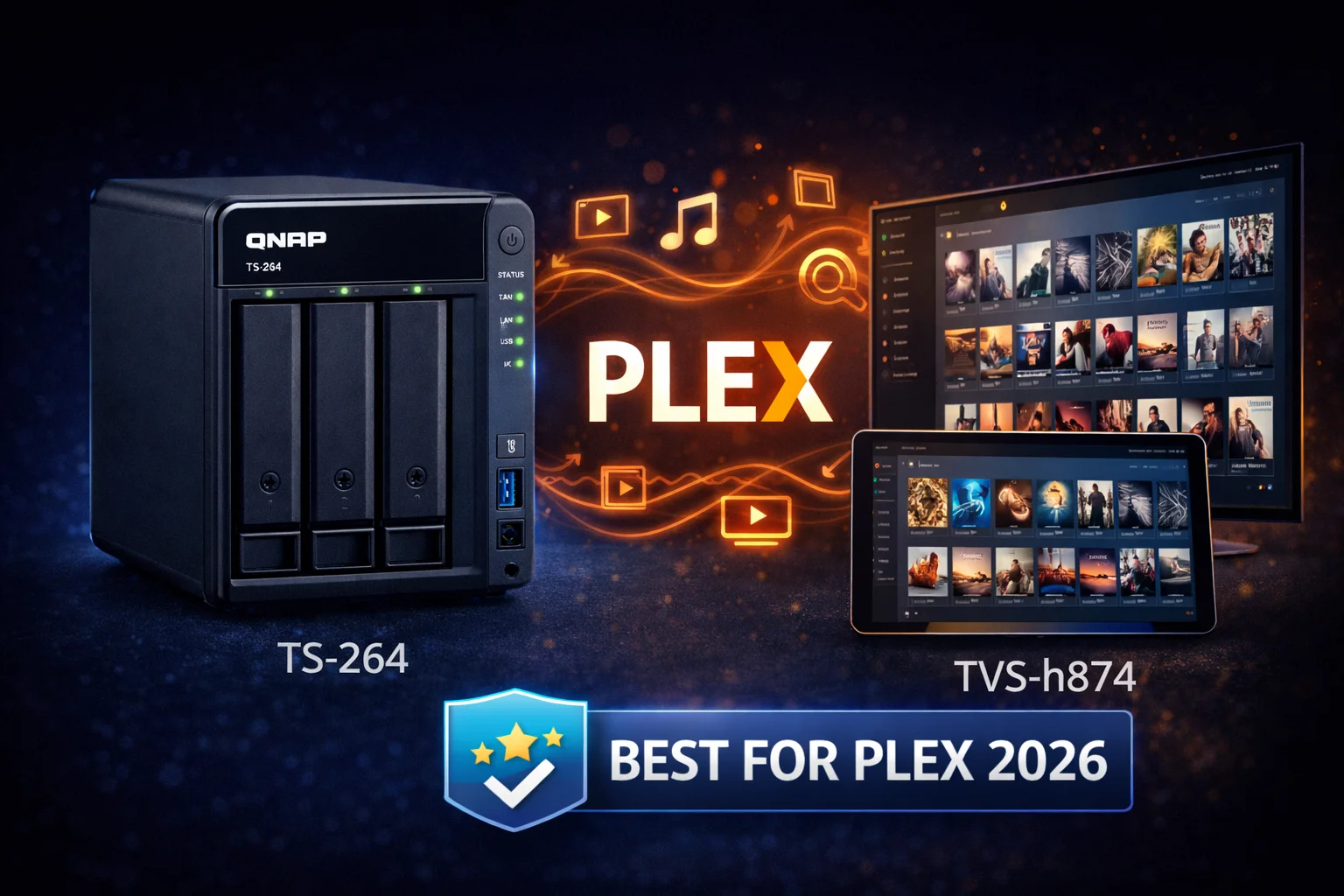
Quick Answer: The QNAP TS-464 ($636) is the best QNAP NAS for Plex. Its Intel N5105 CPU provides hardware transcoding for multiple 4K streams, 4 bays hold large media libraries, and PCIe expansion allows 10GbE upgrades. For 2-bay builds, get the TS-264 ($489). For silent living room setups, the fanless HS-264 ($727) with HDMI output is ideal. Avoid ARM-based models (TS-233, TS-433) — they cannot transcode video.
QNAP NAS devices make excellent Plex servers thanks to Intel Quick Sync hardware transcoding, HDMI output for direct TV playback, and powerful x86 processors. But not all QNAP models are created equal for Plex — choosing the wrong one means buffering, failed transcodes, and frustration.
This guide covers everything you need to know about running Plex on QNAP: which models support transcoding, how many streams they can handle, and which NAS is best for your media library and budget.
Quick Recommendations
| Use Case | Best QNAP | Price | Why |
|---|---|---|---|
| Best Overall | TS-464 | $636 | 4 bays, Intel transcoding, PCIe expansion |
| Best 2-Bay | TS-264 | $489 | Same CPU as TS-464, compact form |
| Best Silent/HTPC | HS-264 | $727 | Fanless, HDMI 2.0 output |
| Best 6-Bay | TS-664 | $738 | Large libraries, Intel transcoding |
| Best High-End | TVS-h674 | $2,199 | i5-12400 for demanding workloads |
| Budget (No Transcode) | TS-233 | $199 | Direct play only, ARM processor |
Understanding Plex on QNAP
Transcoding vs Direct Play
Before choosing a QNAP for Plex, understand how Plex delivers media:
- Direct Play: The client plays the file as-is. Requires no CPU power. Works when your client supports the file’s codec, resolution, and container.
- Direct Stream: Plex repackages the file into a different container without converting the video. Minimal CPU usage.
- Transcoding: Plex converts the video to a format the client can play. CPU-intensive. Required when streaming to devices that don’t support your file format, or when bandwidth is limited.
When transcoding happens:
- Playing 4K HEVC on a device that only supports H.264
- Remote streaming with limited bandwidth
- Subtitle burn-in (image-based subtitles like PGS)
- HDR to SDR tone mapping
- Playing unsupported audio codecs
Hardware vs Software Transcoding
Transcoding can be done two ways:
- Software transcoding: Uses CPU. Very power-intensive. Most ARM and older Intel CPUs struggle with 4K.
- Hardware transcoding: Uses dedicated GPU/encoder. Intel Quick Sync on Intel CPUs provides excellent efficiency. One 4K transcode uses ~10% CPU instead of 100%+.
For Plex on QNAP, hardware transcoding is essential for 4K content. This requires an Intel-based QNAP (not ARM) and Plex Pass subscription.
Which QNAP Models Support Plex Transcoding?
✅ Full Hardware Transcoding (Recommended)
These QNAP models have Intel CPUs with Quick Sync, enabling hardware transcoding for Plex:
| Model | CPU | GPU | 4K Streams* | Price |
|---|---|---|---|---|
| TS-264 | Intel N5105 | Intel UHD | 3-4 | $489 |
| TS-464 | Intel N5105 | Intel UHD | 3-4 | $636 |
| TS-664 | Intel N5095 | Intel UHD | 3-4 | $738 |
| HS-264 | Intel N5105 | Intel UHD | 3-4 | $727 |
| TBS-464 | Intel N5105 | Intel UHD | 3-4 | $599 |
| TS-253E | Intel J6412 | Intel UHD | 2-3 | $559 |
| TS-453E | Intel J6412 | Intel UHD | 2-3 | $699 |
| TVS-h474 | Intel Pentium Gold | Intel UHD 710 | 5-6 | $1,199 |
| TVS-h674 | Intel i5-12400 | Intel UHD 730 | 8-10+ | $2,199 |
| TVS-h874 | Intel i9 | Intel UHD 770 | 10+ | $3,199+ |
*Approximate 4K HEVC → 1080p H.264 transcodes with hardware acceleration. Actual results vary by content and settings.
⚠️ Limited Transcoding (AMD Ryzen)
AMD Ryzen-based QNAP models lack integrated GPUs, so they rely on CPU-only transcoding:
| Model | CPU | Transcoding | 4K Capability |
|---|---|---|---|
| TS-473A | AMD Ryzen V1500B | Software only | 1-2 streams (CPU taxed) |
| TS-673A | AMD Ryzen V1500B | Software only | 1-2 streams (CPU taxed) |
| TS-873A | AMD Ryzen V1500B | Software only | 1-2 streams (CPU taxed) |
The AMD models can handle 1080p transcoding reasonably well but struggle with 4K. If you choose these for other reasons (ZFS, VMs), prioritize direct play clients.
❌ No Transcoding (ARM-Based)
ARM-based QNAP models cannot transcode video effectively:
| Model | CPU | Plex Use Case |
|---|---|---|
| TS-133 | ARM Cortex-A55 | Direct play only |
| TS-233 | ARM Cortex-A55 | Direct play only |
| TS-216G | ARM Cortex-A55 | Direct play only |
| TS-433 | ARM Cortex-A55 | Direct play only |
ARM models can still run Plex for direct play streaming. If all your clients support your file formats (modern smart TVs, Apple TV 4K, Shield), transcoding isn’t needed. But these models offer zero transcoding capability for when you need it.
Best QNAP NAS for Plex: Detailed Reviews
Best Overall: QNAP TS-464
QNAP TS-464
4-Bay, Intel N5105, 8GB RAM, 2x 2.5GbE, 2x M.2, PCIe Gen3, HDMI 2.0
The TS-464 is the best QNAP for most Plex users. The Intel N5105 handles 4K transcoding with ease, 4 drive bays store large media libraries, and PCIe expansion allows 10GbE upgrades for high-bandwidth streaming. HDMI output enables direct TV playback.
Why it’s best for Plex:
- Intel N5105: 4-core CPU with Intel UHD Graphics. Handles 3-4 simultaneous 4K transcodes.
- 4 drive bays: Room for large media libraries. 4x 16TB in RAID 5 = 48TB usable.
- 2x 2.5GbE: Faster than gigabit for multiple 4K streams or large file transfers.
- M.2 NVMe slots: SSD caching accelerates library scanning and thumbnail generation.
- PCIe Gen3 x2: Add 10GbE for even higher bandwidth (useful for 4K remux streaming).
- HDMI 2.0: Connect directly to TV for local playback via Plex HTPC or Kodi.
Plex performance tested:
| Scenario | Result | CPU Usage |
|---|---|---|
| 1x 4K HEVC → 1080p | ✅ Smooth | ~15% |
| 2x 4K HEVC → 1080p | ✅ Smooth | ~25% |
| 3x 4K HEVC → 1080p | ✅ Smooth | ~40% |
| 4x 4K HEVC → 1080p | ✅ Smooth | ~55% |
| 4K HDR → SDR tone map | ✅ Smooth | ~20% |
| 1x 4K + subtitle burn-in | ✅ Smooth | ~30% |
Best for: Most Plex users. Growing media libraries. Users who want room to expand.
Best 2-Bay: QNAP TS-264
QNAP TS-264
2-Bay, Intel N5105, 8GB RAM, 2x 2.5GbE, 2x M.2, HDMI 2.1
Same Intel N5105 CPU as the TS-464 in a compact 2-bay form factor. Identical transcoding performance. Choose this if you don’t need 4 drive bays or PCIe expansion. HDMI 2.1 output supports 4K@60Hz.
Why choose TS-264 over TS-464:
- $147 cheaper
- Smaller footprint
- HDMI 2.1 (vs 2.0 on TS-464) for better 4K output
- 2 drive bays sufficient for smaller libraries
Why choose TS-464 instead:
- 4 bays for more storage (RAID 5 requires 3+ drives)
- PCIe slot for 10GbE expansion
- Future-proofing for growing library
Best for: Plex users with smaller libraries (<20TB), limited space, or tighter budgets.
Best Silent/HTPC: QNAP HS-264
QNAP HS-264
2-Bay, Intel N5105, 8GB RAM, 2x 2.5GbE, Dual HDMI 2.0, Fanless
The only fanless Intel QNAP. Zero noise makes it perfect for living room Plex setups. Dual HDMI outputs support 4K@60Hz. Same transcoding performance as TS-264/464. Premium price for silent operation.
Why it’s unique for Plex:
- Completely silent: No fan noise whatsoever. Perfect for living rooms.
- Dual HDMI 2.0: Connect to TV and AV receiver simultaneously.
- HD Station: Run Plex HTPC, Kodi, or Chrome directly from the NAS.
- Horizontal design: Fits in entertainment centers like an AV component.
Limitations:
- Only 2 drive bays
- No PCIe expansion
- Higher price than TS-264 for the fanless design
- Passive cooling limits sustained heavy workloads
Best for: Living room HTPC setups, home theater enthusiasts, noise-sensitive environments.
Best Large Library: QNAP TS-664
QNAP TS-664
6-Bay, Intel N5095, 8GB RAM, 2x 2.5GbE, 2x M.2, PCIe Gen3
Six drive bays for massive media libraries. Same Intel transcoding as the x64 series. With 6x 16TB drives in RAID 6, you get 64TB usable with double parity protection.
Why choose 6 bays:
- Massive storage: 6x 16TB RAID 6 = 64TB usable
- RAID 6 protection: Survives 2 simultaneous drive failures
- Room to grow without replacing drives
- Same transcoding performance as TS-464
Best for: Large 4K libraries (50TB+), 4K remux collectors, multi-user households.
Best High-End: QNAP TVS-h674
QNAP TVS-h674
6-Bay, Intel i5-12400, 32GB RAM, 2x 2.5GbE, PCIe Gen4
Workstation-class performance for demanding Plex setups. The i5-12400 with Intel UHD 730 handles 8-10+ simultaneous 4K transcodes. Overkill for most users but perfect for power users and Plex share hosts.
Why go high-end:
- i5-12400: 12th Gen Intel with far more powerful Quick Sync
- 8-10+ 4K transcodes: Enough for sharing with friends/family
- 32GB RAM: Run Plex alongside VMs, Docker, other apps
- PCIe Gen 4: Fastest 10/25GbE cards, NVMe expansion
Best for: Plex share operators, power users running multiple services, future-proofing.
Plex Requirements and Setup
Plex Pass Requirement
Hardware transcoding requires Plex Pass ($4.99/month, $39.99/year, or $119.99 lifetime). Without it, Plex uses CPU-only transcoding, which is much slower and limits stream capacity.
Plex Pass also enables:
- HDR to SDR tone mapping
- Skip intro/credits
- Mobile downloads
- Live TV & DVR
For QNAP Plex servers, Plex Pass is effectively mandatory for good 4K performance.
Installing Plex on QNAP
- Open App Center in QTS
- Search for “Plex Media Server“
- Click Install
- After installation, click Open to access Plex web interface
- Sign in with your Plex account
- Add your media libraries (point to folders on your QNAP)
Enabling Hardware Transcoding
- In Plex web interface, go to Settings (wrench icon)
- Navigate to Transcoder
- Enable “Use hardware acceleration when available“
- Enable “Use hardware-accelerated video encoding“
- (Optional) Enable “HDR tone mapping” for HDR → SDR conversion
Verify hardware transcoding is working by playing a video that requires transcoding and checking the Dashboard — it should show “(hw)” next to the transcode.
Optimizing Plex Performance
Storage optimization:
- Store Plex metadata/database on SSD (M.2 or SATA) for faster library scanning
- Enable SSD caching in QNAP for improved random read performance
- Use RAID 5/6 for media storage (balances capacity and protection)
Network optimization:
- Use 2.5GbE or 10GbE for multiple 4K remux streams
- Enable Jumbo Frames (MTU 9000) for large file transfers
- Use wired connections for clients when possible
Plex settings:
- Set transcoder quality to “Automatic” or “Prefer higher speed encoding”
- Disable “Generate video preview thumbnails” if not needed (CPU intensive)
- Schedule library scans for off-peak hours
Storage Recommendations for Plex
How Much Storage Do You Need?
| Media Type | Average Size | 100 Items |
|---|---|---|
| 4K Remux (full quality) | 50-80 GB | 5-8 TB |
| 4K HEVC (compressed) | 15-30 GB | 1.5-3 TB |
| 1080p Remux | 20-40 GB | 2-4 TB |
| 1080p HEVC | 5-15 GB | 0.5-1.5 TB |
| TV Episode (1080p) | 1-4 GB | 0.1-0.4 TB |
Example library sizes:
- Casual user (200 movies, 10 shows): 2-4 TB
- Enthusiast (500 movies, 30 shows): 8-16 TB
- Collector (1000+ movies, 4K remux): 40-80+ TB
Recommended Drive Configurations
| NAS | Drives | RAID | Usable | Total Cost |
|---|---|---|---|---|
| TS-264 | 2x 12TB IronWolf | RAID 1 | 12 TB | $1,027 |
| TS-464 | 4x 8TB IronWolf | RAID 5 | 24 TB | $1,436 |
| TS-464 | 4x 16TB IronWolf Pro | RAID 5 | 48 TB | $2,036 |
| TS-664 | 6x 12TB IronWolf | RAID 6 | 48 TB | $2,352 |
Best Drives for Plex NAS
Seagate IronWolf 8TB
7200RPM, 256MB Cache, 3-Year Warranty
Best balance of price and capacity for Plex libraries. 7200RPM provides good streaming performance. IronWolf Health Management integration with QNAP.
WD Red Plus 8TB
5640RPM, CMR, 3-Year Warranty
Slightly slower but equally reliable alternative to IronWolf. CMR technology ensures consistent write performance.
HDMI Output and Direct TV Playback
QNAP’s Intel models include HDMI output, enabling direct TV playback without a separate streaming device.
HDMI Capabilities by Model
| Model | HDMI Version | Max Resolution |
|---|---|---|
| TS-264 | HDMI 2.1 | 4K@60Hz |
| TS-464 | HDMI 2.0 | 4K@60Hz |
| TS-664 | HDMI 2.0 | 4K@60Hz |
| HS-264 | 2x HDMI 2.0 | 4K@60Hz |
| TVS-h674 | HDMI 2.0 | 4K@60Hz |
HD Station for Direct Playback
QNAP’s HD Station enables local playback apps:
- Plex Media Player (HTPC): Full Plex interface on your TV
- Kodi: Alternative media player with extensive customization
- Chrome: Web browser for streaming services
- YouTube: Direct YouTube app
Control via USB keyboard/mouse, QNAP’s Qremote app, or IR remote.
Note: HD Station hasn’t received major updates recently. For the best TV experience, many users prefer a dedicated streaming device (Apple TV 4K, Nvidia Shield) for the interface while using QNAP as the Plex server.
Plex vs Other Media Servers on QNAP
| Feature | Plex | Emby | Jellyfin |
|---|---|---|---|
| Price | Free (Pass: $120 lifetime) | Free (Premier: $119) | Free (open source) |
| HW Transcode QNAP | Yes (Pass required) | Yes (Premier) | Yes (free) |
| Mobile Apps | Excellent | Good | Improving |
| Smart TV Apps | Most platforms | Some platforms | Limited |
| User Experience | Most polished | Good | Basic but functional |
| Privacy | Account required | Optional | No account needed |
Plex offers the best overall experience with the widest app support. Jellyfin is worth considering if you want free hardware transcoding and value privacy.
Frequently Asked Questions
The QNAP TS-464 ($636) is the best overall for 4K Plex. Its Intel N5105 with Quick Sync handles 3-4 simultaneous 4K transcodes, and 4 bays provide room for large libraries. For 2 bays, get the TS-264 ($489) with identical performance.
Yes, but only for direct play. ARM models (TS-233, TS-433) cannot transcode video. They work if all your clients support your media formats natively. For transcoding capability, you need Intel-based models.
For hardware transcoding, yes. Plex Pass ($120 lifetime) unlocks Intel Quick Sync hardware acceleration, which is essential for smooth 4K transcoding. Without it, Plex uses CPU-only transcoding, limiting you to 1-2 streams maximum.
The TS-464 can handle 3-4 simultaneous 4K HEVC to 1080p transcodes with hardware acceleration. For direct play (no transcoding), it can handle many more streams — limited only by network bandwidth and drive speed.
QNAP has hardware advantages: more powerful CPUs, 2.5GbE standard, HDMI output, and PCIe expansion. Synology has easier setup. For Plex specifically, QNAP offers better transcoding performance per dollar.
Yes, Intel-based QNAP models have HDMI output. Install HD Station and Plex Media Player (HTPC) to play directly to your TV. The HS-264 ($727) is the best option with dual HDMI and fanless silent operation.
Summary: Which QNAP for Plex?
| Budget | Model | Transcoding | Best For |
|---|---|---|---|
| $199 | TS-233 | ❌ None | Direct play only |
| $489 | TS-264 | ✅ 3-4x 4K | Small libraries, 2-bay |
| $636 | TS-464 | ✅ 3-4x 4K | Most users (RECOMMENDED) |
| $727 | HS-264 | ✅ 3-4x 4K | Silent, living room |
| $738 | TS-664 | ✅ 3-4x 4K | Large libraries |
| $2,199 | TVS-h674 | ✅ 8-10x 4K | Power users, sharing |
For most Plex users, the QNAP TS-464 is the clear winner. It offers the perfect balance of transcoding power, storage capacity, and expandability at a reasonable price. The Intel N5105 handles 4K with ease, 4 drive bays provide room for growing libraries, and features like 2.5GbE, M.2 caching, and PCIe expansion future-proof your setup.
If you’re certain you only need 2 drive bays, the TS-264 saves $147 with identical transcoding performance. For living room setups where silence matters, the fanless HS-264 is worth the premium.
Whatever you choose, avoid ARM-based models if you need transcoding — they simply can’t handle it.
Complete Plex NAS Builds
Budget Plex Build (~$1,100)
- QNAP TS-264 — $489
- 2x Seagate IronWolf 8TB — $400
- Plex Pass Lifetime — $120
- Total: $1,009 | Usable Storage: 8TB (RAID 1)
Best Value Plex Build (~$1,600)
- QNAP TS-464 — $636
- 4x Seagate IronWolf 8TB — $800
- Plex Pass Lifetime — $120
- Total: $1,556 | Usable Storage: 24TB (RAID 5)
Large Library Build (~$2,500)
- QNAP TS-664 — $738
- 6x Seagate IronWolf 12TB — $1,614
- Plex Pass Lifetime — $120
- Total: $2,472 | Usable Storage: 48TB (RAID 6)
Silent HTPC Build (~$1,350)
- QNAP HS-264 — $727
- 2x Seagate IronWolf 8TB — $400
- Plex Pass Lifetime — $120
- Total: $1,247 | Usable Storage: 8TB (RAID 1)
Related Resources
- Best QNAP NAS 2026 — Complete buyer’s guide
- QNAP Plex Setup Guide — Step-by-step configuration
- QNAP TS-464 Review — Our top Plex pick
- QNAP TS-264 Review — Best 2-bay for Plex
- Seagate IronWolf for QNAP — Drive recommendations
- QNAP vs Synology for Plex
- Best NAS for Plex 2026 — All brands compared
Last Updated: February 2026