
Quick Answer+
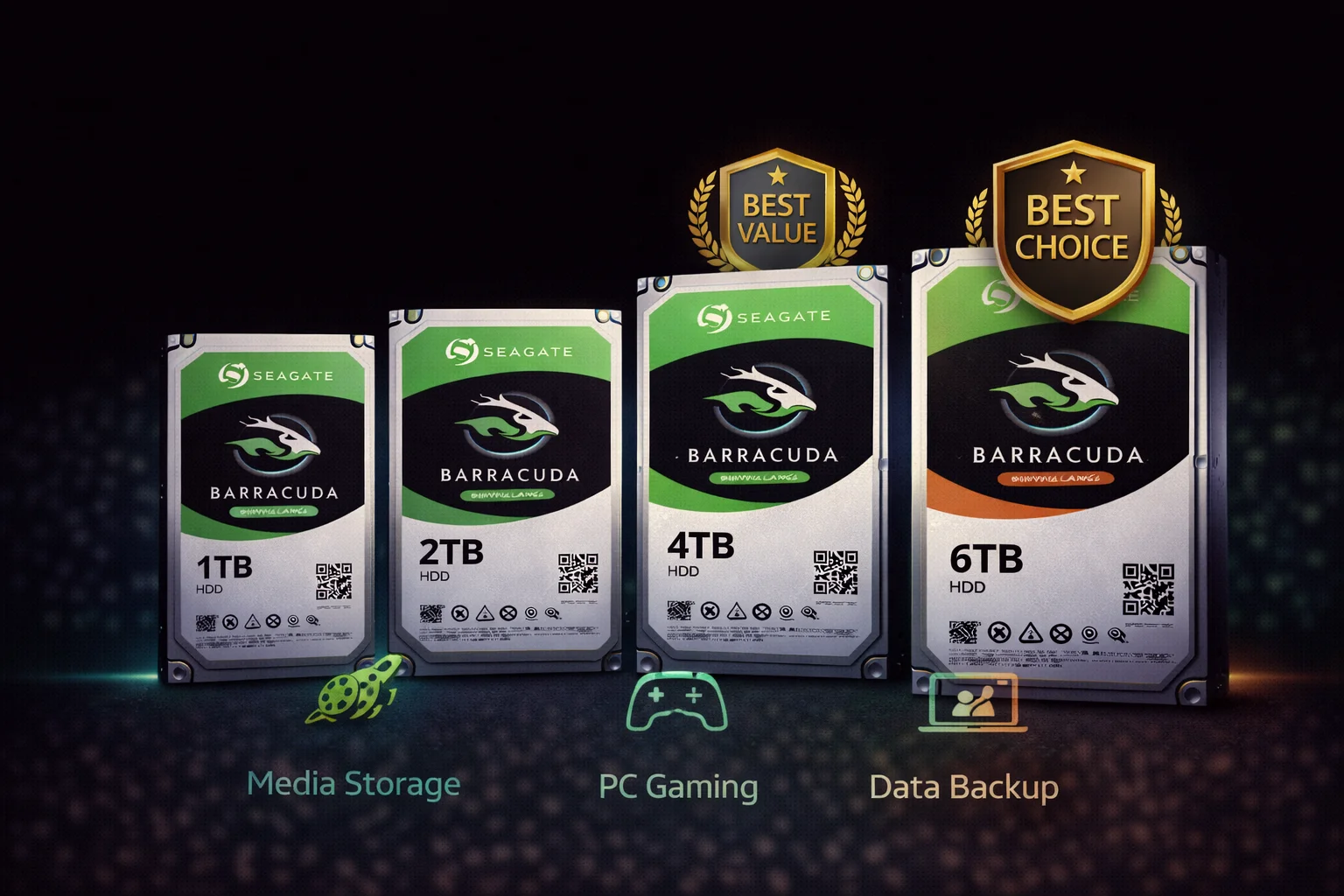
Quick Answer: The best Seagate Barracuda depends on your needs. Best overall value:4TB ($92) — sweet spot of capacity and price. Best performance:16TB HAMR ($299) — CMR technology, no SMR slowdowns. Best for laptops/PS4:2TB 2.5″ ($65) — maximum capacity at 7mm height. Best budget:2TB ($60) — affordable with 7200 RPM speed.
Choosing the right Seagate Barracuda can be confusing with so many options. This comprehensive guide breaks down every model, explains the key differences, and gives clear recommendations for every use case.
2026 Seagate Barracuda Lineup at a Glance
| Capacity | Model | Recording | RPM | Price | $/TB | Best For |
|---|---|---|---|---|---|---|
| 1TB | ST1000DM010 | CMR | 7200 | $50 | $89.99 | Boot drives, light use |
| 2TB | ST2000DM008 | SMR | 7200 | $60 | $30.00 | Budget storage |
| 4TB | ST4000DM004 | SMR | 5400 | $92 | $23.00 | ⭐ Best overall value |
| 6TB | ST6000DM003 | SMR | 5400 | $130 | $21.67 | Mid-range storage |
| 8TB | ST8000DM004 | SMR | 5400 | $175 | $21.88 | High capacity (SMR) |
| 16TB | ST16000DM001 | CMR | 7200 | $299 | $18.69 | ⭐ Best $/TB + performance |
| 20TB | ST20000DM001 | CMR | 7200 | $399 | $19.95 | High capacity needs |
| 24TB | ST24000DM001 | CMR | 7200 | $479 | $19.96 | Maximum capacity |
Our Top Picks
🏆 Best Overall: Seagate Barracuda 4TB
Seagate Barracuda 4TB (ST4000DM004)
4TB Capacity | 5400 RPM | 256MB Cache | SATA 6Gb/s | SMR | 2-Year Warranty
The sweet spot for most users. Enough capacity for a large game library or media collection at an affordable price. SMR is fine for typical desktop use — just avoid using it in a NAS.
Why it wins:
- Best balance of capacity and price for most users
- 4TB handles most game libraries and media collections
- $23/TB is excellent value
- 256MB cache handles everyday workloads well
Consider alternatives if:
- You need sustained write performance (get 16TB HAMR)
- You’re putting it in a NAS (get IronWolf)
- Budget is very tight (get 2TB)
⚡ Best Performance: Seagate Barracuda 16TB HAMR
Seagate Barracuda 16TB (ST16000DM001)
16TB Capacity | 7200 RPM | 512MB Cache | SATA 6Gb/s | CMR (HAMR) | 2-Year Warranty
The best Barracuda for users who want speed AND capacity. HAMR technology delivers CMR performance — no SMR slowdowns. 7200 RPM and 512MB cache make it the fastest Barracuda available.
Why it wins:
- CMR technology — no SMR write slowdowns
- Best $/TB ratio in the entire lineup ($18.69)
- 7200 RPM + 512MB cache = fastest Barracuda
- Massive 16TB capacity in one drive
Consider alternatives if:
- $299 upfront is too much (get 4TB or 8TB)
- You need NAS features (get IronWolf)
- You need even more capacity (get 20TB or 24TB)
💰 Best Budget: Seagate Barracuda 2TB
Seagate Barracuda 2TB (ST2000DM008)
2TB Capacity | 7200 RPM | 256MB Cache | SATA 6Gb/s | SMR | 2-Year Warranty
The most affordable way to add significant storage. 7200 RPM at this capacity (unlike larger models) provides snappier performance. Great starter drive for budget builds.
Why it wins:
- Lowest price for meaningful capacity
- 7200 RPM (faster than 4TB+ models)
- Good for light workloads and game overflow
- Easy entry point to Barracuda lineup
💻 Best for Laptops/PS4: Seagate Barracuda 2TB 2.5″
Seagate Barracuda 2TB 2.5\
2TB Capacity | 5400 RPM | 128MB Cache | SATA 6Gb/s | 7mm Height | 2-Year Warranty
The maximum capacity in 7mm height — fits all laptops and PS4 models. Quadruples the storage of most stock laptop drives. The go-to choice for portable storage upgrades.
Why it wins:
- Maximum capacity (2TB) at 7mm height
- Fits all PS4 models and most laptops
- Significant upgrade from stock 500GB/1TB drives
- No compatibility concerns
🎮 Best for Gaming Storage: Seagate Barracuda 8TB
Seagate Barracuda 8TB (ST8000DM004)
8TB Capacity | 5400 RPM | 256MB Cache | SATA 6Gb/s | SMR | 2-Year Warranty
Modern games are 80-150GB each. The 8TB holds 50-100 games without juggling installs. SMR is fine for gaming — games are read-heavy after initial install. Excellent value at under $22/TB.
Why it wins:
- Holds 50-100 modern games
- Gaming is read-heavy — SMR doesn’t matter
- Under $22/TB is excellent for this capacity
- One drive, no management headaches
Complete Barracuda Lineup Breakdown
Standard Barracuda (SMR) — 2TB to 8TB
These models use SMR (Shingled Magnetic Recording):
| Model | Capacity | RPM | Cache | Price | Verdict |
|---|---|---|---|---|---|
| ST1000DM010 | 1TB | 7200 | 64MB | $50 | Only CMR option, but low capacity |
| ST2000DM008 | 2TB | 7200 | 256MB | $60 | Budget pick, fastest SMR model |
| ST3000DM007 | 3TB | 5400 | 256MB | $85 | Skip — 4TB is better value |
| ST4000DM004 | 4TB | 5400 | 256MB | $92 | ⭐ Best overall value |
| ST6000DM003 | 6TB | 5400 | 256MB | $130 | Good mid-range option |
| ST8000DM004 | 8TB | 5400 | 256MB | $175 | Max SMR capacity, good for games |
SMR considerations:
- Fast for reads and burst writes
- Slows down during sustained writes (large file transfers)
- Fine for gaming, media, documents
- Avoid for NAS/RAID
HAMR Barracuda (CMR) — 16TB to 24TB
These models use HAMR technology with CMR recording:
| Model | Capacity | RPM | Cache | Price | Verdict |
|---|---|---|---|---|---|
| ST16000DM001 | 16TB | 7200 | 512MB | $299 | ⭐ Best $/TB + no SMR issues |
| ST20000DM001 | 20TB | 7200 | 512MB | $399 | Great balance of capacity/price |
| ST24000DM001 | 24TB | 7200 | 512MB | $479 | Maximum consumer capacity |
HAMR advantages:
- CMR recording — consistent write speeds
- 7200 RPM — faster than SMR models
- 512MB cache — handles large operations better
- Best $/TB in the lineup
2.5-Inch Barracuda (Laptop/Portable)
| Model | Capacity | Height | Price | Compatibility |
|---|---|---|---|---|
| ST500LM030 | 500GB | 7mm | $40 | All laptops, PS4 |
| ST1000LM048 | 1TB | 7mm | $55 | All laptops, PS4 |
| ST2000LM015 | 2TB | 7mm | $65 | ⭐ All laptops, PS4 |
| ST3000LM024 | 3TB | 15mm | $100 | Some laptops only |
| ST4000LM024 | 4TB | 15mm | $130 | Some laptops only |
| ST5000LM000 | 5TB | 15mm | $150 | External enclosures |
Key point: For universal compatibility, stick with 7mm drives (2TB max). 15mm drives only fit specific laptops with extra clearance.
Buying Guide by Use Case
For Gaming (PC)
| Game Library Size | Recommended Drive | Why |
|---|---|---|
| 10-20 games | 2TB ($60) | Budget-friendly, 7200 RPM |
| 20-40 games | 4TB ($92) | Best value, plenty of room |
| 40-80 games | 8TB ($175) | Large library, good $/TB |
| 80+ games / future-proof | 16TB ($299) | CMR speed, massive capacity |
Gaming tip: Use an SSD for your current games, Barracuda for your library. Move games as needed.
For Media Storage (Movies, Music, Photos)
| Collection Size | Recommended Drive | Why |
|---|---|---|
| Small (under 2TB) | 4TB ($92) | Room to grow |
| Medium (2-6TB) | 8TB ($175) | Good value, covers growth |
| Large (6-12TB) | 16TB ($299) | CMR for adding content |
| Massive (12TB+) | 20TB or 24TB | Maximum single-drive capacity |
For Content Creators
| Workload | Recommended Drive | Why |
|---|---|---|
| Hobbyist (photos, short videos) | 4TB ($92) | Affordable, adequate capacity |
| Semi-pro (regular video work) | 16TB ($299) | CMR handles large files well |
| Professional (4K/8K video) | 24TB ($479) | Maximum capacity, fast transfers |
Creator tip: The HAMR models (16TB+) with CMR are much better for video work than SMR models.
For Backup Drives
| Backup Need | Recommended Drive | Why |
|---|---|---|
| Single PC backup | 4TB ($92) | 2x typical PC storage |
| Multiple device backup | 8TB ($175) | Covers family devices |
| Home server backup | 16TB+ HAMR | CMR handles backup software better |
For Laptops
| Laptop Type | Recommended Drive | Why |
|---|---|---|
| Standard laptop (7mm bay) | 2TB 2.5″ ($65) | Maximum compatible capacity |
| Thick laptop (15mm bay) | 4TB or 5TB 2.5″ | Higher capacity if it fits |
| Any laptop (external) | 4TB 3.5″ in enclosure | Best $/TB for external use |
For PS4
| Budget | Recommended Drive | Result |
|---|---|---|
| Tight budget | 1TB 2.5″ ($55) | Double stock storage |
| Best value | 2TB 2.5″ ($65) | ⭐ Quadruple stock storage |
| External storage | 4TB 3.5″ + enclosure | Maximum game storage |
Current Prices
What to Avoid
Don’t Buy Barracuda For:
- NAS/RAID arrays: SMR causes rebuild problems. Get IronWolf instead.
- Boot drive: Use an SSD. HDDs are too slow for OS in 2026.
- 24/7 server workloads: Get IronWolf or Exos for higher endurance.
- Continuous backup software: SMR struggles with constant small writes.
Capacities to Skip:
- 1TB: Only buy if you specifically need CMR at low capacity. Otherwise, 2TB is barely more expensive.
- 3TB: Awkward pricing — the 4TB is better value.
- 6TB: Not bad, but 8TB isn’t much more and offers better $/TB.
Barracuda vs Alternatives
Barracuda vs IronWolf
| Feature | Barracuda | IronWolf |
|---|---|---|
| Best for | Desktop storage | NAS systems |
| Recording (4TB) | SMR | CMR |
| Warranty | 2 years | 3 years |
| Price (4TB) | $92 | $100 |
| RAID suitable | No | Yes |
Verdict: Barracuda for desktop, IronWolf for NAS. The $8 premium for IronWolf is worth it for multi-drive systems.
Barracuda vs WD Blue
| Feature | Barracuda | WD Blue |
|---|---|---|
| Recording (4TB) | SMR | SMR |
| RPM (2TB) | 7200 | 5400 |
| Cache (4TB) | 256MB | 256MB |
| Price (4TB) | $92 | $100 |
| High capacity | Up to 24TB | Up to 8TB |
Verdict: Barracuda wins on price, speed (at 2TB), and maximum capacity (HAMR models).
Tips for Buying
Check the Model Number
Always verify you’re getting the current model:
- ST4000DM004 = Current 4TB
- ST4000DM000 = Old model (avoid)
Buy from Authorized Retailers
- Amazon (sold by Amazon)
- Newegg
- Best Buy
- Micro Center
Third-party sellers may have warranty issues or sell older stock.
Consider Future Needs
Storage needs typically grow 20-30% per year. Buy more than you need today:
- Need 2TB now? Buy 4TB.
- Need 4TB now? Buy 8TB.
- Need 8TB now? Consider 16TB HAMR.
Warranty and Support
All Barracuda drives come with a 2-year limited warranty:
- Coverage: Manufacturing defects, component failures
- NOT covered: Physical damage, data recovery
- RMA process: Through Seagate support portal
- Replacement: May be refurbished unit
For longer warranty, consider IronWolf (3 years) or IronWolf Pro (5 years with data recovery).
Final Thoughts: Making Your Decision
The Seagate Barracuda lineup offers something for everyone:
- Budget users: 2TB at $60 is hard to beat
- Mainstream users: 4TB at $92 is the sweet spot
- Power users: 16TB HAMR delivers best value AND performance
- Maximum capacity: 24TB for those who truly need it
The key is matching the drive to your actual needs. Don’t overspend on capacity you won’t use, but don’t underbuy and face upgrades soon either.
Last updated: February 2026. Prices and availability subject to change.
Frequently Asked Questions
For most gamers, the 4TB or 8TB offers the best balance. Gaming is read-heavy, so SMR doesn’t matter. If you want the fastest loads and have budget, the 16TB HAMR with 7200 RPM is the premium choice.
The 4TB ($92) is the best overall value for most users — good capacity at $23/TB. If you can spend more, the 16TB HAMR ($299) has the best $/TB ratio ($18.69) plus CMR performance.
Barracuda for desktop, IronWolf for NAS. If you’re using a single drive in a desktop PC, Barracuda saves money. If you’re building a NAS or RAID array, spend the extra $8-30 per drive on IronWolf for CMR technology and NAS features.
Yes, if you can afford the upfront cost. It has the best $/TB ($18.69), CMR performance (no SMR slowdowns), 7200 RPM speed, and 512MB cache. It’s the best Barracuda for users who want both capacity and performance.
The 2.5-inch models with 7mm height fit all PS4 models. The maximum is the 2TB (ST2000LM015) at $65. The 3TB+ models are 15mm thick and won’t fit.
Yes, Barracuda drives have good reliability for consumer use. They’re designed for desktop workloads (55 TB/year). For heavier use or NAS, consider IronWolf. Always maintain backups regardless of drive brand — all drives eventually fail.
Summary: Quick Recommendations
| Need | Best Barracuda | Price |
|---|---|---|
| Best overall value | 4TB (ST4000DM004) | $92 |
| Best performance | 16TB HAMR (ST16000DM001) | $299 |
| Best budget | 2TB (ST2000DM008) | $60 |
| Best for laptops/PS4 | 2TB 2.5″ (ST2000LM015) | $65 |
| Best for gaming | 8TB (ST8000DM004) | $175 |
| Maximum capacity | 24TB HAMR (ST24000DM001) | $479 |
Related Guides
- Seagate Barracuda Overview
- Is Seagate Barracuda SMR?
- Barracuda vs WD Blue
- Barracuda vs IronWolf
- Seagate IronWolf (For NAS)
Last updated: February 2026. Prices and availability subject to change.