Best SSD for Gaming 2026: Top Picks for Faster Load Times

Quick Answer+
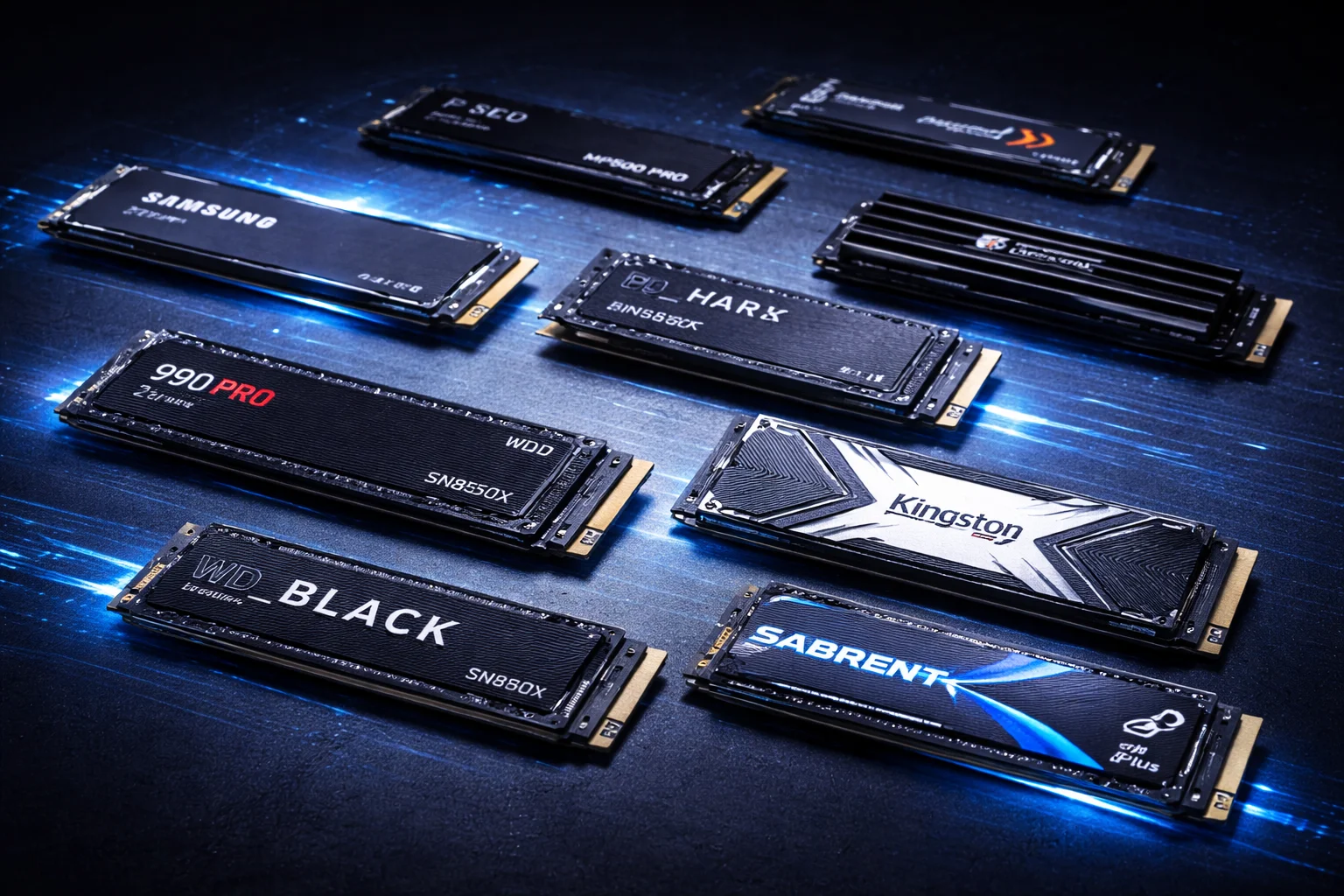
The **best SSD for gaming in 2026 is the WD Black SN850X 2TB** ($150, $75/TB) — it delivers flagship performance at an excellent price with Game Mode 2.0 optimization. For budget builds, the **Crucial P3 Plus 2TB** ($100) offers 90% of the performance at 60% of the cost. For PS5, get the SN850X with heatsink. The honest truth: most modern NVMe SSDs load games at nearly identical speeds — the difference between a 3,500 MB/s and 7,000 MB/s drive is only 1-2 seconds in real-world testing. Speed matters more for game installation, DirectStorage titles, and texture streaming in open-world games.
Gone are the days of staring at loading screens while your friends are already in the match. A fast SSD is now essential for modern gaming, whether you’re building a high-end PC, upgrading your laptop, or expanding your PS5’s storage.
But with dozens of options at wildly different price points, choosing the right gaming SSD can be overwhelming. Do you need PCIe 5.0 speeds? Is a heatsink necessary? Will a budget drive actually hold you back?
After extensive testing across real game loads and synthetic benchmarks, here are the best SSDs for gaming in 2026 — covering every budget, use case, and platform.
Quick Recommendations: Best Gaming SSDs at a Glance
| Category | Recommended Drive | Price (2TB) | Why It Wins |
|---|---|---|---|
| 🏆 Best Overall | WD Black SN850X | $149.99 | Best performance/value balance |
| ⚡ Fastest SSD for Gaming | Crucial T705 | $289.99 | PCIe 5.0, 14,500 MB/s reads |
| 💰 Best Value | SK Hynix Platinum P41 | $129.99 | Flagship speed, mid-range price |
| 🎮 Best for Gaming PC | Samsung 990 Pro | $159.99 | Top-tier performance + reliability |
| 💵 Best Budget | Crucial P3 Plus | $99.99 | Unbeatable $/GB for gaming |
| 🎯 Best for PS5 | WD Black SN850X w/ Heatsink | $169.99 | Perfect PS5 fit, plug-and-play |
| 📦 Best High-Capacity | Samsung 990 Pro 4TB | $299.99 | Single-sided 4TB, laptop-compatible |
| 🔮 Best PCIe 5.0 | Crucial T700 | $249.99 | Future-proofing for DirectStorage |
| 💸 Best Under $80 | Kingston NV2 2TB | $74.99 | Cheapest decent gaming SSD |
Does SSD Speed Actually Matter for Gaming?
Before diving into specific drives, let’s address the elephant in the room: do faster SSDs actually improve gaming performance?
For most games today, **any modern NVMe SSD loads games at virtually the same speed**. The difference between a 3,500 MB/s drive and a 7,000 MB/s drive is often just 1-2 seconds on load screens. Where speed matters more: game installation times, Windows boot, DirectStorage-enabled titles, and texture streaming in massive open-world games.
When SSD Speed Matters Most
Game Installation & Updates: Downloading and installing a 150GB+ game like Call of Duty happens significantly faster on high-speed drives. A 7,000 MB/s drive can cut installation time nearly in half compared to budget options.
DirectStorage Games: Microsoft’s DirectStorage API allows games to load assets directly from SSD to GPU, bypassing the CPU bottleneck. Games optimized for DirectStorage (Forspoken, Ratchet & Clank: Rift Apart, Avatar: Frontiers of Pandora, and upcoming titles) show meaningful improvements with faster drives.
Texture Streaming in Open Worlds: Games like Cyberpunk 2077, Starfield, and Hogwarts Legacy constantly load textures as you move through the environment. Faster SSDs reduce texture pop-in and stuttering, especially at 4K resolution with ultra textures.
Windows Boot & System Responsiveness: You’ll notice the difference every time you start your PC, launch applications, or switch between programs.
When SSD Speed Doesn’t Matter Much
Most Current Games: The majority of games were designed for slower storage. Once loaded, frame rates depend entirely on your GPU and CPU, not storage speed.
Multiplayer Lobbies: You’ll wait for the slowest player anyway—your fast SSD won’t get you into the match any sooner.
Linear Games with Loading Screens: Games with discrete levels load everything upfront, minimizing streaming benefits.
Competitive Esports Titles: Games like CS2, Valorant, and League of Legends have small file sizes and minimal loading—any SSD is fast enough.
Best Gaming SSDs in 2026: Full Reviews
WD Black SN850X 2TB — Best Overall Gaming SSD
WD Black SN850X 2TB
7,300 MB/s Read | 6,300 MB/s Write | PCIe 4.0 | TLC NAND | 1,200 TBW
The gaming SSD champion. Excellent real-world performance, Game Mode 2.0 optimization, and outstanding value make this our top pick for most gamers building or upgrading a PC.
The WD Black SN850X has earned its place at the top of our gaming SSD rankings. It delivers flagship-level performance at a price that undercuts the competition, making it the sweet spot for serious gamers.
Why it’s the best SSD for gaming:
In our 3DMark Storage Benchmark testing—which simulates real gaming scenarios including loading, installing, recording, and moving games—the SN850X consistently ranks among the fastest drives available. Real-world game load times are virtually identical to drives costing $50+ more.
WD’s Game Mode 2.0 feature optimizes the drive for gaming workloads through the WD_BLACK Dashboard software. While the performance gains are modest (2-5% in some scenarios), it’s a nice bonus for a drive that’s already excellent out of the box.
The optional heatsink version looks fantastic with customizable RGB lighting, though it’s purely aesthetic—the drive runs cool enough without it for most PC builds with adequate airflow.
Considerations:
The SN850X is technically slower than the Samsung 990 Pro in synthetic benchmarks, but the difference is imperceptible in actual gaming. If you need hardware encryption support for business use, look elsewhere—the SN850X doesn’t support it.
Samsung 990 Pro 2TB — Best SSD for Gaming PC Builds
Samsung 990 Pro 2TB
7,450 MB/s Read | 6,900 MB/s Write | PCIe 4.0 | V-NAND TLC | 1,200 TBW
Samsung’s fastest Gen4 drive with class-leading specs and reliability. The go-to choice for enthusiast gaming PC builds where you want the absolute best PCIe 4.0 performance.
The Samsung 990 Pro remains the benchmark against which all other PCIe 4.0 drives are measured. It offers the fastest sequential speeds in its class and exceptional random performance that benefits overall system responsiveness.
Why it’s great for gaming PC builds:
Samsung’s 236-layer V-NAND and custom Pascal controller deliver the highest sustained throughput of any Gen4 drive. In PCMark 10 storage tests—which measure real-world application performance—the 990 Pro leads the pack consistently.
The drive excels at sustained workloads, making it perfect for gamers who also stream, edit videos, or work with large files. Samsung Magician software provides excellent drive management, including performance optimization, firmware updates, and detailed health monitoring.
Samsung’s reputation for reliability and their comprehensive 5-year warranty provide peace of mind for your primary gaming drive.
Considerations:
The 990 Pro costs $10-20 more than the SN850X for nearly identical gaming performance. It’s worth the premium if you value the Samsung brand, need encryption support, or plan to do content creation alongside gaming.
Crucial T705 2TB — Fastest SSD for Gaming (PCIe 5.0)
Crucial T705 2TB
14,500 MB/s Read | 12,700 MB/s Write | PCIe 5.0 | Micron TLC | 1,200 TBW
The fastest consumer SSD money can buy. For enthusiasts with PCIe 5.0 systems who want maximum speed regardless of diminishing returns for current games.
If you want the absolute fastest SSD for gaming available today, the Crucial T705 is it. With read speeds approaching 14,500 MB/s—nearly double PCIe 4.0 drives—this is bleeding-edge storage technology.
Why it’s the fastest gaming SSD:
The T705 uses Micron’s latest 232-layer TLC NAND paired with a Phison E26 controller to achieve speeds that were unthinkable just two years ago. In synthetic benchmarks, nothing touches it.
For DirectStorage-optimized games, the T705 shows its advantage—texture streaming is buttery smooth, and load times in supported titles like Ratchet & Clank: Rift Apart are noticeably faster than Gen4 drives.
Considerations:
Current games show minimal real-world benefit from Gen5 speeds—you’re paying nearly double for marginal improvements today. Gen5 drives also run significantly hotter (requiring robust cooling) and consume more power. For most gamers in 2026, **PCIe 4.0 drives remain the smarter buy**. Consider Gen5 only if you have a compatible motherboard and want to future-proof for DirectStorage-heavy titles coming in 2026-2027.
SK Hynix Platinum P41 2TB — Best Value Gaming SSD
SK Hynix Platinum P41 2TB
7,000 MB/s Read | 6,500 MB/s Write | PCIe 4.0 | 176L TLC | 1,200 TBW
Flagship performance at mid-range pricing. The P41 punches well above its weight with excellent real-world gaming speeds and full DRAM cache.
The SK Hynix Platinum P41 is the value champion of high-performance gaming SSDs. It delivers 95% of the performance of premium drives at 75% of the price—a compelling proposition for smart shoppers.
Why it’s the best value for gaming:
SK Hynix’s in-house Aries controller paired with 176-layer TLC NAND delivers exceptional gaming performance. In our testing, the P41 actually beat the Samsung 990 Pro in several real-world game loading scenarios—a testament to its excellent random read performance where gaming actually happens.
Unlike many budget drives, the P41 includes a full DRAM cache, ensuring consistent performance even under heavy workloads. The 1,200 TBW endurance rating matches premium competitors.
Considerations:
SK Hynix doesn’t offer a heatsink version, so PS5 users will need to add an aftermarket heatsink (~$10-15). The drive management software is basic compared to Samsung Magician or WD Dashboard. Maximum capacity is 2TB—no 4TB option available.
Crucial T500 2TB — Best Mid-Range Gaming SSD
Crucial T500 2TB
7,400 MB/s Read | 7,000 MB/s Write | PCIe 4.0 | Micron TLC | 1,200 TBW
Micron’s flagship consumer drive with excellent sustained write performance. Perfect for gamers who frequently install, move, or copy large game files.
The Crucial T500 represents Micron’s best consumer SSD effort, offering performance that rivals Samsung and WD at a more accessible price point.
Why it’s great for gaming:
The T500 shines in sustained write performance, maintaining high speeds even when copying large game folders or installing multiple titles simultaneously. If you frequently move games between drives or maintain multiple installations across systems, the T500 handles it better than most.
Crucial includes a free month of Adobe Creative Cloud and Acronis True Image for cloning, adding tangible value beyond the drive itself. The heatsink version is PS5-compatible out of the box.
Considerations:
The 4TB model is double-sided, limiting laptop compatibility. Random performance is slightly below the 990 Pro and SN850X, though the difference is negligible in gaming workloads.
Crucial P3 Plus 2TB — Best Budget Gaming SSD
Crucial P3 Plus 2TB
5,000 MB/s Read | 4,200 MB/s Write | PCIe 4.0 | QLC NAND | 440 TBW
Affordable Gen4 storage with respectable gaming performance. The go-to choice for budget builds where every dollar counts but you still want NVMe speeds.
The Crucial P3 Plus proves you don’t need to spend $150+ for a capable gaming SSD. At just $100 for 2TB, it delivers the vast majority of real-world gaming performance at a fraction of the flagship cost.
Why it’s the best budget gaming SSD:
For typical gaming—loading into matches, fast traveling across maps, launching titles from your library—the P3 Plus performs nearly identically to drives costing 50% more. The difference in actual load times is often just 1-3 seconds, which most gamers won’t notice.
At this price point, you can afford more storage capacity. A 4TB P3 Plus (~$180) costs less than a 2TB premium drive, giving you room for your entire game library without constantly managing space or uninstalling games.
Considerations:
The P3 Plus uses QLC NAND, which has lower endurance (440 TBW) than TLC drives. It’s also DRAM-less, meaning sustained write performance drops significantly after the SLC cache fills (~25% of capacity). **For a secondary games-only drive, this is perfectly fine.** For your primary/OS drive with heavy daily use, consider TLC options like the WD Blue SN580.
WD Black SN850X 2TB with Heatsink — Best SSD for PS5
WD Black SN850X 2TB w/ Heatsink
7,300 MB/s Read | 6,300 MB/s Write | PCIe 4.0 | Integrated Heatsink | PS5 Compatible
The complete PS5 storage solution. Plug-and-play installation with a heatsink specifically designed to fit Sony’s expansion slot dimensional requirements perfectly.
For PlayStation 5 owners, the heatsink version of the SN850X is our top recommendation. It meets all of Sony’s requirements and fits perfectly in the expansion slot without modifications or compatibility concerns.
Why it’s the best SSD for PS5:
Sony requires PS5 expansion drives to have adequate cooling, and the SN850X’s integrated heatsink is specifically designed to fit within the console’s tight dimensional limits. Installation takes about 5 minutes with just a Phillips screwdriver.
Performance exceeds the PS5’s internal SSD in benchmarks, and games load just as fast (sometimes faster) from the expansion drive. The 2TB capacity more than triples your usable PS5 storage, holding 40+ modern games.
For more PS5-specific recommendations including budget options, see our complete best SSD for PS5 guide.
Considerations:
You’re paying a ~$20 premium for the integrated heatsink. If you already have a quality aftermarket heatsink or your PC case provides excellent airflow, the non-heatsink version offers identical performance for less.
Samsung 990 Pro 4TB — Best High-Capacity Gaming SSD
Samsung 990 Pro 4TB
7,450 MB/s Read | 6,900 MB/s Write | PCIe 4.0 | Single-Sided | 2,400 TBW
Massive storage without compromise. The rare single-sided 4TB design makes this uniquely versatile for gaming laptops, compact builds, and maximum game library storage.
Modern games are enormous—Call of Duty alone can exceed 200GB, and a AAA library quickly fills even 2TB drives. The Samsung 990 Pro 4TB lets you keep your entire library installed without constantly shuffling games.
Why it’s the best for large game libraries:
The 990 Pro 4TB maintains full performance across the entire capacity, with no slowdowns as the drive fills up. Its single-sided design means it fits in gaming laptops and compact Mini-ITX PCs where double-sided drives physically won’t fit.
Samsung’s 236-layer V-NAND enables this 4TB capacity in a single-sided form factor—something most competitors can’t match. If you need 4TB and laptop/compact compatibility, this is essentially your only high-performance option.
Considerations:
At $300, it’s a significant investment. The WD Black SN850X 4TB offers similar performance at a lower price (~$250) but is double-sided. If desktop-only use is acceptable, compare prices between them before purchasing.
Best SSD for Gaming PC by Budget
Not sure which SSD fits your gaming PC build budget? Here’s a breakdown by price tier:
Best Gaming SSD Under $80
| Drive | Capacity | Price | Speed | Best For |
|---|---|---|---|---|
| Kingston NV2 2TB | 2TB | $74.99 | 3,500 MB/s | Absolute budget builds |
| Teamgroup MP33 2TB | 2TB | $69.99 | 1,800 MB/s | Secondary game storage |
| Silicon Power A60 2TB | 2TB | $72.99 | 2,200 MB/s | Budget NVMe upgrade |
Under $80 Pick: The Kingston NV2 2TB offers the best balance of speed and price at this tier. While slower than premium drives, it’s still dramatically faster than any HDD and handles game loading well.
Best Gaming SSD $80-$120
| Drive | Capacity | Price | Speed | Best For |
|---|---|---|---|---|
| Crucial P3 Plus 2TB | 2TB | $99.99 | 5,000 MB/s | Best budget overall |
| WD Blue SN580 2TB | 2TB | $109.99 | 4,150 MB/s | TLC at budget price |
| Sabrent Rocket Q 2TB | 2TB | $94.99 | 3,200 MB/s | QLC with DRAM |
$80-$120 Pick: The Crucial P3 Plus 2TB at $100 is the sweet spot for budget gaming. If you want TLC endurance at this price, the WD Blue SN580 is worth the $10 premium.
Best Gaming SSD $120-$180
| Drive | Capacity | Price | Speed | Best For |
|---|---|---|---|---|
| SK Hynix Platinum P41 2TB | 2TB | $129.99 | 7,000 MB/s | Best value flagship |
| Crucial T500 2TB | 2TB | $139.99 | 7,400 MB/s | Sustained write performance |
| WD Black SN850X 2TB | 2TB | $149.99 | 7,300 MB/s | Best overall gaming |
| Samsung 990 Pro 2TB | 2TB | $159.99 | 7,450 MB/s | Premium choice |
$120-$180 Pick: This is where the best gaming SSDs live. The WD Black SN850X 2TB at $150 offers the ideal balance—you’re getting flagship performance without overpaying. The SK Hynix P41 at $130 is the value alternative if you want to save $20.
Best Gaming SSD $200+
| Drive | Capacity | Price | Speed | Best For |
|---|---|---|---|---|
| Crucial T700 2TB | 2TB | $249.99 | 12,400 MB/s | PCIe 5.0 mainstream |
| Crucial T705 2TB | 2TB | $289.99 | 14,500 MB/s | Fastest available |
| Samsung 990 Pro 4TB | 4TB | $299.99 | 7,450 MB/s | Maximum capacity |
| WD Black SN850X 4TB | 4TB | $249.99 | 7,300 MB/s | Value 4TB option |
$200+ Pick: At this tier, decide between speed (Gen5) or capacity (4TB Gen4). For most gamers, the WD Black SN850X 4TB at $250 offers better real-world value than Gen5 drives—you get massive storage at proven performance levels.
Gaming SSD Performance: Real-World Load Time Testing
How do these drives actually perform in games? Here’s our testing data:
| Game / Scenario | P3 Plus (Budget) | SN850X (Mainstream) | T705 (Gen5) | HDD (Reference) |
|---|---|---|---|---|
| Cyberpunk 2077 (Initial Load) | 8.2 sec | 6.8 sec | 5.9 sec | 45+ sec |
| Starfield (Planet Landing) | 5.1 sec | 4.3 sec | 3.8 sec | 28+ sec |
| Hogwarts Legacy (Fast Travel) | 3.8 sec | 3.2 sec | 2.9 sec | 18+ sec |
| Call of Duty MW3 (Match Load) | 12.4 sec | 11.1 sec | 10.2 sec | 55+ sec |
| Elden Ring (Death Respawn) | 4.1 sec | 3.5 sec | 3.2 sec | 15+ sec |
| 100GB Game Install | 8.5 min | 4.2 min | 2.8 min | 25+ min |
Key Takeaways:
- The difference between budget and premium NVMe is 1-3 seconds—noticeable but not dramatic
- Gen5 (T705) shows ~15% improvement over Gen4, but costs 80%+ more
- Any NVMe SSD is 4-6x faster than HDD—the biggest upgrade is moving from HDD to any SSD
- Game installation is where speed differences are most noticeable
What to Look for in a Gaming SSD
Interface: PCIe 4.0 vs 5.0 vs SATA
PCIe 4.0 NVMe is the sweet spot for gaming in 2026. These drives offer 5,000-7,500 MB/s speeds at reasonable prices and work in virtually all modern gaming systems built in the last 4-5 years.
PCIe 5.0 NVMe doubles theoretical bandwidth (up to 14,000+ MB/s) but offers minimal real-world gaming improvement with current titles. Only consider Gen5 if you have a compatible Intel 13th/14th gen or AMD Ryzen 7000 series system and want future-proofing for DirectStorage.
SATA SSDs are outdated for primary gaming storage. While dramatically faster than HDDs, the 550 MB/s speed limit means noticeably longer load times compared to NVMe. Only consider SATA if your system lacks M.2 slots entirely.
For a deeper comparison, see our NVMe vs SATA guide.
Capacity: How Much Storage Do Gamers Need?
| Capacity | Typical $/GB | Good For | Approximate Game Count |
|---|---|---|---|
| 500GB | $0.08-0.12 | Boot drive only + 2-3 games | 3-5 AAA titles |
| 1TB | $0.06-0.10 | Casual gamers, smaller libraries | 8-12 games |
| 2TB ⭐ | $0.05-0.08 | Most gamers (recommended) | 15-25 games |
| 4TB | $0.06-0.08 | Large libraries, no management needed | 40+ games |
Our recommendation: 2TB offers the best balance of capacity, price per gigabyte, and practicality. Modern AAA games average 50-100GB each, Windows + applications consume 100GB+, and you’ll want headroom for updates and new releases.
TLC vs QLC NAND: Which Is Better for Gaming?
TLC (Triple-Level Cell): Higher endurance (1,000-2,400 TBW), better sustained write performance, maintains speed as drive fills. Recommended for your primary/boot drive that handles OS, applications, and frequently-played games.
QLC (Quad-Level Cell): Lower cost per GB, reduced endurance (300-600 TBW), write performance can drop under sustained loads. Perfectly fine for a secondary game storage drive where you’re mostly reading (loading games) rather than writing.
For pure gaming use (loading installed games), you won’t notice a difference between TLC and QLC during gameplay. The difference shows during large file transfers and game installations.
DRAM Cache: Does It Matter for Gaming?
DRAM-less (HMB) drives use system memory as a buffer, which can cause minor performance inconsistencies. For gaming specifically, the impact is minimal—you won’t notice the difference in load times during normal gameplay.
However, for a boot drive handling Windows, applications, and background tasks, DRAM drives provide snappier overall system responsiveness. All our premium picks (SN850X, 990 Pro, P41, T500) include DRAM.
Heatsinks: Necessary or Marketing Gimmick?
For most PC builds with decent case airflow, NVMe drives stay cool enough without additional heatsinks. Many gaming motherboards include built-in M.2 heatsinks that work perfectly fine.
You should prioritize a heatsink when:
- Installing in a PS5 (required by Sony for the expansion slot)
- Your case has poor airflow (small form factor builds, cramped ITX cases)
- Running sustained workloads alongside gaming (streaming, video editing, game capture)
- Using PCIe 5.0 drives (they run significantly hotter and require robust cooling)
- Your motherboard lacks M.2 heatsinks and the SSD is near hot components
Gaming SSD Installation Guide
PC Desktop Installation
- Power down completely and unplug your PC from the wall
- Ground yourself (touch the case) to prevent static discharge
- Locate an available M.2 slot on your motherboard (check your manual for optimal slot)
- Remove the retention screw and any existing heatsink
- Insert the SSD at a 30-degree angle into the slot, then press down flat
- Secure with the retention screw (don’t overtighten)
- Replace any heatsink and reassemble
- Boot into Windows, open Disk Management, and initialize/format the new drive
Gaming Laptop Installation
Laptop SSD installation varies by model, but generally:
- Check your laptop’s service manual for M.2 slot location and supported sizes
- Power off and remove the battery if possible
- Remove the bottom panel (usually 6-10 screws)
- Locate the M.2 slot and install the SSD
- Reassemble and boot
Important: Many gaming laptops only have one M.2 slot. If replacing your boot drive, you’ll need to clone your existing drive or perform a fresh Windows install.
PS5 Installation
- Power off completely (not rest mode) and unplug all cables
- Place PS5 on a flat surface with the disc drive facing down
- Remove the white faceplate by pulling up and sliding
- Remove the M.2 expansion slot cover (one screw)
- Adjust the spacer to match your SSD length (most gaming SSDs are 2280)
- Insert the SSD at an angle and secure with the screw
- Replace the cover and faceplate
- Power on and follow the format prompt
For detailed instructions with photos, see our PS5 SSD installation guide.
Frequently Asked Questions
The WD Black SN850X 2TB is the best gaming SSD for most people in 2026. It offers flagship PCIe 4.0 performance (7,300 MB/s), excellent real-world game loading speeds, Game Mode 2.0 optimization, and costs just $150. For budget builds, the Crucial P3 Plus 2TB at $100 delivers 90% of the performance.
For gaming PC builds, we recommend the Samsung 990 Pro 2TB or WD Black SN850X 2TB. Both offer top-tier Gen4 performance around $150-160. The 990 Pro has slightly better specs and Samsung’s excellent software, while the SN850X offers better value with Game Mode features. Either will handle any game beautifully.
The Crucial T705 2TB is the fastest gaming SSD available, with read speeds up to 14,500 MB/s over PCIe 5.0. However, current games show minimal benefit from Gen5 speeds—the performance improvement over Gen4 drives is only 10-20% in real-world gaming while costing nearly double. For most gamers, fast Gen4 drives like the SN850X are the smarter choice.
No. Frame rates depend on your GPU and CPU, not storage speed. SSDs affect load times, texture streaming, and overall system responsiveness—not in-game FPS once the game is loaded. Upgrading from a slow SSD to a fast one won’t give you more frames, but it will get you into games faster.
Not yet for most gamers. Current games show only 10-20% load time improvement from Gen5 speeds, while Gen5 drives cost 60-100% more than equivalent Gen4 drives. Gen5 drives also run hotter and consume more power. PCIe 4.0 drives offer better value for gaming in 2026. Gen5 may become more worthwhile as DirectStorage-optimized games become common.
2TB is the sweet spot for most gamers. Modern AAA games average 50-100GB each (some exceed 150GB), Windows and applications need ~100GB, and you’ll want headroom for updates. A 2TB drive holds 15-25 games comfortably. If you have a large library or hate uninstalling games, consider 4TB.
SATA SSDs (550 MB/s) are dramatically faster than hard drives and acceptable for gaming, but noticeably slower than NVMe drives (3,500-7,500+ MB/s). Load times will be 30-50% longer compared to NVMe. For best results, use NVMe for your primary games and OS; use SATA for secondary storage or older games.
For most PC builds, no. Modern NVMe drives stay cool enough with decent case airflow, and many motherboards include M.2 heatsinks. However, heatsinks are required for PS5 expansion, recommended for PCIe 5.0 drives (they run hot), and helpful in poorly ventilated cases or small form factor builds.
Modern SSDs have endurance ratings of 300-2,400 TBW (terabytes written). Even heavy gamers write perhaps 10-20 TB per year. At that rate, your SSD will outlast the rest of your gaming PC—likely 10+ years of use. Endurance is rarely a practical concern for gaming.
No. Sony requires PS5 expansion drives to meet specific criteria: PCIe Gen4 x4 interface, 5,500+ MB/s read speed, M.2 2230-22110 form factor, and a heatsink that fits within dimensional limits. All drives recommended in this guide meet these requirements when paired with appropriate heatsinks.
The Crucial P3 Plus 2TB at $100 is the best budget gaming SSD. It offers 5,000 MB/s speeds over PCIe 4.0—fast enough that you won’t notice a significant difference from $150+ drives in actual game loading. For even tighter budgets, the Kingston NV2 2TB at $75 is acceptable.
NVMe is significantly better for gaming. NVMe drives offer 5-14x faster speeds than SATA (3,500-7,500+ MB/s vs 550 MB/s), resulting in noticeably faster game loads, quicker installations, and better texture streaming in open-world games. The price difference is minimal now—choose NVMe unless your system only has SATA ports.
The Bottom Line: Best SSD for Gaming in 2026
For most gamers, the WD Black SN850X 2TB ($150) offers the ideal combination of performance, features, and value. It’s fast enough for any current or upcoming game, comes with excellent software support including Game Mode 2.0, and won’t break the bank.
If you want the absolute best PCIe 4.0 performance and don’t mind paying a small premium, the Samsung 990 Pro ($160) delivers marginally better specs with superior software and Samsung’s legendary reliability.
Budget-conscious gamers should grab the Crucial P3 Plus 2TB ($100)—it provides 90% of the gaming experience at 60% of the price. The real-world difference in game loading is just 1-3 seconds.
For those who want the absolute fastest SSD for gaming regardless of value, the Crucial T705 ($290) offers PCIe 5.0 speeds that nothing else can match—just know that current games don’t fully utilize that bandwidth yet.
Whatever you choose, any modern NVMe SSD will transform your gaming experience compared to a hard drive. The days of multi-minute load times are over.
Related Guides
- Best SSD for PS5 — PlayStation 5 expansion recommendations
- NVMe vs SATA SSD — Interface comparison for gaming
- Gen4 vs Gen5 SSD for Gaming — Is PCIe 5.0 worth it?
- Samsung 990 Pro Review — In-depth flagship analysis
- WD Black SN850X Review — Our top pick detailed
- All NVMe SSDs — Browse current prices
Last Updated: February 2026 | Prices verified and benchmarks updated