Best SSD for Video Editing 2026: Scratch Disks, Project Drives & Workflow Optimization

Quick Answer+
The Crucial T705 2TB is the best SSD for demanding video editing — 14,500 MB/s speeds handle 4K/8K footage without breaking a sweat. For most editors, the Samsung 990 Pro 2TB delivers 95% of the performance at a lower price with better thermals. Budget-conscious editors should consider the Crucial T500 2TB for excellent value. Capacity matters: get 2TB minimum for project drives, 4TB+ for media libraries. Use separate drives for OS, projects, and media cache for optimal performance.
Video editing demands more from storage than almost any consumer workload. Scrubbing 4K timelines, rendering effects, and managing massive media libraries requires sustained performance that typical drives can’t deliver.
This guide covers the best SSDs for video editing in 2026, with specific recommendations for different workflow needs and budget levels.
Quick Comparison: Best Video Editing SSDs
| Drive | Best For | Speed | Capacity | Price | Sustained Write |
|---|---|---|---|---|---|
| Crucial T705 | 8K/RAW workflows | 14,500 MB/s | 1-4TB | $240-600 | Excellent |
| Samsung 990 Pro | Professional editing | 7,450 MB/s | 1-4TB | $170-450 | Excellent |
| Crucial T500 | Best value | 7,400 MB/s | 500GB-2TB | $60-180 | Very Good |
| WD Black SN850X | Gaming + editing | 7,300 MB/s | 1-4TB | $130-400 | Very Good |
| Sabrent Rocket 4 Plus | High capacity | 7,100 MB/s | 1-8TB | $140-900 | Good |
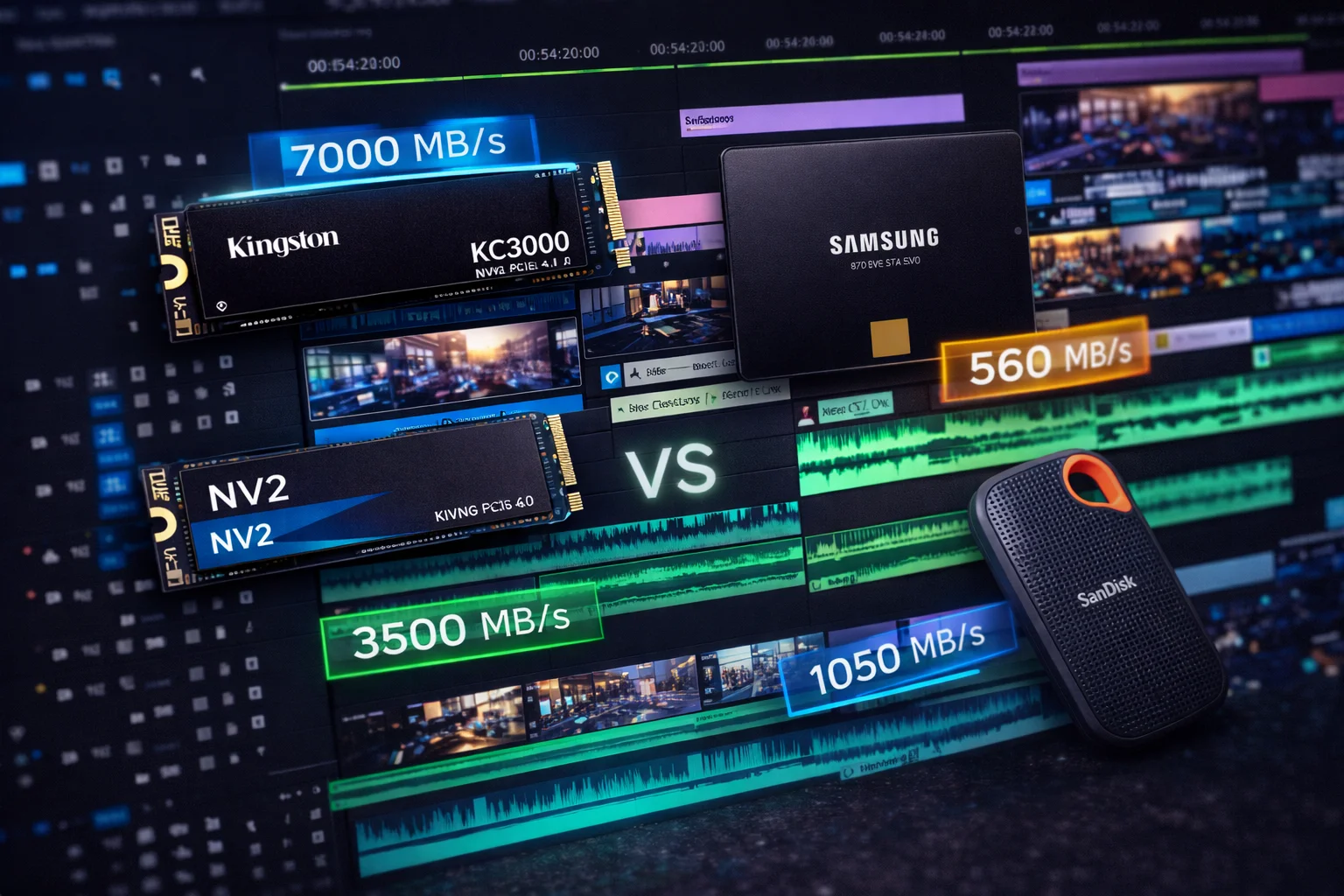
| Samsung 870 EVO | Bulk media storage | 560 MB/s | 1-4TB | $95-350 | Excellent |
Understanding Video Editing Storage Needs
Why SSDs Matter for Video Editing
Video editing involves constant read/write operations:
- Timeline scrubbing: Random reads across large files
- Preview rendering: Heavy writes to cache drives
- Effects processing: Sustained read/write during renders
- Media ingest: Large sequential writes during import
- Export: Sustained writes for final renders
HDDs can’t keep up with these demands, resulting in dropped frames, stuttering playback, and slow renders. Even basic SSDs struggle with sustained workloads — you need drives designed for professional use.
The Multi-Drive Workflow
Professional editors use multiple drives for different purposes:
Drive 1 (OS/Apps): Boot drive with applications — 500GB-1TB NVMe
Drive 2 (Projects): Active project files — 2TB+ fast NVMe
Drive 3 (Cache/Scratch): Media cache and scratch files — 1-2TB fast NVMe
Drive 4 (Media Library): Source footage storage — 4TB+ SSD or HDD array
This separation prevents one task from bottlenecking another. Your timeline scrubbing doesn’t compete with cache writes; your exports don’t slow down media access.
Capacity Requirements by Resolution
| Resolution | Bitrate | 1 Hour Footage | Recommended Drive |
|---|---|---|---|
| 1080p H.264 | 20 Mbps | ~9 GB | Any SSD |
| 4K H.264 | 100 Mbps | ~45 GB | Gen3/Gen4 |
| 4K ProRes | 440 Mbps | ~200 GB | Gen4 |
| 6K RAW | 900 Mbps | ~400 GB | Gen4/Gen5 |
| 8K RAW | 2,000 Mbps | ~900 GB | Gen5 |
The rule of thumb: Your project drive needs 3-4x your typical project’s footage size to accommodate renders, proxies, and cache files.
Best SSDs for Video Editing
Crucial T705 2TB — Best for Heavy Workflows
Crucial T705 2TB
14,500 MB/s Read | 12,700 MB/s Write | PCIe 5.0 | Micron 232-Layer | 5-Year Warranty
The fastest consumer SSD available. Exceptional sustained performance for 8K RAW editing and heavy multi-stream workflows. Requires robust cooling.
The Crucial T705 is the first SSD where Gen5 speeds actually matter for real-world workflows. Video editing is one of the few use cases that can saturate Gen5 bandwidth. For a detailed comparison with its sibling, see our Crucial T700 vs T705 guide.
Why it’s best for heavy editing:
- 14,500 MB/s reads handle multi-stream 8K editing
- 12,700 MB/s writes for fast renders and exports
- Excellent sustained performance (doesn’t throttle during long operations)
- Micron’s proven 232-layer TLC NAND
Important considerations:
- Requires PCIe 5.0 motherboard
- Must use heatsink (runs very hot)
- Higher power consumption than Gen4
Ideal for: Professional colorists, 8K/RAW workflows, heavy VFX compositing
Samsung 990 Pro 4TB — Best Professional Choice
Samsung 990 Pro 4TB
7,450 MB/s Read | 6,900 MB/s Write | PCIe 4.0 | V-NAND TLC | 5-Year Warranty
The gold standard for professional workflows. Exceptional sustained performance with Samsung’s legendary reliability. 4TB capacity for large projects.
The Samsung 990 Pro remains the professional editor’s choice for good reason. Its sustained write performance is exceptional, maintaining high speeds even during multi-hour editing sessions.
Why professionals choose the 990 Pro:
- Class-leading sustained performance (doesn’t slow under load)
- Available in 4TB for large projects
- Excellent thermal management
- Samsung Magician software with overprovisioning
- Proven reliability with decades of professional use
Advantages over Gen5:
- Runs significantly cooler
- Works in more systems (Gen4 compatibility)
- Lower cost per TB
- Proven real-world reliability
Ideal for: 4K/6K editing, daily professional use, reliability-focused workflows
Crucial T500 2TB — Best Value
Crucial T500 2TB
7,400 MB/s Read | 7,000 MB/s Write | PCIe 4.0 | Micron 232-Layer | 5-Year Warranty
Nearly matches the 990 Pro at a significantly lower price. Excellent choice for budget-conscious professionals who need flagship performance.
The Crucial T500 delivers 95% of the 990 Pro’s performance at a meaningful discount. For editors watching their budget, it’s an exceptional value without meaningful compromises. See our detailed Samsung 990 Pro vs Crucial T500 comparison for benchmarks.
Why it’s the value pick:
- Near-identical real-world performance to 990 Pro
- $50-100 less at each capacity
- Excellent sustained write performance
- Micron’s proven NAND reliability
Compared to 990 Pro:
- Slightly higher power consumption
- Runs a bit warmer (still manageable)
- No 4TB option (maxes at 2TB)
Ideal for: Budget-conscious professionals, secondary project drives, cache drives
WD Black SN850X 4TB — Hybrid Use
WD Black SN850X 4TB
7,300 MB/s Read | 6,600 MB/s Write | PCIe 4.0 | TLC NAND | 5-Year Warranty
Excellent all-rounder for systems that handle both editing and gaming. 4TB capacity with strong sustained performance.
The WD Black SN850X is ideal if your workstation doubles as a gaming system. It handles both workloads excellently, with 4TB capacity for large media libraries. It’s part of WD’s Black gaming lineup.
Why choose SN850X:
- 4TB capacity at competitive pricing
- Excellent for hybrid editing/gaming setups
- Strong sustained performance
- Good heatsink option available
Sabrent Rocket 4 Plus 8TB — Maximum Capacity
Sabrent Rocket 4 Plus 8TB
7,100 MB/s Read | 6,600 MB/s Write | PCIe 4.0 | TLC NAND | 5-Year Warranty
Maximum capacity for on-system media libraries. 8TB in a single drive means fewer cables and simpler management.
When you need maximum capacity on a single drive, the Sabrent Rocket 4 Plus 8TB delivers. It’s ideal for editors who want their entire media library on fast storage without external arrays.
Why choose 8TB:
- Entire media library on one fast drive
- Eliminates external drive management
- Good sustained performance for the capacity
- Simplifies backup strategies
Samsung 870 EVO 4TB — Bulk Media Storage
Samsung 870 EVO 4TB
560 MB/s Read | 530 MB/s Write | SATA III | V-NAND TLC | 5-Year Warranty
Best SATA SSD for bulk media storage. Fast enough for playback, affordable for large libraries. Perfect for archive drives.
The Samsung 870 EVO is perfect for media library storage where you don’t need NVMe speeds. It’s fast enough for timeline playback of most codecs while being more cost-effective than NVMe for bulk storage.
Why SATA for media libraries:
- Lower cost per TB than NVMe
- Fast enough for playback (4K H.264/HEVC)
- Excellent reliability for long-term storage
- Can use older SATA ports, preserving M.2 slots
Performance Deep Dive
Sustained Write Performance
Video editing requires sustained writes during rendering and exporting. Many SSDs slow dramatically when their SLC cache fills:
| Drive | Initial Write | After Cache | Cache Size (2TB) |
|---|---|---|---|
| Crucial T705 | 12,700 MB/s | 10,000+ MB/s | Dynamic (large) |
| Samsung 990 Pro | 6,900 MB/s | 5,500+ MB/s | Dynamic (large) |
| Crucial T500 | 7,000 MB/s | 3,500 MB/s | ~200GB |
| WD SN850X | 6,600 MB/s | 2,500 MB/s | ~150GB |
| Budget QLC drives | 4,000 MB/s | 400-800 MB/s | ~100GB |
The key insight: The 990 Pro and T705 maintain high speeds even during sustained writes because of their sophisticated caching algorithms. Budget QLC drives crater to HDD speeds when cache fills.
Real-World Editing Tests
| Task | 990 Pro | T500 | T705 | Budget SSD |
|---|---|---|---|---|
| 4K Timeline Scrubbing | Smooth | Smooth | Smooth | Smooth |
| 6K Multi-cam (3 streams) | Smooth | Minor drops | Smooth | Frame drops |
| 8K RAW Scrubbing | Minor drops | Frame drops | Smooth | Unusable |
| 30-minute 4K Export | 8 min | 8.5 min | 6 min | 12 min |
| 100GB Media Import | 95 sec | 98 sec | 55 sec | 180 sec |
For most 4K editing: Any recommended drive performs well. The T705’s advantages only appear in 8K/RAW workflows or very heavy multi-stream editing.
Software-Specific Recommendations
Adobe Premiere Pro
Premiere benefits from fast cache drives and separating project/media storage:
Optimal setup:
- Set Media Cache to dedicated fast SSD (1TB+)
- Keep project files on separate fast SSD
- Media library on third drive (can be SATA SSD)
- Enable “Write XMP to files” with care (causes small writes to media drive)
Best drives:Samsung 990 Pro (project), Crucial T500 (cache), 870 EVO (media)
DaVinci Resolve
Resolve is the most storage-demanding NLE, especially for color grading:
Optimal setup:
- Cache/Gallery/Proxy on fastest available SSD
- Optimized Media on fast SSD (separate from cache)
- Project libraries on reliable SSD
- Original media can be on SATA SSD or fast HDD array
Best drives:Crucial T705 (cache), Samsung 990 Pro (projects), Sabrent Rocket 4 Plus (media)
Note: Resolve’s GPU render cache benefits enormously from fast storage. This is where Gen5 actually helps.
Final Cut Pro (Mac)
Final Cut is optimized for Apple hardware and handles storage efficiently:
Optimal setup:
- External Thunderbolt SSD for media/projects
- Let macOS manage internal storage
- Separate drive for Final Cut library if working with very large projects
Best drives: Samsung T7 Shield (portable), Samsung 990 Pro in Thunderbolt enclosure (desktop)
Frequently Asked Questions
For most editors, no. Gen4 drives like the Samsung 990 Pro or SK Hynix Platinum P41 handle 4K and even 6K editing smoothly. Gen5 (Crucial T705) only provides meaningful benefits for 8K RAW workflows, heavy multi-stream editing, or when minimizing export times is critical. The cost and thermal considerations make Gen5 overkill for typical 4K editing.
Minimum 2TB for your project drive, with 4TB+ recommended for comfort. Your media library needs 2-4x your typical project’s raw footage size. For reference: 1 hour of 4K ProRes is ~200GB, 8K RAW is ~900GB. Most professional editors have 8-16TB of fast storage across multiple drives.
Yes, if your workflow involves heavy rendering or effects. Separate drives prevent cache writes from competing with timeline scrubbing. However, for basic 4K editing with minimal effects, a single fast 2TB drive handles both adequately.
RAID arrays offer more capacity and can provide faster speeds, but modern Gen4/Gen5 SSDs often outperform consumer RAID setups while being simpler to manage. RAID makes sense for very large media libraries (20TB+) or when redundancy is critical. For most editors, a single 4TB SSD is simpler and sufficient.
Your SSD’s cache is filling, causing it to drop to slower native NAND speeds. This is common with QLC and budget TLC drives. Solutions: use drives with large caches (990 Pro, T500), keep 20%+ free space on the drive, or upgrade to a higher-performance drive.
Internal NVMe is faster than any external connection except Thunderbolt 4 (which matches PCIe 3.0 speeds). USB 3.2 maxes at ~1,000 MB/s — fast enough for 4K editing but a bottleneck for 8K. Use internal for project/cache drives; external is fine for media libraries and archiving.
Yes, more than typical use. Video editing involves heavy writes — cache files, renders, proxies. Look for drives with high TBW ratings (600+ TBW at 1TB). The Samsung 990 Pro and Crucial T500 have excellent endurance. Avoid QLC drives for primary project/cache duties.
The Bottom Line
For demanding 8K/RAW workflows: The Crucial T705 provides genuine Gen5 benefits — faster exports and smoother scrubbing with massive files.
For professional 4K/6K editing: The Samsung 990 Pro offers proven reliability, excellent sustained performance, and available 4TB capacity.
For budget-conscious professionals: The Crucial T500 delivers 95% of flagship performance at a meaningful discount.
For media library storage: The Samsung 870 EVO provides cost-effective bulk storage that’s still fast enough for playback.
Multi-drive setup recommendation:990 Pro (projects) + T500 (cache) + 870 EVO (media library) provides an excellent balanced workflow at reasonable cost.
Related guides:
- Samsung 990 Pro vs Crucial T500 — Professional drive comparison
- Crucial T700 vs T705 — Gen5 comparison
- Best External SSD — Portable editing drives
- SK Hynix Platinum P41 — Alternative flagship
- Samsung 870 EVO — SATA storage option
- NVMe vs SATA — Interface comparison
Last Updated: February 2026