
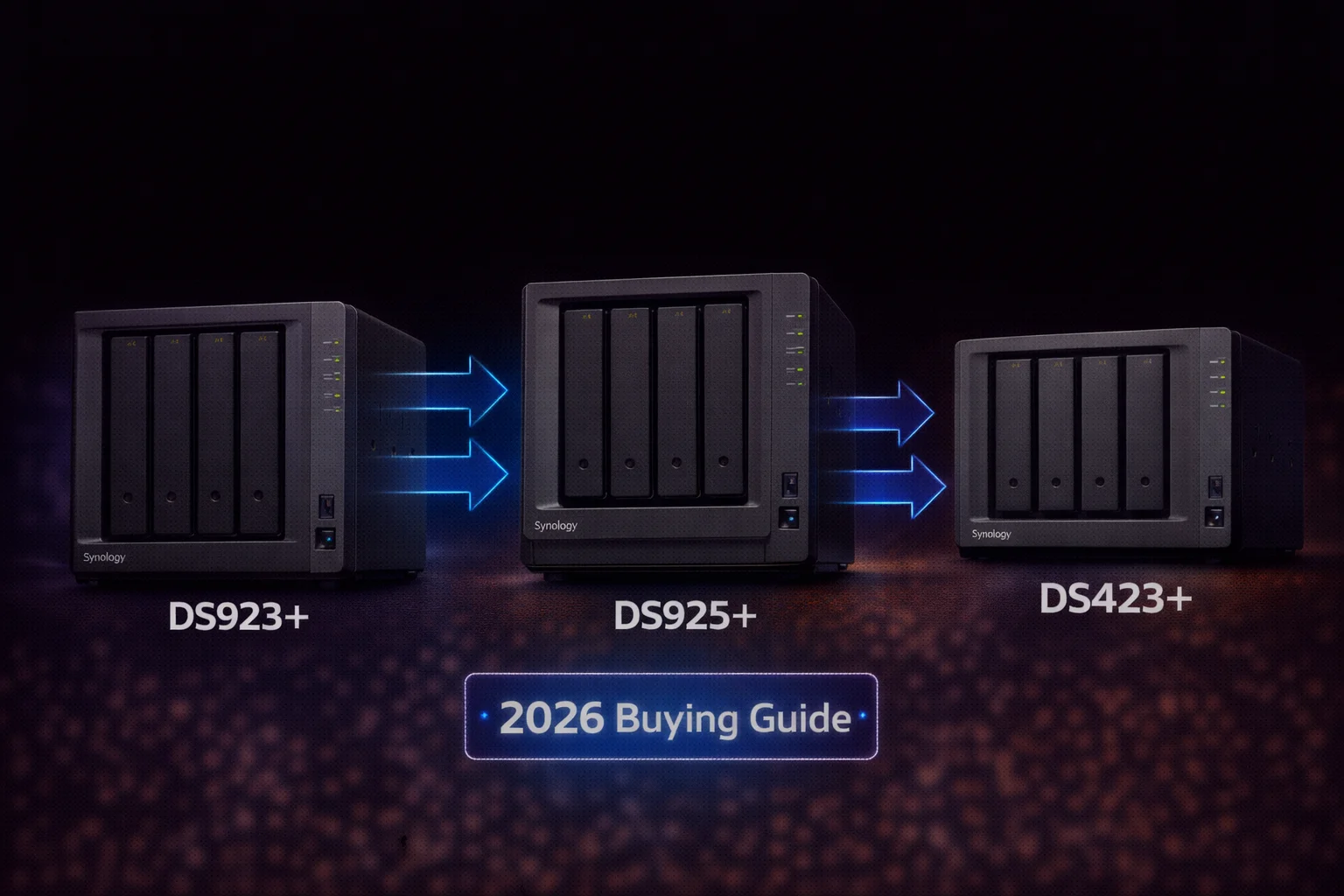
Quick Answer+
Quick Answer: The best Synology NAS for most users in 2026 is the DS923+ ($599) — it offers 4 bays, AMD Ryzen CPU, 10GbE upgrade capability, and excellent software. For the latest hardware with 2.5GbE built-in, choose the DS925+ ($640). For Plex with hardware transcoding, the DS423+ ($450) with Intel CPU is best. Budget users should consider the DS224+ ($300) for a capable 2-bay starter NAS.
Synology DS923+ 4-Bay NAS
4 Bays | AMD Ryzen R1600 | 4GB DDR4 ECC | 2x 1GbE (10GbE upgradeable) | 2x M.2 NVMe | Up to 9 drives with expansion
The best all-around Synology NAS for 2026. Upgradeable to 10GbE via PCIe slot, supports NVMe cache/storage, expandable to 9 drives. AMD Ryzen CPU handles Docker, VMs, and heavy workloads. Our top pick for serious home users and small businesses.
Choosing the right Synology NAS can be overwhelming with so many models available. This comprehensive guide cuts through the confusion with clear recommendations for every use case, budget, and skill level in 2026.
Table of Contents
- Quick Picks: Best Synology NAS by Category
- 2026 Synology Model Lineup
- DS925+ vs DS923+: Which to Buy?
- Best Synology by Use Case
- Best Synology by Budget
- Detailed Model Reviews
- Drive Recommendations
- Frequently Asked Questions
Quick Picks: Best Synology NAS by Category
| Category | Best Model | Price | Why |
|---|---|---|---|
| Best Overall | DS923+ | $599 | 10GbE upgradeable, proven reliability |
| Best 2025 Model | DS925+ | $640 | 2.5GbE built-in, longest support |
| Best for Plex | DS423+ | $450 | Intel CPU for hardware transcoding |
| Best for Surveillance | DS923+ | $599 | 4 bays, 2 free licenses, expandable |
| Best Budget | DS224+ | $300 | Capable 2-bay starter NAS |
| Best Value | DS423+ | $450 | Intel CPU, 4 bays, great price |
| Best for Business | DS1522+ | $700 | 5 bays, expandable, business features |
| Best Power User | DS1621+ | $900 | 6 bays, PCIe, max expandability |
2026 Synology Model Lineup
Here’s the complete current Synology lineup with key specifications:
Plus Series (Most Popular)
| Model | Bays | CPU | RAM | Network | 10GbE Option | Price |
|---|---|---|---|---|---|---|
| DS224+ | 2 | Intel J4125 | 2GB | 2x 1GbE | No | $300 |
| DS225+ | 2 | Intel J4125 | 2GB | 2x 2.5GbE | No | $320 |
| DS423+ | 4 | Intel J4125 | 2GB | 2x 1GbE | No | $450 |
| DS425+ | 4 | Intel J4125 | 2GB | 2x 2.5GbE | No | $480 |
| DS723+ | 2 | AMD R1600 | 2GB | 2x 1GbE | Yes (PCIe) | $400 |
| DS725+ | 2 | AMD R1600 | 2GB | 2x 2.5GbE | No | $420 |
| DS923+ | 4 | AMD R1600 | 4GB | 2x 1GbE | Yes (PCIe) | $599 |
| DS925+ | 4 | AMD V1500B | 4GB | 2x 2.5GbE | No | $640 |
| DS1522+ | 5 | AMD R1600 | 8GB | 4x 1GbE | Yes (PCIe) | $700 |
| DS1525+ | 5 | AMD V1500B | 8GB | 2x 2.5GbE | No | $750 |
| DS1621+ | 6 | AMD V1500B | 4GB | 4x 1GbE | Yes (PCIe) | $900 |
Key Differences: Intel vs AMD Models
| Feature | Intel Models (DS224+, DS423+) | AMD Models (DS923+, DS925+) |
|---|---|---|
| Hardware Transcoding | ✓ Yes (Quick Sync) | ✗ No |
| Plex Performance | Excellent (with transcoding) | Good (direct play only) |
| Docker/VMs | Adequate | Better |
| Multi-tasking | Good | Better |
| 10GbE Upgrade | No | Yes (on select models) |
| ECC RAM | No | Yes |
| Best For | Plex, casual use | Power users, business |
DS925+ vs DS923+: The Big Decision
This is the most common question in 2026. Here’s our detailed comparison:
Head-to-Head Comparison
| Specification | DS923+ | DS925+ | Winner |
|---|---|---|---|
| Price | $599 | $640 | DS923+ (-$41) |
| CPU | AMD R1600 (2C/4T, 3.1GHz boost) | AMD V1500B (4C/8T, 2.2GHz) | DS925+ (multi-thread) |
| Network | 2x 1GbE | 2x 2.5GbE | DS925+ |
| 10GbE Upgrade | Yes (PCIe slot) | No | DS923+ |
| RAM | 4GB DDR4 ECC | 4GB DDR4 ECC | Tie |
| Max RAM | 32GB | 32GB | Tie |
| M.2 Slots | 2x NVMe | 2x NVMe | Tie |
| Expansion Port | eSATA (DX517) | USB-C (DX525) | Tie |
| Support Timeline | ~8 years remaining | ~10 years | DS925+ |
| Noise (Idle) | 20.7 dB(A) | 18.2 dB(A) | DS925+ |
Our Verdict
Buy DS923+ if:
- You want 10GbE upgrade capability (big deal for performance)
- You find it discounted below $550
- You don’t need built-in 2.5GbE
- Budget is a concern
Buy DS925+ if:
- You want the newest model with longest support (10 years)
- Built-in 2.5GbE is important to you
- You run many Docker containers or VMs (more CPU threads)
- Quieter operation matters (home office)
Bottom line: The DS923+ is better value if you want 10GbE capability. The DS925+ is better for 2.5GbE users who want the latest hardware and longest support.
Best Synology NAS by Use Case
Best for Plex/Media Server: DS423+
Synology DS423+ 4-Bay NAS
4 Bays | Intel Celeron J4125 | 2GB DDR4 | 2x 1GbE | 2x M.2 NVMe | Hardware Transcoding
The best Synology for Plex users who need hardware transcoding. Intel Quick Sync handles 4K to 1080p transcoding effortlessly. 4 bays provide plenty of room for large media libraries.
Why DS423+ for Plex:
- Intel Quick Sync — Hardware transcoding for smooth playback
- 4 bays — 24-48TB for large media libraries
- Lower price — $450 vs $600+ for AMD models
- Excellent DSM software — Easy Plex installation via Package Center
Important note: AMD-based models (DS923+, DS925+) do NOT have hardware transcoding. They work with Plex but only for direct play — no transcoding.
Recommended drives: 4x Seagate IronWolf 12TB for 36TB usable (SHR)
Best for Surveillance: DS923+ or DS423+
For Synology Surveillance Station, both models work well:
| Cameras | Recommended Model | Drives | Total Cost |
|---|---|---|---|
| 2-4 cameras | DS224+ | 2x WD Purple 4TB | ~$440 |
| 4-8 cameras | DS423+ | 4x WD Purple 4TB | ~$730 |
| 8-16 cameras | DS923+ | 4x WD Purple 8TB | ~$1,180 |
| 16+ cameras | DS1522+ | 5x WD Purple 12TB | ~$2,050 |
Surveillance Station notes:
- All Plus models include 2 free camera licenses
- Additional licenses cost ~$50 per camera
- Use surveillance drives (WD Purple, SkyHawk) for best results
Related:Synology Surveillance NAS Complete Guide
Best for Home/Family: DS224+ or DS423+
For typical home use (photos, documents, backups):
Synology DS224+ 2-Bay NAS
2 Bays | Intel Celeron J4125 | 2GB DDR4 | 2x 1GbE | Hardware Transcoding | Synology Photos
Perfect entry-level NAS for families. Intel CPU supports hardware transcoding for Plex. Synology Photos provides excellent photo management. Expandable RAM. Great value at $299.
Why DS224+ for home:
- Affordable — $299 is accessible for most families
- Synology Photos — Excellent photo backup and sharing
- Intel transcoding — Stream videos to any device
- Easy setup — DSM is beginner-friendly
- 2 bays — 8-16TB is plenty for most families
Recommended drives: 2x WD Red Plus 8TB (~$300) for 8TB usable with redundancy
Best for Small Business: DS923+ or DS1522+
For business use requiring reliability, performance, and expandability:
Synology DS1522+ 5-Bay NAS
5 Bays | AMD Ryzen R1600 | 8GB DDR4 ECC | 4x 1GbE | 10GbE Upgradeable | Up to 15 drives
The ideal small business NAS. 5 native bays expandable to 15. AMD Ryzen CPU handles multiple users and services. 8GB ECC RAM. 10GbE upgrade via PCIe. Active Backup for Business included.
Why DS1522+ for business:
- 5 bays — More capacity and SHR-2 capability
- 8GB ECC RAM — Better data integrity
- 10GbE upgradeable — Future-proof networking
- Active Backup for Business — Free PC/server backup software
- Expandable to 15 drives — Room to grow
Recommended drives: 5x WD Red Pro 12TB (~$1,350) for 48TB usable (SHR-2)
Best Synology NAS by Budget
Under $350: DS224+
Best budget option: DS224+ ($299) + 2x WD Red Plus 4TB ($200) = $499 total
- 4TB usable storage with redundancy
- Intel hardware transcoding for Plex
- Perfect for beginners
$500-$700: DS423+ or DS923+
Best mid-range options:
| Config | NAS | Drives | Total | Usable |
|---|---|---|---|---|
| Plex focused | DS423+ ($450) | 4x IronWolf 8TB ($640) | $1,090 | 24TB |
| Power user | DS923+ ($599) | 4x WD Red Plus 8TB ($600) | $1,199 | 24TB |
$800+: DS923+ or DS1522+
Best high-end options:
| Config | NAS | Drives | Total | Usable |
|---|---|---|---|---|
| Enthusiast | DS923+ ($599) | 4x WD Red Pro 12TB ($1,080) | $1,679 | 36TB |
| Business | DS1522+ ($700) | 5x WD Red Pro 12TB ($1,350) | $2,050 | 48TB |
Detailed Model Reviews
Synology DS923+ Review
The best all-around Synology NAS.
| Pros | Cons |
|---|---|
| ✓ 10GbE upgrade via PCIe slot | ✗ Only 1GbE out of box |
| ✓ Proven, reliable platform | ✗ No hardware transcoding |
| ✓ ECC RAM support | ✗ Older 2022 release |
| ✓ Expandable to 9 drives | |
| ✓ Often discounted |
Best for: Power users, small business, anyone wanting 10GbE capability
Synology DS925+ Review
The latest 2025 flagship 4-bay.
| Pros | Cons |
|---|---|
| ✓ Built-in 2.5GbE networking | ✗ No 10GbE upgrade path |
| ✓ Newest model, longest support | ✗ No hardware transcoding |
| ✓ Quieter operation | ✗ Higher price than DS923+ |
| ✓ More CPU threads (4C/8T) | ✗ DSM 7.3 required for third-party drives |
| ✓ USB-C expansion |
Best for: Users wanting 2.5GbE, newest hardware, longest support timeline
Synology DS423+ Review
The best value Intel-based 4-bay.
| Pros | Cons |
|---|---|
| ✓ Hardware transcoding (Intel) | ✗ No 10GbE option |
| ✓ Excellent for Plex | ✗ Weaker CPU than AMD models |
| ✓ Great price ($450) | ✗ Only 2GB RAM (upgradeable) |
| ✓ 4 bays for media storage | ✗ No expansion unit support |
Best for: Plex users, home media servers, budget-conscious buyers
Synology DS224+ Review
The perfect entry-level NAS.
| Pros | Cons |
|---|---|
| ✓ Affordable ($299) | ✗ Only 2 bays |
| ✓ Hardware transcoding | ✗ Limited expandability |
| ✓ Perfect for beginners | ✗ Only 2GB RAM |
| ✓ Full DSM features | ✗ 1GbE only |
Best for: First-time NAS buyers, families, small photo/document storage
Synology DS1522+ Review
The best 5-bay for growing businesses.
| Pros | Cons |
|---|---|
| ✓ 5 native bays | ✗ Higher price ($700) |
| ✓ Expandable to 15 drives | ✗ No hardware transcoding |
| ✓ 8GB ECC RAM included | ✗ 1GbE out of box |
| ✓ 10GbE upgradeable | |
| ✓ 4x 1GbE ports |
Best for: Small business, growing storage needs, users wanting SHR-2
Drive Recommendations by Model
| Model | Recommended Drives | Total Usable (SHR) | Drive Cost |
|---|---|---|---|
| DS224+ | 2x WD Red Plus 8TB | 8TB | ~$300 |
| DS423+ | 4x Seagate IronWolf 8TB | 24TB | ~$640 |
| DS923+ | 4x WD Red Plus 8TB | 24TB | ~$600 |
| DS925+ | 4x Seagate IronWolf 12TB | 36TB | ~$800 |
| DS1522+ | 5x WD Red Pro 12TB | 48TB | ~$1,350 |
For surveillance: Use WD Purple or Seagate SkyHawk instead of NAS drives.
Related:Synology HDD Compatibility Guide
What to Look for When Buying a Synology NAS
CPU: Intel vs AMD
Choose Intel if:
- You plan to use Plex with transcoding
- You stream to devices that can’t direct play
- Hardware transcoding is a priority
Choose AMD if:
- You run Docker containers or VMs
- You need 10GbE upgrade capability
- ECC RAM is important to you
- You primarily use direct play for media
Number of Bays
- 2 bays: 4-16TB usable, good for home backup
- 4 bays: 12-48TB usable, ideal for most users
- 5+ bays: 32TB+ usable, for business or large media
Tip: Buy more bays than you think you need. Storage needs always grow, and it’s easier to add drives than replace the NAS.
RAM
- 2GB: Basic file storage, limited apps
- 4GB: Multiple apps, Docker, Surveillance Station
- 8GB+: Heavy Docker use, VMs, large Surveillance deployments
Note: Most Plus models support RAM upgrades. Check your model’s max before upgrading.
Networking
- 1GbE: ~110MB/s max, sufficient for most home users
- 2.5GbE: ~280MB/s max, good upgrade with affordable switches
- 10GbE: ~1,000MB/s max, for video editing and power users
Recommendation: If you edit video or transfer large files frequently, prioritize a model with 10GbE upgrade capability (DS923+, DS1522+).
Frequently Asked Questions
For most home users, the DS224+ ($299) or DS423+ ($450) are ideal. Both have Intel CPUs for Plex transcoding, run Synology Photos for family photo sharing, and offer excellent DSM software. Choose 2-bay (DS224+) for basic needs or 4-bay (DS423+) for larger media libraries.
Buy DS923+ if you want 10GbE upgrade capability or find it discounted. Buy DS925+ if you want built-in 2.5GbE, the newest hardware with longest support, or need more CPU threads for Docker/VMs. Both are excellent — the DS923+ offers better expandability while the DS925+ has better out-of-box networking.
The DS423+ ($450) is the best Synology for Plex. Its Intel J4125 CPU has Quick Sync hardware transcoding that handles 4K to 1080p conversion smoothly. AMD-based models (DS923+, DS925+) work with Plex but only for direct play — they cannot transcode efficiently.
Yes, for most users. Synology’s DSM software is the best in the industry — polished, secure, and regularly updated with 10-year support. QNAP offers better hardware specs but has had security issues. DIY (TrueNAS, Unraid) is more flexible but requires technical knowledge. Synology is the “Apple” of NAS — it just works.
For home use: 2 bays (4-16TB usable). For media servers: 4 bays (24-48TB usable). For business: 5+ bays (40TB+ with SHR-2 redundancy). Remember that SHR uses one drive for redundancy, so 4x 8TB gives you 24TB usable, not 32TB.
No. After the DSM 7.3 update (October 2025), third-party drives from WD, Seagate, and Toshiba work perfectly on all Synology models. Use NAS drives like WD Red Plus or Seagate IronWolf — they’re 25-50% cheaper than Synology HAT drives with identical performance.
Related Guides
Complete Synology Model Comparison Chart
Here’s an at-a-glance comparison of every current Plus model to help with your decision:
Performance Tiers
| Tier | Models | Best For | Price Range |
|---|---|---|---|
| Entry | DS224+, DS225+ | Home backup, small Plex, beginners | $300-$320 |
| Mid-Range Intel | DS423+, DS425+ | Plex transcoding, home media server | $450-$480 |
| Mid-Range AMD | DS723+, DS725+ | Power users, Docker, 2-bay limit | $400-$420 |
| Performance | DS923+, DS925+ | Serious home users, small business | $599-$640 |
| Business | DS1522+, DS1525+ | Growing business, heavy workloads | $700-$750 |
| Enterprise-lite | DS1621+, DS1821+ | Large storage, multiple services | $900-$1,100 |
Synology Software: Why It Matters
One of the biggest reasons to choose Synology over competitors is DiskStation Manager (DSM) — their operating system.
Key DSM Features
- Synology Drive: Dropbox-like file sync across devices
- Synology Photos: Google Photos alternative with AI face recognition
- Hyper Backup: Comprehensive backup to cloud or local storage
- Surveillance Station: Professional video surveillance (2 free licenses)
- Active Backup for Business: Free PC/server backup solution
- Container Manager: Docker containers made easy
- Virtual Machine Manager: Run VMs on your NAS
DSM Security Features
- 2-Factor Authentication: Extra security layer
- Auto-block: Blocks IPs after failed login attempts
- Firewall: Built-in network protection
- Security Advisor: Scans for vulnerabilities
- Snapshot Replication: Point-in-time recovery (Btrfs)
- Encryption: Volume and shared folder encryption
10-Year Software Support
Synology provides software updates for approximately 10 years from release. This is significantly longer than competitors:
| Brand | Typical Support Period |
|---|---|
| Synology | ~10 years |
| QNAP | ~5-7 years |
| UGREEN | Unknown (new brand) |
| Asustor | ~5-6 years |
Expansion Options
If you outgrow your initial storage, many Synology models support expansion units:
Expansion Unit Compatibility
| NAS Model | Expansion Unit | Additional Bays | Max Total Drives |
|---|---|---|---|
| DS923+ | DX517 (eSATA) | +5 bays | 9 drives |
| DS925+ | DX525 (USB-C) | +5 bays | 9 drives |
| DS1522+ | DX517 (eSATA) x2 | +10 bays | 15 drives |
| DS1621+ | DX517 (eSATA) x2 | +10 bays | 16 drives |
Note: It’s generally better to buy a larger NAS than rely on expansion units. Expansion units add cost ($500+) and complexity.
Common Mistakes to Avoid
Mistake 1: Buying Too Few Bays
Storage needs always grow faster than expected. If you’re deciding between 2 and 4 bays, get 4 bays. The price difference is minor compared to replacing the entire NAS later.
Mistake 2: Using Desktop Drives
Desktop drives (WD Blue, Seagate Barracuda) are not designed for 24/7 NAS use. They’ll fail faster and may use SMR technology that causes severe slowdowns. Use proper NAS drives.
Mistake 3: Skipping Redundancy
A single drive with no redundancy means one failure = complete data loss. Always use SHR or RAID for important data, and remember: RAID is not backup.
Mistake 4: Forgetting Backup
Your NAS needs to be backed up too. Use Hyper Backup to cloud storage (Backblaze B2, AWS S3) or an external drive. Follow the 3-2-1 rule: 3 copies, 2 media types, 1 offsite.
Mistake 5: Ignoring Network Speed
A fast NAS on a slow network is a waste. Ensure you have at least gigabit networking throughout your home/office. Consider 2.5GbE or 10GbE for video editing and large transfers.
Where to Buy Synology NAS
Recommended Retailers
- Amazon: Wide selection, competitive prices, fast shipping
- B&H Photo: Often has good deals, no tax in most states
- Newegg: Frequent sales, bundle deals
- Synology Authorized Resellers: Sometimes include drive bundles
- Costco: Occasional deals for members
When to Buy
- Best deals: Black Friday, Prime Day, holiday sales
- Avoid: Right before new model announcements (April-May typically)
- Refurbished: Synology refurbs are rare; buy new for warranty
Future-Proofing Your Purchase
When investing in a Synology NAS, consider these future-proofing factors:
Storage Growth
- Buy more bays than needed today — You can add drives later
- Consider maximum drive capacity — Most models support up to 20TB+ drives
- Expansion units available — But it’s better to buy bigger from the start
Network Speed Evolution
- 2.5GbE is becoming standard — Consider DS925+ or DS425+ for built-in 2.5GbE
- 10GbE for power users — Choose DS923+ or DS1522+ with PCIe slot
- Wi-Fi 7 compatibility — Faster wireless may benefit from faster NAS speeds
Software Support Longevity
- Newer models = longer support — DS925+ will get updates until ~2035
- DSM major versions — New features typically require recent hardware
- Security patches — Critical for network-connected devices
Total Cost of Ownership
Beyond the NAS itself, budget for these additional costs:
Initial Setup Costs
| Component | Budget | Typical | Premium |
|---|---|---|---|
| 4-Bay NAS | $450 (DS423+) | $599 (DS923+) | $700 (DS1522+) |
| 4x 8TB NAS Drives | $560 | $600 | $720 |
| UPS (Optional but recommended) | $60 | $100 | $200 |
| RAM Upgrade (Optional) | $0 | $50 | $150 |
| 10GbE Card (Optional) | $0 | $0 | $120 |
| Total | $1,070 | $1,349 | $1,890 |
Ongoing Costs
- Electricity: ~$20-50/year (NAS uses 20-40W typical)
- Cloud backup: ~$60-120/year (Backblaze B2, ~$5-10/TB/year)
- Surveillance licenses: ~$50 per additional camera
- Drive replacement: Budget for one drive every 3-4 years
Synology Guides
- Synology NAS Storage Guide (Main Hub)
- Synology HDD Compatibility 2026
- DS925+ vs DS923+ Detailed Comparison
- Synology RAID Guide: SHR vs RAID
- SHR (Synology Hybrid RAID) Explained
Use Case Guides
Drive Guides
Last updated: February 2026. Prices verified against current Amazon and retailer listings.
Final Recommendations Summary
After analyzing every current Synology model, here are our final recommendations for February 2026:
If You’re a First-Time NAS Buyer
Start with the DS224+ ($299). It’s affordable, capable, and perfect for learning. You’ll get hardware transcoding for Plex, Synology Photos for family photo management, and all the DSM features that make Synology great. Add 2x WD Red Plus 8TB ($300) for a complete setup under $600.
If You Want the Best All-Around NAS
The DS923+ ($599) remains our top pick. The 10GbE upgrade path via PCIe makes it future-proof for serious users. It’s proven, reliable, and often discounted. Pair it with 4x WD Red Plus 8TB for 24TB usable storage.
If You Want the Latest 2025 Hardware
The DS925+ ($640) is the newest 4-bay with built-in 2.5GbE networking. You’ll get the longest software support (~10 years) and more CPU threads for Docker/VMs. Just note it lacks the 10GbE upgrade path of the DS923+.
If Plex Transcoding is Critical
The DS423+ ($450) is your best bet. Its Intel J4125 CPU with Quick Sync handles hardware transcoding that AMD models cannot do. If transcoding is a must-have, this is the only choice in the mid-range.
If You’re Running a Small Business
The DS1522+ ($700) offers 5 bays for SHR-2 protection, 8GB ECC RAM, 10GbE upgrade capability, and enterprise features like Active Backup for Business. It’s the sweet spot for growing businesses with serious data protection needs.
No matter which model you choose, Synology’s excellent DSM software and long-term support make it a sound investment for your data storage needs.