Best WD My Cloud 2026 – Which Model Should You Buy?

Quick Answer+
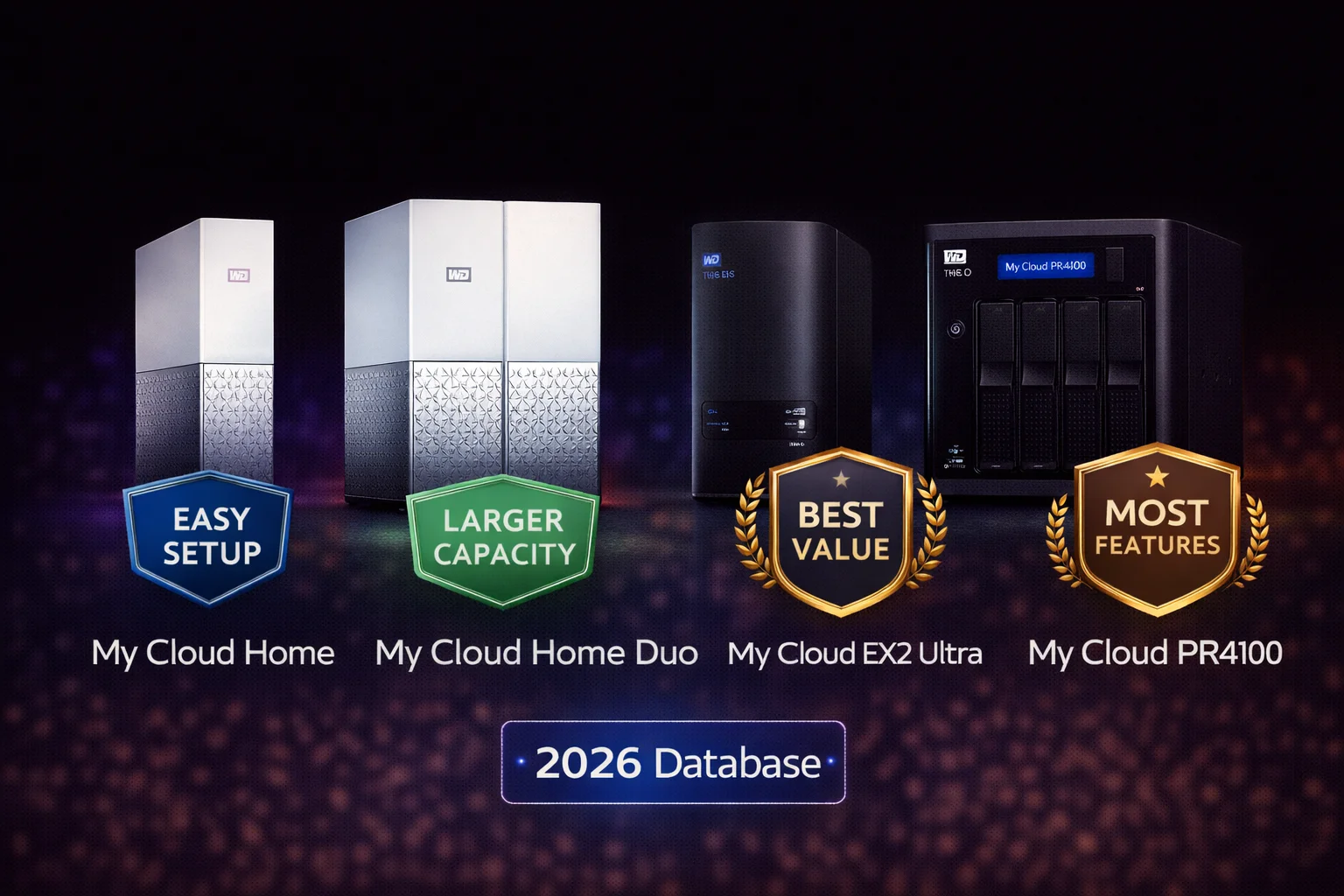
Quick Answer: The best WD My Cloud for most users is the My Cloud Home (4TB or 8TB) — it’s the easiest to set up and use, with smartphone-based management and automatic photo backup. For users who want data redundancy (protection against drive failure), get the My Cloud Home Duo which mirrors data across two drives. Power users who need Plex transcoding, RAID configuration options, or advanced NAS features should choose the EX2 Ultra (budget) or PR2100 (performance). The original single-bay My Cloud is discontinued — avoid buying it used.
WD My Cloud is Western Digital’s line of personal cloud storage devices — essentially network-attached storage (NAS) that lets you create your own private cloud at home. Unlike Dropbox or Google Drive, there are no monthly fees, your data stays on your own hardware, and you control everything.
But with multiple models at different price points, choosing the right one can be confusing. This guide breaks down every current WD My Cloud option so you can pick the best one for your specific needs.
WD My Cloud Model Comparison
| Model | Bays | Best For | Price Range | Our Rating |
|---|---|---|---|---|
| My Cloud Home | 1 | Simplicity, beginners | $180-$320 | ⭐⭐⭐⭐ |
| My Cloud Home Duo | 2 | Redundancy + simplicity | $330-$700 | ⭐⭐⭐⭐⭐ |
| My Cloud EX2 Ultra | 2 | Power users on budget | $170-$600 | ⭐⭐⭐⭐ |
| My Cloud PR2100 | 2 | Plex, transcoding | $400-$800 | ⭐⭐⭐⭐⭐ |
| My Cloud PR4100 | 4 | Maximum storage | $550-$1200 | ⭐⭐⭐⭐ |
Best WD My Cloud for Most People: My Cloud Home
WD My Cloud Home 4TB
4TB Capacity | Single Drive | Gigabit Ethernet | USB 3.0 | 256-bit AES Encryption | 2-Year Warranty
The simplest personal cloud storage device. Smartphone-based setup, automatic photo backup, and remote access without any technical knowledge required. Perfect for families who want to backup phones and share files.
The My Cloud Home is WD’s consumer-focused device designed for people who want cloud storage without cloud complexity. Setup takes 5 minutes using your smartphone — no computer required.
My Cloud Home Key Features
- Smartphone-first setup: Download the My Cloud Home app, plug in the device, follow the wizard
- Automatic phone backup: Photos and videos backup automatically over WiFi
- Remote access: Access files from anywhere via the app or mycloud.com
- Multi-user support: Each family member gets their own private storage space
- Plex built-in: Stream your media (but with limited transcoding capability)
- USB port: Import content from USB drives and cameras
My Cloud Home Capacity Options
| Capacity | Model Number | Est. Price | Price/TB | Best For |
|---|---|---|---|---|
| 2TB | WDBVXC0020HWT | $160 | $80/TB | Light users, phone backup only |
| 4TB | WDBVXC0040HWT | $200 | $50/TB | Most users, good value |
| 8TB | WDBVXC0080HWT | $320 | $40/TB | Families, media collections |
Our recommendation: The 4TB model offers the best balance of capacity and value for most households. If you have a large photo/video collection or multiple family members, go 8TB.
My Cloud Home Limitations
- No RAID: Single drive means no protection against drive failure — your data is at risk if the drive dies
- Cloud-dependent: Some features require WD’s servers to function; less capable offline than traditional NAS
- Limited customization: No SSH access, can’t install custom apps, limited advanced settings
- Weak transcoding: Plex struggles with format conversion — works best with direct play
- Non-upgradeable: Can’t swap the drive for a larger one yourself
Best WD My Cloud for Data Protection: My Cloud Home Duo
WD My Cloud Home Duo 8TB
8TB Total (2x4TB) | Mirror Mode | Gigabit Ethernet | USB 3.0 | 256-bit AES Encryption | 2-Year Warranty
Same easy setup as My Cloud Home, but with two drives that automatically mirror your data. If one drive fails, your files survive on the other. The best choice for protecting irreplaceable photos and documents.
The Home Duo is essentially two My Cloud Home drives in one enclosure, automatically mirroring your data for protection. It has the same simple interface as the standard Home but adds crucial redundancy.
Why Mirror Mode Matters
In mirror mode (enabled by default), everything you save is written to both drives simultaneously. This means:
- Drive failure protection: If either drive fails, your data remains safe on the other
- Automatic rebuild: Replace the failed drive and data automatically copies to the new one
- Peace of mind: Irreplaceable family photos and important documents are protected
Important: Mirror mode means you only get half the total capacity as usable storage. An 8TB Home Duo provides 4TB of usable space — the other 4TB is the mirror copy.
My Cloud Home Duo Capacity Options
| Total Capacity | Usable (Mirror) | Model Number | Est. Price | Price/Usable TB |
|---|---|---|---|---|
| 4TB (2x2TB) | 2TB | WDBMUT0040JWT | $330 | $165/TB |
| 8TB (2x4TB) | 4TB | WDBMUT0080JWT | $400 | $100/TB |
| 12TB (2x6TB) | 6TB | WDBMUT0120JWT | $550 | $92/TB |
| 16TB (2x8TB) | 8TB | WDBMUT0160JWT | $700 | $88/TB |
| 20TB (2x10TB) | 10TB | WDBMUT0200JWT | $850 | $85/TB |
Our recommendation: The 8TB model (4TB usable) hits the sweet spot for most families. If you have extensive media libraries or multiple photographers in the household, consider 16TB or 20TB.
My Cloud Home Duo vs My Cloud Home
| Feature | My Cloud Home | My Cloud Home Duo |
|---|---|---|
| Drive Bays | 1 | 2 |
| Data Redundancy | ❌ No | ✅ Yes (Mirror) |
| Drive Failure Protection | ❌ No | ✅ Yes |
| Usable Capacity | 100% of drive | 50% (mirror mode) |
| Setup Difficulty | Very Easy | Very Easy |
| Price Premium | Base | ~$130-200 more |
Bottom line: If your data is important to you (family photos, documents, etc.), the Home Duo’s redundancy is worth the extra cost. If you’re just using it for media you can re-download, the standard Home is fine.
Best WD My Cloud for Power Users: EX2 Ultra
WD My Cloud EX2 Ultra (Diskless)
2-Bay Diskless | 1.3GHz Dual-Core | 1GB RAM | Gigabit Ethernet | 2x USB 3.0 | RAID 0/1/JBOD | 2-Year Warranty
A true NAS with full control over RAID configuration, user permissions, and app installation. Buy diskless and add your own drives, or purchase pre-populated. Ideal for tech-savvy users who want flexibility.
The EX2 Ultra is WD’s entry-level “Expert Series” NAS — a significant step up in capability from the Home models. It’s designed for users who want more control over their storage.
EX2 Ultra vs My Cloud Home: Key Differences
| Feature | My Cloud Home | EX2 Ultra |
|---|---|---|
| Setup Method | Smartphone app | Web browser dashboard |
| RAID Options | None / Mirror only | RAID 0, 1, JBOD, Spanning |
| Drive Replacement | Not user-serviceable | Tool-less hot-swap |
| User/Permission Control | Basic | Full control |
| App Installation | Limited (Plex only) | Many apps available |
| SSH Access | No | Yes (can enable) |
| iSCSI Support | No | Yes |
| FTP Server | No | Yes |
| Buy Diskless Option | No | Yes |
EX2 Ultra Capacity Options
| Configuration | Model Number | Est. Price | Notes |
|---|---|---|---|
| Diskless (0TB) | WDBVBZ0000NCH | $170 | Add your own drives |
| 4TB (2x2TB) | WDBVBZ0040JCH | $350 | Pre-installed WD Red |
| 8TB (2x4TB) | WDBVBZ0080JCH | $450 | Pre-installed WD Red |
| 12TB (2x6TB) | WDBVBZ0120JCH | $550 | Pre-installed WD Red |
| 16TB (2x8TB) | WDBVBZ0160JCH | $650 | Pre-installed WD Red |
Should You Buy Diskless?
Buying the diskless EX2 Ultra and adding your own drives can save money — or cost more — depending on drive prices:
Buy diskless if:
- You already have compatible drives
- You want higher capacity than pre-populated options (e.g., 2x12TB or 2x16TB)
- You find drives on sale for less than WD’s bundle pricing
- You want to choose specific drives (WD Red Plus, Red Pro, Seagate IronWolf)
Buy pre-populated if:
- You want everything ready to go out of the box
- You don’t want to research drive compatibility
- The bundled price is competitive with diskless + separate drives
Recommended drives for EX2 Ultra:
- WD Red Plus — Best overall NAS drive, CMR recording
- WD Red Pro — Higher performance, 5-year warranty
- Seagate IronWolf — Excellent alternative with health monitoring
EX2 Ultra Limitations
- Weak CPU for Plex: The Marvell Armada 385 processor can’t transcode video — direct play only
- 1GB RAM: Adequate but not generous; can feel slow with many services running
- 2-year warranty: Shorter than Synology/QNAP competitors (3+ years)
- Software updates: WD’s My Cloud OS updates less frequently than competitors
Best WD My Cloud for Plex: PR2100
WD My Cloud PR2100 (Diskless)
2-Bay Diskless | Intel N3710 Quad-Core | 4GB RAM | Gigabit Ethernet | 2x USB 3.0 | Hardware Transcoding | 3-Year Warranty
The only WD My Cloud with Intel Quick Sync hardware transcoding. Smooth 1080p and 4K Plex streaming to any device, even with format conversion. The choice for serious media server users.
The PR2100 (and its 4-bay sibling, PR4100) are WD’s “Pro Series” — built specifically for media streaming and heavier workloads. The Intel processor is the key differentiator.
Why Intel Matters for Plex
The PR2100’s Intel Pentium N3710 processor includes Intel Quick Sync — dedicated hardware for video encoding/decoding. This enables:
- Real-time transcoding: Convert video formats on-the-fly without stuttering
- Multiple streams: Handle 2-4 simultaneous Plex streams
- Remote streaming: Transcode for bandwidth-limited remote viewing
- Subtitle burning: Embed subtitles without performance issues
- 4K to 1080p: Downscale 4K content for devices that can’t handle it
PR2100 vs EX2 Ultra
| Spec | EX2 Ultra | PR2100 |
|---|---|---|
| CPU | Marvell Armada 385 1.3GHz | Intel N3710 1.6GHz |
| RAM | 1GB DDR3 | 4GB DDR3L |
| Hardware Transcoding | ❌ No | ✅ Yes (Quick Sync) |
| Plex Streams | 1-2 direct play only | 2-4 with transcoding |
| Price (Diskless) | $170 | $400 |
| Warranty | 2 years | 3 years |
Bottom line: If Plex media streaming is a priority and you need transcoding capability, the PR2100 is worth the premium. If you only do direct play to capable devices, the EX2 Ultra saves money.
PR4100: When You Need More Bays
The PR4100 is identical to the PR2100 but with 4 drive bays instead of 2. Consider it if:
- You need more than 32TB of storage (the practical 2-bay limit with 16TB drives)
- You want RAID 5 (requires 3+ drives for single-drive fault tolerance with better capacity efficiency)
- You’re building a serious media server with room to grow
The PR4100 typically costs $150-200 more than the PR2100 diskless.
WD My Cloud Buyer’s Guide: Quick Decision Tree
Choose My Cloud Home if:
- You want the simplest possible setup (smartphone app, 5 minutes)
- You primarily want automatic phone photo/video backup
- You’re not technically inclined and don’t want to manage a NAS
- You can tolerate losing data if the drive fails (or you have other backups)
Choose My Cloud Home Duo if:
- Everything above, PLUS you want protection against drive failure
- You’re storing irreplaceable family photos and documents
- You’re willing to pay more for peace of mind
- You want the simplicity of Home with the safety of redundancy
Choose EX2 Ultra if:
- You want full control over RAID, users, and permissions
- You’re comfortable with browser-based setup and management
- You want to install apps beyond just Plex
- You want to choose your own drives or buy diskless
- Plex transcoding is NOT a priority (direct play only)
Choose PR2100/PR4100 if:
- Plex with transcoding is a primary use case
- You need to stream to devices that don’t support your media formats
- You want remote Plex access at reduced quality
- You need the most powerful WD NAS available
- Budget allows for the premium over EX2 Ultra
What About Synology and QNAP?
WD My Cloud competes with Synology and QNAP in the consumer NAS market. Here’s how they compare:
| Factor | WD My Cloud | Synology | QNAP |
|---|---|---|---|
| Ease of Use | Easiest (Home) | Moderate | Moderate |
| Software/Apps | Basic | Excellent | Very Good |
| Hardware Options | Limited | Good | Excellent |
| Community/Support | Basic | Excellent | Good |
| Price | Budget-friendly | Premium | Mid-range |
| Updates | Infrequent | Regular | Regular |
Our take: WD My Cloud Home/Home Duo are excellent for non-technical users who want simplicity. For power users, Synology’s software (DSM) is generally superior to WD’s My Cloud OS. However, WD’s pricing is often more attractive, especially for the EX2 Ultra diskless.
See our detailed comparisons: WD My Cloud vs Synology | WD My Cloud vs QNAP
Drives to Avoid: Original My Cloud (Discontinued)
The original single-bay My Cloud (model WDBCTL) is discontinued and should be avoided:
- No longer receives firmware updates (security risk)
- Older, slower hardware
- Limited features compared to current models
- No support from WD if issues arise
If you see these older models on eBay or refurbished sites, pass on them and get a current My Cloud Home instead.
Essential Accessories
UPS (Uninterruptible Power Supply)
A UPS protects your My Cloud from power surges and outages, which can corrupt data. Budget $50-100 for a basic UPS that provides 15-30 minutes of backup power — enough to safely shut down.
Ethernet Cable
All My Cloud devices require wired Ethernet. Use Cat5e or Cat6 cables for Gigabit speeds. Avoid old Cat5 cables (limited to 100Mbps).
Replacement/Upgrade Drives (EX2 Ultra, PR Series)
For diskless units or future upgrades, stock compatible NAS drives:
- WD Red Plus — 2TB to 14TB, CMR, great value
- WD Red Pro — 2TB to 24TB, 7200RPM, 5-year warranty
- Seagate IronWolf — 1TB to 18TB, health monitoring
Frequently Asked Questions
The My Cloud Home 4TB offers the best value for most users — around $200 for simple setup, automatic phone backup, and remote access. For users who need data redundancy, the Home Duo 8TB (4TB usable) at ~$400 provides protection against drive failure. Power users should consider the EX2 Ultra diskless at ~$170 plus their choice of drives.
Get the Home Duo if your data is irreplaceable. The Duo’s mirror mode means your files survive even if one drive completely fails. The standard Home has no redundancy — if the drive fails, your data is gone. For family photos and important documents, the Duo’s extra cost (~$130-200) is worthwhile insurance. For media you can re-download, the standard Home is fine.
Better depends on your needs. The EX2 Ultra offers more control: RAID options, user permissions, app installation, and SSH access. But it requires more technical knowledge to set up and manage. My Cloud Home is far easier — smartphone setup in 5 minutes. If you’re asking this question, you probably want the Home. If you know you need RAID configuration or advanced features, get the EX2 Ultra.
The PR2100 is the only WD My Cloud suitable for Plex transcoding. Its Intel processor with Quick Sync handles video conversion smoothly. The EX2 Ultra and Home models have ARM processors that can’t transcode — they work for Plex direct play only. If your devices support H.264/AAC directly, the cheaper models work fine. If you need transcoding for remote streaming or incompatible devices, get the PR2100.
For phone backup and documents: 2-4TB. A typical smartphone has 64-256GB of photos; 4TB handles multiple phones for years. For media collections: 8TB+. Movies in 1080p are 4-8GB each; 4K movies are 20-50GB. For serious media servers: 16TB+. Calculate your current usage and multiply by 3-5x for growth. Remember: Home Duo’s usable capacity is half the total (mirror mode).
No monthly fees. Unlike Dropbox, iCloud, or Google Drive, WD My Cloud is a one-time hardware purchase. You own the device and your data stays on your own hardware. Remote access through WD’s servers is free. The only ongoing costs are electricity (minimal) and eventual drive replacement if a drive fails after the warranty period.
Setup and Maintenance Considerations
Initial Setup Time
Setup difficulty varies significantly by model:
- My Cloud Home/Home Duo: 5-10 minutes. Download the app, plug in the device, follow the wizard. No computer needed.
- EX2 Ultra: 15-30 minutes. Browser-based setup, choose RAID configuration, create users and shares.
- PR2100/PR4100: 15-30 minutes. Similar to EX2 Ultra but more options to configure.
Ongoing Maintenance
All My Cloud devices are designed for “set and forget” operation, but some tasks help ensure longevity:
- Firmware updates: Check quarterly; updates include security patches
- Drive health monitoring: Check SMART status monthly on EX2/PR series
- Storage capacity: Keep at least 10-15% free space for optimal performance
- Backup verification: Periodically verify your backups are actually working
Warranty and Support
| Model | Warranty | Support Channel |
|---|---|---|
| My Cloud Home | 2 years | Phone, chat, online |
| My Cloud Home Duo | 2 years | Phone, chat, online |
| EX2 Ultra | 2 years | Phone, chat, online |
| PR2100 | 3 years | Phone, chat, online |
| PR4100 | 3 years | Phone, chat, online |
Note: Warranties cover the device only, not data recovery. Always maintain backups of critical data — even RAID is not a backup strategy.
Final Recommendations by Use Case
Best for families backing up phones: My Cloud Home Duo 8TB — simple setup with data protection for precious memories.
Best for tech enthusiasts on a budget: EX2 Ultra diskless with WD Red Plus drives — full NAS features at an affordable price.
Best for Plex media servers: PR2100 — the only WD option with reliable transcoding capability.
Best for maximum storage capacity: PR4100 diskless with 4x 16TB drives — up to 64TB raw, or 48TB usable in RAID 5.
Related Guides
- WD My Cloud Overview
- Setup Guide
- WD My Cloud vs Synology
- Plex Setup Guide
- WD Red Plus Drives
- WD Red Pro Drives
- Seagate IronWolf Drives
- NAS Drives Overview
Last updated: February 2026. Prices are estimates and subject to change — check current pricing via product links.