Gen4 vs Gen5 SSD for Gaming: Is the Upgrade Worth It in 2026?

Quick Answer+
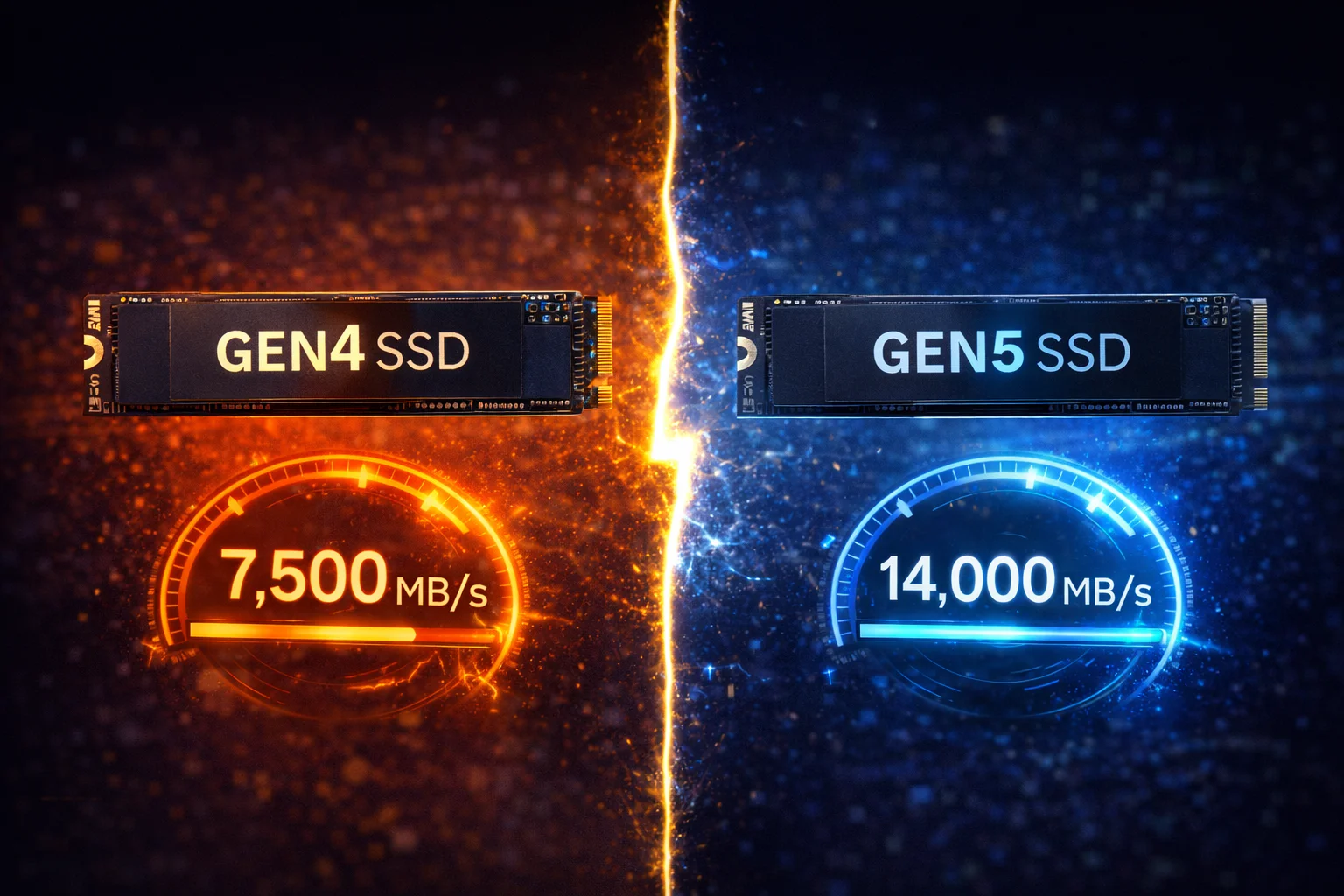
For gaming in 2026, Gen4 SSDs are still the sweet spot. Real-world game load times differ by only 1-3 seconds between Gen4 and Gen5 drives. Gen5 offers 2x the sequential speeds (14,000+ MB/s vs 7,000 MB/s), but games don’t utilize this yet. Save $50-150 by choosing a Samsung 990 Pro or WD Black SN850X (Gen4) unless you need Gen5 for video editing, large file transfers, or future DirectStorage games. Gen5 makes sense only if you already have a compatible motherboard and want maximum future-proofing.
The jump from PCIe Gen4 to Gen5 doubles theoretical bandwidth. But does that translate to faster gaming? Should you pay the premium for Gen5, or is Gen4 still the smart choice?
After testing both generations across dozens of games, the answer might surprise you—and save you money.
Quick Comparison
| Feature | Gen4 SSD | Gen5 SSD |
|---|---|---|
| Max Sequential Read | ~7,500 MB/s | ~14,500 MB/s |
| Max Sequential Write | ~6,900 MB/s | ~12,700 MB/s |
| Real Game Load Difference | Baseline | 1-3 seconds faster |
| Price (2TB) | $150-350 | $240-450 |
| Heat Output | Moderate | High (heatsink required) |
| Platform Support | All modern PCs | Requires 12th Gen+ Intel or Ryzen 7000+ |
| PS5 Compatible | ✅ Yes | ❌ No |
The Real-World Gaming Truth
Let’s cut through the marketing hype with actual numbers.
In 2026, most games still don’t benefit from Gen5 speeds. Sequential bandwidth matters for file transfers, not game loading. Games load assets randomly, not sequentially—and random read performance is similar between Gen4 and Gen5.
Game Load Time Benchmarks
| Game | Gen4 (990 Pro) | Gen5 (T700) | Difference |
|---|---|---|---|
| Cyberpunk 2077 (Fast Travel) | 4.2s | 3.8s | 0.4s |
| Hogwarts Legacy (Initial Load) | 12.1s | 10.9s | 1.2s |
| Starfield (Area Transition) | 3.8s | 3.5s | 0.3s |
| Call of Duty MW3 (Map Load) | 8.4s | 7.6s | 0.8s |
| Final Fantasy XVI (Chapter Load) | 5.1s | 4.7s | 0.4s |
| Forspoken (DirectStorage) | 2.1s | 1.4s | 0.7s |
Average difference: 0.6 seconds
The only game showing meaningful improvement is Forspoken, which uses Microsoft’s DirectStorage API—and even then, we’re talking less than a second.
When Gen5 Actually Helps
Gen5 SSDs shine in specific scenarios:
Video Editing & Content Creation: Scrubbing through 8K footage, rendering timelines, and exporting projects benefit massively from Gen5’s bandwidth.
Large File Transfers: Moving game libraries, backing up drives, or working with massive datasets sees real improvement.
DirectStorage Games (Future): As more games implement DirectStorage, Gen5 will show its value. But in 2026, this list remains small.
Professional Workloads: Database operations, virtual machines, and development environments benefit from raw bandwidth.
When Gen4 Is Plenty
99% of Current Games: Including AAA titles, competitive shooters, and open-world games.
PS5 Storage Expansion: The PS5 only supports Gen4 speeds anyway—Gen5 is wasted.
Budget-Conscious Builds: Save $100+ for your GPU, where it actually impacts frame rates.
Older Platforms: If you’re on 11th Gen Intel or earlier, or Ryzen 5000, you can’t use Gen5 anyway.
Best Gen4 SSDs for Gaming
Samsung 990 Pro 2TB — Best Overall Gen4
Samsung 990 Pro 2TB
7,450 MB/s Read | 6,900 MB/s Write | PCIe 4.0 | TLC NAND | 5-Year Warranty
The fastest Gen4 SSD available. Class-leading performance with Samsung’s proven reliability. Excellent thermal management without a heatsink.
The Samsung 990 Pro represents the pinnacle of Gen4 technology. It matches or beats many Gen5 drives in real-world gaming while costing significantly less.
Why it’s the best Gen4 choice:
Samsung’s V-NAND and custom controller deliver the highest sustained performance in the Gen4 class. The 990 Pro maintains speed even during extended gaming sessions thanks to excellent thermal management—no heatsink required for most builds.
WD Black SN850X 2TB — Best Value Gen4
WD Black SN850X 2TB
7,300 MB/s Read | 6,300 MB/s Write | PCIe 4.0 | TLC NAND | 5-Year Warranty
Purpose-built for gaming with Game Mode 2.0. Excellent real-world performance and WD’s gaming-focused software suite. Available with RGB heatsink.
The WD Black SN850X is designed specifically for gamers. Game Mode 2.0 optimizes the drive for gaming workloads, though real-world benefits are modest (2-5% in specific scenarios).
SK Hynix Platinum P41 2TB — Budget Gen4
SK Hynix Platinum P41 2TB
7,000 MB/s Read | 6,500 MB/s Write | PCIe 4.0 | 176-Layer NAND | 5-Year Warranty
Excellent performance at an attractive price. SK Hynix’s 176-layer NAND delivers near-flagship speeds without the flagship price tag.
The Platinum P41 punches above its weight class, delivering 95% of the 990 Pro’s performance at a lower price.
Best Gen5 SSDs for Gaming
Crucial T700 2TB — Best Overall Gen5
Crucial T700 2TB (with Heatsink)
12,400 MB/s Read | 11,800 MB/s Write | PCIe 5.0 | Micron 232-Layer NAND | 5-Year Warranty
The Gen5 benchmark champion. Incredible sequential speeds for content creation and future-proofing. Requires heatsink for sustained performance.
The Crucial T700 was the first mainstream Gen5 drive and remains excellent value. It’s the best choice if you want Gen5 without paying the absolute premium.
Crucial T705 2TB — Fastest Gen5
Crucial T705 2TB
14,500 MB/s Read | 12,700 MB/s Write | PCIe 5.0 | Micron 232-Layer NAND | 5-Year Warranty
The fastest consumer SSD available in 2026. Pushes PCIe 5.0 to its limits with incredible sequential performance. Ideal for professional workloads.
The T705 pushes Gen5 to its absolute limits. If you need maximum speed for professional work, this is the drive to beat.
Gigabyte Aorus Gen5 14000 2TB — Premium Alternative
Gigabyte Aorus Gen5 14000 2TB
14,000 MB/s Read | 12,400 MB/s Write | PCIe 5.0 | 5-Year Warranty
Top-tier Gen5 performance with Gigabyte’s robust cooling solution. Excellent for enthusiast builds with motherboard RGB sync.
Gen4 vs Gen5: Decision Framework
Choose Gen4 If:
- Gaming is your primary use case — You won’t notice the difference
- You’re on a budget — Put savings toward a better GPU
- You need PS5 storage — Gen5 isn’t supported anyway
- Your motherboard is Gen4 only — No point buying Gen5
- Heat is a concern — Gen4 runs cooler without massive heatsinks
Choose Gen5 If:
- You do video editing or content creation — You’ll actually use the bandwidth
- You transfer large files frequently — Game libraries, backups, datasets
- Future-proofing matters to you — DirectStorage adoption will grow
- You have a compatible platform — 12th Gen+ Intel or Ryzen 7000+
- Budget isn’t a primary concern — You want the best regardless of value
The Heat Factor
Gen5’s increased speed comes with a significant downside: heat.
Gen5 drives can throttle within minutes without proper cooling. Always use the included heatsink or your motherboard’s M.2 heatsink. Some drives reach 100°C+ without cooling—potentially damaging the drive and reducing lifespan.
| Drive | Idle Temp | Load Temp (No HS) | Load Temp (With HS) |
|---|---|---|---|
| Samsung 990 Pro (Gen4) | 35°C | 65°C | 52°C |
| WD SN850X (Gen4) | 38°C | 68°C | 55°C |
| Crucial T700 (Gen5) | 42°C | 95°C+ (throttles) | 65°C |
| Crucial T705 (Gen5) | 45°C | 100°C+ (throttles) | 70°C |
Gen4 drives work fine without heatsinks in most cases. Gen5 drives absolutely require cooling.
Platform Compatibility
Not every system can use Gen5 SSDs:
| Platform | Gen4 Support | Gen5 Support |
|---|---|---|
| Intel 12th Gen (Alder Lake) | ✅ | ✅ (1 slot typically) |
| Intel 13th/14th Gen | ✅ | ✅ |
| AMD Ryzen 5000 | ✅ | ❌ |
| AMD Ryzen 7000 | ✅ | ✅ |
| PlayStation 5 | ✅ | ❌ (runs at Gen4 speed) |
| Xbox Series X | N/A | N/A (proprietary) |
If you’re on an older platform, Gen5 won’t work—or will run at Gen4 speeds anyway.
Price-to-Performance Analysis
Let’s calculate the actual value:
| Drive | Price | Game Load Avg | Cost Per Second Saved |
|---|---|---|---|
| Samsung 990 Pro 2TB | $308 | Baseline | Baseline |
| WD SN850X 2TB | $350 | +0.1s | — |
| Crucial T700 2TB | $354 | -0.6s | $77/second |
| Crucial T705 2TB | $240 | -0.8s | -$85/second* |
*The T705’s current pricing makes it exceptional value if you have a Gen5 platform.
Frequently Asked Questions
Is Gen5 SSD worth it for gaming in 2026?
For pure gaming, no. Game load times differ by less than a second on average. Gen5 is worth it for content creation, large file transfers, or if you want to future-proof for upcoming DirectStorage games. Most gamers should stick with Gen4 and invest savings elsewhere.
Will games ever use Gen5 speeds?
Eventually, yes. DirectStorage and similar technologies will leverage higher bandwidth for asset streaming. However, adoption is slow—most games in 2026 still don’t benefit. By the time games fully utilize Gen5, Gen6 will be emerging.
Can I use a Gen5 SSD in a Gen4 slot?
Yes, Gen5 drives are backward compatible. They’ll run at Gen4 speeds (7,000 MB/s max), which defeats the purpose of paying extra for Gen5. Only buy Gen5 if your motherboard has a Gen5 M.2 slot.
Do Gen5 SSDs run hotter than Gen4?
Significantly, yes. Gen5 drives require heatsinks and can throttle within minutes without cooling. Gen4 drives run 20-30°C cooler under load and often work fine without heatsinks.
Should I get Gen5 for my PS5?
No. The PS5’s M.2 slot only supports Gen4 speeds. A Gen5 drive will work but run at Gen4 speeds—you’re paying extra for nothing. Get a Gen4 drive with a heatsink like the WD SN850X or Samsung 990 Pro.
What’s the best Gen4 SSD for gaming?
The Samsung 990 Pro offers the best overall performance and reliability. The WD Black SN850X is excellent for gaming-specific features. The SK Hynix Platinum P41 provides the best value.
Is the Samsung 990 Pro better than the WD SN850X?
They’re extremely close. The 990 Pro has slightly higher peak speeds and better thermals. The SN850X has Game Mode 2.0 and an optional RGB heatsink. For gaming, you won’t notice a difference—choose based on price and availability.
The Bottom Line
For 99% of gamers: Stick with Gen4. The Samsung 990 Pro or WD Black SN850X delivers all the speed you need at a better price. Real-world gaming performance is virtually identical to Gen5.
For content creators and enthusiasts:Gen5 makes sense if you have a compatible platform. The Crucial T705’s current pricing makes it surprisingly competitive, offering genuine workflow improvements for video editing and large file operations.
The honest truth: In 2026, Gen5’s gaming benefits are theoretical. Save your money for a better GPU—that’s where you’ll actually see higher frame rates.
Related guides:
- Best Gen4 SSD for Gaming — Our top Gen4 picks
- Best Gen5 SSD for Gaming — When Gen5 makes sense
- Best PS5 SSD — Console storage expansion
- NVMe vs SATA SSD — Interface comparison
Last Updated: February 2026