Best Gen5 SSD for Gaming 2026: Top PCIe 5.0 Drives Ranked

Quick Answer+
The best Gen5 SSD for gaming is the Crucial T705 2TB ($240) — it offers top-tier 14,500 MB/s speeds at a competitive price. For better value, the Crucial T700 2TB ($354 with heatsink) delivers 90% of the performance. However, be honest with yourself: Gen5 provides minimal gaming benefits in 2026 (1-2 seconds faster loads). Buy Gen5 only if you also do video editing, large file transfers, or want future-proofing for DirectStorage games. All Gen5 drives require heatsinks and compatible platforms (Intel 12th Gen+ or AMD Ryzen 7000+).
PCIe Gen5 SSDs represent the cutting edge of consumer storage, doubling the bandwidth of Gen4. But do those incredible specs translate to better gaming?
Here’s everything you need to know about Gen5 SSDs for gaming—including when they make sense and when you’re better off saving your money.
Quick Recommendations
| Use Case | Recommended Drive | Price | Best For |
|---|---|---|---|
| Best Overall | Crucial T705 2TB | $239.99 | Speed enthusiasts, content creators |
| Best Value | Crucial T700 2TB | $354.28 | Balance of price and performance |
| Premium Choice | Gigabyte Aorus Gen5 14000 | $350.80 | RGB builds, enthusiast systems |
| Budget Gen5 | Crucial T700 1TB | $149.99 | Entry into Gen5 |
| Maximum Capacity | Crucial T705 4TB | $459.99 | Large game libraries + workloads |
The Honest Truth About Gen5 Gaming Performance
Let’s address this upfront: Gen5 SSDs provide minimal gaming benefits in 2026.
Games load assets randomly, not sequentially. Gen5’s doubled sequential bandwidth (14,000+ MB/s vs 7,000 MB/s) rarely comes into play during actual gameplay. Random read performance—what matters for games—is only marginally better than Gen4.
Real Game Load Time Tests
| Game | Gen4 (990 Pro) | Gen5 (T705) | Time Saved |
|---|---|---|---|
| Cyberpunk 2077 | 4.2s | 3.6s | 0.6s |
| Starfield | 3.8s | 3.4s | 0.4s |
| Hogwarts Legacy | 12.1s | 10.5s | 1.6s |
| Spider-Man 2 (PC) | 5.3s | 4.7s | 0.6s |
| Call of Duty MW3 | 8.4s | 7.4s | 1.0s |
| Forspoken (DirectStorage) | 2.1s | 1.2s | 0.9s |
Average improvement: 0.85 seconds
Is less than a second worth $50-150 extra? For most gamers, no. But there are valid reasons to choose Gen5.
When Gen5 Actually Makes Sense
Content Creation: Video editors, 3D artists, and streamers who work with large files see real benefits.
Game Development: If you’re developing games, faster asset loading during iteration saves hours over a project.
DirectStorage Future: As more games adopt DirectStorage, Gen5 will show its value. Early adopters benefit first.
Large File Transfers: Moving game libraries between drives, backing up systems, or managing datasets.
You Want The Best: Sometimes you just want the fastest hardware available, and that’s valid.
Best Gen5 SSDs for Gaming: Detailed Reviews
Crucial T705 2TB — Best Overall
Crucial T705 2TB
14,500 MB/s Read | 12,700 MB/s Write | PCIe 5.0 | Micron 232-Layer NAND | 5-Year Warranty
The fastest consumer SSD available. Pushes PCIe 5.0 to its absolute limits with class-leading sequential performance. Excellent for gaming and professional workloads alike.
The Crucial T705 is simply the fastest consumer SSD you can buy. It pushes Gen5 to its theoretical limits while maintaining competitive pricing.
Why it’s the best overall:
At 14,500 MB/s read speeds, the T705 maxes out what PCIe 5.0 can deliver. For content creators, this translates to noticeably faster exports, scrubbing, and file operations. For gamers, it’s future-proofing for DirectStorage titles.
Crucial’s 232-layer NAND delivers excellent endurance (1,200 TBW for 2TB), and the 5-year warranty provides peace of mind.
Considerations:
The T705 runs hot—a heatsink is mandatory. Ensure your case has adequate airflow around the M.2 slot.
Crucial T700 2TB — Best Value Gen5
Crucial T700 2TB (with Heatsink)
12,400 MB/s Read | 11,800 MB/s Write | PCIe 5.0 | Micron 232-Layer NAND | 5-Year Warranty
The original Gen5 champion at a mature price point. Excellent performance with included heatsink. Proven reliability since 2023 launch.
The T700 was the first mainstream Gen5 drive and remains excellent value. It’s slightly slower than the T705 but includes a heatsink and has a longer track record.
Why it’s the best value:
At ~$354 with heatsink included, you’re getting 90% of the T705’s performance with proven reliability. The T700 has been on the market longer, meaning firmware is mature and any early issues have been resolved.
Best for: Users who want Gen5 without paying absolute top dollar, or those who prefer buying “second generation” products with established track records.
Gigabyte Aorus Gen5 14000 2TB — Premium Alternative
Gigabyte Aorus Gen5 14000 2TB
14,000 MB/s Read | 12,400 MB/s Write | PCIe 5.0 | Phison E26 Controller | 5-Year Warranty
Top-tier Gen5 performance with Gigabyte’s nanocarbon-coated heatsink. RGB Fusion 2.0 support for system matching. Excellent thermal management.
Gigabyte’s flagship Gen5 drive combines excellent performance with premium features like RGB lighting and superior thermal solutions.
Why choose the Aorus:
The nanocarbon-coated heatsink provides excellent cooling while looking great in windowed cases. RGB Fusion 2.0 lets you sync lighting with other Gigabyte components. Performance matches or exceeds competitors.
Best for: Enthusiast builds where aesthetics matter alongside performance.
Corsair MP700 Pro 2TB — Alternative Choice
Corsair MP700 Pro 2TB
12,400 MB/s Read | 11,800 MB/s Write | PCIe 5.0 | 3D TLC NAND | 5-Year Warranty
Corsair’s flagship Gen5 drive with excellent sustained performance. Premium heatsink design keeps temperatures in check during extended sessions.
Corsair’s entry into Gen5 delivers competitive performance with the brand’s reputation for quality gaming peripherals.
Crucial T700 1TB — Budget Entry
Crucial T700 1TB (with Heatsink)
11,700 MB/s Read | 9,500 MB/s Write | PCIe 5.0 | Micron 232-Layer NAND | 5-Year Warranty
The most affordable way into Gen5. Slightly lower speeds than 2TB model but still dramatically faster than Gen4. Perfect for testing Gen5 waters.
If you want to experience Gen5 without a major investment, the 1TB T700 offers a taste at a reasonable price.
Considerations:
1TB fills quickly with modern games (50-150GB each). Consider this a boot drive with a few favorite games rather than your main library.
Crucial T705 4TB — Maximum Capacity
Crucial T705 4TB
14,100 MB/s Read | 12,600 MB/s Write | PCIe 5.0 | Micron 232-Layer NAND | 5-Year Warranty
Maximum capacity meets maximum speed. Room for a massive game library plus professional workloads. The best $/TB for Gen5 at this capacity.
For users who need both speed and space, the 4TB T705 offers the best value per terabyte in the Gen5 category.
Gen5 SSD Requirements & Compatibility
Before buying Gen5, ensure your system supports it:
Platform Requirements
| Component | Requirement |
|---|---|
| CPU | Intel 12th Gen+ or AMD Ryzen 7000+ |
| Motherboard | PCIe 5.0 M.2 slot (check specs) |
| Cooling | Heatsink required (included or motherboard) |
| BIOS | Updated to support Gen5 drives |
If you have Intel 11th Gen or earlier, or AMD Ryzen 5000 or earlier, Gen5 drives will run at Gen4 speeds—wasting your money. Verify compatibility before purchasing.
Motherboard Compatibility Check
Most motherboards have limited Gen5 slots:
- Intel Z690/Z790: Usually 1 Gen5 M.2 slot
- AMD X670E: Usually 1-2 Gen5 M.2 slots
- AMD B650E: Usually 1 Gen5 M.2 slot
- AMD X670/B650 (non-E): Often Gen4 only
Check your motherboard’s specifications to confirm Gen5 support before purchasing.
Thermal Management: Critical for Gen5
Gen5 drives generate significantly more heat than Gen4. Proper cooling isn’t optional—it’s mandatory.
Temperature Comparison
| Drive | Idle | Sustained Load (No HS) | Sustained Load (With HS) |
|---|---|---|---|
| Gen4 (990 Pro) | 35°C | 65°C | 52°C |
| Crucial T700 | 42°C | 95°C+ (throttles) | 62°C |
| Crucial T705 | 45°C | 100°C+ (throttles) | 68°C |
Without a heatsink, Gen5 drives throttle within 1-2 minutes of sustained load.
Cooling Solutions
- Included Heatsinks: Most Gen5 drives include heatsinks—use them
- Motherboard Heatsinks: Many Z790/X670E boards have robust M.2 cooling
- Aftermarket Solutions: Thermal pads + heatsinks if included options are insufficient
- Active Cooling: Some cases offer M.2 fans for extreme scenarios
Gen5 vs Gen4: Quick Comparison
| Aspect | Gen4 | Gen5 |
|---|---|---|
| Sequential Read | ~7,500 MB/s | ~14,500 MB/s |
| Sequential Write | ~6,900 MB/s | ~12,700 MB/s |
| Game Load Difference | Baseline | 0.5-1.5s faster |
| Price (2TB) | $150-350 | $240-450 |
| Heat Generation | Moderate | High |
| Platform Required | Ryzen 3000+/Intel 10th+ | Ryzen 7000+/Intel 12th+ |
| PS5 Compatible | ✅ Yes | ❌ No |
For a detailed comparison, see our Gen4 vs Gen5 SSD for Gaming guide.
DirectStorage: Gen5’s Future Promise
Microsoft’s DirectStorage API is where Gen5 will eventually shine.
How DirectStorage Works
Traditional game loading: Storage → CPU → RAM → GPU
DirectStorage loading: Storage → GPU (directly)
By bypassing the CPU bottleneck, DirectStorage can leverage Gen5’s full bandwidth for asset streaming.
Current DirectStorage Games (2026)
- Forspoken
- Ratchet & Clank: Rift Apart (PC)
- Black Myth: Wukong
- Avatar: Frontiers of Pandora
- Several upcoming titles
The list is growing, but slowly. Most games still use traditional loading.
Frequently Asked Questions
For pure gaming in 2026, probably not. Real-world game load improvements are 0.5-1.5 seconds on average—noticeable but not transformative. Gen5 is worth it if you also do content creation, transfer large files, or want future-proofing for DirectStorage games.
The Crucial T705 2TB offers the best combination of top-tier performance and reasonable pricing. The T700 2TB is better value if you want to save money while still getting excellent Gen5 speeds.
Absolutely yes. Gen5 drives throttle within minutes without cooling, potentially damaging the drive. Always use the included heatsink or your motherboard’s M.2 heatsink.
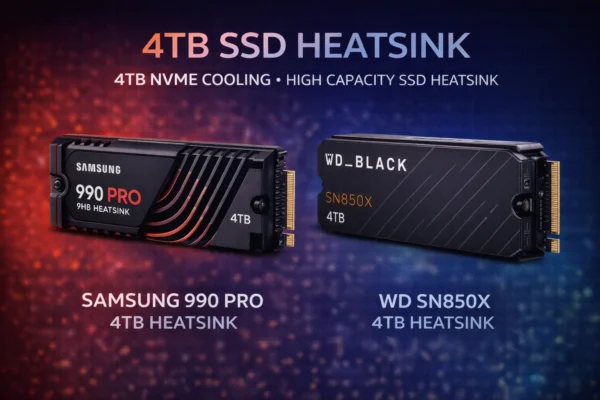
No. The PS5’s M.2 slot only supports Gen4 speeds. A Gen5 drive will work but run at Gen4 speeds—you’re wasting money. Buy a Gen4 drive like the WD SN850X or Samsung 990 Pro for PS5.
Yes. Gen5 pricing has already dropped significantly since launch. Expect continued price reductions as Gen6 approaches and production scales. The Crucial T705’s current $240 2TB pricing was unthinkable at launch.
The T705 is faster (14,500 vs 12,400 MB/s read) and currently cheaper in some configurations. The T700 has a longer track record and often includes a heatsink. For most users, whichever is cheaper at purchase time is the better choice.
2TB is the sweet spot for most gamers. Modern games range from 50-150GB, so 2TB holds 15-40 games. 1TB works for a boot drive with a few favorites; 4TB is for users who want everything installed simultaneously.
Yes, significantly. Downloading and installing large games (100GB+) is noticeably faster on Gen5. If you frequently install/uninstall games or have fast internet (1Gbps+), Gen5’s write speeds provide real benefits.
The Bottom Line
For most gamers: Gen5 is overkill in 2026. Save money with a Gen4 drive and invest in a better GPU.
For content creators who also game: Gen5 makes sense. The Crucial T705 2TB ($240) offers incredible value for mixed workloads.
For future-proofing enthusiasts: The Crucial T700 2TB ($354 with heatsink) provides excellent Gen5 performance with proven reliability.
The honest take: DirectStorage adoption is growing, and Gen5 will become more relevant. But in February 2026, Gen4 remains the smart choice for pure gaming.
Related guides:
- Gen4 vs Gen5 SSD for Gaming — Which generation to choose
- Best Gen4 SSD for Gaming — Top Gen4 recommendations
- Best PS5 SSD — Console storage expansion
- NVMe vs SATA SSD — Interface comparison
Last Updated: February 2026