i7-14700K vs Ryzen 7 7800X3D 2026: Complete CPU Comparison

Quick Answer+
Quick Answer: The Ryzen 7 7800X3D (~$386) wins for pure gaming with 10-15% higher frame rates thanks to 96MB 3D V-Cache. The i7-14700K (~$367) wins for productivity with 60-95% better multi-threaded performance. Choose based on whether gaming or productivity is your primary focus.
The Intel Core i7-14700K and AMD Ryzen 7 7800X3D represent fundamentally different approaches to high-end desktop computing. Intel delivers 20 cores for productivity dominance with respectable gaming, while AMD’s revolutionary 3D V-Cache technology delivers unmatched gaming performance with just 8 cores. These CPUs aren’t competing for the same user—they’re optimized for different priorities.
This comprehensive comparison examines gaming benchmarks, productivity performance, thermals, power consumption, platform costs, and real-world value to help you make the right choice. Use our Bottleneck Calculator to test specific GPU pairings, or check our FPS Calculator for game-specific performance estimates.
The CPUs at a Glance
AMD Ryzen 7 7800X3D
8 Cores | 16 Threads | 5.0 GHz Boost | 96MB Cache | AM5
AMD’s 3D V-Cache gaming champion. 96MB L3 cache delivers 10-15% higher gaming frame rates than any Intel CPU. Efficient, cool-running, excellent value for gaming-focused builds.
Intel Core i7-14700K
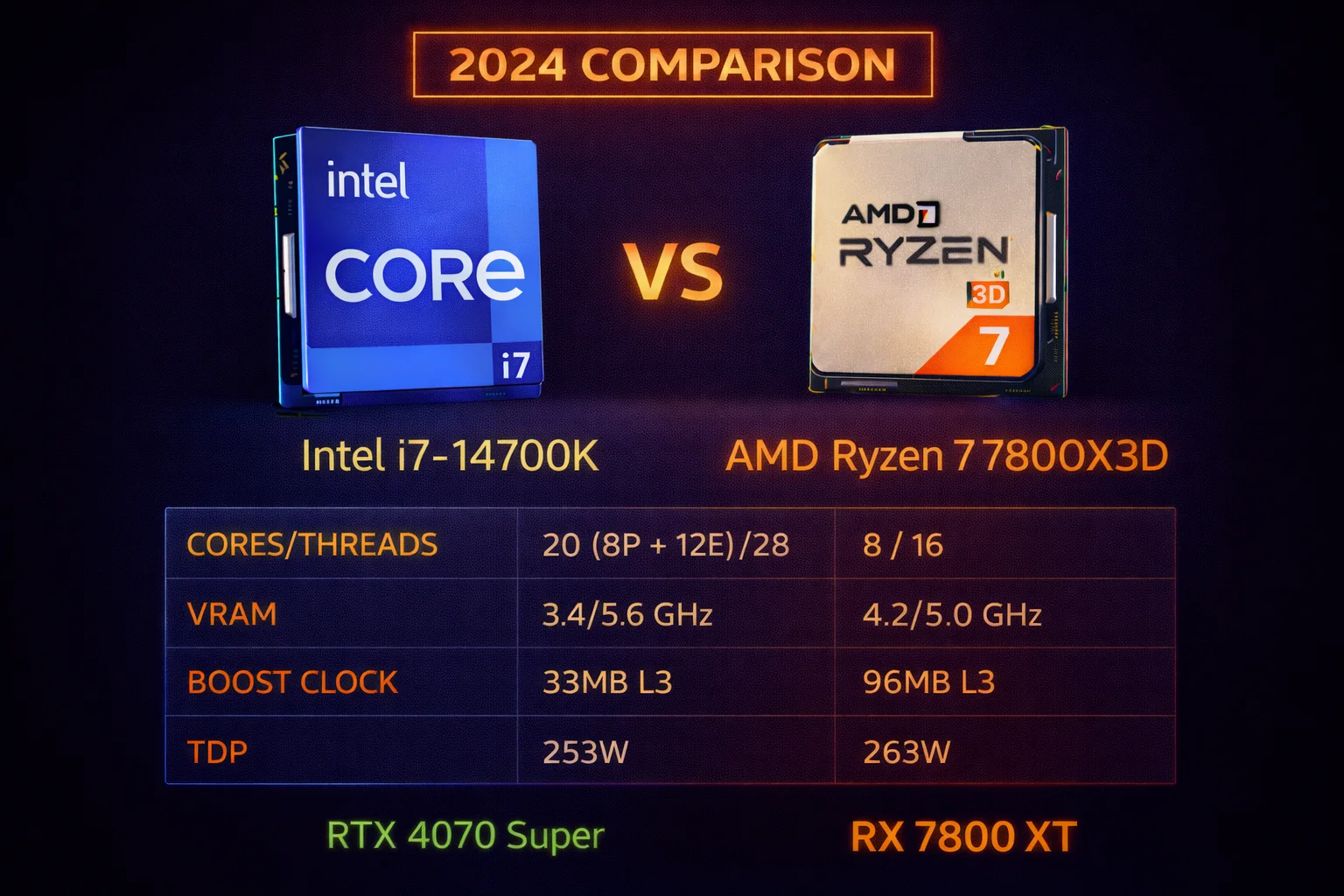
20 Cores (8P+12E) | 28 Threads | 5.6 GHz Boost | 33MB Cache | LGA 1700
Intel’s hybrid workhorse. 20 cores and 28 threads dominate multi-threaded workloads. Excellent for content creators, streamers, and developers who also game.
Specifications Comparison
| Specification | Intel i7-14700K | AMD Ryzen 7 7800X3D |
|---|---|---|
| Architecture | Raptor Lake Refresh | Zen 4 + 3D V-Cache |
| Cores / Threads | 20 (8P + 12E) / 28 | 8 / 16 |
| P-Cores | 8 (Performance) | N/A (all equal) |
| E-Cores | 12 (Efficiency) | N/A |
| Base Clock | 3.4 GHz | 4.2 GHz |
| Boost Clock | 5.6 GHz | 5.0 GHz |
| L3 Cache | 33MB | 96MB (64MB 3D V-Cache) |
| L2 Cache | 28MB | 8MB |
| Total Cache | 61MB | 104MB |
| TDP | 125W (253W PL2) | 120W |
| Actual Power Draw | 180-250W | 80-120W |
| Platform | LGA 1700 | AM5 |
| Memory Support | DDR4 / DDR5 | DDR5 only |
| PCIe | 5.0 (x16 + x4) | 5.0 (x24) |
| Integrated Graphics | Intel UHD 770 | Radeon (RDNA 2) |
| Manufacturing Process | Intel 7 (10nm) | TSMC 5nm |
| Price | ~$367 | ~$386 |
Understanding the Cache Advantage
The Ryzen 7 7800X3D’s 96MB L3 cache is nearly triple Intel’s 33MB—and this is the key to its gaming dominance. Games constantly access small pieces of data; having more cache means fewer trips to slower system RAM. This architectural advantage overcomes Intel’s higher clock speeds and core count in gaming workloads.
Think of cache as a very fast notepad right next to the CPU. With 96MB, the 7800X3D can keep significantly more game data immediately accessible. Intel’s approach of “more cores, higher clocks” works brilliantly for productivity but cannot match the cache advantage in game engines that benefit from data locality.
Intel’s Hybrid Architecture Explained
The i7-14700K uses Intel’s hybrid design with 8 Performance cores (P-cores) for demanding single-threaded tasks and 12 Efficiency cores (E-cores) for multi-threaded workloads and background processes. This architecture excels at productivity—more cores means faster rendering, encoding, and compilation.
The trade-off: E-cores are less powerful individually, and games don’t utilize all 20 cores effectively. Most games use 4-8 threads, making the extra cores largely irrelevant for gaming while consuming significant power.
Gaming Performance: The 7800X3D’s Domain
In gaming, the Ryzen 7 7800X3D dominates despite having fewer cores, lower clock speeds, and half the threads. The 96MB L3 cache is simply that powerful for gaming workloads.
1080p Gaming Benchmarks (CPU-Limited)
Testing at 1080p with an RTX 4090 to minimize GPU bottlenecks and expose CPU performance:
| Game (1080p Ultra) | i7-14700K | Ryzen 7 7800X3D | Difference |
|---|---|---|---|
| Cyberpunk 2077 | 175 FPS | 198 FPS | +13% AMD |
| Hogwarts Legacy | 155 FPS | 178 FPS | +15% AMD |
| Starfield | 125 FPS | 145 FPS | +16% AMD |
| Call of Duty MW3 | 295 FPS | 335 FPS | +14% AMD |
| Spider-Man 2 | 185 FPS | 210 FPS | +14% AMD |
| Fortnite (Competitive) | 395 FPS | 450 FPS | +14% AMD |
| Counter-Strike 2 | 470 FPS | 540 FPS | +15% AMD |
| Baldur’s Gate 3 | 145 FPS | 168 FPS | +16% AMD |
| Alan Wake 2 | 138 FPS | 158 FPS | +14% AMD |
| Black Myth: Wukong | 142 FPS | 162 FPS | +14% AMD |
| Valorant | 580 FPS | 665 FPS | +15% AMD |
| Apex Legends | 285 FPS | 325 FPS | +14% AMD |
At 1080p with a high-end GPU, the 7800X3D averages 14-16% higher frame rates. This translates to 20-50+ extra FPS in demanding titles—a meaningful difference for competitive gaming and high-refresh monitors. The cache advantage is consistent across virtually all game engines.
1440p Gaming Benchmarks
| Game (1440p Ultra) | i7-14700K | Ryzen 7 7800X3D | Difference |
|---|---|---|---|
| Cyberpunk 2077 | 105 FPS | 115 FPS | +10% AMD |
| Hogwarts Legacy | 95 FPS | 105 FPS | +11% AMD |
| Starfield | 82 FPS | 90 FPS | +10% AMD |
| Call of Duty MW3 | 175 FPS | 195 FPS | +11% AMD |
| Spider-Man 2 | 125 FPS | 138 FPS | +10% AMD |
| Counter-Strike 2 | 420 FPS | 465 FPS | +11% AMD |
| Baldur’s Gate 3 | 102 FPS | 112 FPS | +10% AMD |
| Alan Wake 2 | 85 FPS | 94 FPS | +11% AMD |
At 1440p, the gap narrows to 10-11% as the GPU takes on more workload, but the 7800X3D still maintains a meaningful advantage. For 1440p high-refresh gaming (165Hz+), these extra 10-15 FPS translate to noticeably smoother gameplay.
4K Gaming Benchmarks
| Game (4K Ultra) | i7-14700K | Ryzen 7 7800X3D | Difference |
|---|---|---|---|
| Cyberpunk 2077 | 78 FPS | 80 FPS | +3% AMD |
| Hogwarts Legacy | 72 FPS | 74 FPS | +3% AMD |
| Starfield | 65 FPS | 67 FPS | +3% AMD |
| Call of Duty MW3 | 118 FPS | 122 FPS | +3% AMD |
| Spider-Man 2 | 88 FPS | 90 FPS | +2% AMD |
At 4K, the difference shrinks to 2-4%—nearly identical. The GPU becomes the bottleneck, and both CPUs deliver frames faster than the graphics card can render them. For 4K gaming, choose based on other factors like productivity needs, efficiency, or platform costs.
SAM Benefits: Additional 7800X3D Advantage
When pairing the 7800X3D with AMD GPUs (RX 7800 XT, RX 7900 XTX), Smart Access Memory provides an additional 3-8% gaming boost. This stacks on top of the existing cache advantage, making all-AMD builds particularly attractive.
| Game | 7800X3D + 7900 XTX (No SAM) | 7800X3D + 7900 XTX (SAM) | Total vs i7-14700K |
|---|---|---|---|
| Assassin’s Creed Mirage | 125 FPS | 135 FPS | +22% vs Intel |
| Forza Horizon 5 | 158 FPS | 168 FPS | +20% vs Intel |
| F1 24 | 172 FPS | 182 FPS | +18% vs Intel |
| Watch Dogs Legion | 95 FPS | 102 FPS | +19% vs Intel |
With SAM enabled, the 7800X3D can achieve 18-22% higher gaming performance than the i7-14700K in supported titles—a substantial advantage for gaming-focused builds.
1% Low Frame Analysis
Frame time consistency is crucial for smooth gaming. The 7800X3D’s cache advantage also improves 1% lows:
| Game (1440p) | i7-14700K 1% Low | 7800X3D 1% Low | Difference |
|---|---|---|---|
| Cyberpunk 2077 | 78 FPS | 88 FPS | +13% AMD |
| Hogwarts Legacy | 68 FPS | 78 FPS | +15% AMD |
| Starfield | 62 FPS | 70 FPS | +13% AMD |
| Baldur’s Gate 3 | 75 FPS | 85 FPS | +13% AMD |
The 7800X3D delivers 13-15% better 1% lows, meaning fewer stutters and more consistent frame delivery. This translates to a noticeably smoother gaming experience, especially in demanding open-world titles.
Productivity Performance: The i7-14700K’s Domain
In multi-threaded productivity workloads, the i7-14700K’s 20 cores and 28 threads dominate. This is where Intel’s hybrid architecture shines—more threads mean faster rendering, encoding, and compilation.
Multi-Threaded Benchmarks
| Application | i7-14700K | Ryzen 7 7800X3D | Difference |
|---|---|---|---|
| Cinebench R23 (Multi) | 34,500 | 17,800 | +94% Intel |
| Cinebench R23 (Single) | 2,150 | 1,850 | +16% Intel |
| Blender (Classroom) | 185 sec | 345 sec | +86% faster Intel |
| 7-Zip Compression | 165,000 MIPS | 95,000 MIPS | +74% Intel |
| Handbrake (4K Encode) | 72 FPS | 42 FPS | +71% Intel |
| Adobe Premiere Export | 3:15 | 5:20 | +64% faster Intel |
| DaVinci Resolve Render | 2:45 | 4:25 | +61% faster Intel |
| Visual Studio Compile | 95 sec | 158 sec | +66% faster Intel |
| Photoshop Batch | 48 sec | 72 sec | +50% faster Intel |
The i7-14700K is 60-95% faster in heavily multi-threaded workloads—a massive advantage. For content creators who render videos, edit in Premiere/Resolve, or compile large codebases, this performance difference saves hours over weeks and months of work.
Single-Threaded Performance
| Benchmark | i7-14700K | Ryzen 7 7800X3D | Difference |
|---|---|---|---|
| Cinebench R23 Single | 2,150 | 1,850 | +16% Intel |
| Geekbench 6 Single | 2,950 | 2,680 | +10% Intel |
| CPU-Z Single | 875 | 755 | +16% Intel |
Intel’s 5.6 GHz boost clock delivers 10-16% better single-threaded performance in traditional benchmarks. However, this advantage doesn’t translate to gaming because the 7800X3D’s massive cache compensates for lower clocks in game workloads. This is a key insight—traditional CPU benchmarks don’t predict gaming performance accurately when comparing X3D processors.
Streaming Performance Comparison
For streamers, CPU encoding capability matters significantly:
i7-14700K Streaming Advantages:
- Excellent x264 CPU encoding at Slow preset while gaming
- E-cores handle encoding without impacting P-core gaming performance
- Can simultaneously stream, game, and run overlays smoothly
- Best choice for streamers who prefer CPU encoding quality
- 20 threads means no stuttering during encoding spikes
Ryzen 7 7800X3D Streaming Advantages:
- NVENC/AMF GPU encoding works flawlessly with zero performance impact
- Higher gaming FPS means smoother stream gameplay footage
- Better 1% lows create more consistent viewer experience
- Lower system heat and noise during long streaming sessions
- Best for streamers using GPU encoding who prioritize game performance
Streaming Verdict: For x264 CPU encoding at high quality presets, the i7-14700K is significantly better—it’s the only choice for serious CPU encoding. For NVENC/AMF GPU encoding (which most streamers use today), the 7800X3D’s superior gaming performance creates a better viewer experience with smoother gameplay footage.
Workstation Workloads Deep Dive
For professional workflows, the i7-14700K’s core advantage becomes critical:
Video Editing: In Premiere Pro and DaVinci Resolve, the i7-14700K renders 60-65% faster. Timeline scrubbing is smoother, effects render quicker, and export times are dramatically reduced. For YouTubers and video professionals, this time savings adds up to hours per week.
3D Rendering: Blender Cycles and Cinema 4D scale excellently with core count. The i7-14700K completes renders 80-90% faster than the 7800X3D. For freelance 3D artists, this means more iterations per day and faster client turnaround.
Software Development: Large codebase compilation benefits from all 20 cores. Visual Studio, Android Studio, and similar IDEs see 60-70% faster build times. For developers, this translates to more productive coding sessions with less waiting.
Virtual Machines: Running multiple VMs simultaneously requires thread count. The i7-14700K can comfortably run 4-6 VMs while the 7800X3D struggles beyond 2-3. For IT professionals and developers testing across environments, Intel is the clear choice.
Power Consumption and Thermals
Power efficiency is dramatically different between these CPUs—and it significantly impacts cooling requirements and total system cost.
| Metric | i7-14700K | Ryzen 7 7800X3D |
|---|---|---|
| TDP (Base) | 125W | 120W |
| PL2 / PPT (Max) | 253W | 162W |
| Gaming Power Draw | 120-160W | 70-95W |
| Multi-threaded Load | 220-250W | 115-130W |
| Peak Temperature | 90-100C | 70-82C |
| Recommended Cooler | 280mm+ AIO ($100-150) | Tower Air ($40-60) |
| Cooling Cost Difference | Baseline | $50-90 savings |
Cooling Requirements Explained
i7-14700K: Requires serious cooling. A 280mm or 360mm AIO liquid cooler is recommended ($100-150). Premium air coolers like the Noctua NH-D15 work but run warm and loud. Under all-core load, this CPU can exceed 250W and push temperatures to thermal limits even with good cooling.
Ryzen 7 7800X3D: Remarkably easy to cool. A $40-60 tower air cooler (Thermalright Peerless Assassin, DeepCool AK620) keeps temperatures comfortable. The 3D V-Cache is limited to 89C max, and AMD has tuned the chip to stay well under this limit. Many users report temperatures in the 60-75C range during gaming.
The 7800X3D’s efficiency saves $50-90 on cooling alone—partially offsetting its slightly higher CPU price.
Platform Cost Comparison
Total platform cost—CPU, motherboard, RAM, and cooler—tells the full value story.
Intel LGA 1700 Platform
| Component | DDR4 Build | DDR5 Build |
|---|---|---|
| CPU (i7-14700K) | $367 | $367 |
| Motherboard (Z790) | $180 | $220 |
| RAM (32GB) | $55 | $110 |
| Cooler (280mm AIO) | $120 | $120 |
| Platform Total | $722 | $817 |
AMD AM5 Platform
| Component | DDR5 Build |
|---|---|
| CPU (Ryzen 7 7800X3D) | $386 |
| Motherboard (B650/X670) | $180 |
| RAM (32GB DDR5-6000) | $110 |
| Cooler (Tower Air) | $50 |
| Platform Total | $726 |
Intel DDR4 vs AMD DDR5: Intel DDR4 build costs $722 versus AMD’s $726—virtually identical. However, Intel DDR4 sacrifices 5-8% gaming performance versus DDR5, partially negating Intel’s CPU advantage. You’re also locked into an end-of-life platform with no future upgrade path.
Intel DDR5 vs AMD DDR5: Intel DDR5 build costs $817 versus AMD’s $726—a $91 Intel premium. This is mostly due to Intel’s significantly higher cooling requirements (280mm AIO vs tower air) and slightly pricier Z790 boards for full overclocking support.
Hidden Cost Analysis: Beyond initial purchase, consider long-term costs. The i7-14700K draws 50-100W more power during gaming, adding ~$30-50/year to electricity costs. The 7800X3D’s cooler operation also means less stress on other components and potentially longer system lifespan.
Intel Core i7-14700KF
20 Cores (8P+12E) | 28 Threads | 5.6 GHz Boost | No iGPU
Same performance as i7-14700K without integrated graphics. Saves ~$30 for builds with dedicated GPUs.
Upgrade Path Comparison
Platform longevity matters for builders who prefer incremental upgrades over complete system rebuilds.
Intel LGA 1700 (End-of-Life)
The LGA 1700 platform is at end-of-life. Intel’s next generation (Arrow Lake, Lunar Lake, and beyond) uses the new LGA 1851 socket, which is incompatible with current motherboards. Upgrading from an i7-14700K means buying a new motherboard and potentially new RAM.
Available LGA 1700 Upgrades:
- i9-14900K/KF – ~$500 (+5-10% gaming, +15-20% productivity)
- i9-14900KS – ~$600 (marginally faster, mostly for overclockers)
- No future CPU generations will support this socket
The upgrade options are limited and offer diminishing returns. The i9-14900K provides only modest gaming improvement while the productivity gains, while meaningful, come at a steep price on a dead platform.
AMD AM5 (Long-Term Support)
AMD has publicly committed to supporting AM5 through 2027 and beyond. The 7800X3D can upgrade to significantly faster processors without changing motherboards:
Available and Upcoming AM5 Upgrades:
- Ryzen 9 9800X3D – ~$444 (+5-10% gaming, better power efficiency)
- Ryzen 9 9900X3D – Expected to offer gaming + productivity balance
- Ryzen 9 9950X3D – Future flagship with maximum cache and cores
- Zen 5/Zen 6 processors – Future architectural improvements
This upgrade path provides genuine long-term value. You can start with a $386 CPU today and drop in a next-generation X3D processor in 2-3 years without touching your motherboard or RAM—a significant cost advantage over Intel’s approach of requiring new motherboards every 2 generations.
Upgrade Path Verdict: AM5 offers dramatically better long-term value. If you tend to upgrade CPUs every 2-3 years, AMD’s platform commitment saves you $200-400 in motherboard and RAM costs over the system’s lifetime.
GPU Pairing Recommendations
Best GPUs for Ryzen 7 7800X3D
| GPU | Price | Bottleneck | Best For |
|---|---|---|---|
| RTX 4070 Super | $600 | None | 1440p sweet spot |
| RX 7800 XT | $490 | None + SAM | Value + SAM benefits |
| RTX 4080 Super | $1,000 | None | 1440p high-refresh |
| RX 7900 XTX | $900 | None + SAM | 4K + SAM benefits |
| RTX 5080 | $1,359 | None | Maximum performance |
Best GPUs for i7-14700K
| GPU | Price | Bottleneck | Best For |
|---|---|---|---|
| RTX 4070 Super | $600 | None | 1440p gaming + productivity |
| RTX 4080 Super | $1,000 | None | Content creation + gaming |
| RTX 4090 | $2,000 | None | Professional workstation |
| RTX 5080 | $1,359 | None | Maximum CUDA performance |
Complete Build Examples
Gaming-Focused Build: Ryzen 7 7800X3D (~$1,900)
CPU: Ryzen 7 7800X3D – $386 | GPU: RX 7900 XTX – $900 | Motherboard: B650 DDR5 – $180 | RAM: 32GB DDR5-6000 – $110 | Storage: 1TB NVMe – $70 | PSU: 850W Gold – $110 | Case: Mid-tower – $90 | Cooler: Tower Air – $50 | Total: ~$1,896
This all-AMD build maximizes gaming performance with 3D V-Cache + SAM benefits. Best for gamers who prioritize frame rates above all else.
Productivity + Gaming Build: i7-14700K (~$2,100)
CPU: i7-14700K – $367 | GPU: RTX 4080 Super – $1,000 | Motherboard: Z790 DDR5 – $220 | RAM: 32GB DDR5-6000 – $110 | Storage: 1TB NVMe – $70 | PSU: 850W Gold – $110 | Case: Mid-tower – $100 | Cooler: 280mm AIO – $120 | Total: ~$2,097
This build prioritizes productivity with excellent gaming. The i7’s 20 cores accelerate content creation while the RTX 4080 Super provides CUDA acceleration.
Who Should Buy Each CPU
Choose Ryzen 7 7800X3D If:
- Gaming is your primary focus (80%+ of computer usage)
- You want the fastest gaming CPU available at this price point
- You’re building an all-AMD system to leverage SAM benefits
- Power efficiency, low noise, and cool operation matter to you
- You want to save $50-90 on cooling versus Intel
- Future CPU upgrades on AM5 are appealing (Zen 5, Zen 6)
- You game at 1080p or 1440p targeting high-refresh rates
- You stream using GPU encoding (NVENC/AMF)
- Your productivity workloads are light (Office, browsing, light editing)
- You value the smoothest possible gaming experience with best 1% lows
Choose i7-14700K If:
- Content creation is as important as gaming (50/50 split or more)
- You stream with CPU encoding (x264) for maximum quality
- You do 3D rendering in Blender, Cinema 4D, or Maya
- You edit video professionally in Premiere Pro or DaVinci Resolve
- You compile large codebases regularly
- You run multiple virtual machines simultaneously
- Multi-threaded performance is critical to your income
- You game primarily at 4K (where CPU differences are minimal)
- You need DDR4 compatibility to reuse existing RAM
- Platform longevity isn’t a priority for your build
Frequently Asked Questions
The 7800X3D is definitively better for gaming. It’s 10-15% faster at 1080p and 10% faster at 1440p thanks to 96MB 3D V-Cache. The cache advantage overcomes Intel’s higher clocks and core count in gaming workloads.
The i7-14700K is much better for productivity. It’s 60-95% faster in multi-threaded workloads like video rendering, 3D rendering, and compilation. For content creation or development, the i7 is the clear choice.
Yes. The 7800X3D is 10-15% faster in gaming due to 96MB vs 32MB cache. At $208 more, it’s worth it for high-refresh gaming or when paired with high-end GPUs.
Yes, with GPU encoding (NVENC/AMF). For CPU encoding (x264) at Slow preset, it struggles during demanding games. If you prefer x264 streaming, the i7-14700K is better.
7800X3D: $40-60 tower air cooler is plenty. i7-14700K: 280mm+ AIO recommended ($100-150). The 7800X3D’s efficiency saves $50-90 on cooling costs.
AM5 (7800X3D) has significantly better upgrade path. AMD supports AM5 through 2027+ with future X3D and Zen 5/6 processors. LGA 1700 is end-of-life.
The 9800X3D is 5-10% faster in gaming with better efficiency. At ~$60 more ($444 vs $386), it’s worth it for new builds. The 7800X3D remains excellent value.
The KF lacks integrated graphics and costs ~$30 less (~$337 vs $367). For builds with dedicated GPU, the KF is identical. Choose KF unless you need iGPU.
Final Verdict
The Ryzen 7 7800X3D wins decisively for gaming. It’s 10-15% faster at 1080p/1440p thanks to the revolutionary 96MB 3D V-Cache, costs less when factoring in cooling requirements, runs dramatically cooler and quieter, and offers a superior upgrade path on AM5. For gaming-focused builds—even at the high end—it’s the clear choice.
The i7-14700K wins for productivity-gaming hybrids. Its 60-95% multi-threaded advantage makes a real, tangible difference for content creators, video editors, streamers using CPU encoding, and developers. If your workflow genuinely demands those extra cores and threads alongside gaming, the i7 delivers exceptional productivity value.
The key question: What percentage of your time is spent gaming versus creating? If gaming is 80%+ of your usage, the 7800X3D is the smarter choice. If productivity and gaming split more evenly, or if productivity is your primary focus, the i7-14700K’s multi-threaded dominance justifies itself.
For most gamers—even enthusiasts with high-end GPUs—the Ryzen 7 7800X3D is the better investment. Gaming is about frame rates, and nothing delivers frame rates like 3D V-Cache.
Related Resources
- PC Bottleneck Calculator
- FPS Calculator
- Best GPU for Ryzen 7 7800X3D
- Best GPU for i7-14700K
- i5-14600K vs Ryzen 5 7600X
- Ryzen 9 9800X3D vs i9-14900K
Last Updated: February 2026