
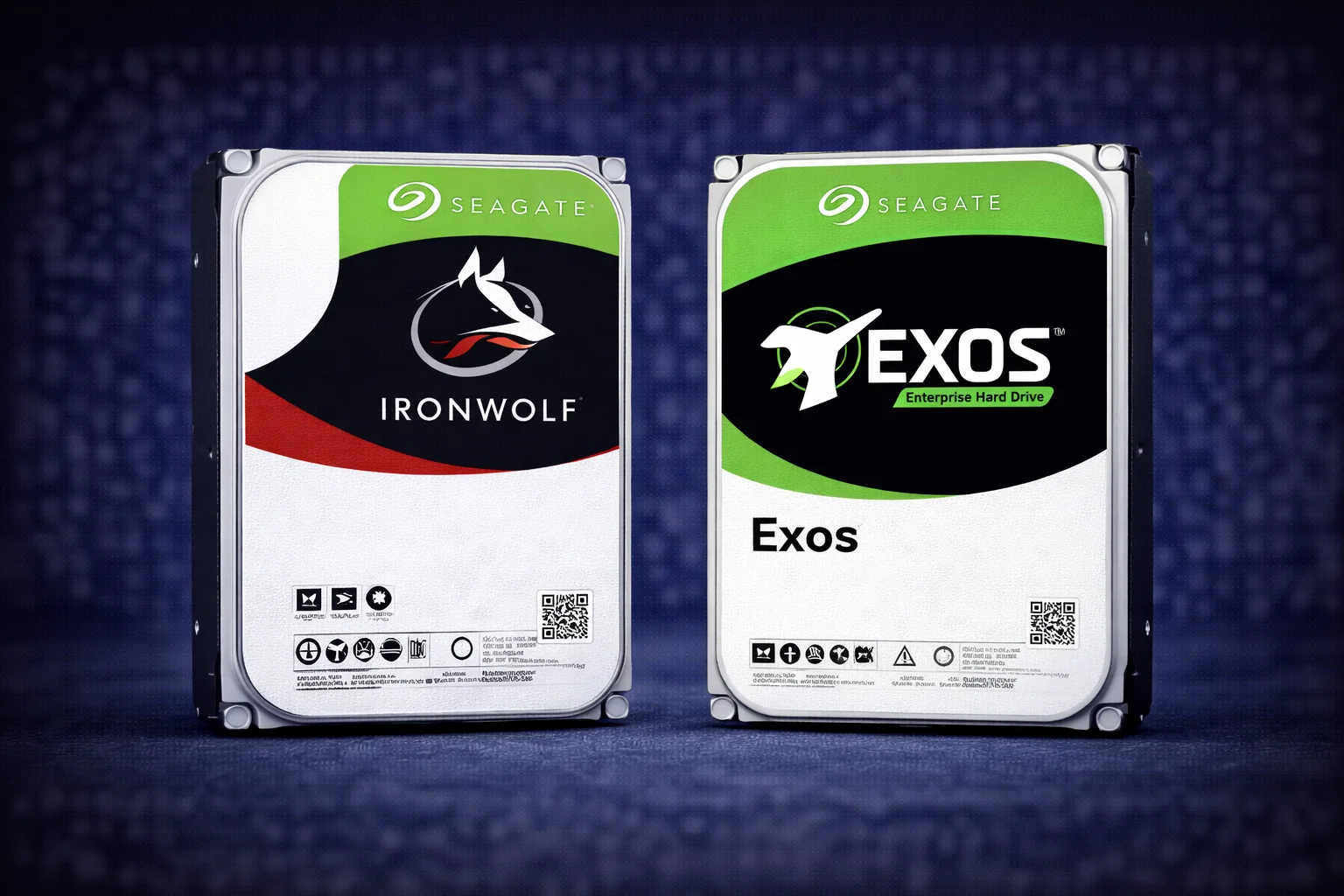
Quick Answer+
Quick Answer: Both IronWolf and Exos work great in NAS, but they’re designed for different environments. IronWolf (~$17-20/TB) is optimized for home/SMB NAS with quiet operation, IronWolf Health Management, and 3-year warranty. Exos (~$15-17/TB) is enterprise-grade with better $/TB, 5-year warranty, and higher workload ratings—but runs louder. Choose IronWolf for living space NAS where noise matters. Choose Exos for closet/basement/server room NAS where noise is acceptable and you want maximum value. Many home users successfully run Exos drives in NAS for significant savings.
The IronWolf vs Exos debate is one of the most common questions among NAS builders. Both are Seagate drives, both work in NAS enclosures, but they’re designed for very different use cases. Understanding the differences helps you make the right choice for your specific situation—and potentially save significant money.
This comprehensive comparison covers specifications, pricing, noise levels, warranty differences, and real-world performance to help you decide between Seagate’s IronWolf NAS drives and their enterprise Exos line.
IronWolf vs Exos: Quick Comparison
| Feature | IronWolf | IronWolf Pro | Exos |
|---|---|---|---|
| Target Use | Home/SMB NAS | Business NAS | Enterprise/Datacenter |
| Capacities | 4TB – 18TB | 4TB – 24TB | 4TB – 24TB |
| RPM | 5,400-7,200 | 7,200 | 7,200 |
| Cache | 64-256MB | 256MB | 256MB |
| Workload Rating | 180 TB/year | 300 TB/year | 550 TB/year |
| MTBF | 1,000,000 hrs | 1,200,000 hrs | 2,500,000 hrs |
| Warranty | 3 years | 5 years | 5 years |
| Rescue Service | Optional | Included | Not included |
| IronWolf Health Mgmt | Yes | Yes | No |
| Noise (Idle) | 20 dB | 20 dB | 26-29 dB |
| Noise (Seek) | 26-28 dB | 28 dB | 32-36 dB |
| Vibration Sensors | Yes | Enhanced | Yes |
| Max Bays | 1-8 | 1-24 | Unlimited |
| Price Range | ~$17-20/TB | ~$22-26/TB | ~$15-17/TB |
| Best For | Quiet home NAS | Business/heavy use | Max value, noise OK |
Pricing Comparison: IronWolf vs Exos by Capacity
The price difference between IronWolf and Exos is significant—and it’s the primary reason many NAS builders consider enterprise drives:
| Capacity | IronWolf | IronWolf Pro | Exos | Exos Savings vs IronWolf |
|---|---|---|---|---|
| 8TB | ~$160 ($20/TB) | ~$220 ($27.50/TB) | ~$140 ($17.50/TB) | $20/drive (12.5%) |
| 10TB | ~$185 ($18.50/TB) | ~$260 ($26/TB) | ~$160 ($16/TB) | $25/drive (13.5%) |
| 12TB | ~$210 ($17.50/TB) | ~$290 ($24.17/TB) | ~$180 ($15/TB) | $30/drive (14.3%) |
| 14TB | ~$250 ($17.86/TB) | ~$320 ($22.86/TB) | ~$200 ($14.29/TB) | $50/drive (20%) |
| 16TB | ~$290 ($18.13/TB) | ~$350 ($21.88/TB) | ~$240 ($15/TB) | $50/drive (17.2%) |
| 18TB | ~$330 ($18.33/TB) | ~$400 ($22.22/TB) | ~$280 ($15.56/TB) | $50/drive (15.2%) |
| 20TB | N/A | ~$450 ($22.50/TB) | ~$320 ($16/TB) | $130 vs Pro (28.9%) |
The savings add up quickly:
- 4-drive NAS (12TB each): Save ~$120 with Exos vs IronWolf
- 4-drive NAS (16TB each): Save ~$200 with Exos vs IronWolf
- 8-drive NAS (16TB each): Save ~$400 with Exos vs IronWolf
Live Pricing: IronWolf Drives
| Product | Capacity | Price | $ / TB | Price Drop | Brand | Interface |
|---|---|---|---|---|---|---|
| Seagate 6TB IronWolf NAS SATA 6Gb/s NCQ 128MB Cache 3.5-Inch Internal Hard Drive (ST6000VN0041) (Renewed) | 6.00 TB | $169.99 | $28.33 | +0% | Seagate | SATA |
| Seagate IronWolf 2TB NAS Internal Hard Drive HDD – 3.5 Inch SATA 6Gb/s 7200 RPM 256MB Cache for RAID Network Attached Storage (ST2000VN004) (Renewed) | 2.00 TB | $129.00 | $64.50 | +0% | Seagate | SATA |
Live Pricing: Exos Drives
| Product | Capacity | Price | $ / TB | Price Drop | Brand | Interface |
|---|---|---|---|---|---|---|
| Seagate Exos 12TB 3.5 7200RPM 256MB SAS 12GB s Enterprise Bare HDD ST12000NM0027 | 12.00 TB | $340.00 | $28.33 | +0% | Seagate | SAS |
| Seagate Exos 10E2400 ST1200MM0129 1.2TB (16GB Flash) Internal 2.5" SFF SAS 12Gbps 10000RPM Buffer Memory 256MB | 1.20 TB | $179.00 | $149.17 | +0% | Seagate | SAS |
Key Differences Explained
1. Noise Levels — The Biggest Practical Difference
This is the most important consideration for home users:
| Metric | IronWolf | Exos | Difference |
|---|---|---|---|
| Idle Noise | 20 dB | 26-29 dB | +6-9 dB (noticeably louder) |
| Seek Noise | 26-28 dB | 32-36 dB | +4-10 dB (significantly louder) |
| Vibration | Low | Higher | More enclosure resonance |
What this means in practice:
- IronWolf at 20dB idle: Barely audible in a quiet room, suitable for living space
- Exos at 28dB idle: Clearly audible hum, best in closet/basement/server room
- Exos during seeks: Noticeable clicking/churning sounds during activity
Our guidance:
- NAS in living room, bedroom, or office: Choose IronWolf
- NAS in closet, basement, garage, or server room: Exos is fine
- NAS in enclosed cabinet: Either works, but cabinet may amplify Exos noise
2. Workload Rating — Enterprise Advantage
Workload rating indicates how much data can be read/written annually:
- IronWolf: 180 TB/year
- IronWolf Pro: 300 TB/year
- Exos: 550 TB/year
Reality check: Most home NAS users transfer 20-50TB/year—well under IronWolf’s 180TB limit. You’d need to transfer ~500GB daily, every day, to hit IronWolf’s limit. The Exos 550TB/year rating is extreme overkill for home use but demonstrates enterprise durability.
When workload matters:
- Video editing with constant large file transfers
- Busy multi-user file server
- Database or VM workloads
- Surveillance with many cameras
3. Warranty — Exos Wins on Paper
| Drive | Warranty | Rescue Service | Effective Value |
|---|---|---|---|
| IronWolf | 3 years | Optional ($) | Good for home use |
| IronWolf Pro | 5 years | Included (3 years) | Best business protection |
| Exos | 5 years | Not included | Best warranty per dollar |
Key insight: Exos offers a 5-year warranty at lower prices than 3-year IronWolf. Per-year warranty cost:
- IronWolf 12TB: $210 / 3 years = $70/year
- Exos 12TB: $180 / 5 years = $36/year
Exos delivers nearly double the warranty coverage per dollar spent.
4. IronWolf Health Management (IHM)
IronWolf Health Management is exclusive to IronWolf drives and provides:
- Prevention: Monitors drive health beyond standard SMART
- Intervention: Recommends actions before failures occur
- Recovery: Integrated with Rescue Data Recovery services
- NAS Integration: Works with Synology DSM, QNAP QTS, ASUSTOR ADM
Exos alternative: Standard SMART monitoring still works. Most NAS systems alert on SMART errors. You lose the enhanced IHM features but retain basic health monitoring.
Is IHM worth it? For most users, standard SMART monitoring is sufficient. IHM is a nice-to-have feature, not a must-have. The $30-50 savings per Exos drive often outweighs IHM benefits.
5. MTBF — Mean Time Between Failures
- IronWolf: 1,000,000 hours
- IronWolf Pro: 1,200,000 hours
- Exos: 2,500,000 hours
Exos is rated for 2.5x longer theoretical lifespan than standard IronWolf. While MTBF is a statistical measure (not a guarantee), it reflects enterprise-grade build quality.
6. Power Consumption
| Drive (16TB) | Idle | Operating | Annual Cost (24/7) |
|---|---|---|---|
| IronWolf | 5.0W | 7.8W | ~$5-8/drive |
| Exos | 5.0W | 9.4W | ~$6-10/drive |
Exos uses slightly more power under load, but the difference is minimal—perhaps $1-2 more per drive annually. Not a significant factor.
Choose IronWolf If…
- NAS lives in living space: Bedroom, living room, home office where you’ll hear it
- Noise sensitivity: You or family members are bothered by drive sounds
- Want IronWolf Health Management: Enhanced monitoring in DSM/QTS
- Small NAS (2-4 bays): Fewer drives = smaller Exos savings
- Prefer “NAS-specific” branding: Peace of mind with purpose-built drives
- Light workloads: Home Plex, backups, file sharing
Seagate IronWolf 12TB
12TB | 7200 RPM | 256MB Cache | CMR | 180TB/yr | 3-Year Warranty | IHM
Purpose-built NAS drive with quiet operation and IronWolf Health Management. Ideal for home NAS in living spaces where noise matters. Best $/TB in the IronWolf lineup.
Choose Exos If…
- NAS lives in isolated location: Closet, basement, garage, server room
- Maximum value priority: Want lowest $/TB possible
- Larger NAS (4+ bays): Savings compound with more drives
- Heavy workloads: Video editing, databases, busy file servers
- Want 5-year warranty: Longer coverage than standard IronWolf
- Need 20TB+ capacity: Exos available in sizes IronWolf doesn’t offer
- Building on a budget: More storage for same money
Seagate Exos X18 16TB
16TB | 7200 RPM | 256MB Cache | CMR | 550TB/yr | 5-Year Warranty
Enterprise-grade reliability at exceptional value. 5-year warranty and 550TB/year workload rating. Louder than IronWolf but unbeatable $/TB for closet or basement NAS builds.
Real-World Use Cases
🎬 Home Plex Server
Scenario: 4-bay NAS in living room entertainment center
Recommendation:IronWolf 12TB
Why: You’ll hear the NAS during quiet movie scenes. IronWolf’s 20dB idle is barely perceptible. Media streaming is read-heavy with minimal writes—well within IronWolf’s 180TB/year rating.
📦 Data Hoarder / Large Archive
Scenario: 8-bay NAS in basement for massive storage
Recommendation: Exos 16TB or 18TB
Why: Basement location eliminates noise concerns. 8x Exos saves ~$400+ vs IronWolf. 5-year warranty provides excellent long-term coverage. Archive workloads are write-once, read-occasionally—Exos handles this easily.
💼 Small Business File Server
Scenario: 6-bay NAS in office server closet
Recommendation:IronWolf Pro 12TB or Exos 12TB
Why: Server closet = noise acceptable = Exos viable. But if you want Rescue service and NAS-specific features, IronWolf Pro is justified. Both have 5-year warranties.
🎬 Video Editing Workflow
Scenario: 4-bay NAS as scratch/project storage
Recommendation: Exos 16TB
Why: Video editing involves heavy read/write—Exos’s 550TB/year rating handles this easily. Most editing suites are in dedicated rooms where noise is acceptable. The savings fund SSD cache drives for better performance.
🏠 Home Office NAS
Scenario: 2-bay NAS on desk or nearby shelf
Recommendation:IronWolf 8TB
Why: Desk proximity = noise matters. 2-drive setup = minimal Exos savings (~$40). IronWolf’s quiet operation is worth the modest premium for daily comfort.
📹 Surveillance System
Scenario: NVR with 8+ cameras recording 24/7
Recommendation: Consider SkyHawk or Exos
Why: Surveillance involves constant writes. SkyHawk is purpose-built for this. Exos handles it too with higher workload rating. IronWolf works but isn’t optimized for surveillance write patterns. See: IronWolf vs SkyHawk
NAS Compatibility
Both IronWolf and Exos work in all major NAS systems:
Synology Compatibility
- IronWolf: Official compatibility list, IHM support in DSM
- Exos: Works perfectly, listed as compatible, no IHM
Both work with all DiskStation models: DS224+, DS423+, DS923+, DS1621+, etc.
See: IronWolf Synology Compatibility | All Synology Compatible Drives
QNAP Compatibility
- IronWolf: Full compatibility, IHM in QTS
- Exos: Full compatibility, standard SMART monitoring
See: IronWolf QNAP Compatibility
Other Brands
Both work with ASUSTOR, TerraMaster, Drobo, TrueNAS, Unraid, and DIY NAS builds.
IronWolf Pro vs Exos: The Closer Comparison
If comparing IronWolf Pro to Exos, the decision shifts:
| Factor | IronWolf Pro | Exos | Winner |
|---|---|---|---|
| Warranty | 5 years | 5 years | Tie |
| Workload | 300 TB/year | 550 TB/year | Exos |
| MTBF | 1.2M hours | 2.5M hours | Exos |
| Rescue Service | Included | Not included | IronWolf Pro |
| IHM | Yes | No | IronWolf Pro |
| Noise | Quieter | Louder | IronWolf Pro |
| Price (16TB) | ~$350 | ~$240 | Exos (-$110) |
Verdict: IronWolf Pro’s main advantages over Exos are Rescue service, quieter operation, and IHM. If those matter, Pro is worth the premium. If not, Exos delivers better specs at lower cost.
Frequently Asked Questions
Absolutely. Exos drives work perfectly in consumer NAS devices from Synology, QNAP, ASUSTOR, and others. They’re enterprise drives repurposed for home use. The main consideration is noise—Exos runs louder than IronWolf, so place your NAS somewhere the sound won’t bother you.
Exos actually has higher reliability ratings—2.5 million hours MTBF vs IronWolf’s 1 million hours, and 550TB/year workload vs 180TB/year. Exos is built for 24/7 datacenter use. Both are reliable; Exos is technically more robust on paper.
Exos idles at 26-29 dB vs IronWolf’s 20 dB—about 6-9 dB louder. During seeks, Exos reaches 32-36 dB vs IronWolf’s 26-28 dB. This is noticeable: IronWolf is barely audible while Exos has a clear hum and audible seeking sounds.
No, IronWolf Health Management (IHM) is exclusive to IronWolf drives. Exos uses standard SMART monitoring, which still provides health data and alerts in Synology DSM, QNAP QTS, etc. You lose enhanced IHM features but retain basic monitoring.
Exos has a 5-year warranty vs standard IronWolf’s 3-year warranty. IronWolf Pro also has 5 years plus included Rescue service. For warranty per dollar, Exos wins: $180 for 5 years vs IronWolf’s $210 for 3 years (at 12TB).
You can, but it’s not ideal. Mixing drives with different noise levels, vibration characteristics, and performance profiles can cause issues. For best results, use matching drives. If you must mix, they’ll work but optimal performance isn’t guaranteed.
Technically yes—Exos’s 550TB/year and 2.5M hour MTBF far exceed home needs. But ‘overkill’ at a lower price is actually a benefit. You get more durability for less money. The only downside is noise, which matters for some placements.
Refurbished/recertified Exos drives can offer incredible value—often 40-50% off new prices. However, buy from reputable sellers with warranty coverage. Check SMART data upon arrival. Many users successfully run refurbished enterprise drives for years.
Conclusion
The IronWolf vs Exos decision ultimately comes down to noise tolerance and NAS placement:
- Choose IronWolf: NAS in living space, noise-sensitive, want IHM integration
- Choose Exos: NAS in closet/basement, want best $/TB, heavy workloads, larger arrays
Both are excellent drives from Seagate. IronWolf is purpose-built for NAS with acoustic optimization. Exos delivers enterprise reliability at lower cost but with more noise. Many experienced NAS builders successfully use Exos drives for significant savings—the key is proper placement where noise won’t bother anyone.
Quick decision guide:
- Will you hear the NAS? → IronWolf
- NAS hidden away? → Exos (save money)
- Need Rescue service? → IronWolf Pro
- Building 6+ bay system? → Exos savings are substantial
Related Resources
- Seagate IronWolf Complete Guide
- Seagate IronWolf Pro Guide
- IronWolf vs IronWolf Pro
- Seagate Exos Complete Guide
- IronWolf vs WD Red
- IronWolf vs SkyHawk
- IronWolf Health Management Guide
- IronWolf 12TB Guide
- IronWolf 16TB Guide
- Synology Compatible Drives
- Best Synology NAS 2026
- RAID Calculator
Last Updated: February 2026