Seagate IronWolf vs IronWolf Pro: Which NAS Drive Do You Actually Need?

Quick Answer+
Quick Answer:IronWolf (standard) is sufficient for most home NAS users—it handles 1-8 bay systems, offers 180TB/year workload, and costs 25-40% less than Pro. Choose IronWolf Pro if you have 8+ drive bays, need the higher 300TB/year workload rating, want the included 3-year Rescue data recovery service, require capacities above 18TB, or run a business where the 5-year warranty justifies the premium. For typical Plex servers and home file storage, standard IronWolf delivers identical reliability at better value.
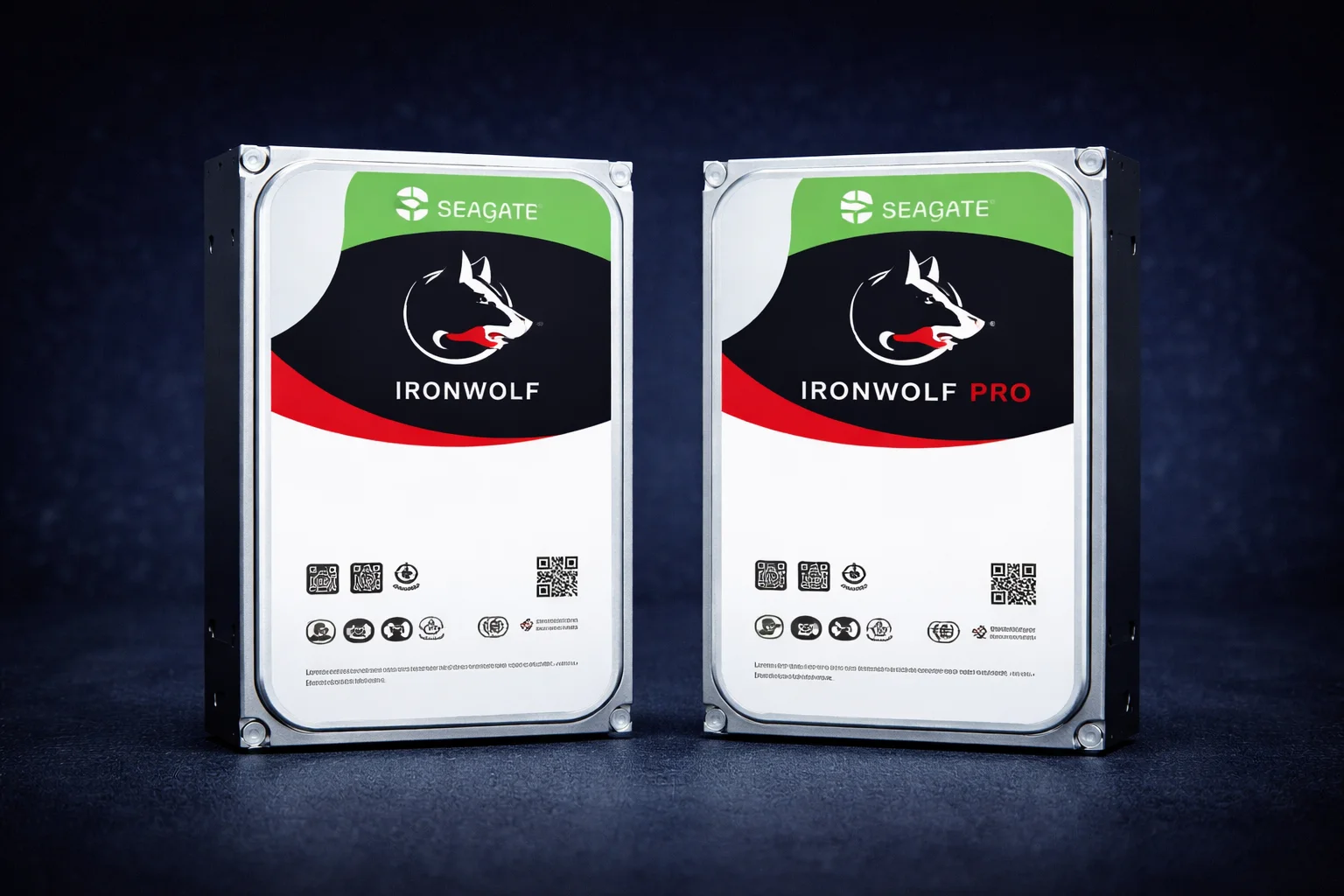
Seagate’s IronWolf NAS drive lineup includes two tiers: the standard IronWolf and the premium IronWolf Pro. Both are excellent drives purpose-built for NAS environments, but they target different users and workloads. This comprehensive comparison helps you understand exactly which tier you need—and more importantly, which you don’t.
Many NAS buyers overspend on IronWolf Pro when standard IronWolf would serve them perfectly. Others underbuy and regret it later. By the end of this guide, you’ll know exactly which drive matches your specific situation.
Quick Specs Comparison
| Specification | IronWolf | IronWolf Pro | Difference |
|---|---|---|---|
| Capacities | 1TB – 18TB | 2TB – 24TB | Pro goes higher |
| RPM | 5,400 / 5,900 / 7,200 | 7,200 (all models) | Pro always 7200 |
| Cache | 64MB – 256MB | 256MB (all models) | Pro consistent |
| Workload Rating | 180 TB/year | 300 TB/year | Pro +67% higher |
| MTBF | 1 million hours | 1.2 million hours | Pro +20% higher |
| Warranty | 3 years | 5 years | Pro +2 years |
| Max Bays | 1-8 bays | 1-24 bays | Pro for large arrays |
| Data Recovery | Optional add-on | 3-year Rescue included | ~$30-50 value |
| Vibration Sensors | Yes (RV) | Yes (RV) | Same |
| CMR Technology | Yes | Yes | Same |
| IronWolf Health Mgmt | Yes | Yes | Same |
| Price Premium | Baseline | +25-40% | Significant |
Price Comparison by Capacity
Current pricing shows the Pro premium at various capacities (prices approximate, check table below for live pricing):
| Capacity | IronWolf Price | IronWolf Pro Price | Pro Premium | Worth It? |
|---|---|---|---|---|
| 4TB | ~$95 | ~$135 | +$40 (42%) | Rarely |
| 8TB | ~$160 | ~$220 | +$60 (38%) | For business |
| 12TB | ~$210 | ~$280 | +$70 (33%) | For heavy workloads |
| 16TB | ~$290 | ~$350 | +$60 (21%) | Best Pro value |
| 18TB | ~$330 | ~$400 | +$70 (21%) | Max standard capacity |
| 20TB+ | N/A | ~$450-550 | Pro only | When you need density |
Key insight: The Pro premium percentage decreases at higher capacities. If you’re buying 16TB+, the Pro upgrade is relatively affordable. At 4TB-8TB, you’re paying a steep premium for features most home users won’t utilize.
Understanding the Key Differences
1. Workload Rating: 180TB vs 300TB Per Year
The workload rating measures how much data you can read/write annually before exceeding the drive’s design specifications:
- IronWolf: 180TB/year = ~500GB/day average
- IronWolf Pro: 300TB/year = ~820GB/day average
Do you need 300TB/year? Let’s calculate typical workloads:
| Use Case | Estimated Annual Workload | IronWolf OK? |
|---|---|---|
| Plex server (heavy streaming) | 20-50TB/year | ✅ Yes, plenty of headroom |
| Home file server + backups | 10-30TB/year | ✅ Yes |
| Synology Photos (family use) | 5-15TB/year | ✅ Yes |
| Small office file sharing | 30-80TB/year | ✅ Yes |
| Video editing workstation | 100-200TB/year | ⚠️ Borderline |
| Surveillance (8+ cameras 24/7) | 150-300TB/year | ❌ Use Pro or SkyHawk |
| Database server | 200-500TB/year | ❌ Use Pro or Exos |
Reality check: The vast majority of home NAS users operate well under 50TB/year. IronWolf’s 180TB/year rating provides 3-4x headroom for typical home workloads. Unless you’re running a business with constant file activity or heavy video editing workflows, standard IronWolf workload rating is more than sufficient.
2. Warranty: 3 Years vs 5 Years
IronWolf Pro’s 5-year warranty provides two additional years of coverage:
- IronWolf: 3-year limited warranty
- IronWolf Pro: 5-year limited warranty
Is the longer warranty worth the premium?
Consider the math on an 8TB drive:
- IronWolf 8TB: ~$160 with 3-year warranty = $53/year of coverage
- IronWolf Pro 8TB: ~$220 with 5-year warranty = $44/year of coverage
On a per-year basis, IronWolf Pro warranty is actually more cost-effective. However, most drive failures occur in the first 3 years (infant mortality) or after 5+ years (wear-out). The 3-5 year window that Pro covers exclusively is statistically the most reliable period for hard drives.
Verdict: The 5-year warranty matters more for business use where you want longer coverage and can’t afford downtime. For home users, 3 years typically covers the high-risk early period.
3. Rescue Data Recovery Service
IronWolf Pro includes Seagate’s Rescue Data Recovery service free for 3 years:
- IronWolf: Rescue available as optional add-on (~$30-50)
- IronWolf Pro: 3-year Rescue included
What is Rescue? If your drive fails, Seagate’s professional recovery service attempts to recover your data. They claim 90%+ success rate for mechanical failures. This is valuable insurance—professional data recovery typically costs $500-2,000+.
Do you need it? If you follow proper backup practices (see our Hyper Backup guide), you should have redundant copies of all important data. Rescue is a safety net for the “I know I should have backed up but didn’t” scenario.
Verdict: Nice to have, but not a substitute for proper backups. Factor the ~$30-50 Rescue value into your Pro vs Standard calculation, but don’t let it be the deciding factor.
4. Maximum Bay Support: 8 vs 24 Bays
Seagate rates IronWolf for systems up to 8 bays, while IronWolf Pro supports up to 24 bays:
- IronWolf: Designed for 1-8 bay NAS systems
- IronWolf Pro: Designed for 1-24 bay NAS systems
Why does bay count matter? More drives = more vibration. IronWolf Pro has enhanced rotational vibration (RV) sensors optimized for larger arrays where vibration management becomes critical for performance and longevity.
Practical guidance:
- 2-4 bay NAS: Standard IronWolf is perfect
- 5-8 bay NAS: Standard IronWolf works well; Pro if budget allows
- 8+ bay NAS: IronWolf Pro recommended
- 12+ bay NAS: IronWolf Pro or enterprise drives essential
Most home users have 2-4 bay NAS devices like the Synology DS224+ or DS923+. Standard IronWolf handles these configurations with zero issues.
5. RPM and Cache Consistency
IronWolf Pro provides consistent specifications across all capacities:
- IronWolf: RPM varies by capacity (5,400/5,900/7,200), cache varies (64-256MB)
- IronWolf Pro: Always 7,200 RPM with 256MB cache
Does this matter? For most NAS workloads, no. The bottleneck is usually network speed (1GbE = 125MB/s theoretical max), not drive speed. Even 5,400 RPM drives saturate gigabit ethernet easily.
However, if you have 10GbE networking or perform local operations (RAID rebuilds, large file copies within NAS), the consistent 7,200 RPM of Pro provides marginal performance benefits.
6. MTBF: 1 Million vs 1.2 Million Hours
Mean Time Between Failures is a statistical reliability metric:
- IronWolf: 1,000,000 hours MTBF
- IronWolf Pro: 1,200,000 hours MTBF
What this means: In a population of drives running continuously, you’d expect one failure per million (or 1.2 million) hours of combined operation. This is a statistical measure, not a guarantee of drive lifespan.
Practical impact: The 20% higher MTBF is meaningful for large deployments (dozens of drives) but statistically insignificant for a home NAS with 2-4 drives. Both tiers are highly reliable.
What’s the Same Between Both Tiers
Important to note: both IronWolf and IronWolf Pro share these critical features:
- CMR Technology: Both use Conventional Magnetic Recording (no SMR)—essential for reliable NAS performance and RAID rebuilds
- AgileArray Technology: Both have NAS-optimized firmware with dual-plane balance
- Rotational Vibration Sensors: Both have RV sensors for multi-bay stability
- IronWolf Health Management: Both integrate with Synology DSM, QNAP QTS, and ASUSTOR ADM for advanced monitoring
- 24/7 Operation: Both designed for always-on NAS environments
- NAS Compatibility: Both work with all major NAS brands including Synology, QNAP, ASUSTOR, TerraMaster
The core reliability and NAS optimization features are identical. You’re not getting a “better” drive with Pro—you’re getting a drive rated for heavier duty cycles with longer warranty coverage.
Choose IronWolf (Standard) If…
Standard IronWolf is the right choice for most users. Select it if:
- You have a 1-8 bay NAS — Covers nearly all home NAS devices
- Your workload is under 180TB/year — Typical home use is 20-50TB/year
- You’re building a home Plex server — Streaming doesn’t stress drives heavily
- You use your NAS for file storage and backup — Low-write workloads
- Budget is a primary concern — Save 25-40% for same reliability
- You follow proper backup practices — Rescue service less critical
- You need 18TB or less — Full capacity range available
Recommended IronWolf configurations:
- Synology DS224+ + 2x IronWolf 8TB
- Synology DS423+ + 4x IronWolf 12TB
- Synology DS923+ + 4x IronWolf 16TB
Choose IronWolf Pro If…
IronWolf Pro is worth the premium in specific scenarios:
- You have 8+ drive bays — Enhanced vibration handling matters
- You run a business — Longer warranty + Rescue provides peace of mind
- Heavy workloads exceed 180TB/year — Video editing, databases, high-traffic file shares
- You need 20TB+ per drive — Only Pro offers these capacities
- The 5-year warranty justifies the cost — Business continuity requirements
- You want included Rescue service — Don’t trust yourself to maintain backups
- You have 10GbE networking — Consistent 7,200 RPM helps saturate fast networks
Recommended IronWolf Pro configurations:
- Synology DS1621+ + 6x IronWolf Pro 16TB (small business)
- Synology DS1823xs+ + 8x IronWolf Pro 20TB (high-capacity)
- Synology RS1221+ + 8x IronWolf Pro 18TB (rackmount)
Use Case Recommendations
🎬 Plex Media Server
Recommendation: IronWolf (Standard)
Media streaming is a read-heavy workload with minimal writes. Even a busy Plex server with multiple concurrent streams typically generates under 30TB/year of I/O. Standard IronWolf handles this effortlessly while saving significant money for your media budget.
- Best value:IronWolf 12TB — optimal $/TB for media libraries
- Budget option:IronWolf 8TB — great for starting out
🏠 Home File Server & Backup
Recommendation: IronWolf (Standard)
Home file storage and PC backups are relatively light workloads. A family backing up photos, documents, and a few computers generates perhaps 5-20TB/year of writes. Standard IronWolf provides massive headroom.
- 2-bay setup: 2x IronWolf 8TB in RAID 1 (8TB usable)
- 4-bay setup: 4x IronWolf 8TB in SHR (24TB usable)
📸 Photography Workflow
Recommendation: IronWolf (Standard) for most; Pro for professionals
Amateur photographers storing RAW files: Standard IronWolf is perfect. Professional photographers with constant imports, exports, and client deliveries may benefit from Pro’s higher workload rating, especially during busy seasons.
- Hobbyist: IronWolf 8-12TB
- Professional: IronWolf Pro 12-16TB
🎬 Video Editing Workstation
Recommendation: IronWolf Pro
Video editing involves constant reading and writing of large files. A single 4K project can involve hundreds of gigabytes of I/O per day. Active video editors can easily approach or exceed 180TB/year, making IronWolf Pro’s 300TB rating worthwhile.
- Recommended: IronWolf Pro 16TB+ for working storage
- Consider: Adding IronWolf 525 SSD cache for responsiveness
🏢 Small Business / SMB
Recommendation: IronWolf Pro
For business use, the 5-year warranty, included Rescue service, and higher workload rating justify the premium. Multiple users accessing files simultaneously generates more I/O than home use, and business continuity requirements favor the extended coverage.
- Small office (5-10 users): IronWolf Pro 8-12TB
- Medium office (10-25 users): IronWolf Pro 16TB+
📹 Surveillance / Security Cameras
Recommendation: Neither — Use Seagate SkyHawk or WD Purple
Surveillance is a specialized workload with 24/7 continuous writes. While IronWolf Pro can technically handle it, purpose-built surveillance drives like SkyHawk have AllFrame firmware optimized for video streams and are often cheaper. See our IronWolf vs SkyHawk comparison.
IronWolf vs IronWolf Pro vs Exos
Don’t forget about Seagate Exos enterprise drives, which often offer better value than IronWolf Pro:
| Specification | IronWolf | IronWolf Pro | Exos X18 |
|---|---|---|---|
| Workload Rating | 180 TB/yr | 300 TB/yr | 550 TB/yr |
| Warranty | 3 years | 5 years | 5 years |
| 8TB Price | ~$160 | ~$220 | ~$140 |
| Noise Level | Quieter | Moderate | Louder |
| IHM Support | Yes | Yes | No |
| Best For | Home NAS | Business NAS | Max value/reliability |
Key insight:Exos often costs less than standard IronWolf while offering higher specs than IronWolf Pro. Trade-off: slightly louder operation and no IronWolf Health Management. For a NAS in a closet or basement, Exos is excellent value. See our detailed IronWolf vs Exos comparison.
Featured Drives
Seagate IronWolf 8TB
8TB | 7200 RPM | 256MB Cache | CMR | 180TB/yr | 3-Year Warranty
The sweet spot for home NAS users. Excellent balance of capacity, performance, and value. Perfect for 2-4 bay NAS devices running Plex, file storage, and backups. CMR technology ensures reliable RAID performance.
Seagate IronWolf 12TB
12TB | 7200 RPM | 256MB Cache | CMR | 180TB/yr | 3-Year Warranty
Often the best value in the IronWolf lineup at ~$17.50/TB. Ideal for Plex servers and media collections where capacity matters. Maximize storage while minimizing cost per terabyte.
Seagate IronWolf Pro 16TB
16TB | 7200 RPM | 256MB Cache | CMR | 300TB/yr | 5-Year Warranty | Rescue Included
Best value in the Pro lineup with relatively modest premium over standard. 5-year warranty and included Rescue service. Recommended for business use and 6+ bay systems with heavy workloads.
Seagate IronWolf Pro 20TB
20TB | 7200 RPM | 256MB Cache | CMR | 300TB/yr | 5-Year Warranty | Rescue Included
For users who need maximum storage density per bay. Only available in Pro lineup. Essential for high-capacity NAS builds where bay space is limited and you need every terabyte possible.
Current IronWolf Prices
Compare all IronWolf and IronWolf Pro drives sorted by price per TB:
| Product | Capacity | Price | $ / TB | Price Drop | Brand | Interface |
|---|---|---|---|---|---|---|
| Seagate 6TB IronWolf NAS SATA 6Gb/s NCQ 128MB Cache 3.5-Inch Internal Hard Drive (ST6000VN0041) (Renewed) | 6.00 TB | $169.99 | $28.33 | +0% | Seagate | SATA |
| Seagate IronWolf 2TB NAS Internal Hard Drive HDD – 3.5 Inch SATA 6Gb/s 7200 RPM 256MB Cache for RAID Network Attached Storage (ST2000VN004) (Renewed) | 2.00 TB | $129.00 | $64.50 | +0% | Seagate | SATA |
Frequently Asked Questions
Not inherently. Both use the same core technology, CMR recording, and NAS-optimized firmware. IronWolf Pro has slightly higher MTBF (1.2M vs 1M hours) and is rated for heavier workloads, but for typical home use within IronWolf’s 180TB/year rating, reliability is equivalent. The Pro’s advantages are workload capacity, warranty length, and Rescue service—not fundamental drive quality.
Yes, you can mix them. Both are CMR drives with compatible specifications. However, your RAID array will operate at the characteristics of the slowest/smallest drive, and you’ll have mixed warranty coverage to track. For simplicity, most users prefer using identical drives. If mixing, ensure capacities match for optimal RAID efficiency.
It’s valuable insurance but shouldn’t replace proper backups. Seagate claims 90%+ recovery success for mechanical failures. If you follow 3-2-1 backup practices (see our Hyper Backup guide), Rescue is rarely needed. However, for the ‘I know I should have backed up’ crowd, the included 3-year Rescue (~$30-50 value) provides peace of mind. Don’t choose Pro solely for Rescue—choose it for workload/warranty needs.
You’re paying for: (1) 5-year vs 3-year warranty, (2) 300TB/year vs 180TB/year workload rating, (3) Included Rescue data recovery service (~$30-50 value), (4) Consistent 7200 RPM across all capacities, (5) Higher MTBF rating, (6) Support for 24-bay systems. Whether these justify 25-40% premium depends on your specific needs. For most home users, the premium isn’t warranted.
Check your NAS statistics. Synology DSM shows cumulative read/write data in Storage Manager > HDD. Divide by months of operation for monthly average, multiply by 12 for annual estimate. Most home users are shocked how low their actual workload is—typically 20-50TB/year even with active Plex use. Only video editors, database servers, and surveillance systems commonly approach 180TB/year.
For most DS923+ users, standard IronWolf is sufficient. The DS923+ is a 4-bay NAS well within IronWolf’s 8-bay rating. Unless you’re running a business with heavy file access, have 10GbE networking, or specifically want the 5-year warranty, standard IronWolf 12TB or 16TB offers better value. Save the Pro premium for more drives or SSD cache instead.
Exos often offers better value: lower price, higher workload rating (550TB/yr), and 5-year warranty. Trade-offs: Exos is louder (always 7200 RPM enterprise design) and lacks IronWolf Health Management integration. For a NAS in a living space, IronWolf’s quieter operation wins. For a NAS in a closet/basement, Exos provides superior specs at lower cost. See our detailed IronWolf vs Exos comparison.
For active video editors, yes—IronWolf Pro is recommended. Video editing workflows involve constant large file reads/writes that can approach or exceed 180TB/year. The 300TB/year Pro rating provides necessary headroom. Additionally, consider IronWolf 525 NVMe SSD cache for improved responsiveness when scrubbing through timelines. For occasional home video editing, standard IronWolf works fine.
Final Verdict
For 90% of home NAS users: Choose standard IronWolf. The drives are equally reliable within their rated workloads, and typical home use (Plex, file storage, backups) doesn’t approach IronWolf’s 180TB/year limit. Save 25-40% and put that money toward more storage capacity or SSD cache.
Choose IronWolf Pro when: You have 8+ bays, run a business, work with video editing, need 20TB+ capacity, or specifically value the 5-year warranty and Rescue service.
Consider Exos as an alternative: If noise isn’t a concern and you want maximum value, Seagate Exos enterprise drives often cost less than standard IronWolf while exceeding IronWolf Pro specs.
Related Resources
- Seagate IronWolf Complete Guide
- Seagate IronWolf Pro Complete Guide
- IronWolf vs WD Red Comparison
- IronWolf vs Exos Comparison
- Synology Compatible Hard Drives
- Synology RAID Configuration Guide
- Synology Hyper Backup Guide
- Best Synology NAS 2026
- RAID Calculator
- All NAS Drives Compared
Last Updated: February 2026