
Quick Answer+
Quick Answer: Both Seagate IronWolf and WD Red Plus are excellent NAS drives — you can’t go wrong with either. IronWolf offers IronWolf Health Management (IHM) and slightly higher specs on paper. WD Red Plus is often slightly cheaper with proven reliability. For most Synology users, choose whichever is cheaper or in stock. For heavy workloads or 8+ bay systems, compare IronWolf Pro vs WD Red Pro based on price and warranty terms.
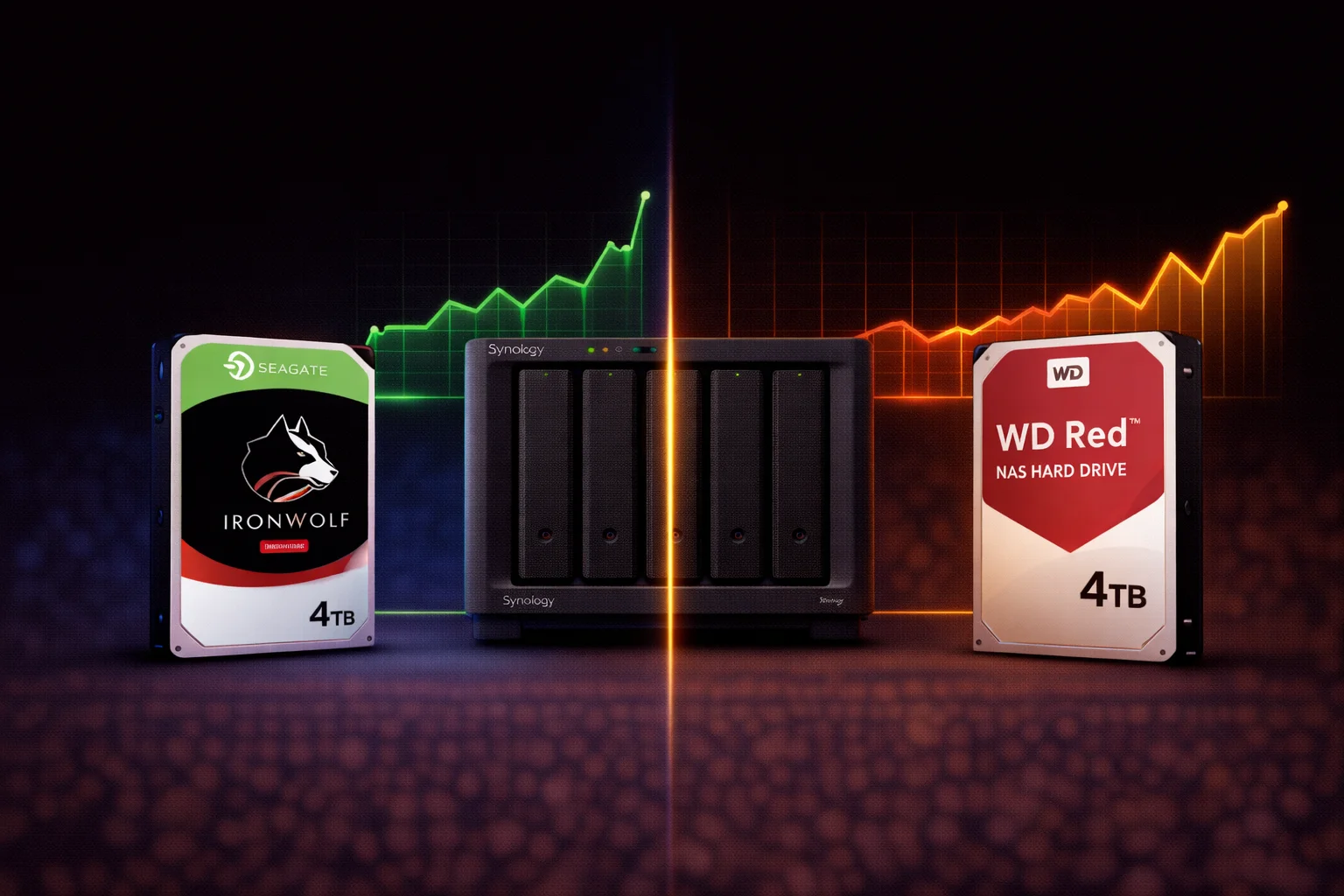
The Seagate IronWolf vs WD Red debate is the classic NAS drive rivalry — Seagate versus Western Digital, each with millions of drives running in NAS systems worldwide. Both brands make excellent drives purpose-built for network storage, but there are meaningful differences in features, performance, and value.
This comprehensive comparison helps you choose the right drive for your Synology NAS based on real specifications, not marketing claims.
Product Lineup Overview
Seagate IronWolf Family
| Model | Target Use | Capacities | Warranty |
|---|---|---|---|
| IronWolf | Home/SMB NAS (1-8 bays) | 1TB – 12TB | 3 years |
| IronWolf Pro | Pro NAS (1-24 bays) | 4TB – 24TB | 5 years |
WD Red Family
| Model | Target Use | Capacities | Warranty |
|---|---|---|---|
| WD Red (SMR) ⚠️ | Light NAS — AVOID | 2TB – 6TB | 3 years |
| WD Red Plus (CMR) | Home/SMB NAS (1-8 bays) | 1TB – 14TB | 3 years |
| WD Red Pro | Pro NAS (1-24 bays) | 2TB – 24TB | 5 years |
Important: Avoid standard “WD Red” (without Plus or Pro) — it uses SMR technology that performs poorly in RAID. Always choose WD Red Plus or WD Red Pro.
Standard Tier: IronWolf vs WD Red Plus
For most home users and small businesses, this is the comparison that matters:
| Feature | Seagate IronWolf | WD Red Plus |
|---|---|---|
| Recording Tech | CMR | CMR |
| RPM | 5,400 – 7,200 (varies) | 5,400 – 5,640 |
| Cache | 64MB – 256MB | 128MB – 256MB |
| Workload Rating | 180TB/year | 180TB/year |
| MTBF | 1M hours | 1M hours |
| Warranty | 3 years | 3 years |
| Max Bays | 8 bays | 8 bays |
| Vibration Tech | AgileArray + RV sensors | NASware 3.0 |
| Health Monitoring | IronWolf Health Management | Standard S.M.A.R.T. |
| Data Recovery | Not included (Pro only) | Not included |
Pro Tier: IronWolf Pro vs WD Red Pro
For heavy workloads, larger arrays, and business use:
| Feature | Seagate IronWolf Pro | WD Red Pro |
|---|---|---|
| Recording Tech | CMR | CMR |
| RPM | 7,200 | 7,200 |
| Cache | 256MB | 256MB – 512MB |
| Workload Rating | 300TB/year | 300TB/year |
| MTBF | 1.2M hours | 1M hours |
| Warranty | 5 years | 5 years |
| Max Bays | 24 bays | 24 bays |
| Vibration Tech | AgileArray + RV sensors | NASware 3.0 |
| Health Monitoring | IronWolf Health Management | Standard S.M.A.R.T. |
| Data Recovery | ✅ 3-year Rescue Services | ❌ Not included |
Key Differentiating Features
IronWolf Health Management (IHM)
Seagate’s IronWolf drives include IronWolf Health Management, which provides enhanced drive monitoring beyond standard S.M.A.R.T.:
- Prevention: Monitors workload, temperature, and usage patterns
- Intervention: Recommends actions before failure occurs
- Recovery: Integrates with Synology DSM for alerts
IHM is integrated into Synology Storage Manager — no additional software needed. You’ll see enhanced health metrics and proactive warnings.
WD’s response: WD Red drives rely on standard S.M.A.R.T. monitoring, which is capable but less feature-rich than IHM.
Rescue Data Recovery Services (IronWolf Pro)
IronWolf Pro includes 3 years of Seagate Rescue Data Recovery Services:
- Free data recovery attempts if drive fails
- 95% success rate claimed by Seagate
- In-lab recovery by professionals
- Worth $300-500+ if used
WD Red Pro does not include data recovery services. You’d pay out-of-pocket for professional recovery if needed.
Reality check: With proper backups (see our Synology Backup Guide), you shouldn’t need data recovery services. But it’s nice insurance if you don’t have perfect backup discipline.
Rotational Vibration Sensors
Both brands include vibration mitigation for multi-drive enclosures:
- IronWolf: AgileArray technology with rotational vibration (RV) sensors
- WD Red: NASware 3.0 with vibration protection
Both are effective — this is a marketing distinction more than a meaningful technical difference for most users.
Performance Comparison
Standard Tier (8TB Comparison)
| Test | IronWolf 8TB | WD Red Plus 8TB |
|---|---|---|
| Sequential Read | ~210 MB/s | ~180 MB/s |
| Sequential Write | ~200 MB/s | ~175 MB/s |
| Random Read (4K) | ~150 IOPS | ~145 IOPS |
| Random Write (4K) | ~155 IOPS | ~150 IOPS |
IronWolf shows slightly better specs, but real-world NAS performance is typically limited by network speed (1GbE = ~115 MB/s max) rather than drive speed.
Pro Tier (12TB Comparison)
| Test | IronWolf Pro 12TB | WD Red Pro 12TB |
|---|---|---|
| Sequential Read | ~250 MB/s | ~245 MB/s |
| Sequential Write | ~245 MB/s | ~240 MB/s |
| Random Read (4K) | ~180 IOPS | ~175 IOPS |
| Random Write (4K) | ~180 IOPS | ~175 IOPS |
At the Pro tier, both perform similarly. The 7,200 RPM speed benefits both equally.
Real-World Performance Verdict
For most Synology users:
- 1GbE network: Both are bottlenecked by network (~115 MB/s) — performance difference is invisible
- 2.5GbE/10GbE network: Slight IronWolf advantage may be noticeable in synthetic benchmarks
- Everyday use: Difference is imperceptible
Don’t choose based on performance alone — choose based on price, features, and availability.
Reliability: What the Data Shows
Backblaze Hard Drive Stats
Backblaze publishes quarterly hard drive failure statistics from their data centers. While not NAS-specific, it provides real-world reliability data:
Recent trends (2023-2025 data):
- Both Seagate and WD drives show comparable failure rates in NAS-class drives
- Annualized failure rates typically 0.5-2% for current-generation drives
- Individual models vary more than brands overall
Key takeaway: Neither brand has a clear reliability advantage. Both make reliable NAS drives. Individual model selection and luck matter as much as brand choice.
Warranty Claims Experience
Anecdotally from community forums and reviews:
- Seagate: Generally smooth warranty process; Rescue Services is valuable if included
- WD: Generally smooth warranty process; no data recovery included
Both companies honor warranties reliably. The 5-year warranty on Pro models is valuable for peace of mind.
Price Comparison
| Product | Capacity | Price | $ / TB | Price Drop | Brand | Interface |
|---|---|---|---|---|---|---|
| Seagate 6TB IronWolf NAS SATA 6Gb/s NCQ 128MB Cache 3.5-Inch Internal Hard Drive (ST6000VN0041) (Renewed) | 6.00 TB | $169.99 | $28.33 | +0% | Seagate | SATA |
| Product | Capacity | Price | $ / TB | Price Drop | Brand | Interface |
|---|
Typical Pricing (February 2026)
| Capacity | IronWolf | WD Red Plus | IronWolf Pro | WD Red Pro |
|---|---|---|---|---|
| 4TB | ~$90 | ~$85 | ~$130 | ~$125 |
| 8TB | ~$160 | ~$150 | ~$220 | ~$210 |
| 12TB | ~$210 | ~$200 | ~$280 | ~$270 |
| 16TB | ~$300 | ~$290 | ~$380 | ~$370 |
Pricing trends:
- WD Red Plus is typically $5-15 cheaper at most capacities
- IronWolf goes on sale frequently, sometimes matching or beating WD
- Pro tier pricing is similar between brands
- Check current prices — they fluctuate weekly
Synology Compatibility
Both drive families work excellently in Synology NAS:
Seagate IronWolf
- ✅ On Synology compatibility list
- ✅ IronWolf Health Management integrated in DSM
- ✅ Full SHR/RAID support
- ✅ Works in all Plus/xs+ models
WD Red Plus/Pro
- ✅ On Synology compatibility list
- ✅ Standard S.M.A.R.T. monitoring in DSM
- ✅ Full SHR/RAID support
- ✅ Works in all Plus/xs+ models
Both may show compatibility warnings in DSM 7.x for some models, but this doesn’t affect functionality.
Recommendations by Use Case
Home Media Server / Plex
Recommendation: Whichever is cheaper
Media server workloads are sequential read-heavy — both drives handle this excellently. Choose based on price and availability.
Home Office / Small Business (1-4 bay NAS)
Recommendation: IronWolf or WD Red Plus
Standard tier drives are perfect. IronWolf’s IHM is a nice bonus but not critical. Choose based on current pricing.
Medium Business (5-8 bay NAS)
Recommendation: IronWolf Pro or WD Red Pro
Higher workload ratings and 5-year warranty make Pro drives worthwhile. IronWolf Pro’s Rescue Services adds value if budget allows.
Large Array (8+ bay NAS)
Recommendation: IronWolf Pro or WD Red Pro
Pro tier is designed for larger arrays. The enhanced vibration handling and workload ratings matter at scale.
Budget-Conscious Users
Recommendation: WD Red Plus
Typically $5-15 cheaper per drive. For a 4-drive NAS, that’s $20-60 saved — enough for an extra backup drive.
Maximum Data Protection
Recommendation: IronWolf Pro
Rescue Data Recovery Services provides last-resort insurance. Combined with proper backups, you’re well protected.
Common Questions Addressed
Should I Mix Brands?
Generally no, but it works. Mixing IronWolf and WD Red in the same array functions fine, but for consistency in performance, warranty tracking, and potential issues, using a single brand/model is recommended.
Is IronWolf’s Higher Specs Worth It?
Usually not meaningfully. The performance differences are masked by network limitations for most users. IronWolf Health Management is the more valuable differentiator.
Do I Need Pro Drives?
For home use: No. Standard tier (IronWolf/WD Red Plus) is sufficient for 1-8 bay home NAS. Pro drives are for business workloads, large arrays, and users who value the extended warranty.
Frequently Asked Questions
Both are comparably reliable. Backblaze data shows similar failure rates for current-generation NAS drives from both brands. Individual model selection and luck matter more than brand. Choose based on features, price, and availability rather than perceived reliability differences.
Yes. IronWolf is on Synology’s compatibility list and includes IronWolf Health Management integration in DSM. It works with all Synology Plus and xs+ models, fully supports SHR and traditional RAID, and is one of the most popular drive choices for Synology users.
Avoid standard WD Red (SMR technology). For home NAS, WD Red Plus offers the best value with CMR technology. For heavy workloads, 8+ bay systems, or 5-year warranty, WD Red Pro is worth the premium. Red Pro also runs at 7,200 RPM for better performance.
It’s a nice bonus but not essential. IHM provides enhanced monitoring beyond standard S.M.A.R.T., with better failure prediction and integration into Synology DSM. If pricing is similar between IronWolf and WD Red Plus, IHM tips the scales toward IronWolf. It’s not worth paying significantly more for.
Technically yes, both will function in the same RAID array. However, for consistency in performance characteristics, warranty management, and troubleshooting, using a single brand and model is recommended. If mixing, ensure all drives are CMR technology.
Both are excellent. IronWolf Pro includes Rescue Data Recovery Services (3 years) — worth $300+ if needed. WD Red Pro sometimes has slightly better cache specs. Performance and reliability are comparable. Choose IronWolf Pro if data recovery insurance matters; otherwise choose based on current pricing.
Conclusion: Both Are Excellent Choices
| Choose IronWolf If… | Choose WD Red Plus If… |
|---|---|
| You want IronWolf Health Management | Price is your priority |
| Enhanced monitoring appeals to you | WD is currently on sale |
| Pricing is comparable | You prefer Western Digital |
| You want Rescue Services (Pro) | Red Plus is in stock |
The honest answer: For most Synology users, the difference between IronWolf and WD Red Plus is minimal. Both are purpose-built for NAS workloads, both are reliable, and both perform excellently. Check current prices and buy whichever offers better value today — you genuinely can’t go wrong with either.
At the Pro tier, IronWolf Pro’s included Rescue Data Recovery Services is a meaningful differentiator if data protection is paramount. Otherwise, compare prices and choose accordingly.
Related Resources
- WD Purple vs WD Red for Synology — NAS vs Surveillance drives
- Synology Compatible Drives Database
- Best Hard Drive for Plex Server
- Best Synology NAS 2026 — Complete buying guide
- SHR vs RAID 5 — Choosing your RAID type
Last Updated: February 2026 | Prices and specifications verified