Is 10% Bottleneck Bad? Acceptable Levels Explained (2026)

Quick Answer+
Quick Answer: No, a 10% bottleneck is not bad. It’s actually within the acceptable range that most gaming PCs have. You’ll lose roughly 10% potential FPS—barely noticeable in practice. Only bottlenecks above 15-20% start becoming concerning, and even then, it depends on your target FPS and whether you’re CPU or GPU limited. Use our Bottleneck Calculator to check your exact percentage and whether action is needed.
You ran your components through a bottleneck calculator and got “10% CPU bottleneck.” Now you’re worried—did you make a mistake buying these parts? Should you return something and get different components?
Take a breath. A 10% bottleneck is completely normal and nothing to stress about. In fact, achieving 0% bottleneck is nearly impossible and not worth chasing.
This guide explains what bottleneck percentages actually mean, which levels are acceptable, when you should consider upgrading, and how to interpret calculator results without overreacting.
What Does Bottleneck Percentage Mean?
Bottleneck percentage represents how much performance you’re theoretically losing because one component can’t keep up with another. A 10% CPU bottleneck means your CPU is limiting your GPU from reaching its full potential by approximately 10%.
The Math Behind Bottleneck Percentage
Here’s a simplified example:
- Your GPU can theoretically render 150 FPS
- Your CPU can only prepare data for 135 FPS
- Actual FPS: 135 (limited by CPU)
- Lost potential: 15 FPS
- Bottleneck percentage: 15/150 = 10%
In this scenario, you’re getting 135 FPS instead of a theoretical 150 FPS. Is that bad? Not really—135 FPS is still excellent, and you’d need a 144Hz+ monitor to even notice the difference.
Why Perfect Balance Is Impossible
A 0% bottleneck would require your CPU and GPU to have exactly matched capabilities—which varies by:
- Each individual game’s CPU/GPU requirements
- Resolution (1080p vs 1440p vs 4K)
- Graphics settings
- Scene complexity (menus vs action sequences)
- Background processes
A system that’s perfectly balanced in Cyberpunk 2077 will be CPU-bottlenecked in Counter-Strike 2 and GPU-bottlenecked in Microsoft Flight Simulator. Perfect balance across all scenarios doesn’t exist.
Bottleneck Percentage Guide: What’s Acceptable?
Here’s a comprehensive breakdown of bottleneck percentages and what they mean for your gaming experience:
0-5% Bottleneck: Excellent Balance
| Aspect | Details |
|---|---|
| Status | ✅ Ideal |
| FPS Impact | Negligible (0-5% loss) |
| Noticeable? | No |
| Action Needed | None—enjoy your well-balanced system |
| Upgrade Value | Very low—money better spent elsewhere |
At 0-5%, your system is effectively perfectly balanced. Both components are working near their full potential. This is the goal when building a PC, but don’t stress if you’re slightly above this range.
Real-world example: A theoretical 100 FPS becomes 95-100 FPS. You cannot perceive this difference.
5-10% Bottleneck: Good Balance
| Aspect | Details |
|---|---|
| Status | ✅ Good |
| FPS Impact | Minor (5-10% loss) |
| Noticeable? | Rarely |
| Action Needed | None—this is normal and acceptable |
| Upgrade Value | Low—gains wouldn’t justify cost |
This is where most well-built gaming PCs land. A 10% bottleneck is completely normal and represents a good component pairing. Don’t second-guess your purchases at this level.
Real-world example: A theoretical 120 FPS becomes 108-114 FPS. On a 144Hz monitor, both feel smooth. On a 60Hz monitor, both are capped at 60 FPS anyway.
10-15% Bottleneck: Acceptable
| Aspect | Details |
|---|---|
| Status | ⚠️ Acceptable |
| FPS Impact | Moderate (10-15% loss) |
| Noticeable? | Sometimes, in demanding scenarios |
| Action Needed | Optional—consider if you’re chasing high FPS |
| Upgrade Value | Moderate—might be worth it for enthusiasts |
At 10-15%, you’re leaving some performance on the table, but the system is still well-functional. Whether to address it depends on your goals and budget.
Real-world example: A theoretical 144 FPS becomes 122-130 FPS. If you have a 144Hz monitor and want to hit that refresh rate, you might notice you’re slightly short.
15-25% Bottleneck: Noticeable
| Aspect | Details |
|---|---|
| Status | ⚠️ Concerning |
| FPS Impact | Significant (15-25% loss) |
| Noticeable? | Yes, especially in demanding games |
| Action Needed | Recommended—you’re losing substantial performance |
| Upgrade Value | High—upgrade would provide meaningful gains |
At this level, you’re not getting full value from your more powerful component. A 20% bottleneck means your $400 GPU is performing like a $320 GPU—that’s real money left on the table.
Real-world example: A theoretical 100 FPS becomes 75-85 FPS. The difference between 100 FPS and 75 FPS is visibly noticeable, especially during fast motion.
25%+ Bottleneck: Severe
| Aspect | Details |
|---|---|
| Status | ❌ Problematic |
| FPS Impact | Major (25%+ loss) |
| Noticeable? | Definitely—constant limitation |
| Action Needed | Strongly recommended |
| Upgrade Value | Very high—significant gains available |
A 25%+ bottleneck indicates a serious mismatch. You’ve paired components that don’t belong together at your target resolution. Addressing this should be a priority if budget allows.
Real-world example: A theoretical 120 FPS becomes 90 FPS or less. You bought a high-end GPU but it performs like a mid-range card.
Summary Table
| Bottleneck % | Status | Action | Upgrade ROI |
|---|---|---|---|
| 0-5% | ✅ Excellent | None needed | Very Low |
| 5-10% | ✅ Good | None needed | Low |
| 10-15% | ⚠️ Acceptable | Optional | Moderate |
| 15-25% | ⚠️ Noticeable | Recommended | High |
| 25%+ | ❌ Severe | Strongly recommended | Very High |
Context Matters: When 10% Means Different Things
A 10% bottleneck’s impact varies dramatically based on your specific situation:
Scenario 1: High FPS Gaming (240Hz Monitor)
If you’re targeting 240 FPS for competitive gaming:
- Theoretical: 280 FPS
- With 10% bottleneck: 252 FPS
- Lost: 28 FPS
Impact: Still above 240 FPS target. Bottleneck is irrelevant.
Scenario 2: 144Hz Gaming at 1440p
If you’re targeting 144 FPS for smooth high-refresh gaming:
- Theoretical: 155 FPS
- With 10% bottleneck: 140 FPS
- Lost: 15 FPS
Impact: Just under 144 FPS target—might occasionally notice. Minor concern.
Scenario 3: 60Hz Casual Gaming
If you’re targeting 60 FPS for single-player games:
- Theoretical: 85 FPS
- With 10% bottleneck: 77 FPS
- Lost: 8 FPS
Impact: Still well above 60 FPS. Bottleneck completely irrelevant on a 60Hz monitor.
Scenario 4: Already Struggling to Hit 60
If you’re barely managing 60 FPS:
- Theoretical: 66 FPS
- With 10% bottleneck: 60 FPS
- Lost: 6 FPS
Impact: That 6 FPS might be the difference between smooth 60 and dipping into the 50s. More concerning here.
The Takeaway
10% bottleneck matters less when you have FPS to spare. If you’re already exceeding your monitor’s refresh rate, bottleneck percentage is academic. If you’re struggling to hit your target, every percentage point matters more.
CPU Bottleneck vs GPU Bottleneck at 10%
The type of bottleneck affects how much you should care about that 10%:
10% GPU Bottleneck (Preferable)
A 10% GPU bottleneck means:
- Your GPU is fully utilized (good!)
- Your CPU has 10% headroom
- You can lower settings for more FPS if needed
- DLSS/FSR will help
- Upgrading GPU would give 10%+ improvement
Verdict: This is the ideal 10% bottleneck. Your system is working as intended. No action needed.
10% CPU Bottleneck (Less Ideal)
A 10% CPU bottleneck means:
- Your GPU is 10% underutilized
- Your CPU is maxed out
- Lowering settings won’t help much
- DLSS/FSR won’t help
- Raising resolution might actually help (shifts load to GPU)
Verdict: Still acceptable at 10%, but you have less flexibility. Worth monitoring but not urgent.
Comparison at 10%
| Factor | 10% GPU Bottleneck | 10% CPU Bottleneck |
|---|---|---|
| Concern Level | ✅ Low | ⚠️ Low-Medium |
| FPS Impact | Same 10% | Same 10% |
| Flexibility | High (adjust settings) | Low (stuck with it) |
| DLSS/FSR Help? | Yes | No |
| Future-Proofing | Good (CPU has headroom) | Concerning (CPU already maxed) |
Real-World Examples: Popular Component Pairings
Let’s examine actual bottleneck percentages for common builds:
Budget Build: Ryzen 5 5600 + RTX 4060
| Resolution | Bottleneck | Assessment |
|---|---|---|
| 1080p | ~8% CPU | ✅ Good balance |
| 1440p | ~3% GPU | ✅ Excellent balance |
| 4K | ~15% GPU | ✅ Expected (GPU-limited) |
Verdict: Well-matched pairing. The slight CPU bottleneck at 1080p is normal and acceptable.
Mid-Range Build: Ryzen 7 7800X3D + RTX 4070 Super
| Resolution | Bottleneck | Assessment |
|---|---|---|
| 1080p | ~5% GPU | ✅ Near perfect |
| 1440p | ~8% GPU | ✅ Excellent |
| 4K | ~18% GPU | ✅ Expected (GPU-limited) |
Verdict: Excellent pairing. GPU is the limit as intended. This is how a well-built system looks.
Mismatched Build: i5-12400F + RTX 4080 Super
| Resolution | Bottleneck | Assessment |
|---|---|---|
| 1080p | ~28% CPU | ❌ Severe—upgrade CPU |
| 1440p | ~18% CPU | ⚠️ Noticeable—consider upgrade |
| 4K | ~6% CPU | ✅ Acceptable |
Verdict: Poor pairing for 1080p/1440p. The i5-12400F can’t feed the RTX 4080 Super. Only makes sense if exclusively gaming at 4K.
Older System: Ryzen 5 3600 + RTX 4070
| Resolution | Bottleneck | Assessment |
|---|---|---|
| 1080p | ~22% CPU | ⚠️ Significant—upgrade recommended |
| 1440p | ~12% CPU | ⚠️ Moderate—acceptable |
| 4K | ~4% GPU | ✅ Good |
Verdict: Common scenario when upgrading GPU on older platform. Acceptable at 1440p, but 1080p users should consider CPU upgrade for full RTX 4070 potential.
When Should You Actually Worry About Bottleneck?
After all this context, here’s when bottleneck percentage actually matters:
Worry When:
- Bottleneck exceeds 20%: You’re losing significant performance value
- You can’t hit your target FPS: If 10% is the difference between smooth and stuttery
- It’s a CPU bottleneck above 15%: Limited options to address it
- You’re building/buying new: Why start with a known imbalance?
- Competitive gaming: Every frame matters in esports
Don’t Worry When:
- Bottleneck is under 15%: Normal and acceptable
- You’re exceeding your monitor’s refresh rate: Extra FPS is wasted anyway
- It’s a GPU bottleneck: This is the intended scenario
- You play at higher resolution: 4K naturally reduces CPU bottlenecks
- Casual gaming: 10% difference is imperceptible in story games
How to Reduce Bottleneck Percentage
If your bottleneck is concerning, here are your options:
For CPU Bottleneck
| Solution | Cost | Bottleneck Reduction |
|---|---|---|
| Raise resolution | Free | 5-15% (shifts load to GPU) |
| Close background apps | Free | 2-5% |
| Overclock CPU | Free | 5-10% |
| Faster RAM | $80-150 | 3-8% |
| CPU upgrade | $200-500 | Eliminates bottleneck |
For GPU Bottleneck
| Solution | Cost | Bottleneck Reduction |
|---|---|---|
| Enable DLSS/FSR | Free | 20-40% (major help) |
| Lower settings | Free | 10-30% |
| Lower resolution | Free | 30-50% |
| Overclock GPU | Free | 5-10% |
| GPU upgrade | $300-1500 | Eliminates bottleneck |
Bottleneck Calculator Accuracy
A note on bottleneck calculators (including ours): they provide estimates based on typical gaming scenarios. Actual bottlenecks vary by game, settings, and many other factors.
What Calculators Get Right
- General component balance assessment
- Relative comparison between pairings
- Which component is likely the limiter
- How resolution affects the balance
What Calculators Can’t Account For
- Specific game requirements (varies wildly)
- Your exact graphics settings
- Background processes on your system
- Thermal conditions
- Driver optimizations
- RAM speed and timings
Best Practice
Use calculators for general guidance when planning builds or upgrades. For your existing system, real-world monitoring with MSI Afterburner provides more accurate data about your actual bottleneck situation.
Check your pairing with our Bottleneck Calculator, then verify with monitoring if results seem concerning.
Frequently Asked Questions
Rarely. A 10% bottleneck means losing roughly 10% of potential FPS. In practice, going from 110 FPS to 100 FPS is imperceptible to most gamers. You’d need side-by-side comparison with FPS counters to notice. Focus on absolute FPS, not percentage lost.
A 15% bottleneck is on the edge of acceptable. It’s noticeable in demanding scenarios but not critical. If it’s a GPU bottleneck, it’s fine—your GPU is fully utilized. If it’s a CPU bottleneck, consider whether the lost performance matters for your specific games and FPS targets.
Yes, 20% is concerning. You’re losing one-fifth of potential performance. At this level, you’re not getting full value from your more powerful component. Consider addressing the bottleneck, especially if it’s CPU-side where you have fewer optimization options.
Generally, 0-10% is excellent, 10-15% is acceptable, and above 15% starts becoming concerning. However, context matters—a 12% bottleneck is irrelevant if you’re exceeding your monitor’s refresh rate, but significant if you’re struggling to hit 60 FPS.
No, upgrading for a 10% bottleneck isn’t cost-effective. The upgrade cost would far exceed the value of the small FPS gain. Wait until you actually need more performance or the bottleneck increases due to more demanding games. A 10% bottleneck is normal.
Yes, significantly. Counter-Strike 2 is very CPU-demanding, so CPU bottlenecks are more severe. Cyberpunk 2077 is very GPU-demanding, so GPU bottlenecks dominate. Your calculated percentage is an average—individual games will vary above and below that number.
Use our Bottleneck Calculator for estimates, then verify with real-world monitoring. In MSI Afterburner, if your GPU is at 99% usage, there’s no bottleneck (or minimal GPU bottleneck). If GPU usage is significantly below 99% while a CPU core is at 100%, calculate: (99 – GPU%) roughly equals your CPU bottleneck percentage.
Bottom Line
No, a 10% bottleneck is not bad. It’s completely normal and represents a well-balanced gaming system. Most PC builds have some degree of bottleneck, and 10% or less is nothing to worry about.
Quick reference:
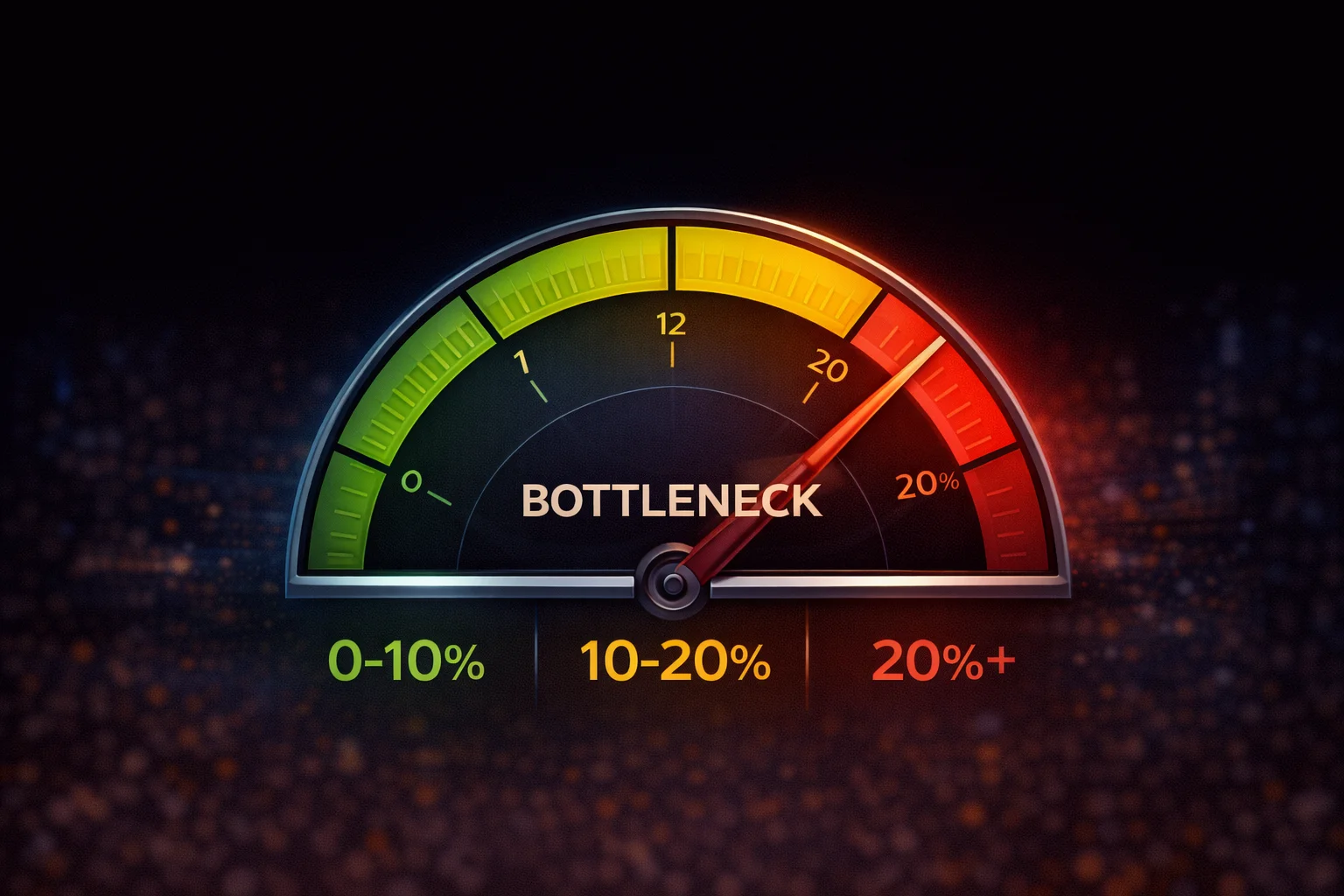
- 0-10%: Excellent, no action needed
- 10-15%: Acceptable, minor concern at most
- 15-25%: Noticeable, consider addressing
- 25%+: Problematic, upgrade recommended
Context matters more than percentages: A 10% bottleneck is irrelevant if you’re hitting your FPS targets. Focus on whether your actual gaming experience is satisfactory, not on achieving a theoretical perfect 0% balance that doesn’t exist in practice.
Check your system: Use our Bottleneck Calculator to see where your components stand, and use our FPS Calculator to estimate actual performance in specific games.
Related Guides
- Bottleneck Calculator – Check Your CPU & GPU Pairing
- FPS Calculator – Estimate Gaming Frame Rates
- What Is a CPU Bottleneck? How to Identify & Fix It
- What Is a GPU Bottleneck? Signs & Solutions
- How to Check if Your PC Has a Bottleneck
- CPU vs GPU Bottleneck: Which Is Worse?
Last Updated: February 2026