Kingston SSD Manager vs Acronis: Which Tool Should You Use?

Quick Answer+
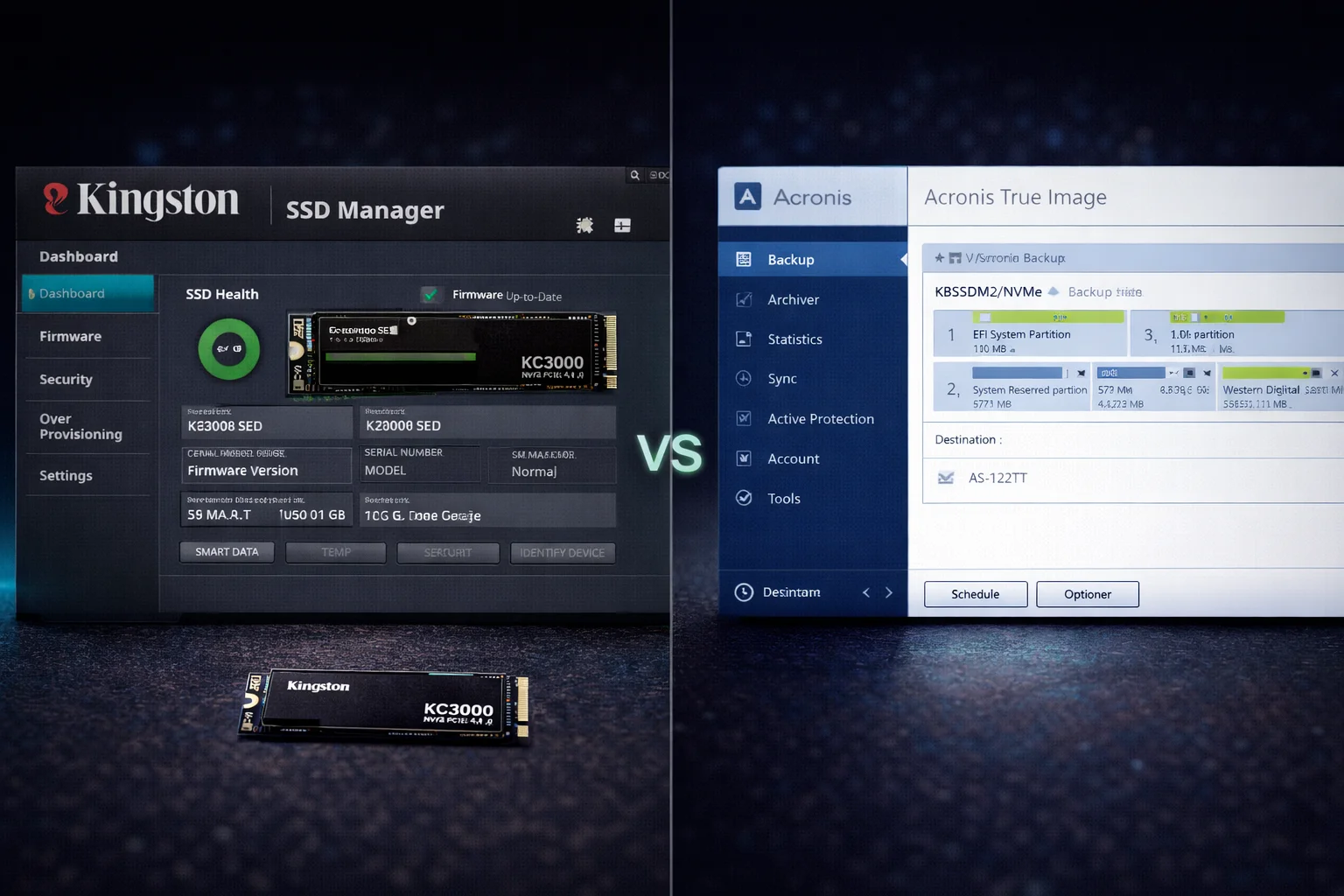
Kingston SSD Manager vs Acronis — use both for different tasks: Use Acronis True Image for Kingston (free) for drive cloning and migration — it’s the only Kingston tool that can clone your Windows installation. Use Kingston SSD Manager (free) for firmware updates, health monitoring, secure erase, and drive diagnostics. Neither tool requires an activation key. Download Acronis from acronis.com/kingston and SSD Manager from kingston.com.
Quick Comparison: Which Tool Does What
| Feature | Kingston SSD Manager | Acronis True Image |
|---|---|---|
| Drive Cloning | ❌ No | ✅ Yes |
| Windows Migration | ❌ No | ✅ Yes |
| Firmware Updates | ✅ Yes | ❌ No |
| Health Monitoring | ✅ Yes (SMART data) | ❌ No |
| Secure Erase | ✅ Yes | ❌ No |
| Drive Diagnostics | ✅ Yes | ❌ No |
| Backup/Restore | ❌ No | ✅ Yes |
| Over-Provisioning | ✅ Yes | ❌ No |
| Price | Free | Free (Kingston version) |
Bottom line: These tools complement each other. Install both — use Acronis for cloning/migration, use SSD Manager for everything else.
Kingston SSD Manager: What It Does
Download:kingston.com/ssdmanager
Kingston SSD Manager (KSM) is a free utility for monitoring and maintaining Kingston SSDs. It provides essential drive management features but cannot clone drives.
Key Features
1. Firmware Updates
KSM automatically checks for and installs firmware updates. This is critical — firmware updates can fix bugs, improve performance, and enhance compatibility. Always keep your SSD firmware current.
2. Health Monitoring (SMART Data)
View detailed SMART attributes including:
- Drive temperature
- Total bytes written (TBW used)
- Power-on hours
- Remaining drive life percentage
- Error counts
3. Secure Erase
Completely wipe your SSD before selling or disposing. Secure erase is more thorough than formatting — it resets all cells to factory state, making data recovery impossible.
4. Over-Provisioning
Allocate extra space for the SSD controller to improve performance and longevity. Useful for write-heavy workloads.
When to Use Kingston SSD Manager
- Checking for firmware updates (do this first after installing any new Kingston SSD)
- Monitoring drive health and remaining lifespan
- Securely erasing a drive before sale or disposal
- Diagnosing drive issues or errors
- Adjusting over-provisioning for performance tuning
Acronis True Image for Kingston: What It Does
Download:acronis.com/kingston
Acronis True Image for Kingston is free cloning and backup software. It’s the only Kingston tool that can clone drives — essential for migrating Windows to a new SSD.
Key Features
1. Drive Cloning
Create an exact copy of your entire drive, including:
- Windows installation
- All programs and applications
- User files and settings
- Boot partitions and recovery partitions
2. Disk Imaging and Backup
Create compressed backup images of your drive that can be restored later. Useful for system snapshots before major changes.
3. Partition Management
Resize partitions during cloning to fit different capacity drives.
When to Use Acronis True Image
- Migrating Windows from an old drive to a new Kingston SSD
- Cloning your system drive without reinstalling Windows
- Creating full system backups
- Upgrading from HDD to SSD
- Upgrading from smaller SSD to larger SSD
Common Scenarios: Which Tool to Use
| I want to… | Use This Tool |
|---|---|
| Clone my Windows drive to Kingston SSD | Acronis True Image |
| Update my Kingston SSD firmware | Kingston SSD Manager |
| Check how much life my SSD has left | Kingston SSD Manager |
| Migrate from HDD to Kingston SSD | Acronis True Image |
| Wipe my SSD before selling | Kingston SSD Manager |
| Create a system backup image | Acronis True Image |
| Check drive temperature | Kingston SSD Manager |
| Upgrade to larger Kingston SSD | Acronis True Image |
Installation Requirements
Kingston SSD Manager
- Windows 7/8/10/11 (64-bit)
- Kingston SSD installed (any model)
- Administrator privileges
- No activation key required
Acronis True Image for Kingston
- Windows 7/8/10/11 (64-bit)
- Kingston SSD must be connected (software validates Kingston hardware)
- Administrator privileges
- No activation key required — auto-activates with Kingston drive present
Frequently Asked Questions
No. Kingston SSD Manager cannot clone drives. It’s designed for firmware updates, health monitoring, secure erase, and diagnostics. For cloning, use Acronis True Image for Kingston, which is also free.
Yes, completely free. Kingston provides a licensed OEM version of Acronis True Image at no cost. Download from acronis.com/kingston. The software automatically activates when it detects a Kingston SSD — no serial key or purchase required.
Yes, install both. They serve different purposes. Use Acronis for cloning and migration (one-time use during setup). Use Kingston SSD Manager ongoing for firmware updates and health monitoring. Both are free and work together without conflicts.
All Kingston consumer SSDs are supported, including: KC3000, KC2500, NV2, NV1, A2000, A400, and older models. Both tools automatically detect Kingston drives. Enterprise drives may require different tools.
No. Acronis True Image for Kingston validates that a Kingston SSD is present before activating. If no Kingston drive is detected, the software won’t function. This is how Kingston provides the free license.
Those are brand-specific tools similar to Kingston SSD Manager. Samsung Magician works only with Samsung SSDs. WD Dashboard works only with Western Digital drives. Kingston SSD Manager works only with Kingston drives. Each brand provides their own free management software.
Related Kingston Guides
- Kingston KC3000 Clone Guide — Step-by-step Windows migration
- Kingston Acronis True Image Guide — Complete cloning walkthrough
- Kingston NV2 Setup Guide — Budget NVMe installation
- All Kingston SSDs — Browse Kingston prices
- Best NVMe SSDs 2026 — Top picks compared
Last Updated: February 2026 | Software versions verified