
Quick Answer+
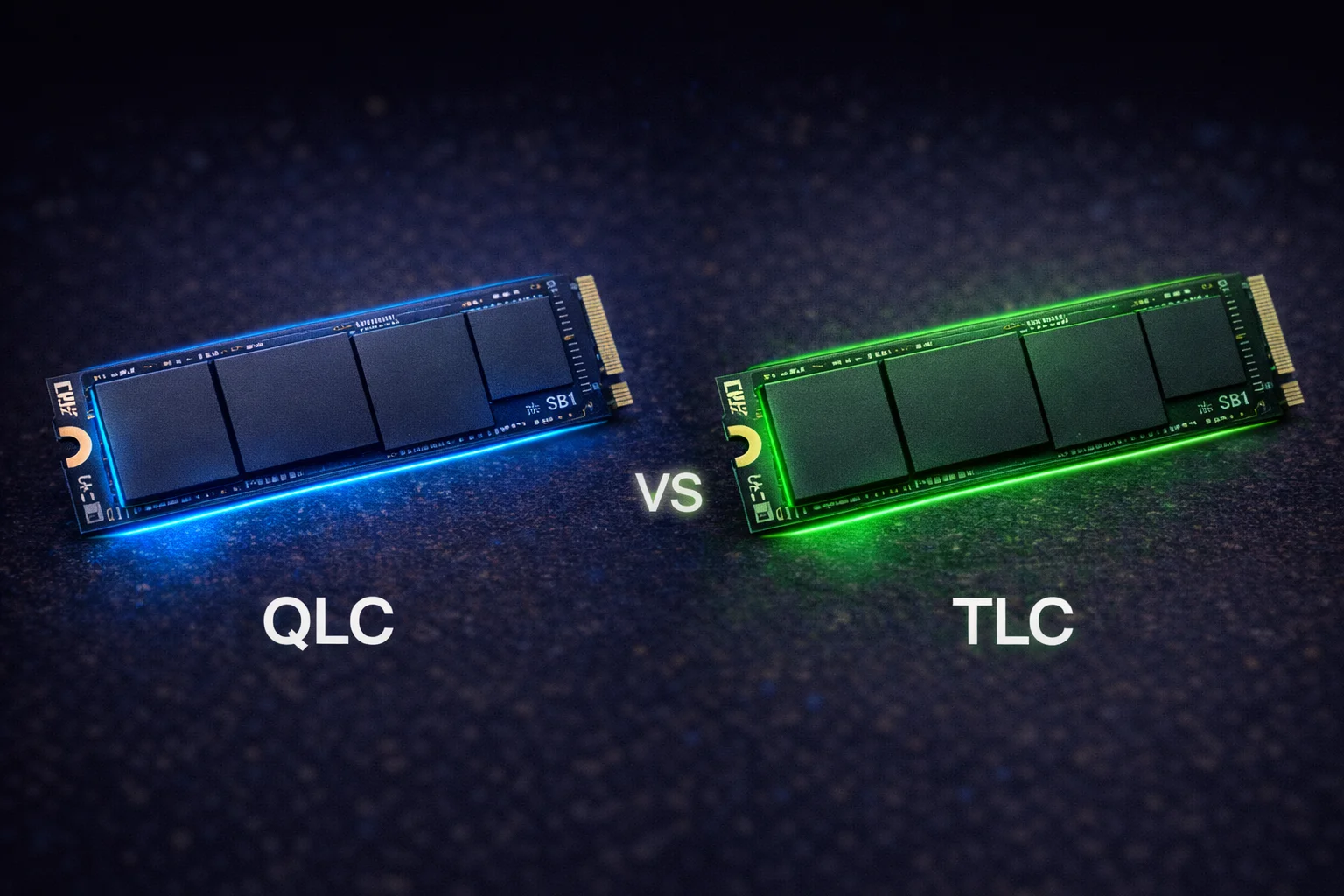
TLC (Triple-Level Cell) stores 3 bits per cell and offers the best balance of performance, endurance, and price for most users. Choose TLC for gaming PCs, content creation, and workstations.
QLC (Quad-Level Cell) stores 4 bits per cell, offering higher capacity at lower prices but with reduced write speeds and endurance. Choose QLC for budget builds, secondary storage, and read-heavy workloads.
Bottom line: TLC is better for primary/boot drives and heavy workloads. QLC is fine for mass storage, game libraries, and budget builds where write performance isn’t critical.
If you’ve been shopping for an SSD lately, you’ve probably noticed terms like “QLC” and “TLC” thrown around in product descriptions and reviews. These acronyms refer to the type of NAND flash memory inside the drive—and they have a significant impact on performance, endurance, and price.
Understanding the difference between QLC and TLC can save you money and help you choose the right SSD for your specific needs. A content creator working with large video files has very different requirements than a casual gamer or someone building a budget PC.
In this comprehensive guide, we’ll break down exactly what QLC and TLC mean, how they affect real-world performance, and which type you should buy for gaming, professional work, NAS storage, and everyday use.
What Is NAND Flash Memory?
Before diving into QLC vs TLC, it helps to understand the basics of how SSDs store data. Unlike traditional hard drives that use spinning magnetic platters, SSDs use NAND flash memory—a type of non-volatile storage that retains data without power.
NAND flash stores data in cells, and each cell can hold a certain number of bits. The number of bits per cell determines the type of NAND:
- SLC (Single-Level Cell): 1 bit per cell — Fastest, most durable, most expensive
- MLC (Multi-Level Cell): 2 bits per cell — Fast, durable, expensive
- TLC (Triple-Level Cell): 3 bits per cell — Balanced performance, good endurance, affordable
- QLC (Quad-Level Cell): 4 bits per cell — Highest density, lowest cost, reduced endurance
The more bits you pack into each cell, the more data you can store in the same physical space—which reduces manufacturing costs. However, cramming more bits into each cell also makes it harder to read and write data accurately, which affects performance and longevity.
Today’s consumer SSD market is dominated by TLC and QLC. SLC is reserved for enterprise applications where cost is no object, and MLC has largely been phased out of consumer products. So for most buyers, the real choice comes down to TLC vs QLC.
TLC Explained: The Performance Sweet Spot
TLC (Triple-Level Cell) NAND stores three bits of data per cell, giving it eight possible voltage states (2³ = 8). This technology has been refined over more than a decade and represents the current sweet spot for consumer SSDs.
How TLC Works
Each TLC cell must distinguish between eight different voltage levels to determine which three-bit combination is stored. While this is more complex than SLC (two states) or MLC (four states), modern controllers handle this efficiently with minimal impact on read speeds.
Write operations are where TLC requires more finesse. The controller must precisely set each cell to one of eight voltage levels, which takes longer than the simpler programming required for SLC or MLC. To compensate, TLC drives use SLC caching—a portion of the drive operates in faster SLC mode for incoming writes, then the data is moved to TLC cells during idle time.
TLC Performance Characteristics
Sequential Read Speeds: Excellent. Top TLC drives like the Samsung 990 Pro and WD Black SN850X achieve 7,000+ MB/s on PCIe 4.0, matching or exceeding the interface limits.
Sequential Write Speeds: Very good within SLC cache, then drops to native TLC speeds (typically 1,500-2,500 MB/s) once the cache fills. Most users never notice this in normal use.
Random Read/Write (IOPS): Strong performance, typically 800K-1M+ random read IOPS on flagship drives. This is what matters most for operating system responsiveness and application loading.
Sustained Writes: TLC handles large sustained writes reasonably well, though performance can drop during extended operations like copying hundreds of gigabytes.
TLC Endurance and Lifespan
Endurance is measured in TBW (Terabytes Written)—the total amount of data you can write to a drive before cells start to wear out. TLC drives typically offer:
- 500GB TLC: 300-400 TBW
- 1TB TLC: 600-800 TBW
- 2TB TLC: 1,200-1,500 TBW
- 4TB TLC: 2,400-3,000 TBW
To put this in perspective: if you wrote 100GB per day to a 1TB TLC drive with 600 TBW rating, it would last over 16 years. For typical consumer use (20-50GB per day), TLC endurance is essentially a non-issue.
Popular TLC SSDs
Most premium consumer SSDs use TLC NAND:
- Samsung 990 Pro — Flagship Gen 4 performance
- WD Black SN850X — Top gaming SSD
- SK Hynix Platinum P41 — Best value flagship
- Crucial T500 — Excellent mid-range option
- Lexar NM790 — Budget TLC champion
- Samsung 870 EVO — Best SATA TLC drive
QLC Explained: Maximum Capacity, Minimum Cost
QLC (Quad-Level Cell) NAND stores four bits of data per cell, requiring the controller to distinguish between 16 different voltage states (2⁴ = 16). This is the densest consumer flash technology currently available.
How QLC Works
With 16 voltage states packed into each cell, QLC pushes the limits of what’s physically possible with current flash technology. The voltage differences between states are smaller, making reads and writes more challenging and time-consuming.
QLC drives rely heavily on SLC caching to mask their slower native performance. When you first start writing to a QLC drive, data goes into fast SLC-mode cache. Once that cache fills up—which can happen during large file transfers—write speeds drop dramatically to native QLC speeds (often 100-400 MB/s).
The size of the SLC cache varies by drive and depends on how full the drive is. A nearly-empty QLC drive might have 100GB+ of cache, while a 90%-full drive might have only a few gigabytes. This is why QLC performance can vary significantly depending on usage patterns.
QLC Performance Characteristics
Sequential Read Speeds: Good to excellent. Many QLC drives match TLC read speeds because reading is less affected by cell density. You’ll see 5,000-7,000 MB/s on modern QLC NVMe drives.
Sequential Write Speeds: Fast within SLC cache (often matching TLC specs), but can drop to 100-400 MB/s once the cache fills. This is the biggest weakness of QLC.
Random Read/Write (IOPS): Generally lower than TLC, especially for random writes. Budget QLC drives may feel slightly less snappy than TLC alternatives for OS and application tasks.
Sustained Writes: Poor compared to TLC. Copying large files (50GB+) or installing multiple games simultaneously will expose QLC’s limitations.
QLC Endurance and Lifespan
QLC endurance is lower than TLC because cells wear out faster when storing more bits. Typical ratings:
- 500GB QLC: 100-200 TBW
- 1TB QLC: 200-400 TBW
- 2TB QLC: 400-800 TBW
- 4TB QLC: 800-1,200 TBW
While these numbers are lower than TLC, they’re still adequate for most consumer use cases. Writing 50GB daily to a 1TB QLC drive with 300 TBW rating gives you over 16 years of lifespan. The endurance “problem” with QLC is often overstated for typical users.
That said, QLC is not recommended for write-intensive workloads like video editing scratch disks, database servers, or continuous security camera recording.
Popular QLC SSDs
QLC is common in budget and high-capacity drives:
- Samsung 870 QVO — High-capacity SATA (up to 8TB)
- Crucial P3 — Budget NVMe option
- WD Blue SN580 — Affordable everyday drive
- Sabrent Rocket Q — High-capacity NVMe (up to 8TB)
- Seagate Barracuda Q5 — Budget-friendly option
- Intel 670p — Mainstream QLC with good caching
QLC vs TLC: Head-to-Head Comparison
Let’s compare these two technologies across the metrics that matter most to buyers:
Performance Comparison
[comparison_table]
| Metric | TLC | QLC | Winner |
|——–|—–|—–|——–|
| Sequential Read | 7,000+ MB/s | 5,000-7,000 MB/s | TLC (slight) |
| Sequential Write (cached) | 6,000+ MB/s | 4,000-6,000 MB/s | TLC |
| Sequential Write (native) | 1,500-2,500 MB/s | 100-400 MB/s | TLC (major) |
| Random Read IOPS | 800K-1M+ | 400K-700K | TLC |
| Random Write IOPS | 800K-1M+ | 300K-600K | TLC |
| Consistency | Excellent | Variable | TLC |
[/comparison_table]
Verdict: TLC wins decisively on performance, especially for sustained writes and random operations. The gap is most noticeable during large file transfers and multi-tasking scenarios.
Endurance Comparison
[comparison_table]
| Capacity | TLC TBW | QLC TBW | Difference |
|———-|———|———|————|
| 500GB | 300-400 | 100-200 | TLC 2-3x better |
| 1TB | 600-800 | 200-400 | TLC 2-3x better |
| 2TB | 1,200-1,500 | 400-800 | TLC 2-3x better |
| 4TB | 2,400-3,000 | 800-1,200 | TLC 2-3x better |
[/comparison_table]
Verdict: TLC offers 2-3x the endurance of QLC. However, both technologies exceed the needs of typical consumers. Endurance is only a concern for heavy write workloads.
Price Comparison
QLC’s main advantage is cost. By storing more data per cell, manufacturers can produce higher-capacity drives more cheaply.
[comparison_table]
| Capacity | TLC Price Range | QLC Price Range | Savings |
|———-|—————–|—————–|———|
| 1TB | $80-120 | $50-80 | 20-40% cheaper |
| 2TB | $150-220 | $100-150 | 25-35% cheaper |
| 4TB | $300-450 | $200-300 | 25-35% cheaper |
| 8TB | $700-900 | $450-600 | 30-40% cheaper |
[/comparison_table]
Verdict: QLC offers significant savings, especially at higher capacities. If you need 4TB+ of storage on a budget, QLC makes a strong case.
Capacity Availability
QLC enables higher capacities at consumer price points:
- TLC: Commonly available up to 4TB, with limited 8TB options at premium prices
- QLC: Widely available up to 8TB, with some drives reaching 16TB
Verdict: QLC wins for maximum capacity. If you need massive storage in a single drive, QLC is often your only affordable option.
Real-World Use Case Analysis
Let’s examine which technology makes sense for specific scenarios:
Gaming PC: TLC Recommended
For a primary gaming drive, TLC is the better choice. Modern games are massive (50-150GB each), and you’ll appreciate faster install times and consistent performance. Game load times are similar between TLC and QLC since loading is read-heavy, but installing, updating, and moving games benefits from TLC’s faster writes.
Best TLC drives for gaming:
- Samsung 990 Pro — Best overall performance
- WD Black SN850X — Excellent for gaming
- Crucial T500 — Best value for gaming
Exception: QLC is acceptable for a secondary game storage drive where you keep less-played titles. The savings can go toward a faster primary drive or more capacity overall.
Content Creation (Video/Photo Editing): TLC Strongly Recommended
Video editors, photographers, and other content creators should stick with TLC. These workflows involve:
- Large sustained writes (importing footage)
- Heavy random I/O (editing timelines)
- Frequent file operations (organizing projects)
- High daily write volumes
QLC’s slow native write speeds and lower endurance make it unsuitable for scratch disks or active project storage. A TLC drive can handle 4K/8K video editing smoothly, while QLC may cause stuttering during intensive operations.
Best TLC drives for content creation:
- Samsung 990 Pro — Sustained performance king
- SK Hynix Platinum P41 — Excellent for creative work
- Crucial T700 — Gen 5 speeds for demanding workflows
Budget PC Build: QLC Acceptable
Building a PC on a tight budget? QLC can be a smart choice. The money saved on storage can go toward a better CPU, GPU, or more RAM—components that have a bigger impact on overall system performance.
For everyday tasks like web browsing, office work, and light gaming, QLC performs well enough that most users won’t notice a difference from TLC. The slower write speeds only become apparent during large file operations.
Best QLC drives for budget builds:
- Crucial P3 — Affordable and reliable
- WD Blue SN580 — Good everyday performance
- Intel 670p — Solid budget option
NAS Storage: TLC Recommended (with caveats)
For NAS caching drives or all-flash NAS arrays, TLC is preferred due to its higher endurance and better sustained write performance. NAS environments often involve:
- 24/7 operation
- Multiple simultaneous users
- Frequent read/write operations
- Years of expected service life
However, QLC can work for cold storage NAS applications where data is written once and read occasionally. If you’re archiving media files or backups that won’t change frequently, QLC’s lower cost per terabyte makes sense.
Secondary/Archive Storage: QLC Recommended
QLC shines as secondary storage for:
- Game libraries (store games you’re not actively playing)
- Media collections (movies, music, photos)
- Backups and archives
- Documents and project archives
These use cases are read-heavy with infrequent writes—exactly where QLC performs well. A 4TB QLC drive for $250 makes more sense than a 4TB TLC drive for $400 when you’re just storing files you’ll occasionally access.
PS5/Xbox Storage Expansion: TLC Recommended
For console gaming storage expansion, TLC is the better choice. While game loading (reads) is similar between TLC and QLC, game installation and updates (writes) are noticeably faster with TLC. Console gamers frequently install large games, and QLC’s slow native writes can make this painful.
Best TLC drives for PS5:
The SLC Cache Factor
Both TLC and QLC drives use SLC caching to boost write performance, but the implementation and impact differ significantly.
How SLC Caching Works
SLC cache dedicates a portion of the drive to operate in single-bit-per-cell mode. Since SLC is much faster than TLC or QLC, incoming writes go to this cache first. During idle time, data is “folded” from the SLC cache to the main TLC/QLC storage.
Cache size varies by drive:
- Static cache: Fixed size (e.g., always 12GB)
- Dynamic cache: Size varies based on free space (larger when drive is emptier)
- Hybrid: Combines static and dynamic approaches
TLC vs QLC Cache Behavior
TLC with SLC cache: Once the cache fills, writes drop to native TLC speeds (typically 1,500-2,500 MB/s). This is still reasonably fast—you can copy a 100GB file and experience the slowdown, but it won’t feel painful.
QLC with SLC cache: Once the cache fills, writes drop to native QLC speeds (often 100-400 MB/s). This is dramatically slower—approaching hard drive territory. Large file transfers can slow to a crawl.
This is why QLC drives with large, well-implemented caches (like the Samsung 870 QVO) perform much better than cheap QLC drives with small caches. The cache masks QLC’s weakness for most everyday operations.
SLC cache size shrinks as drives fill up. A QLC drive that’s 90% full may have almost no cache remaining, meaning ALL writes happen at slow native QLC speeds. Keep at least 10-20% free space on QLC drives for best performance.
Data Retention and Reliability
Beyond performance and endurance, NAND type affects how reliably data is stored over time.
Voltage State Precision
TLC cells distinguish between 8 voltage levels; QLC cells must distinguish between 16. The smaller voltage margins in QLC make it more susceptible to:
- Read disturb: Reading nearby cells can affect charge levels
- Charge leakage: Cells slowly lose charge over time
- Temperature sensitivity: Heat can affect voltage readings
Modern controllers use sophisticated error correction (ECC) to handle these issues, but QLC requires more aggressive error correction than TLC, which adds latency and complexity.
Data Retention Without Power
SSDs can lose data if left unpowered for extended periods. JEDEC standards require consumer SSDs to retain data for one year at 30°C when powered off. Both TLC and QLC meet this requirement when new, but worn cells retain data for shorter periods.
QLC’s higher cell density means it’s theoretically more susceptible to data retention issues as drives age. For archival storage that will sit unpowered for years, TLC is the safer choice—though hard drives remain better for true long-term archival.
Future of QLC and TLC
Both technologies continue to evolve with each generation:
Improving QLC
Manufacturers are making QLC more competitive through:
- Better controllers: More sophisticated algorithms improve write performance and endurance
- Larger SLC caches: Bigger caches hide native QLC performance for longer
- Advanced ECC: Better error correction improves reliability
- 3D NAND improvements: More layers mean better performance per cell
The latest QLC drives are significantly better than early generations. The gap between TLC and QLC is narrowing, though TLC still maintains clear advantages.
What About PLC (5 bits per cell)?
PLC (Penta-Level Cell) with 5 bits per cell is in development. It would offer even higher density and lower costs than QLC, but with further reduced performance and endurance. PLC may eventually appear in extremely high-capacity, low-cost archival drives, but it’s unlikely to replace QLC for mainstream use anytime soon.
How to Identify TLC vs QLC Drives
Manufacturers don’t always clearly label NAND type. Here’s how to determine what you’re buying:
Check the Specs Sheet
Look for “NAND Type” in specifications. Reputable manufacturers list this clearly. Terms to look for:
- “3-bit MLC” or “TLC” = Triple-Level Cell
- “4-bit MLC” or “QLC” = Quad-Level Cell
- “V-NAND” (Samsung) — Check further; could be either
- “BiCS FLASH” (WD/Kioxia) — Check further; could be either
Look at Endurance Ratings
TBW ratings often reveal NAND type:
- 1TB drive with 600+ TBW = Likely TLC
- 1TB drive with 200-400 TBW = Likely QLC
Check Reviews and Teardowns
Tech reviewers often open drives and identify the specific NAND chips inside. Sites like AnandTech, Tom’s Hardware, and TechPowerUp provide detailed component analysis.
Price as an Indicator
Unusually cheap drives are often QLC. If a 2TB NVMe SSD costs under $100, it’s almost certainly QLC. Premium-priced drives from major brands are typically TLC.
Frequently Asked Questions
TLC is better for gaming. While game load times (reads) are similar, TLC offers faster game installations, updates, and file transfers. TLC also provides more consistent performance and higher endurance. For a primary gaming drive, choose TLC. QLC is acceptable for secondary storage where you keep games you play less frequently.
Yes, QLC is reliable for typical consumer use. Modern QLC drives include sophisticated error correction and wear leveling that ensure data integrity. The lower endurance (TBW) ratings are still far beyond what most users will ever write. QLC is not recommended for write-intensive professional workloads, but it’s perfectly fine for everyday computing, web browsing, office work, and casual gaming.
A QLC SSD will typically last 5-10+ years under normal consumer use. A 1TB QLC drive with 300 TBW endurance could handle 50GB of writes per day for over 16 years before reaching its rated limit—and drives often exceed their TBW ratings. For most users, the computer will become obsolete before the QLC drive wears out.
For sequential reads, TLC is only slightly faster (maybe 10-20%). For sequential writes within SLC cache, they’re similar. The big difference is sustained writes after cache fills: TLC drops to 1,500-2,500 MB/s while QLC drops to 100-400 MB/s—a 5-10x difference. Random I/O performance is also better on TLC, typically by 30-50%.
Yes, QLC works fine as a boot drive for most users. Operating system loading is read-heavy, where QLC performs well. You may notice slightly slower application installs and Windows updates compared to TLC, but day-to-day responsiveness is acceptable. For budget builds, QLC as a boot drive is a reasonable compromise.
No, QLC is not recommended for video editing scratch disks or active project storage. Video editing involves large sustained writes that will overwhelm QLC’s SLC cache, causing severe slowdowns. Use TLC for your editing drive. QLC can work for storing finished projects or media archives that won’t change frequently.
For NAS caching SSDs or all-flash arrays with frequent writes, use TLC. For cold storage NAS where data is written once and read occasionally (like media servers or backups), QLC’s lower cost per terabyte can make sense. Consider the write patterns of your specific NAS use case.
Check the manufacturer’s specifications for ‘NAND Type.’ Look at endurance ratings—TLC typically offers 600+ TBW per terabyte while QLC offers 200-400 TBW. Price is another indicator: unusually cheap drives are often QLC. Tech review sites also identify NAND types in their teardowns and testing.
The Bottom Line: Which Should You Buy?
The choice between QLC and TLC comes down to your priorities:
Choose TLC if you:
- Need a primary/boot drive
- Do content creation or video editing
- Want maximum performance and consistency
- Plan to keep the drive for many years
- Use your PC for gaming as a primary activity
- Need NAS caching or write-intensive workloads
Choose QLC if you:
- Are on a tight budget
- Need maximum capacity at lowest cost
- Want secondary storage for games/media
- Have read-heavy workloads (streaming, media playback)
- Need archive/backup storage
- Build budget PCs where savings matter
For most users building or upgrading a PC, we recommend TLC for the primary drive and considering QLC for secondary storage if budget is a concern. The performance and endurance benefits of TLC are worth the modest price premium for your main system drive.
Compare TLC and QLC SSD prices →
Last Updated: February 2026