QNAP Compatible Hard Drives: Complete 2026 Drive Guide

Quick Answer+
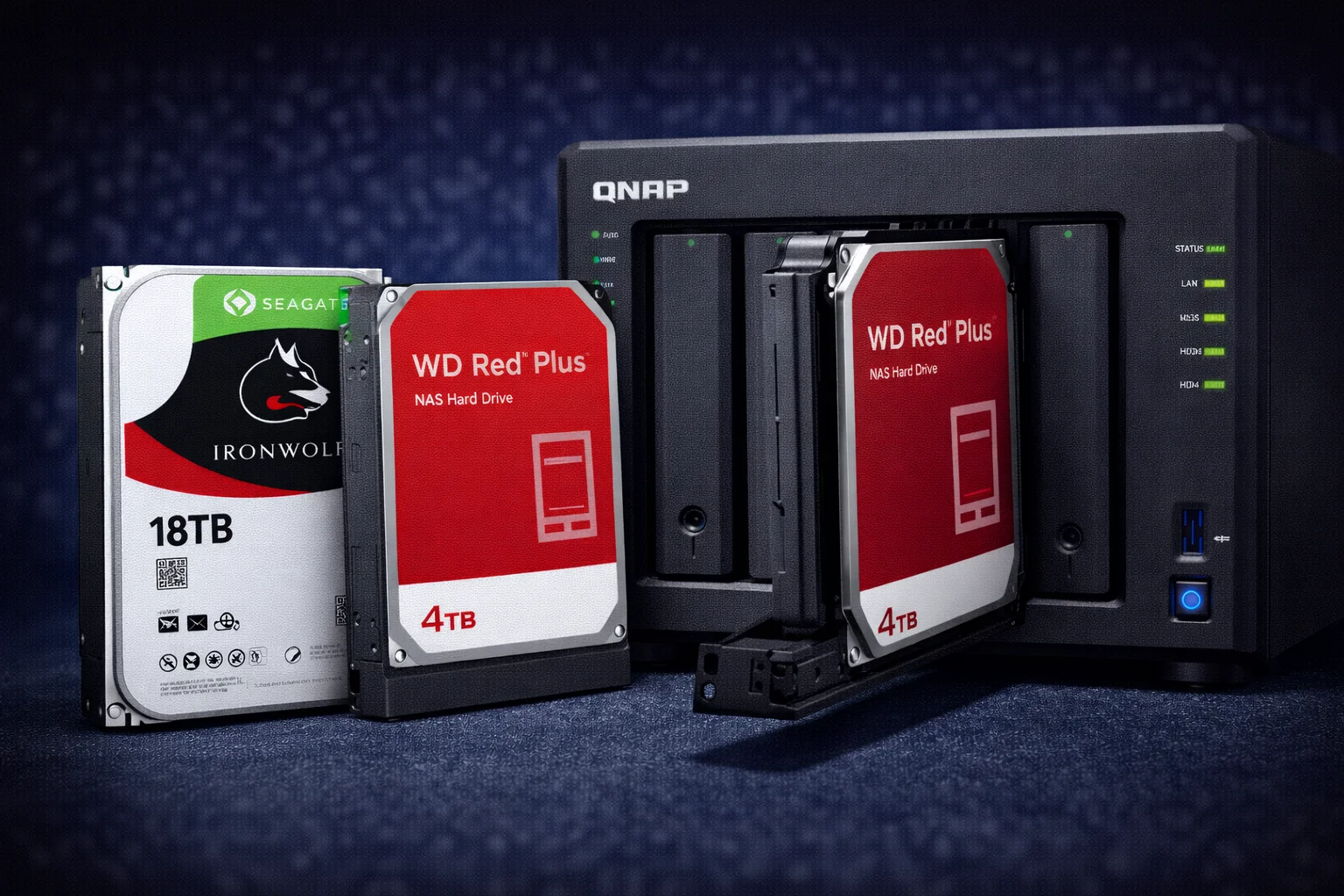
Quick Answer: Any 3.5″ SATA drive works with QNAP, but NAS-rated drives are strongly recommended. Best choices: Seagate IronWolf 8TB ($200) for best value, IronWolf Pro 16TB ($350) for business/large capacity. WD Red Plus is a solid alternative. Avoid desktop drives (WD Blue, Seagate Barracuda) and SMR drives — they cause serious problems in NAS environments. For M.2 caching: WD Red SN700 ($120/1TB) or Samsung 990 PRO ($200/1TB).
Choosing the right drives for your QNAP NAS is one of the most important decisions you’ll make. The wrong drives can lead to failures, poor performance, RAID rebuild problems, or premature wear. This comprehensive guide covers everything: which drives work best, which to avoid, and our top recommendations for every use case and budget.
Quick Drive Recommendations
| Use Case | Best Drive | Price | Why |
|---|---|---|---|
| Best Value | Seagate IronWolf 8TB | $200 | Best $/TB for NAS, 7200RPM |
| Large Capacity | Seagate IronWolf 12TB | $269 | More TB per bay, great $/TB |
| Business/Pro | IronWolf Pro 16TB | $350 | 5-yr warranty, data recovery |
| Maximum Capacity | IronWolf Pro 20TB | $420 | Highest capacity available |
| Budget NAS | WD Red Plus 4TB | $113 | Affordable starter drive |
| M.2 Cache (NAS) | WD Red SN700 1TB | $120 | NAS-optimized endurance |
| M.2 Performance | Samsung 990 PRO 1TB | $200 | Best overall M.2 SSD |
| M.2 Budget | Crucial P3 Plus 1TB | $85 | Good value Gen4 SSD |
| 2.5″ SATA SSD | Samsung 870 EVO 2TB | $190 | Reliable, 5-year warranty |
Understanding NAS Drives vs Desktop Drives
Not all hard drives are created equal. NAS drives are specifically engineered for the demands of network-attached storage, while desktop drives are designed for single-drive, intermittent use. Using the wrong type can cause serious problems.
Why NAS Drives Matter
| Feature | NAS Drive | Desktop Drive |
|---|---|---|
| 24/7 Operation | ✅ Designed for continuous use | ⚠️ Not rated for always-on |
| Vibration Tolerance | ✅ RV sensors for multi-bay | ❌ Single-drive only |
| Workload Rating | 180-550 TB/year | 55 TB/year typical |
| RAID Optimization | ✅ TLER/ERC enabled | ❌ May cause RAID drops |
| Warranty | 3-5 years | 2 years typical |
| Recording Method | CMR (always) | Often SMR |
| Error Recovery | Optimized for RAID | Standard (problematic) |
| Power Management | NAS-optimized idle | Aggressive spindown |
Key NAS Drive Features Explained
Rotational Vibration (RV) Sensors: In a multi-drive NAS, drives vibrate and can interfere with each other. RV sensors detect this vibration and compensate, maintaining read/write accuracy. Desktop drives lack these sensors and can experience errors in multi-bay enclosures. This becomes especially important with 4+ drives operating simultaneously.
TLER/ERC (Time-Limited Error Recovery): When a drive encounters a read error, it normally keeps retrying for a long time (sometimes minutes). In a RAID array, this delay can cause the RAID controller to mark the drive as failed and kick it out of the array. NAS drives have TLER enabled, limiting retry time to 7 seconds to prevent false RAID failures. This is critical for RAID stability.
Workload Rating: This measures how much data the drive can read/write per year reliably. Desktop drives are typically rated for 55TB/year — that’s about 150GB/day. Heavy NAS use (media streaming, backups, Docker containers) can easily exceed this. NAS drives are rated for 180-550TB/year, providing the headroom needed for demanding workloads.
Firmware Optimization: NAS drives have firmware tuned for multi-drive environments, including optimized power management that doesn’t aggressively spin down (which would cause delays and excess wear from constant spin-up/spin-down cycles).
CMR vs SMR: Critical Difference
CMR (Conventional Magnetic Recording): Standard recording method where tracks don’t overlap. Provides consistent performance for both reads and writes. Required for NAS and RAID use.
SMR (Shingled Magnetic Recording): Tracks overlap like roof shingles, allowing higher density. Sequential writes are fine, but random writes are extremely slow because overlapping tracks must be rewritten. SMR drives cause severe problems in NAS environments:
- RAID rebuilds can take days instead of hours (or fail completely)
- Random write performance degrades severely over time
- NAS responsiveness suffers during write operations
- Background tasks become unbearably slow (indexing, thumbnail generation)
- Docker and VM performance is terrible
All drives recommended in this guide are CMR. Never use SMR drives in a NAS.
How to Identify SMR Drives
Manufacturers don’t always clearly label SMR drives. To verify CMR: check the manufacturer’s official specifications page, look for “CMR” or “Conventional Magnetic Recording” in specs, buy from NAS-specific product lines (IronWolf, WD Red Plus, WD Red Pro), avoid drives with suspiciously low prices for their capacity, and check online databases that track CMR vs SMR by model number.
Best 3.5″ NAS Hard Drives
Seagate IronWolf Series (Our Top Recommendation)
Seagate’s IronWolf line is purpose-built for NAS use and our top recommendation for QNAP. Key advantages include IronWolf Health Management (IHM) integration with QTS for 200+ parameter monitoring, AgileArray technology for multi-bay optimization, and 3-year warranty on standard models.
Seagate IronWolf 4TB
5400RPM, 256MB Cache, 3-Year Warranty, 180TB/yr Workload, CMR
Entry-level NAS drive for budget builds or lower-capacity needs. Good for 2-bay NAS where you want RAID 1 redundancy without high cost. CMR recording ensures reliable RAID performance. IronWolf Health Management compatible.
Seagate IronWolf 8TB
7200RPM, 256MB Cache, 3-Year Warranty, 180TB/yr Workload, CMR
The sweet spot for most users and our most recommended drive. Best price per TB at $25/TB. 7200RPM provides 20-30% better performance than 5400RPM alternatives. Ideal for TS-264, TS-464, and similar models. This is the drive we recommend most often.
Seagate IronWolf 12TB
7200RPM, 256MB Cache, 3-Year Warranty, 180TB/yr Workload, CMR
More capacity per bay at excellent $22.42/TB value. Ideal for 2-bay NAS (TS-233, TS-264) where you want maximum storage, or for users who want to future-proof their storage capacity. 4x 12TB in RAID 5 = 36TB usable.
Seagate IronWolf Pro Series (Business/Professional)
IronWolf Pro adds premium features for business and critical data: 5-year warranty (vs 3-year), Rescue Data Recovery Services included (2-year coverage worth ~$500), higher workload rating (300-550TB/year vs 180TB/year), and faster sustained transfer speeds.
Seagate IronWolf Pro 12TB
7200RPM, 256MB Cache, 5-Year Warranty, 300TB/yr Workload, Data Recovery
Professional-grade with included Rescue Data Recovery service. The 5-year warranty and data recovery inclusion justify the premium for business use or irreplaceable data. Higher workload rating handles demanding environments.
Seagate IronWolf Pro 16TB
7200RPM, 256MB Cache, 5-Year Warranty, 300TB/yr Workload, Data Recovery
Sweet spot for high-capacity professional use. 4x 16TB in RAID 5 gives 48TB usable. Excellent $/TB at $21.88 with Pro-level warranty, data recovery, and higher workload rating. Best value in the Pro lineup.
Seagate IronWolf Pro 20TB
7200RPM, 256MB Cache, 5-Year Warranty, 300TB/yr Workload, Data Recovery
Highest mainstream capacity IronWolf available. For users who need absolute maximum storage per bay. 4x 20TB in RAID 5 = 60TB usable in a 4-bay NAS. Best $/TB at $21.00 with all Pro features.
WD Red Plus Series (Solid Alternative)
Western Digital’s NAS line is a reliable alternative to IronWolf. All WD Red Plus drives use CMR recording (unlike some older WD Red models which were SMR). Key features include NASware 3.0 technology for NAS optimization, 3-year warranty, and good reliability track record.
WD Red Plus 4TB
5400RPM, 256MB Cache, 3-Year Warranty, 180TB/yr Workload, CMR
Affordable NAS drive with guaranteed CMR recording. Solid choice for budget builds or entry-level NAS. Slightly more expensive per TB than IronWolf 4TB but equally reliable. NASware 3.0 optimized.
WD Red Plus 8TB
5640RPM, 256MB Cache, 3-Year Warranty, 180TB/yr Workload, CMR
Reliable 8TB NAS drive. 5640RPM is slightly slower than IronWolf’s 7200RPM but runs quieter and cooler. Good alternative if IronWolf is out of stock or you prefer WD’s ecosystem.
WD Red Plus 12TB
7200RPM, 256MB Cache, 3-Year Warranty, 180TB/yr Workload, CMR
Higher capacity WD option with 7200RPM for better performance at this capacity. Same price as IronWolf 12TB with comparable specs. Choose based on availability and preference.
WD Red Pro Series (Business)
WD Red Pro 16TB
7200RPM, 512MB Cache, 5-Year Warranty, 300TB/yr Workload, CMR
WD’s professional NAS line with 5-year warranty and higher workload rating. Comparable to IronWolf Pro. 512MB cache is larger than IronWolf’s 256MB. No included data recovery service (unlike IronWolf Pro).
Complete Pricing and Value Comparison
| Drive | Capacity | Price | $/TB | RPM | Warranty |
|---|---|---|---|---|---|
| IronWolf | 4TB | $105 | $26.25 | 5400 | 3 years |
| IronWolf | 6TB | $145 | $24.17 | 5400 | 3 years |
| IronWolf | 8TB | $200 | $25.00 | 7200 | 3 years |
| IronWolf | 12TB | $269 | $22.42 | 7200 | 3 years |
| IronWolf Pro | 12TB | $343 | $28.58 | 7200 | 5 years |
| IronWolf Pro | 16TB | $350 | $21.88 | 7200 | 5 years |
| IronWolf Pro | 20TB | $420 | $21.00 | 7200 | 5 years |
| WD Red Plus | 4TB | $113 | $28.25 | 5400 | 3 years |
| WD Red Plus | 8TB | $220 | $27.50 | 5640 | 3 years |
| WD Red Plus | 12TB | $269 | $22.42 | 7200 | 3 years |
| WD Red Pro | 16TB | $350 | $21.88 | 7200 | 5 years |
Best Value Analysis: IronWolf Pro 16-20TB offers the best $/TB with premium features. For standard home use, IronWolf 8TB hits the sweet spot of value and performance. Budget builds should start with IronWolf 4TB or WD Red Plus 4TB.
Drives to Avoid
Desktop Drives (Not Recommended for NAS)
- WD Blue — Not rated for 24/7, no vibration protection, no TLER, 2-year warranty
- Seagate Barracuda — Desktop drive, many models are SMR, not 24/7 rated
- Toshiba P300 — Desktop drive, not NAS-rated, limited warranty
- Any “Compute” or “Desktop” labeled drives — Not designed for NAS workloads
Desktop drives may work initially but will likely fail sooner, cause RAID problems, and aren’t covered under warranty for NAS use. The cost savings aren’t worth the risk.
SMR Drives (Avoid Completely)
- WD Red (non-Plus) — Some models are SMR. Always buy WD Red Plus explicitly.
- Seagate Archive — SMR by design for cold storage only
- Seagate Barracuda (many models) — Check specs carefully, many are SMR
- Any “archive” or “backup” labeled drives — Usually SMR
SMR drives will cause RAID rebuilds to take days instead of hours, random write performance will be abysmal, and you may experience failed rebuilds that result in data loss.
M.2 NVMe SSDs for Caching
QNAP’s Intel-based models (TS-264, TS-464, TS-664, etc.) include M.2 slots for NVMe SSDs. These can be used for SSD caching to accelerate HDD performance, Qtier auto-tiering that automatically moves hot data to faster storage, or dedicated fast storage pools for VMs and Docker.
Best M.2 SSDs for QNAP
WD Red SN700 1TB
NVMe Gen3, 3,430 MB/s Read, 2,600 MB/s Write, High Endurance TBW
Purpose-built for NAS caching workloads with exceptional write endurance. Best choice for 24/7 SSD caching where longevity matters most. Optimized firmware for NAS environments. Our top recommendation for caching.
Samsung 990 PRO 1TB
NVMe Gen4, 7,450 MB/s Read, 6,900 MB/s Write, 5-Year Warranty
Top-tier performance SSD. Excellent for Plex metadata storage, Docker volumes, VM storage, or all-flash storage pools. Overkill for basic caching but worth it for demanding workloads and VM hosting.
WD Red SN700 500GB
NVMe Gen3, 3,430 MB/s Read, High Endurance
Smaller capacity version for basic caching needs. Good entry point for testing SSD caching before committing to larger SSDs. Sufficient for most home NAS caching scenarios.
Crucial P3 Plus 1TB
NVMe Gen4, 5,000 MB/s Read, 3,600 MB/s Write
Affordable Gen4 option with good performance. Lower endurance than WD Red SN700 but fine for moderate caching use. Great value for users on a budget who want SSD caching benefits.
M.2 Caching Options in QNAP
| Configuration | SSDs Required | Use Case | Data Safety |
|---|---|---|---|
| Read-only cache | 1 SSD | Accelerate frequently read files | Safe (cache loss doesn’t affect data) |
| Read-write cache | 2 SSDs (RAID 1) | Accelerate both reads AND writes | Safe (mirrored for redundancy) |
| Qtier auto-tiering | 1-2 SSDs | Auto-move hot data to SSD tier | Safe (data on multiple tiers) |
| Storage pool | 1-2 SSDs | All-flash fast storage | Depends on RAID config |
Our Recommendation: Start with 1x 1TB SSD for read-only cache. This provides significant performance improvement for frequently accessed files with no data risk. If you experience slow writes, add a second matching SSD for read-write cache (requires RAID 1 for data safety).
When SSD Caching Helps Most
Significant improvement: Plex library browsing (thumbnails, metadata), Docker container responsiveness and startup, virtual machine performance, photo library browsing in QuMagie, database workloads and random I/O, and file indexing and search.
Minimal improvement: Large sequential file transfers (HDDs are already fast), simple file storage and backup, media streaming (direct play doesn’t need fast random I/O), and cold data that’s rarely accessed.
2.5″ SATA SSDs
You can use 2.5″ SATA SSDs in regular drive bays (with included mounting screws). This is useful for all-SSD NAS builds, mixed HDD+SSD configurations, or when you need more SSD storage than M.2 slots provide.
Samsung 870 EVO 2TB
SATA, 560 MB/s Read, 530 MB/s Write, 5-Year Warranty, 1,200 TBW
Excellent reliability and endurance for all-SSD NAS or fast storage tier. SATA speed limits throughput but maximizes compatibility. Great for VM storage or frequently accessed data.
Samsung 870 EVO 4TB
SATA, 560 MB/s Read, 530 MB/s Write, 5-Year Warranty, 2,400 TBW
Large capacity SATA SSD for serious all-flash storage. 4x 4TB in RAID 5 = 12TB usable all-flash storage at very high IOPS. Premium price but excellent for performance-critical workloads.
Crucial MX500 2TB
SATA, 560 MB/s Read, 510 MB/s Write, 5-Year Warranty, 700 TBW
Budget-friendly SATA SSD with good endurance. Solid choice for mixed HDD+SSD configurations where you want some fast SSD storage without Samsung’s premium pricing.
IronWolf Health Management (IHM)
Seagate IronWolf drives include IronWolf Health Management, which integrates directly with QNAP QTS for enhanced monitoring beyond standard SMART data. This is a significant advantage over WD drives.
IHM Features
- 200+ drive parameters monitored (vs ~30 for standard SMART)
- Temperature trends — historical tracking and warnings
- Workload analysis — is your drive being overworked for its rating?
- Predictive failure detection — early warning of potential issues
- Recommended actions — specific guidance when problems arise
- Drive statistics — detailed usage and health history
Enabling IHM in QNAP
Method 1: Storage & Snapshots → Disks → Select IronWolf drive → Health tab → Enable IronWolf Health Management
Method 2: Install DA Drive Analyzer from App Center for a dedicated dashboard with detailed drive health reporting, including IHM data for IronWolf drives and enhanced SMART monitoring for all drives.
Drive Configurations by QNAP Model
Here are recommended drive configurations for popular QNAP models, from budget to maximum capacity.
2-Bay NAS (TS-233, TS-264)
| Configuration | Drives | Drive Cost | Usable (RAID 1) | Best For |
|---|---|---|---|---|
| Budget | 2x WD Red Plus 4TB | $226 | 4TB | Light home use, backup |
| Value | 2x IronWolf 8TB | $400 | 8TB | Most home users |
| Large | 2x IronWolf 12TB | $538 | 12TB | Media libraries |
| Maximum | 2x IronWolf Pro 16TB | $700 | 16TB | Maximum 2-bay storage |
Note: For 2-bay NAS, RAID 1 (mirroring) is recommended. You lose half your raw capacity but gain redundancy — if one drive fails, your data is safe.
4-Bay NAS (TS-464, TS-473A)
| Configuration | Drives | Drive Cost | Usable (RAID 5) | Best For |
|---|---|---|---|---|
| Budget | 4x WD Red Plus 4TB | $452 | 12TB | Entry 4-bay setup |
| Value | 4x IronWolf 8TB | $800 | 24TB | Most users, best value |
| Large | 4x IronWolf 12TB | $1,076 | 36TB | Large media libraries |
| Pro | 4x IronWolf Pro 16TB | $1,400 | 48TB | Business, archival |
| Maximum | 4x IronWolf Pro 20TB | $1,680 | 60TB | Maximum 4-bay storage |
Note: RAID 5 provides one drive of fault tolerance with better capacity efficiency than RAID 1. For critical data, consider RAID 6 (two-drive fault tolerance) which yields 8TB less usable space but protects against dual drive failure.
6-Bay NAS (TS-664)
| Configuration | Drives | Drive Cost | Usable (RAID 6) | Best For |
|---|---|---|---|---|
| Value | 6x IronWolf 8TB | $1,200 | 32TB | Home power user |
| Large | 6x IronWolf 12TB | $1,614 | 48TB | Serious media library |
| Pro | 6x IronWolf Pro 16TB | $2,100 | 64TB | Business, production |
| Maximum | 6x IronWolf Pro 20TB | $2,520 | 80TB | Maximum 6-bay storage |
Note: With 6+ bays, RAID 6 is strongly recommended. The probability of a second drive failure during a RAID 5 rebuild increases significantly with more drives and larger capacities.
RAID Level Recommendations
| Bays | Recommended RAID | Fault Tolerance | Capacity Efficiency |
|---|---|---|---|
| 2 | RAID 1 | 1 drive | 50% |
| 3 | RAID 5 | 1 drive | 67% |
| 4 | RAID 5 or RAID 6 | 1-2 drives | 75% or 50% |
| 5+ | RAID 6 | 2 drives | varies |
Why RAID 6 for 5+ drives? With large drives (8TB+) and multiple drives, RAID rebuild times can exceed 24 hours. During this vulnerable period, a second drive failure would cause total data loss with RAID 5. RAID 6 protects against this scenario and is essential for large arrays.
Drive Installation Tips
Before Installation
- Check drive health: Run manufacturer diagnostics (SeaTools, WD Data Lifeguard) before installing
- Update firmware: Check for drive firmware updates from manufacturer
- Record serial numbers: Document each drive’s serial for warranty purposes
- Stagger purchases: Buy drives from different batches/retailers to reduce batch failure risk
Physical Installation
- 3.5″ drives: Slide into tool-less trays, clips lock automatically
- 2.5″ drives: Use included screws to secure to tray bottom
- M.2 drives: Access bottom panel, insert at angle, secure with screw
- Handle carefully: Avoid static discharge, don’t drop drives
After Installation
- Run SMART test: Storage & Snapshots → Disks → Test
- Enable IHM: For IronWolf drives, enable health management
- Configure alerts: Set up email notifications for drive warnings
- Schedule scrubbing: Monthly RAID scrubbing catches errors early
Frequently Asked Questions
Technically yes, but strongly not recommended. Desktop drives (WD Blue, Seagate Barracuda) aren’t rated for 24/7 operation, lack vibration sensors for multi-bay use, don’t have TLER for RAID optimization, and may be SMR which causes severe performance problems. Use NAS-rated drives for reliability.
8TB offers the best value at approximately $25/TB with 7200RPM performance. 12-16TB for maximum capacity per bay with excellent $/TB. 4TB for budget builds. Consider your total storage needs and budget.
Both are excellent choices. IronWolf has a slight edge for QNAP due to IronWolf Health Management (IHM) integration for enhanced monitoring. WD Red Plus is equally reliable. Avoid plain ‘WD Red’ (non-Plus) as some models use SMR.
Not required but helpful for certain workloads. SSD cache improves Plex browsing, Docker responsiveness, VM performance, and photo library navigation. Less helpful for large transfers and basic storage. Add later if needed.
Yes, you can mix brands and capacities. For RAID, the array uses the smallest drive’s capacity as baseline. Identical drives are ideal but not required. Different batches can reduce simultaneous failure risk.
SMR (Shingled Magnetic Recording) has terrible random write performance. In NAS/RAID, SMR causes extremely slow rebuilds (days instead of hours), failed rebuilds, poor responsiveness, and degraded performance. Always use CMR drives.
3-5 years is typical, though many last longer. NAS drives have MTBF ratings of 1 million hours. Actual lifespan depends on workload, temperature, and luck. Monitor SMART data and replace drives showing warning signs.
IronWolf (3-year warranty) is fine for home use. IronWolf Pro (5-year warranty + data recovery) is worth the premium for business, irreplaceable data, or peace of mind. Pro also has higher workload ratings.
Quick Recommendation Summary
| Need | Recommendation | Price |
|---|---|---|
| Best overall value (HDD) | Seagate IronWolf 8TB | $200 |
| Budget option (HDD) | WD Red Plus 4TB | $113 |
| Large capacity (HDD) | IronWolf 12TB or Pro 16TB | $269-$350 |
| Business/critical data | IronWolf Pro 12TB+ | $343+ |
| M.2 NAS cache | WD Red SN700 1TB | $120 |
| M.2 performance | Samsung 990 PRO 1TB | $200 |
| M.2 budget | Crucial P3 Plus 1TB | $85 |
| 2.5″ SATA SSD | Samsung 870 EVO 2TB | $190 |
Related Resources
- Seagate IronWolf for QNAP — Detailed IronWolf guide
- WD Red Plus for QNAP — WD drive guide
- IronWolf vs WD Red — Head-to-head comparison
- QNAP SSD Cache Setup Guide
- QNAP RAID Configuration Guide
- Best QNAP NAS 2026
- QNAP Setup Guide
Last Updated: February 2026