QNAP TS-264 Review: 2-Bay Intel NAS with 2.5GbE & M.2 (2026)

Quick Answer+
Quick Answer: The QNAP TS-264 ($489) is the best 2-bay NAS for power users who need Intel features—hardware transcoding for Plex, dual 2.5GbE networking, M.2 NVMe caching, and HDMI 2.1 output. It’s ideal if you’re certain 2 bays are enough. If you might need more storage or want PCIe expansion for 10GbE, spend $147 more on the TS-464 instead. Rating: 4.5/5
The QNAP TS-264 packs flagship features into a compact 2-bay form factor. With an Intel Celeron N5105, 8GB RAM, dual 2.5GbE ports, two M.2 NVMe slots, and HDMI 2.1 output, it offers capabilities typically reserved for larger NAS devices. But is a 2-bay NAS with this much power actually useful, or should you just get the 4-bay TS-464?
After extensive testing, I can say the TS-264 is the best 2-bay NAS on the market for users who need Intel features but have space or budget constraints. Here’s everything you need to know.
QNAP TS-264 Specifications
| Specification | QNAP TS-264 |
|---|---|
| Drive Bays | 2x 3.5″/2.5″ SATA |
| Max Raw Capacity | 48TB (2x 24TB) |
| CPU | Intel Celeron N5105 (4-core, 2.0-2.9GHz) |
| RAM | 8GB DDR4 (upgradeable to 16GB) |
| Network | 2x 2.5GbE RJ45 |
| M.2 Slots | 2x M.2 2280 PCIe Gen3 x1 |
| USB | 2x USB 3.2 Gen 2 (10Gbps), 2x USB 2.0 |
| HDMI | 1x HDMI 2.1 (4K@60Hz) |
| PCIe Slot | None |
| Hardware Encryption | AES-NI 256-bit |
| Transcoding | Intel Quick Sync (H.264/H.265 4K) |
| Operating System | QTS 5.x / QuTS hero |
| Dimensions | 168 x 105 x 226 mm |
| Weight | 1.48 kg (empty) |
| Power Consumption | 15.21W (HDD standby), 24.85W (operating) |
| Warranty | 2 years (extendable to 5) |
| Price | $489 |
QNAP TS-264-8G
2-Bay, Intel N5105, 8GB RAM, 2x 2.5GbE, 2x M.2 NVMe, HDMI 2.1
Full Intel prosumer features in a 2-bay package. Hardware transcoding for Plex, dual 2.5GbE networking, M.2 caching, and HDMI output. The best compact NAS for power users who don’t need 4+ bays.
Design and Build Quality
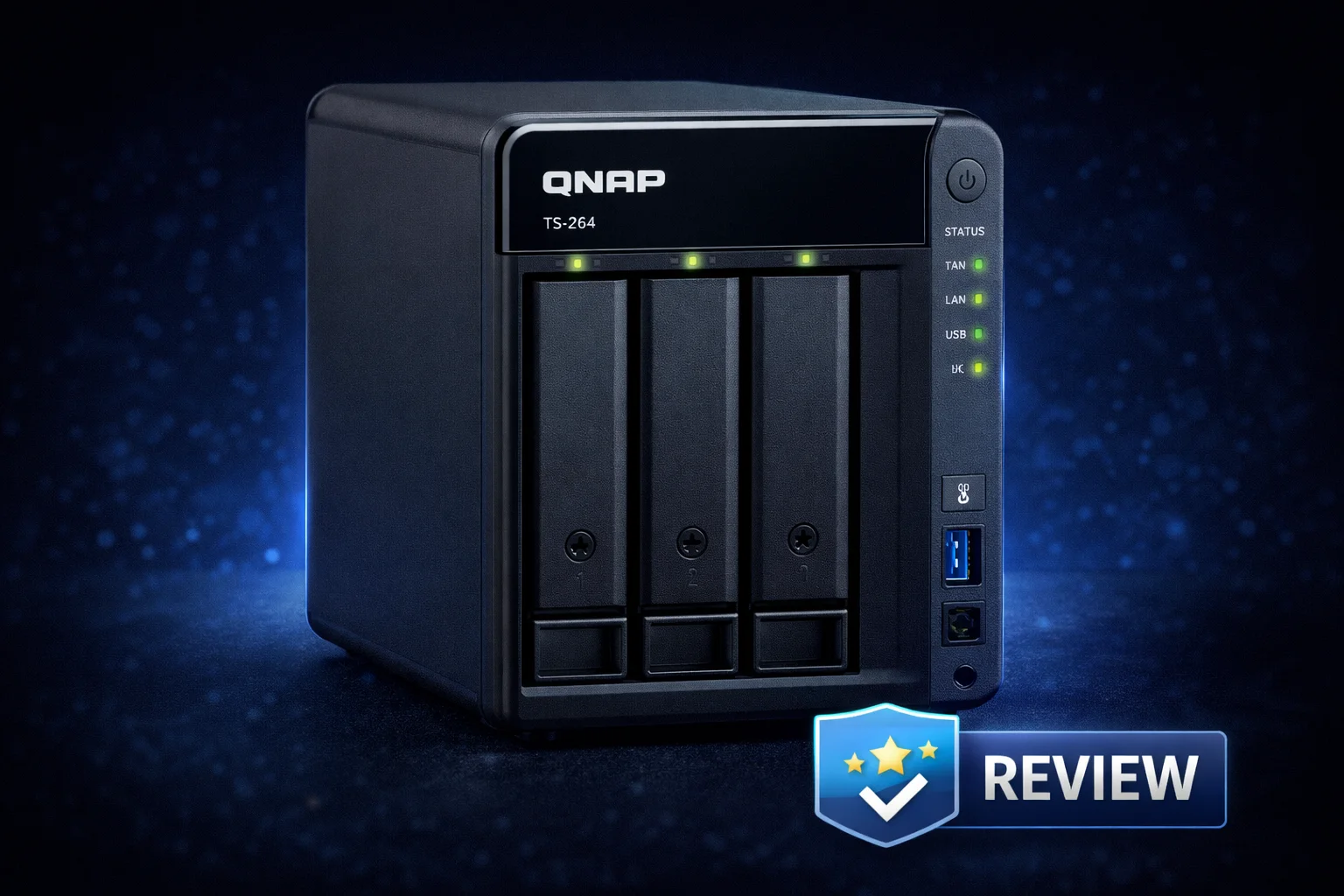
QNAP updated the design with the x64 series, moving from the traditional gray plastic to a more modern copper/bronze accent on white. It’s a welcome aesthetic improvement that looks better in home environments.
The TS-264 uses tool-less drive trays with locking mechanisms. Installation is straightforward — slide out the tray, mount your drive with the included screws (or tool-less clips for 3.5″ drives), and slide it back in. The trays feel sturdy and secure.
Build quality is typical QNAP — solid plastic construction that doesn’t feel cheap. The unit is compact enough to fit on a desk or shelf without dominating the space. At 1.48kg empty, it’s also portable if you need to move it between locations.
Port Layout
Front:
- 1x USB 3.2 Gen 2 Type-A (with One Touch Copy button)
- Power button with LED indicator
- Status LEDs (System, Network, Drive 1, Drive 2)
Back:
- 2x 2.5GbE RJ45 ports
- 1x USB 3.2 Gen 2 Type-A
- 2x USB 2.0
- 1x HDMI 2.1
- Kensington lock slot
- Power input
Bottom:
- 2x M.2 2280 NVMe slots (accessible via bottom panel)
The M.2 slots are accessed by removing a panel on the bottom. This isn’t ideal for frequent changes, but SSD caching is typically a set-and-forget configuration, so it’s not a significant issue.
Noise and Thermals
The TS-264 uses a single 70mm fan for cooling. At idle with SSDs, it’s nearly silent. With spinning hard drives, the drives themselves produce more noise than the fan. Under load, the fan ramps up but remains reasonable for a home environment.
The Intel N5105 runs cool, and I never observed thermal throttling during extended transcoding or file transfer sessions. The bottom-mounted M.2 slots do benefit from some heatsinks on the SSDs if you’re using them heavily.
Performance
Network Transfer Speeds
With dual 2.5GbE ports, the TS-264 can theoretically achieve 5Gbps (~625MB/s) using link aggregation. In practice, single-client performance is limited to one 2.5GbE connection (~280MB/s), which is still 2.5x faster than gigabit.
Test Configuration:
- 2x Seagate IronWolf 8TB in RAID 1
- QNAP QSW-1105-5T 2.5GbE switch
- Client PC with 2.5GbE adapter
| Test | Speed | Notes |
|---|---|---|
| Sequential Read (large files) | 278 MB/s | Near 2.5GbE maximum |
| Sequential Write (large files) | 265 MB/s | Near 2.5GbE maximum |
| Random Read (4K) | 42 MB/s | HDD limited |
| Random Write (4K) | 38 MB/s | HDD limited |
| With SSD Cache (Random) | 185 MB/s | Significant improvement |
The dual 2.5GbE ports fully saturate with large file transfers. Random I/O is limited by the mechanical drives, but M.2 SSD caching provides substantial improvements for mixed workloads.
Plex Transcoding Performance
The Intel N5105 includes Intel UHD Graphics with Quick Sync, enabling hardware transcoding in Plex. This is a major advantage over ARM-based NAS devices.
| Transcode Scenario | Result |
|---|---|
| 4K HEVC → 1080p H.264 | ✅ Smooth (1 stream) |
| 4K HEVC → 1080p (2 streams) | ✅ Smooth |
| 4K HEVC → 1080p (3 streams) | ✅ Smooth |
| 4K HEVC → 720p (4 streams) | ✅ Smooth |
| 4K HDR tone mapping | ✅ Supported (Plex Pass required) |
| Direct Play 4K HEVC | ✅ No issues |
The TS-264 handles Plex transcoding excellently. For a typical household with 2-3 simultaneous streams, it has power to spare. The hardware transcoding keeps CPU usage low, leaving resources for other tasks.
Note: Hardware transcoding requires Plex Pass for 4K HDR tone mapping. Without it, HDR content may have washed-out colors when transcoding.
Docker and Virtualization
With 8GB RAM and an Intel x86-64 CPU, the TS-264 handles containerized applications well:
- Container Station (Docker): Runs smoothly with multiple containers
- Home Assistant: Works well
- Pi-hole: Minimal resource usage
- Nextcloud: Functional, better with SSD storage
Virtualization Station supports running Windows and Linux VMs, though the 8GB RAM limits how many you can run simultaneously. A RAM upgrade to 16GB helps if you plan heavy VM usage.
QTS Operating System
The TS-264 runs QNAP’s QTS operating system, a Linux-based platform with a desktop-like web interface. It’s feature-rich but has a steeper learning curve than Synology’s DSM.
Key Software Features
- File Station: Web-based file manager with sharing, search, and preview
- QuMagie: AI-powered photo management with facial recognition
- Video Station: Media library management and streaming
- Music Station: Music library with streaming
- Hybrid Backup Sync: Comprehensive backup to local, remote, and cloud destinations
- Qsync: Dropbox-like file synchronization across devices
- Container Station: Docker and LXC container support
- Virtualization Station: Full VM support
- QVR Pro: Surveillance system with free camera licenses
- myQNAPcloud: Remote access without port forwarding
QuTS hero Option
Starting with QTS 5.2.1, the TS-264 supports switching to QuTS hero, QNAP’s ZFS-based operating system. This provides:
- Inline data deduplication and compression
- Self-healing data integrity
- Near-unlimited snapshots
- WORM (Write Once Read Many) support
ZFS is more resource-intensive than ext4. With only 8GB RAM, I’d recommend sticking with QTS unless you have specific ZFS requirements. If you do use QuTS hero, consider upgrading to 16GB RAM.
HDMI Output and HD Station
The HDMI 2.1 port outputs up to 4K@60Hz. Connect a monitor or TV to use HD Station, which provides a local interface for:
- Plex Media Player
- Kodi
- Chrome browser
- Surveillance monitoring
- Ubuntu Linux desktop
This transforms the TS-264 into a capable HTPC. However, HD Station hasn’t received major updates recently, and some apps feel dated. For pure media playback, a dedicated streaming device (Apple TV, Shield) offers a better experience.
M.2 SSD Caching
The two M.2 slots accept 2280 NVMe SSDs. Use cases include:
SSD Cache
Configure one or two SSDs as read-only or read-write cache to accelerate HDD performance:
- Read-only cache: 1 SSD, accelerates frequently accessed files
- Read-write cache: 2 SSDs in RAID 1, accelerates both reads and writes with redundancy
SSD caching significantly improves random I/O performance, benefiting applications like photo libraries, databases, and virtual machines.
Qtier Auto-Tiering
Qtier automatically moves frequently accessed data to SSDs and cold data to HDDs. It’s more sophisticated than caching but requires the SSDs to be part of the storage pool rather than dedicated cache.
All-Flash Storage Pool
You can use the M.2 slots as primary storage for applications requiring maximum IOPS. Combined with HDD storage for bulk data, this creates a flexible hybrid system.
Recommended SSDs
The M.2 slots are PCIe Gen3 x1, limiting theoretical throughput to ~1GB/s per slot. High-end Gen4 SSDs are overkill; mid-range options work fine:
- Best for NAS:WD Red SN700 1TB ($360) — NAS-optimized endurance
- Best Value:Samsung 990 PRO 1TB ($200) — Excellent performance
- Budget:Crucial P3 Plus 1TB ($185) — Good value
TS-264 vs TS-464: Which Should You Buy?
The most common question: should you spend $147 more for the 4-bay TS-464?
| Feature | TS-264 ($489) | TS-464 ($636) |
|---|---|---|
| Drive Bays | 2 | 4 |
| Max Capacity | 48TB | 96TB |
| CPU | Intel N5105 | Intel N5105 |
| RAM | 8GB | 8GB (4GB base option) |
| Network | 2x 2.5GbE | 2x 2.5GbE |
| M.2 Slots | 2 | 2 |
| PCIe Slot | ❌ None | ✅ Gen3 x2 |
| HDMI | HDMI 2.1 | HDMI 2.0 |
| RAID Options | RAID 0, 1, JBOD | RAID 0, 1, 5, 6, 10, JBOD |
Choose the TS-264 If:
- You only need 2 drive bays (RAID 1 mirroring)
- Space is limited — the TS-264 has a smaller footprint
- You don’t need PCIe expansion (10GbE, etc.)
- You want HDMI 2.1 for 4K@60Hz output
- Budget is a primary concern
Choose the TS-464 If:
- You want RAID 5 (requires 3+ drives for redundancy + capacity)
- Your storage needs may grow beyond 2 drives
- You want PCIe expansion options (10GbE, additional M.2)
- $147 difference isn’t significant for your budget
My recommendation: If there’s any chance you’ll want more than 2 drives in the next 5 years, get the TS-464. The PCIe slot alone is worth the premium for future expandability. If you’re certain 2 bays are sufficient, the TS-264 is excellent.
TS-264 vs Synology DS224+
The DS224+ is Synology’s comparable 2-bay NAS. Here’s how they compare:
| Feature | QNAP TS-264 ($489) | Synology DS224+ ($340) |
|---|---|---|
| CPU | Intel N5105 (4-core) | Intel J4125 (4-core) |
| RAM | 8GB (16GB max) | 2GB (6GB max) |
| Network | 2x 2.5GbE | 2x 1GbE |
| M.2 Slots | 2 (NVMe) | 0 |
| HDMI | Yes (HDMI 2.1) | No |
| Price | $489 | $340 |
The TS-264 offers significantly better hardware: faster CPU, 4x the RAM, 2.5GbE networking, M.2 slots, and HDMI output. The $149 premium buys substantial upgrades.
Synology’s advantage is software polish and ecosystem. DSM is easier to use, and Synology’s apps (Photos, Drive) are more refined. Choose Synology for simplicity; choose QNAP for hardware value.
Storage Configuration Recommendations
With only 2 bays, your RAID options are limited:
RAID 1 (Mirroring) — Recommended
- Capacity: 50% (2x 8TB = 8TB usable)
- Protection: Survives 1 drive failure
- Performance: Read speeds can double; writes same as single drive
RAID 1 is the only sensible choice for data protection on a 2-bay NAS. You lose half your capacity but gain complete redundancy.
RAID 0 (Striping) — Not Recommended
- Capacity: 100% (2x 8TB = 16TB usable)
- Protection: None — any drive failure loses ALL data
- Performance: Doubled read/write speeds
Only use RAID 0 for scratch space or data you can afford to lose completely.
JBOD — For Specific Needs
- Capacity: 100% (drives appear separately)
- Protection: One drive failure loses only that drive’s data
- Performance: Single drive speed per volume
JBOD makes sense if you’re using different-sized drives or want to manage them independently with separate backup strategies.
Recommended Drives
| Drive | Capacity | Price | Best For |
|---|---|---|---|
| WD Red Plus | 4TB | $113 | Budget builds |
| Seagate IronWolf | 8TB | $200 | Best value |
| Seagate IronWolf | 12TB | $269 | Large libraries |
| IronWolf Pro | 16TB | $350 | Maximum capacity |
Setup and Initial Configuration
Setting up the TS-264 is straightforward:
- Install drives — Slide into tool-less trays
- Connect power and ethernet
- Find NAS — Use Qfinder Pro or navigate to your router’s DHCP client list
- Run setup wizard — Accessible via web browser
- Configure storage pool and volume
- Create user accounts and shares
The setup wizard guides you through the process, though QTS has more options than Synology, which can be overwhelming for beginners. Plan for 30-60 minutes for initial setup, plus time for drive initialization (which runs in the background).
Who Should Buy the QNAP TS-264?
Ideal Users
- Plex users with smaller libraries who need hardware transcoding
- Home users wanting backup, file sharing, and media in a compact package
- Photographers who want AI photo organization with QuMagie
- Docker enthusiasts who only need 2 drive bays
- HTPC users who want HDMI output to a TV
- Space-constrained setups where a 4-bay is too large
Not Ideal For
- Users who may need more storage — get the TS-464 instead
- 10GbE networking — no PCIe slot for expansion cards
- Heavy virtualization — 8GB RAM is limiting (though upgradeable)
- RAID 5 users — requires 3+ drives
- Ultra-budget users — the TS-233 ($199) is more affordable
Pros and Cons
Pros
- Excellent Intel N5105 performance with hardware transcoding
- Dual 2.5GbE ports for fast networking
- Two M.2 NVMe slots for caching
- HDMI 2.1 output (4K@60Hz)
- 8GB RAM included (upgradeable)
- Compact form factor
- QuTS hero (ZFS) support
- USB 3.2 Gen 2 ports (10Gbps)
Cons
- No PCIe slot for expansion (unlike TS-464)
- Only 2 drive bays limits RAID options and capacity
- M.2 slots on bottom require disassembly to access
- QTS learning curve for beginners
- Price premium over ARM-based alternatives
Frequently Asked Questions
Yes, the TS-264 is excellent for Plex. The Intel N5105 CPU includes Quick Sync hardware transcoding, handling multiple 4K HEVC streams simultaneously. It supports HDR tone mapping with Plex Pass. For most households, it has power to spare.
Yes, the TS-264’s RAM is upgradeable to 16GB. It uses DDR4 SODIMM modules. The upgrade requires opening the unit. Third-party RAM works, but check compatibility lists. The factory 8GB is sufficient for most users.
Get the TS-464 ($636) if you might need more than 2 drives, want RAID 5, or need PCIe expansion for 10GbE. Get the TS-264 ($489) if you’re certain 2 bays are enough and want to save $147. Both have the same CPU and core features.
The TS-264 works with any 3.5″ or 2.5″ SATA drive. We recommend NAS-specific drives like Seagate IronWolf or WD Red Plus for reliability and 24/7 operation. Avoid SMR drives and desktop drives (WD Blue, Seagate Barracuda).
No, not directly. The TS-264 lacks a PCIe slot, so you cannot add a 10GbE card. It has dual 2.5GbE ports (~280MB/s each). If you need 10GbE, consider the TS-464 which has a PCIe Gen3 x2 slot for a 10GbE card.
The TS-264 is relatively quiet. The single 70mm fan is nearly silent at idle. Most noise comes from the hard drives themselves. With SSDs, it’s almost inaudible. Fan noise increases under heavy load but remains acceptable for home use.
Verdict: Should You Buy the QNAP TS-264?
The QNAP TS-264 is the best 2-bay NAS you can buy if you need Intel features. It packs hardware transcoding, dual 2.5GbE, M.2 caching, and HDMI output into a compact chassis. For Plex users, Docker enthusiasts, and power users who only need 2 drive bays, it’s an excellent choice.
The main question is whether 2 bays are enough. If there’s any doubt, spend the extra $147 on the TS-464 for 4 bays and PCIe expansion. But if you’re confident in your storage needs, the TS-264 delivers exceptional value with no compromises on features.
Rating: 4.5/5
Pros: Excellent performance, feature-packed, great 2.5GbE networking, M.2 slots, hardware transcoding, compact size.
Cons: No PCIe expansion, 2-bay limitation, M.2 access requires disassembly.
Bottom Line: The TS-264 proves that 2-bay NAS devices don’t have to compromise on features. If you know 2 bays are sufficient, this is the one to get.
QNAP TS-264-8G
2-Bay, Intel N5105, 8GB RAM, 2x 2.5GbE, 2x M.2 NVMe, HDMI 2.1
The best 2-bay NAS for power users. Full Intel features including hardware transcoding, dual 2.5GbE networking, M.2 caching, and HDMI output in a compact form factor.
Complete Your Setup
Recommended Hard Drives
Seagate IronWolf 8TB
7200RPM, 256MB Cache, 3-Year Warranty
The best balance of capacity, performance, and price for most TS-264 builds. IronWolf Health Management integration with QNAP.
WD Red Plus 4TB
5400RPM, CMR, 3-Year Warranty
Affordable NAS drive with CMR technology. Good choice for budget builds or users with smaller storage needs.
Networking Upgrades
QNAP QSW-2104-2T
4x 2.5GbE + 2x 10GbE, Unmanaged
Affordable switch to utilize the TS-264’s dual 2.5GbE ports. Includes 10GbE uplinks for future expansion.
Sabrent USB 2.5GbE Adapter
USB 3.0 to 2.5GbE, Plug-and-Play
Add 2.5GbE to any computer via USB. Essential for taking advantage of the TS-264’s faster networking.
M.2 SSDs for Caching
Samsung 990 PRO 1TB
PCIe 4.0, 7450MB/s Read, 5-Year Warranty
Premium NVMe SSD for cache or storage pool. Overkill for Gen3 x1 slots but excellent endurance and reliability.
WD Red SN700 1TB
PCIe 3.0, NAS Endurance, 5-Year Warranty
Purpose-built for NAS caching with high endurance rating. Premium price but designed for 24/7 operation.
Power Protection
CyberPower CP1500PFCLCD
1500VA/1000W, Pure Sine Wave, USB Monitoring
Pure sine wave UPS with enough capacity for TS-264 plus router and modem. USB connection enables automatic graceful shutdown.
Related Resources
- Best QNAP NAS 2026 — Complete buyer’s guide
- QNAP TS-464 Review — 4-bay alternative
- TS-264 vs TS-464 — Detailed comparison
- QNAP vs Synology — Brand comparison
- QNAP Setup Guide — Getting started
- QNAP Plex Setup — Media server configuration
- QNAP Compatible Hard Drives
- Best 2-Bay NAS 2026
Last Updated: February 2026