QNAP TS-464 vs Synology DS423+ — Complete 4-Bay NAS Comparison (2026)

Quick Answer+
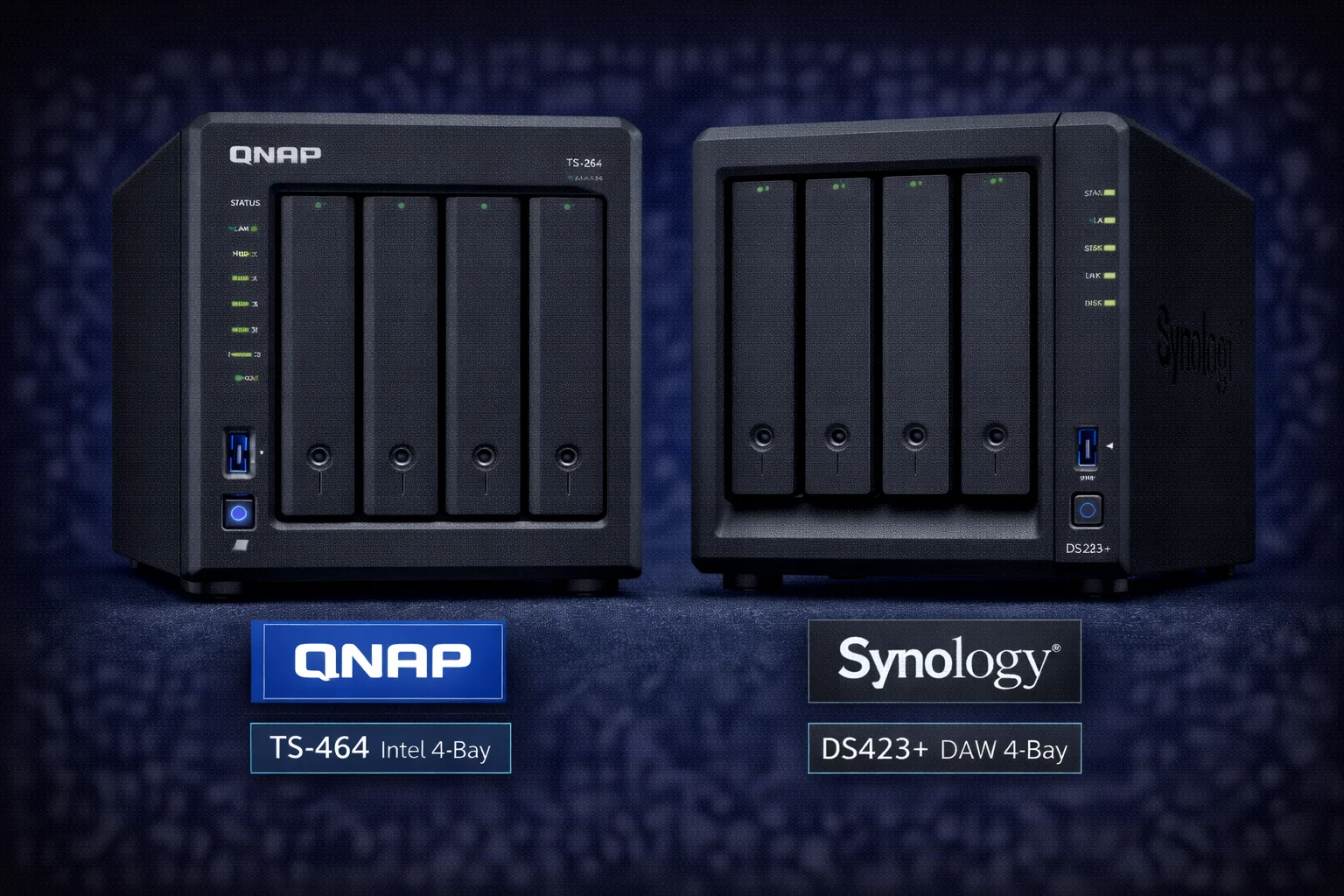
Quick Answer: The QNAP TS-464 ($549) offers better hardware value: 30% faster CPU, 4x more RAM (8GB vs 2GB), dual 2.5GbE networking, and HDMI output for just $50 more than the Synology DS423+ ($499). Choose TS-464 for Docker, Plex transcoding, and raw performance. Choose DS423+ for polished software, superior mobile apps, and simpler user experience. Winner: TS-464 for value, DS423+ for ease of use.
The QNAP TS-464 and Synology DS423+ represent the pinnacle of 4-bay NAS offerings from the two leading brands. Both feature Intel processors with hardware transcoding, expandable RAM, and M.2 NVMe slots. But beneath similar specifications lie fundamentally different philosophies: QNAP prioritizes hardware value and flexibility, while Synology focuses on software polish and ecosystem refinement. This comprehensive comparison helps you choose the right 4-bay NAS for your needs.
Quick Verdict
Choose the QNAP TS-464 if: You want superior hardware for your money (faster CPU, more RAM, 2.5GbE, HDMI), prioritize Docker and container workloads, need the flexibility to customize and tinker, or want direct HDMI output to your TV.
Choose the Synology DS423+ if: You value polished, intuitive software that just works, want best-in-class mobile apps, prefer a simpler setup and maintenance experience, prioritize Synology’s security track record, or are already invested in the Synology ecosystem.
Specifications Comparison
| Specification | QNAP TS-464 | Synology DS423+ |
|---|---|---|
| Price | $549 | $499 |
| CPU | Intel Celeron N5105 (4-core, 2.0-2.9GHz) | Intel Celeron J4125 (4-core, 2.0-2.7GHz) |
| CPU Generation | 10nm Jasper Lake (2021) | 14nm Gemini Lake Refresh (2019) |
| RAM (Default) | 8GB DDR4 | 2GB DDR4 |
| Max RAM | 16GB | 6GB |
| Drive Bays | 4x 3.5″/2.5″ SATA | 4x 3.5″/2.5″ SATA |
| M.2 Slots | 2x M.2 2280 NVMe PCIe Gen3 | 2x M.2 2280 NVMe |
| Network | 2x 2.5GbE | 2x 1GbE |
| USB Ports | 2x USB 3.2 Gen 2 (10Gbps) | 2x USB 3.2 Gen 1 (5Gbps) |
| HDMI | 1x HDMI 2.0 (4K 60Hz) | None |
| eSATA | None | 1x eSATA |
| Hardware Transcoding | Yes (Intel Quick Sync) | Yes (Intel Quick Sync) |
| Virtualization | Yes (Virtualization Station) | Yes (Virtual Machine Manager) |
| Power Consumption | ~20W idle, ~35W active | ~18W idle, ~32W active |
| Operating System | QTS 5.x | DSM 7.x |
| Warranty | 2 years | 2 years |
Hardware summary: The TS-464 costs $50 more but delivers substantially better hardware: faster CPU (newer generation), 4x the default RAM (8GB vs 2GB), higher max RAM (16GB vs 6GB), dual 2.5GbE (vs dual 1GbE), faster USB ports, and HDMI output. The DS423+ offers eSATA expansion and slightly lower power consumption.
Processor Deep Dive: N5105 vs J4125
Both use Intel Celeron processors with Quick Sync, but the TS-464’s N5105 is a full generation newer.
Intel Celeron N5105 (TS-464)
- Architecture: 10nm Jasper Lake (2021)
- Cores/Threads: 4 cores, 4 threads
- Clock Speed: 2.0GHz base, 2.9GHz boost
- Graphics: Intel UHD Graphics (24 execution units)
- L3 Cache: 4MB
- TDP: 10W
Intel Celeron J4125 (DS423+)
- Architecture: 14nm Gemini Lake Refresh (2019)
- Cores/Threads: 4 cores, 4 threads
- Clock Speed: 2.0GHz base, 2.7GHz boost
- Graphics: Intel UHD Graphics 600 (12 execution units)
- L3 Cache: 4MB
- TDP: 10W
CPU Performance Benchmarks
| Benchmark | TS-464 (N5105) | DS423+ (J4125) | Advantage |
|---|---|---|---|
| Geekbench 5 Single | ~870 | ~660 | TS-464 32% faster |
| Geekbench 5 Multi | ~2,800 | ~2,200 | TS-464 27% faster |
| PassMark CPU | ~4,700 | ~3,400 | TS-464 38% faster |
| 7-Zip Compression | ~8,500 MIPS | ~6,200 MIPS | TS-464 37% faster |
| AES-256 Encryption | ~2.5 GB/s | ~1.9 GB/s | TS-464 32% faster |
| Quick Sync EUs | 24 | 12 | TS-464 2x more |
The N5105 delivers approximately 30-35% better performance across most workloads. The doubled execution units in the integrated GPU translate to smoother transcoding under heavy load. Both handle typical NAS tasks well, but the TS-464 has significantly more headroom for demanding multi-tasking scenarios.
Memory: The Significant Gap
RAM differences are substantial and impact real-world capability:
| RAM Specification | TS-464 | DS423+ |
|---|---|---|
| Default RAM | 8GB DDR4 | 2GB DDR4 |
| Maximum RAM | 16GB | 6GB |
| RAM Slots | 1 (SO-DIMM) | 1 (SO-DIMM) |
| Upgrade Cost (to max) | ~$50 | ~$35 |
| Post-Upgrade Total | 16GB | 6GB |
The TS-464 ships with 4x more RAM out of the box and supports 2.6x more maximum RAM. This dramatically affects:
- Docker containers: TS-464 runs 15+ containers comfortably; DS423+ limited to 4-6
- Virtual machines: TS-464 can run meaningful VMs; DS423+ struggles
- File caching: More RAM means better sustained performance
- Simultaneous apps: TS-464 handles more concurrent workloads
If you upgrade the DS423+ to 6GB (+$35), total cost becomes $534 for 6GB vs $549 for 8GB (expandable to 16GB) — the TS-464 is clearly better value.
Network Performance
TS-464: Dual 2.5GbE
Two 2.5 Gigabit Ethernet ports provide significant advantages:
- 2.5x faster per-port: ~280 MB/s vs ~112 MB/s
- Link aggregation: Combine for failover or multi-user bandwidth
- Future-ready: 2.5GbE switches now under $50
- Can saturate RAID 5: HDD arrays can exceed 1Gbps
DS423+: Dual 1GbE
Standard Gigabit Ethernet is adequate but limiting:
- Standard speed: ~112 MB/s maximum per port
- Link aggregation: Limited benefit at Gigabit speeds
- Universal compatibility: Works with any network
- Bottleneck: RAID 5 array can’t reach full potential
Real-World Transfer Speed Comparison
| Scenario | TS-464 | DS423+ |
|---|---|---|
| Large file sequential | ~280 MB/s | ~112 MB/s |
| Transfer 100GB | ~6 minutes | ~15 minutes |
| Transfer 1TB | ~60 minutes | ~2.5 hours |
| Multi-user (4 simultaneous) | ~250 MB/s total | ~100 MB/s total |
| RAID 5 sequential read | Full speed (~350 MB/s) | Bottlenecked (~112 MB/s) |
| With SSD cache (random) | ~200 MB/s | ~110 MB/s (network limited) |
For users who regularly transfer large files, edit video from NAS, or have multiple simultaneous users, the 2.5GbE advantage is substantial. For basic streaming and backup, 1GbE is adequate.
Plex Media Server Comparison
Both excel as Plex servers thanks to Intel Quick Sync, but with differences under heavy load.
Transcoding Performance
| Plex Scenario | TS-464 | DS423+ |
|---|---|---|
| 4K HDR → 1080p (1 stream) | ✅ Smooth (~12% CPU) | ✅ Smooth (~18% CPU) |
| 4K HDR → 1080p (2 streams) | ✅ Smooth (~24% CPU) | ✅ Smooth (~40% CPU) |
| 4K HDR → 1080p (3 streams) | ✅ Smooth (~38% CPU) | ⚠️ Occasional stutter (~65% CPU) |
| 4K HDR → 1080p (4 streams) | ✅ Manageable (~52% CPU) | ⚠️ Struggling (~85% CPU) |
| 1080p → 720p (6 streams) | ✅ Smooth (~40% CPU) | ⚠️ Some buffering (~70% CPU) |
| 4K Direct Play (8+ streams) | ✅ Excellent | ✅ Excellent |
| HDR Tone Mapping | ✅ Full support | ✅ Full support |
| Subtitle Burn-in | ✅ Hardware accelerated | ✅ Hardware accelerated |
Plex verdict: Both are excellent Plex servers for typical home use (1-2 simultaneous transcodes). The TS-464 has significantly more headroom for heavy Plex users — households with many users, remote streaming to multiple friends/family, or 3+ simultaneous transcodes. The N5105’s additional GPU execution units make the difference under load.
Plex Use Case Recommendations
| Your Situation | TS-464 | DS423+ |
|---|---|---|
| Single user, local streaming | ✅ Overkill | ✅ Perfect |
| Family, 2-3 TVs | ✅ Excellent | ✅ Good |
| Remote streaming (1-2 users) | ✅ Excellent | ✅ Good |
| Remote sharing (4+ users) | ✅ Great | ⚠️ May struggle |
| 4K HDR library, tone mapping | ✅ Smooth | ✅ Works well |
| Heavy transcoding household | ✅ Recommended | ⚠️ Consider TS-464 |
Software: QTS vs DSM
Software is where these brands diverge most significantly. Each represents a distinct philosophy with real trade-offs.
QNAP QTS 5.x
Philosophy: Maximum features, flexibility, and power-user control.
Strengths:
- More features and customization options
- Superior Container Station for Docker
- HDMI output with HD Station (Kodi, Plex HTPC mode)
- More aggressive feature updates
- QuTS hero option (ZFS-based OS)
- Better virtualization support
Weaknesses:
- Interface can feel cluttered and overwhelming
- Steeper learning curve
- Mobile apps less polished
- Historical security incidents (improved, but reputation persists)
Synology DSM 7.x
Philosophy: Simplicity, polish, and reliability over raw features.
Strengths:
- Beautiful, intuitive interface
- Best-in-class mobile apps
- Excellent documentation and community
- Strong security track record
- Hyper Backup is industry-leading
- Rock-solid stability
Weaknesses:
- Fewer features than QTS
- Less customization possible
- Docker support more basic (Container Manager)
- No HDMI output option
- Conservative feature rollout
App Ecosystem Comparison
| Category | QNAP (QTS) | Synology (DSM) |
|---|---|---|
| Photo Management | QuMagie (good) | Synology Photos (excellent) |
| File Sync | Qsync (good) | Synology Drive (excellent) |
| Backup | HBS 3 (very good) | Hyper Backup (excellent) |
| Mobile Apps | Functional | Best-in-class |
| Docker | Container Station (excellent) | Container Manager (good) |
| Surveillance | Surveillance Station (excellent) | Surveillance Station (excellent) |
| Virtual Machines | Virtualization Station (very good) | VMM (good) |
| Media Playback | HD Station + Video Station | Video Station only |
Docker and Container Support
For users running containers, this is a critical comparison point.
QNAP Container Station
QNAP’s Docker implementation is more mature and feature-rich:
- Better management UI: More intuitive container creation and management
- More RAM available: 8GB default supports 15+ containers
- LXC support: Run lightweight Linux containers alongside Docker
- Docker Compose: Full support for complex multi-container stacks
- Resource allocation: Fine-grained CPU/memory limits
Synology Container Manager
Synology’s Docker is functional but more constrained:
- Simpler UI: Less overwhelming for beginners
- Limited RAM: 2GB default severely restricts container count
- Docker Compose: Supported but less integrated
- DSM 7 improvements: Better than DSM 6, still behind QNAP
Container Capacity Comparison
| Configuration | TS-464 (8GB) | DS423+ (2GB) | DS423+ (6GB) |
|---|---|---|---|
| Lightweight containers | 15-20 | 3-5 | 8-10 |
| Medium containers | 10-12 | 2-3 | 5-6 |
| Heavy containers (HA, Nextcloud) | 4-6 | 1-2 | 2-3 |
| Home Assistant + add-ons | ✅ Full capability | ⚠️ Very limited | ⚠️ Limited add-ons |
| Full media stack | ✅ Easy | ❌ Insufficient | ⚠️ Tight |
For serious Docker use, the TS-464 is the clear choice. The 8GB default RAM and 16GB maximum provide substantially more headroom than the DS423+’s 2-6GB.
HDMI Output
TS-464: Includes HDMI 2.0 supporting 4K at 60Hz. This enables:
- HD Station: Run Kodi, Plex HTPC, YouTube, Chrome directly on TV
- Photo slideshows: Display photos without additional hardware
- Surveillance display: Live camera monitoring on TV
- HTPC replacement: Consolidate NAS and media player
DS423+: No HDMI output. All media must be streamed to separate devices (Apple TV, Shield, Fire Stick, smart TV apps).
If you want direct TV connection without additional hardware, only the TS-464 offers this capability.
Security Considerations
Security warrants honest discussion:
QNAP: Has experienced several high-profile security incidents (Deadbolt ransomware, QSnatch malware) that affected many users. QNAP has responded with improved security features, faster patching, better default settings, and Security Counselor tools. Current QTS versions are significantly more secure, but the reputation damage persists in the community.
Synology: Generally stronger security reputation with fewer major public incidents. DSM’s more conservative, “locked down” approach may contribute to better security outcomes. Synology’s QuickConnect is considered more secure than QNAP’s myQNAPcloud.
Best practices for both:
- Never expose admin ports directly to internet
- Use VPN for remote access when possible
- Enable 2-factor authentication
- Keep firmware updated
- Disable unused services
- Use strong, unique passwords
Mobile App Experience
Synology wins decisively here:
Synology Mobile Apps
- DS file: Beautiful, responsive file manager with offline access
- Synology Photos: Excellent photo backup with AI face recognition
- Synology Drive: Seamless Dropbox-like file sync
- DS cam: Polished surveillance viewing
- DS video: Clean media streaming interface
QNAP Mobile Apps
- Qfile: Functional but less polished file manager
- QuMagie: Photo management works but dated interface
- Qsync: File sync that works, less intuitive
- QVR Pro: Surveillance app is functional but complex
If mobile app experience matters to you, Synology’s polish is a meaningful advantage.
Backup Solutions
Synology Hyper Backup
Widely considered the best NAS backup solution:
- Multi-version backup with deduplication
- Client-side encryption before upload
- Extensive cloud target support (S3, Azure, B2, etc.)
- Automatic integrity verification
- Intuitive setup and monitoring
QNAP HBS 3
Comprehensive but more complex:
- Backup, sync, and replication in one tool
- Similar cloud target support
- QuDedup server-side deduplication
- More options but steeper learning curve
Hyper Backup is easier to set up and generally more reliable. For critical offsite backup, Synology has a slight edge.
Expansion Options
| Expansion Type | TS-464 | DS423+ |
|---|---|---|
| RAM Upgrade | 8GB → 16GB | 2GB → 6GB |
| M.2 NVMe | 2 slots (Gen3) | 2 slots |
| USB Expansion | 10Gbps ports | 5Gbps ports |
| eSATA Expansion | Not available | DX517 (5-bay) |
| Network Upgrade | Already 2.5GbE | USB adapter needed |
The DS423+ offers eSATA expansion to add more drive bays (DX517), which the TS-464 lacks. However, the TS-464’s superior built-in networking and RAM make expansion less necessary for most users.
Total Cost Analysis
NAS Unit Comparison
| Configuration | TS-464 | DS423+ |
|---|---|---|
| Base Price | $549 | $499 |
| RAM Upgrade | — (8GB included) | $35 (to 6GB) |
| Comparable Config | $549 (8GB) | $534 (6GB) |
| Difference | $15 more | — |
Complete Build (32TB Raw, RAID 5)
| Component | TS-464 Build | DS423+ Build |
|---|---|---|
| NAS Unit | $549 | $499 |
| RAM Upgrade | — | $35 |
| 4x IronWolf 8TB | $800 | $800 |
| Total | $1,349 | $1,334 |
| Difference | $15 more | — |
What the $15-50 Premium Gets You (TS-464)
- 30-35% faster CPU (newer generation)
- 2GB more RAM (8GB vs 6GB upgraded)
- 10GB more max RAM (16GB vs 6GB)
- Dual 2.5GbE vs Dual 1GbE (2.5x faster networking)
- HDMI 2.0 output (4K 60Hz)
- Faster USB ports (10Gbps vs 5Gbps)
- Better Docker/container support
The TS-464 offers substantially better hardware value. The DS423+ is worth considering for its software ecosystem and security reputation.
Use Case Recommendations
Choose QNAP TS-464 For:
- Hardware value seekers: Better specs at similar price
- Docker/container users: More RAM, better Container Station
- Fast file transfers: 2.5GbE is 2.5x faster than 1GbE
- HTPC replacement: HDMI output for direct TV connection
- Heavy Plex users: More transcoding headroom
- Power users/tinkerers: More customization options
- VM users: 16GB max RAM enables meaningful virtualization
- Multi-user households: Better performance under load
Choose Synology DS423+ For:
- Simplicity seekers: DSM is more intuitive and polished
- Mobile-first users: Best-in-class mobile apps
- Photo enthusiasts: Synology Photos is excellent
- Backup-focused: Hyper Backup is industry-leading
- Security conscious: Better security track record
- Non-technical users: Easier setup and maintenance
- Existing Synology users: Ecosystem consistency
- Bay expansion needs: eSATA for DX517
Frequently Asked Questions
Both are excellent, but the TS-464 has more transcoding headroom. For 1-2 simultaneous transcodes, either works great. For 3+ transcodes or heavy Plex households, the TS-464’s faster CPU and more GPU execution units provide smoother performance.
For most users, absolutely. The $50 premium gets you a 30% faster CPU, 4x more RAM, 2.5x faster networking, HDMI output, and faster USB. The hardware gap is substantial for a small price difference.
Synology DSM is more polished with superior mobile apps and simpler interface. QNAP QTS is more powerful with more features, better Docker support, and more customization. DSM wins for ease of use; QTS wins for flexibility.
Synology has a better track record. QNAP has had more publicized security incidents (Deadbolt, QSnatch), though they’ve improved significantly. Both require proper security practices. For less technical users, Synology is the safer choice.
QNAP TS-464. Container Station is more feature-rich, and 8GB RAM (expandable to 16GB) supports far more containers than the DS423+’s 2-6GB. For serious Docker use, the TS-464 is the clear choice.
Data migrates, settings don’t. Drives can move between brands (data accessible), but RAID arrays typically need recreation and all apps/settings require reconfiguration. It’s not a trivial migration.
DS423+ for drive expansion (eSATA to DX517). TS-464 for everything else (more RAM, faster networking built-in, better USB). Most users won’t need eSATA expansion.
Final Verdict
QNAP TS-464: The hardware value champion. For just $50 more, you get substantially better specifications: faster CPU, 4x more RAM, 2.5GbE networking, HDMI output, and superior Docker support. Choose this if you prioritize performance, flexibility, and hardware value.
Synology DS423+: The software and experience champion. DSM is more polished, mobile apps are superior, and the ecosystem is refined. Choose this if you value simplicity, want the best mobile experience, or prioritize Synology’s security track record.
Our recommendation: For most users, the QNAP TS-464 offers better value — the hardware advantages are substantial for a minimal price premium. However, if you’re non-technical, prioritize mobile apps, or want the “it just works” experience, the DS423+ is worth considering despite the hardware gap.
Where to Buy
QNAP TS-464 8GB
Intel N5105, 8GB RAM (16GB max), 2x 2.5GbE, 2x M.2 NVMe, HDMI 2.0, Hardware Transcoding
Superior hardware at similar price. Faster CPU, 4x more RAM, 2.5GbE networking, HDMI output. Best for power users, Docker, fast transfers, and Plex.
Synology DS423+
Intel J4125, 2GB RAM (6GB max), 2x 1GbE, 2x M.2, eSATA, No HDMI
Best-in-class software experience. DSM is polished, mobile apps are excellent, security track record is strong. Best for simplicity-seekers and mobile-first users.
Related Comparisons
- QNAP TS-464 Review — Full review
- QNAP vs Synology — Brand comparison overview
- TS-264 vs DS224+ — 2-bay cross-brand comparison
- TS-464 vs TS-433 — QNAP Intel vs ARM
- Best QNAP NAS 2026
- QNAP Compatible Hard Drives
Last Updated: February 2026