QNAP TS-464 vs TS-453D: Should You Upgrade to the New 4-Bay NAS?

Quick Answer+
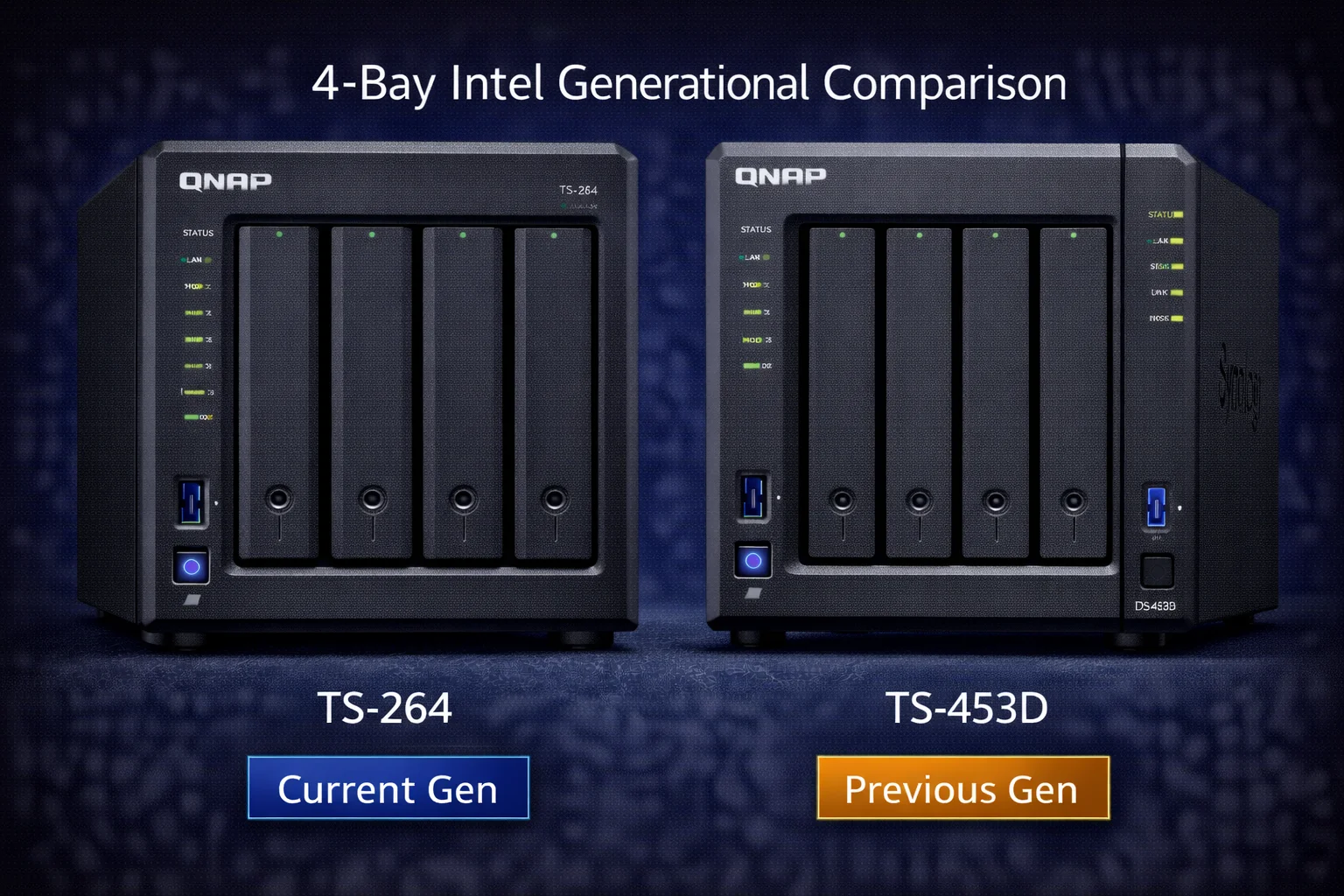
Quick Answer: The QNAP TS-464 ($549) improves on the discontinued TS-453D with 30% faster CPU, double the GPU execution units (24 vs 12), double RAM capacity (16GB vs 8GB max), faster M.2 Gen3 slots, and QuTS hero (ZFS) support. New buyers should choose TS-464. TS-453D owners should upgrade if needing more transcoding power or RAM. Verdict: TS-464 for new purchases; TS-453D still capable for light use.
The QNAP TS-464 replaced the popular TS-453D as QNAP’s mainstream 4-bay Intel NAS. Both feature Intel Celeron processors with hardware transcoding, but the TS-464 brings meaningful upgrades: a faster Jasper Lake CPU, double the default RAM, improved 2.5GbE networking, and better M.2 performance. This comparison helps current TS-453D owners evaluate upgrading and shows new buyers why the TS-464 is the better investment.
Quick Verdict
For new buyers: Choose the TS-464. It’s the current-generation model with better specs at similar pricing. The TS-453D is discontinued and shouldn’t be purchased new unless heavily discounted.
For TS-453D owners: The TS-464 is a worthwhile upgrade if you need more RAM capacity, better multi-threaded performance, faster M.2 NVMe, or QuTS hero support. If your TS-453D handles your workload comfortably, it remains a very capable NAS with years of useful life ahead.
Specifications Comparison
| Specification | QNAP TS-464 (New) | QNAP TS-453D (Old) |
|---|---|---|
| Status | Current Model | Discontinued |
| Release Year | 2022 | 2020 |
| Original MSRP | $549 | $499 |
| CPU | Intel Celeron N5105 (4-core, 2.0-2.9GHz) | Intel Celeron J4125 (4-core, 2.0-2.7GHz) |
| CPU Architecture | 10nm Jasper Lake | 14nm Gemini Lake Refresh |
| RAM (Default) | 8GB DDR4 | 4GB DDR4 |
| Max RAM | 16GB | 8GB |
| Drive Bays | 4x 3.5″/2.5″ SATA | 4x 3.5″/2.5″ SATA |
| M.2 Slots | 2x M.2 2280 NVMe PCIe Gen3 | 2x M.2 2280 NVMe PCIe Gen2 |
| Network | 2x 2.5GbE | 2x 2.5GbE |
| USB Ports | 2x USB 3.2 Gen 2 (10Gbps) | 2x USB 3.2 Gen 1 (5Gbps) |
| HDMI | 1x HDMI 2.0 (4K 60Hz) | 1x HDMI 2.0 (4K 60Hz) |
| Hardware Transcoding | Yes (Quick Sync, 24 EUs) | Yes (Quick Sync, 12 EUs) |
| QuTS hero (ZFS) | ✅ Supported | ❌ Not supported |
| Power Consumption | ~20W idle, ~35W active | ~18W idle, ~32W active |
| Warranty | 2 years | 2 years |
Key Differences Explained
CPU: N5105 vs J4125
Both have 4-core processors, but the TS-464’s N5105 is a generation newer with better architecture:
| CPU Attribute | N5105 (TS-464) | J4125 (TS-453D) |
|---|---|---|
| Cores/Threads | 4 / 4 | 4 / 4 |
| Base Clock | 2.0 GHz | 2.0 GHz |
| Boost Clock | 2.9 GHz | 2.7 GHz |
| Architecture | 10nm Jasper Lake | 14nm Gemini Lake Refresh |
| L3 Cache | 4MB | 4MB |
| GPU Execution Units | 24 | 12 |
| Memory Support | DDR4-2933 | DDR4-2400 |
| TDP | 10W | 10W |
Performance Benchmarks
| Benchmark | TS-464 (N5105) | TS-453D (J4125) | Improvement |
|---|---|---|---|
| Geekbench 5 Single | ~870 | ~660 | 32% faster |
| Geekbench 5 Multi | ~2,800 | ~2,200 | 27% faster |
| PassMark CPU | ~4,700 | ~3,400 | 38% faster |
| 7-Zip Compression | ~8,500 MIPS | ~6,200 MIPS | 37% faster |
| AES-256 Encryption | ~2.5 GB/s | ~1.9 GB/s | 32% faster |
| Quick Sync Transcoding | 24 EUs | 12 EUs | 2x capacity |
The N5105 is approximately 30-35% faster across most workloads. The 10nm process and higher boost clock contribute to better performance per watt. Most significantly, the N5105 has double the GPU execution units (24 vs 12), meaning significantly better transcoding capacity under heavy load.
Memory: Double the Capacity
| RAM Spec | TS-464 | TS-453D |
|---|---|---|
| Default RAM | 8GB DDR4 | 4GB DDR4 |
| Maximum RAM | 16GB | 8GB |
| Memory Slots | 1 SO-DIMM | 1 SO-DIMM |
| Memory Speed | DDR4-2933 | DDR4-2400 |
The TS-464 ships with double the RAM and supports double the maximum capacity. This matters significantly for Docker containers, virtual machines, and multi-user scenarios.
M.2 NVMe: PCIe Gen3 vs Gen2
Both have two M.2 slots, but the TS-464’s Gen3 slots offer double the bandwidth:
| M.2 Specification | TS-464 | TS-453D |
|---|---|---|
| PCIe Generation | Gen3 x1 | Gen2 x1 |
| Theoretical Max | ~985 MB/s | ~500 MB/s |
| Practical Cache Speed | ~800 MB/s | ~400 MB/s |
| SSD Recommendation | WD Red SN700, Samsung 990 PRO | WD Red SN700, Samsung 970 EVO Plus |
For SSD caching and Qtier, the TS-464’s faster M.2 slots provide better random I/O performance and more responsive cache behavior.
USB Ports: Gen 2 vs Gen 1
The TS-464 upgrades USB ports from 5Gbps to 10Gbps:
- TS-464: 2x USB 3.2 Gen 2 (10Gbps) — faster external drive backups
- TS-453D: 2x USB 3.2 Gen 1 (5Gbps) — standard speed
This doubles external backup speeds when using compatible USB SSDs or enclosures.
Plex Transcoding Comparison
Both handle Plex transcoding via Intel Quick Sync, but the TS-464’s doubled GPU execution units provide more headroom:
| Plex Scenario | TS-464 | TS-453D |
|---|---|---|
| 4K HDR → 1080p (1 stream) | ✅ Smooth (~12% CPU) | ✅ Smooth (~18% CPU) |
| 4K HDR → 1080p (2 streams) | ✅ Smooth (~24% CPU) | ✅ Smooth (~40% CPU) |
| 4K HDR → 1080p (3 streams) | ✅ Smooth (~38% CPU) | ⚠️ Some strain (~65% CPU) |
| 4K HDR → 1080p (4 streams) | ✅ Manageable (~52% CPU) | ⚠️ Struggling (~85% CPU) |
| 1080p → 720p (6 streams) | ✅ Smooth (~40% CPU) | ⚠️ Potential buffering |
| HDR Tone Mapping | ✅ Full support | ✅ Full support |
| Background tasks impact | Minimal | Noticeable |
For 1-2 simultaneous transcodes, both work excellently. The TS-464’s advantage appears with 3+ streams or when running other demanding tasks alongside Plex. The doubled GPU execution units mean more simultaneous encode/decode operations without quality degradation.
Docker and Container Performance
| Docker Scenario | TS-464 (8GB) | TS-453D (4GB) | TS-453D (8GB) |
|---|---|---|---|
| Lightweight containers | 15-20 | 6-10 | 12-15 |
| Medium containers | 10-12 | 4-6 | 8-10 |
| Heavy containers | 5-7 | 2-3 | 4-5 |
| Home Assistant + add-ons | ✅ Full capability | ⚠️ Limited | ✅ Good |
| Full media stack | ✅ Comfortable | ⚠️ Tight | ✅ Good |
| Container startup time | Fast | Moderate | Good |
The TS-464’s faster CPU and more RAM provide better Docker performance. If you upgrade your TS-453D to 8GB RAM, it approaches TS-464 container capacity, but the faster N5105 CPU still provides better responsiveness and faster container operations.
QuTS hero (ZFS) Support
A significant difference: the TS-464 supports QuTS hero (QNAP’s ZFS-based operating system), while the TS-453D does not.
QuTS hero benefits:
- Inline data deduplication: Save storage space
- Inline compression: More efficient storage use
- Self-healing: Automatic corruption repair with checksums
- Near-instant snapshots: Better backup capabilities
- Enterprise-grade reliability: ZFS is battle-tested
If ZFS features matter to you, only the TS-464 offers this option. The TS-453D is limited to standard QTS with ext4 or Btrfs file systems.
Real-World Performance Scenarios
Scenario 1: File Server + Plex (Light Use)
TS-453D: Excellent. Handles single-stream Plex and file serving with ease.
TS-464: Overkill but provides headroom for future expansion.
Scenario 2: Multi-User Household + Heavy Plex
TS-453D: Adequate for 2 simultaneous transcodes. 3+ streams causes noticeable strain.
TS-464: Handles 4+ transcodes while running other services smoothly.
Scenario 3: Docker-Heavy with 10+ Containers
TS-453D (4GB): Struggles. RAM becomes the bottleneck quickly.
TS-453D (8GB upgraded): Manageable but CPU is the next bottleneck.
TS-464 (8GB): Comfortable. Faster CPU handles container workloads better.
Scenario 4: Surveillance with 6+ Cameras
TS-453D: Handles 6 cameras at 1080p, CPU usage ~60%.
TS-464: Handles 8+ cameras at 1080p with lower CPU usage (~45%).
Feature Comparison
| Feature | TS-464 | TS-453D |
|---|---|---|
| QTS Support | Full (latest) | Full (may end sooner) |
| QuTS hero (ZFS) | ✅ Supported | ❌ Not supported |
| Virtualization Station | ✅ Up to 16GB RAM | ✅ Up to 8GB RAM |
| Container Station | ✅ Excellent | ✅ Good |
| HD Station (HDMI) | ✅ 4K 60Hz | ✅ 4K 60Hz |
| Surveillance Station | 10-12 cameras | 6-8 cameras |
| Qtier Auto-Tiering | ✅ Faster (Gen3) | ✅ Supported |
| SSD Cache | ✅ Gen3 (faster) | ✅ Gen2 |
| 10GbE via USB | ✅ 10Gbps USB | ⚠️ 5Gbps USB (slower) |
Network Performance
Both units feature dual 2.5GbE, so network speeds are identical:
| Scenario | TS-464 | TS-453D |
|---|---|---|
| Single client, sequential | ~280 MB/s | ~280 MB/s |
| RAID 5 sequential read | ~350 MB/s (network limited) | ~350 MB/s (network limited) |
| Encrypted transfer (AES) | ~260 MB/s | ~230 MB/s |
| Multi-client (4 users) | ~260 MB/s total | ~250 MB/s total |
| Link aggregation | ✅ Supported | ✅ Supported |
The TS-464’s faster AES encryption hardware provides slightly better encrypted transfer performance. Otherwise, networking is equivalent.
Power Consumption
| State | TS-464 | TS-453D |
|---|---|---|
| Idle (drives spinning) | ~20W | ~18W |
| Idle (drives sleep) | ~14W | ~13W |
| Active (file transfer) | ~30W | ~28W |
| Maximum load | ~38W | ~35W |
| Annual cost ($0.12/kWh) | ~$21/year | ~$19/year |
The TS-464 uses approximately 10% more power due to the faster CPU. The difference is minimal — about $2/year in electricity costs.
Should TS-453D Owners Upgrade?
Upgrade if:
- Need more than 8GB RAM: TS-464 supports 16GB vs 8GB max
- Running 10+ Docker containers: Faster CPU handles workload better
- Heavy Plex use (3+ transcodes): Double GPU EUs provide more headroom
- Want QuTS hero (ZFS): Only available on TS-464
- Need faster M.2 caching: Gen3 vs Gen2 is 2x faster
- Fast USB backups matter: 10Gbps vs 5Gbps USB
- Planning virtualization: 16GB max enables meaningful VMs
Keep your TS-453D if:
- Current workload works fine: No need to fix what isn’t broken
- 1-2 Plex streams sufficient: TS-453D handles this well
- Light Docker use: Under 8 containers runs fine
- 8GB RAM is enough: Upgraded TS-453D is still capable
- Budget constraints: TS-453D has years of life remaining
Upgrade Cost Analysis
| Factor | Consideration |
|---|---|
| TS-464 cost | $549 |
| TS-453D resale value | $250-350 (used) |
| Net upgrade cost | $200-300 |
| Drive migration | ✅ Drives transfer directly |
| Config migration | ⚠️ Some reconfiguration needed |
| Apps/containers | ⚠️ May need reconfiguration |
Drives and storage pools migrate directly. Most settings can be backed up and restored. The $200-300 net cost buys 30% faster CPU, double GPU EUs, double max RAM, Gen3 M.2, and QuTS hero support.
Alternative: Upgrade TS-453D RAM
If your TS-453D’s CPU is adequate but RAM is limiting, consider upgrading to 8GB first:
- Cost: ~$35-50 for 8GB SO-DIMM
- Benefit: Double container capacity, better multi-tasking
- Limitation: CPU and M.2 speed remain unchanged
This extends the TS-453D’s useful life for $35-50 rather than $550. If RAM is your only bottleneck, this makes sense.
Photo Management with QuMagie
QuMagie (QNAP’s AI photo management) performance comparison:
| Task | TS-464 | TS-453D |
|---|---|---|
| Initial 10,000 photo indexing | ~2 hours | ~3 hours |
| Face recognition (1,000 photos) | ~12 minutes | ~18 minutes |
| Object/scene detection | Fast, responsive | Good |
| Thumbnail generation | Quick | Good |
| Large library (50,000+ photos) | Handles well | Handles adequately |
The performance gap is smaller than with 2-bay models since both have quad-core CPUs. The TS-464’s faster N5105 provides roughly 30% quicker indexing.
Backup and Sync Capabilities
Both support identical HBS 3 (Hybrid Backup Sync) features:
- Local backup: External USB drives, another QNAP NAS
- Cloud backup: AWS S3, Azure, Google Cloud, Backblaze B2, Wasabi
- QuDedup: Server-side deduplication
- Encryption: AES-256 at rest and in transit
- Qsync: Dropbox-like file sync across devices
The TS-464’s faster CPU and 10Gbps USB ports enable quicker local and external backups. Cloud backup speeds depend on internet connection, making the CPU advantage less relevant for offsite backup.
QuTS hero (ZFS) — TS-464 Exclusive
A significant differentiator: the TS-464 supports QuTS hero (ZFS-based OS), while the TS-453D does not.
QuTS hero advantages:
- Inline deduplication: Eliminate redundant data automatically
- Inline compression: Reduce storage usage transparently
- Self-healing storage: Automatic corruption detection and repair via checksums
- Copy-on-write snapshots: Near-instant, space-efficient snapshots
- Enterprise reliability: ZFS is battle-tested in demanding environments
If you work with VMs, databases, or require maximum data integrity, QuTS hero provides enterprise-grade features. The TS-453D is limited to standard QTS with ext4 or Btrfs.
HD Station (HDMI) Capabilities
Both units feature HDMI 2.0 with HD Station support:
| Feature | TS-464 | TS-453D |
|---|---|---|
| HDMI Version | HDMI 2.0 | HDMI 2.0 |
| Max Resolution | 4K @ 60Hz | 4K @ 60Hz |
| Kodi Performance | Excellent (24 EUs) | Good (12 EUs) |
| 4K Video Playback | Smooth | Smooth |
| Chrome/YouTube | Responsive | Good |
Both work well as HTPC replacements. The TS-464’s additional GPU execution units provide smoother performance when running multiple HD Station apps simultaneously.
Long-Term Support Considerations
Support lifecycle factors:
- TS-464 (2022): Likely supported through 2028-2030
- TS-453D (2020): Likely supported through 2025-2027
The TS-464 offers approximately 3 additional years of expected software updates and security patches. For a device running 24/7 with network access, ongoing security updates matter.
SSD Caching Deep Dive
Both units support M.2 NVMe SSD caching, but with different performance levels:
| Cache Specification | TS-464 | TS-453D |
|---|---|---|
| PCIe Generation | Gen3 x1 | Gen2 x1 |
| Max Throughput (per slot) | ~985 MB/s | ~500 MB/s |
| Practical Cache Speed | ~800 MB/s | ~400 MB/s |
| Read Cache Benefit | Significant | Moderate |
| Write Cache (RAID 1) | Excellent | Good |
| Qtier Performance | Fast tier migration | Standard tier migration |
The TS-464’s Gen3 M.2 slots provide approximately double the cache bandwidth. This benefits random I/O workloads like Plex library browsing, Docker container operations, and database queries.
Recommended Cache SSDs
WD Red SN700 1TB
NVMe Gen3, 3,430 MB/s Read, High Endurance TBW
Purpose-built for NAS caching with exceptional write endurance. The best choice for 24/7 caching operations.
Samsung 990 PRO 1TB
NVMe Gen4, 7,450 MB/s Read, 5-Year Warranty
Maximum performance for demanding workloads. Note: Gen4 speed limited by Gen3 M.2 slots, but still excellent.
Noise and Thermal Comparison
| Metric | TS-464 | TS-453D |
|---|---|---|
| Idle Noise | ~24 dB | ~23 dB |
| Active Noise | ~32 dB | ~30 dB |
| CPU Temperature (idle) | ~48°C | ~45°C |
| CPU Temperature (load) | ~68°C | ~62°C |
| Fan Profile Options | Quiet, Normal, Performance | Quiet, Normal, Performance |
The TS-464 runs slightly warmer due to the faster CPU with more execution units. Both units remain quiet enough for home office or living room placement. Hard drive noise is typically the dominant sound source in either case.
Migration Process from TS-453D to TS-464
If you decide to upgrade, here’s the migration process:
What Transfers Automatically
- Storage pools and volume configurations
- All data on drives
- RAID configurations (RAID 5, RAID 6, etc.)
- Shared folder structures and permissions
What May Need Reconfiguration
- Network settings (IP address, hostname)
- Docker containers and compose files
- Surveillance Station camera assignments
- Some app-specific settings
Migration Steps
- Back up QTS configuration on TS-453D
- Export Docker container configurations
- Power down TS-453D and remove all drives
- Install drives in TS-464 in same slot order
- Power on and follow migration wizard
- Restore configuration backup
- Verify apps, containers, and settings
The process typically takes 45-90 minutes depending on configuration complexity and number of apps installed.
What Happens to Your Old TS-453D?
Options for your TS-453D after upgrading:
- Sell it: Used TS-453D units fetch $250-350 on eBay/Craigslist
- Backup NAS: Use as an offsite or secondary backup target
- Cold storage: Archive NAS for infrequently accessed data
- Test/development: Sandbox for testing new configurations
- Gift/donate: Still a capable NAS for family member or charity
Frequently Asked Questions
Yes. The TS-464 offers a faster CPU, double the GPU execution units, double the default/max RAM, faster M.2 slots, faster USB ports, and QuTS hero support. The generational improvements are substantial for minimal price difference.
Yes. QNAP allows drive migration between compatible models. Storage pools and data transfer directly. Settings can be backed up and restored, though some reconfiguration may be needed.
Only at significant discount. At $200 or less, a used TS-453D offers good value. Above $300, the TS-464’s improvements justify buying new.
TS-464, noticeably. Both handle 1-2 transcodes well, but the TS-464’s double GPU execution units provide much better performance with 3+ simultaneous streams.
Likely 2-4 more years. QNAP typically supports NAS units for 5-7 years. The TS-453D (2020) should receive QTS updates through 2025-2027. Security patches may continue longer.
No. QuTS hero requires specific hardware that the TS-453D doesn’t have. Only the TS-464 supports QuTS hero for ZFS-based storage.
Double GPU execution units (24 vs 12) for transcoding, combined with double RAM capacity (16GB vs 8GB max). These enable significantly better Plex performance and Docker capability.
Final Verdict
For new buyers: The QNAP TS-464 is the clear choice. For $50 more than the TS-453D’s original price, you get a meaningfully faster CPU, double the GPU transcoding capacity, double the RAM, faster M.2 slots, faster USB, and QuTS hero support. The TS-453D is discontinued and only worth buying used at significant discount.
For TS-453D owners: The TS-464 is a worthwhile upgrade if you’re hitting limits — needing more than 8GB RAM, running 3+ Plex transcodes, wanting QuTS hero (ZFS), or running many Docker containers. If your TS-453D handles your workload fine, it remains a capable NAS. Consider a RAM upgrade first if that’s your only bottleneck.
Bottom line: The TS-464 is a meaningful generational improvement. The doubled GPU execution units and RAM capacity address the TS-453D’s main limitations while maintaining the same excellent dual 2.5GbE networking. For anyone buying new, it’s the logical choice.
Where to Buy
QNAP TS-464 8GB
Intel N5105, 8GB RAM (16GB max), 2x 2.5GbE, 2x M.2 NVMe Gen3, HDMI 2.0, QuTS hero Support
The current-generation 4-bay NAS. Faster CPU, double GPU execution units, double RAM capacity, and QuTS hero support. The only choice for new buyers.
Related Comparisons
- QNAP TS-464 Review — Full review
- TS-464 vs TS-433 — Intel vs ARM comparison
- TS-464 vs Synology DS423+ — Cross-brand comparison
- TS-264 vs TS-262 — 2-bay generational comparison
- Best QNAP NAS 2026
- QNAP Compatible Hard Drives
Last Updated: February 2026