
Quick Answer+
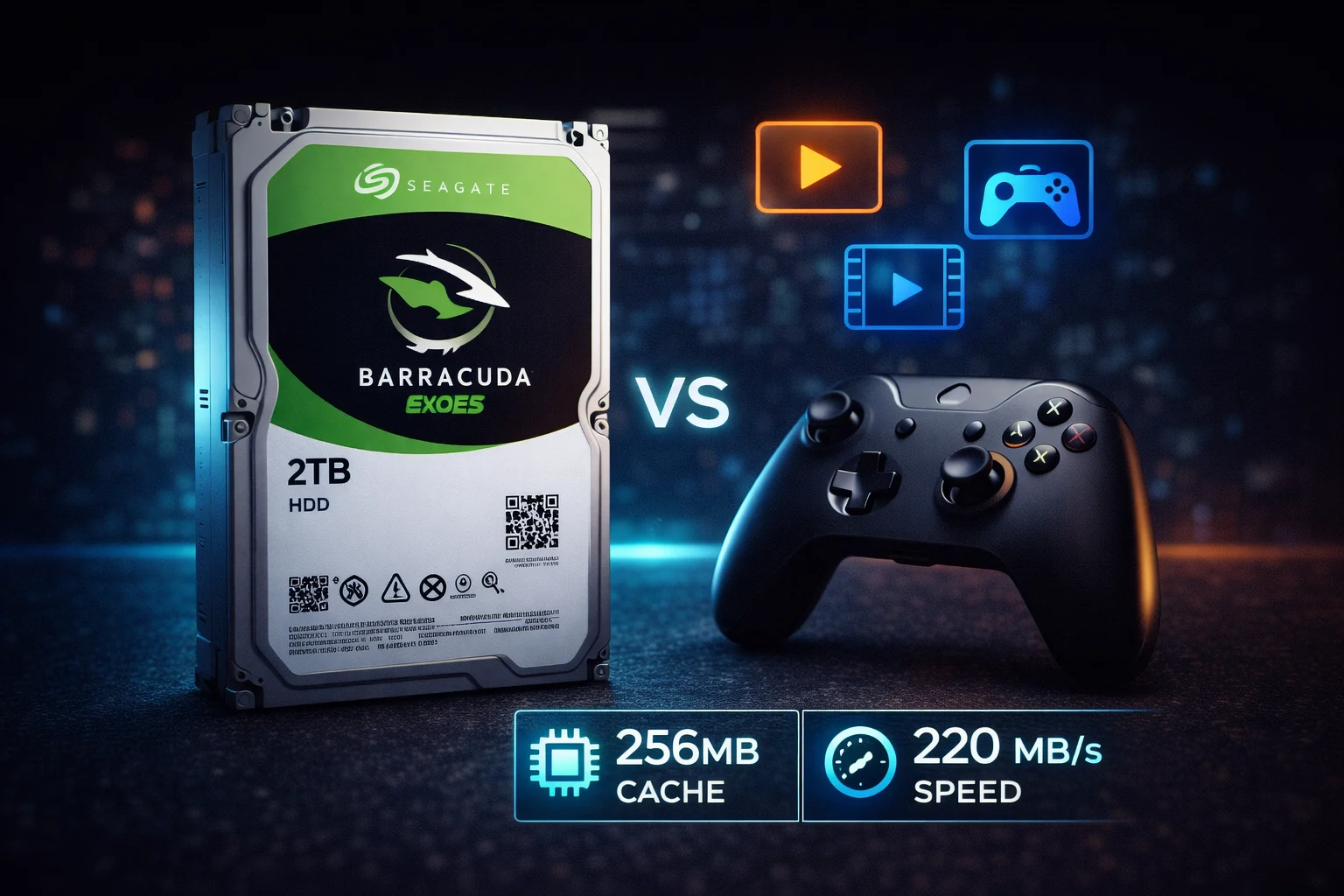
Quick Answer: The Seagate Barracuda 2TB (ST2000DM008) is the most popular consumer hard drive, priced at $50-75. It delivers excellent value with 7200 RPM, 256MB cache, and up to 220 MB/s sequential reads. Important: This drive uses SMR technology, which is fine for game storage and media libraries but not recommended for NAS, RAID, or boot drives. Best for: secondary storage, gaming libraries, media files. For NAS use, choose Seagate IronWolf instead. For boot drives, consider an SSD.
The Seagate Barracuda 2TB (ST2000DM008) is arguably the most popular hard drive in the world. It hits the sweet spot of price, performance, and capacity that makes it the default choice for PC builders who need affordable mass storage alongside their SSD boot drives.
However, this drive has a caveat that many buyers don’t realize: it uses SMR (Shingled Magnetic Recording) technology. This guide explains exactly what that means, when it matters, and whether the Barracuda 2TB is right for your needs.
Seagate Barracuda 2TB Pricing
| Product | Capacity | Price | $ / TB | Price Drop | Brand | Interface |
|---|
Seagate Barracuda 2TB Specifications
| Specification | ST2000DM008 |
|---|---|
| Capacity | 2TB (2000GB) |
| Form Factor | 3.5-inch |
| Interface | SATA 6Gb/s |
| RPM | 7200 |
| Cache | 256MB |
| Recording Technology | SMR |
| Max Sustained Read | 220 MB/s |
| Platters | 1 |
| Heads | 2 |
| Load/Unload Cycles | 600,000 |
| Workload Rating | 55 TB/year |
| Power (Operating) | 5.1W typical |
| Power (Idle) | 3.9W |
| Power (Standby) | 0.3W |
| Acoustics (Idle) | 2.8 bels |
| Acoustics (Seek) | 2.9 bels |
| Dimensions | 101.85 x 146.99 x 20.20mm |
| Weight | 490g (1.08 lbs) |
| Warranty | 2 years |
| MSRP | $59.99 |
Understanding SMR: The Critical Detail
The Seagate Barracuda 2TB uses SMR (Shingled Magnetic Recording) technology. This is the most important thing to understand before buying this drive.
What is SMR?
SMR overlaps data tracks like roof shingles to fit more data per platter. This increases capacity and reduces cost, but creates a significant trade-off: writing new data requires rewriting adjacent tracks.
How SMR Affects Performance
| Operation | SMR Performance | Notes |
|---|---|---|
| Sequential Reads | Normal (220 MB/s) | No penalty |
| Sequential Writes | Normal initially | Uses cache, then slows |
| Random Reads | Normal | No penalty |
| Random Writes | Severely Degraded | Can drop to 10-30 MB/s |
| Sustained Writes | Degraded after cache fills | 256MB cache helps initially |
When SMR Matters (and When It Doesn’t)
✅ SMR is FINE for:
- Game storage — Games are read-heavy once installed
- Media libraries — Movies/music are written once, read many times
- Document storage — Light write workloads
- Backup archives — Infrequent large sequential writes
- Secondary data drive — Paired with an SSD boot drive
❌ SMR is PROBLEMATIC for:
- NAS/RAID arrays — Rebuild times can be 10x longer
- Boot/OS drives — Constant small writes cause slowdowns
- Video editing scratch disks — Sustained write workloads
- Database servers — Heavy random write patterns
- Virtual machines — VM operations are write-intensive
- ZFS/TrueNAS — Particularly sensitive to SMR timing
Performance Benchmarks
Real-world benchmark results for the ST2000DM008:
| Test | Result | Notes |
|---|---|---|
| Sequential Read | 200-220 MB/s | Meets spec |
| Sequential Write | 180-200 MB/s | Before cache fills |
| Sequential Write (Sustained) | 80-120 MB/s | After cache fills |
| Random 4K Read | 1.0-1.5 MB/s | Typical for HDD |
| Random 4K Write | 0.5-1.0 MB/s | SMR penalty visible |
| Average Access Time | ~11ms | Good for 7200 RPM |
Key insight: The 256MB cache masks SMR slowdowns for typical consumer workloads. You’ll only notice issues during sustained heavy writes or when the drive is very full (80%+).
Barracuda 2TB vs. Alternatives
Barracuda 2TB vs. Barracuda 1TB
| Feature | Barracuda 2TB | Barracuda 1TB |
|---|---|---|
| Price | $50-75 | $40-55 |
| $/TB | $25-38 | $40-55 |
| Recording Tech | SMR | CMR |
| RPM | 7200 | 7200 |
| Cache | 256MB | 64MB |
| Max Read Speed | 220 MB/s | 210 MB/s |
| Best For | Storage, gaming | Boot drives, RAID |
Verdict: The 2TB offers much better value per TB. Choose the 1TB only if you specifically need CMR technology.
Barracuda 2TB vs. Barracuda 4TB
| Feature | Barracuda 2TB | Barracuda 4TB |
|---|---|---|
| Price | $50-75 | $90-110 |
| $/TB | $25-38 | $22-28 |
| Recording Tech | SMR | SMR |
| RPM | 7200 | 5400 |
| Cache | 256MB | 256MB |
| Best For | Smaller budgets | Better long-term value |
Verdict: If budget allows, the 4TB offers better $/TB. But the 2TB’s 7200 RPM makes it feel snappier than the 5400 RPM 4TB model.
Barracuda 2TB vs. WD Blue 2TB
| Feature | Seagate Barracuda 2TB | WD Blue 2TB |
|---|---|---|
| Model | ST2000DM008 | WD20EZAZ |
| Price | $50-75 | $55-80 |
| RPM | 7200 | 5400 |
| Cache | 256MB | 256MB |
| Recording | SMR | SMR |
| Max Read | 220 MB/s | 180 MB/s |
Verdict: Barracuda 2TB wins with faster 7200 RPM speed at similar or lower prices. It’s the clear choice for 2TB desktop storage.
Barracuda 2TB vs. 2TB SATA SSD
| Feature | Barracuda 2TB HDD | 2TB SATA SSD |
|---|---|---|
| Price | $50-75 | $120-150 |
| Sequential Read | 220 MB/s | 550 MB/s |
| Random 4K | 1-2 MB/s | 50-100 MB/s |
| Noise | Audible | Silent |
| Durability | Shock sensitive | Shock resistant |
| Power | 5.1W | 2-3W |
Verdict: SSDs are 2-3x more expensive but dramatically faster. Use SSD for your OS/active games, Barracuda for mass storage.
Best Use Cases for Barracuda 2TB
🎮 Gaming Library Storage
The Barracuda 2TB excels as a game storage drive. Modern games are 50-150GB each, and a 2TB drive can hold 15-30 games. Since gaming is primarily read-heavy (after initial installation), SMR isn’t an issue.
Setup tip: Install your NVMe SSD as your boot drive with 2-3 active games. Use the Barracuda for your larger library. Move games between drives as needed.
📁 Secondary Data Drive
The classic “SSD + HDD combo” setup remains the best value approach in 2026:
- 500GB-1TB NVMe SSD — OS, applications, active projects
- Barracuda 2TB — Documents, downloads, media, game overflow
🎬 Media Storage
Movies, music, and photos are perfect for the Barracuda 2TB. These files are written once and read many times — exactly the workload SMR handles well.
💾 Backup Drive
For periodic backups (weekly/monthly), the Barracuda 2TB works great. Large sequential writes to backup are fine; just don’t use it for continuous backup software that writes constantly.
What to Avoid with Barracuda 2TB
🚫 Do NOT Use Barracuda 2TB For:
NAS Systems: SMR drives can take 10x longer to rebuild in RAID arrays. Use IronWolf or WD Red Plus instead.
Boot Drives: Operating systems constantly write small files. Use an SSD for your OS — even a budget one will be dramatically faster.
Video Editing: Scratch disks and render outputs involve sustained writes that will trigger SMR slowdowns.
Virtual Machines: VM disk images experience heavy random write patterns that SMR handles poorly.
Installation & Setup
Physical installation:
- Power off PC completely and unplug
- Ground yourself by touching the metal case
- Mount drive in 3.5″ bay (screws or tool-less brackets)
- Connect SATA data cable (motherboard to drive)
- Connect SATA power cable (PSU to drive)
- Close case and power on
Windows setup:
- Open Disk Management (right-click Start → Disk Management)
- Initialize disk as GPT (for drives over 2TB or UEFI systems)
- Create new simple volume
- Format as NTFS with default allocation unit size
- Assign drive letter
Optimization tips:
- Don’t fill beyond 80% capacity — SMR performance degrades when full
- Defragment periodically (HDDs only, never SSDs)
- Keep drive cool — ensure adequate case airflow
- Use SATA III (6Gb/s) ports for maximum speed
Model Number Variations
You may see different model numbers for the Seagate Barracuda 2TB:
| Model Number | Description |
|---|---|
| ST2000DM008 | Current model, 7200 RPM, SMR, 256MB cache |
| ST2000DMZ08 | Same drive, frustration-free packaging |
| ST2000DM006 | Previous generation, 7200 RPM, 64MB cache |
| ST2000DM005 | 5400 RPM variant, SMR |
| ST2000DM001 | Older generation (2011), CMR |
Best choice: ST2000DM008 offers the best specs with 7200 RPM and 256MB cache. Avoid the ST2000DM005 (5400 RPM variant) unless specifically needed for quieter operation.
Barracuda 2TB vs. Competitors (Extended)
Barracuda 2TB vs. Toshiba P300 2TB
| Feature | Seagate Barracuda 2TB | Toshiba P300 2TB |
|---|---|---|
| Price | $50-75 | $55-70 |
| RPM | 7200 | 7200 |
| Cache | 256MB | 64MB |
| Recording | SMR | CMR |
| Warranty | 2 years | 2 years |
Verdict: Toshiba P300 uses CMR which is better for write-heavy workloads. However, Barracuda’s larger cache helps mask SMR issues for typical use. Choose P300 if you need CMR at 2TB.
Barracuda 2TB vs. IronWolf 2TB
If you’re considering a NAS, here’s why you should choose IronWolf over Barracuda:
| Feature | Barracuda 2TB | IronWolf 2TB |
|---|---|---|
| Price | $50-75 | $70-90 |
| Recording | SMR | CMR |
| NAS Optimized | No | Yes (AgileArray) |
| Vibration Sensors | No | Yes |
| Workload Rating | 55 TB/year | 180 TB/year |
| Warranty | 2 years | 3 years |
Verdict: The $20-30 premium for IronWolf is absolutely worth it for NAS use. Barracuda in a NAS is a recipe for problems.
Understanding the 256MB Cache
The Barracuda 2TB features a generous 256MB cache — one of the largest on any consumer HDD. Here’s why this matters:
What the cache does:
- Buffers write operations before committing to platters
- Stores frequently accessed data for faster repeated reads
- Masks SMR write penalties for typical workloads
- Enables faster burst transfers up to 600 MB/s
Why SMR drives need large caches:
SMR technology requires rewriting adjacent tracks when data changes. The large cache allows the drive to:
- Accept writes quickly into cache (at near-interface speed)
- Reorganize and write data to shingled tracks in the background
- Return “write complete” to the OS before physical write finishes
This is why the Barracuda 2TB feels fast for typical desktop use — the cache masks the SMR penalty. Problems only appear during sustained heavy writes that exceed the cache’s ability to absorb them.
Seagate Barracuda 2TB Price History
The ST2000DM008 has been remarkably stable in pricing:
- 2018: $55-60 (launch)
- 2020: $50-55
- 2022: $50-60
- 2024: $50-65
- 2026: $50-75 (current, some price increases due to HDD demand)
Recent HDD price increases are partially due to enterprise demand for mass storage in data centers, affecting consumer drive pricing as well.
Reliability and Expected Lifespan
The Barracuda 2TB has proven reliable in consumer applications. Key specifications:
- Workload rating: 55 TB/year (~150GB/day)
- Non-recoverable read errors: 1 per 10^14 bits
- Operating temperature: 0-60°C
- Load/unload cycles: 600,000
- Warranty: 2 years
Real-world longevity: Most users report 3-5+ years of reliable service. Drives used within specifications (not in NAS, not as boot drives) tend to last well beyond warranty.
Warning signs to watch for:
- Increasing reallocated sector count in S.M.A.R.T. data
- Clicking or grinding noises (back up immediately)
- Frequent read errors or file corruption
- Dramatically slower performance than usual
Use CrystalDiskInfo or Seagate SeaTools to monitor drive health regularly.
Troubleshooting Common Issues
Drive Not Detected
- Check both SATA data and power cable connections
- Try a different SATA port on your motherboard
- Verify the drive appears in BIOS/UEFI
- Test with a known-good SATA cable
- Listen for spin-up sound when powering on
- Try the drive in another PC to isolate the issue
Slow Write Performance (SMR-Related)
If you’re experiencing sustained slow writes, the SMR cache may be full:
- Let the drive sit idle for 10-30 minutes to allow background reorganization
- Avoid filling the drive above 80% capacity
- Don’t use for continuous write workloads
- This is normal SMR behavior, not a defect
Clicking Sounds
- Soft regular clicks: Normal head parking — can be frequent on this drive
- Loud clicking during access: May indicate developing issues — monitor S.M.A.R.T.
- Click of death (click-click-spin-down): Back up immediately, drive may be failing
Drive Shows Wrong Capacity
- 2TB = 2,000,000,000,000 bytes = 1.81 TiB (what Windows shows)
- This is normal — manufacturers use decimal, OS uses binary
- You should see approximately 1.81 TB usable in Windows
Frequently Asked Questions
The Seagate Barracuda 2TB (ST2000DM008) uses SMR (Shingled Magnetic Recording). This is different from the 1TB model which uses CMR. SMR is fine for typical desktop storage (games, media, documents) but not recommended for NAS, RAID, or boot drive use.
Yes, the Barracuda 2TB is excellent for storing games. Gaming workloads are primarily read-heavy after installation, so SMR doesn’t cause issues. Game load times will be slower than SSD, but for storing your larger game library while keeping active games on SSD, it’s perfect.
Not recommended. SMR technology can cause extremely long RAID rebuild times (up to 10x longer) and may fail entirely during rebuilds. For NAS use, choose Seagate IronWolf or WD Red Plus, which use CMR technology and are optimized for NAS workloads.
The Barracuda 2TB runs at 7200 RPM while the 4TB and larger models run at 5400 RPM. This makes the 2TB feel snappier for everyday use despite SMR technology. It’s the only SMR Barracuda with 7200 RPM speed.
Seagate rates the Barracuda 2TB for 55 TB/year workload with a 2-year warranty. In typical desktop use, these drives commonly last 3-5+ years. Keep the drive cool (below 45°C), avoid physical shocks, and don’t fill it beyond 80% for best longevity.
It depends on your use case. For boot drive/OS: buy an SSD — the performance difference is dramatic. For mass storage (games, media, backups): Barracuda 2TB at $50-75 offers much better value than a $120-150 SSD. The ideal setup is both: SSD for OS + Barracuda for storage.
Related Guides
Seagate Barracuda by Capacity:
- Seagate Barracuda Overview
- Seagate Barracuda 1TB (CMR)
- Seagate Barracuda 4TB
- Seagate Barracuda 8TB
- Seagate Barracuda 20TB (HAMR)
Compare & Alternatives:
For NAS Users (Don’t Use Barracuda):
Other Seagate Lines:
Last updated: February 2026. Prices subject to change. Check our Price Per TB calculator for current deals.
Final Verdict: Should You Buy the Barracuda 2TB?
The Seagate Barracuda 2TB (ST2000DM008) remains an excellent value for its intended purpose: affordable mass storage for desktop PCs.
Buy it if: You need a secondary data drive for games, media, documents, or backups. The 7200 RPM speed, 256MB cache, and $25-38/TB pricing make it hard to beat for bulk storage.
Skip it if: You’re building a NAS, need a boot drive, or require consistent write performance. In those cases, choose IronWolf, an SSD, or the CMR Barracuda 1TB respectively.
The SMR technology is a real consideration, but for typical consumer workloads, it’s a non-issue. Understand what you’re buying, use it appropriately, and the Barracuda 2TB will serve you well for years.