
Quick Answer+
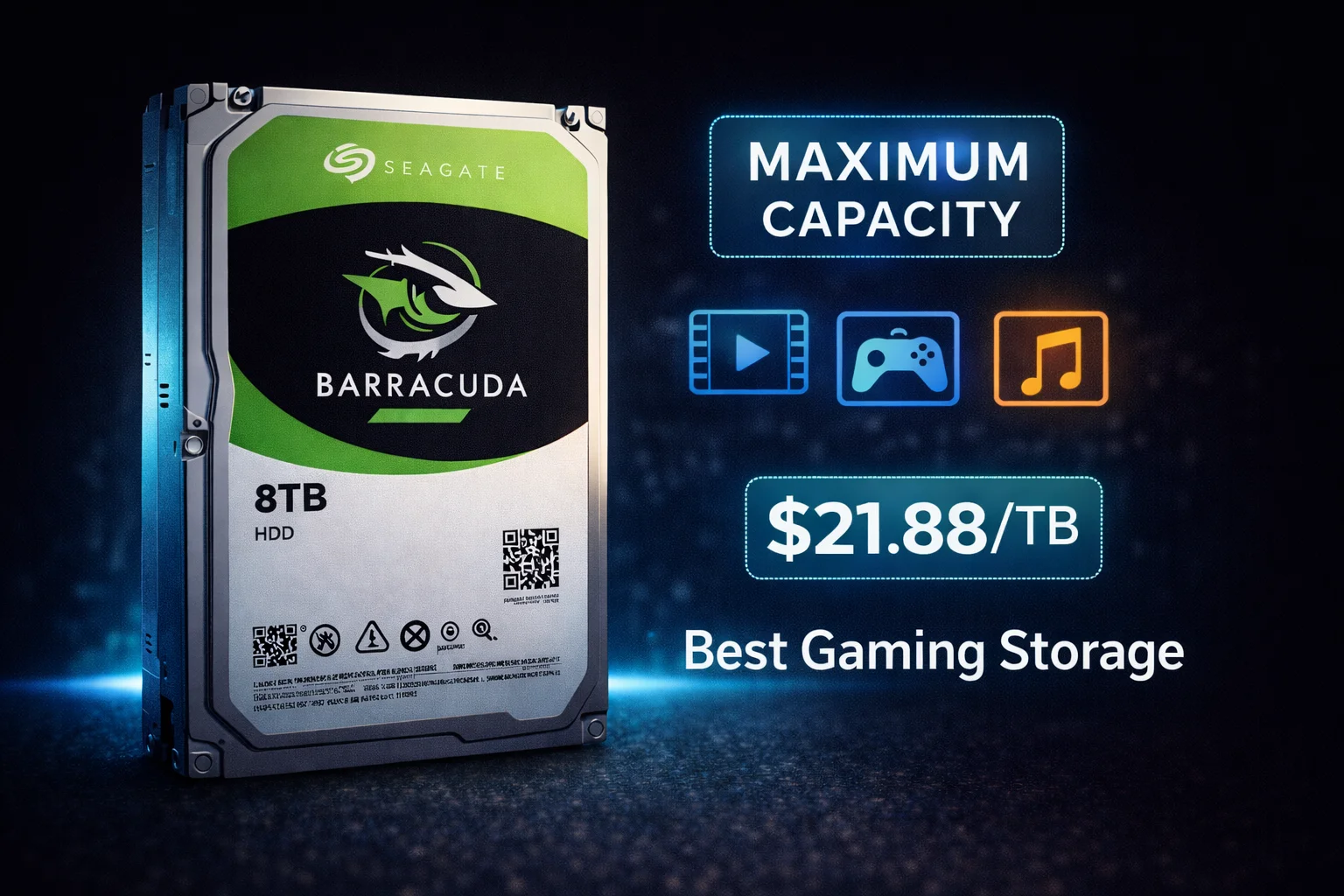
Quick Answer: The Seagate Barracuda 8TB (ST8000DM004) is the largest traditional SMR Barracuda at $175.00 ($21.88/TB). It features 5400 RPM, 256MB cache, and delivers up to 190 MB/s sequential reads. This is the maximum capacity before jumping to the new HAMR models (20TB+). Important: Uses SMR technology — perfect for media libraries, game storage, and backups, but not for NAS or RAID. For larger capacities with CMR, see the Barracuda 20TB HAMR or IronWolf.
The Seagate Barracuda 8TB (ST8000DM004) represents the maximum capacity in the traditional Barracuda SMR lineup. Before the introduction of HAMR-based 20TB+ models, this was the largest consumer Barracuda you could buy — and it remains an excellent value for users who need massive storage without the complexity of multiple drives.
At $175 for 8TB, you’re getting one of the most cost-effective storage solutions available. But as with all SMR Barracudas, understanding the technology’s limitations is essential.
Seagate Barracuda 8TB (ST8000DM004)
8TB Capacity | 5400 RPM | 256MB Cache | SATA 6Gb/s | SMR | 2-Year Warranty
The largest traditional SMR Barracuda available. Perfect for massive media libraries, game storage, and archives. Note: Uses SMR technology — not recommended for NAS or RAID.
Why Choose 8TB Over Smaller Drives?
The 8TB Barracuda makes sense when you need maximum single-drive capacity without enterprise pricing:
- Consolidation — Replace multiple smaller drives with one 8TB
- Simplicity — No RAID complexity, no multi-drive management
- Value — Best $/TB in the traditional Barracuda lineup at $21.88/TB
- Future-proofing — More headroom before needing another drive
For media collectors, gamers with large libraries, and users who prefer “set it and forget it” storage, 8TB provides years of capacity in a single drive.
Seagate Barracuda 8TB Pricing
Browse current Seagate Barracuda 8TB prices:
| Product | Capacity | Price | $ / TB | Price Drop | Brand | Interface |
|---|
Seagate Barracuda 8TB Full Specifications
| Specification | ST8000DM004 |
|---|---|
| Capacity | 8TB (8000GB) |
| Form Factor | 3.5-inch |
| Interface | SATA 6Gb/s |
| RPM | 5400 |
| Cache | 256MB |
| Recording Technology | SMR |
| Max Sustained Read | 190 MB/s |
| Platters | 4 |
| Heads | 8 |
| Load/Unload Cycles | 600,000 |
| Workload Rating | 55 TB/year |
| Power (Operating) | 5.3W typical |
| Power (Idle) | 3.4W |
| Acoustics (Idle) | 2.8 bels |
| Acoustics (Seek) | 2.9 bels |
| Dimensions | 101.6 x 146.99 x 26.11mm |
| Weight | 615g (1.36 lbs) |
| Warranty | 2 years |
The 8TB Sweet Spot: Why This Capacity?
The 8TB Barracuda occupies a unique position in the market:
- Largest SMR Barracuda — Beyond this, you need HAMR models (20TB+) or enterprise drives
- Best $/TB in the lineup — At $21.88/TB, it beats smaller Barracudas
- Single drive simplicity — No RAID complexity, one drive does it all
- Massive capacity — Enough for most personal media libraries
What 8TB Actually Holds
| Content Type | Approximate Quantity |
|---|---|
| HD Movies (10GB avg) | ~800 movies |
| 4K Movies (40GB avg) | ~200 movies |
| PC Games (50-100GB avg) | 80-160 games |
| FLAC Albums (500MB avg) | ~16,000 albums |
| RAW Photos (25MB avg) | ~320,000 photos |
| 1080p Video Hours (8GB/hr) | ~1,000 hours |
Reality check: 8TB is enough storage for most individual users’ lifetime media collections. Only power users with extensive 4K libraries or professional video archives typically need more.
SMR at 8TB: Performance Considerations
The 8TB model uses the same SMR technology as smaller Barracudas, but with 4 platters, the SMR behavior has some unique characteristics:
SMR Performance Profile
| Operation | Performance | Notes |
|---|---|---|
| Sequential Read | 190 MB/s | Full speed |
| Sequential Write (burst) | 170-180 MB/s | Cache-assisted |
| Sequential Write (sustained) | 80-120 MB/s | After cache fills |
| Random Read | 1-2 MB/s | Typical HDD |
| Random Write | 0.5-1 MB/s | SMR penalty |
When SMR Matters More at 8TB
- Longer reorganization times — More data means longer SMR housekeeping
- Fill level critical — Keep below 70-80% for best performance
- Initial setup — Transferring 6-7TB of data will take significant time
⚠️ SMR Warning for 8TB
At 8TB capacity, SMR limitations become more pronounced. If you’re filling this drive with large data transfers, expect:
- Initial 256MB cache gives fast burst performance
- After cache fills, speeds drop to 80-120 MB/s
- Transferring 7TB could take 15-20+ hours
- Drive needs idle time to reorganize SMR zones
Best practice: Transfer data in batches over multiple sessions rather than one massive copy operation.
Barracuda 8TB vs Alternatives
Barracuda 8TB vs Barracuda 4TB
| Feature | Barracuda 8TB | Barracuda 4TB |
|---|---|---|
| Price | $175.00 | $91.99 |
| $/TB | $21.88 | $23.00 |
| RPM | 5400 | 5400 |
| Platters | 4 | 2 |
| Thickness | 26.11mm | 20.17mm |
Verdict: The 8TB offers better value per TB, but costs nearly double upfront. Consider 2x 4TB if you want redundancy or plan to expand gradually.
Barracuda 8TB vs Barracuda 20TB HAMR
| Feature | Barracuda 8TB | Barracuda 20TB |
|---|---|---|
| Price | $175.00 | $399.00 |
| $/TB | $21.88 | $19.95 |
| Recording | SMR | CMR (HAMR) |
| RPM | 5400 | 7200 |
| Cache | 256MB | 512MB |
| NAS Suitable | No | Potentially |
Verdict: If budget allows, the 20TB HAMR offers better $/TB, CMR technology (no write penalties), and faster 7200 RPM speed. It’s the future of high-capacity Barracudas.
Barracuda 8TB vs IronWolf 8TB
| Feature | Barracuda 8TB | IronWolf 8TB |
|---|---|---|
| Price | $175.00 | $180-220 |
| Recording | SMR | CMR |
| RPM | 5400 | 7200 |
| NAS Optimized | No | Yes (AgileArray) |
| Workload Rating | 55 TB/year | 180 TB/year |
| Warranty | 2 years | 3 years |
Verdict: Prices are close enough that IronWolf is worth the premium for anyone considering NAS use. For pure desktop storage, Barracuda saves a few dollars.
Barracuda 8TB vs WD Red Plus 8TB
| Feature | Seagate Barracuda 8TB | WD Red Plus 8TB |
|---|---|---|
| Price | $175.00 | $180-200 |
| Recording | SMR | CMR |
| Target Use | Desktop | NAS |
| RPM | 5400 | 5640 |
Verdict: For NAS, WD Red Plus (CMR) is clearly better. For desktop storage where SMR doesn’t matter, Barracuda saves money.
Best Use Cases for Barracuda 8TB
📺 Media Server (Plex/Jellyfin/Emby)
The 8TB Barracuda is excellent for single-drive media servers:
- Direct play from Plex works perfectly (read-heavy)
- Holds 200+ 4K movies or 800+ HD movies
- SMR doesn’t affect streaming performance
- Single drive = simple setup, no RAID needed
Note: For multi-drive NAS setups, use IronWolf instead.
🎮 Ultimate Gaming Storage
Store your entire game collection:
- 80-160 modern games
- No more uninstalling to make space
- Move active games to NVMe, store the rest here
📸 Photography Archive
Professional photographers can store:
- 320,000 RAW images (25MB average)
- Complete Lightroom catalogs
- Years of professional work
💾 Backup & Cold Storage
Excellent for:
- Complete system backups
- Time Machine (Mac)
- Archive storage for completed projects
- Secondary backup destination
Installation Considerations
Physical Dimensions
The 8TB Barracuda is thicker than smaller models:
- Height: 26.11mm (vs 20.17mm for 4TB and smaller)
- Weight: 615g (heavier than smaller models)
Compatibility: Most desktop cases accommodate this height, but check before buying if you have a compact case or external enclosure.
Power Considerations
- Startup current: 2.0A @ 12V
- Operating power: 5.3W
- Ensure your PSU can handle the startup surge if running multiple drives
Reliability & Expected Lifespan
| Specification | Value |
|---|---|
| Workload Rating | 55 TB/year |
| Load/Unload Cycles | 600,000 |
| Non-recoverable Errors | 1 per 10^15 bits |
| Operating Temperature | 0-60°C |
| Warranty | 2 years |
| Expected Lifespan | 3-5+ years typical |
Reliability & Expected Lifespan
| Specification | Value |
|---|---|
| Workload Rating | 55 TB/year |
| Load/Unload Cycles | 600,000 |
| Non-recoverable Errors | 1 per 10^15 bits |
| Operating Temperature | 0-60°C |
| Warranty | 2 years |
| Expected Lifespan | 3-5+ years typical |
Troubleshooting Common Issues
Slow Write Performance (SMR-Related)
At 8TB capacity, SMR effects are more pronounced:
- Let drive idle 20-30 minutes for background reorganization
- Keep capacity below 70-80% for best performance
- Transfer data in batches over multiple sessions
- Initial large transfers (6-7TB) may take 15-20+ hours
Drive Running Hot
- 4-platter design generates more heat than smaller models
- Ensure adequate case airflow
- Operating up to 60°C is within spec but aim for under 50°C
- Consider adding case fans if consistently above 55°C
Drive Not Detected
- Check SATA data and power connections
- Ensure PSU provides adequate startup current
- Try different SATA port (prefer SATA III)
- Test with known-good SATA cable
Unusual Clicking
- Soft periodic clicks: Normal head parking behavior
- Rhythmic clicking during access: Monitor S.M.A.R.T. data
- Click-spin-click-spin: Drive struggling — back up immediately
Model Number Variations
| Model Number | Description |
|---|---|
| ST8000DM004 | Standard retail 8TB, 5400 RPM, SMR |
| ST8000DMZ04 | Same drive, frustration-free packaging |
| ST8000DM008 | Archive variant (less common) |
Barracuda 8TB Price History
The ST8000DM004 pricing over time:
- 2018: $180-200 (launch)
- 2020: $150-170
- 2022: $140-160
- 2024: $150-170
- 2026: $175.00 (current)
Prices have fluctuated based on supply chain conditions. Current pricing represents good value at under $22/TB.
Shucking: External Drives with Barracuda 8TB Inside
Seagate external drives sometimes contain Barracuda internals:
- Seagate Expansion 8TB: May contain ST8000DM004
- Seagate Backup Plus 8TB: Often the same drive
- Price advantage: Externals sometimes sell for less than bare drives
- Shucking note: Some may require 3.3V pin modification
Warning: Shucking voids external drive warranty. Verify external price vs bare drive before purchasing.
Final Verdict: Should You Buy the Barracuda 8TB?
The Seagate Barracuda 8TB (ST8000DM004) is the maximum capacity available in the traditional SMR Barracuda lineup and offers excellent value for mass storage needs.
Buy it if:
- You need the most storage in a single consumer drive (under $200)
- Your workload is read-heavy (media, games, archives)
- You understand SMR limitations and can work within them
- Budget doesn’t stretch to the $399 20TB HAMR model
Skip it if:
- You need NAS/RAID compatibility (get IronWolf 8TB)
- You can afford the 20TB HAMR Barracuda for better $/TB and CMR technology
- You need consistent write performance for professional workloads
Frequently Asked Questions
The Seagate Barracuda 8TB (ST8000DM004) uses SMR (Shingled Magnetic Recording). It’s the largest SMR Barracuda available — the newer 20TB+ models use CMR with HAMR technology. SMR works fine for storage/media use but avoid using it in NAS or RAID setups.
For most personal collections, 8TB is plenty. It holds 200+ 4K movies or 800+ HD movies. Only users with massive 4K libraries or professional video archives typically need more. You can always add drives later as needed.
Not recommended. SMR can cause RAID rebuild failures and extremely long rebuild times. For NAS use, choose IronWolf 8TB (CMR, NAS-optimized) — it’s only $5-45 more and designed for this purpose.
The 8TB uses 4 platters instead of 2, making it 26.11mm thick versus 20.17mm for smaller models. Most desktop cases accommodate this, but check your enclosure specs if space is tight.
The 20TB HAMR model offers better $/TB ($19.95 vs $21.88), uses CMR (no SMR penalties), and runs at 7200 RPM. If you need the capacity and can afford $399, the 20TB is the better drive. The 8TB makes sense if $175 is your budget ceiling.
Related Guides
Seagate Barracuda by Capacity:
- Seagate Barracuda Overview
- Seagate Barracuda 2TB
- Seagate Barracuda 4TB
- Seagate Barracuda 20TB (HAMR/CMR)
Compare & Alternatives:
For NAS (Don’t Use Barracuda):
Last updated: February 2026. Prices subject to change. Check our Price Per TB calculator for current deals.