Quick Answer+
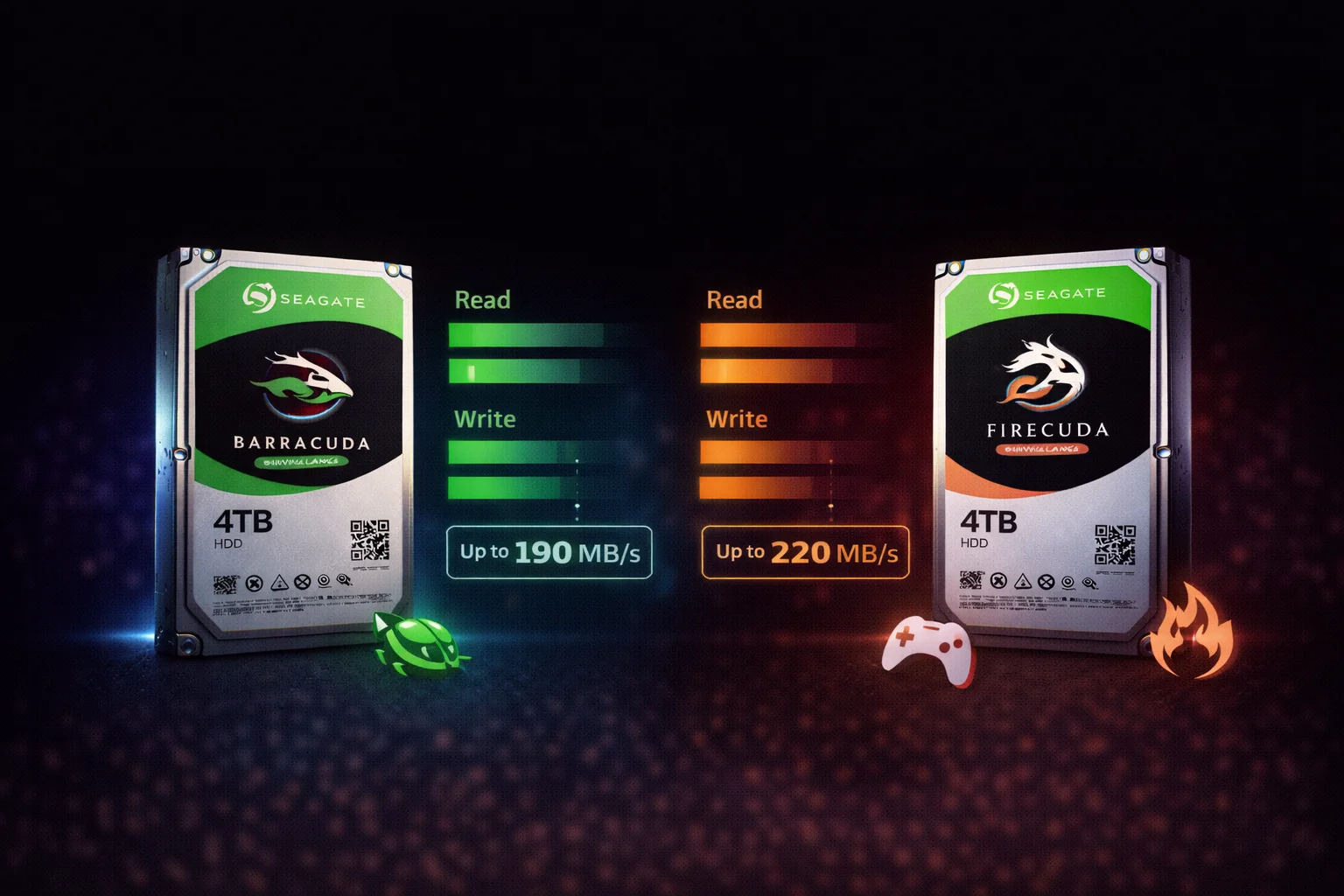
Quick Answer: Barracuda is a traditional HDD - affordable, high capacity, best for bulk storage. FireCuda is an SSHD (hybrid drive) with flash cache - faster for frequently accessed files but more expensive. Our recommendation: In 2026, skip both for your boot drive and get an SSD. Use Barracuda for mass storage (games library, media, backups) where the FireCuda's speed advantage doesn't justify the price premium. FireCuda only makes sense if you need HDD capacity but can't add an SSD.
The Barracuda vs FireCuda debate comes down to one question: is the hybrid drive's speed boost worth paying more? This comprehensive comparison helps you decide which Seagate drive fits your needs and budget.
Quick Comparison Overview
| Feature | Seagate Barracuda | Seagate FireCuda |
|---|---|---|
| Type | Traditional HDD | SSHD (Hybrid) |
| Flash Cache | None | 8GB NAND |
| Best For | Bulk storage, backups | Frequently accessed files |
| Capacities (3.5″) | 1TB - 24TB | 1TB - 2TB |
| Capacities (2.5″) | 500GB - 5TB | 500GB - 2TB |
| Price (2TB 3.5″) | ~$60 | ~$85 |
| Price (2TB 2.5″) | ~$65 | ~$90 |
| Recording | SMR (most models) | SMR |
| Warranty | 2 years | 5 years |
What Is FireCuda? Understanding SSHD Technology
How FireCuda Works
FireCuda is a Solid State Hybrid Drive (SSHD) that combines:
- Traditional HDD: Spinning platters for bulk storage
- Flash Cache: 8GB of NAND flash memory
- Smart Controller: Learns which files you access frequently
The Learning Algorithm
- You access a file (game, application, OS files)
- FireCuda's controller notes this access
- After repeated access, the file is cached to flash
- Next time you access it, it loads from fast flash instead of slow platters
What This Means in Practice
- First boot/launch: Same speed as regular HDD
- Second boot/launch: Slightly faster
- Third+ boot/launch: Noticeably faster (cached)
- New files: Always HDD speed until learned
Speed Comparison: Real-World Performance
Sequential Read/Write (Large Files)
| Test | Barracuda | FireCuda | Difference |
|---|---|---|---|
| Sequential Read | 190 MB/s | 195 MB/s | ~3% faster |
| Sequential Write | 180 MB/s | 185 MB/s | ~3% faster |
| Sustained Write (SMR) | 40 MB/s | 45 MB/s | ~12% faster |
Verdict: Nearly identical for large file transfers. The flash cache doesn't help with sequential operations.
Random Read/Write (Small Files, Apps)
| Test | Barracuda | FireCuda (Cold) | FireCuda (Cached) |
|---|---|---|---|
| Random 4K Read | 0.8 MB/s | 0.9 MB/s | 45 MB/s |
| Random 4K Write | 1.2 MB/s | 1.3 MB/s | 35 MB/s |
| Mixed Random | 1.0 MB/s | 1.1 MB/s | 40 MB/s |
Verdict: FireCuda is dramatically faster for cached data (40-50x improvement). But "cold" performance is nearly identical to Barracuda.
Real-World Scenarios
| Task | Barracuda | FireCuda (First) | FireCuda (Cached) |
|---|---|---|---|
| Windows Boot | 45 seconds | 43 seconds | 28 seconds |
| Game Launch (GTA V) | 95 seconds | 92 seconds | 55 seconds |
| Photoshop Open | 18 seconds | 17 seconds | 9 seconds |
| File Copy (50GB) | 5 minutes | 5 minutes | 5 minutes |
Key Insight: FireCuda only helps with repeatedly accessed files. Large file transfers are the same speed.
The Elephant in the Room: SSDs
Here's the uncomfortable truth about FireCuda in 2026:
SSD Prices Have Collapsed
| Drive | 500GB Price | 1TB Price | Boot Speed |
|---|---|---|---|
| Barracuda HDD | $35 | $50 | 45 seconds |
| FireCuda SSHD | $55 | $70 | 28 seconds (cached) |
| Budget SATA SSD | $35 | $60 | 12 seconds |
| NVMe SSD | $40 | $70 | 8 seconds |
The Smart 2026 Strategy
Instead of: 2TB FireCuda ($85) for everything
Do this: 500GB SSD ($35) for OS/apps + 2TB Barracuda ($60) for storage = $95 total
Result: Faster than FireCuda, more storage, only $10 more.
Capacity Options Compared
3.5-Inch Desktop Drives
| Capacity | Barracuda | FireCuda |
|---|---|---|
| 1TB | ✅ Available (~$50) | ✅ Available (~$70) |
| 2TB | ✅ Available (~$60) | ✅ Available (~$85) |
| 4TB | ✅ Available (~$92) | ❌ Not available |
| 6TB | ✅ Available (~$130) | ❌ Not available |
| 8TB | ✅ Available (~$175) | ❌ Not available |
| 16TB+ | ✅ Available (HAMR) | ❌ Not available |
Key Limitation: FireCuda maxes out at 2TB for desktop drives. If you need more capacity, Barracuda is your only option.
2.5-Inch Laptop/Console Drives
| Capacity | Barracuda 2.5″ | FireCuda 2.5″ |
|---|---|---|
| 500GB | ✅ 7mm (~$40) | ✅ 7mm (~$55) |
| 1TB | ✅ 7mm (~$55) | ✅ 7mm (~$70) |
| 2TB | ✅ 7mm (~$65) | ✅ 7mm (~$90) |
| 3TB+ | ✅ 15mm | ❌ Not available |
Gaming: Which Is Better?
For PC Gaming
| Scenario | Best Choice | Why |
|---|---|---|
| Game storage (many games) | Barracuda | More capacity, games rotate out of cache anyway |
| 1-2 main games only | FireCuda | Cache stays populated with your games |
| Competitive gaming | SSD | Consistent fast loads matter |
| Boot drive | SSD | Neither HDD is acceptable in 2026 |
For Console Gaming (PS4)
| Drive | PS4 Compatible? | Recommendation |
|---|---|---|
| Barracuda 2TB 2.5″ (7mm) | ✅ Yes | Best value |
| FireCuda 2TB 2.5″ (7mm) | ✅ Yes | Faster loads for favorite games |
| FireCuda 2TB SSHD | ✅ Yes | Worth it if you replay same games |
PS4 Verdict: FireCuda makes more sense for consoles than PCs because you can't easily add an SSD internally. The 2TB FireCuda 2.5″ is a solid PS4 upgrade if faster loads matter to you.
Warranty Comparison
| Feature | Barracuda | FireCuda |
|---|---|---|
| Warranty Length | 2 years | 5 years |
| Data Recovery | Not included | Not included |
| RMA Process | Standard Seagate | Standard Seagate |
FireCuda Advantage: The 5-year warranty is significantly better than Barracuda's 2-year coverage. This partially justifies the price premium for long-term use.
Reliability: HDD vs SSHD
Points of Failure
| Component | Barracuda | FireCuda |
|---|---|---|
| Spinning Platters | ✓ Yes (can fail) | ✓ Yes (can fail) |
| Read/Write Heads | ✓ Yes (can fail) | ✓ Yes (can fail) |
| Motor/Spindle | ✓ Yes (can fail) | ✓ Yes (can fail) |
| Flash Memory | ✗ None | ✓ Yes (can wear out) |
| Controller Complexity | Standard | More complex |
Theory: FireCuda has more components that could fail. Practice: Real-world failure rates are similar, and the 5-year warranty provides peace of mind.
Price Analysis: Is FireCuda Worth It?
Cost Per TB
| Drive | 2TB Price | $/TB | Premium |
|---|---|---|---|
| Barracuda 2TB | $84.99 | $30.00 | Baseline |
| FireCuda 2TB | $84.99 | $42.50 | +42% |
What You Get for 42% More
- 8GB flash cache (faster repeated access)
- 5-year warranty (vs 2-year)
- Slightly faster for cached workloads
What You Don't Get
- Faster large file transfers
- More capacity options
- SSD-level performance
Current Prices
Decision Guide: Which Should You Buy?
Buy Barracuda If:
- ✅ You need maximum storage capacity (4TB+)
- ✅ Budget is the priority
- ✅ You already have an SSD for your OS
- ✅ You're storing files that won't benefit from caching (media, backups)
- ✅ You play many different games (cache won't help)
Buy FireCuda If:
- ✅ You can't add a separate SSD to your system
- ✅ You repeatedly access the same files/games
- ✅ Upgrading a PS4 and want faster game loads
- ✅ The 5-year warranty matters to you
- ✅ 2TB or less is sufficient capacity
Buy an SSD Instead If:
- ✅ You need consistent fast performance
- ✅ Boot times matter
- ✅ You can afford $60-100 for a 1TB SSD
- ✅ You're building a new system
Frequently Asked Questions
Is FireCuda faster than Barracuda?
Yes, but only for cached data. FireCuda's 8GB flash cache makes frequently accessed files load 2-3x faster. However, first-time access and large file transfers are nearly identical to Barracuda. The more you access the same files, the more FireCuda helps.
Is FireCuda worth the extra money?
In most cases, no - you're better off buying a Barracuda plus a small SSD for the same money. FireCuda makes sense mainly for PS4 upgrades where you can't easily add a separate SSD, or if the 5-year warranty matters to you.
Can FireCuda replace an SSD?
No. Even with caching, FireCuda is still 3-5x slower than a budget SATA SSD for cached data, and much slower for non-cached data. In 2026, SSDs are affordable enough that there's no reason to use any HDD as your primary boot drive.
Which is better for gaming: Barracuda or FireCuda?
For game storage, Barracuda is usually better because you get more capacity for less money. FireCuda only helps if you repeatedly play the same 1-2 games. For actively playing games, an SSD is the real answer.
Why doesn't FireCuda come in larger capacities?
Seagate likely found that customers wanting 4TB+ prioritize capacity over speed and wouldn't pay the SSHD premium. The hybrid technology adds cost, and larger drives are typically used for bulk storage where caching provides less benefit.
Does FireCuda use SMR like Barracuda?
Yes. FireCuda drives use SMR (Shingled Magnetic Recording) just like most Barracuda models. This means you'll still experience write slowdowns during sustained transfers. The flash cache helps with reads but doesn't eliminate SMR write limitations.
The Bottom Line
In 2026, the Barracuda vs FireCuda debate has a clear winner for most users:
For desktops: Buy a cheap SSD for your OS and Barracuda for bulk storage. This beats FireCuda in both speed and value.
For laptops with one drive slot: Use an SSD if possible. If you must have HDD capacity, FireCuda is acceptable.
For PS4: FireCuda 2TB 2.5″ is a legitimate upgrade that provides faster game loads with the 5-year warranty as a bonus.
For bulk storage: Barracuda wins on capacity and price. FireCuda's caching doesn't help with media files, backups, or game archives.
Historical Context: Why SSHD Made Sense
The 2015-2018 Era
When FireCuda launched, SSDs were expensive:
- 500GB SSD: $150-200
- 1TB SSD: $300-400
- SSHD provided a middle ground
The 2026 Reality
SSD prices have collapsed:
- 500GB SSD: $30-40
- 1TB SSD: $60-80
- SSHD no longer fills a meaningful gap
FireCuda made sense when SSDs were luxury items. Now they're commodities, making the hybrid approach less relevant.
When FireCuda Still Makes Sense
Despite SSD price drops, FireCuda remains valid for:
- PS4/Xbox One upgrades: Can't easily add separate SSD internally
- Single-slot laptops: When you need HDD capacity but want some speed boost
- The 5-year warranty: If long coverage matters more than raw value
- Users who won't manage two drives: Some prefer one-drive simplicity
Last updated: February 2026. For most users, SSD + Barracuda beats FireCuda.
Related Guides
- Seagate Barracuda Overview
- Barracuda for PS4 & PS5
- Why Is My Barracuda So Slow?
- Best Seagate Barracuda Buying Guide
- SSD vs HDD: Complete Comparison
Last updated: February 2026. For most users, SSD + Barracuda beats FireCuda.