
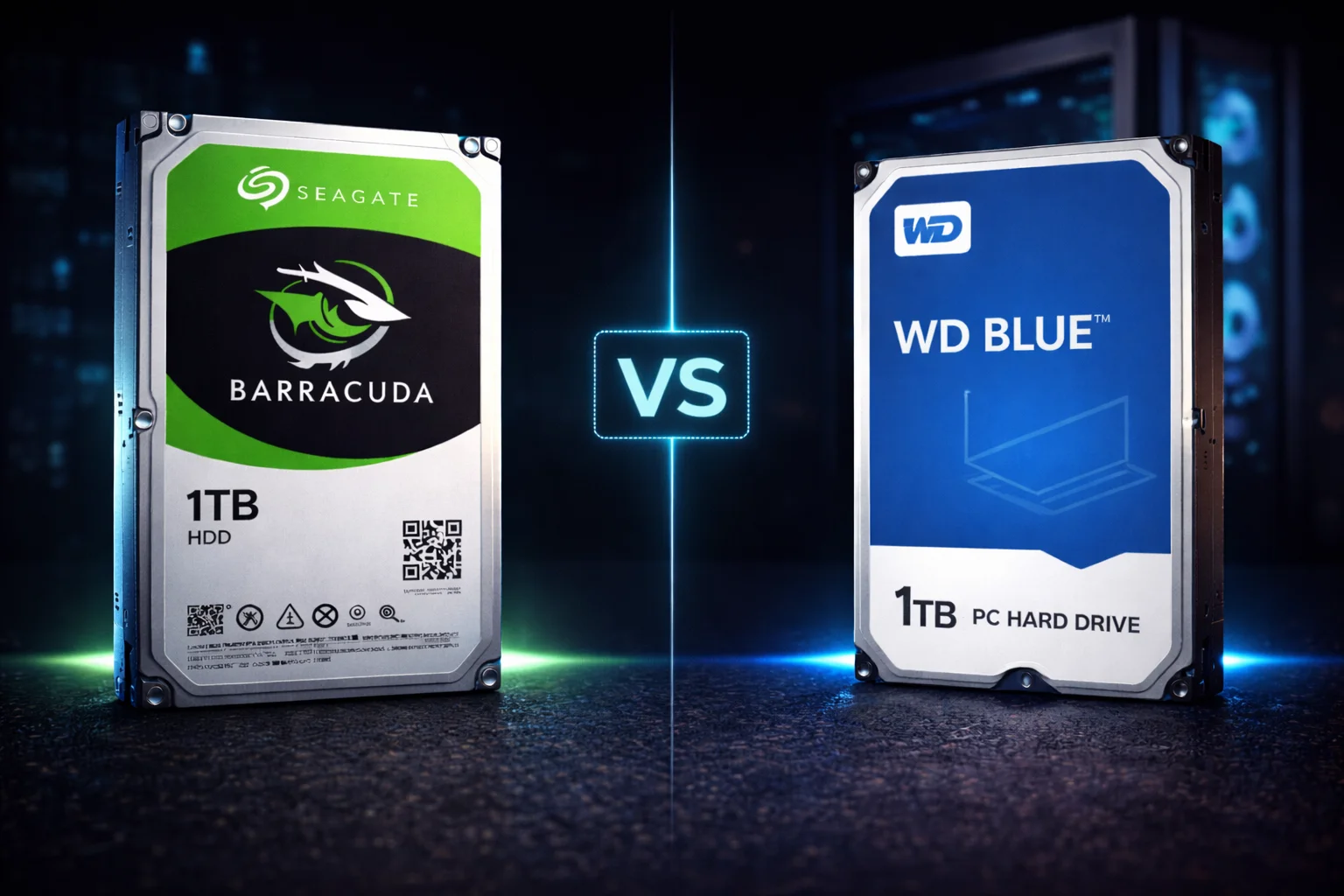
Quick Answer+
Quick Answer:Seagate Barracuda and WD Blue are the two most popular budget desktop hard drives, and they’re remarkably similar. Barracuda wins at 2TB with 7200 RPM (vs WD Blue’s 5400 RPM) and often lower prices. Both use SMR at most capacities. Barracuda offers more capacity options (up to 24TB with HAMR) while WD Blue maxes at 8TB. Bottom line: Buy whichever is cheaper at your target capacity — they’re nearly identical in reliability and performance.
The Seagate Barracuda vs WD Blue debate has been running for decades. These are the two default choices for budget desktop storage, and PC builders constantly ask which is better. The honest answer? They’re so similar that price should be your deciding factor in most cases.
This guide provides detailed comparisons at every capacity to help you make an informed decision.
Featured Products Compared
Seagate Barracuda 2TB (ST2000DM008)
2TB Capacity | 7200 RPM | 256MB Cache | SATA 6Gb/s | SMR | 220 MB/s | 2-Year Warranty
The 2TB sweet spot with 7200 RPM speed — 25% faster than WD Blue at this capacity. Best choice for game libraries and media storage where speed matters.
WD Blue 2TB (WD20EZAZ)
2TB Capacity | 5400 RPM | 256MB Cache | SATA 6Gb/s | SMR | 180 MB/s | 2-Year Warranty
Reliable 2TB desktop storage at 5400 RPM. Runs slightly cooler and quieter than Barracuda, but 20% slower sequential speeds. Good for media archives.
Quick Comparison Overview
| Feature | Seagate Barracuda | WD Blue |
|---|---|---|
| Capacities | 1TB – 24TB | 500GB – 8TB |
| RPM (2TB) | 7200 | 5400 |
| Cache (2TB+) | 256MB | 256MB |
| Recording | Mixed (SMR/CMR) | Mixed (SMR/CMR) |
| Warranty | 2 years | 2 years |
| Interface | SATA 6Gb/s | SATA 6Gb/s |
| Target Use | Desktop storage | Desktop storage |
Seagate Barracuda Prices
Browse current Seagate Barracuda desktop hard drive prices:
WD Blue Prices
Browse current Western Digital Blue desktop hard drive prices:
| Product | Capacity | Price | $ / TB | Price Drop | Brand | Interface |
|---|
Detailed Price Comparison
| Capacity | Barracuda Price | WD Blue Price | Winner |
|---|---|---|---|
| 1TB | $45-55 | $45-55 | Tie |
| 2TB | $50-75 | $55-80 | Barracuda (faster too) |
| 4TB | $91.99 | $99.99 | Barracuda |
| 6TB | $110-150 | $144.99 | Check current prices |
| 8TB | $175.00 | $189.99 | Barracuda |
| 10TB+ | Available (HAMR) | Not available | Barracuda only |
Capacity-by-Capacity Breakdown
1TB Comparison
| Spec | Barracuda 1TB | WD Blue 1TB |
|---|---|---|
| Model | ST1000DM010 | WD10EZEX |
| RPM | 7200 | 7200 |
| Cache | 64MB | 64MB |
| Recording | CMR | CMR |
| Max Speed | 210 MB/s | 180 MB/s |
| Price | $45-55 | $45-55 |
Verdict: Both use CMR at 1TB — a rarity in budget drives. Barracuda has a slight speed advantage. Buy whichever is cheaper.
2TB Comparison — Barracuda Wins
Seagate Barracuda 4TB (ST4000DM004)
4TB Capacity | 5400 RPM | 256MB Cache | SATA 6Gb/s | SMR | 190 MB/s | 2-Year Warranty
The sweet spot for desktop storage. Great balance of capacity and price for game libraries, media files, and general backups. Uses SMR — avoid for NAS/RAID.
WD Blue 4TB (WD40EZAZ)
4TB Capacity | 5400 RPM | 256MB Cache | SATA 6Gb/s | SMR | 180 MB/s | 2-Year Warranty
Reliable 4TB desktop storage from Western Digital. Nearly identical specs to Barracuda at this capacity. Good choice if you prefer the WD ecosystem.
| Spec | Barracuda 2TB | WD Blue 2TB |
|---|---|---|
| Model | ST2000DM008 | WD20EZAZ |
| RPM | 7200 | 5400 |
| Cache | 256MB | 256MB |
| Recording | SMR | SMR |
| Max Speed | 220 MB/s | 180 MB/s |
| Price | $50-75 | $55-80 |
Verdict:Barracuda is the clear winner at 2TB. It’s faster (7200 RPM vs 5400 RPM), has higher throughput (220 MB/s vs 180 MB/s), and usually costs less. This is the capacity where the difference matters most.
4TB Comparison
| Spec | Barracuda 4TB | WD Blue 4TB |
|---|---|---|
| Model | ST4000DM004 | WD40EZAZ |
| RPM | 5400 | 5400 |
| Cache | 256MB | 256MB |
| Recording | SMR | SMR |
| Max Speed | 190 MB/s | 180 MB/s |
| Price | $91.99 | $99.99 |
Verdict: Nearly identical specs. Barracuda is typically $8 cheaper. Both are fine choices — buy the cheaper one.
8TB Comparison
Seagate Barracuda 8TB (ST8000DM004)
8TB Capacity | 5400 RPM | 256MB Cache | SATA 6Gb/s | SMR | 190 MB/s | 2-Year Warranty
Maximum SMR Barracuda capacity. Ideal for massive media libraries, game collections, and desktop archives. Uses SMR — not recommended for NAS or RAID.
WD Blue 8TB (WD80EAZZ)
8TB Capacity | 5400 RPM | 256MB Cache | SATA 6Gb/s | SMR | 185 MB/s | 2-Year Warranty
The largest WD Blue available. Comparable specs to Barracuda 8TB at a slightly higher price point. Maximum capacity in the WD Blue lineup.
| Spec | Barracuda 8TB | WD Blue 8TB |
|---|---|---|
| Model | ST8000DM004 | WD80EAZZ |
| RPM | 5400 | 5400 |
| Cache | 256MB | 256MB |
| Recording | SMR | SMR |
| Max Speed | 190 MB/s | 185 MB/s |
| Price | $175.00 | $189.99 |
Verdict: Again, nearly identical. Barracuda has a $15 price advantage. For 8TB desktop storage, either works fine.
Beyond 8TB — Barracuda Only
WD Blue maxes out at 8TB. If you need more:
Seagate Barracuda 20TB (ST20000DM001)
20TB Capacity | 7200 RPM | 512MB Cache | SATA 6Gb/s | CMR (HAMR) | 2-Year Warranty
Massive capacity with next-gen HAMR technology. Uses CMR for reliable write performance. Best $/TB in the entire Barracuda lineup. No WD Blue equivalent exists.
- Barracuda 20TB HAMR: $399 — uses CMR, 7200 RPM
- Barracuda 24TB HAMR: $500 — same technology
- WD alternative:WD Red Plus (NAS line) or WD Gold (enterprise)
SMR vs CMR: Both Have the Same Problem
A common misconception is that one brand uses “better” recording technology. In reality:
| Capacity | Barracuda Recording | WD Blue Recording |
|---|---|---|
| 1TB | CMR | CMR |
| 2TB | SMR | SMR |
| 4TB | SMR | SMR |
| 6TB | SMR | SMR |
| 8TB | SMR | SMR |
Both brands use SMR at 2TB and above. Neither is better for NAS or RAID — both should be avoided for those purposes. For desktop storage (games, media, backups), SMR works fine for both.
Understanding SMR Impact on Desktop Use
Many users worry about SMR technology after hearing it’s “bad.” Here’s the reality for desktop use:
When SMR Doesn’t Matter (Desktop Use)
- Gaming: Games are read-heavy — you’re loading data, not constantly writing
- Media playback: Watching movies and playing music is pure reading
- Document storage: Small writes don’t trigger SMR slowdowns
- Occasional backups: Periodic large writes are handled by the SMR cache
When SMR Does Matter (Avoid These Uses)
- NAS/RAID: RAID rebuilds are sustained writes that expose SMR weaknesses
- Continuous backup software: Constant small writes overwhelm SMR cache
- Database storage: Random writes perform poorly on SMR
- Virtual machines: VM disk images see constant small writes
Bottom line: For typical desktop secondary storage, SMR is a non-issue for both Barracuda and WD Blue.
Reliability: Are They Equal?
This is the hardest question to answer definitively. Both brands have:
- Decades of manufacturing experience
- Similar warranty terms (2 years)
- Similar workload ratings (55 TB/year)
- Similar failure rate data in available studies
Backblaze Data (Enterprise Context)
Backblaze publishes drive failure statistics, but their data is for enterprise-scale use that doesn’t directly translate to consumer scenarios. Both Seagate and WD drives show comparable reliability in their reports, with model-specific variations.
Historical Perspective
Both companies have had problematic drive generations in the past:
- Seagate: The ST3000DM001 (2011-2015) had higher failure rates
- WD: Certain Green drives had issues in NAS applications
Current generations of both Barracuda and WD Blue show no systematic reliability differences in available data.
Practical advice: Don’t choose based on perceived reliability differences — they’re too small to matter. Choose based on price and specs.
Best Use Cases
For Both Barracuda and WD Blue
✅ Ideal for:
- Desktop secondary storage
- Game libraries (Steam, Epic, GOG)
- Media storage (movies, music, photos)
- Document archives
- Backup destinations
- Single-drive configurations
❌ Avoid for:
- NAS systems (use IronWolf or WD Red Plus)
- RAID arrays
- Boot drives (use SSD)
- 24/7 operation
- Write-heavy workloads
Brand Ecosystem Considerations
Seagate Ecosystem
- Consumer: Barracuda, FireCuda (gaming)
- NAS: IronWolf, IronWolf Pro
- Surveillance: SkyHawk, SkyHawk AI
- Enterprise: Exos
- Software: SeaTools diagnostics, DiscWizard cloning
WD Ecosystem
- Consumer: Blue, Black (performance)
- NAS: Red, Red Plus, Red Pro
- Surveillance: Purple
- Enterprise: Gold, Ultrastar
- Software: WD Dashboard, Acronis True Image WD
If you’re building a mixed-brand system, this doesn’t matter. If you prefer brand consistency for warranty handling or software, pick one ecosystem.
Performance Benchmarks Comparison
Real-world benchmark comparisons at 2TB (where specs differ most):
| Test | Barracuda 2TB | WD Blue 2TB | Winner |
|---|---|---|---|
| Sequential Read | 200-220 MB/s | 170-180 MB/s | Barracuda |
| Sequential Write | 180-200 MB/s | 150-170 MB/s | Barracuda |
| Random 4K Read | 1.2 MB/s | 1.0 MB/s | Slight Barracuda |
| Random 4K Write | 0.8 MB/s | 0.7 MB/s | Comparable |
| Game Load Times | Faster | Slower | Barracuda |
| File Copy (Large) | Faster | Slower | Barracuda |
Note: At 4TB and 8TB where both run at 5400 RPM, performance differences are negligible.
Noise & Vibration Comparison
| Metric | Barracuda | WD Blue |
|---|---|---|
| Idle Noise | 2.3-2.8 bels | 2.3-2.5 bels |
| Seek Noise | 2.4-2.9 bels | 2.5-2.8 bels |
| Vibration | Comparable | Comparable |
| Overall | Similar | Similar |
Both are reasonably quiet for desktop use. Neither is silent — HDDs have inherent mechanical noise. For silent operation, SSDs are the only option. The 5400 RPM models (4TB+) are slightly quieter than the 7200 RPM models.
Power Consumption Comparison
| State | Barracuda | WD Blue |
|---|---|---|
| Read/Write (Active) | 5.3W | 5.1W |
| Idle | 3.4W | 3.3W |
| Standby/Sleep | 0.25W | 0.23W |
Power differences are negligible — maybe $1-2 per year in electricity costs. This should not be a deciding factor.
Software & Ecosystem Comparison
Seagate Software (Barracuda)
- SeaTools: Drive diagnostics and testing (short/long tests, S.M.A.R.T.)
- DiscWizard: Drive cloning and migration (free for Seagate drives)
- Dashboard: Drive health monitoring and firmware updates
WD Software (Blue)
- Dashboard: Drive monitoring and firmware updates
- Acronis True Image WD: Backup and cloning (full-featured, free for WD)
- Data Lifeguard: Diagnostics and testing
Both ecosystems offer similar functionality. WD’s included Acronis software is slightly more feature-rich than Seagate’s DiscWizard, but neither should be a deciding factor in your purchase.
Warranty Claim Experience
Both brands offer 2-year warranties with similar claim processes:
- Online RMA: Both have web-based warranty systems
- Advance replacement: Available from both (often with credit card hold)
- Cross-ship: Send old drive, receive new one
- Timing: Typically 1-2 weeks for resolution
Experience note: User reports suggest both companies handle warranties reasonably well for consumer drives. Neither has a significantly better or worse reputation. Keep your proof of purchase — both companies may require it.
The Verdict: How to Choose
Buy Barracuda If:
- You want 2TB — it’s faster (7200 RPM vs 5400)
- You need more than 8TB — HAMR models available
- Barracuda is cheaper at your target capacity
- You prefer Seagate’s ecosystem
Buy WD Blue If:
- WD Blue is cheaper at your target capacity
- You prefer Western Digital’s ecosystem
- You already have WD drives and want consistency
- You want the included Acronis backup software
It Doesn’t Matter If:
- Prices are within $5 of each other
- You’re buying 4TB or 8TB (specs are identical)
- You just need reliable budget storage
Frequently Asked Questions
At the consumer desktop level, reliability is comparable. Both brands have decades of experience, similar warranty terms, and similar failure rates in available data. Don’t choose based on perceived reliability — choose based on price and specs at your target capacity.
Seagate chose to keep the Barracuda 2TB at 7200 RPM while WD dropped the Blue 2TB to 5400 RPM. This gives Barracuda 20-25% faster transfer speeds at this capacity. Both still use SMR technology.
Yes, absolutely. There’s no technical reason to avoid mixing brands in a desktop system. Both use standard SATA interfaces and work fine together. The only consideration is warranty handling — you’d deal with different companies if issues arise.
For storing games, both work equally well — gaming is read-heavy, so SMR doesn’t matter. At 2TB, Barracuda is better (7200 RPM loads faster). At other capacities, buy whichever is cheaper. For actively playing games, use an SSD.
No. Both use SMR technology at most capacities, which is problematic for NAS/RAID. For NAS, buy Seagate IronWolf or WD Red Plus — they use CMR and have NAS-specific features.
Yes. Both Barracuda and WD Blue work with Mac after reformatting to APFS or Mac OS Extended (HFS+). They ship formatted for Windows (NTFS) but are easily reformatted using Disk Utility.
At 2TB, WD Blue is slightly quieter due to its slower 5400 RPM speed. At 4TB and 8TB where both run at 5400 RPM, noise levels are virtually identical. Neither is silent — all HDDs produce some mechanical noise.
Use Case Recommendations
Gaming PC Storage
- 2TB: Barracuda (7200 RPM = faster loads)
- 4TB/8TB: Either — buy cheaper option
- Best setup: NVMe SSD for current games, HDD for backlog
Media Storage (Movies, Music)
- Any capacity: Buy whichever is cheaper
- Media is read-heavy: SMR doesn’t matter
- Large collections: Barracuda 20TB HAMR available
Backup Drive
- Periodic backups: Either brand works
- Continuous backup: Consider NAS drives instead
- Value pick: Whichever offers better $/TB
External Enclosure Build
- USB 3.0 enclosure: Either drive works perfectly
- Portable use: Consider 2.5″ drives instead
- Best value: 4TB or 8TB at current prices
Summary: How to Decide
| Scenario | Buy This | Reason |
|---|---|---|
| Need 2TB | Barracuda | 7200 RPM vs 5400 RPM |
| Need 4TB | Cheaper option | Specs identical |
| Need 8TB | Cheaper option | Specs identical |
| Need 10TB+ | Barracuda HAMR | Only option |
| Already have Seagate | Barracuda | Ecosystem consistency |
| Already have WD | WD Blue | Ecosystem consistency |
| No preference | Check prices now | Buy cheaper one |
Final word: Don’t overthink this decision. Barracuda and WD Blue are more alike than different. At most capacities, the cheaper drive is the right choice. The only exception is 2TB, where Barracuda’s 7200 RPM speed gives it a meaningful advantage.
Related Guides
Seagate Barracuda:
WD Blue:
Comparisons:
Last updated: February 2026. Prices fluctuate — check current prices before buying.