
Quick Answer+
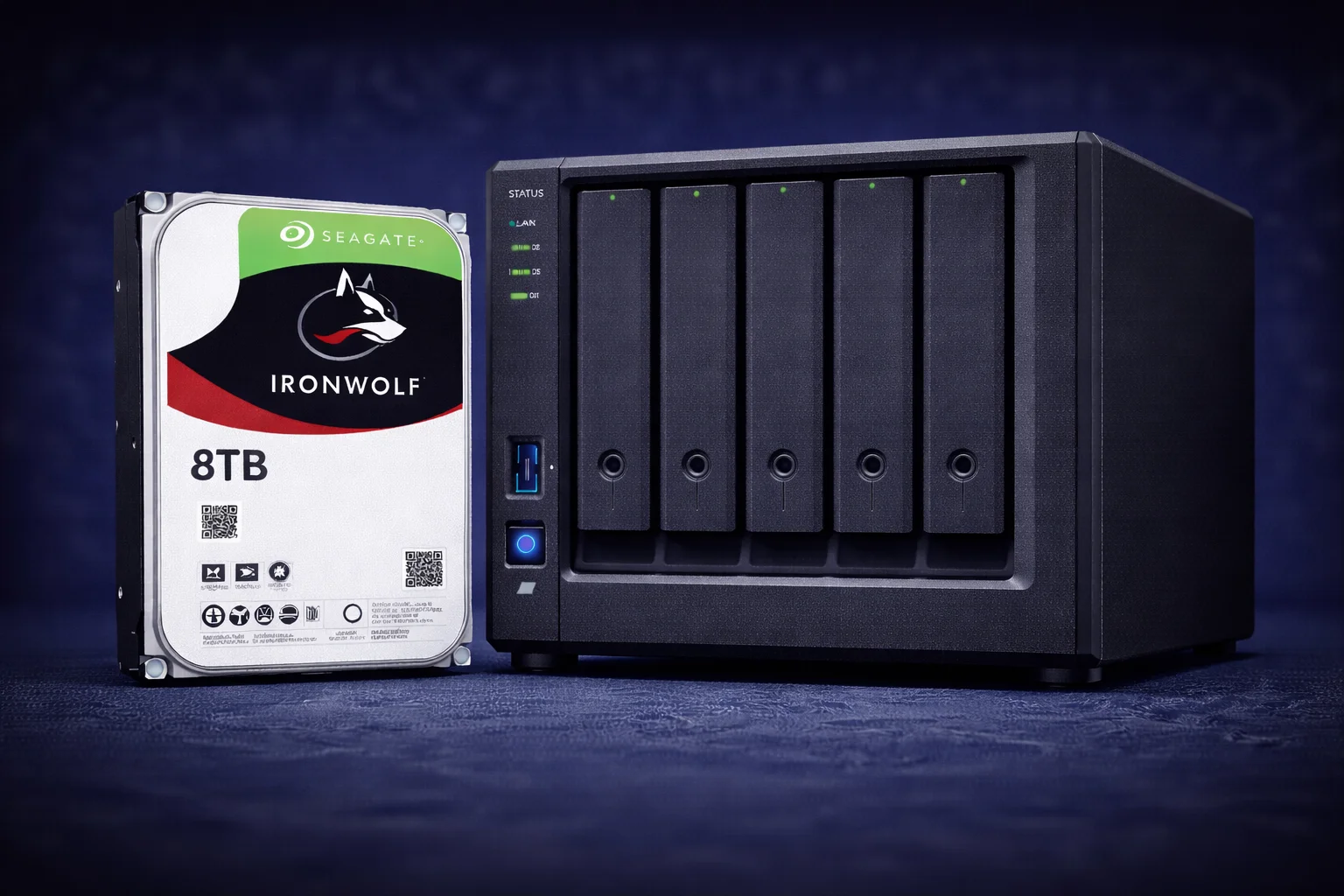
Quick Answer: The Seagate IronWolf 8TB is the sweet spot capacity for most home NAS builds—offering the best balance of price, capacity, and value. Standard IronWolf 8TB (~$160, ~$20/TB) delivers excellent reliability with enough storage for Plex servers, file storage, and backups without breaking the bank. IronWolf Pro 8TB (~$220, ~$27.50/TB) adds a 5-year warranty and Rescue service but has a steep premium—only worth it for business use. For most home users, the standard 8TB is our top recommendation.
The 8TB capacity hits a rare sweet spot in Seagate’s IronWolf lineup: it’s large enough to be genuinely useful for media servers and file storage, yet priced affordably enough for most budgets. While larger capacities like 12TB offer marginally better $/TB, the 8TB’s lower absolute cost makes it accessible to more buyers—and two 8TB drives in RAID 1 gives you a solid ~7.3TB of protected storage.
This comprehensive guide covers everything about the IronWolf 8TB: complete specifications, standard vs Pro comparison, ideal use cases, competitor analysis, and why we consider it the default recommendation for first-time NAS builders.
IronWolf 8TB Complete Specifications
| Specification | IronWolf 8TB | IronWolf Pro 8TB |
|---|---|---|
| Model Number | ST8000VN004 | ST8000NT001 |
| Capacity | 8TB (8,000 GB) | 8TB (8,000 GB) |
| Interface | SATA 6Gb/s | SATA 6Gb/s |
| Form Factor | 3.5-inch | 3.5-inch |
| RPM | 7,200 | 7,200 |
| Cache | 256MB | 256MB |
| Sustained Transfer Rate | 210 MB/s | 214 MB/s |
| Workload Rating | 180 TB/year | 300 TB/year |
| MTBF | 1,000,000 hours | 1,200,000 hours |
| Warranty | 3 years | 5 years |
| Rescue Service | Optional add-on | Included (3 years) |
| Max Bays Supported | 1-8 bays | 1-24 bays |
| Recording Technology | CMR | CMR |
| RV Sensors | Yes | Yes (enhanced) |
| IronWolf Health Mgmt | Yes | Yes |
| Power (Idle/Operating) | 4.6W / 7.2W | 5.0W / 7.8W |
| Noise (Idle/Seek) | 20 dB / 26 dB | 20 dB / 28 dB |
| Price | ~$160 | ~$220 |
| Price per TB | ~$20.00/TB | ~$27.50/TB |
Key specification highlights:
- Same RPM: Both standard and Pro 8TB run at 7,200 RPM—no speed penalty for choosing standard
- Same cache: Both have 256MB cache—matched performance characteristics
- Both CMR: Conventional Magnetic Recording ensures NAS reliability
- Quiet operation: 20dB idle is barely audible in most environments
- Power efficient: 4.6W idle makes it efficient for 24/7 operation
Current IronWolf 8TB Pricing
| Product | Capacity | Price | $ / TB | Price Drop | Brand | Interface |
|---|
Why 8TB Is the Sweet Spot
The 8TB capacity occupies a unique position in the market for several reasons:
1. Optimal Price-to-Capacity Balance
At ~$160, the IronWolf 8TB is affordable enough for most budgets while providing meaningful storage. A 2x 8TB RAID 1 setup costs ~$320 for ~7.3TB usable—a solid foundation for any home NAS. Compare this to 4x 8TB in RAID 5 at ~$640 for ~21.8TB usable—serious storage capacity at reasonable cost.
2. Sufficient for Most Use Cases
8TB handles typical home NAS workloads comfortably: ~7.3TB usable (RAID 1) stores ~700+ 1080p movies or ~145 4K movies for Plex, hundreds of thousands of RAW photos, multiple PC backups with room to spare, and years of document storage for families or small offices.
3. Lower Entry Barrier
While 12TB and 16TB offer better $/TB, their higher absolute cost can be prohibitive:
| Configuration | 8TB Drives | 12TB Drives | 16TB Drives |
|---|---|---|---|
| 2-drive total | ~$320 | ~$420 | ~$580 |
| 4-drive total | ~$640 | ~$840 | ~$1,160 |
For someone building their first NAS, $320 for drives is much more approachable than $580+.
IronWolf 8TB vs IronWolf Pro 8TB
Standard IronWolf 8TB — Recommended for Most Users
Choose the standard IronWolf 8TB for home NAS use (Plex, file storage, backups), 1-8 bay systems, workloads under 180TB/year (home use is typically 20-50TB/year), and when value is a priority (save $60 per drive).
Seagate IronWolf 8TB
8TB | 7200 RPM | 256MB Cache | CMR | 180TB/yr | 3-Year Warranty
The sweet spot for home NAS storage. Excellent balance of capacity, performance, and price. Perfect for Plex servers, file storage, and backups. Our default recommendation for most home NAS builds.
IronWolf Pro 8TB — For Business Use
Choose IronWolf Pro 8TB for business/SMB environments where 5-year warranty has compliance value, heavy workloads approaching 180TB/year, 8+ bay systems with enhanced RV sensors, and when you want Rescue data recovery service included.
Seagate IronWolf Pro 8TB
8TB | 7200 RPM | 256MB Cache | CMR | 300TB/yr | 5-Year Warranty | Rescue Included
Pro features at 8TB capacity. 5-year warranty and included Rescue service for business use. The 38% premium over standard is justified for professional environments requiring extended coverage.
For complete comparison: IronWolf vs IronWolf Pro Detailed Guide
8TB Storage Calculations
What Can You Store on 8TB?
- 4K Movies (50GB): ~160 films
- 1080p Movies (10GB): ~800 films
- RAW Photos (25MB): ~320,000 images
- FLAC Music (50MB): ~160,000 songs
- PC Backups (500GB): ~16 complete backups
RAID Usable Capacity with 8TB Drives
Using our RAID Calculator:
| Configuration | Raw | RAID Type | Usable | Protection |
|---|---|---|---|---|
| 2x 8TB | 16TB | RAID 1 / SHR | ~7.3TB | 1 drive |
| 4x 8TB | 32TB | RAID 5 / SHR | ~21.8TB | 1 drive |
| 4x 8TB | 32TB | RAID 6 / SHR-2 | ~14.5TB | 2 drives |
| 6x 8TB | 48TB | RAID 5 | ~36.3TB | 1 drive |
| 8x 8TB | 64TB | RAID 6 | ~43.5TB | 2 drives |
Popular config: 4x 8TB in RAID 5/SHR gives ~21.8TB usable—great for serious home media servers.
8TB vs Other Capacities
8TB vs 4TB
| Factor | 4TB | 8TB | Winner |
|---|---|---|---|
| Price | ~$95 | ~$160 | 4TB cheaper |
| $/TB | ~$23.75 | ~$20.00 | 8TB (16% better) |
| 2-drive usable (RAID 1) | ~3.6TB | ~7.3TB | 8TB (+103%) |
Verdict: 8TB is significantly better value—double capacity for only ~68% more money.
8TB vs 12TB
| Factor | 8TB | 12TB | Winner |
|---|---|---|---|
| Price | ~$160 | ~$210 | 8TB cheaper |
| $/TB | ~$20.00 | ~$17.50 | 12TB (12.5% better) |
| 2-drive cost | ~$320 | ~$420 | 8TB (-$100) |
Verdict: 12TB offers better $/TB, but 8TB has lower absolute cost. Choose based on budget.
Best Use Cases for IronWolf 8TB
🎬 Plex Media Server — Perfect Match
The IronWolf 8TB is ideal for home Plex setups. 2x 8TB in RAID 1 gives ~7.3TB for ~700+ 1080p movies. 4x 8TB in RAID 5 provides ~21.8TB for extensive 4K libraries. 7,200 RPM ensures smooth playback for multiple concurrent streams, and quiet operation suits living room placement.
Why 8TB works for Plex:
- Media streaming is primarily read-heavy—minimal wear on drives
- 7,200 RPM provides fast seek times for instant playback
- ~7.3TB RAID 1 handles most personal libraries comfortably
- Room to add more drives as library grows
Recommended setup:DS224+ or DS423+ with IronWolf 8TB. See: Best Synology NAS for Plex
🏠 Home File Server & Backup
Excellent for family file storage with centralized storage for all devices, PC backups via Active Backup, mobile photo backup with Synology Photos, and cloud sync with Synology Drive.
Typical home backup scenario:
- 2-3 family PCs (500GB each) = 1.5TB
- 4-5 smartphones (128GB each) = 640GB
- Documents and files = 500GB
- Photo library = 1-2TB
- Total: 4-5TB fits comfortably in ~7.3TB usable with room to grow
📸 Photography Storage
For amateur and enthusiast photographers:
- ~7.3TB usable = ~290,000 RAW images (25MB average)
- Years of shooting for hobbyists
- Room for Lightroom catalogs and processed exports
- Professional photographers may want 12TB+ for larger archives
💼 Small Office File Sharing
For small teams (2-10 people):
- Shared documents, projects, client files
- ~7.3TB handles years of office documents
- Consider IronWolf Pro 8TB for business use
- 5-year warranty provides business continuity
🔧 First-Time NAS Builder
The 8TB is our default recommendation for beginners:
- Affordable entry point: ~$320 for 2 drives
- Meaningful capacity: ~7.3TB is useful for real workloads
- Room to learn: Space to experiment with NAS features
- Clear upgrade path: Can move to larger drives later via SHR
- Low risk: If NAS isn’t for you, drives are easy to repurpose
🎮 Game Server Storage
For hosting game servers or storing game libraries:
- Modern games: 50-150GB each
- ~7.3TB stores 50-150 modern games
- 7,200 RPM provides reasonable load times
- Consider SSD cache for frequently accessed games
Best NAS Systems for 8TB Drives
2-Bay NAS with 8TB Drives
Configuration: 2x IronWolf 8TB = 16TB raw, ~7.3TB usable (RAID 1)
Total drive cost: ~$320
- Synology DS224+ (~$340) — Best overall 2-bay, Intel Celeron J4125 for hardware transcoding
- Synology DS223 (~$230) — Budget ARM option for basic file sharing
- QNAP TS-253E (~$350) — Intel N5105, built-in 2.5GbE
Total system cost: $550-690 with drives — excellent entry point
4-Bay NAS with 8TB Drives — Most Popular
Configuration: 4x IronWolf 8TB = 32TB raw, ~21.8TB usable (RAID 5/SHR)
Total drive cost: ~$640
- Synology DS423+ (~$500) — Best value 4-bay, Intel Celeron J4125
- Synology DS923+ (~$600) — AMD Ryzen, expandable to 9 bays, 10GbE ready
- QNAP TS-464 (~$550) — Intel N5105, dual 2.5GbE, HDMI out
Total system cost: $1,140-1,240 with drives — serious home storage
6-8 Bay NAS with 8TB Drives
Configuration: 6x IronWolf 8TB = 48TB raw, ~36.3TB usable (RAID 5)
Total drive cost: ~$960
- Synology DS1621+ (~$800) — 6-bay, AMD Ryzen, expandable to 16 bays
- Synology DS1821+ (~$950) — 8-bay powerhouse with expansion options
- QNAP TS-873A (~$900) — AMD Ryzen V1500B, 8 bays, 2x M.2 slots
Note: For 6+ bays, consider stepping up to 12TB+ drives for better capacity per bay, or use IronWolf Pro for enhanced vibration handling in dense arrays.
IronWolf 8TB vs Competitors
| Drive | Price | $/TB | RPM | Cache | Warranty | Notes |
|---|---|---|---|---|---|---|
| IronWolf 8TB | ~$160 | $20.00 | 7,200 | 256MB | 3 years | IHM, balanced choice |
| IronWolf Pro 8TB | ~$220 | $27.50 | 7,200 | 256MB | 5 years | Rescue included |
| WD Red Plus 8TB | ~$170 | $21.25 | 5,640 | 256MB | 3 years | Slower RPM, CMR |
| WD Red Pro 8TB | ~$200 | $25.00 | 7,200 | 256MB | 5 years | No Rescue service |
| Toshiba N300 8TB | ~$175 | $21.88 | 7,200 | 256MB | 3 years | Good alternative |
| Exos X16 8TB | ~$140 | $17.50 | 7,200 | 256MB | 5 years | Best value, louder |
| WD Ultrastar 8TB | ~$130 | $16.25 | 7,200 | 256MB | 5 years | Enterprise, loud |
Key competitive insights:
- Best balanced NAS drive: IronWolf 8TB offers excellent balance of price, features, and performance
- Best $/TB at 8TB:Exos 8TB or WD Ultrastar if noise isn’t a concern—enterprise drives in closet/basement NAS
- WD Red Plus: Comparable reliability but 5,640 RPM is slower than IronWolf’s 7,200 RPM
- Toshiba N300: Solid alternative if IronWolf is unavailable—similar specs and price
- Enterprise drives: Ultrastar and Exos offer incredible value but generate more noise and vibration
Our recommendation: IronWolf 8TB for living space NAS; Exos 8TB for closet/basement NAS where noise doesn’t matter.
Detailed comparisons: IronWolf vs WD Red | IronWolf vs Exos
NAS Compatibility
IronWolf 8TB is on Synology’s official compatibility list with full IronWolf Health Management support. Works with all DiskStation models including DS224+, DS423+, DS923+, DS1621+.
Full QNAP compatibility with IHM in QTS. Also works with ASUSTOR, TerraMaster, and other NAS brands.
See: IronWolf Synology Compatibility | IronWolf QNAP Compatibility | Synology Compatible Drives
Frequently Asked Questions
For most home users, yes. The 8TB offers the best balance of price (~$160), capacity, and value (~$20/TB). It’s affordable enough to get started, yet provides meaningful storage for Plex, backups, and file sharing. Larger capacities offer marginally better $/TB but higher absolute cost.
Depends on budget. 12TB offers ~12.5% better $/TB (~$17.50 vs ~$20) but costs ~$50 more per drive. Choose 8TB if budget is primary concern; choose 12TB for maximum value per terabyte if you can afford the higher investment.
For home use, usually not—the 38% premium is steep. For business use, the 5-year warranty, 300TB/year workload rating, and included Rescue service justify the cost. If buying 4+ drives for business, the per-year warranty cost is actually lower with Pro.
Approximately 7.3TB usable. You lose one drive’s worth to mirroring for redundancy, plus ~7% to formatting overhead. This is enough for ~700+ 1080p movies—plenty for most home Plex servers.
Excellent for Plex. The 7,200 RPM speed ensures smooth playback, and ~7.3TB usable (RAID 1) handles substantial media libraries. Paired with a DS224+ or DS423+, it’s our go-to recommendation for home Plex servers.
Exos offers better value: lower price (~$140 vs ~$160), higher workload rating, and 5-year warranty. IronWolf is quieter with Health Management integration. Choose Exos for closet/basement NAS; IronWolf for living space.
CMR (Conventional Magnetic Recording). All IronWolf drives use CMR—Seagate has never used SMR in the IronWolf lineup. This ensures reliable write performance and safe RAID rebuilds.
Typically 4-6+ years under normal home NAS use. Rated for 1 million hours MTBF and 180TB/year workload. The 3-year warranty covers the critical early failure period. Always use RAID for data protection.
Conclusion
The Seagate IronWolf 8TB is our default recommendation for most home NAS builds. It delivers the ideal balance of affordability (~$160), capacity (enough for serious use), and value (~$20/TB).
Recommendations:
- First-time NAS builder: Start with 2x IronWolf 8TB
- Plex server: 2-4x IronWolf 8TB
- Business: Consider IronWolf Pro 8TB
- Better $/TB:IronWolf 12TB
- Max value (noise OK):Exos 8TB
Related Resources
- Seagate IronWolf Complete Guide
- Seagate IronWolf Pro Guide
- IronWolf vs IronWolf Pro
- IronWolf 4TB Guide
- IronWolf 12TB Guide
- IronWolf vs WD Red
- IronWolf vs Exos
- Best Synology NAS for Plex
- RAID Calculator
Last Updated: February 2026