Seagate IronWolf Pro 2026 | Prices, Specs & Complete Buying Guide

Quick Answer+
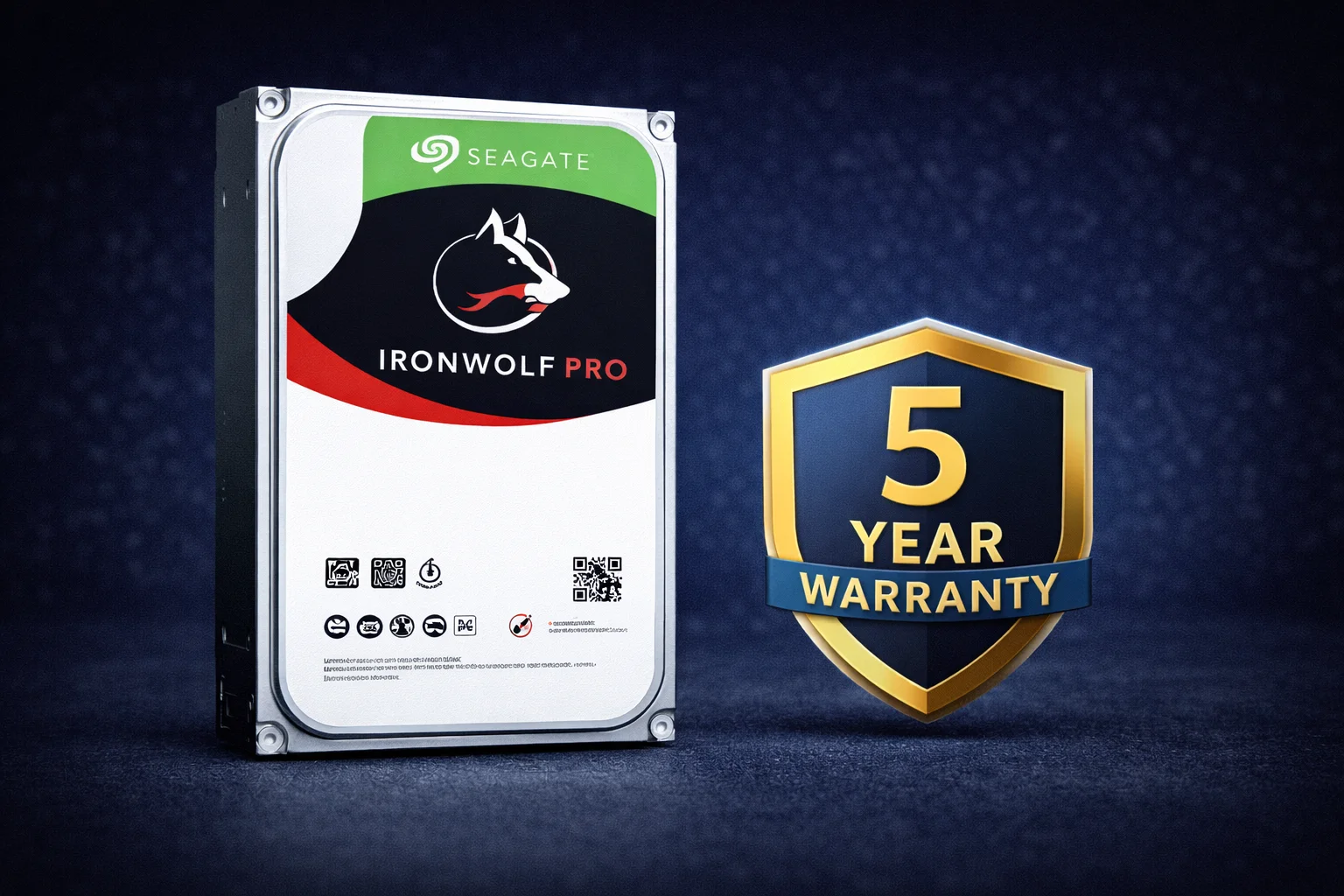
Quick Answer: Seagate IronWolf Pro is the premium tier of Seagate’s NAS drive lineup, designed for business environments, heavy workloads, and large NAS arrays (8-24 bays). Key advantages over standard IronWolf: 300TB/year workload rating (vs 180TB), 5-year warranty (vs 3), included Rescue data recovery, capacities up to 24TB, and consistent 7200 RPM across all models. Best value is the 16TB model (~$350, ~$22/TB). For most home users, standard IronWolf is sufficient—choose Pro for business use, 8+ bay systems, or video editing workloads.
Seagate IronWolf Pro represents the professional tier of Seagate’s renowned NAS drive family. Built for demanding environments where reliability is paramount, IronWolf Pro delivers enhanced specifications, longer warranty coverage, and included data recovery services that justify its premium pricing for the right users.
This comprehensive guide covers everything you need to know about IronWolf Pro: complete specifications, capacity recommendations, pricing analysis, compatibility information, and—crucially—whether you actually need Pro or if standard IronWolf will serve you just as well. For a detailed comparison, see our IronWolf vs IronWolf Pro guide.
IronWolf Pro Specifications Overview
| Specification | IronWolf Pro |
|---|---|
| Capacities Available | 4TB, 6TB, 8TB, 10TB, 12TB, 14TB, 16TB, 18TB, 20TB, 22TB, 24TB |
| Interface | SATA 6Gb/s |
| RPM | 7,200 (all capacities) |
| Cache | 256MB (all capacities) |
| Workload Rating | 300 TB/year |
| MTBF | 1,200,000 hours |
| Warranty | 5 years |
| Data Recovery | 3-year Rescue service included |
| Max Bay Support | 1-24 bays |
| Recording Technology | CMR (Conventional Magnetic Recording) |
| Rotational Vibration Sensors | Yes (enhanced for large arrays) |
| IronWolf Health Management | Yes (Synology, QNAP, ASUSTOR, TerraMaster) |
| Power Consumption (Idle/Operating) | ~5W / ~8W (varies by capacity) |
| Noise Level | 20-32 dB (varies by capacity) |
IronWolf Pro Pricing by Capacity — February 2026
Current IronWolf Pro pricing across all capacities (prices fluctuate—see live table below):
| Capacity | Approx. Price | $/TB | Value Rating | Best For |
|---|---|---|---|---|
| 4TB | ~$135 | $33.75/TB | ⭐ Low | Entry only (poor value) |
| 6TB | ~$170 | $28.33/TB | ⭐⭐ Fair | Small arrays |
| 8TB | ~$220 | $27.50/TB | ⭐⭐ Fair | Budget business |
| 10TB | ~$260 | $26.00/TB | ⭐⭐⭐ Good | Balanced capacity |
| 12TB | ~$290 | $24.17/TB | ⭐⭐⭐ Good | Popular mid-range |
| 14TB | ~$320 | $22.86/TB | ⭐⭐⭐⭐ Great | Sweet spot capacity |
| 16TB | ~$350 | $21.88/TB | ⭐⭐⭐⭐⭐ Best | Best overall value |
| 18TB | ~$400 | $22.22/TB | ⭐⭐⭐⭐ Great | High capacity |
| 20TB | ~$450 | $22.50/TB | ⭐⭐⭐⭐ Great | Pro-only capacity |
| 22TB | ~$500 | $22.73/TB | ⭐⭐⭐ Good | Near-max density |
| 24TB | ~$550 | $22.92/TB | ⭐⭐⭐ Good | Maximum density |
Key pricing insights:
- Best value: 16TB offers the lowest $/TB in the Pro lineup at ~$21.88/TB
- Sweet spot range: 14TB-18TB delivers excellent value with high capacity
- Avoid: 4TB-8TB Pro—the $/TB premium over standard IronWolf isn’t justified
- Pro-exclusive: 20TB, 22TB, and 24TB are only available in Pro tier
Pro tip: Compare with Seagate Exos enterprise drives—often cheaper with higher workload ratings (550TB/year) and the same 5-year warranty. Trade-off is louder operation and no IronWolf Health Management.
Why Choose IronWolf Pro?
1. Higher Workload Rating: 300TB/Year
IronWolf Pro is rated for 300TB of reads and writes per year—67% more than standard IronWolf’s 180TB rating. This matters for:
- Video editing workflows: Constant large file transfers
- Multi-user file servers: Busy offices with frequent access
- Database applications: High I/O transaction processing
- Surveillance (edge cases): Though SkyHawk is purpose-built for this
- Virtualization hosts: Multiple VMs generating concurrent I/O
Reality check: Most home users never approach 100TB/year, let alone 180TB. The 300TB rating matters primarily for business environments with heavy, sustained workloads.
2. Extended 5-Year Warranty
IronWolf Pro includes 5-year warranty coverage versus 3 years for standard IronWolf:
- Business value: Longer coverage for capital equipment
- Cost per year: Pro’s 5-year warranty often works out cheaper per year
- Peace of mind: Protection during years 4-5 when drives may show wear
Example calculation on 16TB drives:
- IronWolf 16TB: ~$290 / 3 years = $96.67/year of coverage
- IronWolf Pro 16TB: ~$350 / 5 years = $70/year of coverage
3. Included Rescue Data Recovery Service
Every IronWolf Pro includes 3 years of Seagate’s Rescue Data Recovery service at no additional cost:
- Professional recovery: Seagate’s clean room facilities
- 90%+ success rate: For mechanical and some electronic failures
- Value: ~$30-50 if purchased separately as add-on
- Alternative cost: Third-party recovery typically costs $500-2,000+
Important: Rescue is insurance, not a replacement for proper backups. Always maintain redundant copies of critical data via Hyper Backup or similar tools.
4. Support for Large Arrays (Up to 24 Bays)
IronWolf Pro features enhanced rotational vibration (RV) sensors optimized for large multi-drive enclosures:
- Standard IronWolf: Rated for 1-8 bay systems
- IronWolf Pro: Rated for 1-24 bay systems
In large arrays, drives create cumulative vibration that can affect read/write heads. Pro’s enhanced RV sensors actively compensate for this, maintaining performance and reliability in rackmount and high-density configurations.
5. Exclusive High-Capacity Options
Only IronWolf Pro offers 20TB, 22TB, and 24TB capacities. If you need maximum storage density per bay, Pro is your only IronWolf option at these sizes.
6. Consistent 7200 RPM Performance
All IronWolf Pro drives spin at 7200 RPM with 256MB cache, regardless of capacity. Standard IronWolf varies between 5400/5900/7200 RPM depending on capacity. This consistency matters for:
- Predictable performance: Same speed across your array
- Faster operations: RAID rebuilds, large file copies
- 10GbE networks: Better ability to saturate fast connections
IronWolf Pro Key Features
AgileArray Technology
Seagate’s NAS-optimized firmware includes:
- Dual-plane balance: Reduces vibration in multi-drive enclosures
- RAID optimization: Firmware tuned for RAID operations
- Error recovery control: Limited retry time prevents RAID controller timeouts
- Streaming optimization: Enhanced for sequential read/write operations
IronWolf Health Management (IHM)
IronWolf Pro integrates with compatible NAS operating systems for advanced drive monitoring:
- Synology DSM: Full IHM support in Storage Manager
- QNAP QTS: IHM integration via Storage & Snapshots
- ASUSTOR ADM: IHM support in Storage Manager
- TerraMaster TOS: Basic IHM compatibility
IHM provides:
- Workload analysis and recommendations
- Preventive care alerts beyond standard SMART
- Early warning of potential issues
- Drive-specific health scoring
CMR Recording Technology
All IronWolf Pro drives use Conventional Magnetic Recording (CMR)—never SMR. This is essential for NAS reliability:
- Consistent write performance: No slowdowns during heavy writes
- Reliable RAID rebuilds: CMR handles sustained writes without issues
- NAS compatibility: Designed for 24/7 multi-user environments
See our CMR vs SMR guide for detailed explanation of why this matters.
IronWolf Pro Capacity Recommendations
16TB — Best Overall Value ⭐⭐⭐⭐⭐
The 16TB IronWolf Pro offers the best balance of capacity and cost in the Pro lineup:
- Price: ~$350
- $/TB: ~$21.88 (lowest in lineup)
- Best for: Business file servers, video editing, 6-12 bay NAS
- Recommended NAS:Synology DS1621+, RS1221+
Seagate IronWolf Pro 16TB
16TB | 7200 RPM | 256MB Cache | CMR | 300TB/yr | 5-Year Warranty | Rescue Included
The sweet spot of the IronWolf Pro lineup. Best $/TB, high capacity, and all Pro benefits including 5-year warranty and Rescue data recovery. Ideal for business NAS and demanding workloads.
20TB — Maximum Mainstream Density ⭐⭐⭐⭐
When you need more than 18TB per bay (Pro exclusive):
- Price: ~$450
- $/TB: ~$22.50
- Best for: Maximum storage in limited bays, data archival
- Note: Only available in Pro—no standard IronWolf option
Seagate IronWolf Pro 20TB
20TB | 7200 RPM | 256MB Cache | CMR | 300TB/yr | 5-Year Warranty | Rescue Included
For users who need maximum density per bay. Pro-exclusive capacity with excellent reliability. Essential for high-capacity builds where bay space is at a premium.
12TB — Popular Mid-Range ⭐⭐⭐
Solid choice for smaller business deployments:
- Price: ~$290
- $/TB: ~$24.17
- Best for: Small office file servers, moderate capacity needs
- Consider: 16TB at ~$60 more offers better long-term value
Seagate IronWolf Pro 12TB
12TB | 7200 RPM | 256MB Cache | CMR | 300TB/yr | 5-Year Warranty | Rescue Included
Proven capacity for business use. Good balance of price and storage. Consider stepping up to 16TB for better long-term $/TB value if budget allows.
24TB — Absolute Maximum ⭐⭐⭐
When every terabyte per bay counts:
- Price: ~$550
- $/TB: ~$22.92
- Best for: Maximum possible density, limited expansion options
- Consider: Two 12TB drives may offer better value/redundancy
Seagate IronWolf Pro 24TB
24TB | 7200 RPM | 256MB Cache | CMR | 300TB/yr | 5-Year Warranty | Rescue Included
The largest IronWolf available. Maximum storage density for users who’ve exhausted bay expansion options. Consider whether two smaller drives might provide better value and redundancy.
NAS Compatibility
IronWolf Pro is compatible with all major NAS brands and specifically tested for:
Synology
Officially on Synology’s compatibility list with full IronWolf Health Management support:
- DS224+, DS423+, DS923+ (Plus series)
- DS1621+, DS1821+ (6/8-bay)
- RS1221+, RS2423+ (Rackmount)
- All DiskStation and RackStation models
See: Complete IronWolf Synology Compatibility Guide
QNAP
Full compatibility with IHM support in QTS:
- TS-x53D, TS-x73A series
- TVS series (business)
- TS-hx86 (high-performance)
See: Complete IronWolf QNAP Compatibility Guide
ASUSTOR
Compatible with IHM support in ADM:
- Lockerstor series (business)
- Flashstor series (SSD + HDD)
- All Drivestor and Nimbustor models
See: Complete IronWolf ASUSTOR Compatibility Guide
IronWolf Pro vs Alternatives
vs Standard IronWolf
| Feature | IronWolf | IronWolf Pro |
|---|---|---|
| Workload Rating | 180 TB/yr | 300 TB/yr |
| Warranty | 3 years | 5 years |
| Rescue Service | Optional add-on | Included (3 years) |
| Max Capacity | 18TB | 24TB |
| Max Bays | 8 | 24 |
| Price (16TB) | ~$290 | ~$350 |
Verdict: Choose Pro for business use, 8+ bays, or heavy workloads. Home users typically don’t need Pro. See: Detailed IronWolf vs IronWolf Pro Comparison
vs Seagate Exos
| Feature | IronWolf Pro | Exos X18 |
|---|---|---|
| Workload Rating | 300 TB/yr | 550 TB/yr |
| Warranty | 5 years | 5 years |
| Rescue Service | Included | Optional |
| IronWolf Health Mgmt | Yes | No |
| Noise Level | Moderate | Louder |
| Price (16TB) | ~$350 | ~$280 |
Verdict:Exos offers better value and higher specs for closet/basement NAS. IronWolf Pro wins for living space (quieter) and IHM integration. See: Detailed IronWolf vs Exos Comparison
vs WD Red Pro
| Feature | IronWolf Pro | WD Red Pro |
|---|---|---|
| Workload Rating | 300 TB/yr | 300 TB/yr |
| Warranty | 5 years | 5 years |
| Data Recovery | Rescue included | Not included |
| Health Monitoring | IronWolf Health Mgmt | WD Device Analytics |
| Max Capacity | 24TB | 24TB |
| Price (16TB) | ~$350 | ~$360 |
Verdict: Very comparable. IronWolf Pro’s included Rescue service tips the value equation slightly in Seagate’s favor. Choose based on current pricing and brand preference. See: IronWolf vs WD Red Comparison
Who Should Buy IronWolf Pro?
✅ IronWolf Pro Is Right For:
- Business/SMB environments: Where warranty and reliability matter
- 8+ bay NAS systems: Enhanced RV sensors for large arrays
- Video editing workflows: High I/O demands exceed 180TB/year
- Workloads exceeding 180TB/year: Databases, busy file servers
- 20TB+ capacity needs: Pro-exclusive sizes
- Users who value 5-year warranty: Long-term investment protection
- Those wanting Rescue service: Extra data protection layer
❌ IronWolf Pro Is Overkill For:
- Home Plex servers: Streaming doesn’t stress drives heavily
- 2-4 bay home NAS: Standard IronWolf handles these perfectly
- Light file storage: Documents, photos, personal backups
- Budget-conscious builds: Pro premium better spent on more capacity
Bottom line: If you’re asking “do I need Pro?”, you probably don’t. Most home users should save 25-40% with standard IronWolf.
Current IronWolf Pro Prices
Compare all IronWolf Pro capacities with live pricing:
| Product | Capacity | Price | $ / TB | Price Drop | Brand | Interface |
|---|
Frequently Asked Questions
For business use, 8+ bay systems, or heavy workloads exceeding 180TB/year—yes. The 5-year warranty, included Rescue service, and higher workload rating provide real value. For home Plex servers and typical file storage, standard IronWolf offers identical reliability at 25-40% lower cost. See our detailed IronWolf vs IronWolf Pro comparison.
16TB offers the best $/TB value (~$21.88/TB) in the Pro lineup. 14TB-18TB is the sweet spot range. Avoid 4TB-8TB Pro unless you specifically need the 5-year warranty—the $/TB premium isn’t justified. For maximum density, 20TB offers good value as a Pro-exclusive capacity.
IronWolf Pro drives typically last 4-7+ years with proper use. They’re rated for 1.2 million hours MTBF with 300TB/year workload. Real-world lifespan depends on actual workload, temperature, and vibration. The 5-year warranty reflects Seagate’s confidence. Always use RAID redundancy regardless—no drive lasts forever.
Yes, IronWolf Pro is excellent for video editing NAS storage. The 300TB/year workload rating handles constant large file reads/writes. Consistent 7200 RPM provides responsive performance for scrubbing timelines. Consider adding IronWolf 525 NVMe cache for even better responsiveness. For local scratch storage, consider pairing with a fast SSD.
Exos often offers better value: lower price (~$280 vs $350 for 16TB), higher workload rating (550TB/yr vs 300TB/yr), same 5-year warranty. Trade-offs: Exos is louder and lacks IronWolf Health Management. Choose IronWolf Pro for quieter operation and IHM integration. Choose Exos for maximum value in a closet/basement NAS.
Yes, IronWolf Pro is officially on Synology’s compatibility list and fully supports IronWolf Health Management in DSM. Works with all DiskStation and RackStation models including DS224+, DS923+, DS1621+, and rackmount units. IHM provides advanced drive monitoring beyond standard SMART data.
IronWolf Pro includes 3 years of Seagate Rescue Data Recovery service. If your drive fails, Seagate’s professional clean room facilities attempt recovery with 90%+ success rate for mechanical failures. You ship the drive to Seagate, they recover data to new media and return it. Value is ~$30-50 if purchased separately; third-party recovery costs $500-2,000+.
Yes, but it’s significant overkill. IronWolf Pro is designed for 24/7 NAS operation with features (vibration sensors, 300TB/yr rating, 5-year warranty) that don’t benefit desktop use. For a desktop, consider Seagate Barracuda (cheaper) or an SSD for boot drive. Only use IronWolf Pro in desktop if you plan to migrate it to NAS later.
Conclusion
Seagate IronWolf Pro is an excellent NAS drive for business environments, large arrays, and demanding workloads. The 300TB/year rating, 5-year warranty, and included Rescue service provide genuine value for professional use cases.
However, don’t overspend. For home Plex servers, personal file storage, and 2-4 bay NAS systems, standard IronWolf delivers identical core reliability at 25-40% lower cost. The Pro premium is justified only when you’ll actually use the enhanced specifications.
Best value recommendation: If you’ve determined you need Pro features, the 16TB model offers the best $/TB in the lineup. For maximum density, the 20TB Pro-exclusive capacity provides excellent value.
Related Resources
- Seagate IronWolf Complete Guide
- IronWolf vs IronWolf Pro Detailed Comparison
- IronWolf vs WD Red Comparison
- IronWolf vs Exos Comparison
- IronWolf Synology Compatibility
- IronWolf QNAP Compatibility
- Synology Compatible Hard Drives
- Synology RAID Configuration Guide
- Synology Hyper Backup Guide
- Best Synology NAS 2026
- All NAS Drives Compared
- RAID Calculator
Last Updated: February 2026