Seagate IronWolf for QNAP — Compatibility, Setup & Best Models (2026)

Quick Answer+
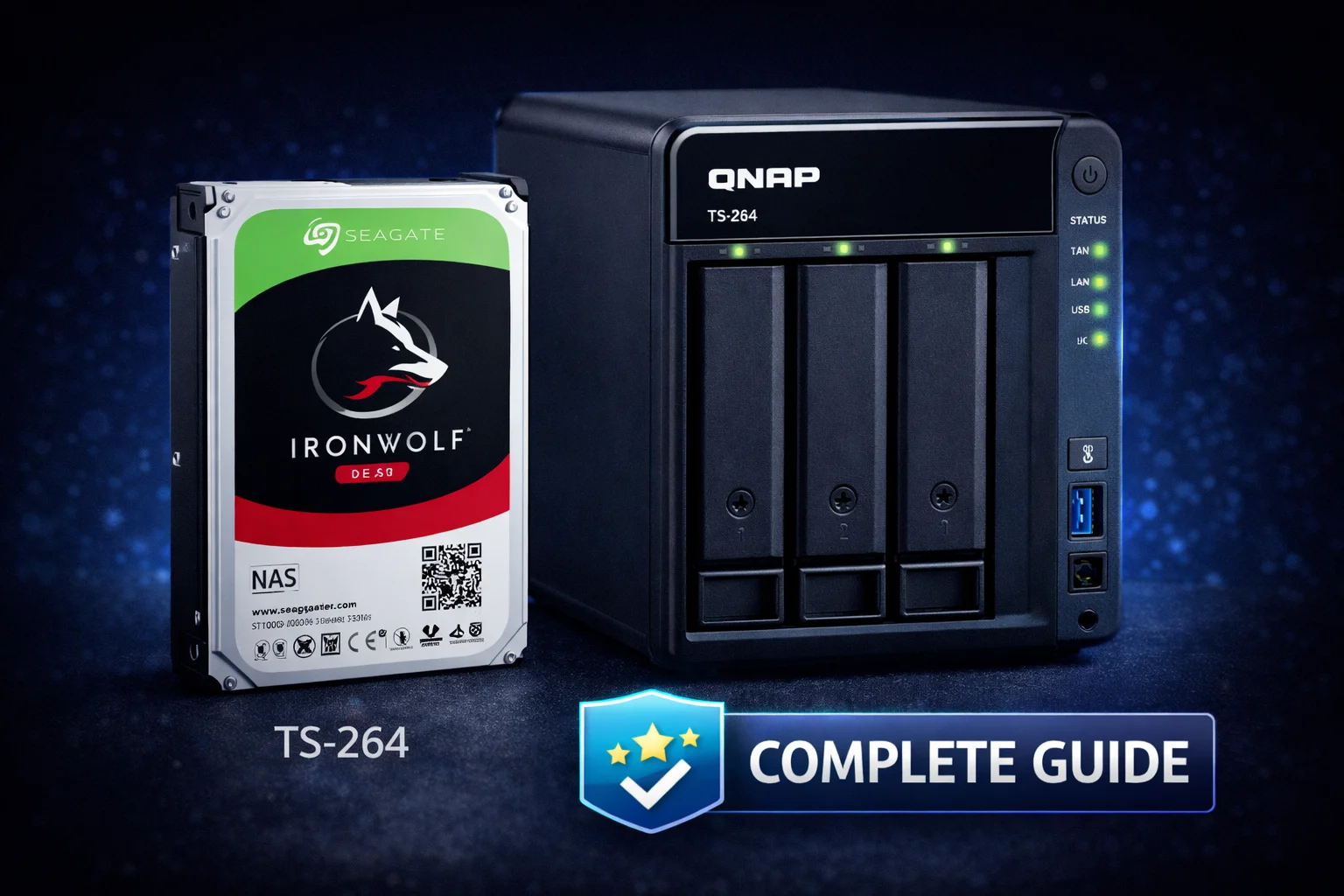
Quick Answer:Seagate IronWolf drives are fully compatible with all QNAP NAS devices and are one of the best drive choices available. For most home users, the IronWolf 8TB ($200) offers the best value. For business or heavy workloads, choose IronWolf Pro for its 5-year warranty and data recovery service. QNAP’s built-in IronWolf Health Management (IHM) provides advanced drive monitoring beyond standard S.M.A.R.T. All IronWolf drives use CMR technology and are designed for 24/7 NAS operation.
Seagate IronWolf drives are purpose-built for NAS systems, and QNAP has deep integration with Seagate’s IronWolf Health Management technology. This combination provides excellent reliability, performance, and proactive drive monitoring that can warn you of potential failures before they happen.
This guide covers everything you need to know about using Seagate IronWolf drives in your QNAP NAS: which models to choose, how they compare to IronWolf Pro, setup and configuration, and how to get the most from IronWolf Health Management.
Seagate IronWolf Compatibility with QNAP
The short answer: all Seagate IronWolf and IronWolf Pro drives are compatible with all QNAP NAS devices. There are no compatibility issues to worry about. QNAP officially supports IronWolf drives and includes native IronWolf Health Management integration in QTS.
Seagate IronWolf drives are available in capacities from 1TB to 20TB. They use standard 3.5″ SATA interfaces that work with any QNAP NAS with 3.5″ drive bays. The 2.5″ IronWolf models (for smaller NAS units) have been discontinued, but the 3.5″ lineup covers all common capacity needs.
Why IronWolf Works Well with QNAP
- AgileArray Technology: Optimized firmware for RAID environments with rotational vibration sensors
- CMR Recording: All IronWolf drives use Conventional Magnetic Recording (not SMR), ensuring consistent write performance
- 24/7 Operation: Designed for always-on NAS environments
- Multi-Bay Optimization: Vibration sensors handle multi-drive environments (up to 8 bays for standard IronWolf, up to 24 bays for Pro)
- IronWolf Health Management: Native integration with QNAP’s QTS operating system
IronWolf vs IronWolf Pro: Which Should You Choose?
Seagate offers two IronWolf lines: standard IronWolf for home and small office use, and IronWolf Pro for business and demanding workloads. Here’s how they compare:
| Feature | IronWolf (Standard) | IronWolf Pro |
|---|---|---|
| Target Use | Home, small office (1-8 bays) | Business, creative pro (1-24 bays) |
| Workload Rating | 180 TB/year | 300-550 TB/year |
| Warranty | 3 years | 5 years |
| Data Recovery | Not included | 3-year Rescue Data Recovery |
| Rotational Speed | 5400-7200 RPM | 7200 RPM (all capacities) |
| Cache | 64-256 MB | 256 MB |
| MTBF | 1 million hours | 1.2 million hours |
| Price Premium | Baseline | ~20-30% more |
Choose Standard IronWolf If:
- You’re a home user with a 1-8 bay NAS
- Workloads are moderate (backup, media streaming, file sharing)
- Budget is a primary concern
- 3-year warranty is acceptable
- You maintain good backup practices (data recovery service less critical)
Choose IronWolf Pro If:
- You’re running a business or have critical data
- Heavy workloads (video editing, databases, VMs, surveillance)
- You want the included data recovery service for peace of mind
- Using 8+ bay NAS systems
- 5-year warranty justifies the cost for your use case
- You need consistent 7200 RPM performance at all capacities
Recommended Seagate IronWolf Models for QNAP
Based on current pricing and value, here are our recommendations:
Best Value: Seagate IronWolf 8TB
Seagate IronWolf 8TB
7200RPM, 256MB Cache, 180TB/yr, 3-Year Warranty
The sweet spot for most QNAP users. At $25/TB, it offers excellent value with 7200RPM performance. Suitable for 1-8 bay NAS systems. The 180TB/year workload rating handles typical home and small office use comfortably.
The 8TB IronWolf hits the best price-per-terabyte while still offering 7200RPM speed. For a 2-bay NAS in RAID 1, you get 8TB usable storage for $400 total. For a 4-bay in RAID 5, you get 24TB usable for $800.
Best for Large Storage: Seagate IronWolf 12TB
Seagate IronWolf 12TB
7200RPM, 256MB Cache, 180TB/yr, 3-Year Warranty
When you need more capacity per bay. At $22.42/TB, it’s actually better value than the 8TB on a per-terabyte basis. Ideal for media libraries, surveillance, or users who want fewer drives.
The 12TB model offers the best per-terabyte pricing in the standard IronWolf lineup. If you have a 2-bay NAS and want maximum storage, two 12TB drives in RAID 1 give you 12TB usable for $538.
Best for Business: Seagate IronWolf Pro 12TB
Seagate IronWolf Pro 12TB
7200RPM, 256MB Cache, 550TB/yr, 5-Year Warranty + Data Recovery
The Pro upgrade adds a 5-year warranty, 3x higher workload rating (550TB/yr), and included Rescue Data Recovery service. Worth the premium for business-critical data or heavy workloads.
The Pro 12TB costs $74 more than the standard 12TB but adds two extra years of warranty and data recovery service worth hundreds of dollars. For business use, this is excellent value.
Maximum Capacity: Seagate IronWolf Pro 16TB & 20TB
Seagate IronWolf Pro 16TB
7200RPM, 256MB Cache, 550TB/yr, 5-Year Warranty + Data Recovery
Maximum capacity in the standard Pro lineup. At $21.87/TB, it’s competitively priced. Best for users who need massive storage in fewer bays, like 4K video editors or large media collections.
Seagate IronWolf Pro 20TB
7200RPM, 256MB Cache, 550TB/yr, 5-Year Warranty + Data Recovery
The largest IronWolf available. At $21/TB, it’s the best per-terabyte value in the Pro lineup. Ideal for maximizing storage in limited bays or building massive RAID arrays.
Budget Option: Seagate IronWolf Pro 4TB
Seagate IronWolf Pro 4TB
7200RPM, 256MB Cache, 300TB/yr, 5-Year Warranty + Data Recovery
If you want Pro features but don’t need massive capacity. Good for smaller businesses or users who prioritize the warranty and data recovery over raw storage. Note: Standard IronWolf 4TB may not be available in all markets.
Complete IronWolf Lineup for QNAP
| Model | Capacity | RPM | Workload | Warranty | Price | $/TB |
|---|---|---|---|---|---|---|
| IronWolf | 8TB | 7200 | 180TB/yr | 3 years | $200 | $25.00 |
| IronWolf | 12TB | 7200 | 180TB/yr | 3 years | $269 | $22.42 |
| IronWolf Pro | 4TB | 7200 | 300TB/yr | 5 years | $190 | $47.50 |
| IronWolf Pro | 12TB | 7200 | 550TB/yr | 5 years | $343 | $28.58 |
| IronWolf Pro | 16TB | 7200 | 550TB/yr | 5 years | $350 | $21.87 |
| IronWolf Pro | 20TB | 7200 | 550TB/yr | 5 years | $420 | $21.00 |
IronWolf Health Management (IHM) on QNAP
One of the biggest advantages of using IronWolf drives with QNAP is IronWolf Health Management (IHM), which goes beyond standard S.M.A.R.T. monitoring to provide deeper insight into drive health.
What IHM Monitors
IronWolf Health Management tracks over 200 parameters including:
- Temperature trends: Not just current temp, but patterns over time
- Workload analysis: How close you are to the rated TB/year limit
- Read/write error rates: Early detection of potential failures
- Vibration levels: Important in multi-bay configurations
- Spin-up/down cycles: Mechanical wear indicators
- Command timeout rates: Communication issues
- Reallocated sector trends: Bad sector development over time
Enabling IHM on QNAP
IronWolf Health Management is built into QNAP’s Storage & Snapshots app:
- Open Storage & Snapshots from the QTS desktop
- Click on Disks/VJBOD in the left sidebar
- Select your IronWolf drive
- Click Health tab
- IHM data displays automatically for IronWolf/IronWolf Pro drives
You can also access IHM through the QNAP DA Drive Analyzer app available in App Center, which provides more detailed analysis and historical trends.
IHM Prevention and Recovery Tips
IHM doesn’t just monitor — it provides actionable recommendations:
- Prevention tips: Suggestions to extend drive life (improve cooling, reduce vibration)
- Recovery guidance: Steps to take if problems are detected
- Rescue Data Recovery activation: For IronWolf Pro drives, IHM can help initiate the data recovery service if needed
Installing IronWolf Drives in QNAP
Physical Installation
- Power off your QNAP NAS and disconnect power
- Remove the drive tray — press the release button or latch
- Mount the IronWolf drive — use the included screws or tool-less clips
- Slide the tray back until it clicks into place
- Reconnect power and boot
Tip: For multi-drive installations, install drives in sequential order (Bay 1, Bay 2, etc.) to make RAID configuration more intuitive.
Creating a Storage Pool
After installation, configure your drives in QTS:
- Open Storage & Snapshots
- Click Create → New Storage Pool
- Select your IronWolf drives
- Choose RAID type (see recommendations below)
- Complete the wizard
Recommended RAID Configurations
| Drives | Best RAID | Usable Capacity | Protection |
|---|---|---|---|
| 2 drives | RAID 1 | 50% | 1 drive failure |
| 3 drives | RAID 5 | 67% | 1 drive failure |
| 4 drives | RAID 5 or 6 | 75% / 50% | 1 / 2 drive failures |
| 5+ drives | RAID 6 | Varies | 2 drive failures |
| 6+ drives | RAID 10 | 50% | 1 per mirror pair |
For most home users with IronWolf drives, RAID 5 (4+ drives) or RAID 1 (2 drives) provides good balance of capacity and protection.
Performance Expectations
IronWolf drives deliver strong performance in QNAP systems:
Single Drive Performance
| Test | IronWolf 8TB | IronWolf Pro 12TB |
|---|---|---|
| Sequential Read | 210 MB/s | 250 MB/s |
| Sequential Write | 200 MB/s | 235 MB/s |
| Random Read (4K) | 1.5 MB/s | 1.8 MB/s |
| Random Write (4K) | 2.0 MB/s | 2.5 MB/s |
Network-Limited Performance
In typical QNAP configurations, network speed is the bottleneck, not drive speed:
- 1GbE network: ~110 MB/s max — any IronWolf easily saturates this
- 2.5GbE network: ~280 MB/s max — RAID configurations exceed this
- 10GbE network: ~1,000 MB/s max — need RAID 5/6 with multiple drives
For most QNAP users with 1GbE or 2.5GbE, IronWolf drives provide more than enough performance. The drives won’t be the limiting factor.
IronWolf vs WD Red: Which is Better for QNAP?
The eternal NAS drive debate. Here’s how they compare:
| Factor | Seagate IronWolf | WD Red Plus |
|---|---|---|
| Speed | 7200 RPM (most capacities) | 5400-5640 RPM (most), 7200 RPM (10TB+) |
| QNAP Integration | IronWolf Health Management | Standard S.M.A.R.T. only |
| Data Recovery | Included with Pro | Not included |
| 8TB Price | $200 | $220 |
| 12TB Price | $269 | $280 |
| Workload Rating | 180TB/yr (Pro: 300-550) | 180TB/yr (Pro: 300) |
Our recommendation: For QNAP specifically, IronWolf has the edge due to IronWolf Health Management integration. The advanced monitoring provides peace of mind that WD drives don’t offer on QNAP systems. Price-wise, IronWolf is also typically cheaper at common capacities.
However, WD Red Plus drives are also excellent choices. Both brands are reliable. If you find WD drives at a better price, they’ll work perfectly fine in your QNAP.
IronWolf SSD Options
Seagate also makes IronWolf SSDs for NAS caching:
Seagate IronWolf 510 240GB
M.2 NVMe, PCIe Gen3, 1.3 DWPD Endurance
Purpose-built for NAS caching with high endurance rating. The 240GB capacity is suitable for read caching. For read-write caching, consider two in RAID 1.
The IronWolf 510 SSDs are designed for NAS environments with high endurance ratings. However, they’re more expensive than alternatives like Samsung 990 PRO or WD Red SN700. For most QNAP users, mainstream NVMe SSDs work fine for caching.
Troubleshooting IronWolf Drives in QNAP
Drive Not Detected
- Ensure drive is fully seated in the tray
- Try a different drive bay
- Check SATA connector for damage
- Update QNAP firmware to latest version
- Test drive in a PC to confirm it’s functional
Slow Performance
- Check IHM for temperature warnings (overheating throttles drives)
- Ensure no background tasks running (resync, scrubbing)
- Verify network connection (usually the bottleneck)
- Check for high disk I/O from apps (Surveillance, VMs)
IHM Warnings
If IronWolf Health Management shows warnings:
- Temperature warnings: Improve NAS ventilation, clean dust filters
- Workload warnings: Consider IronWolf Pro if exceeding 180TB/yr
- Bad sector warnings: Back up immediately, plan drive replacement
- Vibration warnings: Ensure NAS is on stable surface, check other drives
Best QNAP Models for IronWolf Drives
IronWolf drives work in any QNAP, but here are optimal pairings:
Frequently Asked Questions
Yes, 100% compatible. All Seagate IronWolf and IronWolf Pro drives work with all QNAP NAS devices. QNAP also has native integration with IronWolf Health Management for advanced drive monitoring beyond standard S.M.A.R.T.
Standard IronWolf is sufficient for most home users. It offers 180TB/year workload and 3-year warranty. Choose IronWolf Pro if you want the 5-year warranty, included data recovery service, or have heavy workloads like video editing or running VMs.
8TB offers the best balance of capacity and value at $200 ($25/TB). The 12TB at $269 ($22.42/TB) is better value per terabyte if you need more storage. Choose based on your total storage needs and number of drive bays.
IHM is automatically enabled when you install IronWolf drives. View it in Storage & Snapshots → Disks/VJBOD → select drive → Health tab. For more detailed analysis, install the DA Drive Analyzer app from QNAP’s App Center.
IronWolf has an edge for QNAP due to IronWolf Health Management integration and typically lower prices. However, WD Red Plus drives are also excellent and fully compatible. Both are reliable choices — buy whichever offers better pricing.
IronWolf drives typically last 3-5 years in NAS environments, sometimes longer. The 1 million hour MTBF (Pro: 1.2 million hours) suggests excellent reliability. Always maintain backups regardless of drive reliability, as any drive can fail unexpectedly.
Summary: Best IronWolf Drives for QNAP
| Use Case | Recommended Drive | Price |
|---|---|---|
| Best Value (Home) | IronWolf 8TB | $200 |
| Best $/TB (Home) | IronWolf 12TB | $269 |
| Best for Business | IronWolf Pro 12TB | $343 |
| Maximum Capacity | IronWolf Pro 20TB | $420 |
Seagate IronWolf drives are an excellent choice for any QNAP NAS. The combination of reliable hardware, CMR recording, 24/7 optimization, and deep QNAP integration via IronWolf Health Management makes them our top recommendation. For home use, standard IronWolf offers great value. For business or critical data, IronWolf Pro’s extended warranty and data recovery service provide worthwhile peace of mind.
Related Resources
- Best QNAP NAS 2026
- QNAP Compatible Hard Drives
- WD Red Plus for QNAP
- QNAP RAID Configuration Guide
- QNAP Setup Guide
- Seagate IronWolf vs WD Red
Last Updated: February 2026