Single vs Double-Sided SSD Heatsinks: Which Do You Need?

Quick Answer+
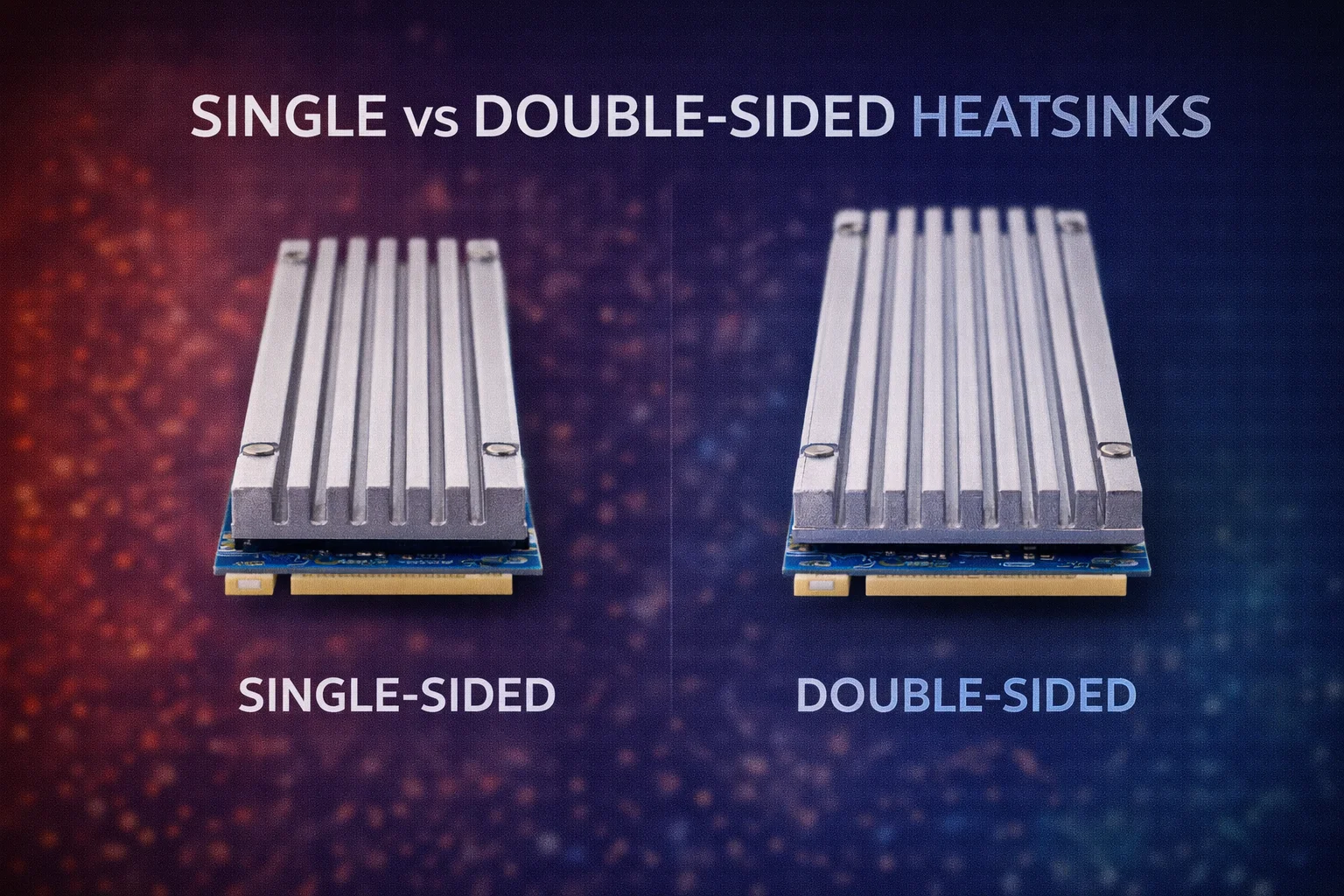
Quick Answer: Choose based on your SSD’s NAND configuration. Single-sided SSDs (NAND on top only) work fine with standard heatsinks like the Thermalright TR-M.2 2280 ($6.99). Double-sided SSDs (NAND on both sides) benefit from clamshell heatsinks like the MHQJRH ($7.99) that cool both surfaces. Most 2TB+ drives and nearly all 4TB drives are double-sided.
Not all NVMe SSDs are created equal—and neither are heatsinks. Some drives have NAND flash chips on only one side of the PCB, while others pack chips on both sides. This configuration determines which type of heatsink provides optimal cooling.
Choosing the wrong heatsink type means either wasting money on unnecessary cooling capacity or leaving half your drive uncooled. This guide helps you identify your drive’s configuration and select the right heatsink.
Understanding SSD NAND Configurations
Single-Sided SSDs
Single-sided SSDs have all NAND flash chips mounted on the top surface of the PCB only. The bottom is either bare green PCB or has a manufacturer label.
Characteristics:
- NAND chips visible only on top surface
- Thinner overall profile (~2mm)
- Lower heat generation
- Typically lower capacities (250GB-1TB)
- More laptop-compatible
Common single-sided drives:
- Samsung 970 EVO Plus (all capacities)
- Samsung 990 Pro 500GB
- WD Black SN850X 500GB/1TB
- WD Red SN700 500GB
- Crucial P5 Plus 500GB
- Most entry-level NVMe drives
Double-Sided SSDs
Double-sided SSDs have NAND flash chips on both the top and bottom surfaces of the PCB. This allows higher capacities but increases thermal load.
Characteristics:
- NAND chips visible on both top and bottom
- Thicker overall profile (~2.3-2.5mm)
- Higher heat generation
- Typically higher capacities (1TB-4TB)
- May not fit some laptops
Common double-sided drives:
- Samsung 980 Pro (all capacities)
- Samsung 990 Pro 1TB/2TB/4TB
- WD Black SN850X 2TB/4TB
- WD Red SN700 1TB/2TB
- Crucial T500 1TB/2TB/4TB
- SK hynix Platinum P41 (most capacities)
- Nearly all 4TB NVMe drives
How to Check Your SSD’s Configuration
- Visual inspection: Look at both sides of your SSD—black rectangular chips are NAND
- Check manufacturer specs: Look for “single-sided” or “double-sided” in specifications
- Measure thickness: Double-sided drives are typically 2.3-2.5mm vs 2mm for single-sided
- Capacity rule of thumb: 2TB+ drives are usually double-sided; 4TB drives are always double-sided
Heatsink Types Compared
Standard (Single-Sided) Heatsinks
Standard heatsinks consist of a single aluminum or copper plate that attaches to the top surface of the SSD.
Thermalright TR-M.2 2280
Aluminum | ~3mm Height | Thermal Pad Included | Single-Sided Cooling
The best standard heatsink for single-sided SSDs. Slim profile fits tight spaces while providing 15-18°C temperature reduction. Quality aluminum construction with effective thermal pad.
Pros:
- Slimmer total profile
- More clearance options available
- Lower cost
- Easier installation
- Fits tight spaces (Synology NAS, laptops)
Cons:
- Only cools top surface
- Less effective on double-sided SSDs
- Bottom NAND chips run uncooled
Clamshell (Double-Sided) Heatsinks
Clamshell heatsinks sandwich the SSD between two heatsink plates, cooling both top and bottom surfaces simultaneously.
MHQJRH M.2 2280 SSD Heatsink
Aluminum | Dual Thermal Pads | ~4mm Height | Double-Sided Cooling
The best clamshell heatsink for double-sided SSDs. Dual aluminum plates with thermal pads on both surfaces provide complete thermal coverage. Adjustable screws accommodate varying SSD thicknesses.
Pros:
- Cools both SSD surfaces
- Optimal for double-sided drives
- More even heat distribution
- Better sustained cooling
- Provides 20-27°C reduction vs 15-18°C
Cons:
- Thicker total height (~4mm+)
- Won’t fit Synology NAS (3-4mm clearance)
- More complex installation
- Overkill for single-sided drives
Temperature Impact Comparison
Single-Sided SSD Results
| Configuration | No Heatsink | Standard HS | Clamshell HS | Notes |
|---|---|---|---|---|
| WD SN700 500GB | 62°C | 46°C (-16°C) | 45°C (-17°C) | Minimal benefit from clamshell |
| Samsung 990 Pro 500GB | 68°C | 52°C (-16°C) | 51°C (-17°C) | Standard heatsink sufficient |
Conclusion: For single-sided SSDs, clamshell heatsinks provide minimal additional cooling (1°C). Save your money and use a standard heatsink.
Double-Sided SSD Results
| Configuration | No Heatsink | Standard HS | Clamshell HS | Notes |
|---|---|---|---|---|
| Samsung 990 Pro 2TB | 82°C | 65°C (-17°C) | 55°C (-27°C) | 10°C additional from clamshell |
| WD SN850X 4TB | 78°C | 62°C (-16°C) | 54°C (-24°C) | 8°C additional from clamshell |
| Crucial T500 2TB | 76°C | 60°C (-16°C) | 52°C (-24°C) | 8°C additional from clamshell |
Conclusion: For double-sided SSDs, clamshell heatsinks provide 8-10°C additional cooling over standard heatsinks—often the difference between warning temperatures and safe operation.
Which Heatsink Should You Choose?
Decision Matrix
| Your SSD | Clearance | Best Choice | Alternative |
|---|---|---|---|
| Single-sided, any capacity | 3-4mm | Thermalright ($6.99) | Atdcoek 5-Pack ($5.99) |
| Single-sided, any capacity | 5mm+ | ARCTIC M2 Pro ($7.99) | Thermalright ($6.99) |
| Double-sided, tight space | 3-4mm | Thermalright ($6.99)* | Atdcoek 5-Pack ($5.99)* |
| Double-sided, standard space | 5mm+ | MHQJRH ($7.99) | ARCTIC M2 Pro ($7.99) |
| Double-sided, maximum cooling | 7mm+ | MHQJRH ($7.99) | be quiet! MC1 Pro ($19.90) |
*When clearance prevents clamshell heatsinks, use standard heatsinks—they still provide 15-18°C cooling on the top surface where the controller (hottest component) is located.
Scenario-Based Recommendations
Synology NAS (3-4mm clearance):
- Single or double-sided SSD → Thermalright TR-M.2 2280 ($6.99)
- Clamshell won’t fit; standard heatsink on top is best available option
QNAP/ASUSTOR NAS (6-8mm clearance):
- Single-sided SSD → ARCTIC M2 Pro ($7.99)
- Double-sided SSD → MHQJRH Clamshell ($7.99)
Desktop PC (open M.2 slot):
- Single-sided SSD → ARCTIC M2 Pro ($7.99)
- Double-sided SSD → MHQJRH Clamshell ($7.99)
- Maximum cooling needed → be quiet! MC1 Pro ($19.90)
Laptop:
- Most laptops → Thermalright TR-M.2 2280 ($6.99) if any heatsink fits
- Clamshell heatsinks rarely fit laptop clearance
Common Questions About SSD Configurations
Does Capacity Determine Configuration?
Generally yes, but not always:
- 250GB-500GB: Usually single-sided
- 1TB: Mixed—some single, some double
- 2TB: Usually double-sided
- 4TB: Always double-sided
Always verify by checking your specific drive’s specifications or visually inspecting both surfaces.
Why Are High-Capacity SSDs Double-Sided?
The M.2 2280 form factor limits surface area. To achieve higher capacities:
- Manufacturers stack more NAND layers (256-layer TLC common)
- Add NAND packages to both PCB surfaces
- Use denser NAND dies when available
4TB in a single-sided design would require NAND technology that doesn’t exist yet at consumer price points.
Frequently Asked Questions
Yes, and it’s often your only option in tight spaces. Standard heatsinks still provide 15-18°C cooling on double-sided drives by cooling the top surface where the controller (hottest component) is located. You won’t get complete coverage, but it’s much better than no heatsink.
Yes. Testing shows clamshell heatsinks provide only 1°C additional cooling on single-sided SSDs compared to standard heatsinks. The bottom plate contacts bare PCB, not heat-generating components. Save your money for a quality standard heatsink instead.
The Samsung 990 Pro 500GB is single-sided. The 1TB, 2TB, and 4TB versions are double-sided. You can verify by checking Samsung’s specifications or looking at both sides of the drive—double-sided versions have visible black NAND chips on both surfaces.
No. Synology NAS devices have only 3-4mm M.2 clearance. Clamshell heatsinks are typically 4mm+ and won’t fit. Use the Thermalright TR-M.2 2280 (~3mm) for Synology—it cools the top surface effectively even on double-sided drives.
Yes. The WD Red SN700 500GB is single-sided. The 1TB and 2TB versions are double-sided. This is common for NAS-optimized drives—higher capacities require more NAND packages, necessitating double-sided designs.
Bottom Line
Match your heatsink to your SSD’s configuration for optimal results. Single-sided SSDs work perfectly with standard heatsinks like the Thermalright TR-M.2 2280 ($6.99). Double-sided SSDs benefit from clamshell heatsinks like the MHQJRH ($7.99) when clearance permits.
When clearance forces you to use a standard heatsink on a double-sided drive (like in Synology NAS), don’t worry—you’re still cooling the controller and top NAND chips, which accounts for the majority of heat generation. Any heatsink is dramatically better than no heatsink.
Related Guides
- Best NVMe Heatsinks for NAS
- Best Low-Profile Heatsinks (Under 3mm)
- Best Heatsinks for 4TB SSDs
- How to Install M.2 Heatsink in NAS
- NVMe SSD Temperature Guide
Last Updated: February 2026