
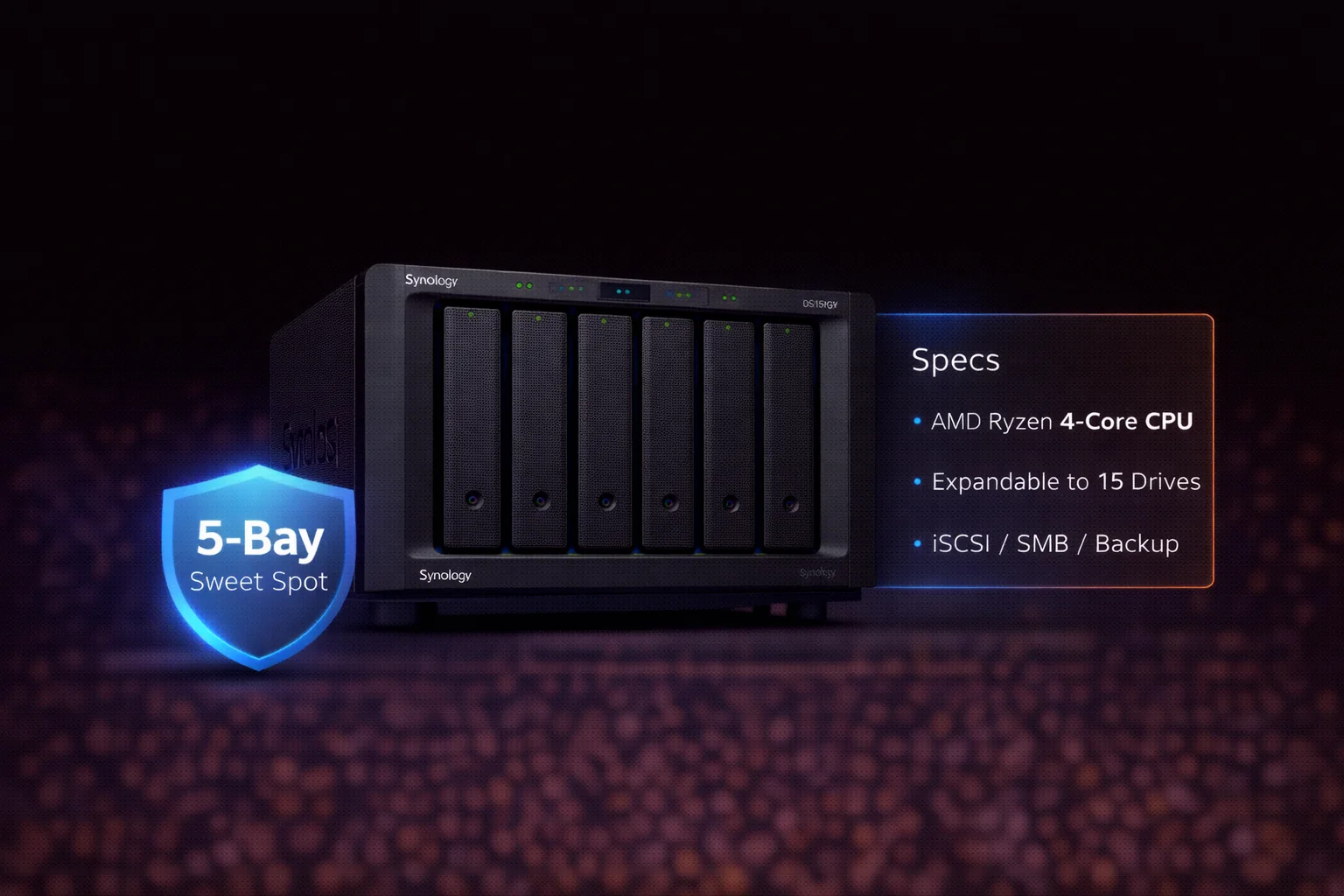
Quick Answer+
Quick Answer: The Synology DS1522+ ($700) is the best-balanced 5-bay NAS for most users. It offers AMD Ryzen R1600 performance, 8GB RAM, optional 10GbE upgrade ($150), and expansion to 15 drives. Supports SHR, RAID 5/6, Docker, VMs, and 40 surveillance cameras. Best for: home media servers, small business file sharing, Plex (limited transcoding), and backup. The sweet spot between the 4-bay DS923+ and 8-bay DS1821+.
The Synology DS1522+ sits in the “Goldilocks zone” of Synology’s lineup — more capacity than 4-bay models, more affordable than 8-bay units, and packed with features that satisfy both home users and small businesses.
Released in mid-2022, it replaced the DS1520+ with a new AMD Ryzen processor and an innovative 10GbE upgrade option. This review covers specifications, real-world performance, and who should (and shouldn’t) buy this popular 5-bay NAS.
DS1522+ Price & Availability
| Product | Capacity | Price | $ / TB | Price Drop | Brand | Interface |
|---|
The DS1522+ carries an MSRP of $700 (diskless). With the optional 10GbE upgrade module, total cost reaches approximately $850. This positions it between the DS923+ ($550) and DS1821+ ($900).
10GbE Upgrade Module
Synology E10G22-T1-Mini 10GbE Module
10GBASE-T RJ-45 | Backward Compatible 1/2.5/5GbE | Plug-and-Play | For DS1522+, DS923+
Synology’s proprietary 10GbE upgrade module for compatible NAS units. Adds single-port 10GBASE-T connectivity without consuming a PCIe slot. Simple installation — just plug into the dedicated network upgrade slot on the back panel.
The E10G22-T1-Mini (~$150) adds single-port 10GbE via a proprietary slot on the back panel. It’s the easiest 10GbE upgrade in Synology’s lineup — no PCIe slot consumed, simple installation.
DS1522+ Specifications
| Component | Specification |
|---|---|
| CPU | AMD Ryzen R1600 (2-core/4-thread, 2.6 GHz base / 3.1 GHz turbo) |
| RAM | 8GB DDR4 (expandable to 32GB) |
| Drive Bays | 5x 3.5″/2.5″ SATA HDD/SSD |
| M.2 Slots | 2x M.2 2280 NVMe (cache or storage*) |
| 1GbE Ports | 4x Gigabit RJ-45 |
| 10GbE Option | E10G22-T1-Mini slot (sold separately) |
| USB Ports | 2x USB 3.2 Gen 1 |
| eSATA Ports | 2x (for DX517 expansion) |
| Max Expansion | Up to 15 drives (with 2× DX517) |
| Max Raw Capacity | 90TB (5x 18TB) / 270TB with expansion |
| Max IP Cameras | 40 (Surveillance Station) |
| File System | Btrfs, ext4 |
| RAID Support | SHR, SHR-2, RAID 0, 1, 5, 6, 10, JBOD |
| Hot Swappable | Yes |
| Power Consumption | 32W (access) / 16W (HDD hibernation) |
| Dimensions | 166 x 230 x 223 mm |
| Weight | 2.7 kg (diskless) |
| Warranty | 3 years (extendable to 5) |
*NVMe storage pools require Synology-branded SSDs. Third-party NVMe works for caching.
Key Features
AMD Ryzen R1600 Processor
The dual-core/4-thread AMD Ryzen R1600 replaced the Intel Celeron J4125 from the DS1520+. Key differences:
- Higher clock speeds: 2.6 GHz base, 3.1 GHz turbo (vs 2.0/2.7 GHz)
- Better single-thread performance: Faster file operations
- No Intel Quick Sync: Limited Plex hardware transcoding
The R1600 handles everyday NAS tasks excellently — file sharing, backup, Docker, even light VM workloads. For Plex, it supports limited hardware transcoding via AMD’s GPU but not as capable as Intel alternatives.
Optional 10GbE Without PCIe
The DS1522+ introduced Synology’s proprietary 10GbE upgrade slot — a dedicated port on the rear panel that accepts the E10G22-T1-Mini module. Benefits:
- No PCIe slot consumed (DS1522+ doesn’t have one anyway)
- Simple plug-and-play installation
- RJ-45 connector (works with Cat6a cabling)
- Backward compatible with 1/2.5/5GbE
With 10GbE, the DS1522+ achieves ~700-800 MB/s sustained throughput with HDDs in RAID 5, making it viable for video editing and large file transfers.
5-Bay Sweet Spot
Five bays offer significant advantages over 4-bay models:
- RAID 6 with capacity: Dual-drive fault tolerance while keeping 3 drives of usable space
- Hot spare option: Run RAID 5 with 4 drives + 1 hot spare
- Future expansion: Start with 3-4 drives, add more as needed
- Cost efficiency: 25% more bays than DS923+ for $150 more
Expandability to 15 Drives
The “15” in DS1522+ refers to maximum capacity with expansion:
- 5 internal bays
- + 5 bays (first DX517 expansion unit)
- + 5 bays (second DX517 expansion unit)
- = 15 total drives
With 15× 20TB drives in RAID 6, you could achieve approximately 260TB usable storage.
SHR Support
Unlike enterprise “xs+” models, the DS1522+ fully supports Synology Hybrid RAID (SHR). This is important for users who:
- Want to mix different drive capacities
- Plan to upgrade drives incrementally
- Prefer automatic storage optimization
See our SHR Explained Guide for details on how SHR maximizes capacity with mixed drives.
Ideal Use Cases
Home Media Server
The DS1522+ excels as a centralized media hub:
- Plex/Jellyfin: Direct play works perfectly; limited transcoding
- Synology Photos: AI-powered photo management with face/object recognition
- Video Station: Native media streaming app
- Audio Station: Music library management
With 5 bays, you can store massive media libraries — 5× 16TB in SHR gives approximately 58TB usable.
Small Business File Server
For offices with 5-25 users:
- SMB/AFP/NFS sharing: Cross-platform file access
- Active Directory: Windows domain integration
- Synology Drive: Dropbox-like sync and sharing
- Link aggregation: Bond 4× 1GbE ports for 4Gbps throughput
Backup & Disaster Recovery
Comprehensive backup capabilities:
- Active Backup for Business: PC, server, and VM backup
- Hyper Backup: NAS-to-cloud or NAS-to-NAS backup
- Snapshot Replication: Point-in-time recovery
- Cloud Sync: Sync with Google Drive, Dropbox, OneDrive, S3
Docker & Virtualization
The 8GB RAM (expandable to 32GB) supports:
- Container Manager: Run Docker containers natively
- Virtual Machine Manager: Host Windows/Linux VMs
- Home Assistant: Smart home automation
- Pi-hole: Network-wide ad blocking
Surveillance
Surveillance Station supports up to 40 cameras (2 licenses included). See our Synology Surveillance NAS Guide.
Recommended Drives for DS1522+
NAS Drives (Best Value)
| Product | Capacity | Price | $ / TB | Price Drop | Brand | Interface |
|---|
| Product | Capacity | Price | $ / TB | Price Drop | Brand | Interface |
|---|---|---|---|---|---|---|
| Seagate 6TB IronWolf NAS SATA 6Gb/s NCQ 128MB Cache 3.5-Inch Internal Hard Drive (ST6000VN0041) (Renewed) | 6.00 TB | $169.99 | $28.33 | +0% | Seagate | SATA |
Pro Drives (Heavy Workloads)
| Product | Capacity | Price | $ / TB | Price Drop | Brand | Interface |
|---|
For most DS1522+ users, standard WD Red Plus or Seagate IronWolf drives offer excellent reliability at reasonable prices. Upgrade to “Pro” variants for 24/7 business workloads or drives larger than 12TB.
See our complete Synology Compatible Drives Database for verified compatibility.
DS1522+ vs Alternatives
| Feature | DS1522+ ($700) | DS923+ ($550) | DS1821+ ($900) |
|---|---|---|---|
| Bays | 5 | 4 | 8 |
| CPU | Ryzen R1600 | Ryzen R1600 | Ryzen V1500B |
| RAM | 8GB (max 32GB) | 4GB (max 32GB) | 4GB (max 32GB) |
| 10GbE Option | E10G22-T1-Mini | PCIe card | PCIe card |
| 1GbE Ports | 4 | 2 | 4 |
| PCIe Slot | ❌ No | PCIe 3.0 x2 | PCIe 3.0 x8 |
| Max Expansion | 15 drives | 9 drives | 18 drives |
| Max Cameras | 40 | 40 | 40 |
| SHR Support | ✅ Yes | ✅ Yes | ✅ Yes |
| Best For | 5-bay sweet spot | Budget/compact | Maximum capacity |
DS1522+ vs DS923+
The DS1522+ costs $150 more but offers:
- 1 extra drive bay (25% more capacity)
- Double the RAM (8GB vs 4GB)
- 2 extra 1GbE ports
- Simpler 10GbE upgrade path
Choose DS1522+ if: You need more than 4 bays, want more RAM out of the box, or prioritize 10GbE simplicity.
DS1522+ vs DS1821+
The DS1821+ costs $200 more but offers:
- 3 extra drive bays
- PCIe 3.0 x8 slot for add-on cards
- Quad-core CPU (V1500B)
Choose DS1821+ if: You need 6+ bays immediately, want PCIe flexibility, or plan to run heavy VM workloads.
RAID Configuration Recommendations
| Configuration | RAID Level | Usable Capacity | Best For |
|---|---|---|---|
| 5× 4TB | SHR | 16TB | Budget home setup |
| 5× 8TB | SHR | 32TB | Home media server |
| 5× 8TB | SHR-2 | 24TB | Maximum protection |
| 5× 12TB | SHR | 48TB | Large media library |
| 5× 16TB | SHR | 64TB | Power user |
| 4× 8TB + 1 hot spare | RAID 5 | 24TB | Business with auto-recovery |
For most DS1522+ users, SHR with 5 drives provides excellent balance of protection, capacity, and flexibility. Upgrade to SHR-2 if using 12TB+ drives or storing critical business data.
Use our RAID Calculator to plan your specific configuration.
Plex on DS1522+: What to Expect
The AMD Ryzen R1600’s Radeon GPU provides limited hardware transcoding:
- Direct Play: Unlimited simultaneous streams ✅
- Hardware Transcoding: 1-2 streams (depending on codec)
- 4K HDR: Direct play recommended; transcoding not ideal
Tip: Configure Plex clients to “Original” or “Maximum” quality to avoid transcoding. The DS1522+ handles direct play beautifully; it’s transcoding where it struggles.
If heavy Plex transcoding is essential, consider models with Intel Celeron (DS220+, DS920+) or use client devices that support direct play.
Frequently Asked Questions
For direct play, yes — the DS1522+ handles unlimited simultaneous streams perfectly. For transcoding, it’s limited to 1-2 streams due to AMD’s GPU capabilities. Configure clients for direct play when possible, or consider Intel-based models if heavy transcoding is required.
Not built-in, but it has a dedicated upgrade slot for the E10G22-T1-Mini module (~$150). This provides single-port 10GBASE-T without consuming a PCIe slot. Total cost for 10GbE capability: ~$850 (NAS + module).
Yes. Third-party NAS drives (WD Red Plus, Seagate IronWolf, Toshiba N300) work perfectly in the DS1522+. DSM may display compatibility warnings, but functionality isn’t affected. After DSM 7.3+, these warnings are less intrusive.
Choose DS1522+ if you need 5 bays, want 8GB RAM standard, or prefer the simpler 10GbE upgrade. Choose DS923+ if budget is tight, 4 bays are sufficient, or you need PCIe expansion flexibility. The DS1522+ is $150 more but offers 25% more capacity and double the RAM.
The DS1522+ comes with 8GB DDR4 RAM pre-installed, expandable to 32GB maximum. This is double what the DS923+ includes (4GB). For Docker containers or VMs, upgrading to 16GB or 32GB is recommended.
Yes. The DS1522+ fully supports both SHR (1-drive fault tolerance) and SHR-2 (2-drive fault tolerance), as well as traditional RAID levels (0, 1, 5, 6, 10). SHR is recommended for most home users.
Verdict: Who Should Buy the DS1522+?
| ✅ Buy DS1522+ If… | ❌ Skip DS1522+ If… |
|---|---|
| You need 5 drive bays | 4 bays are sufficient (get DS923+) |
| Want 8GB RAM standard | Need 8+ bays (get DS1821+) |
| Planning 10GbE upgrade | Heavy Plex transcoding needed |
| Home media server use | Need built-in 10GbE (get DS1823xs+) |
| Small business file sharing | Tight budget under $600 |
Our recommendation: The Synology DS1522+ is the best 5-bay NAS for most users. It hits the sweet spot between capacity, features, and price. The 8GB RAM, easy 10GbE upgrade path, and SHR support make it ideal for home media servers, small business file sharing, and enthusiast setups. Add the E10G22-T1-Mini for ~$850 total and you have a seriously capable storage solution.
Related Resources
- Best Synology NAS 2026 — Complete buying guide
- Synology DS923+ Review — 4-bay alternative
- Synology DS1823xs+ Review — 8-bay enterprise
- Synology Compatible Drives Database
- SHR Explained — Understanding Hybrid RAID
- RAID Calculator — Plan your storage
Last Updated: February 2026 | Prices and specifications verified