
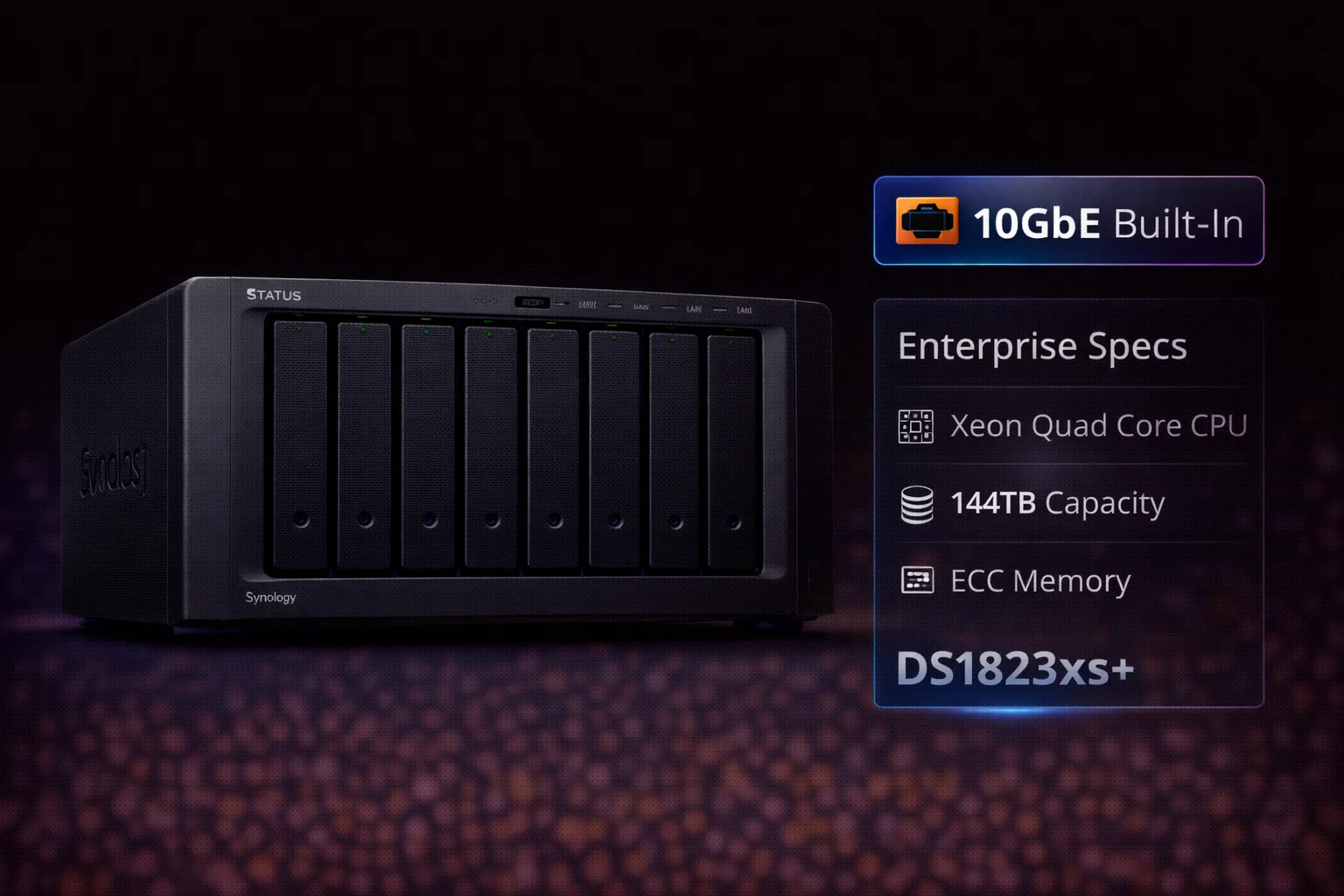
Quick Answer+
Quick Answer: The Synology DS1823xs+ ($1,800) is Synology’s flagship 8-bay desktop NAS for small-to-medium businesses. It features a powerful AMD Ryzen V1780B quad-core CPU, built-in 10GbE networking, and expandability up to 18 drives. Best for: video editors, creative studios, business file servers, and VMware/Hyper-V storage. Note: This enterprise model does NOT support SHR — use RAID 5/6/10 only. If you need SHR or have a smaller budget, consider the DS923+ instead.
The Synology DS1823xs+ sits at the top of Synology’s desktop NAS lineup, delivering enterprise-grade performance in a compact 8-bay form factor. Released in early 2023, it’s designed for environments where a rackmount server isn’t practical but serious storage performance is required.
This review covers everything you need to know: specifications, real-world performance, ideal use cases, and whether the premium price tag is justified for your needs.
DS1823xs+ Price & Availability
| Product | Capacity | Price | $ / TB | Price Drop | Brand | Interface |
|---|
The DS1823xs+ carries an MSRP of $1,800 (diskless). Street prices typically range from $1,750 to $2,000 depending on retailer and availability. This positions it firmly in the prosumer/SMB segment — significantly more expensive than the DS923+ ($550) but far less than rackmount alternatives.
DS1823xs+ Specifications
| Component | Specification |
|---|---|
| CPU | AMD Ryzen V1780B (4-core, 3.35 GHz base / 3.6 GHz turbo) |
| RAM | 8GB DDR4 ECC (expandable to 32GB) |
| Drive Bays | 8x 3.5″/2.5″ SATA HDD/SSD |
| M.2 Slots | 2x M.2 2280 NVMe (PCIe 3.0) |
| 10GbE Port | 1x 10GBASE-T RJ-45 (built-in) |
| 1GbE Ports | 3x Gigabit RJ-45 |
| USB Ports | 3x USB 3.2 Gen 1 |
| eSATA Ports | 2x (for DX517 expansion) |
| PCIe Slot | 1x PCIe 3.0 x8 (x4 link) |
| Max Raw Capacity | 144TB (8x 18TB) / 288TB with expansion |
| Max IP Cameras | 75 (Surveillance Station) |
| File System | Btrfs, ext4 |
| RAID Support | RAID 0, 1, 5, 6, 10, JBOD, Basic (NO SHR) |
| Hot Swappable | Yes |
| Power Supply | 250W internal |
| Dimensions | 166 x 343 x 243 mm |
| Weight | 6.2 kg (diskless) |
| Warranty | 5 years |
Key Features & What Makes It Special
Built-In 10GbE Networking
The DS1823xs+ is one of the few desktop NAS units with 10GbE built directly into the motherboard. No add-on cards, no extra cost, no slot consumed. This alone can save $150-300 compared to models requiring a separate 10GbE adapter.
With 10GbE, the DS1823xs+ delivers:
- 3,100 MB/s sequential read (with NVMe caching)
- 2,600 MB/s sequential write (with NVMe caching)
- Real-world sustained transfers of 800-1,000 MB/s with HDDs in RAID
For video editors working with 4K/8K footage, this eliminates the network bottleneck that makes 1GbE NAS frustrating for professional workflows.
AMD Ryzen V1780B Processor
The quad-core AMD Ryzen V1780B is a significant upgrade over previous generations. Key advantages:
- 4 cores / 8 threads at 3.35-3.6 GHz
- Hardware AES-NI encryption for fast encrypted transfers
- Enough power for Docker containers, VMs, and multiple concurrent services
- Handles 75 surveillance cameras simultaneously
The V1780B doesn’t include integrated graphics, so there’s no hardware transcoding for Plex. If Plex transcoding is critical, consider the DS923+ with its Ryzen R1600 that supports limited hardware acceleration.
Expandability to 18 Drives
The DS1823xs+ supports two DX517 expansion units, adding 10 additional bays for a total of 18 drives. With 18x 20TB drives, you could theoretically achieve over 300TB of raw storage.
The PCIe 3.0 x8 slot (running at x4) allows additional expansion:
- 25GbE networking (E25G30-F2 dual-port SFP28)
- Fibre Channel for SAN environments
- Additional 10GbE ports
NVMe SSD Caching & Storage Pools
Two M.2 NVMe slots support both caching and (with Synology-branded SSDs) dedicated storage volumes. For most users, NVMe caching dramatically improves random I/O performance for databases, virtual machines, and frequently-accessed files.
Important: No SHR Support
As an “xs+” enterprise model, the DS1823xs+ does NOT support Synology Hybrid RAID (SHR). You must use traditional RAID levels:
- RAID 5: Single-drive fault tolerance (recommended for 8 drives)
- RAID 6: Dual-drive fault tolerance (strongly recommended)
- RAID 10: Best performance + redundancy
This means all drives should ideally be the same capacity for optimal storage efficiency. If you prefer SHR’s flexibility with mixed drives, the DS1821+ or DS923+ are better choices.
Ideal Use Cases
Video Production & Creative Studios
The built-in 10GbE makes the DS1823xs+ ideal for:
- Multi-user 4K/8K video editing directly from NAS
- DaVinci Resolve, Premiere Pro, Final Cut shared projects
- Large media asset libraries
- Post-production workflows with proxy editing
Small Business File Server
With Active Directory integration, file versioning, and Synology Drive sync:
- Central file repository for 20-50+ users
- Branch office synchronization
- Windows/Mac/Linux cross-platform sharing
Backup & Disaster Recovery
Active Backup Suite supports:
- Up to 300 PC/server endpoints
- VMware/Hyper-V backup
- Microsoft 365 and Google Workspace backup
- Snapshot replication to remote sites
Virtualization Host
The quad-core CPU and ECC memory make reliable VM hosting possible:
- Synology Virtual Machine Manager (VMM)
- Docker containers
- Virtual DSM instances
- Windows/Linux VMs for testing
Large-Scale Surveillance
With support for 75 IP cameras, the DS1823xs+ can serve as a centralized NVR for multi-site businesses, warehouses, or retail chains. See our Synology Surveillance NAS Guide for setup recommendations.
Recommended Drives for DS1823xs+
For enterprise workloads, use NAS or enterprise-grade drives:
NAS Drives (Recommended)
| Product | Capacity | Price | $ / TB | Price Drop | Brand | Interface |
|---|
| Product | Capacity | Price | $ / TB | Price Drop | Brand | Interface |
|---|
Enterprise Drives (For Heavy Workloads)
| Product | Capacity | Price | $ / TB | Price Drop | Brand | Interface |
|---|---|---|---|---|---|---|
| Seagate Exos 12TB 3.5 7200RPM 256MB SAS 12GB s Enterprise Bare HDD ST12000NM0027 | 12.00 TB | $340.00 | $28.33 | +0% | Seagate | SAS |
For 24/7 business use, IronWolf Pro or WD Red Pro drives are recommended over standard NAS drives. For maximum reliability, consider Seagate Exos enterprise drives.
See our complete Synology Compatible Drives Database for full compatibility information.
DS1823xs+ vs Alternatives
| Feature | DS1823xs+ ($1,800) | DS1821+ ($900) | DS923+ ($550) |
|---|---|---|---|
| Bays | 8 | 8 | 4 |
| CPU | Ryzen V1780B (4-core) | Ryzen V1500B (4-core) | Ryzen R1600 (2-core) |
| RAM | 8GB ECC (max 32GB) | 4GB (max 32GB) | 4GB (max 32GB) |
| Built-in 10GbE | ✅ Yes | ❌ No | ❌ No |
| PCIe Slot | PCIe 3.0 x8 | PCIe 3.0 x8 | PCIe 3.0 x2 |
| SHR Support | ❌ No | ✅ Yes | ✅ Yes |
| Max Cameras | 75 | 40 | 40 |
| Warranty | 5 years | 3 years | 3 years |
| Best For | Enterprise, video production | Power users, prosumer | Home, small business |
When to Choose DS1823xs+
- You need built-in 10GbE without add-on cards
- Running business-critical applications 24/7
- Video production requiring high sustained throughput
- Need ECC memory for data integrity
- Want 5-year warranty coverage
When to Choose DS1821+ Instead
- Budget is a concern (~$900 savings)
- You need SHR for mixed drive sizes
- 10GbE isn’t immediately necessary (can add later)
- Home/prosumer use rather than enterprise
RAID Configuration Recommendations
Since SHR isn’t available, here are recommended RAID setups for the DS1823xs+:
| Configuration | RAID Level | Usable Capacity | Best For |
|---|---|---|---|
| 8× 8TB | RAID 6 | 48TB | Recommended — best protection |
| 8× 8TB | RAID 5 | 56TB | Good balance (higher risk) |
| 8× 8TB | RAID 10 | 32TB | Maximum performance |
| 8× 16TB | RAID 6 | 96TB | High capacity + protection |
| 8× 18TB | RAID 6 | 108TB | Maximum capacity + protection |
Our recommendation: Use RAID 6 for the DS1823xs+. With 8 large-capacity drives, rebuild times can exceed 24 hours, making dual-drive fault tolerance essential. Use our RAID Calculator to plan your configuration.
Frequently Asked Questions
No. As an enterprise “xs+” model, the DS1823xs+ only supports traditional RAID levels (0, 1, 5, 6, 10). If you need SHR for mixed drive sizes, consider the DS1821+ or DS923+ instead.
The DS1823xs+ lacks hardware transcoding, so Plex will only direct play or use software transcoding (limited to 1-2 streams). For Plex with transcoding, the DS923+ or DS1522+ with AMD Ryzen R1600 are better choices.
Yes, but with DSM warnings. Third-party NAS drives (WD Red, IronWolf, Toshiba N300) work normally but display compatibility warnings. After DSM 7.3+, these warnings can be dismissed and won’t affect functionality. Synology-branded drives (HAT5300 series) show no warnings.
The DS1823xs+ has built-in 10GbE, faster CPU (V1780B vs V1500B), ECC memory, 5-year warranty, and enterprise features. The DS1821+ costs ~$900 less, supports SHR, and is better for home/prosumer use. Choose DS1823xs+ for professional environments requiring maximum performance and reliability.
The DS1823xs+ supports up to 75 IP cameras with Surveillance Station. It includes 2 free camera licenses; additional licenses cost approximately $50 per camera.
For businesses needing built-in 10GbE, ECC memory, and enterprise reliability, yes. The 5-year warranty alone adds value. For home users or those who can add 10GbE separately, the DS1821+ at $900 offers better value. Consider total cost including drives — a fully populated DS1823xs+ can exceed $5,000.
Verdict: Who Should Buy the DS1823xs+?
| ✅ Buy DS1823xs+ If… | ❌ Skip DS1823xs+ If… |
|---|---|
| You need built-in 10GbE | Budget is a primary concern |
| Running 24/7 business workloads | You need SHR for mixed drives |
| Video production with 4K/8K | Plex transcoding is important |
| Need ECC memory & 5-year warranty | Home/prosumer use only |
| Large surveillance deployments | DS1821+ meets your needs |
Our recommendation: The DS1823xs+ is Synology’s best desktop NAS for professional environments requiring maximum performance, reliability, and built-in 10GbE. The $1,800 price tag is justified for businesses, creative studios, and power users who will utilize its capabilities. For home users or those with flexible requirements, the DS1821+ or DS923+ offer better value.
Related Resources
- Best Synology NAS 2026 — Complete buying guide
- Synology DS1522+ Review — 5-bay alternative
- Synology DS923+ Review — 4-bay value option
- Synology Compatible Drives Database
- RAID Calculator — Plan your storage
- Best Synology for Surveillance
Last Updated: February 2026 | Prices and specifications verified