
Quick Answer+
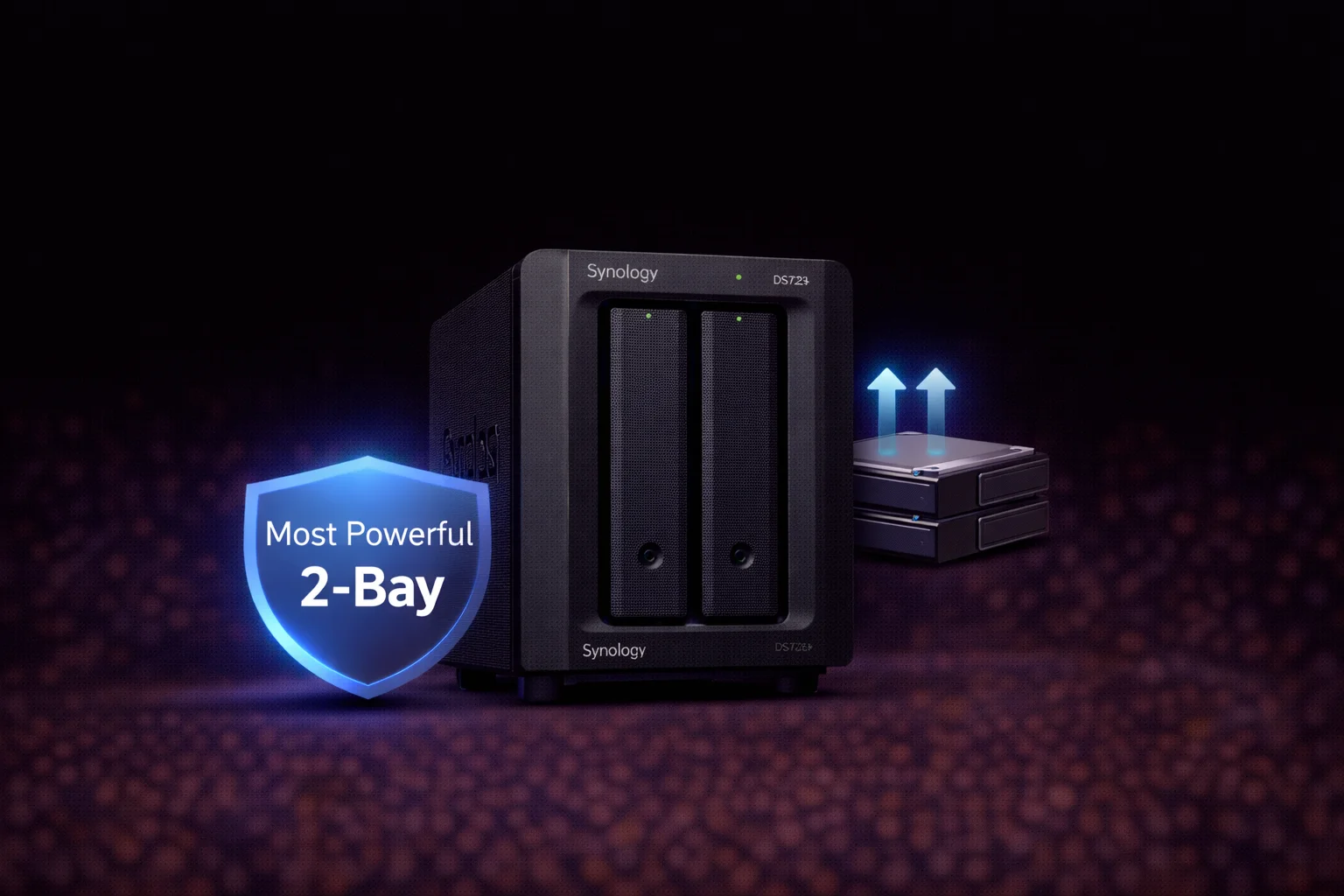
Quick Answer: The Synology DS723+ (~$450) is Synology’s most powerful 2-bay NAS. Unlike the DS224+ (Intel/multimedia focus), the DS723+ features an AMD Ryzen R1600 CPU, 10GbE upgrade capability, NVMe cache slots, and expandability to 7 drives. Best for: power users who want maximum features in a compact form, Docker/VM workloads, and those planning to expand later. Skip if: Plex transcoding is your priority (get DS224+ instead).
The Synology DS723+ breaks the mold of what a 2-bay NAS can do. While most 2-bay units are entry-level devices, the DS723+ packs the same AMD Ryzen power, 10GbE capability, and expansion options found in larger models like the DS923+.
This review covers everything: specifications, real-world performance, comparison with the DS224+, and who should choose this compact powerhouse.
DS723+ Price & Availability
| Product | Capacity | Price | $ / TB | Price Drop | Brand | Interface |
|---|
The DS723+ has an MSRP of approximately $450. This positions it significantly above the DS224+ (~$300) but below 4-bay models. The premium reflects its advanced hardware and expansion capabilities.
10GbE Upgrade Module
Synology E10G22-T1-Mini 10GbE Module
10GBASE-T RJ-45 | Backward Compatible 1/2.5/5GbE | Plug-and-Play | For DS723+, DS923+, DS1522+
Upgrade your DS723+ to 10GbE connectivity with this simple plug-and-play module. Installs into the dedicated network upgrade slot without consuming PCIe bandwidth. Supports auto-negotiation down to 1GbE.
DS723+ Specifications
| Component | Specification |
|---|---|
| CPU | AMD Ryzen R1600 (2-core/4-thread, 2.6 GHz base / 3.1 GHz turbo) |
| RAM | 2GB DDR4 ECC (expandable to 32GB) |
| Drive Bays | 2x 3.5″/2.5″ SATA HDD/SSD |
| M.2 Slots | 2x M.2 2280 NVMe (cache only) |
| 1GbE Ports | 2x Gigabit RJ-45 |
| 10GbE Option | E10G22-T1-Mini slot (sold separately) |
| USB Ports | 1x USB 3.2 Gen 1 |
| eSATA Port | 1x (for DX517 expansion) |
| PCIe Slot | PCIe 3.0 x2 |
| Max Expansion | Up to 7 drives (with DX517) |
| Max Raw Capacity | 36TB (2x 18TB) / 126TB with expansion |
| Max IP Cameras | 40 (Surveillance Station) |
| File System | Btrfs, ext4 |
| RAID Support | SHR, RAID 0, 1, JBOD, Basic |
| Hot Swappable | Yes |
| Power Consumption | 17W (access) / 7W (HDD hibernation) |
| Noise Level | 18.2 dB(A) |
| Dimensions | 166 x 106 x 223 mm |
| Weight | 1.51 kg (diskless) |
| Warranty | 3 years (extendable to 5) |
What Makes the DS723+ Special
AMD Ryzen Power in 2-Bay Form Factor
The DS723+ is the only 2-bay Synology with the AMD Ryzen R1600 processor. This gives it capabilities typically reserved for 4+ bay units:
- Faster processing: 2.6 GHz base, 3.1 GHz turbo
- ECC memory support: Up to 32GB for data integrity
- Better Docker/VM performance: More headroom than Celeron-based 2-bays
- Hardware encryption: AES-NI for fast encrypted transfers
10GbE Ready
Unlike any other 2-bay NAS in Synology’s lineup, the DS723+ supports 10GbE networking via the E10G22-T1-Mini module. This enables:
- Sustained transfers over 500 MB/s (vs ~115 MB/s on 1GbE)
- Practical for video editors working with large files
- Future-proofing as 10GbE becomes more common
NVMe Cache Slots
Two M.2 2280 NVMe slots on the bottom of the unit allow SSD caching to dramatically improve random I/O performance. This is invaluable for:
- Synology Drive file syncing
- Virtual machine storage
- Docker container databases
- Photo library browsing in Synology Photos
Note: Unlike the DS923+, the DS723+ only supports NVMe for caching, not storage pools.
Expandability to 7 Drives
The “7” in DS723+ refers to maximum expansion capability:
- 2 internal bays
- + 5 bays via DX517 expansion unit
- = 7 total drives
This is unique among 2-bay NAS devices — you can start small and grow into a 7-drive array without replacing your NAS.
PCIe 3.0 x2 Slot
In addition to the 10GbE module slot, there’s a PCIe slot for additional expansion cards. Options include M.2 adapters or additional network cards.
DS723+ vs DS224+: The Key Decision
Synology offers two premium 2-bay NAS options with very different strengths:
| Feature | DS723+ (~$450) | DS224+ (~$300) |
|---|---|---|
| CPU | AMD Ryzen R1600 | Intel Celeron J4125 |
| RAM | 2GB ECC (max 32GB) | 2GB (max 6GB) |
| 10GbE Option | ✅ Yes | ❌ No |
| NVMe Slots | ✅ 2x M.2 | ❌ None |
| PCIe Slot | ✅ PCIe 3.0 x2 | ❌ None |
| Expansion | ✅ Up to 7 drives | ❌ 2 drives only |
| Plex Transcoding | Limited (AMD GPU) | Good (Intel QSV) |
| ECC Memory | ✅ Supported | ❌ No |
| Best For | Power users, expansion | Plex, multimedia |
Choose DS723+ If:
- You want 10GbE networking capability
- You plan to add expansion unit later
- Running Docker containers or VMs
- Need NVMe caching
- Want more than 6GB RAM
- Data integrity (ECC memory) matters
Choose DS224+ If:
- Plex transcoding is your primary use case
- Budget is a priority (~$150 savings)
- You don’t need expansion capability
- 4K hardware transcoding is important
- Simple backup/file sharing only
Ideal Use Cases
Starter NAS with Growth Potential
The DS723+ is perfect for users who want to start small but grow:
- Begin with 2 drives in RAID 1 (mirrored)
- Add DX517 expansion when more capacity needed
- Migrate existing RAID to expanded array without data loss
- No need to buy a new NAS when you outgrow 2 bays
Home Office / Remote Worker
Compact yet powerful enough for professional use:
- Synology Drive: Self-hosted Dropbox alternative
- Active Backup: Automatic PC/Mac backup
- 10GbE: Fast access to large project files
- Compact footprint: Desktop-friendly size
Docker & Home Lab
The Ryzen CPU and expandable RAM support serious containerized workloads:
- Container Manager: Native Docker support
- Home Assistant: Smart home automation
- Pi-hole: Network-wide ad blocking
- Nextcloud: Self-hosted cloud storage
Upgrade RAM to 8-16GB for multiple containers running simultaneously.
Video Editing Workstation Storage
With 10GbE connectivity:
- Edit directly from NAS at 500+ MB/s
- Store project archives centrally
- NVMe cache improves responsiveness
- Start with 2 drives, expand as library grows
Recommended Drives for DS723+
NAS Drives
| Product | Capacity | Price | $ / TB | Price Drop | Brand | Interface |
|---|
| Product | Capacity | Price | $ / TB | Price Drop | Brand | Interface |
|---|---|---|---|---|---|---|
| Seagate 6TB IronWolf NAS SATA 6Gb/s NCQ 128MB Cache 3.5-Inch Internal Hard Drive (ST6000VN0041) (Renewed) | 6.00 TB | $169.99 | $28.33 | +0% | Seagate | SATA |
For a 2-bay setup, consider larger capacity drives (8TB+) to maximize storage from limited bays. WD Red Plus or Seagate IronWolf are ideal choices.
See our complete Synology Compatible Drives Database for verified compatibility.
RAID Configuration for 2-Bay NAS
With only 2 bays, your RAID options are limited but straightforward:
| Configuration | RAID Level | Usable Capacity | Protection |
|---|---|---|---|
| 2× 8TB | RAID 1 / SHR | 8TB | 1-drive fault tolerance |
| 2× 12TB | RAID 1 / SHR | 12TB | 1-drive fault tolerance |
| 2× 16TB | RAID 1 / SHR | 16TB | 1-drive fault tolerance |
| 2× 8TB | RAID 0 | 16TB | ❌ None (not recommended) |
Recommendation: Always use RAID 1 or SHR with a 2-bay NAS. The 50% capacity loss is worth the data protection. Never use RAID 0 for important data.
Use our RAID Calculator to plan configurations including expansion.
Expansion Path Example
Here’s how the DS723+ can grow with your needs:
| Stage | Configuration | Usable Capacity |
|---|---|---|
| Initial | DS723+ with 2× 8TB (SHR) | 8TB |
| Year 2 | Add DX517 with 3× 8TB | 32TB (5-drive SHR) |
| Year 3 | Add 2 more 8TB to DX517 | 48TB (7-drive SHR) |
| Later | Replace drives with larger | Scale up capacity |
This flexibility is unique to the DS723+ among 2-bay NAS units.
Plex on DS723+
The AMD Ryzen R1600 has limited transcoding capability:
- Direct Play: Unlimited streams ✅
- 1080p Transcoding: 1-2 streams
- 4K Transcoding: Not practical
If Plex transcoding is your primary need, get the DS224+ instead. Its Intel Celeron J4125 with Quick Sync handles transcoding much better.
For direct play setups (Apple TV, Shield, modern smart TVs), the DS723+ works perfectly.
Frequently Asked Questions
Choose DS723+ for: 10GbE capability, expansion to 7 drives, NVMe caching, Docker/VMs, more than 6GB RAM. Choose DS224+ for: Plex transcoding (Intel Quick Sync), lower price (~$150 less), simple multimedia setup. The DS723+ is for power users; the DS224+ is for multimedia-focused users.
Yes. The DS723+ supports 10GbE via the E10G22-T1-Mini upgrade module (~$110). It’s the only 2-bay Synology with this capability. Install into the dedicated network upgrade slot — no PCIe bandwidth consumed.
Yes. The DS723+ supports the DX517 expansion unit, adding 5 more drive bays for a total of 7 drives. This is unique among 2-bay NAS units — you can start small and grow without replacing your NAS.
For direct play, yes. For transcoding, no — the AMD Ryzen R1600 has limited hardware transcoding capabilities. If Plex transcoding is important, choose the DS224+ with Intel Quick Sync instead.
Up to 32GB DDR4 ECC memory. Stock configuration is 2GB — upgrade recommended for Docker containers or VM workloads. The DS723+ supports error-correcting (ECC) RAM for improved data integrity.
Yes — two M.2 2280 NVMe slots on the bottom of the unit for SSD caching. This dramatically improves random I/O performance. Note: Unlike DS923+, NVMe drives can only be used for caching, not storage pools.
Verdict: Who Should Buy the DS723+?
| ✅ Buy DS723+ If… | ❌ Skip DS723+ If… |
|---|---|
| You want 10GbE in a compact form | Plex transcoding is your priority |
| Planning to expand capacity later | Budget under $350 |
| Running Docker containers or VMs | You need 4+ bays now |
| Need more than 6GB RAM | Simple backup/file sharing only |
| Want NVMe caching capability | Intel Quick Sync is important |
Our recommendation: The Synology DS723+ is the most capable 2-bay NAS you can buy. Its combination of AMD Ryzen power, 10GbE readiness, NVMe caching, and expansion to 7 drives makes it unique in its class. Choose it if you want maximum features in a compact form, or if you plan to grow your storage over time. If Plex transcoding is your main use case, the DS224+ is a better (and cheaper) choice.
Related Resources
- Best Synology NAS 2026 — Complete buying guide
- Synology DS224+ Review — Intel-based 2-bay alternative
- Synology DS923+ Review — 4-bay AMD option
- Synology Compatible Drives Database
- SHR Explained — Understanding Hybrid RAID
- RAID Calculator — Plan your storage
Last Updated: February 2026 | Prices and specifications verified