Synology vs QNAP: Complete NAS Comparison Guide 2026

Quick Answer+
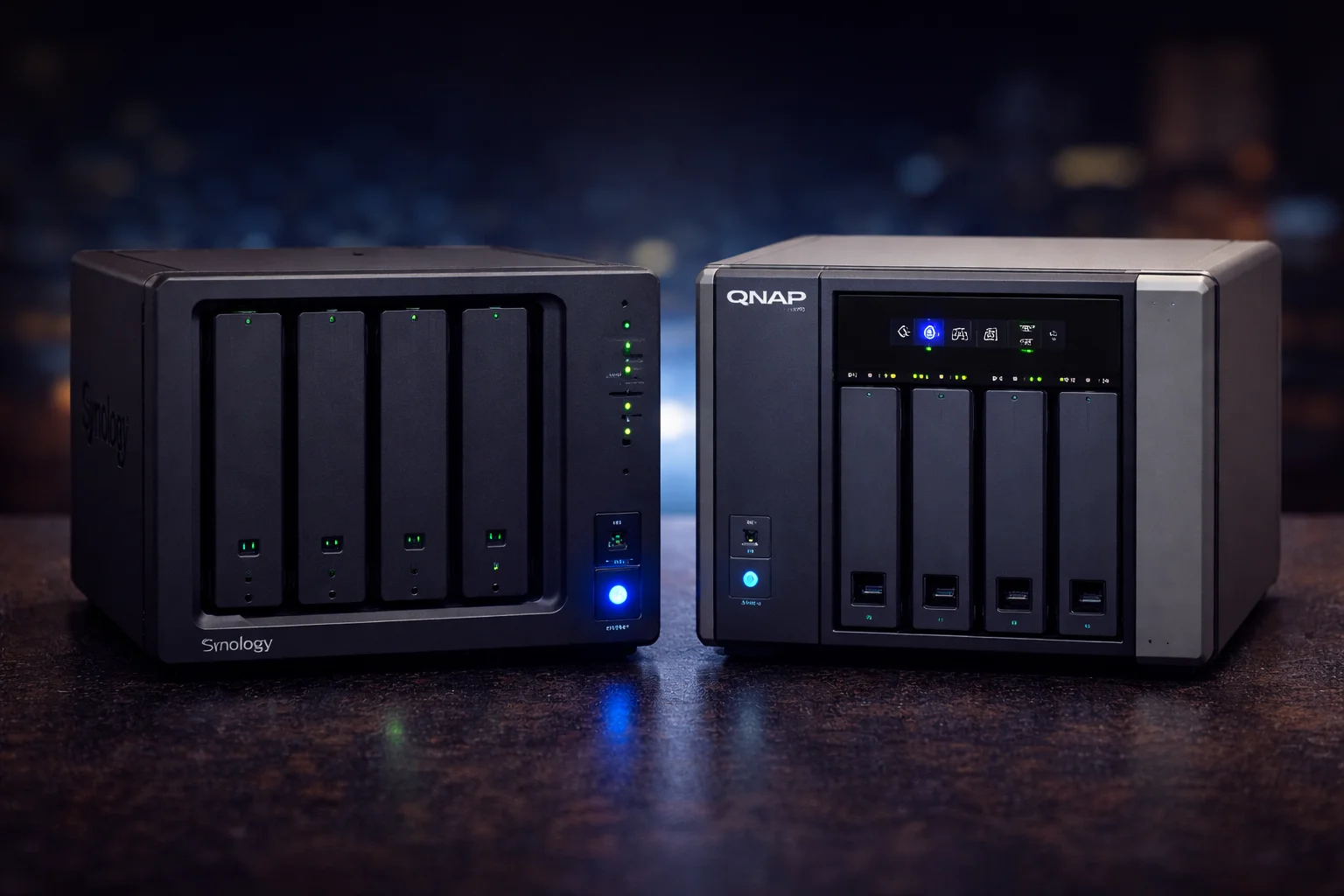
Quick Answer:Synology wins for ease of use, software polish, security track record, and mobile apps—ideal for home users and businesses wanting simplicity and reliability. QNAP wins for hardware value, raw performance, expandability, and advanced features like Thunderbolt and HDMI—ideal for power users and those wanting maximum specs per dollar. Both make excellent NAS devices; your choice depends on priorities.
Synology and QNAP are the two dominant consumer and prosumer NAS brands, and the “which is better” debate has raged in forums and Reddit threads for over a decade. The truth is both companies make excellent products—but they have distinctly different philosophies that make each better suited to different types of users.
This comprehensive comparison covers software, hardware, performance, ecosystem, security, pricing, and use cases to help you make the right choice for your specific needs. We’ve tested dozens of models from both brands and will share real-world insights beyond just spec sheets.
Quick Comparison Overview
| Category | Synology | QNAP | Winner |
|---|---|---|---|
| Software/UI | Polished, intuitive | Feature-rich, complex | 🏆 Synology |
| Hardware Value | Premium pricing | More specs per dollar | 🏆 QNAP |
| Security | Excellent track record | Improved, but history of issues | 🏆 Synology |
| Performance | Good | Often faster hardware | 🏆 QNAP |
| Mobile Apps | Excellent | Good | 🏆 Synology |
| Expandability | Limited options | PCIe, Thunderbolt, HDMI | 🏆 QNAP |
| Community/Support | Larger, more resources | Smaller but active | 🏆 Synology |
| Docker/VMs | Good | Better VM support | 🏆 QNAP |
| Plex Transcoding | Good (varies by model) | Generally better | 🏆 QNAP |
| Backup Software | Excellent (Active Backup) | Good (HBS) | 🏆 Synology |
Company Background
Synology
Founded in Taiwan in 2000, Synology has built a reputation as the “Apple of NAS”—focusing on user experience, software polish, and reliability over raw specifications. Their philosophy emphasizes simplicity without sacrificing capability, and they maintain tight control over their ecosystem.
- Headquarters: Taipei, Taiwan
- Founded: 2000
- Philosophy: Software-first, user experience focused
- Target market: Home users to enterprise
- Product lines: DiskStation (desktop), RackStation (rack), FlashStation (all-flash)
QNAP
Also founded in Taiwan (2004), QNAP takes a hardware-centric approach, consistently offering more powerful specifications at competitive prices. They push boundaries with features like Thunderbolt connectivity, HDMI output, and PCIe expansion before competitors.
- Headquarters: Taipei, Taiwan
- Founded: 2004
- Philosophy: Hardware-first, feature-rich
- Target market: Power users, creative professionals, SMB
- Product lines: TS (mainstream), TVS (performance), TBS (compact), TS-hx (ZFS)
Software Comparison
The operating system is where you’ll spend most of your time, making this arguably the most important comparison category.
Synology DSM (DiskStation Manager)
DSM is widely regarded as the most polished NAS operating system available. It feels like a modern desktop OS running in your browser:
- User interface: Clean, intuitive, Apple-like attention to detail
- Learning curve: Gentle—most users productive within hours
- Stability: Extremely reliable with rare crashes or bugs
- Updates: Conservative approach, thoroughly tested before release
- Mobile apps: Excellent quality with consistent design language
- Documentation: Comprehensive help articles and community resources
DSM 7 (current version) brought a refreshed interface, improved security, and better integration between packages. The storage manager is particularly well-designed, making complex RAID operations straightforward.
QNAP QTS
QTS offers more features and customization options, but with greater complexity:
- User interface: Functional but busier, more options visible at once
- Learning curve: Steeper—more powerful but more to learn
- Features: Often adds capabilities before Synology
- Updates: More frequent, occasionally introduces bugs
- Flexibility: More customization and configuration options
- QuTS hero: Alternative OS with ZFS file system for data integrity
QNAP also offers QuTS hero, which replaces the standard ext4 file system with ZFS—providing superior data integrity, snapshots, and deduplication at the cost of higher RAM requirements.
Key Software Feature Comparison
| Feature | Synology DSM | QNAP QTS |
|---|---|---|
| File System | Btrfs or ext4 | ext4, ZFS (QuTS hero) |
| Storage Tiering | SSD cache only | Qtier auto-tiering |
| Snapshots | Btrfs volumes only | All volumes |
| RAID Options | SHR (flexible), standard RAID | Standard RAID, RAID-TP (triple parity) |
| VM Support | Virtual Machine Manager | Virtualization Station (more features) |
| Container Support | Container Manager | Container Station |
| Deduplication | Active Backup only | Volume-level (QuTS hero) |
Verdict: Choose Synology DSM for ease of use and polish. Choose QNAP QTS for advanced features like Qtier auto-tiering, ZFS support, and more powerful VM capabilities.
Hardware Comparison
This is where QNAP consistently outshines Synology—offering more hardware for less money.
Comparable Models Side-by-Side
| Category | Synology | Price | QNAP | Price |
|---|---|---|---|---|
| Entry 2-Bay | DS224+ | $339 | TS-264 | $489 |
| Mainstream 4-Bay | DS923+ | $599 | TS-464 | ~$500 |
| Performance 6-Bay | DS1621+ | ~$900 | TS-673A | $905 |
| Thunderbolt | None available | N/A | TVS-472XT | ~$999 |
| Intel Core | DS1823xs+ | ~$2,000 | TVS-h474 | $1,199 |
Head-to-Head: DS923+ vs TS-464
Let’s compare the most popular 4-bay models from each brand:
Synology DS923+
4-Bay | AMD Ryzen R1600 | 4GB RAM | 1GbE | 2x M.2 Slots
Synology’s mainstream 4-bay powerhouse with AMD Ryzen dual-core processor. Excellent DSM software ecosystem, rock-solid reliability, and strong community support. Limited to 1GbE without purchasing add-in card. Expandable to 9 bays with DX517.
QNAP TS-264
2-Bay | Intel Celeron N5105 | 8GB RAM | 2x 2.5GbE | 2x M.2 Slots | HDMI 2.0
More hardware for less money: dual 2.5GbE ports standard, 8GB RAM included, HDMI 2.0 output for direct media playback, and Intel processor with superior Quick Sync transcoding. QTS offers Qtier auto-tiering for SSD acceleration.
Hardware Specification Comparison
| Specification | DS923+ ($599) | TS-464 (~$500) | Advantage |
|---|---|---|---|
| RAM Included | 4GB | 8GB | 🏆 QNAP (+$100 value) |
| Network Ports | 2x 1GbE | 2x 2.5GbE | 🏆 QNAP (2.5x speed) |
| HDMI Output | No | Yes (4K 60Hz) | 🏆 QNAP |
| M.2 Clearance | ~4mm | ~6mm | 🏆 QNAP |
| PCIe Slot | Yes (for 10GbE) | Yes (Gen3) | Tie |
| Max RAM | 32GB | 16GB | 🏆 Synology |
| Expansion Unit | DX517 (5 bays) | TR-004 (4 bays) | 🏆 Synology |
| Price | $599 | ~$500 | 🏆 QNAP |
Verdict: QNAP consistently offers more hardware specifications per dollar. Synology charges a premium for its software ecosystem and brand reputation.
Performance Comparison
Network Transfer Speeds
Real-world testing with identical drives in RAID 5 configuration:
| Test | DS923+ (1GbE) | TS-464 (2.5GbE) | Notes |
|---|---|---|---|
| Sequential Read | 112 MB/s | 280 MB/s | QNAP 2.5x faster |
| Sequential Write | 110 MB/s | 265 MB/s | QNAP 2.4x faster |
| Random 4K Read | ~45 MB/s | ~52 MB/s | Similar (IOPS limited) |
| Random 4K Write | ~38 MB/s | ~44 MB/s | Similar (IOPS limited) |
Important note: When both are upgraded to 10GbE, performance differences shrink significantly—both can saturate 10GbE connections with SSD cache enabled. The QNAP advantage is primarily due to included 2.5GbE networking.
Plex Transcoding Performance
Plex performance depends heavily on the processor, particularly hardware transcoding capabilities:
| Test | DS923+ (AMD Ryzen) | TS-464 (Intel N5105) |
|---|---|---|
| 4K HDR to 1080p | 1-2 streams | 2-3 streams |
| 4K SDR to 1080p | 2-3 streams | 3-4 streams |
| 1080p to 720p | 4-5 streams | 5-6 streams |
| Hardware Transcoding | Limited (no Quick Sync) | Intel Quick Sync |
Intel’s Quick Sync technology provides a significant advantage for Plex transcoding. If you need heavy transcoding, Synology models with Intel processors (like DS224+ or DS423+) perform similarly to QNAP.
Verdict: QNAP generally offers better transcoding performance due to Intel Quick Sync. For direct play without transcoding, either brand works equally well.
Security Comparison
This is where Synology pulls significantly ahead—and it’s a critical consideration for any network-attached device.
Security Track Record
Synology:
- Few major security incidents over 20+ years
- Rapid security patches when vulnerabilities discovered
- Conservative approach to new features (security over speed-to-market)
- Bug bounty program encouraging responsible disclosure
- Security Advisor tool built into DSM
QNAP:
- Multiple high-profile ransomware attacks targeting QNAP devices:
- Qlocker (2021): Encrypted files using 7-Zip
- Deadbolt (2022): Targeted exposed QNAP devices
- eCh0raix: Ongoing ransomware campaign
- Improved security practices in recent years
- Security Counselor tool for hardening
Security Best Practices (Both Brands)
Regardless of brand, follow these security essentials:
- Never expose directly to internet: Use VPN for remote access
- Enable 2FA: Two-factor authentication for all accounts
- Keep firmware updated: Install security patches promptly
- Use strong passwords: Unique, complex passwords for NAS accounts
- Disable unused services: Reduce attack surface
- Enable firewall: Block unnecessary incoming connections
- Regular backups: 3-2-1 backup strategy protects against ransomware
Verdict: Synology has a significantly stronger security reputation. If security is a top priority, Synology is the safer choice.
Ecosystem and Apps Comparison
First-Party Applications
| Category | Synology | QNAP | Advantage |
|---|---|---|---|
| Photo Management | Synology Photos | QuMagie | 🏆 Synology |
| Backup (to NAS) | Active Backup for Business | Hybrid Backup Sync | 🏆 Synology |
| Backup (from NAS) | Hyper Backup | Hybrid Backup Sync | Tie |
| File Sync | Synology Drive | Qsync | 🏆 Synology |
| Office Suite | Synology Office | Notes Station 3 | 🏆 Synology |
| Surveillance | Surveillance Station | QVR Pro | Tie |
| Mail Server | Synology MailPlus | QmailAgent | 🏆 Synology |
| Video Player | Video Station | Video Station | Tie |
Synology’s Standout Apps
Active Backup for Business: Free enterprise-grade backup solution supporting Windows PCs, servers, VMware, Hyper-V, and Microsoft 365. See our complete Active Backup setup guide for details. This alone can save thousands in licensing compared to alternatives like Veeam.
Synology Photos: Google Photos alternative with AI-powered facial recognition, subject detection, and automatic mobile backup. Learn more in our Synology Photos setup guide.
Synology Drive: Dropbox-like file sync across devices with selective sync, versioning, and sharing capabilities.
QNAP’s Standout Apps
Virtualization Station: More capable VM platform than Synology’s VMM, supporting GPU passthrough and more guest OS options.
Qtier: Automatic storage tiering that moves frequently-accessed data to faster SSD storage without manual configuration.
HDMI Output Apps: HybridDesk Station enables direct media playback on connected TV without needing a separate device.
Mobile App Comparison
Synology’s mobile apps are consistently rated higher in app stores:
Synology apps:
- DS File: Clean, fast file browser (4.7★ App Store)
- DS Photo: Excellent Synology Photos companion (4.6★)
- DS Video: Smooth streaming experience (4.5★)
- DS Cam: Surveillance viewing (4.4★)
QNAP apps:
- Qfile: Functional file browser (4.2★ App Store)
- QuMagie: Photo management (3.9★)
- Qvideo: Video streaming (3.8★)
QNAP’s apps are functional but less polished, with more reports of connectivity issues and slower performance.
Use Case Recommendations
Choose Synology If…
- You’re a home user wanting simplicity and reliability
- You’re a small business needing free PC backup (Active Backup)
- Security is a top priority and you value track record
- You’re a Mac user appreciating the Apple-like philosophy
- You value community support and extensive documentation
- You prefer “it just works” over maximum customization
- You want excellent mobile apps for remote access
- You’re replacing Google Photos with self-hosted solution
Best Synology models:
- Home users:DS224+ ($339) – compact, efficient, great value
- Families:DS423+ (~$470) – more storage capacity
- Small business:DS923+ ($599) – expandable, powerful
- Power users:DS1522+ (~$700) – 5 bays, 10GbE ready
Choose QNAP If…
- You’re a power user wanting maximum hardware specs
- You’re a video editor needing Thunderbolt connectivity
- You’re a heavy Plex user wanting best transcoding performance
- You run multiple VMs and need robust virtualization
- You’re budget-conscious wanting more features per dollar
- You want 2.5GbE/10GbE without purchasing add-in cards
- You want HDMI output for direct TV playback
- You want ZFS for superior data integrity (QuTS hero)
Best QNAP models:
- Home users: TS-264 ($489) – 2.5GbE, 8GB RAM, HDMI
- Mainstream: TS-464 (~$500) – 4-bay value champion
- Video editors:TVS-472XT (~$999) – Thunderbolt 3
- Performance: TVS-h474 ($1,199) – Intel Core i5
Network Upgrade Options
If network speed matters for your workflow, here are upgrade paths for both brands:
Synology Network Upgrades
Synology E10G22-T1-Mini
10GbE RJ-45 | Mini Card Form Factor | For DS923+/DS723+
Official Synology 10GbE upgrade for compatible Plus-series models. Plug-and-play installation with full DSM integration. Uses proprietary mini card slot.
QNAP Network Upgrades
QNAP QXG-10G2T
Dual 10GbE RJ-45 | PCIe Gen3 | Link Aggregation Support
Dual-port 10GbE card for QNAP models with PCIe slots. Enables 20Gbps aggregate bandwidth with link aggregation for maximum throughput.
Universal Network Upgrades
QNAP QSW-2104-2T
4x 2.5GbE + 2x 10GbE | Unmanaged | Fanless
Affordable multi-gig switch supporting both 2.5GbE and 10GbE connections. Connect NAS via 10GbE, workstations via 2.5GbE for balanced performance.
ASUS XG-C100C
10GbE RJ-45 | PCIe x4 | Windows/Linux
Add 10GbE to your workstation for faster NAS transfers. Compatible with standard PCIe x4 slot. Works with both Synology and QNAP networks.
M.2 SSD Cache Comparison
Both brands support M.2 NVMe SSDs for caching, but with important differences:
Synology M.2 Implementation
- M.2 clearance: Typically 4mm (requires low-profile heatsinks)
- Cache modes: Read-only or read-write
- Recommended SSDs: WD Red SN700, Synology SNV3000
- Configuration: Straightforward via Storage Manager
See our Synology SSD cache setup guide and heatsink recommendations for optimal configuration.
QNAP M.2 Implementation
- M.2 clearance: Typically 6-8mm (more heatsink options)
- Qtier auto-tiering: Automatically moves hot data to SSD
- SSD storage pools: Use M.2 as primary storage, not just cache
- More flexibility: Multiple configuration options
QNAP’s Qtier is a standout feature—it automatically moves frequently accessed data to faster storage without manual management.
WD Red SN700 500GB
NVMe Gen3 | 3,430 MB/s | 1,000 TBW | 5-Year Warranty
Purpose-built for NAS caching with high endurance rating. Works with both Synology and QNAP. 1,000 TBW endurance handles heavy cache workloads.
Storage and RAID Comparison
Synology Hybrid RAID (SHR)
Synology’s SHR is a standout feature that simplifies storage management:
- Mixed drive sizes: Efficiently uses drives of different capacities
- Easy expansion: Add drives without complex calculations
- SHR-1: One-drive redundancy (like RAID 5)
- SHR-2: Two-drive redundancy (like RAID 6)
Learn more about SHR in our SHR vs RAID comparison and use our RAID calculator to estimate capacity.
QNAP RAID Options
QNAP offers standard RAID levels plus some unique options:
- Standard RAID: 0, 1, 5, 6, 10
- RAID-TP: Triple parity for extreme redundancy
- JBOD: Just a Bunch of Disks (no redundancy)
- Qtier: Auto-tiering between SSD and HDD pools
For details on RAID configuration, see our Synology RAID guide.
Compatible Drives
Both brands work with standard NAS drives. See our compatibility guides:
Seagate IronWolf 8TB
7200 RPM | 256MB Cache | CMR | 3-Year Warranty
Purpose-built for NAS with AgileArray technology. Works perfectly with both Synology and QNAP. IronWolf Health Management provides proactive drive monitoring.
WD Red Plus 8TB
5640 RPM | 256MB Cache | CMR | 3-Year Warranty
Reliable NAS drive with quieter operation. NASware 3.0 firmware optimized for 24/7 operation. Confirmed CMR technology (not SMR).
Docker and Virtual Machine Support
Both brands support containerization and virtualization, but with different strengths.
Docker/Container Support
| Feature | Synology Container Manager | QNAP Container Station |
|---|---|---|
| Docker Compose | Yes | Yes |
| GUI Management | Clean, simple | More detailed |
| Registry Support | Docker Hub, custom | Docker Hub, custom |
| Resource Limits | Basic | More granular |
| Network Modes | Bridge, host | Bridge, host, macvlan |
Popular Docker containers run equally well on both platforms. Synology’s interface is cleaner; QNAP offers more advanced networking options.
Virtual Machine Support
QNAP has the edge for virtualization workloads:
| Feature | Synology VMM | QNAP Virtualization Station |
|---|---|---|
| Supported OS | Windows, Linux, DSM | Windows, Linux, Android, more |
| GPU Passthrough | No | Yes (select models) |
| USB Passthrough | Limited | Yes |
| Live Migration | Yes (HA clusters) | Yes |
| Snapshot Support | Yes | Yes |
| Max VMs | Model dependent | Generally higher limits |
If you plan to run multiple VMs or need GPU passthrough for transcoding acceleration, QNAP is the better choice.
Price Comparison Summary
Total Cost of Ownership
Beyond the initial NAS purchase, consider these factors:
| Factor | Synology | QNAP |
|---|---|---|
| NAS Unit (4-bay) | $599 | ~$500 |
| RAM Upgrade (to 8GB) | +$60 | Included |
| 2.5GbE Upgrade | +$50-100 | Included |
| Software Licenses | Free (Active Backup) | Free (HBS) |
| Support | Larger community | Smaller community |
| Effective Total | ~$700-760 | ~$500 |
QNAP offers better hardware value. Synology’s premium goes toward software ecosystem and support resources.
Frequently Asked Questions
Synology is better for beginners. DSM’s intuitive interface, excellent documentation, and larger community make troubleshooting easier. Most users are productive within hours of setup. QNAP’s QTS has more features but a steeper learning curve.
QNAP often has a slight edge for Plex transcoding due to Intel Quick Sync hardware in more models. However, Synology’s Intel-based models (DS224+, DS423+, DS723+) perform similarly. For direct play without transcoding, either brand works equally well.
QNAP focuses on hardware value while Synology charges a premium for software ecosystem and polish. QNAP’s business model relies more on hardware sales; Synology’s pricing includes the value of their software development and support infrastructure.
QNAP has had more publicized ransomware attacks (Qlocker, Deadbolt, eCh0raix) targeting their devices. They’ve improved security practices, but historical record favors Synology. Both require proper security practices—never expose either brand directly to internet.
Not directly—you cannot move drives between brands and keep data intact. Migration requires backing up all data, setting up the new NAS from scratch, and restoring. Plan for significant time and have adequate backup storage before switching brands.
Both support Docker well. Synology’s Container Manager and QNAP’s Container Station are comparable. QNAP has a slight edge for running more complex containers due to generally having more RAM included and better VM support for hybrid workloads.
Either works well. Choose Synology if you want easier setup and excellent mobile apps. Choose QNAP if you want HDMI output for direct TV playback, need heavy Plex transcoding, or want better hardware value. Both run Plex, Jellyfin, and Emby.
Conclusion
Both Synology and QNAP make excellent NAS devices—you genuinely won’t go wrong with either brand. The choice comes down to your priorities:
Choose Synology if: You value software polish, ease of use, security track record, and are willing to pay a premium for the experience. Synology is the “Apple of NAS”—it costs more but delivers a refined, reliable experience with excellent mobile apps and the powerful Active Backup for Business included free.
Choose QNAP if: You want maximum hardware value, need features like Thunderbolt or built-in 2.5GbE, prioritize VM/transcoding performance, or prefer having more customization options. QNAP delivers more specs per dollar and appeals to power users who enjoy tinkering.
For most home users and small businesses prioritizing reliability and simplicity, Synology’s DS224+ or DS923+ provide the best overall experience. For power users and budget-conscious buyers who want maximum hardware, QNAP’s TS-464 or TVS series deliver exceptional value.
Whichever brand you choose, invest in quality drives, configure proper backup strategies, and never expose your NAS directly to the internet. A well-configured NAS from either brand will serve you reliably for many years.
Related Resources
- Best Synology NAS 2026
- Synology DS923+ Review
- Synology DS224+ Review
- QNAP TVS Series Review
- Synology Active Backup Guide
- Synology Photos Setup Guide
- Synology 2-Bay vs 4-Bay
- Best Heatsinks for Synology NAS
- Best Heatsinks for QNAP NAS
- RAID Calculator
Last Updated: February 2026