WD My Cloud Alternatives 2026 | 7 Best NAS Replacements

Quick Answer+
Quick Answer: The best WD My Cloud alternatives are Synology DS223j ($190) for budget home users and Synology DS225+ ($350) for power users who need Plex transcoding and Docker. Both offer superior software, longer support, and better mobile apps than WD ever provided. For 4-bay upgrades, consider the QNAP TS-464 ($550) with HDMI output.
If you’re searching for WD My Cloud alternatives, you’re not alone. Western Digital has quietly discontinued most of its My Cloud NAS lineup, leaving thousands of users looking for replacements. The My Cloud Home faces end-of-support in December 2027, and finding new My Cloud EX2 Ultra, PR2100, or PR4100 units has become nearly impossible.
The good news? There are excellent alternatives that offer better performance, longer support lifecycles, and more features than WD My Cloud ever did. This guide covers the seven best WD My Cloud alternatives in 2026, with specific recommendations based on your needs and budget.
Why WD My Cloud Users Need Alternatives Now
Western Digital’s NAS strategy has shifted dramatically over the past two years. The My Cloud Home end of support deadline is December 2027—after this date, no security updates, app support, or cloud features will be available. The My Cloud EX2 Ultra, PR2100, and PR4100 professional series are already discontinued with only power adapters available on Amazon.
WD has pivoted toward simple external storage (My Book, My Book Duo) rather than network-attached storage. For users who need true NAS functionality—remote access, multiple user accounts, media streaming, and expandable storage—it’s time to look elsewhere.
Quick Comparison: Best WD My Cloud Alternatives
| Alternative | Replaces | Bays | Price | Best For |
|---|---|---|---|---|
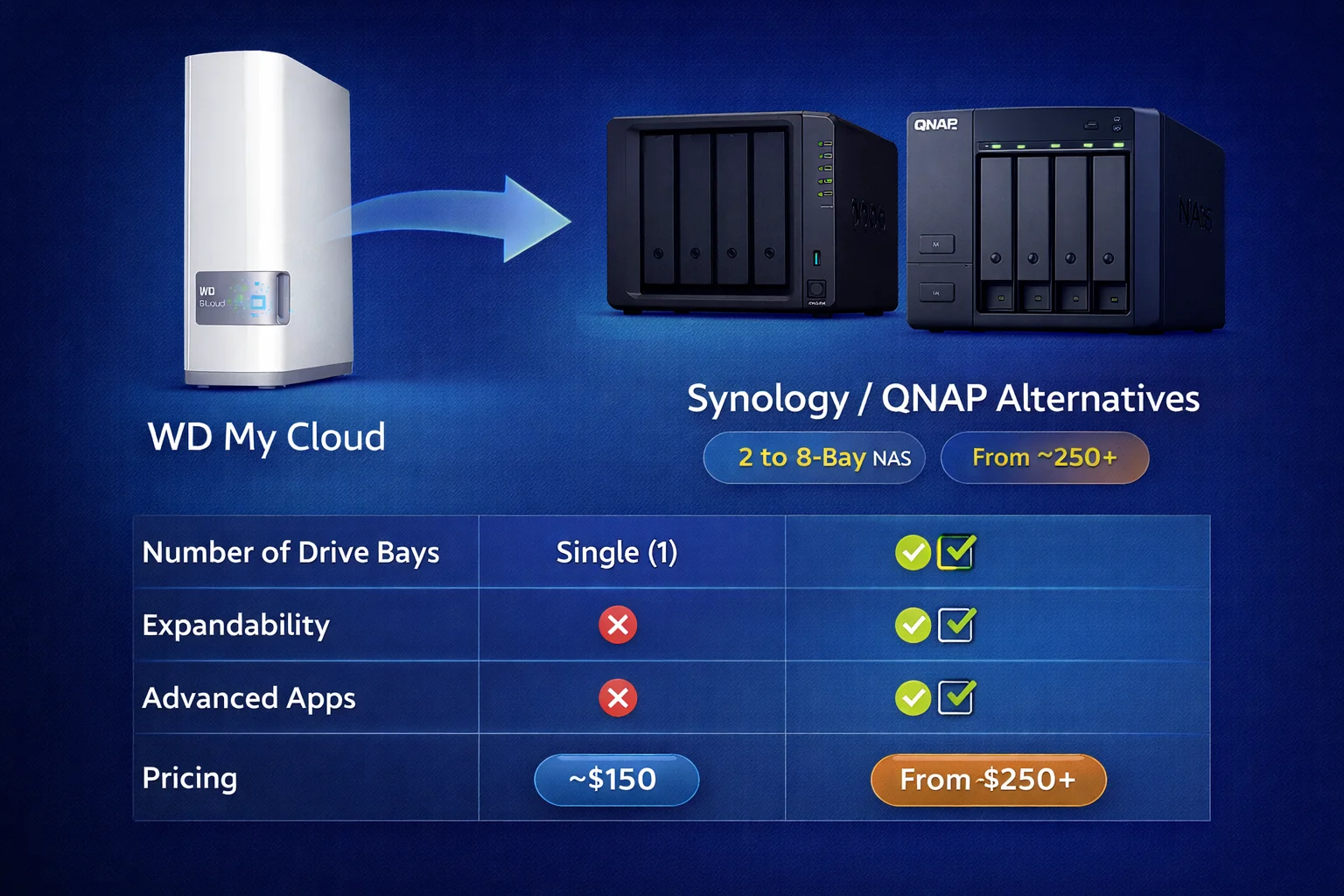
| Synology DS124 | My Cloud Home | 1 | ~$150 | Simple backup, beginners |
| Synology DS223j | My Cloud Home Duo | 2 | ~$190 | Budget home NAS |
| Synology DS225+ | My Cloud EX2 Ultra | 2 | ~$350 | Power users, Plex |
| QNAP TS-233 | My Cloud Home Duo | 2 | ~$180 | Budget, basic features |
| QNAP TS-264 | My Cloud EX2 Ultra | 2 | ~$400 | Media, transcoding |
| Synology DS423 | My Cloud PR2100 | 4 | ~$450 | Small business, RAID |
| QNAP TS-464 | My Cloud PR4100 | 4 | ~$550 | 4K transcoding, VMs |
Top WD My Cloud Alternatives
1. Synology DS223j — Best Budget 2-Bay Alternative
Synology DS223j
2-Bay | Realtek RTD1619B | 1GB RAM | 1GbE | USB 3.2
The natural successor to My Cloud Home Duo. Two drive bays for RAID 1 mirroring, superior DSM software, Synology Photos with AI face recognition, and QuickConnect for easy remote access. Perfect for home users who want set-it-and-forget-it reliability.
The DS223j is the natural successor to the My Cloud Home Duo. It offers two drive bays for RAID 1 mirroring (automatic redundancy) at a price point that won’t break the bank. The Synology Photos app provides Google Photos-like experience with AI-powered face recognition—all processed locally on your NAS.
What you gain over My Cloud Home Duo: Full DSM operating system with dozens of free applications, Hyper Backup for automated backups to external drives or cloud services, QuickConnect for remote access without port forwarding, and Active Backup for Business (free) to back up Windows PCs. Synology typically supports NAS devices for 5+ years with regular DSM updates.
2. Synology DS225+ — Best My Cloud EX2 Ultra Replacement
Synology DS225+
2-Bay | Intel Celeron | 2GB RAM (expandable) | 2x 2.5GbE | NVMe slots
The upgrade My Cloud EX2 Ultra users deserve. Intel CPU enables hardware transcoding for Plex, Docker support for running containers, NVMe cache slots for faster file access, and dual 2.5GbE ports. Perfect for Plex servers and home labs.
If you used the My Cloud EX2 Ultra for Plex, Docker containers, or as a small business server, the DS225+ is the upgrade you deserve. The jump from ARM (My Cloud EX2 Ultra) to Intel (DS225+) is significant—the DS225+ can hardware transcode multiple 4K Plex streams simultaneously while the EX2 Ultra struggled with even a single 1080p transcode.
| Feature | My Cloud EX2 Ultra | Synology DS225+ |
|---|---|---|
| Plex Transcoding | Software only (1 stream max) | Hardware (multiple 4K streams) |
| Docker | Not supported | Full support |
| Virtual Machines | No | Yes (VMM) |
| SSD Cache | No | Yes (NVMe slots) |
| Network Speed | 1 GbE | 2x 2.5 GbE |
3. QNAP TS-233 — Budget-Friendly Alternative
QNAP TS-233
2-Bay | ARM Cortex-A55 | 2GB RAM | 1x 2.5GbE | USB 3.2
More hardware for less money. The TS-233 comes with 2.5GbE networking standard (vs 1GbE on similarly-priced Synology) and 2GB RAM. QTS operating system is more technical but highly customizable. Great for users who want faster transfers on a budget.
Not everyone needs Synology’s polish. The QNAP TS-233 offers solid NAS fundamentals at a lower price point. The TS-233 has one notable advantage over similarly-priced Synology units: it comes with 2.5GbE networking standard. If your router supports 2.5GbE, you’ll see significantly faster file transfers right out of the box.
Consider QNAP TS-233 if: Budget is your primary concern, you have or plan to upgrade to 2.5GbE networking, you prefer QNAP’s QTS interface (more technical, more customizable), or you don’t need hardware transcoding for Plex.
4. QNAP TS-264 — Best for Media Enthusiasts
QNAP TS-264-8G
2-Bay | Intel Celeron N5095 | 8GB RAM | 2x 2.5GbE | HDMI 2.0
The media enthusiast’s dream. Intel N5095 CPU handles 4K transcoding with ease, 8GB RAM (vs 2GB on DS225+) enables running multiple apps simultaneously, and HDMI 2.0 output lets you connect directly to your TV. No Plex client needed—play media directly from the NAS.
The QNAP TS-264 competes directly with the Synology DS225+ and offers compelling advantages for media-focused users, particularly those who want HDMI output for direct TV connection. The TS-264 ships with 8GB RAM (versus 2GB on the DS225+), making it better suited for running multiple applications, Docker containers, or virtual machines simultaneously.
5. Synology DS423 — Best My Cloud PR2100 Replacement
Synology DS423
4-Bay | AMD Ryzen R1600 | 2GB RAM (expandable to 32GB) | 2x 1GbE
4-bay upgrade path for PR2100 users who need more storage. RAID 5 capability means you lose only 25% capacity to redundancy (vs 50% with RAID 1). AMD Ryzen CPU handles demanding workloads, and RAM expands to 32GB for serious business use.
For users who relied on the 2-bay My Cloud PR2100 for small business or prosumer workloads, the Synology DS423 offers a 4-bay upgrade path with better performance and expandability. The jump from 2 to 4 bays is transformative for storage efficiency—with RAID 5, you lose only one drive’s worth of capacity to redundancy (25% overhead) instead of 50% with RAID 1.
This means 4× 8TB drives in RAID 5 = ~24TB usable (vs. 8TB in RAID 1 with 2 drives), room to grow by replacing drives one at a time, and better sustained performance under load.
6. QNAP TS-464 — Best My Cloud PR4100 Replacement
QNAP TS-464-8G
4-Bay | Intel Celeron N5095 | 8GB RAM | 2x 2.5GbE | HDMI 2.0 | 2x M.2 NVMe
The most direct upgrade from WD’s flagship PR4100. Everything the PR4100 couldn’t do: hardware 4K transcoding, NVMe caching, HDMI direct playback, and enough power to run virtual machines. 8GB RAM standard (PR4100 had 4GB).
If you’re coming from the 4-bay My Cloud PR4100, the QNAP TS-464 is the most direct upgrade. It offers everything the PR4100 couldn’t: hardware transcoding, NVMe caching, and enough power to run virtual machines. The TS-464 ships with 8GB RAM—double what the PR4100 had—and includes HDMI output for direct TV connection.
The TS-464 is essentially a mini server in a NAS form factor. It can handle multiple simultaneous 4K Plex transcodes, Docker containers (Home Assistant, Pi-hole, etc.), Windows/Linux virtual machines, surveillance station with AI-powered detection, and NVMe SSD caching for dramatically faster file access.
Honorable Mentions: ASUSTOR Alternatives
While Synology and QNAP dominate the NAS market, ASUSTOR offers compelling alternatives at competitive prices. ASUSTOR’s ADM operating system isn’t as polished as Synology’s DSM, but it’s perfectly capable for home users. Their Lockerstor series is particularly interesting for users who want cutting-edge networking (5GbE) at competitive prices.
| Model | Bays | Price | Best For |
|---|---|---|---|
| ASUSTOR Drivestor 2 Lite | 2 | ~$140 | Absolute budget option |
| ASUSTOR Drivestor 4 Gen2 | 4 | ~$280 | Budget 4-bay |
| ASUSTOR Lockerstor 4 Gen2+ | 4 | ~$550 | Dual 5GbE networking |
Which Drives Should You Buy?
Unlike WD My Cloud devices that came with drives pre-installed, most NAS alternatives are sold “diskless.” This is actually an advantage—you can choose drives optimized for NAS use.
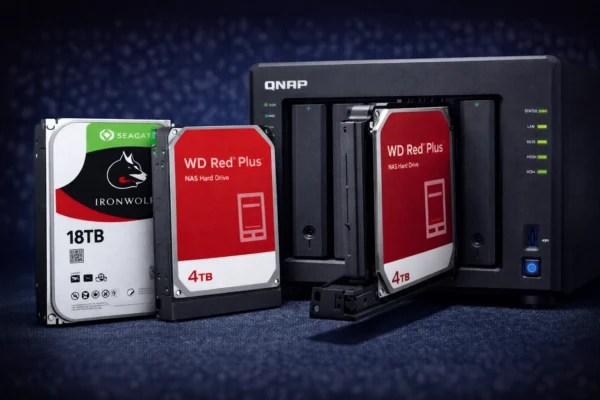
WD Red Plus 4TB
CMR | 5400 RPM | 256MB Cache | 3-Year Warranty
Designed for 24/7 NAS operation in 1-8 bay systems. CMR technology (not SMR) ensures consistent write performance. The sweet spot for most home users upgrading from My Cloud.
WD Red Pro 8TB
CMR | 7200 RPM | 256MB Cache | 5-Year Warranty
For business NAS (8-24 bays) and heavy workloads. Faster 7200 RPM speed and 5-year warranty. Best for users upgrading from PR4100 who need maximum performance and reliability.
| Drive | Capacity Range | Best For |
|---|---|---|
| WD Red Plus | 2TB – 14TB | Home NAS, 1-8 bays, balanced performance |
| WD Red Pro | 2TB – 24TB | Business NAS, 8-24 bays, heavy workloads |
| Seagate IronWolf | 2TB – 18TB | Alternative to WD Red, 1-8 bays |
Migration: Moving Data from WD My Cloud
Once you’ve chosen your alternative, migrating data is straightforward. For detailed step-by-step instructions, see our complete migration guide. Here’s the high-level process:
Network transfer: Connect both NAS devices to your network and copy data via SMB/CIFS. USB transfer: Back up My Cloud to external USB drive, then restore to new NAS. Cloud sync: If you used WD’s cloud backup, download locally first, then upload to new NAS.
Important: You cannot simply move drives from a WD My Cloud to a Synology or QNAP. The file systems and RAID formats are incompatible. Always back up data before any migration.
Recommendation Summary
| User Type | Recommendation | Budget |
|---|---|---|
| Home Users (simple backup) | Synology DS223j or QNAP TS-233 | $180-190 |
| Plex Users / Power Users | Synology DS225+ or QNAP TS-264 | $350-400 |
| Small Business | Synology DS423 or QNAP TS-464 | $450-550 |
Most WD My Cloud models are discontinued and unavailable through official channels. You may find used or refurbished units, but we don’t recommend buying them given the end-of-support timeline and lack of security updates.
The device will continue to function for local storage, but cloud features (remote access via WD’s servers, mobile app functionality) will stop working. Security vulnerabilities discovered after the support deadline won’t be patched.
Synology offers a more user-friendly experience similar to WD’s approach—polished apps, simple setup, ‘it just works’ philosophy. QNAP offers more raw power and customization options at similar price points. For most My Cloud users, Synology is the easier transition.
If your WD My Cloud used WD Red or standard WD drives, you can physically install them in a Synology or QNAP. However, you’ll need to format them (erasing all data) to use the new NAS’s file system. Always back up before migration.
Both companies typically provide 5+ years of software updates for their NAS devices. Synology in particular has an excellent track record of long-term support, with some models receiving updates for 7+ years.
Related Resources
- WD My Cloud End of Life: What Owners Need to Know
- Best NAS for WD My Cloud Users (Migration Guide)
- Synology vs QNAP: Complete Comparison
- WD My Cloud vs Synology
- RAID Calculator
Last Updated: February 2026