
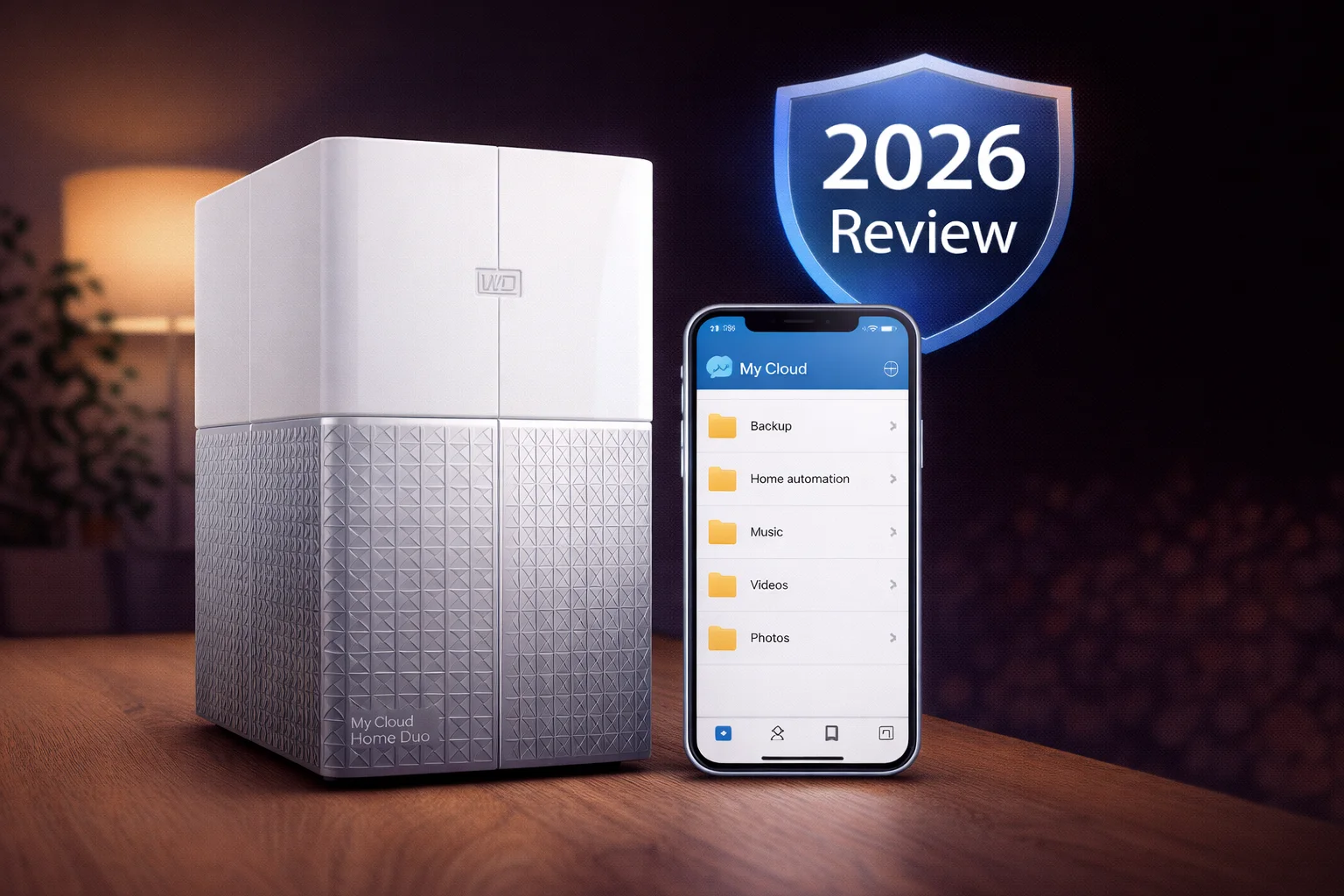
Quick Answer+
Quick Verdict: The WD My Cloud Home Duo adds crucial RAID 1 mirror protection to the My Cloud Home’s simplicity. If one drive fails, your data survives. For families backing up irreplaceable photos, this peace of mind is worth the premium. Still not a true NAS, but the best option in WD’s “simple” lineup.
The WD My Cloud Home Duo takes the consumer-friendly My Cloud Home and adds a second drive for data redundancy. This review covers everything you need to know: specs, mirror mode, performance, and whether the extra cost is justified compared to the single-drive version.
WD My Cloud Home Duo 8TB
Dual-drive | Realtek RTD1295 | 1GB RAM | 1GbE | Mirror Mode
Dual-drive personal cloud with automatic mirror protection. If one drive fails, your data is safe on the other. Best simple backup for families.
WD My Cloud Home Duo Specifications
| Specification | WD My Cloud Home Duo |
|---|---|
| Drive Bays | 2 (non-removable) |
| CPU | Realtek RTD1295 Quad-Core 1.4GHz (ARM) |
| RAM | 1GB DDR3L |
| Capacities | 4TB, 6TB, 8TB, 12TB, 16TB, 20TB |
| Network | 1× Gigabit Ethernet |
| USB Ports | 2× USB 3.0 |
| Storage Modes | Mirror (RAID 1) or Maximum (spanning) |
| File System | Proprietary (not user-accessible) |
| Encryption | 256-bit AES hardware encryption |
| Dimensions | 6.57 × 3.86 × 7.05 inches |
| Weight | 4.4 lbs |
| Warranty | 2 years |
Current Prices
| Product | Capacity | Price | $ / TB | Price Drop | Brand | Interface |
|---|
The Key Difference: Mirror Mode
The My Cloud Home Duo’s killer feature is automatic mirror protection. With two drives instead of one, you can enable Mirror Mode (RAID 1), which writes all data to both drives simultaneously.
Why this matters: If one drive fails, all your data remains intact on the second drive. WD can replace the failed drive and the Duo automatically rebuilds the mirror. Your irreplaceable family photos stay safe.
Storage Modes Explained
| Mode | How It Works | 8TB Duo Usable Space | Data Protection |
|---|---|---|---|
| Mirror | Data copied to both drives | 4TB | ✅ Protected |
| Maximum | Drives combined (spanning) | 8TB | ❌ Not protected |
Our recommendation: Always use Mirror Mode. The whole point of buying the Duo is data protection. If you want maximum capacity without redundancy, buy the single-drive My Cloud Home instead.
Design & Build Quality
The Home Duo is essentially a wider version of the My Cloud Home, with the same clean white aesthetic. It’s larger due to housing two drives, but still compact enough for a desk or shelf.
Key design notes:
- Non-removable drives: Unlike the EX2 Ultra, you cannot swap drives yourself
- Passive cooling: No fan, runs silent
- Two USB 3.0 ports: One more than the single-drive version
- LED indicator: Shows device status and drive activity
Build quality matches the single-drive Home — solid consumer-grade construction that runs cool and quiet.
Setup & User Experience
Setup is identical to the My Cloud Home:
- Connect to router via Ethernet
- Plug in power
- Download My Cloud Home app
- Create WD account and discover device
- Choose Mirror or Maximum storage mode
The only additional step is selecting your storage mode during initial setup. WD recommends Mirror and makes it the default option.
Same limitation applies: Since WD discontinued the Desktop Discovery app, the Home Duo can no longer be mounted as a local network drive. Access is via web portal, mobile app, or USB import only.
Features & Functionality
The Home Duo has the same features as the single-drive Home:
- Automatic photo backup from mobile devices
- Remote access via app or mycloud.com
- Plex Media Server (direct play only, no transcoding)
- Cloud service sync from Dropbox, Google Drive, etc.
- USB import with one-button backup
- Multi-user support with individual accounts
- 256-bit AES encryption
The difference is data protection underneath — with Mirror Mode, everything you store is automatically duplicated.
Performance
Performance is similar to the single-drive Home, with minor overhead from mirroring:
- Local read: ~100MB/s
- Local write: ~85MB/s (slightly slower due to dual-write)
- Remote access: Limited by internet upload speed
In Maximum (spanning) mode, write speeds are similar to the single-drive version since there’s no mirroring overhead.
What’s Missing (Same Limitations)
Like the single-drive Home, the Duo is NOT a traditional NAS:
- No local network share (Desktop Discovery discontinued)
- No apps — no Docker, no third-party applications
- No Plex transcoding — direct play only
- Non-removable drives — can’t swap drives yourself
- Cloud account required
- No web admin interface
If you need these features, consider the EX2 Ultra instead.
My Cloud Home vs Home Duo: Which to Buy?
| Feature | My Cloud Home | My Cloud Home Duo |
|---|---|---|
| Drives | 1 | 2 |
| RAID/Mirror | ❌ No | ✅ Yes |
| Data Protection | ❌ None | ✅ Drive failure protection |
| USB Ports | 1 | 2 |
| 4TB Price | ~$169 | ~$280 (2TB usable in Mirror) |
| 8TB Price | ~$249 | ~$329 (4TB usable in Mirror) |
Bottom line: If your data matters, get the Duo. The peace of mind from automatic mirroring is worth the premium, especially for irreplaceable family photos and videos.
Who Should Buy the WD My Cloud Home Duo?
✅ Good For:
- Families wanting protected photo/video backup
- Non-technical users who want “set and forget” with safety
- People replacing cloud storage subscriptions
- Users who lost data before and want protection
❌ Not Good For:
- Power users wanting NAS features
- Plex users needing transcoding
- Anyone wanting local network drive access
- Users wanting to choose their own drives
Frequently Asked Questions
Your data is safe. The second drive contains an exact copy. Contact WD support for a replacement drive (may be covered under warranty). After installing the new drive, the Duo automatically rebuilds the mirror.
Yes, but it erases all data. Switching storage modes requires reformatting. Back up your files externally before making this change.
No. Unlike the EX2 Ultra, the Home Duo’s drives are not designed for user replacement. If a drive fails under warranty, WD handles the replacement. After warranty, you’d need to contact WD or a repair service.
Slightly. Two drives generate more noise than one, but both versions are passively cooled (no fan). The Duo is still quiet enough for living rooms and bedrooms.
Yes. Mirror mode duplicates all data across both drives. An 8TB Duo (2×4TB drives) provides 4TB of usable space in Mirror mode. This is the trade-off for data protection.
Home Duo if you want maximum simplicity with basic protection. EX2 Ultra if you want traditional NAS features like network shares, more apps, and user-replaceable drives. The EX2 Ultra is more powerful but requires more setup.
Final Verdict
| Category | Rating | Notes |
|---|---|---|
| Data Protection | ★★★★★ | Automatic mirroring works |
| Setup | ★★★★★ | Same simple process |
| Design | ★★★★☆ | Clean, quiet, larger footprint |
| Features | ★★★☆☆ | Basic — no NAS features |
| Value | ★★★★☆ | Worth it for protection |
| Overall | ★★★★☆ | Best simple protected backup |
The My Cloud Home Duo is the best option for non-technical users who want both simplicity AND data protection. The automatic mirror mode means you don’t have to think about backup — your data is duplicated on two drives automatically.
The same limitations as the single-drive Home apply: no local network shares since Desktop Discovery was discontinued, no transcoding for Plex, no third-party apps. But if you just want simple cloud storage with peace of mind, the Home Duo delivers.
Our recommendation: Between the My Cloud Home and Home Duo, always choose the Duo. The extra cost is worth it for the mirror protection. If you need more features, step up to the EX2 Ultra.
Related Resources
- WD My Cloud Home Review — Single-drive version comparison
- WD My Cloud EX2 Ultra Review — True NAS alternative
- Best WD My Cloud 2026 — Complete buying guide
- WD My Cloud Compatible Drives — Drive recommendations
- WD My Cloud Setup Guide — Installation help
Last Updated: February 2026 | Prices and specifications verified