WD My Cloud Home Review: Simple Personal Cloud Storage (2026)

Quick Answer+
Quick Verdict: The WD My Cloud Home is the simplest personal cloud storage for non-technical users who want automatic photo backup and basic file access from anywhere. However, it’s not a true NAS — no RAID, no Docker, limited apps. If you want power user features, get the EX2 Ultra instead. For pure simplicity, the My Cloud Home delivers.
The WD My Cloud Home is Western Digital’s consumer-friendly personal cloud device designed for people who want simple, automatic backup without the complexity of traditional NAS. This review covers everything you need to know: specs, performance, setup, pros and cons, and whether it’s worth your money in 2026.
WD My Cloud Home 4TB
Single-bay | Realtek RTD1295 | 1GB RAM | 1GbE
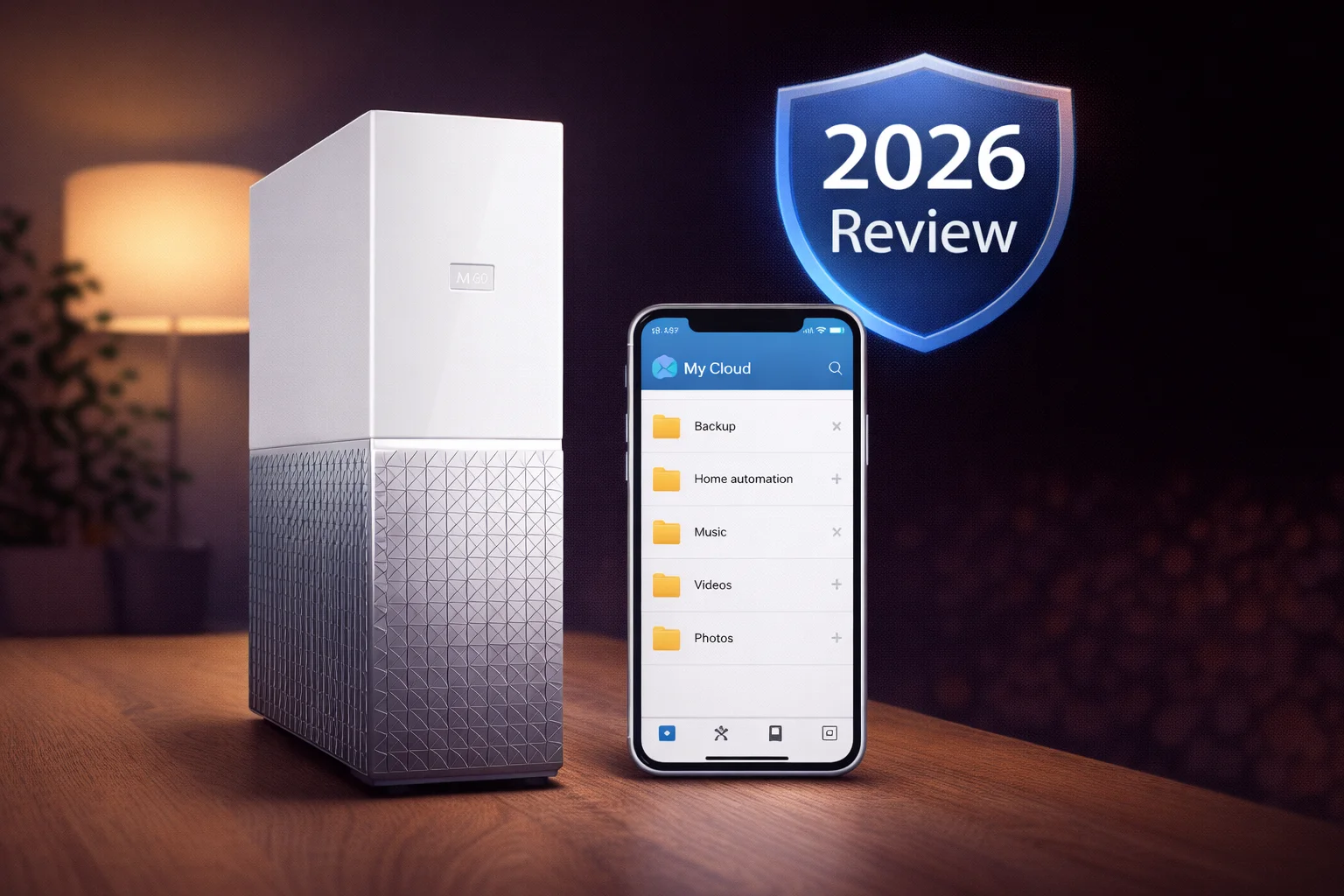
Simple personal cloud storage with automatic phone backup, Plex support, and remote access. Ideal for non-technical users wanting basic cloud storage.
WD My Cloud Home Specifications
| Specification | WD My Cloud Home |
|---|---|
| Drive Bays | 1 (non-removable) |
| CPU | Realtek RTD1295 Quad-Core 1.4GHz (ARM) |
| RAM | 1GB DDR3L |
| Capacities | 2TB, 4TB, 6TB, 8TB |
| Network | 1× Gigabit Ethernet |
| USB Ports | 1× USB 3.0 |
| RAID Support | None (single drive) |
| File System | Proprietary (not user-accessible) |
| Encryption | 256-bit AES hardware encryption |
| Dimensions | 5.4 × 1.9 × 6.6 inches |
| Weight | 2.1 lbs |
| Warranty | 2 years |
Current Prices
| Product | Capacity | Price | $ / TB | Price Drop | Brand | Interface |
|---|
Design & Build Quality
The My Cloud Home features WD’s signature minimalist design — a sleek white tower that looks more like a home décor piece than a storage device. At just 5.4 inches tall, it’s compact enough to sit on a bookshelf or desk without drawing attention.
The exterior is clean white plastic with subtle indicator lights. There’s no LCD screen, no front panel buttons, and no visible drive bays. This simplicity is intentional — WD designed the My Cloud Home for people who want to plug it in and forget about it.
Build quality is solid for a consumer device. The unit runs cool and quiet, making it suitable for living rooms or bedrooms. The internal drive is not user-replaceable, which is a limitation for some but reduces complexity for the target audience.
Setup & User Experience
Setup is genuinely simple — one of the My Cloud Home’s strongest points:
- Plug the device into your router via Ethernet
- Connect the power adapter
- Download the My Cloud Home app on your phone
- Create a My Cloud account
- The app discovers the device automatically
The entire process takes under 10 minutes. There’s no web-based admin interface to configure, no network shares to set up, and no RAID levels to choose. This is by design — WD wants the My Cloud Home to work like a cloud service you own.
Important Note: As of 2023, WD discontinued the Desktop Discovery app for My Cloud Home. The device can no longer be mounted as a local drive on your computer. You must access files through the web portal, mobile app, or via the USB port for direct import. This is a significant limitation compared to when the product first launched.
Features & Functionality
Automatic Photo Backup
The My Cloud Home app automatically backs up photos and videos from your phone. This works in the background and syncs whenever you’re on the same Wi-Fi network. It’s similar to Google Photos or iCloud, but you own the storage.
Remote Access
Access your files from anywhere through the My Cloud Home mobile app or mycloud.com website. WD handles the connection routing, so there’s no port forwarding or VPN configuration needed.
Plex Media Server
The My Cloud Home includes built-in Plex support for media streaming. However, the ARM processor cannot transcode — it only supports direct play. If your streaming device can’t play a format natively, it won’t work. This limits Plex functionality compared to Intel-based NAS devices.
Cloud Service Integration
Sync content from Dropbox, Google Drive, OneDrive, Box, Facebook, and Google Photos to your My Cloud Home. Note: this is one-way sync only — files added locally are not uploaded to cloud services.
USB Import
The front USB 3.0 port allows one-button import from USB drives or cameras. Plug in a flash drive, press the button, and contents are copied automatically.
Performance
The My Cloud Home delivers adequate performance for its intended use case:
- Local transfers: ~100MB/s read, ~90MB/s write over Gigabit Ethernet
- Remote access: Limited by your internet upload speed
- Photo sync: Background process, not speed-critical
Performance is acceptable for backing up photos and streaming media locally. It’s not designed for heavy multi-user file serving or demanding applications.
What’s Missing (Limitations)
The My Cloud Home is NOT a traditional NAS. Here’s what you don’t get:
- No RAID: Single drive means no redundancy — if the drive fails, data is lost
- No local network share: Cannot mount as a standard SMB/CIFS share (since Desktop Discovery discontinuation)
- No apps: Cannot install Docker, VMs, or third-party applications
- No Plex transcoding: Direct play only
- No user-replaceable drive: If the drive fails, the whole unit needs replacement
- No web admin interface: Configuration is limited to the mobile app
- Cloud account required: Must create WD account to use the device
Who Should Buy the WD My Cloud Home?
✅ Good For:
- Non-technical users wanting simple photo backup
- People tired of paying monthly cloud storage fees
- Families wanting a shared photo repository
- Users who want “set and forget” operation
- Those who only need basic remote file access
❌ Not Good For:
- Power users wanting RAID redundancy
- Plex users needing transcoding
- Anyone wanting Docker or third-party apps
- Users needing local network drive access
- Small business or professional use
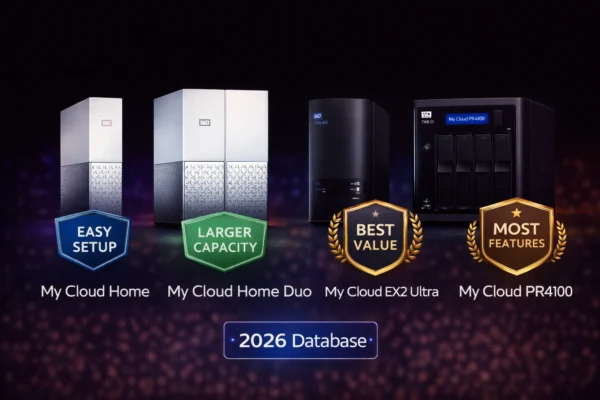
WD My Cloud Home vs Alternatives
| Feature | My Cloud Home | My Cloud Home Duo | EX2 Ultra |
|---|---|---|---|
| Drive Bays | 1 | 2 | 2 |
| RAID Support | ❌ No | ✅ Mirror mode | ✅ RAID 0/1 |
| Network Share | ❌ No | ❌ No | ✅ Yes |
| Docker/Apps | ❌ No | ❌ No | Limited |
| Target User | Beginners | Beginners + safety | Enthusiasts |
| Price (4TB) | ~$169 | ~$280 | ~$350 |
Frequently Asked Questions
Technically no. The My Cloud Home is marketed as ‘personal cloud storage’ rather than a NAS. It lacks traditional NAS features like SMB/CIFS network shares, RAID support, and third-party applications. It’s designed for simple cloud-like access rather than network file serving.
No longer. WD discontinued the Desktop Discovery app in 2023, which was required to mount the My Cloud Home as a local drive. You can now only access files through the web portal, mobile app, or USB import.
Yes, but limited. Plex is pre-installed, but the ARM processor cannot transcode media. Only direct play works. If your streaming device doesn’t support the video format natively, playback will fail.
Data loss. The My Cloud Home has no RAID redundancy and the drive is not user-replaceable. If the internal drive fails, you lose your data. Always maintain a separate backup of important files.
Yes. You can invite family members to create their own My Cloud accounts and give them access to the device. Each user gets their own private folder plus access to shared folders.
Get the Duo if data protection matters to you. The Duo has two drives that can be mirrored, so if one fails, your data survives. The single-drive Home has no redundancy. The Duo costs more but provides peace of mind.
Final Verdict
| Category | Rating | Notes |
|---|---|---|
| Setup | ★★★★★ | Genuinely simple, 10 minutes |
| Design | ★★★★☆ | Clean, compact, quiet |
| Features | ★★★☆☆ | Basic — no RAID, limited apps |
| Performance | ★★★☆☆ | Adequate for intended use |
| Value | ★★★☆☆ | Fair price for simplicity |
| Overall | ★★★☆☆ | Good for non-technical users only |
The WD My Cloud Home delivers exactly what it promises: simple personal cloud storage with automatic photo backup and remote access. If that’s all you need, it works well.
However, the discontinuation of Desktop Discovery significantly reduced its usefulness. The lack of RAID means no data protection. And the ARM processor limits Plex functionality.
Our recommendation: If you want simple cloud storage without complexity, the My Cloud Home works. But if you value your data, spend more on the My Cloud Home Duo for mirror redundancy, or get the EX2 Ultra for true NAS features.
Related Resources
- WD My Cloud Home Duo Review — Same simplicity with RAID protection
- WD My Cloud EX2 Ultra Review — True NAS with more features
- Best WD My Cloud 2026 — Complete buying guide
- WD My Cloud vs Synology — Platform comparison
- WD My Cloud Setup Guide — Installation help
Last Updated: February 2026 | Prices and specifications verified