WD My Cloud PR2100 Review: Best WD NAS for Plex (2026)

Quick Answer+
Quick Verdict: The WD My Cloud PR2100 is WD’s best 2-bay NAS for Plex users. The Intel Pentium N3710 CPU enables hardware transcoding up to 1080p, making it ideal for media servers. At ~$400 diskless, it’s pricier than the EX2 Ultra but justifies the cost for Plex enthusiasts and creative professionals.
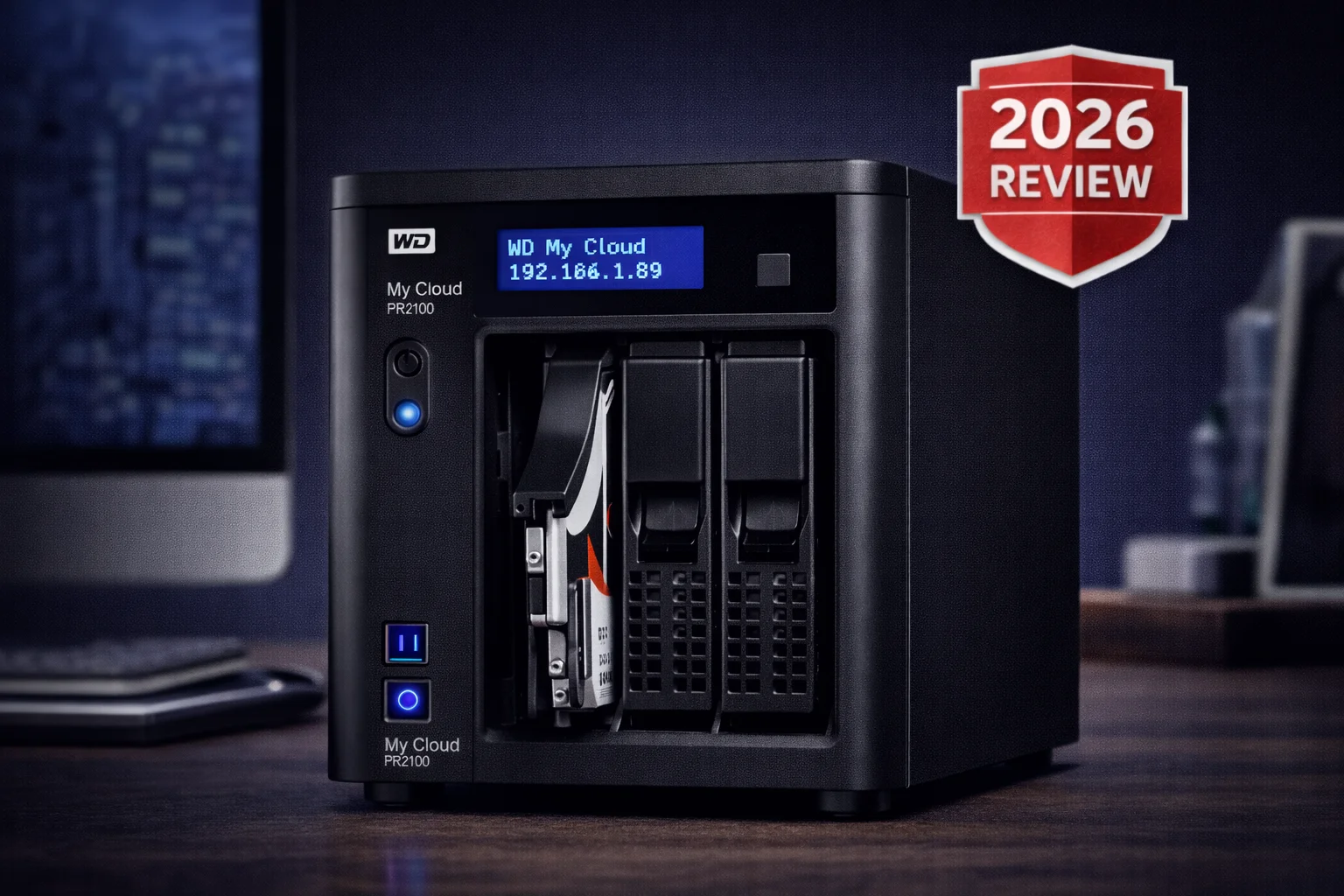
The WD My Cloud Pro Series PR2100 is Western Digital’s prosumer 2-bay NAS, targeting creative professionals and serious Plex users. This review covers hardware, transcoding capabilities, performance, and whether it’s worth the premium over the budget EX2 Ultra.
WD My Cloud PR2100 (Diskless)
2-bay | Intel Pentium N3710 Quad-Core | 4GB RAM | 2× 1GbE | Hot-swap
Intel-powered 2-bay NAS with hardware transcoding for Plex. 4GB RAM, dual Gigabit Ethernet, and professional features for creative workflows.
WD My Cloud PR2100 Specifications
| Specification | WD My Cloud PR2100 |
|---|---|
| Drive Bays | 2× 3.5″ SATA (hot-swap) |
| CPU | Intel Pentium N3710 Quad-Core 1.6GHz (burst 2.56GHz) |
| RAM | 4GB DDR3L (not upgradable) |
| Max Capacity | 44TB (2×22TB) |
| Network | 2× Gigabit Ethernet (link aggregation/failover) |
| USB Ports | 2× USB 3.0 (1 front, 1 rear) |
| HDMI Output | None |
| RAID Support | JBOD, RAID 0, RAID 1, Spanning |
| File System | EXT4 |
| Hardware Transcoding | Yes (Intel Quick Sync Video) |
| Power Redundancy | Dual DC inputs (one PSU included) |
| Encryption | 256-bit AES volume encryption |
| Dimensions | 7.56 × 6.73 × 9.13 inches |
| Warranty | 2 years (diskless), 3 years (with drives) |
Current Prices
| Product | Capacity | Price | $ / TB | Price Drop | Brand | Interface |
|---|
The Key Upgrade: Intel CPU & Transcoding
The PR2100’s main advantage over the EX2 Ultra is its Intel Pentium N3710 processor. This quad-core CPU with Intel Quick Sync Video enables:
- Plex hardware transcoding: Convert video formats on-the-fly for remote streaming
- 4K decoding: Play 4K content locally (transcode limited to 1080p)
- Multiple simultaneous streams: Handle 2-3 transcodes at once
For Plex users streaming to phones or tablets outside the home, this is transformational. The EX2 Ultra’s ARM processor cannot transcode at all — files must direct play or won’t work.
Transcoding Performance
| Scenario | Performance |
|---|---|
| 1080p to 720p transcode | Smooth, hardware accelerated |
| 4K to 1080p transcode | Works but can stutter |
| Simultaneous 1080p transcodes | 2-3 streams maximum |
| Direct play 4K | No issues |
The N3710 handles 1080p transcoding well. 4K transcoding works but pushes the limits — consider direct play for 4K when possible.
Design & Build Quality
The PR2100 has a more professional aesthetic than the consumer My Cloud Home series. The all-black sandblasted metal chassis looks great on a desk or in a media cabinet.
Build Highlights
- Tool-less drive bays: Quick-release trays for easy drive swaps
- Front USB 3.0: One-button USB copy for easy imports
- Dual power inputs: Supports redundant power supply (second PSU optional)
- Active cooling: Rear fan keeps components cool
Noise Level
The PR2100’s fan is audible — louder than the passively-cooled My Cloud Home series. During heavy transcoding or large file transfers, the fan spins up noticeably. It’s not loud enough to disturb a living room, but you’ll hear it in a quiet office.
Setup & Interface
Setup follows WD’s standard process:
- Install drives in the tool-less trays
- Connect Ethernet and power
- Access the web interface via IP address
- Create a My Cloud account (optional but recommended)
- Configure RAID, users, and shares
- Install Plex from the app center
The web-based My Cloud OS dashboard is clean and intuitive. It’s the same interface as the EX2 Ultra, with additional Pro Series features like iSCSI and dual LAN configuration.
Features
Professional Features
- iSCSI support: Mount volumes as local drives for video editing
- Dual Gigabit Ethernet: Link aggregation for increased throughput or failover for redundancy
- Adobe Creative Cloud integration: Sync with Adobe apps via My Cloud mobile
- exFAT compatible: Plug in cameras and import directly
- Virtualization support: VMware, Hyper-V compatible
Media & Streaming
- Plex Media Server: With hardware transcoding
- DLNA server: Built-in Twonky for smart TVs
- iTunes server: Stream music to Apple devices
Backup Options
- Acronis True Image: Included for PC/Mac backup
- Time Machine: Native Mac backup support
- USB import: One-button copy from front USB port
- Remote backup: NAS-to-NAS or cloud backup
Performance
The Intel CPU and 4GB RAM deliver noticeably better performance than the ARM-based EX2 Ultra:
| Test | PR2100 | EX2 Ultra |
|---|---|---|
| Sequential Read | ~113 MB/s | ~116 MB/s |
| Sequential Write | ~113 MB/s | ~112 MB/s |
| Small File Performance | Better | Baseline |
| Plex Transcoding | ✅ 2-3 streams | ❌ None |
| Multi-user Load | Handles well | Struggles |
Sequential speeds are similar (both saturate Gigabit), but the PR2100 handles multitasking, small files, and background processes much better thanks to the quad-core Intel CPU and 4× the RAM.
Limitations
- No Docker: Still can’t run containers
- Limited apps: Same ~16 app ecosystem as EX2 Ultra
- No HDMI: Can’t connect directly to TV
- Aging CPU: N3710 is from 2016, competitors have newer chips
- Fan noise: Louder than passively-cooled alternatives
- No NVMe cache: No M.2 slots for SSD caching
PR2100 vs Competitors
| Feature | PR2100 | EX2 Ultra | Synology DS224+ |
|---|---|---|---|
| Price (Diskless) | ~$400 | ~$170 | ~$300 |
| CPU | Intel N3710 | Marvell ARM | Intel J4125 |
| RAM | 4GB | 1GB | 2GB (exp. 6GB) |
| Transcoding | ✅ Yes | ❌ No | ✅ Yes (better) |
| Docker | ❌ No | ❌ No | ✅ Yes |
| Network | 2× 1GbE | 1× 1GbE | 2× 1GbE |
| Apps | Limited | Limited | Extensive |
PR2100 vs EX2 Ultra: The $230 premium buys Intel transcoding, 4GB RAM, dual LAN, and professional features. Worth it for Plex users.
PR2100 vs Synology DS224+: The DS224+ is $100 cheaper with a newer, faster Intel CPU, expandable RAM, and Docker support. Synology is the better buy unless you’re committed to WD’s ecosystem.
Who Should Buy the WD My Cloud PR2100?
✅ Good For:
- Plex users needing transcoding
- Creative professionals with Adobe workflow
- Small offices needing reliable file serving
- Users wanting WD ecosystem with Intel power
- Anyone upgrading from EX2 Ultra for transcoding
❌ Not Good For:
- Docker/container users (get Synology instead)
- Budget-conscious buyers (EX2 Ultra is better value)
- Users wanting extensive app ecosystem
- Those needing HDMI output
Frequently Asked Questions
2–3 simultaneous 1080p transcodes with hardware acceleration. 4K to 1080p transcoding is possible but more demanding – expect 1–2 streams. For more transcoding capacity, consider the PR4100 or a Synology with a newer Intel CPU.
PR2100 if you need 2 bays and RAID 1 protection. PR4100 if you want 4 bays for RAID 5 or RAID 10 and more storage capacity. Hardware is identical with the same CPU and RAM. The PR4100 also includes an LCD status display and expandable RAM.
No. The PR2100’s 4GB RAM is soldered and not upgradable. If RAM expansion matters to you, the PR4100 is the better option.
Limited. The Intel N3710 can transcode some 4K content but struggles with HEVC/H.265. 4K to 1080p works but may stutter. For smooth 4K transcoding, a newer CPU like the Intel J4125 found in the Synology DS224+ is a better choice.
For the right user, yes. If you want WD’s ecosystem with basic Plex transcoding, it still performs well. That said, the hardware is aging. The Synology DS224+ offers a newer Intel CPU and Docker support for about $100 less.
WD Red Plus or Seagate IronWolf drives in the 8–16TB range offer the best balance of price, performance, and reliability. The PR2100 supports drives up to 22TB each for a total of 44TB. Always use CMR drives and avoid SMR.
Final Verdict
| Category | Rating | Notes |
|---|---|---|
| Plex Performance | ★★★★☆ | Good 1080p transcoding |
| Build Quality | ★★★★★ | Professional, solid |
| Features | ★★★☆☆ | Pro features, limited apps |
| Value | ★★★☆☆ | Competitors offer more |
| Setup | ★★★★☆ | Easy, familiar WD interface |
| Overall | ★★★★☆ | Best WD 2-bay for Plex |
The WD My Cloud PR2100 is the best choice for WD loyalists who need Plex transcoding. The Intel CPU handles 1080p transcoding well, 4GB RAM enables smooth multitasking, and dual Gigabit Ethernet provides redundancy or aggregation.
However, the hardware is showing its age. Synology’s DS224+ offers a newer, more capable Intel chip and Docker support for $100 less. Unless you’re committed to WD’s ecosystem, the DS224+ is the smarter buy in 2026.
Our recommendation: Buy the PR2100 if you want WD’s straightforward interface with Plex transcoding and don’t need Docker. Otherwise, consider Synology or the PR4100 for more storage capacity.
Related Resources
- WD My Cloud PR4100 Review — 4-bay version with same CPU
- WD My Cloud EX2 Ultra Review — Budget alternative (no transcoding)
- Best WD My Cloud 2026 — Complete buying guide
- WD My Cloud Plex Setup Guide — Configuration tips
- WD My Cloud Compatible Drives — Drive recommendations
Last Updated: February 2026 | Prices and specifications verified