
Quick Answer+
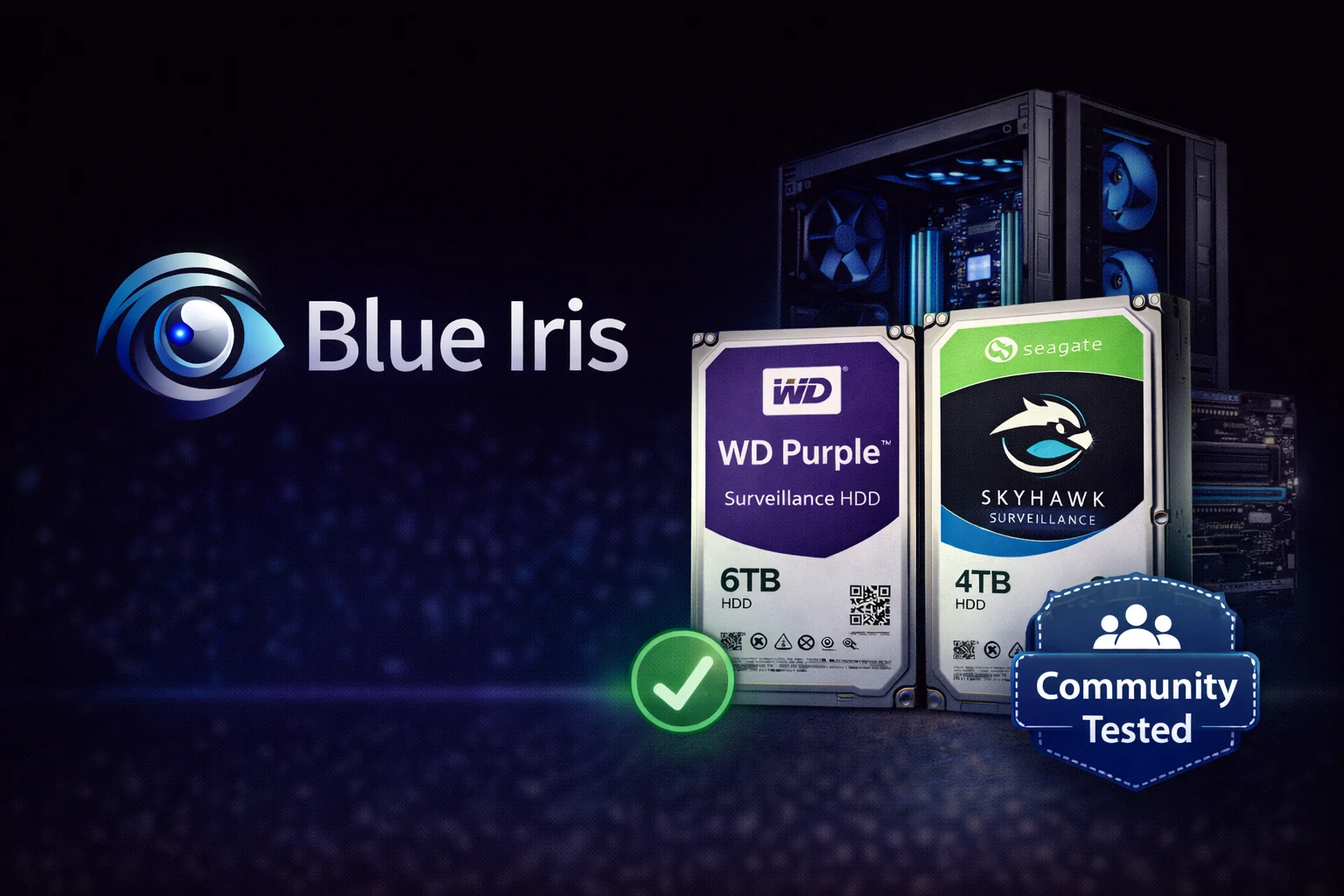
Quick Answer: The Blue Iris community overwhelmingly recommends WD Purple 8TB (WD85PURZ) as the best drive for Blue Iris NVR builds. At ~$145 with a 360TB/year workload rating (double SkyHawk’s 180TB), it handles continuous recording from multiple cameras without premature wear. For budget builds, Seagate SkyHawk 8TB at ~$139 is excellent. For AI plugin users (CodeProject AI, DeepStack), upgrade to WD Purple Pro or SkyHawk AI.
WD Purple 8TB (WD85PURZ)
8TB Capacity | 5640 RPM | 256MB Cache | CMR | 360TB/year Workload | Up to 64 Cameras | 3-Year Warranty
The overwhelming choice of the Blue Iris community. The 8TB model’s 360TB/year workload rating is double the competition, making it ideal for busy multi-camera systems with continuous recording. AllFrame technology ensures smooth video capture.
Blue Iris is the gold standard of DIY NVR software, trusted by home security enthusiasts and small businesses worldwide. Unlike turnkey NVR systems, Blue Iris gives you complete control — but that means choosing the right storage is on you.
The Blue Iris community has collectively tested thousands of drive configurations over the years. This guide distills that community wisdom into actionable recommendations, whether you’re building your first BI server or upgrading an existing system.
Why Drive Choice Matters for Blue Iris
Blue Iris creates unique storage demands that differ from typical PC use:
| Characteristic | Blue Iris Workload | Typical PC Workload |
|---|---|---|
| Operation Hours | 24/7/365 continuous | 8-12 hours/day |
| Write Pattern | Constant sequential writes | Burst writes |
| Data Volume | 100-500+ TB/year | 10-50 TB/year |
| Simultaneous Streams | 4-32+ cameras | 1-2 applications |
| Read Operations | Playback + alerts + AI | Random application access |
| Failure Impact | Lost security footage | Inconvenience |
Bottom line: Desktop drives (WD Blue, Barracuda) will fail prematurely and cause dropped frames. Surveillance-class drives are essential.
Blue Iris Hard Drive Recommendations
Browse all surveillance drives compatible with Blue Iris:
| Product | Capacity | Price | $ / TB | Price Drop | Brand | Interface |
|---|---|---|---|---|---|---|
| MDD MAXDIGITALDATA 3TB 32MB Cache 5700PM SATA 6.0Gb/s 3.5'' Internal Surveillance CCTV DVR Hard Drive (MD3000GSA3257DVR) (Renewed) | 3.00 TB | $73.95 | $24.65 | +0% | MDD MAXDIGITALDATA | SATA |
| WL 2TB 64MB Cache 5400RPM SATA III (6.0Gb/s) 3.5" Internal Surveillance DVR Hard Drive - w/ 1 Year Warranty | 2.00 TB | $63.99 | $32.00 | +0% | GoHardDrive | SATA |
| MaxDigitalData 1TB 32MB Cache 7200PM SATA 3.0Gb/s 3.5inch Internal Surveillance CCTV DVR Hard Drive (MD1000GSA3272DVR) (Renewed) | 1.00 TB | $49.99 | $49.99 | +0% | MDD MAXDIGITALDATA | SATA |
| MaxDigitalData 1TB 64MB Cache 5900PM SATA 6.0Gb/s 3.5-inch Internal Surveillance CCTV DVR Hard Drive (MD1000GSA6459DVR) - w/ 2 Year Warranty (Renewed) | 1.00 TB | $49.99 | $49.99 | +0% | MDD MAXDIGITALDATA | SATA |
| Seagate SV35 2TB 7200RPM SATA 6-Gb/s NCQ 64MB Cache 3.5-Inch Internal Bare Drive for Video Surveillance ST2000VX000 (Renewed) | 2.00 TB | $99.99 | $50.00 | +0% | Seagate | SATA |
| 2TB 3.5" Surveillance Hard Drive, 5400 RPM, 64MB Cache, SATA 6.0Gb/s | 2.00 TB | $239.00 | $119.50 | +0% | Generic | SATA |
Community-Tested Recommendations
Based on years of Blue Iris forum discussions, Reddit threads, and ipcamtalk.com posts:
Best Overall: WD Purple 8TB+
The Blue Iris community’s overwhelming favorite for good reason:
- 360TB/year workload on 8TB+ models (double SkyHawk’s 180TB)
- AllFrame technology optimized for video streaming
- CMR recording — no SMR write penalties
- Proven reliability in thousands of BI installations
- Price: ~$145 for 8TB ($18.12/TB)
Why 8TB specifically? It’s the sweet spot where WD doubles the workload rating from 180TB to 360TB/year — a significant reliability upgrade at minimal cost increase.
Best Budget: Seagate SkyHawk 8TB
Excellent alternative when price is primary concern:
- 180TB/year workload — sufficient for most home systems
- ImagePerfect firmware for smooth recording
- Included Rescue Data Recovery (worth $500+ if needed)
- SkyHawk Health Management for proactive monitoring
- Price: ~$139 for 8TB ($17.38/TB)
When to choose SkyHawk: Fewer than 8 cameras, motion-triggered recording, or when every dollar counts.
Best for AI Plugins: WD Purple Pro
If you’re running CodeProject AI, DeepStack, or other AI analytics:
- 550TB/year workload — handles AI read/write operations
- 7200 RPM — faster random access for AI queries
- 2.5M hour MTBF — highest in class
- 64 cameras + 32 AI streams
- Price: ~$380 for 18TB ($21.11/TB)
When to upgrade: Running constant AI object detection, facial recognition, or license plate recognition on multiple cameras.
Capacity Planning for Blue Iris
Storage Calculator
Estimate your storage needs based on camera count and settings:
| Cameras | Resolution | Recording Mode | 30-Day Storage | Recommended Drive |
|---|---|---|---|---|
| 4 | 1080p | Motion-only | ~500GB | 4TB |
| 4 | 1080p | Continuous | ~2TB | 4-6TB |
| 8 | 1080p | Motion-only | ~1TB | 4-6TB |
| 8 | 1080p | Continuous | ~4TB | 8TB (WD Purple) |
| 8 | 4K | Motion-only | ~2TB | 6-8TB |
| 8 | 4K | Continuous | ~8TB | 12TB+ |
| 16 | 1080p | Motion-only | ~2TB | 8TB |
| 16 | 1080p | Continuous | ~8TB | 12-14TB |
| 16 | 4K | Continuous | ~16TB | Multiple drives |
Estimates based on H.265 compression at 15fps. H.264 requires ~40% more storage. Higher fps increases storage proportionally.
Key Variables
- Codec: H.265 saves ~40% vs H.264
- Frame rate: 15fps is standard; 30fps doubles storage
- Quality: Higher bitrate = larger files
- Motion sensitivity: More triggers = more recording
- Pre/post buffer: Adds to each clip
Blue Iris Storage Configuration
Optimal Drive Setup
The Blue Iris community recommends separating OS and recording storage:
| Drive | Purpose | Recommendation |
|---|---|---|
| Boot Drive (C:) | Windows + Blue Iris software | 256GB+ SSD (NVMe preferred) |
| Database Drive | Blue Iris database + alerts | Same SSD or separate small SSD |
| Recording Drive (D:) | Video storage | WD Purple 8TB+ |
Why separate drives?
- SSD handles random I/O for UI responsiveness
- HDD handles sequential video writes efficiently
- Prevents OS slowdowns during heavy recording
- Allows independent upgrades
Blue Iris Settings for Drive Longevity
Optimize Blue Iris settings to extend drive life:
- Direct-to-disc: Enable to reduce memory buffer writes
- BVR format: Blue Iris’s native format is more efficient than MP4
- Limit clips folder: Set maximum size to prevent drive overfill
- Automatic overwrite: Enable to cycle old footage
- SMART monitoring: Enable alerts for drive health
RAID Considerations for Blue Iris
Do You Need RAID?
For most home Blue Iris users, RAID is not necessary:
- Surveillance footage has limited retention value
- Single drive simplifies setup and troubleshooting
- Modern surveillance drives have excellent reliability
- RAID adds cost and complexity
When RAID Makes Sense
- Business/legal requirements: Footage must not be lost
- Large systems: 16+ cameras with long retention
- Critical applications: Evidence preservation required
RAID Recommendations
If you do implement RAID:
| RAID Level | Drives | Usable Space | Fault Tolerance | Best For |
|---|---|---|---|---|
| RAID 1 | 2 | 50% | 1 drive | Simple redundancy |
| RAID 5 | 3+ | 67-90% | 1 drive | Balanced performance/redundancy |
| RAID 6 | 4+ | 50-75% | 2 drives | Maximum protection |
| RAID 10 | 4+ | 50% | 1 per mirror | Performance + redundancy |
Important: Use identical drives for RAID. Mixing brands or capacities can cause issues.
Drives to Avoid for Blue Iris
The community strongly advises against:
Desktop Drives (WD Blue, Barracuda)
- Not rated for 24/7 operation
- 55TB/year workload (surveillance needs 180-360TB)
- SMR technology causes write slowdowns
- Typical failure: 6-18 months in BI use
NAS Drives (WD Red, IronWolf) — Mostly
- Better than desktop, but not ideal
- Firmware prioritizes data integrity over video streaming
- Can cause brief pauses during error recovery
- Acceptable if you already own them
Enterprise Drives (Exos, Ultrastar) — Overkill
- Excellent drives, but expensive
- Louder than surveillance drives
- Higher power consumption
- Not necessary for home BI use
Performance Optimization Tips
Hardware Recommendations
- CPU: Intel Quick Sync for hardware decoding (i5/i7 recommended)
- RAM: 16GB minimum, 32GB for 16+ cameras or AI
- Network: Gigabit minimum, separate VLAN for cameras
- Power: UPS to prevent corruption during outages
Software Settings
- Direct-to-disc: Reduces CPU/RAM usage
- Hardware decoding: Use Intel Quick Sync
- Sub-streams: Use for live view, main stream for recording
- Limit stored alerts: Prevent database bloat
Troubleshooting Common Issues
Dropped Frames
- Verify using surveillance drive (not desktop)
- Check drive isn’t near capacity (keep 10-15% free)
- Monitor drive temperature (below 45°C optimal)
- Enable direct-to-disc in Blue Iris
Slow Playback
- Separate OS and recording drives
- Use SSD for Blue Iris database
- Check for fragmentation (rare with surveillance drives)
- Verify network isn’t bottleneck for remote playback
Drive Failures
- Monitor SMART data proactively
- Replace drives after 3-4 years in 24/7 use
- Keep spare drive on hand for quick replacement
- Consider cloud backup for critical clips
Sample Blue Iris Builds
Budget Build (4-8 cameras)
- Storage:Seagate SkyHawk 4TB (~$89)
- Boot: 256GB SATA SSD
- Total storage cost: ~$120
Mid-Range Build (8-12 cameras) — Recommended
- Storage:WD Purple 8TB (~$145)
- Boot: 500GB NVMe SSD
- Total storage cost: ~$200
High-End Build (16+ cameras with AI)
- Storage:WD Purple Pro 18TB (~$380)
- Boot: 1TB NVMe SSD
- Total storage cost: ~$480
Maximum Redundancy Build
- Storage: 2x WD Purple 8TB in RAID 1 (~$290)
- Boot: 500GB NVMe SSD
- Total storage cost: ~$350
Frequently Asked Questions
The Blue Iris community slightly prefers WD Purple due to the 360TB/year workload rating on 8TB+ models (double SkyHawk’s 180TB). However, SkyHawk is excellent and includes Rescue Data Recovery. Both work great — choose based on price and features.
Not recommended. Desktop drives have 55TB/year workload ratings and aren’t designed for 24/7 operation. They typically fail within 6-18 months in Blue Iris use. The 10-20% savings isn’t worth the reliability risk and potential footage loss.
Yes, for the boot drive. Run Windows and Blue Iris from an SSD for responsive UI and database performance. Video recording should go to a separate surveillance HDD. This separation is the optimal configuration recommended by the community.
For 8 cameras at 1080p with continuous recording, plan for ~4TB per 30 days. Motion-only recording reduces this by 50-70%. The WD Purple 8TB handles most home setups with room to grow. Use our storage calculator for precise estimates.
Only if running intensive AI analytics like CodeProject AI or DeepStack on multiple cameras continuously. Standard WD Purple handles occasional AI processing fine. Upgrade to Purple Pro if you notice drive workload approaching limits or need maximum reliability.
With proper cooling and within workload ratings, expect 3-5 years of reliable operation. Monitor SMART data and plan proactive replacement after 3-4 years for critical systems. Many users report longer lifespans, but failures can occur anytime.
Related Guides
Surveillance Drive Reviews:
Comparisons:
Tools & Guides:
Last updated: February 2026. Prices and recommendations based on Blue Iris community feedback and current market conditions.