Quick Answer+
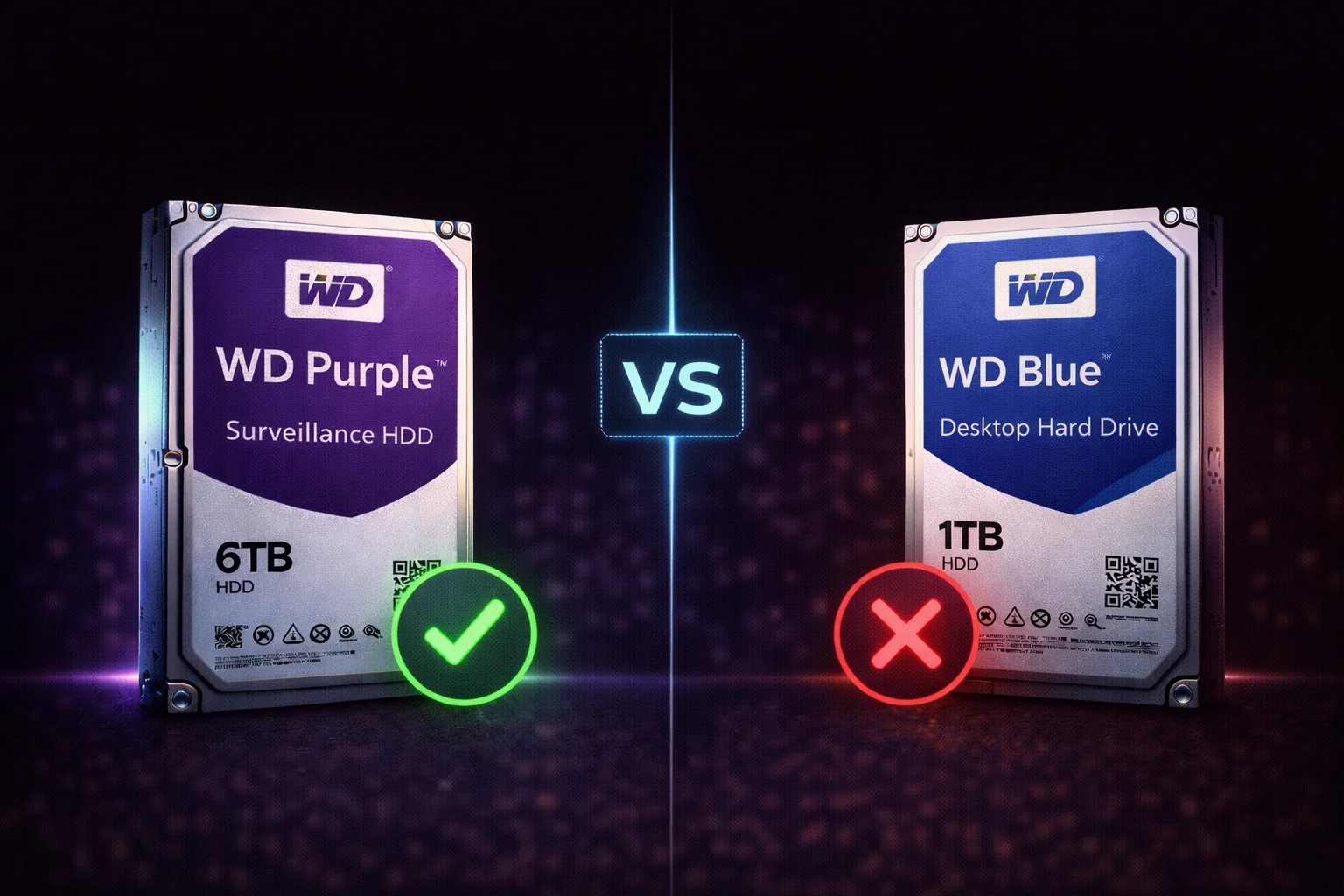
Quick Answer: Never use desktop hard drives (WD Blue, Seagate Barracuda) for surveillance recording. They will fail prematurely, cause dropped frames, and may void your warranty. Surveillance drives (WD Purple, Seagate SkyHawk, Toshiba S300) have specialized firmware that prevents frame drops, 3-6x higher workload ratings, and are designed for 24/7 continuous operation. The 10-20% price premium is essential insurance - desktop drives in DVRs typically fail within 6-18 months.
"Can I just use a regular hard drive for my security cameras?"
It's one of the most common questions in surveillance - and the answer is a resounding no. Desktop drives may seem like a money-saving option, but they're fundamentally unsuited for DVR/NVR use.
Quick Comparison Summary
| Feature | Surveillance HDD | Desktop HDD |
|---|---|---|
| 24/7 Operation | ✓ Designed for continuous use | ✗ 8-12 hours/day typical |
| Workload Rating | 180-550TB/year | 55TB/year typical |
| Firmware | Video-optimized | General purpose |
| Error Handling | Skips retries | Multiple retries |
| Frame Drops | Prevented | Common |
| Recording Tech | CMR (always) | Often SMR |
| Expected DVR Life | 3-5 years | 6-18 months |
The Products Compared
Browse Surveillance Drives
Why Desktop Drives Fail in Surveillance
1. Workload Rating Mismatch
| Drive Type | Workload Rating | TB/Day |
|---|---|---|
| Desktop (Blue, Barracuda) | 55TB/year | ~150GB/day |
| Surveillance (Purple, SkyHawk) | 180-360TB/year | ~500-1000GB/day |
| AI Surveillance (Pro/AI) | 550TB/year | ~1500GB/day |
A typical 8-camera 1080p system writes ~18-36TB/year. This seems within desktop specs, but continuous 24/7 writes stress drives differently than intermittent desktop use.
2. Firmware: The Frame Drop Problem
| Scenario | Desktop Drive | Surveillance Drive |
|---|---|---|
| Read Error | Multiple retries | Skip and continue |
| Result | Frame drops, stuttering | Smooth recording |
Desktop drives prioritize data integrity - they retry errors multiple times. Surveillance drives prioritize video continuity - they skip retries to maintain recording. That 3-second retry gap could be when an incident occurred.
3. SMR vs CMR Technology
Many desktop drives use SMR (Shingled Magnetic Recording):
- SMR drives: Write speeds collapse from 150+ MB/s to 10-30 MB/s under sustained writes
- Result: System can't keep up, frames dropped, recording may stop
- Common SMR drives: WD Blue 2-6TB, Barracuda 2-8TB
All surveillance drives use CMR - consistent performance regardless of workload. See our CMR vs SMR guide for complete lists.
4. 24/7 Operation Design
Desktop drives expect:
- 8-12 hours operation daily
- Intermittent activity with idle periods
Surveillance requires:
- 24/7/365 continuous operation
- No significant idle time
Running desktop drives 24/7 accelerates wear dramatically.
5. Thermal and Vibration
- Surveillance drives: RV sensors compensate for vibration in multi-bay DVRs; designed for enclosed DVR chassis
- Desktop drives: Minimal vibration handling; assume open, ventilated PC case
Real-World Failure Examples
What Happens When You Use Desktop Drives
| Timeframe | Common Issues |
|---|---|
| Week 1-4 | May work initially; issues begin with heavy use |
| Month 1-3 | Dropped frames during busy periods; stuttering playback |
| Month 3-6 | SMART warnings; reallocated sectors; increasing errors |
| Month 6-12 | Severe performance degradation; frequent failures |
| Month 12-18 | Complete drive failure; total data loss |
The Cost of "Saving" Money
| Scenario | Desktop Drive | Surveillance Drive |
|---|---|---|
| Initial Cost (8TB) | $125 | $145 |
| Expected Life | 12 months | 48 months |
| 4-Year Cost | $500 (4 drives) | $145 (1 drive) |
| Lost Footage | Multiple incidents | None |
| Hassle | Multiple replacements | Set and forget |
Surveillance Drive Options
| Drive | Workload | Cameras | Price (8TB) | Best For |
|---|---|---|---|---|
| WD Purple | 360TB/yr (8TB+) | 64 | $145 | Most systems |
| Seagate SkyHawk | 180TB/yr | 64 | $139 | Home, SMB |
| Toshiba S300 | 110-180TB/yr | 32-64 | N/A | Budget |
| WD Purple Pro | 550TB/yr | 64+32 AI | $199 | AI systems |
| SkyHawk AI | 550TB/yr | 64+32 AI | $189 | AI systems |
Can I Ever Use Desktop Drives?
Situations Where Desktop Might Work (Not Recommended)
- Single camera, motion-only: Very light workload may survive longer
- Temporary/testing: Short-term use while proper drive ships
- Non-critical backup: Secondary storage, not primary recording
Even Then, Risks Include:
- Dropped frames during any read error
- Warranty may not cover 24/7 use
- SMR drives will still cause performance issues
- No long-term reliability guarantee
Bottom line: Surveillance drives cost only 10-20% more. There's no good reason to use desktop drives.
What About NAS Drives?
NAS drives (IronWolf, Red Plus) are better than desktop drives but still not ideal:
| Feature | Surveillance Drives | NAS Drives |
|---|---|---|
| 24/7 Operation | Yes | Yes |
| Video Firmware | AllFrame/ImagePerfect | General purpose |
| Frame Drop Prevention | Yes | No (data integrity priority) |
| Recording | CMR | CMR |
NAS drives work but may cause brief pauses during error recovery (NAS firmware prioritizes data integrity). For dedicated surveillance, use surveillance drives. For NAS running Surveillance Station alongside other tasks, NAS drives are acceptable.
Making the Right Choice
For Home Systems (2-8 Cameras)
- Recommended: SkyHawk 4-8TB or WD Purple 4-8TB
- Budget option: Toshiba S300 4TB
- NOT recommended: WD Blue, Barracuda, any desktop drive
For Business Systems (8-32 Cameras)
- Recommended: WD Purple 8TB+ (360TB/yr workload)
- Alternative: SkyHawk 8-12TB
- NOT recommended: Any desktop drive
For AI Systems
- Recommended: WD Purple Pro or SkyHawk AI
- NOT recommended: Standard surveillance or desktop drives
Frequently Asked Questions
Can I use WD Blue for my security cameras?
No. WD Blue is a desktop drive with 55TB/year workload rating, general-purpose firmware, and often SMR technology. It will cause dropped frames, premature failure (typically 6-18 months), and may void your warranty. Use WD Purple instead - it costs only 15-20% more and is designed for surveillance.
Can I use Seagate Barracuda for my DVR?
No. Barracuda is a desktop drive not designed for 24/7 surveillance use. Smaller models (2-8TB) use SMR which causes severe write slowdowns. Use Seagate SkyHawk instead - it's Seagate's surveillance-specific line with ImagePerfect firmware and included data recovery service.
Why do surveillance drives cost more?
Surveillance drives include: specialized firmware (AllFrame/ImagePerfect) that prevents frame drops, higher workload ratings (180-550TB vs 55TB/year), CMR recording technology, vibration sensors for multi-bay DVRs, and extended warranties covering 24/7 use. The 10-20% premium pays for features essential for reliable surveillance.
My desktop drive has been working fine for months. Should I replace it?
Yes, consider replacing it proactively. Desktop drives in surveillance systems often work initially but fail between 6-18 months. You may also be experiencing dropped frames you haven't noticed. Replace with a proper surveillance drive before failure causes data loss at a critical moment.
What's the cheapest surveillance drive?
Toshiba S300 is typically the most affordable surveillance drive option. While it has lower specs than WD Purple or SkyHawk, it still offers proper surveillance firmware, CMR technology, and 24/7 operation design. It's far better than any desktop drive.
Can I use a surveillance drive in a regular PC?
Yes, surveillance drives work fine in regular PCs. They're slightly slower at random operations than desktop drives (firmware prioritizes sequential writes), but the difference is minimal for most users. However, it's usually more cost-effective to use desktop drives for desktop use and reserve surveillance drives for surveillance.
Related Guides
Surveillance Drive Guides:
Comparisons:
- WD Purple vs Seagate SkyHawk
- CMR vs SMR Explained
Related Topics:
Last updated: February 2026. Protect your surveillance investment - use proper surveillance drives.