Quick Answer+
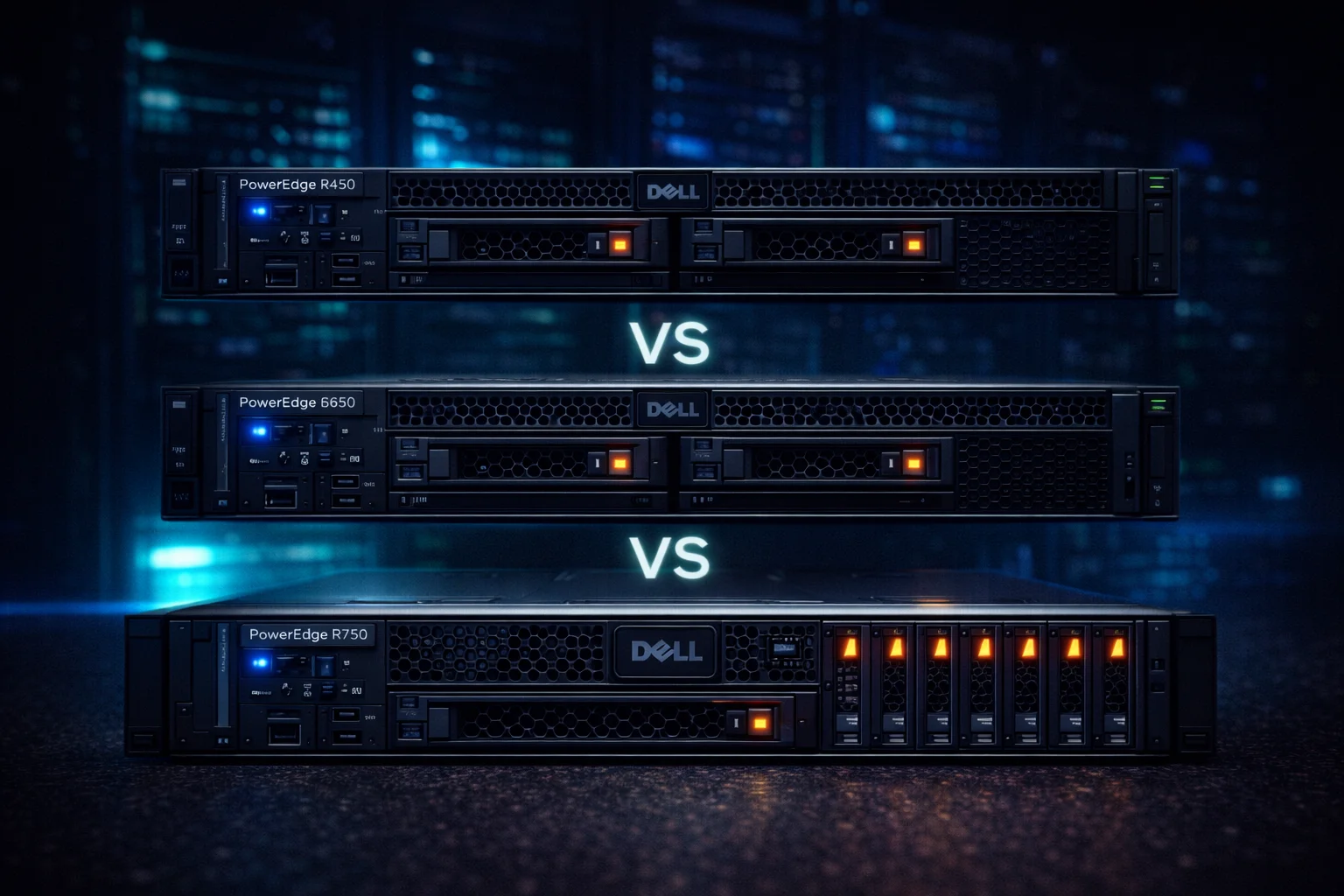
Dell PowerEdge Comparison Summary: The R450 is a budget-friendly single-socket 1U server ideal for edge computing and SMB workloads (max 4x 3.5″ drives, 1TB RAM). The R650 is a dual-socket 1U powerhouse for virtualization and databases (max 10x 2.5″ drives, 2TB RAM). The R750 is a 2U workhorse offering maximum expandability (max 24x 2.5″ drives, 2TB RAM, 8 PCIe slots). Choose R450 for cost-sensitive deployments, R650 for performance-dense 1U needs, and R750 when storage capacity and GPU support matter most.
Dell's PowerEdge R-series rack servers form the backbone of enterprise data centers worldwide. The R450, R650, and R750 represent three tiers of the 15th generation lineup, each targeting different workload requirements and budget constraints.
This comprehensive comparison breaks down the specifications, storage capabilities, and ideal use cases for each server - helping you make the right choice for your infrastructure needs.
Quick Specifications Comparison
Before diving into details, here's a high-level overview of how these three servers compare:
| Specification | PowerEdge R450 | PowerEdge R650 | PowerEdge R750 |
|---|---|---|---|
| Form Factor | 1U Rack | 1U Rack | 2U Rack |
| CPU Sockets | 1 | 2 | 2 |
| Processor | Intel Xeon 3rd Gen | Intel Xeon 3rd Gen | Intel Xeon 3rd Gen |
| Max Cores | 40 (1x 40-core) | 80 (2x 40-core) | 80 (2x 40-core) |
| RAM Slots | 16 DIMM | 32 DIMM | 32 DIMM |
| Max Memory | 1TB DDR4 | 2TB DDR4 | 2TB DDR4 |
| Max 3.5″ Drives | 4 | 4 | 12 |
| Max 2.5″ Drives | 10 | 10 | 24 |
| PCIe Slots | 2 | 3 | 8 |
| Max GPUs | 0 | 2 (single-wide) | 3 (double-wide) |
| Power Supplies | 2x 800W | 2x 1400W | 2x 2400W |
| Starting Price | ~$2,500 | ~$4,500 | ~$5,500 |
Dell PowerEdge R450: The Budget-Friendly Edge Server
The R450 is Dell's entry point into the 15th generation rack server lineup. As a single-socket 1U server, it's designed for cost-conscious deployments where raw compute power isn't the primary concern.
R450 Key Specifications
| Component | Specification | Notes |
|---|---|---|
| Processor | 1x Intel Xeon (3rd Gen) | Up to 40 cores |
| Memory | 16 DDR4 DIMM slots | Up to 1TB @ 3200MT/s |
| Storage (3.5″) | Up to 4 hot-swap drives | 72TB max (4x 18TB) |
| Storage (2.5″) | Up to 10 hot-swap drives | 76TB max SSD |
| RAID Controller | PERC H355/H755/HBA355i | H755 recommended |
| Network | 2x 1GbE LOM | Optional 10/25GbE |
| PCIe | 2 slots (Gen4) | Limited expansion |
| Management | iDRAC9 Enterprise | Full remote management |
R450 Storage Configuration Options
The R450 offers flexible storage despite its compact 1U form factor:
- 4x 3.5″ LFF: Best for bulk storage - supports up to 72TB raw with 18TB drives
- 4x 3.5″ Cabled: Budget option without hot-swap capability
- 8x 2.5″ SFF: Balanced capacity and IOPS for virtualization
- 10x 2.5″ SFF: Maximum drive density in 1U single-socket
For detailed R450 storage recommendations, see our Dell PowerEdge R450 Storage Guide.
Best Use Cases for R450
- Edge computing: Remote offices, retail locations, branch deployments
- Small business file servers: Cost-effective NAS replacement
- Web hosting: Low-to-medium traffic web servers
- Development/test environments: Non-production workloads
- Entry-level virtualization: Small VM deployments (10-20 VMs)
R450 Limitations
- Single socket limits total compute capacity
- Only 2 PCIe slots restricts add-in card options
- No GPU support for AI/ML workloads
- 1TB max memory may limit large VM deployments
Dell PowerEdge R650: The Performance-Dense 1U Powerhouse
The R650 packs dual-socket performance into a 1U form factor, making it ideal for environments where rack space is premium but compute demands are high.
R650 Key Specifications
| Component | Specification | Notes |
|---|---|---|
| Processor | 2x Intel Xeon (3rd Gen) | Up to 80 cores total |
| Memory | 32 DDR4 DIMM slots | Up to 2TB @ 3200MT/s |
| Storage (3.5″) | Up to 4 hot-swap drives | 72TB max |
| Storage (2.5″) | Up to 10 hot-swap drives | 76TB max SSD |
| RAID Controller | PERC H745/H755/H755N | NVMe support with H755N |
| Network | 2x 1GbE LOM | OCP 3.0 slot for 25/100GbE |
| PCIe | 3 slots (Gen4) | Supports 2 single-wide GPUs |
| Management | iDRAC9 Enterprise | OpenManage integration |
R650 Storage Configuration Options
The R650 matches the R450's drive bay options but with more powerful controllers:
- 4x 3.5″ LFF: Capacity-focused deployments with Seagate Exos or WD Ultrastar drives
- 8x 2.5″ SFF: Mixed HDD/SSD configurations for tiered storage
- 10x 2.5″ NVMe: All-flash configurations for maximum IOPS
- BOSS-N1 Module: Dedicated M.2 NVMe boot drives (separate from main storage)
R650 vs R450 Storage Comparison
| Feature | R450 | R650 |
|---|---|---|
| Max 3.5″ Drives | 4 | 4 |
| Max 2.5″ Drives | 10 | 10 |
| NVMe Support | Limited | Full (H755N) |
| Max Storage Bandwidth | ~4 GB/s | ~8 GB/s |
| RAID Cache | 8GB (H755) | 8GB (H755) |
Key insight: While drive bay counts are identical, the R650's dual CPUs provide more PCIe lanes, enabling higher aggregate storage bandwidth - especially important for NVMe deployments.
Best Use Cases for R650
- Enterprise virtualization: VMware vSphere, Hyper-V clusters (50-100+ VMs)
- Database servers: SQL Server, Oracle, PostgreSQL production workloads
- High-density compute: Maximum performance per rack unit
- VDI infrastructure: Virtual desktop deployments
- Containerization: Kubernetes nodes, Docker Swarm
- Light AI inference: Single-wide GPU deployments
R650 Limitations
- 1U form factor limits cooling for high-TDP GPUs
- Only 3 PCIe slots (vs 8 in R750)
- Storage expansion requires external enclosures
- No support for double-wide GPUs (A100, H100)
Dell PowerEdge R750: The 2U Storage and GPU Workhorse
The R750 is Dell's mainstream 2U server, offering the best balance of compute, storage, and expansion capabilities. When storage capacity or GPU support matters, the R750 is typically the right choice.
R750 Key Specifications
| Component | Specification | Notes |
|---|---|---|
| Processor | 2x Intel Xeon (3rd Gen) | Up to 80 cores total |
| Memory | 32 DDR4 DIMM slots | Up to 2TB @ 3200MT/s |
| Storage (3.5″) | Up to 12 hot-swap drives | 216TB max (12x 18TB) |
| Storage (2.5″) | Up to 24 hot-swap drives | 184TB max SSD |
| RAID Controller | PERC H745/H755/H755N | Multiple arrays supported |
| Network | 2x 1GbE LOM | OCP 3.0 for 100GbE |
| PCIe | 8 slots (Gen4) | Supports 3 double-wide GPUs |
| GPU Support | Up to 3x NVIDIA A100/H100 | Full AI/ML capability |
| Management | iDRAC9 Enterprise | Redfish API support |
R750 Storage Configuration Options
The R750's 2U chassis enables significantly more storage flexibility:
- 12x 3.5″ LFF: Maximum bulk capacity - 216TB raw with 18TB drives
- 8x 3.5″ + 4x 2.5″ rear: Mixed capacity and performance
- 16x 2.5″ SFF: Balanced SSD/HDD deployments
- 24x 2.5″ SFF: Maximum drive density for all-flash
- 24x 2.5″ NVMe: Extreme IOPS configurations
- 8x 2.5″ + 8x NVMe rear: Tiered NVMe/SAS hybrid
R750 Storage Capacity Comparison
| Configuration | R450 Max | R650 Max | R750 Max |
|---|---|---|---|
| 3.5″ HDD Raw | 72TB (4x 18TB) | 72TB (4x 18TB) | 216TB (12x 18TB) |
| 2.5″ SSD Raw | 76TB (10x 7.68TB) | 76TB (10x 7.68TB) | 184TB (24x 7.68TB) |
| NVMe Raw | Limited | 76TB | 184TB+ |
| RAID 5 Usable (HDD) | 54TB | 54TB | 198TB |
| RAID 10 Usable (SSD) | 38TB | 38TB | 92TB |
The R750 offers 3x the storage capacity of R450/R650 - making it the clear choice when local storage requirements exceed 72TB.
Best Use Cases for R750
- Large-scale virtualization: Hundreds of VMs with local storage
- AI/ML training: Multi-GPU deep learning workloads
- Big data analytics: Hadoop, Spark clusters requiring local storage
- Video production: High-bandwidth media workflows
- Software-defined storage: vSAN, Storage Spaces Direct nodes
- Database servers: Large databases requiring local SSD performance
- Backup targets: High-capacity backup and archive servers
Storage-Focused Comparison
Since storage is often the deciding factor, let's examine how each server handles different storage scenarios:
Scenario 1: File Server / NAS Replacement
| Requirement | R450 | R650 | R750 |
|---|---|---|---|
| 50TB Usable | ✅ 4x 18TB RAID 5 | ✅ 4x 18TB RAID 5 | ✅ 4x 18TB RAID 5 |
| 100TB Usable | ❌ Max 54TB | ❌ Max 54TB | ✅ 8x 18TB RAID 5 |
| 150TB+ Usable | ❌ | ❌ | ✅ 12x 18TB RAID 6 |
| Cost Efficiency | ⭐⭐⭐ | ⭐⭐ | ⭐⭐ |
Winner: R450 for under 50TB, R750 for larger deployments.
Scenario 2: Virtualization Host (VMware/Hyper-V)
| Requirement | R450 | R650 | R750 |
|---|---|---|---|
| 10-20 VMs | ✅ Sufficient | ✅ Overkill | ✅ Overkill |
| 50-100 VMs | ⚠️ CPU limited | ✅ Ideal | ✅ Ideal |
| 100+ VMs | ❌ | ✅ With constraints | ✅ Best choice |
| All-Flash Performance | ⭐⭐ | ⭐⭐⭐ | ⭐⭐⭐ |
| Storage per VM | Limited | Limited | Excellent |
Winner: R650 for rack-density priority, R750 for storage-heavy VM workloads.
Scenario 3: Database Server
| Requirement | R450 | R650 | R750 |
|---|---|---|---|
| Small DB (<500GB) | ✅ Sufficient | ✅ Better | ✅ Overkill |
| Medium DB (1-5TB) | ⚠️ Limited IOPS | ✅ Ideal | ✅ Ideal |
| Large DB (5TB+) | ❌ | ⚠️ Storage limited | ✅ Best choice |
| NVMe Support | Limited | Good | Excellent |
| Memory for Caching | 1TB max | 2TB max | 2TB max |
Winner: R650 for most production databases, R750 for very large datasets.
Recommended Drives by Server
Each server benefits from different storage configurations. Here are our top drive recommendations:
Best Drives for R450 (Budget-Focused)
For R450 deployments, prioritize cost-per-TB with proven enterprise drives like the Seagate Exos X18 or WD Ultrastar HC550. See our complete R450 Storage Guide for detailed recommendations.
Best Drives for R650 (Performance-Focused)
R650 deployments typically prioritize IOPS over raw capacity. Enterprise NVMe drives like the Samsung PM9A3 or Intel D7-P5520 maximize the dual-socket platform's capabilities.
Best Drives for R750 (Capacity + Performance)
R750 deployments can leverage both high-capacity HDDs and performance SSDs in separate arrays. Use enterprise HDDs for bulk storage and enterprise SSDs for hot data tiers.
Price and Value Analysis
Understanding total cost of ownership helps justify the right server choice:
Base Configuration Pricing (Estimated 2026)
| Configuration | R450 | R650 | R750 |
|---|---|---|---|
| Entry (1 CPU, 32GB, 2 drives) | $2,500 | $4,500 | $5,500 |
| Mid (max CPU, 256GB, 4 drives) | $8,000 | $15,000 | $18,000 |
| High (max CPU, 512GB, 8+ drives) | $15,000 | $28,000 | $35,000 |
| Max Storage Config | $20,000 | $35,000 | $60,000+ |
Cost Per Compute Unit
| Metric | R450 | R650 | R750 |
|---|---|---|---|
| Cost per Core (max config) | $200 | $175 | $188 |
| Cost per GB RAM (max) | $15 | $14 | $15 |
| Cost per Drive Bay | $625 | $450 | $229 |
| Cost per Rack Unit | $2,500+ | $4,500+ | $2,750+ |
Key insight: The R750 offers the lowest cost per drive bay, making it most economical for storage-heavy workloads. The R650 provides the best cost per core for compute-intensive deployments.
Decision Framework: Which Server Should You Choose?
Choose Dell PowerEdge R450 If:
- Budget is the primary constraint
- Workload requires fewer than 40 cores
- Storage needs are under 50TB usable
- Deploying at edge locations or remote sites
- Running small-scale virtualization (under 20 VMs)
- No GPU requirements
Choose Dell PowerEdge R650 If:
- Rack space is at a premium (need max compute per U)
- Running 50-100+ VMs per host
- Database workloads requiring dual-socket performance
- Storage needs are under 50TB but IOPS requirements are high
- Light GPU workloads (inference, VDI)
- High-density data center deployments
Choose Dell PowerEdge R750 If:
- Storage capacity exceeds 50TB requirement
- GPU acceleration needed (AI/ML training, rendering)
- Maximum PCIe expansion required
- Software-defined storage deployments (vSAN, S2D)
- Mixed workloads requiring flexibility
- Future-proofing for growth
Frequently Asked Questions
What is the main difference between R450 and R650?
The primary difference is CPU sockets - the R450 has one socket (max 40 cores) while the R650 has two sockets (max 80 cores). This affects memory capacity (1TB vs 2TB max), PCIe lanes, and overall compute performance. Storage options are identical between the two 1U servers.
Can the R450 and R650 use the same drives?
Yes, all three servers support the same enterprise SAS and SATA drives. They share compatible backplanes and RAID controllers. The same Seagate Exos or WD Ultrastar drives work across the entire lineup. The difference is only in the number of drive bays available.
Is the R750 worth the extra cost over the R650?
The R750 is worth the premium if you need more than 10 drives, GPU support, or additional PCIe slots. For pure compute density where storage lives on a SAN, the R650 offers better value. The R750's 2U form factor also provides better cooling for sustained high-load workloads.
Which PowerEdge server is best for VMware vSphere?
For most VMware deployments, the R650 offers the best balance of compute density and cost. Its dual sockets provide up to 80 cores and 2TB RAM for running 50-100+ VMs per host. Choose the R750 if you need local vSAN storage with more than 10 drives per node.
Can I use GPUs in the R450?
No, the R450 does not support GPU installation due to its single-socket design and limited PCIe slots. For GPU workloads, choose the R650 (2 single-wide GPUs) or R750 (3 double-wide GPUs like NVIDIA A100 or H100). The R750 is required for serious AI/ML training workloads.
What's the maximum storage in each server?
Maximum raw storage capacity: R450 = 72TB (4x 18TB 3.5″ drives), R650 = 72TB (4x 18TB 3.5″ drives), R750 = 216TB (12x 18TB 3.5″ drives). For 2.5″ SSDs, the R750 supports up to 24 drives versus 10 in the 1U servers, offering 184TB+ of flash storage.
Which server should I choose for a small business?
For most small businesses, the R450 provides the best value. Its single-socket design handles file serving, email, small databases, and light virtualization at the lowest cost. Only step up to the R650 or R750 if you need more than 40 cores, over 1TB RAM, or significant local storage beyond 50TB.
Do all three servers support NVMe drives?
Yes, but with different capabilities. The R450 has limited NVMe support through specific backplane configurations. The R650 and R750 offer full NVMe support with the PERC H755N controller or direct-attach NVMe. The R750's additional PCIe lanes make it best suited for all-NVMe deployments requiring maximum bandwidth.
Related Guides
- Dell PowerEdge R450 Storage Guide - Complete R450 drive recommendations
- SAS Drives Guide - Understanding enterprise SAS storage
- Best NAS Drives - Top picks for network storage
- Seagate Exos Guide - Complete Exos lineup overview
- Western Digital Drives - WD enterprise options
- Best Drives for Data Hoarding - Maximum capacity solutions
- 12TB Drives - Mid-capacity enterprise options
- 16TB Drives - High-capacity storage picks
- 20TB Drives - Maximum capacity HDDs
- Best NVMe SSDs - Top enterprise NVMe picks
Last Updated: February 2026