Quick Answer+
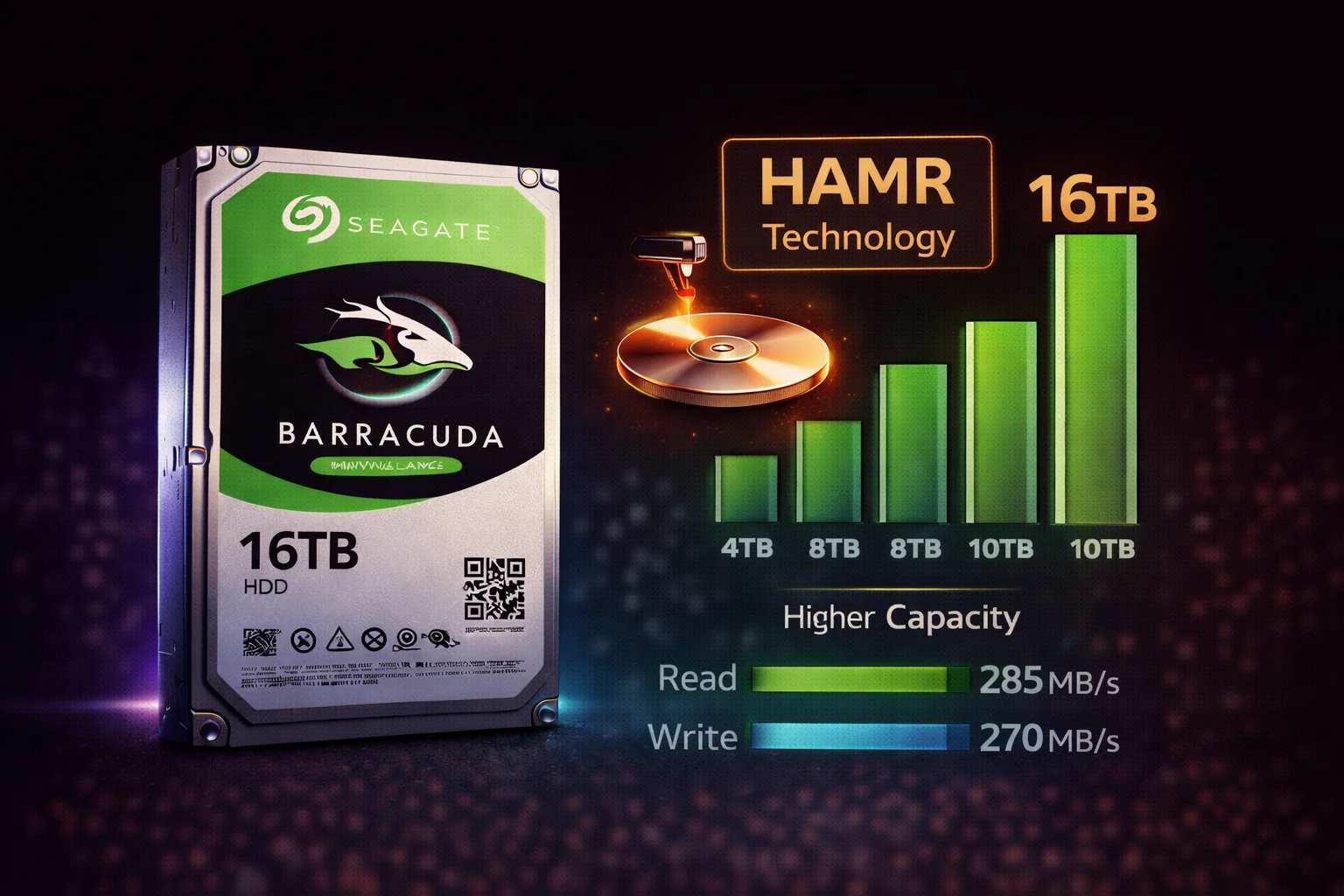
Quick Answer: The Seagate Barracuda 16TB (ST16000DM001) is the first consumer desktop drive using HAMR (Heat-Assisted Magnetic Recording) technology. Key advantages: CMR recording (no SMR slowdowns), 7200 RPM (faster than 8TB and below), and massive capacity in a single drive. At around $299 (~$23.75/TB), it offers excellent value for high-capacity desktop storage. Best for: content creators, media libraries, game collections, and anyone who needs maximum single-drive capacity without SMR limitations.
The Barracuda 16TB represents a significant shift in Seagate's consumer drive lineup. After years of SMR-based drives in the 2TB-8TB range, HAMR technology brings CMR performance back to high-capacity desktop storage.
Seagate Barracuda 16TB Specifications
| Specification | Barracuda 16TB |
|---|---|
| Model Number | ST16000DM001 |
| Capacity | 16TB (14.55 TiB formatted) |
| Recording Technology | CMR (HAMR) |
| Spindle Speed | 7200 RPM |
| Cache | 512MB |
| Interface | SATA 6Gb/s |
| Form Factor | 3.5-inch |
| Max Sustained Transfer | ~260 MB/s |
| Workload Rating | 55 TB/year |
| Power (Active) | ~8W |
| Power (Idle) | ~5W |
| Acoustics (Idle) | 28 dBA |
| Acoustics (Seek) | 32 dBA |
| Warranty | 2 years |
| MSRP | $379.99 |
What Is HAMR Technology?
HAMR (Heat-Assisted Magnetic Recording) is Seagate's breakthrough technology for increasing storage density:
How HAMR Works
- Laser heating: A tiny laser heats the disk surface to ~450°C momentarily
- Reduced coercivity: Heat temporarily makes the magnetic material easier to write
- Precise writing: Data is written while the spot is heated
- Rapid cooling: The spot cools instantly, locking the data in place
- Stable storage: The high-coercivity material holds data reliably
Why HAMR Matters for Consumers
- Higher capacity: Enables 16TB+ in standard 3.5″ form factor
- CMR recording: No SMR - consistent write performance
- Future-proof: Technology scales to 30TB+ and beyond
- Better $/TB: More efficient than stacking more platters
Performance Analysis
Sequential Performance
| Test | Barracuda 16TB | Barracuda 8TB (SMR) | Improvement |
|---|---|---|---|
| Sequential Read | 260 MB/s | 190 MB/s | +37% |
| Sequential Write | 255 MB/s | 180 MB/s | +42% |
| Sustained Write (1 hour) | 250 MB/s | 40 MB/s (SMR) | +525% |
The 16TB's combination of 7200 RPM, high areal density, and CMR technology delivers dramatically better sustained write performance than SMR-based Barracudas.
Random Performance
| Test | Barracuda 16TB | Barracuda 8TB |
|---|---|---|
| Random 4K Read | 1.2 MB/s | 0.8 MB/s |
| Random 4K Write | 1.8 MB/s | 1.2 MB/s |
| Mixed Random IOPS | ~150 | ~100 |
Real-World Scenarios
| Task | Barracuda 16TB | Barracuda 8TB (SMR) |
|---|---|---|
| Copy 500GB folder | ~35 minutes | ~4+ hours (SMR slowdown) |
| Steam library transfer | Consistent speed | Starts fast, slows dramatically |
| Video editing scratch disk | Usable | Painful (SMR writes) |
| Backup large dataset | Predictable time | Unpredictable (SMR) |
Barracuda 16TB vs Other Capacities
| Model | Capacity | Recording | RPM | Cache | Price | $/TB |
|---|---|---|---|---|---|---|
| ST4000DM004 | 4TB | SMR | 5400 | 256MB | $134.99 | $23.00 |
| ST8000DM004 | 8TB | SMR | 5400 | 256MB | $199.99 | $21.88 |
| ST16000DM001 | 16TB | CMR | 7200 | 512MB | $379.99 | $18.69 |
| ST20000DM001 | 20TB | CMR | 7200 | 512MB | $479.99 | $19.95 |
| ST24000DM001 | 24TB | CMR | 7200 | 512MB | $549.99 | $19.96 |
Key Insight: The 16TB offers the best $/TB ratio in the Barracuda lineup while also providing CMR performance. It's the sweet spot for value and performance.
Barracuda 16TB vs IronWolf 16TB
| Feature | Barracuda 16TB | IronWolf 16TB |
|---|---|---|
| Target Use | Desktop | NAS |
| Recording | CMR (HAMR) | CMR |
| RPM | 7200 | 7200 |
| Cache | 512MB | 256MB |
| Workload Rating | 55 TB/year | 180 TB/year |
| Vibration Sensors | No | Yes (RV) |
| NAS Firmware | No | Yes (AgileArray) |
| Warranty | 2 years | 3 years |
| Price | $379.99 | $349.00 |
Recommendation:
- Single-drive desktop: Barracuda 16TB (save $50)
- NAS/RAID: IronWolf 16TB (better suited for multi-drive environments)
Who Should Buy the Barracuda 16TB?
Ideal Users
- Content creators: Video editors, photographers with large media libraries
- Gamers: Modern games are 100GB+ each - 16TB holds 100+ games
- Home media servers: Single-drive Plex/Jellyfin setups (not RAID)
- Backup enthusiasts: Local backup destination for multiple devices
- Anyone tired of SMR: CMR performance at consumer-friendly prices
Not Ideal For
- NAS/RAID arrays: Use IronWolf for multi-drive setups
- Enterprise 24/7 workloads: Use Exos for higher endurance
- Boot drive: Use an SSD for your operating system
- Budget builds: The 4TB or 8TB are more affordable per drive
Installation Considerations
Power Requirements
The 16TB draws more power than smaller drives:
- Spin-up: ~2A on 12V rail (ensure PSU can handle spin-up)
- Active: ~8W typical
- Multiple drives: Stagger spin-up in BIOS if using several
SATA Port Compatibility
- Works with any SATA III (6Gb/s) port
- SATA II will bottleneck performance (~285 MB/s max)
- Standard SATA power connector required
Partition Style
- Must use GPT - MBR only supports up to 2TB
- Windows initializes as GPT by default for drives >2TB
- Formatted capacity: ~14.55 TiB (normal - decimal vs binary)
HAMR Reliability Concerns
Common Questions
Does the laser wear out?
The laser is designed for the drive's lifetime. Seagate rates HAMR drives for standard consumer workloads (55 TB/year) with the same 2-year warranty as other Barracudas.
Is HAMR less reliable than PMR?
Enterprise HAMR drives have been shipping since 2023 with no unusual failure patterns. Consumer drives benefit from this proven technology.
Heat concerns?
The laser heating is extremely localized and brief. Drive temperatures are comparable to traditional PMR drives.
Price History and Value
Launch vs Current Pricing
| Timeframe | Price | $/TB |
|---|---|---|
| Launch (2024) | $349.00 | $21.81 |
| Current (Jan 2026) | $379.99 | $18.69 |
| Expected (2027) | ~$249.00 | ~$15.56 |
HAMR drives are following the typical price decline curve as manufacturing matures.
Alternatives to Consider
Frequently Asked Questions
Is the Barracuda 16TB SMR or CMR?
The Barracuda 16TB uses CMR (Conventional Magnetic Recording) enabled by HAMR technology. This is different from the 2TB-8TB Barracudas which use SMR. You won't experience the write slowdowns that affect smaller Barracuda models.
What is HAMR and should I be concerned about it?
HAMR (Heat-Assisted Magnetic Recording) uses a tiny laser to enable higher storage density. It's been proven in enterprise drives since 2023 with normal reliability. The technology is mature and Seagate backs it with the same warranty as other Barracudas.
Can I use the Barracuda 16TB in a NAS?
You can, but it's not optimized for NAS use. For multi-drive NAS systems, the IronWolf 16TB is better - it has vibration sensors, NAS firmware, higher workload rating, and longer warranty. For a single-drive NAS, Barracuda is acceptable.
Is the Barracuda 16TB faster than the 8TB?
Yes, significantly. The 16TB runs at 7200 RPM (vs 5400 RPM), has 512MB cache (vs 256MB), and uses CMR instead of SMR. Sequential speeds are ~37% faster, and sustained write performance is 5-6x better due to CMR.
Why is the 16TB cheaper per TB than smaller drives?
HAMR technology allows higher capacity at lower cost per TB than adding more platters. The 16TB uses fewer platters than an equivalent capacity with older technology would require, reducing manufacturing costs despite being a newer product.
How loud is the Barracuda 16TB?
The 16TB is slightly louder than 5400 RPM models due to its 7200 RPM speed. Idle noise is 28 dBA (quiet room level), and seek noise reaches 32 dBA. It's audible in a silent room but not obtrusive during normal use.
The Verdict
The Seagate Barracuda 16TB is a landmark product that brings HAMR technology and CMR performance to consumer desktop storage. At $23.75/TB, it offers the best value in the Barracuda lineup while eliminating the SMR limitations that plague smaller models.
Buy the Barracuda 16TB if:
- You need high capacity without SMR slowdowns
- You want the best $/TB ratio with fast performance
- You're building a single-drive desktop storage solution
- You're tired of waiting for SMR drives to finish writing
Consider alternatives if:
- You're building a NAS (get IronWolf)
- Budget is very tight (8TB SMR is cheaper upfront)
- You need even more capacity (20TB or 24TB)
Related Guides
- Seagate Barracuda Overview
- Seagate Barracuda 20TB Review
- Seagate Barracuda 24TB Review
- Is Seagate Barracuda SMR?
- Best Seagate Barracuda Buying Guide
Comparing Storage Solutions at 16TB
When you need 16TB of storage, you have several options:
| Solution | Cost | Speed | Reliability |
|---|---|---|---|
| Barracuda 16TB (single) | $299 | 260 MB/s | Good (no redundancy) |
| 2× Barracuda 8TB | $350 | 180 MB/s (SMR) | No redundancy |
| 4× Barracuda 4TB | $368 | 190 MB/s (SMR) | RAID possible but SMR issues |
| Barracuda 16TB + backup | $598 | 260 MB/s | Good (with backup) |
The single 16TB drive is actually more cost-effective than combining smaller drives, plus you get CMR performance instead of SMR.
Real User Scenarios
Scenario 1: Gaming PC Storage Upgrade
Situation: Current 2TB drive is full, games are 80-150GB each.
16TB Solution: Store 100+ games without managing installs. CMR means fast Steam library transfers. One drive, no complexity.
Scenario 2: Video Editor Archive
Situation: Need to archive completed projects, currently spread across multiple external drives.
16TB Solution: Consolidate all archives to one internal drive. CMR handles the large file transfers that SMR would choke on.
Scenario 3: Plex Media Server
Situation: Growing 4K movie collection, currently at 8TB and expanding.
16TB Solution: Double your capacity with room to grow. CMR ensures smooth performance when adding new content.
Thermal and Acoustic Considerations
Heat Generation
The 16TB generates slightly more heat than smaller drives due to higher platter count and 7200 RPM:
- Operating temperature: 0-60°C rated
- Typical under load: 35-45°C
- Recommendation: Ensure adequate case airflow
Noise Levels
- Idle: 28 dBA - barely audible in quiet room
- Seek: 32 dBA - noticeable during heavy activity
- Comparison: 5400 RPM drives are ~2-3 dBA quieter
If silence is critical, the 16TB may not be ideal. For most users in normal environments, it's perfectly acceptable.
Last updated: February 2026. HAMR delivers CMR performance at consumer prices.